
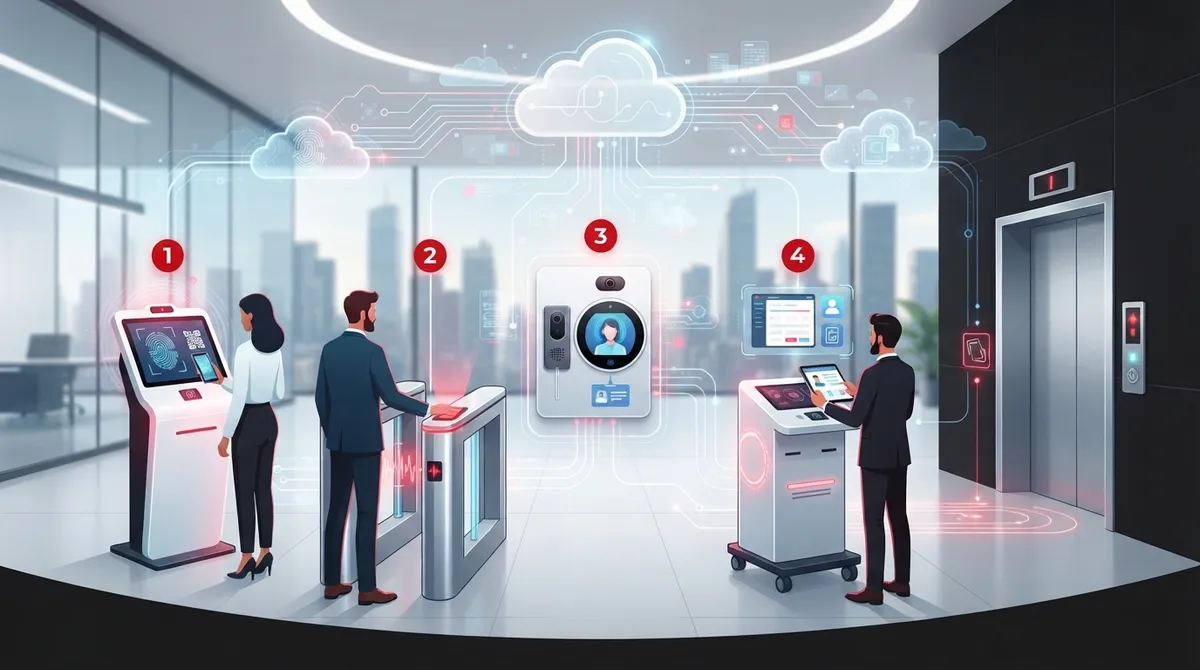
Picture this: a guest walks up to your office, taps a QR code on their phone, and the door unlocks before your receptionist even looks up. No sign-in sheet. No fumbling with visitor badges. No awkward wait in the lobby. That’s the magic of cloud access control visitor management, and it’s changing how Tampa businesses greet everyone from delivery drivers to VIP clients. If you’re juggling multiple locations, tired of clunky front-desk logs, or just want your building to feel as modern as your website, you’re in the right place.
We’re going to walk through five standout approaches to cloud access control visitor management, explain how they connect with your phone systems and network, and share what to look for before you sign a contract. Whether you run a single Tampa storefront or manage a growing franchise chain, this guide is built with you in mind. Let’s get into it.
What Is Cloud Access Control Visitor Management, Really?
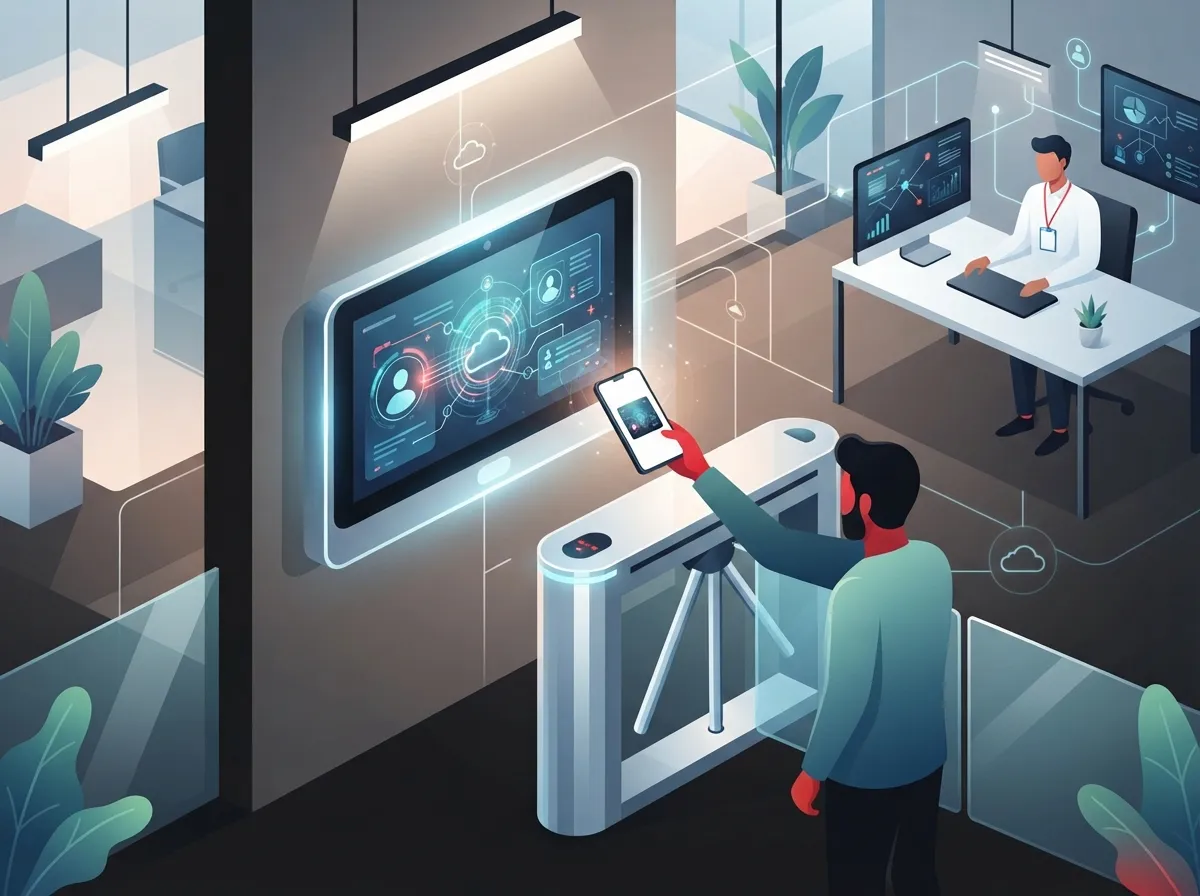
Cloud access control visitor management combines two things: controlling who can open your doors, and managing guests who need temporary access. Instead of a local server tucked in a closet, everything lives online. Administrators log into a dashboard from anywhere to manage credentials, review activity, and approve visitors.
This setup pairs nicely with the kind of telecom infrastructure many businesses already have. If your office runs on VoIP phones and cloud software, adding cloud-based doors and visitor check-in just makes sense. It’s one less system that feels disconnected from everything else.
- Online pre-registration so guests skip the paperwork
- Instant host notifications when a visitor arrives
- QR-code or mobile credentials instead of plastic badges
- Photo capture and ID verification where allowed
- Automatic check-in and check-out logs for every visit
These features aren’t just nice extras. They save your front-desk staff time and give you a real paper trail if something ever needs review. For a deeper look at how these systems work day-to-day, check out this guide on how cloud access control works for business telecom.
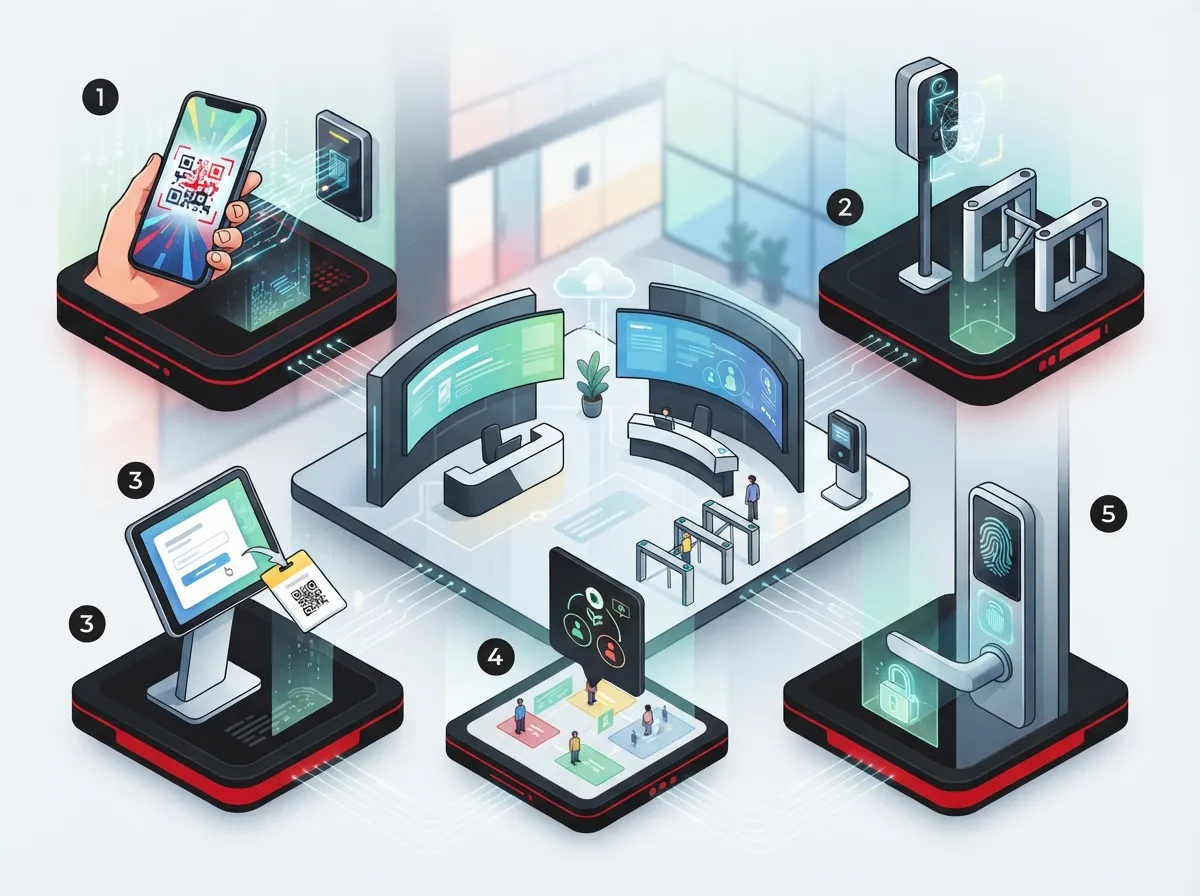
5 Cloud Access Control Visitor Management Approaches Worth Considering
Not every business needs the same setup. Here are five common approaches, ranked by how they fit different business sizes and needs.
1. Single-Site Mobile Credential Systems
Small businesses often start here. Guests and employees use a smartphone app or QR code to enter. There’s no need for physical key cards, and setup is usually quick. This works great for a single Tampa office with moderate foot traffic.
2. Kiosk-Based Visitor Check-In
A tablet or kiosk sits in your lobby, letting guests sign in themselves. It prints a badge, snaps a photo, and alerts the host automatically. This is a favorite for medical offices, manufacturing plants, and any business with strict visitor logging needs.
3. Multi-Site Centralized Management
For mid-sized enterprises and franchise operators, this is the big one. One dashboard controls doors, credentials, and visitor policies across every location. Managers can see who entered which building and when, no matter where they’re sitting.
4. Integrated Video and Intercom Visitor Systems
This approach pairs door access with SIP-based video intercoms and cloud cameras. A guest presses a button, staff sees and hears them live, then unlocks the door remotely. It’s a strong fit for buildings with unstaffed entrances or after-hours deliveries.
5. Identity-Integrated Access with Directory Sync
Larger organizations often connect their access system to their employee directory. When someone leaves the company, their access disappears automatically. This reduces the risk of forgotten credentials floating around after staff turnover.
How Cloud Visitor Management Connects With Your Phone and Network Systems
Here’s something people often overlook: cloud access control doesn’t operate in a bubble. It needs to talk to your other business systems to be truly useful.
- Your VoIP or SIP phone system can trigger door intercom calls straight to a desk phone or mobile app.
- SMS and email notifications alert hosts the moment a visitor checks in.
- Microsoft Teams or other collaboration tools can receive arrival alerts without anyone touching a phone.
- Camera systems tie into visitor logs, so you have video proof alongside the digital record.
- Alarm monitoring and building-management platforms can respond automatically to unusual access attempts.
Before adding any of these integrations, it’s smart to verify compatibility at the device, credential, and network-protocol level. This is exactly the kind of detail an experienced telecom expert who gets results can help sort out, so you’re not stuck with mismatched hardware later.
Connectivity Requirements You Shouldn’t Skip
Cloud systems live and die by their internet connection. Before choosing a provider, understand what your building actually needs.
| Connection Type | Common Use | Why It Matters |
|---|---|---|
| Ethernet / PoE | Door controllers, kiosks, cameras | Stable power and data through one cable |
| Wi-Fi | Mobile credential readers, tablets | Flexible placement without new wiring |
| Primary Broadband | Cloud dashboard sync, video streaming | Keeps the system connected to the cloud platform |
| Cellular Failover | Backup during outages | Keeps doors and alerts working if internet drops |
Many businesses already have structured cabling in place for phones and computers. Extending that same structured cabling network to support access control hardware is often more affordable than starting from scratch. If you’re planning a buildout, this piece on how structured cabling supports VoIP and cameras is worth a read.
What Happens When the Internet Goes Down?
This is one of the most common questions we hear, and for good reason. Nobody wants employees locked out during a storm or a service outage.
- Good systems cache credentials locally, so doors still recognize approved badges offline.
- Cellular failover keeps the platform connected even if your main Internet Service Provider connection drops.
- Battery backup on controllers prevents doors from locking or unlocking unexpectedly during power loss.
- Visitor check-in may pause temporarily, but door access itself usually keeps working.
Ask any provider directly how their system behaves during an outage. If they can’t give you a clear answer, that’s a red flag. For more on keeping systems running through connectivity issues, this article on keeping security cameras working during internet outages covers similar territory.
Security Best Practices Backed by Federal Guidance
You don’t have to just take our word on security. The National Institute of Standards and Technology (NIST) published detailed guidance on this exact topic. NIST Special Publication 800-207A, released in 2023, outlines a zero-trust model for access control in cloud-based systems spanning multiple locations.
The core idea is simple: never trust access just because someone is inside a certain building or network. Instead, verify continuously. NIST recommends checking things like:
- User identity and role
- Device health and configuration
- Geolocation of the access request
- Credential status and expiration
- Unusual or suspicious access patterns
NIST’s National Cybersecurity Center of Excellence also stresses that both the person and their device should be authenticated, and reauthenticated periodically, not just once at login. That’s a smart standard to hold your own visitor management provider to.
Choosing the Right Provider: A Checklist for Multi-Site Businesses
If you manage more than one location, whether that’s a growing franchise or a company with offices scattered across Tampa Bay and beyond, your checklist looks a little different than a single-site business owner’s.
| Factor | Why It Matters |
|---|---|
| Centralized dashboard | Manage every site’s doors and visitors from one login |
| Consistent access policies | Apply the same rules across all locations without manual work |
| Vendor compatibility | Confirms cameras, intercoms, and phones all work together |
| Support responsiveness | Fast help when a door or reader stops working |
| Data retention practices | Clarifies how long visitor and ID data is stored |
Franchise operators especially benefit from a single vendor relationship instead of juggling separate installers at each site. This is a challenge scalable access control systems for multi-location Tampa businesses are specifically designed to solve.
Privacy, ID Data, and Audit Records
Visitor management systems collect real personal information, names, photos, sometimes ID scans. That means privacy matters just as much as security.
- Ask how long visitor photos and ID data are stored before deletion.
- Confirm who inside your organization can view sensitive visitor records.
- Look for encrypted data transmission between kiosks, readers, and the cloud platform.
- Request documentation on how audit logs are protected from tampering.
- Make sure credential revocation is instant when an employee or contractor leaves.
These aren’t just compliance boxes to check. They protect your guests, your staff, and your business reputation if anything ever gets questioned later.
Why Tampa Businesses Are Making the Switch Now
Cloud-based physical access control is administered through an online platform, which means centralized credential issuance and policy enforcement across every site you own. That’s a real shift from the old days of separate key systems for every office.
Small business owners like the simplicity. Office managers love not having to babysit a visitor log all day. IT managers appreciate having one API-friendly system instead of five disconnected tools. And franchise operators finally get consistency across every location without reinventing the wheel each time they open a new site.
With over 24 years of experience and partnerships across 35+ vetted suppliers, Ideal Solutions Provider helps Tampa businesses design access control and visitor management systems that actually fit how they operate, not a one-size-fits-all package. You can see examples of how these systems come together on our cloud based access control page.
Bringing It All Together
Cloud access control visitor management isn’t just about locking and unlocking doors anymore. It’s about creating a smooth, professional first impression for every guest while keeping your building genuinely secure. From single-site mobile credentials to multi-location dashboards with directory sync, there’s an approach that fits your business, whether you’re a five-person office or a franchise with locations across the state.
The connectivity behind these systems matters just as much as the software itself. Reliable internet, backup power, and thoughtful integration with your VoIP and network setup all play a role in whether your access control actually works when you need it most.
Ready to see what a cloud access control visitor management system could look like for your business? Contact us for a free consultation, or give us a call to talk through your building’s specific needs. You can also follow our latest projects and tips on Facebook, Instagram, and YouTube.
FAQs
Q: What is cloud access control visitor management?
A: It’s a cloud-hosted system that controls building doors and manages guest check-in through one online platform. You get digital badges, host alerts, and activity logs, all without a bulky server in your back office. Think of it as your front desk and your locks finally talking to each other.
Q: How does cloud visitor management work with business phone and VoIP systems?
A: SIP intercoms and VoIP phones can ring straight to a desk phone or mobile app when a visitor arrives at the door. Many systems also send SMS or email alerts, or even ping a Microsoft Teams channel. It’s a nice way to keep your communications and your security connected instead of running as separate silos.
Q: What happens to door access and visitor check-in if the internet goes down?
A: Good systems cache credentials locally, so doors keep recognizing approved badges even offline. Cellular failover and battery backup help keep things running during an outage too. Visitor check-in might pause briefly, but your team usually won’t get locked out of the building.
Q: Can cloud access control integrate with SIP intercoms, cameras, and SMS notifications?
A: Yes, most modern platforms are built to connect with intercoms, cameras, and messaging tools. That said, it’s smart to double-check compatibility at the device and network level before you commit. A quick conversation with a telecom partner can save you from mismatched hardware headaches down the road.
Q: How secure are cloud-based visitor management and physical access systems?
A: When set up correctly, these systems can be very secure, especially when they follow zero-trust principles from NIST, which means continuously verifying users and devices instead of trusting them by default. Look for encrypted communications, strong admin login requirements, and instant credential revocation. Security really comes down to how the system is configured, so working with an experienced installer matters.





