

Key Takeaways
-
Cloud-based hosted PBX systems are the modern standard for professional phone service in Tampa, routing calls over the internet with voicemail, routing, and team tools that work from any location.
-
Compare the full first-year and renewal cost, not just the per-user price, since phones, installation, network upgrades, taxes, and toll-free usage can add significantly to the advertised rate.
-
Test your internet and network before switching, because call quality depends on bandwidth, wiring, and power, not just the phone provider.
-
Ask providers in writing about uptime definitions, exclusions, outage failover such as routing calls to cell phones, and how fast support responds.
-
Confirm that your existing phone numbers can be ported and get the timeline in writing, keeping old service active until the new system is tested.
-
Review security, call recording access, retention rules, and any regulatory compliance needs with the provider before signing, and get all answers in writing.
Picture this: a big customer calls your Tampa office, and the line just goes quiet. Maybe the internet blipped. Maybe the old phone box finally gave up. Either way, that call is gone. If you have ever felt that sinking feeling, you are in good company, and the good news is that it is very fixable.
Today, professional phone service in Tampa usually means a managed VoIP or hosted PBX system. That is a fancy way of saying your calls run over the internet through a secure platform. You get business calling, call routing, voicemail, and team chat tools that work from the office, home, or your phone.
In this guide, we will walk through what professional phone service really includes, what it costs, what to ask before you sign, and how to switch without drama. Whether you run a small shop, manage an office, or oversee several franchise locations, you will leave with a clear plan. Let’s dive in!

What Does Professional Phone Service Mean in Tampa?
When Tampa businesses say they want professional phone service, they almost always mean a system built for work, not a basic home line. It handles many users, many calls, and many locations without breaking a sweat.
Most modern setups fall into one of three types:
- Hosted PBX or cloud phone system: Your provider runs the phone brain in the cloud. You get phones, apps, and an admin portal.
- On-premises PBX: The phone equipment lives in your building. This gives you direct control, but you handle more upkeep.
- Hybrid systems: A mix of both. Some businesses keep certain lines or equipment on site while moving other features to the cloud.
If you want a deeper look at the basics, our guide on what a cloud-based phone system is and whether you need one breaks it down in plain English.
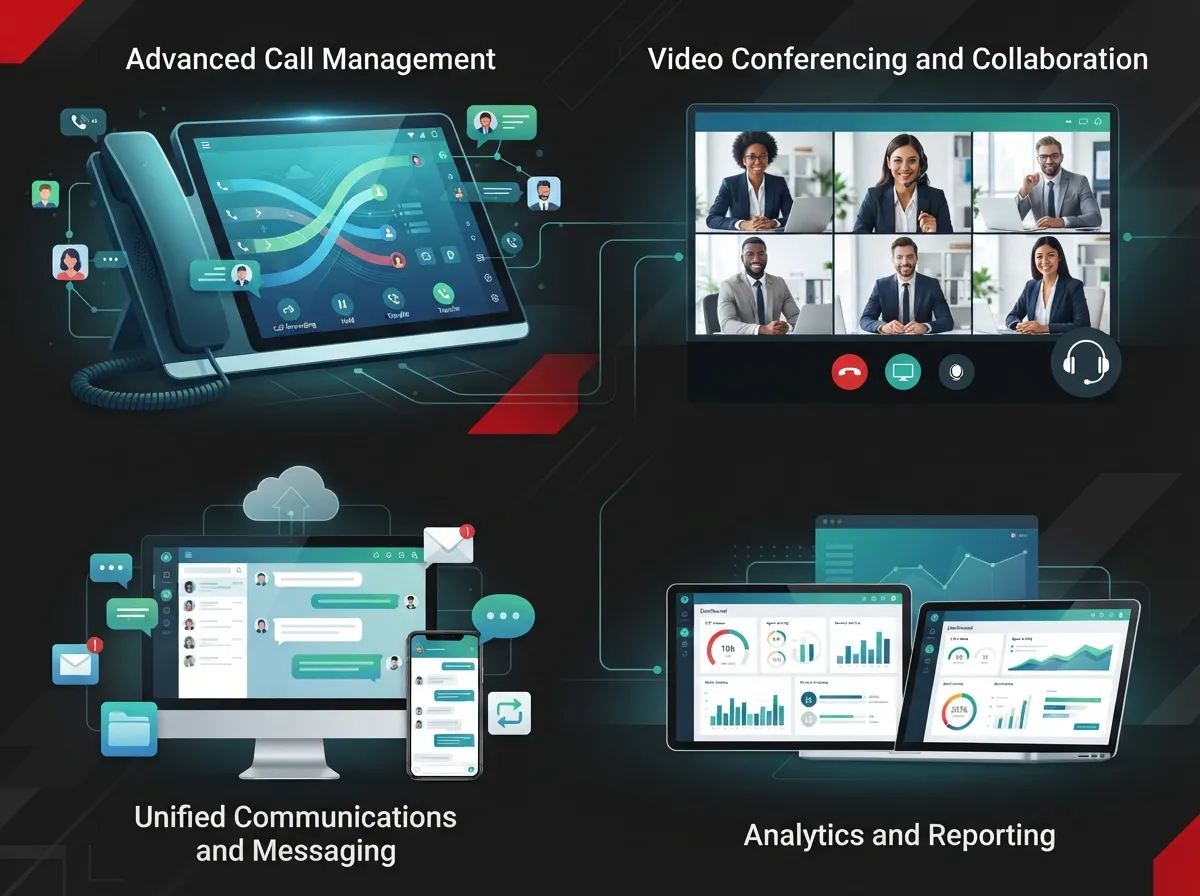
Features Your Business Phone System Should Include
Not every business needs every bell and whistle. Still, a few features show up again and again in good professional phone service. Availability varies by provider and plan, so always check what your quote actually covers.
- Auto attendant and IVR menus: A friendly greeting that says, “Press 1 for sales.” It makes even a small team sound polished.
- Call routing and queues: Send calls to the right person, group, or backup number.
- Voicemail-to-email: Messages land in your inbox so nothing gets missed.
- Call recording: Helpful for training, quality checks, and records.
- Business texting: Many customers would rather text than call.
- Mobile and desktop apps: Take your business line anywhere without sharing your personal number.
- Conferencing and analytics: Meet with your team and see how calls are handled.
- CRM integrations: Connect calls to your customer records.
Want the full checklist? Check out 9 VoIP phone system features every business needs in 2026 to compare options side by side.
How Much Does Professional Phone Service Cost in Tampa?
This is the question everyone asks first, and it is a fair one. The honest answer is that prices vary a lot from provider to provider.
Published Tampa-area plans advertise anywhere from about $14.95 to $24.95 per user per month for selected tiers, while other providers list higher-priced plans. Those are provider-specific offers, not a market average, so treat them as starting points. One Tampa-area provider shares an example of a 10-user setup at roughly $220 per month for service, plus about $1,200 one time for phones and installation. That is a vendor estimate, not a verified local average, but it helps you picture the range.
What Makes Up Your Total Cost
The headline per-user price is only part of the story. Here is what else can show up on your bill:
| Cost Item | What to Ask |
|---|---|
| Monthly user licenses | Which features are included at this tier? |
| Desk phones and headsets | Are they purchased, leased, or included? |
| Installation and setup | Is it one time? Is on-site help included? |
| Internet or network upgrades | Does my network need changes for good call quality? |
| Taxes and regulatory fees | Are they listed in the quote? |
| Toll-free and international usage | Is it unlimited, or billed by the minute? |
| Optional integrations | Are CRM or add-on tools extra? |
A smart move is to compare the full first-year cost and the renewal cost, not just the sticker price. For more detail, read how much a VoIP phone system costs for a business in Tampa. If budget is your top worry, 8 affordable VoIP phone services for Tampa businesses in 2026 is a great companion read.
Keeping Calls Clear and Reliable
Here is where many businesses get surprised. With cloud calling, your call quality depends on more than the phone company. Your internet, your office network, your power, and the provider’s setup all play a part.
Think of it like a highway. Even a great car will crawl if the road is full of potholes. A strong network keeps your calls smooth.
Questions to Ask About Reliability
- What bandwidth and network setup do you recommend for my number of users?
- What uptime do you commit to, and what does the contract say about it? One Tampa-area provider advertises 99.999% uptime, which works out to about 5.3 minutes of downtime in a year if met all year long. That is a vendor claim, so read how uptime is defined, what is excluded, and what remedies you get.
- What happens during an internet or power outage? Ask about failover routing, such as sending calls to cell phones.
- How does emergency calling work for each location?
- How fast is support, and who do I call?
Your internet matters a lot here. Our guide on what internet speed you need for VoIP in Tampa will help you size things right. And if your wiring is old or messy, 13 ways structured cabling supports VoIP and cameras shows why a clean network pays off. Good structured cabling is the quiet hero behind clear calls.
Hosted PBX vs. On-Premises: Which Fits You?
There is no one right answer. The best choice depends on your team size, budget, and how much you want to manage.
| Factor | Hosted PBX / Cloud | On-Premises PBX |
|---|---|---|
| Upfront cost | Usually lower | Usually higher (equipment) |
| Upkeep | Provider handles most of it | You or your IT team handle it |
| Remote and hybrid work | Built for it | Possible, but often needs extra setup |
| Multi-location | Easy to connect sites | More complex |
| Scaling up or down | Add or remove users quickly | May need new hardware |
| Control | Shared with provider | Direct control in your building |
If you are still weighing the two, local vs. cloud VoIP providers in Tampa: which wins? gives a friendly side-by-side. You can also see 6 key differences between VoIP and traditional phone systems for the bigger picture.
Connecting Multiple Locations Across Tampa Bay
Do you have offices in Tampa, St. Petersburg, and Clearwater? Or franchise sites scattered across the region? A cloud phone system can tie them together nicely.
With shared extensions and central admin, one person can manage every site from a single screen. Staff can dial a coworker across town like they are down the hall. Calls can also route between offices, so if one site is busy or closed, another can pick up.
For franchise operators and growing companies, this is a big win. You get the same caller experience at every location, and you can add a new site without starting from scratch. Our article on 11 reliable network solutions for multi-location Tampa businesses shows how the phone, internet, and network pieces fit together.
Can You Keep Your Existing Phone Number?
Great news: in many cases, yes. Moving an existing number to a new provider is called porting. Customers keep calling the same number, and they never need to know you switched.
Before you commit, confirm that your numbers can be ported. Ask how long it takes and who handles the paperwork. Plan the switch carefully so your old service stays active until the new one is tested and ready. We cover this step by step in how to keep your phone number when switching to VoIP in Tampa.
A Simple Plan for Switching Your Phone Service
Switching can feel big, but it does not have to be scary. Here is a clean path most businesses follow:
- List your needs. Count users, locations, and must-have features.
- Check your internet and network. Make sure they can handle voice traffic at every site.
- Gather quotes. Ask for the full first-year cost, including fees and equipment.
- Confirm number porting. Get the timeline in writing.
- Test before you go live. Try call quality at each location.
- Train your team. A short walkthrough saves lots of headaches later.
- Review security and recording settings. Set access controls and retention rules.
For a deeper walkthrough, see 5 steps to switch your business phone to the cloud in Tampa and how cloud phone system installation works for Tampa businesses.
Security, Recording, and Compliance
Phone systems carry sensitive conversations, so security matters. Ask your provider how calls are protected, who can access recordings, and how long recordings are kept. Set clear user permissions so only the right people can reach admin settings.
If your business handles regulated information, such as health or financial data, confirm the compliance requirements with both the provider and your own legal or compliance advisers. Do not assume a plan covers it. Always ask, and get answers in writing.
Mistakes to Avoid When Choosing a Provider
Plenty of Tampa businesses have learned these lessons the hard way, so you do not have to:
- Judging by price alone. The cheapest plan can cost more once fees and gear are added.
- Skipping the network check. Great phones will not fix a weak connection.
- Ignoring outage plans. Always ask what happens when the internet or power goes down.
- Overlooking contract terms. Look closely at length, renewal, and early-exit rules.
- Forgetting support. Know who answers the phone when you need help.
You can dig into more of these in 15 cloud phone system mistakes Tampa small businesses make and 8 VoIP provider mistakes Tampa businesses must avoid.
Why Work With One Telecom Partner?
Phones, internet, cabling, and security often come from different companies. When something goes wrong, you end up playing phone tag between vendors. That is no fun for an office manager or IT lead.
Ideal Solutions Provider is a Tampa-based telecom and IT partner with more than 24 years of experience. We compare options across 35+ vetted suppliers and act as your single point of contact, from consultation and installation to ongoing support. We also offer a free review of your current setup, so you can see where you might be overpaying. You can learn more about cloud based phone systems or explore 11 reasons to use one telecom partner in Tampa FL.
Ready to Upgrade Your Business Calls?
Professional phone service in Tampa does not have to be confusing. Focus on the features you truly need, compare the full cost, check your network, and ask smart questions about uptime, outages, and support. Do that, and you will end up with a phone system that makes your business sound sharp and keeps customers happy.
If you would like friendly, no-pressure help, contact us for a free consultation and we will review your current setup together. Prefer to talk it through? You can also call us anytime. We would love to help your Tampa business never miss another call.
FAQs
Q: What is the best professional phone service for a business in Tampa, Florida?
A: The best choice depends on your team size, locations, budget, and the features you truly need. For most Tampa businesses, a managed VoIP or hosted PBX system offers the best mix of flexibility and value. Compare the full cost, support, and outage plans before you decide.
Q: How much does business VoIP service cost in Tampa?
A: Advertised Tampa-area plans run from roughly $14.95 to $24.95 per user per month for selected tiers, with higher-priced plans also available. Your real cost can also include phones, installation, network upgrades, taxes, and fees. Always ask for the full first-year and renewal cost in writing.
Q: Can I keep my current business phone number?
A: In many cases, yes! Moving your number to a new provider is called porting, and it lets customers keep calling the same number. Confirm that your numbers can be ported, ask about the timeline, and keep your old service active until the new one is tested.
Q: What happens to my VoIP phones during an internet or power outage?
A: Cloud phones rely on internet and power, so an outage can interrupt service unless you plan ahead. Ask your provider about failover routing, like sending calls to mobile phones, plus backup power and internet options. A good provider will walk you through the plan clearly.
Q: Can one phone system connect my Tampa, St. Petersburg, and Clearwater offices?
A: Yes, a cloud phone system can link multiple Tampa Bay locations with shared extensions, central admin, and routing between offices. This makes it easy for teams to stay connected and keeps the caller experience consistent at every site.





