

Key Takeaways
-
Cloud security camera systems enable real-time remote monitoring from any device and automatically handle software updates, eliminating the need for on-site hardware maintenance or dedicated IT security staff.
-
Your network infrastructure is critical to system performance; work with providers who assess bandwidth needs, implement network segmentation via VLANs, and establish QoS policies to prevent video lag or dropped feeds.
-
Hybrid cloud setups can integrate existing cameras with cloud platforms for remote access and backup without requiring complete hardware replacement, potentially saving significant upgrade costs.
-
Implement essential security practices including unique login credentials, multi-factor authentication, role-based access controls, and regular firmware updates to protect against hacker threats to connected cameras.
-
Cloud cameras with local edge storage continue recording during internet outages and automatically upload footage when connectivity restores; add redundant internet connections for businesses requiring zero-gap coverage.
-
Cloud surveillance markets are projected to grow from $12.8 billion in 2025 to $57.3 billion by 2034, driven by scalability advantages, multi-location management dashboards, and smart motion/object detection alerts for growing businesses.
Picture this: you’re at home on a Sunday, and you get a phone alert. Someone’s walking around your Tampa office parking lot at 11 p.m. You pull up live video on your phone, see it’s just a delivery driver dropping off a package, and go back to relaxing. That’s the magic of cloud security camera systems, and it’s why more business owners are making the switch every single month.
If you’re a small business owner, office manager, or IT manager juggling a dozen priorities, security shouldn’t be one more headache. Cloud security camera systems take the stress out of watching over your business. They combine smart cameras with online video storage, so you can check in from anywhere, anytime. No more digging through clunky hard drives or driving to the office just to see what happened last night.
In this guide, we’ll walk through what these systems actually do, why they matter for your business network, what they cost, and how to keep them safe from hackers. We’ll also cover the telecom side of things, because your internet and network setup plays a bigger role than most people realize. Let’s dig in.
What Are Cloud Security Camera Systems, Really?
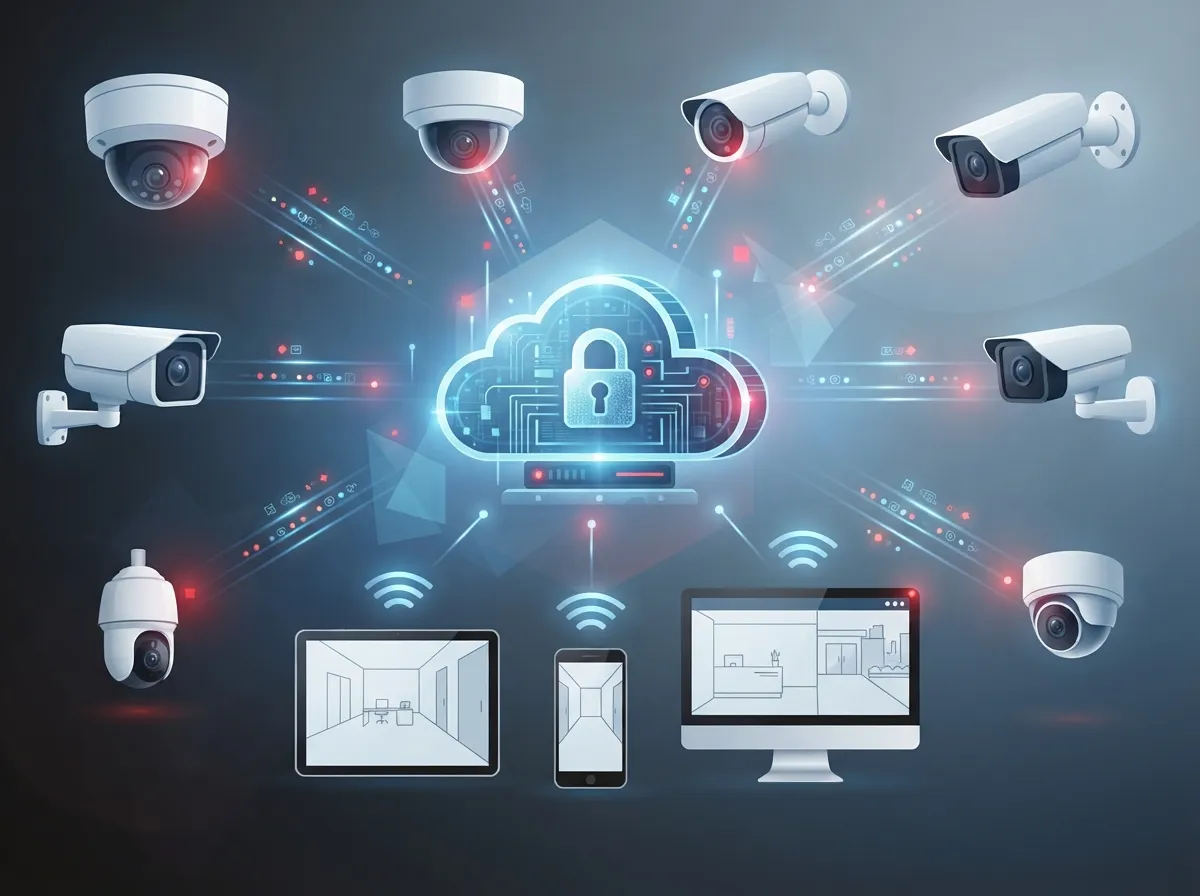
A cloud security camera system uses internet-connected cameras that send video straight to a cloud-based video management system, often called a VMS. Instead of storing footage on a box sitting in your back office, your videos live safely online. You can log in from your phone, tablet, or laptop and watch live feeds or search old footage in seconds.
This is different from the old-school DVR or NVR setups many businesses still use. Those systems rely on physical hardware sitting on-site, which can fail, get stolen, or run out of storage space. Cloud systems shift that burden to secure data centers, which handle backups and updates automatically.
For businesses that already work with a telecom partner, this makes a lot of sense. Your cameras become just another device on your business network, alongside your cloud-based phone system and other connected tools. That means your internet connection, Wi-Fi setup, and network security all need to work together smoothly.

Why Businesses Are Making the Switch
Cloud video surveillance isn’t just a passing trend. Industry estimates suggest the global cloud video surveillance market could grow from around $12.8 billion in 2025 to as much as $57.3 billion by 2034. Other research groups report different numbers, with some estimating the commercial segment alone makes up roughly 35.8% of the market. These figures vary by source, but they all point to the same thing: cloud camera systems are becoming the new normal for businesses of every size.
Here’s why so many companies are jumping on board:
- Remote access from anywhere: Check your cameras from your phone whether you’re at home, on vacation, or running between job sites.
- Centralized management: Manage cameras at multiple locations from one single dashboard, which is a huge win for franchise operators.
- Automatic updates: Your provider handles software patches and security updates, so you don’t have to think about it.
- Elastic storage: Need more storage as your business grows? Cloud storage scales up without buying new hardware.
- Smart alerts: Get notified about motion, people, vehicles, or even line-crossing events in real time.
These benefits matter most for businesses without a dedicated IT security team. If you’re an office manager wearing five different hats, a system that mostly runs itself is a gift.
Cloud vs. On-Premises vs. Hybrid: Which Fits Your Business?
Not every business needs the exact same setup. Some prefer to keep some hardware on-site while still getting cloud benefits. Here’s a simple breakdown to help you compare your options.
| System Type | How It Works | Best For |
|---|---|---|
| Cloud-Based | Cameras send video directly to cloud storage; managed through an app or web portal | Multi-location businesses, franchises, remote managers |
| On-Premises (DVR/NVR) | Video stored on a local device at the business site | Businesses wanting full local control with no subscription fees |
| Hybrid | Combines local recording with cloud backup and remote viewing | Businesses wanting redundancy in case of internet outages |
Many businesses already have existing cameras and don’t want to rip everything out. The good news is that a hybrid setup can often connect your current cameras to a cloud management platform, giving you remote access without a full hardware overhaul. It’s worth asking your provider whether your current setup can be integrated before assuming you need to start from scratch.
The Telecom Side: What Your Network Needs to Support Cloud Cameras
Here’s something a lot of camera vendors won’t tell you upfront: your cloud cameras are only as good as your network. Video is data-heavy, and cameras are constantly uploading footage in the background. If your business internet connection can’t keep up, you’ll see lag, dropped feeds, or grainy video right when you need it most.
This is where working with a telecom-focused provider makes a real difference. A good partner will look at your whole network, not just drop in a few cameras and leave. Here’s what should be part of the conversation:
- Bandwidth assessment: Your provider should calculate how much upstream bandwidth your camera count and video quality will require.
- Network segmentation: Cameras should sit on their own VLAN, separate from your phones and computers, to reduce security risks.
- Quality of Service (QoS) policies: These prioritize important traffic so video doesn’t compete with your VoIP calls or everyday internet use.
- Redundant connectivity: A backup internet connection keeps cameras online if your main connection drops.
- Ongoing monitoring: Someone should be watching uptime and performance so problems get caught early, not after something goes wrong.
This is exactly the kind of full-picture planning that Ideal Solutions Provider brings to the table. Because they work across structured cabling, networking, and internet services, they can make sure your cameras don’t just get installed, but actually work well long-term.
How Much Do Cloud Security Camera Systems Cost?
Pricing depends on a lot of factors: camera count, video quality, how long you keep footage, and which features you need. Most providers charge a monthly or yearly subscription per camera, on top of the hardware cost.
Here’s a general idea of what businesses commonly pay, though your exact quote will vary based on your setup:
- Camera hardware: Often ranges from a couple hundred dollars to over a thousand per camera, depending on resolution and features like night vision or pan-tilt-zoom.
- Cloud subscription fees: Usually billed per camera per month, covering storage, software updates, and support.
- Installation and cabling: Costs vary based on building size, number of cameras, and whether new wiring is needed.
- Retention period: Storing footage for 30 days costs less than storing it for 90 days or longer.
Don’t just look at the sticker price. A true cost comparison should include bandwidth needs, licensing, support, and how the system fits with your other telecom tools. This is one reason it helps to work with a partner who can walk you through a full commercial video surveillance cost breakdown before you commit to a contract.
Keeping Your Cloud Cameras Safe from Hackers
Moving to the cloud doesn’t mean security becomes someone else’s problem entirely. Connected cameras are still a target for hackers, and businesses need to take some basic precautions seriously.
The National Institute of Standards and Technology, or NIST, published guidance in its Special Publication 800-213 specifically addressing cybersecurity for connected devices like security cameras. Following guidance like this is a smart move for any business handling sensitive video data.
Here are the basics every business should have in place:
- Unique login credentials for every user, never shared passwords
- Multi-factor authentication for anyone accessing the camera system
- Role-based access, so employees only see what they need to see
- Encryption for video both while it’s traveling and while it’s stored
- Regular firmware updates applied automatically or on a set schedule
- Audit logs showing who accessed footage and when
- A clear plan for what happens if there’s a security incident
If you’re unsure whether your current setup meets these standards, it’s worth having a conversation with your IT team or telecom partner. A quick security review now can save a massive headache later.
What Happens If the Internet Goes Down?
This is one of the most common questions we hear, and it’s a fair one. Cloud cameras rely on an internet connection to send video to storage. If your internet goes out, most systems will pause uploads.
The good news is many cameras include local storage as a backup, often called edge storage. This means footage still records on the camera itself and uploads once the connection comes back. For businesses that can’t afford any gaps in coverage, a secondary internet connection or cellular failover adds another layer of protection.
This is another reason why dedicated fiber internet and backup connectivity matter so much for security-conscious businesses. A dropped connection shouldn’t mean a blind spot in your coverage.
Who Benefits Most from Cloud Security Camera Systems?
Cloud video security isn’t just for big corporations with dedicated security teams. It works well for all kinds of businesses, including:
- Retail chains needing consistent coverage across multiple stores
- Warehouses and distribution centers watching large, open spaces
- Healthcare facilities requiring privacy-conscious monitoring
- Schools focused on student and staff safety
- Construction sites needing temporary, easy-to-move coverage
- Franchise operators managing locations across Tampa Bay and beyond
- Offices without a dedicated IT or security staff member
If your business fits into any of these categories, cloud cameras can take a huge weight off your shoulders. You get peace of mind without needing to become a security expert yourself.
Getting Started: A Simple Path Forward
Feeling a little overwhelmed by all this? That’s completely normal. Here’s a simple way to approach your decision, step by step.
- Take stock of what you already have, including any existing cameras or wiring.
- Figure out how many cameras you need and where they should go.
- Ask about your current network’s bandwidth and whether it can handle video traffic.
- Compare a few providers, focusing on total cost, not just camera price.
- Ask specifically about cybersecurity practices and data retention policies.
- Request a walkthrough or consultation before signing any contract.
Businesses that skip these steps often end up overpaying or dealing with performance problems down the road. Taking a little extra time upfront saves a lot of frustration later.
Why a Telecom Partner Makes the Difference
Here’s the honest truth: buying cameras is the easy part. Making sure they work reliably, stay secure, and fit into your bigger business network takes real expertise. That’s where a telecom-focused partner adds real value.
With over 24 years of experience and partnerships with more than 35 vetted suppliers, Ideal Solutions Provider looks at your whole picture, from your internet service to your cabling to your cameras. Instead of juggling separate vendors for phones, internet, and security, you get one team handling it all. You can follow their work and updates on Facebook, Instagram, and YouTube to see real examples of their work in action.
Whether you’re running a single Tampa office or managing locations across the country, cloud security camera systems only work as well as the network behind them. That’s why pairing your cameras with solid structured cabling and a reliable Internet Service Provider relationship matters so much.
Ready to Upgrade Your Business Security?
Cloud security camera systems give you peace of mind, flexibility, and control over your business, no matter where you are. But getting the most out of your investment means pairing the right cameras with a strong, secure network behind them. If you’re ready to talk through your options and get a clear, honest recommendation, get in touch with our team for a free consultation, or give us a call today. We’re here to help you build a security setup that actually works for your business, not just today, but for years to come.
FAQs
Q: What is a cloud security camera system for business?
A: It’s a setup where your cameras send video straight to online storage instead of a local hard drive. You get to check live feeds and past footage from your phone or laptop, wherever you happen to be. It’s a simple way to keep an eye on your business without being tied to one location.
Q: How much internet bandwidth do cloud security cameras need?
A: It really depends on how many cameras you have and the video quality you choose. Higher resolution cameras and more units need more upstream bandwidth to upload smoothly. Your telecom provider can run a quick assessment to make sure your connection can handle it without lag.
Q: Are cloud security cameras secure for businesses?
A: Yes, as long as you follow some basic best practices like strong passwords, multi-factor authentication, and regular firmware updates. Reputable providers also encrypt your video both in transit and in storage. Think of it like locking your front door, the technology works great when you actually use the locks.
Q: Can a business use existing cameras with a cloud video management system?
A: Often, yes! Many hybrid setups let you connect your current cameras to a cloud platform for remote viewing and backup. It’s always worth asking a provider before assuming you need brand new hardware. This can save you a good chunk of money on your upgrade.
Q: Can cloud cameras work if the internet goes down?
A: Most cloud cameras include local storage as a backup, so recording continues even during an outage. Once your connection comes back, footage uploads automatically. For extra peace of mind, a backup internet connection keeps things running smoothly no matter what.





