
Key Takeaways
-
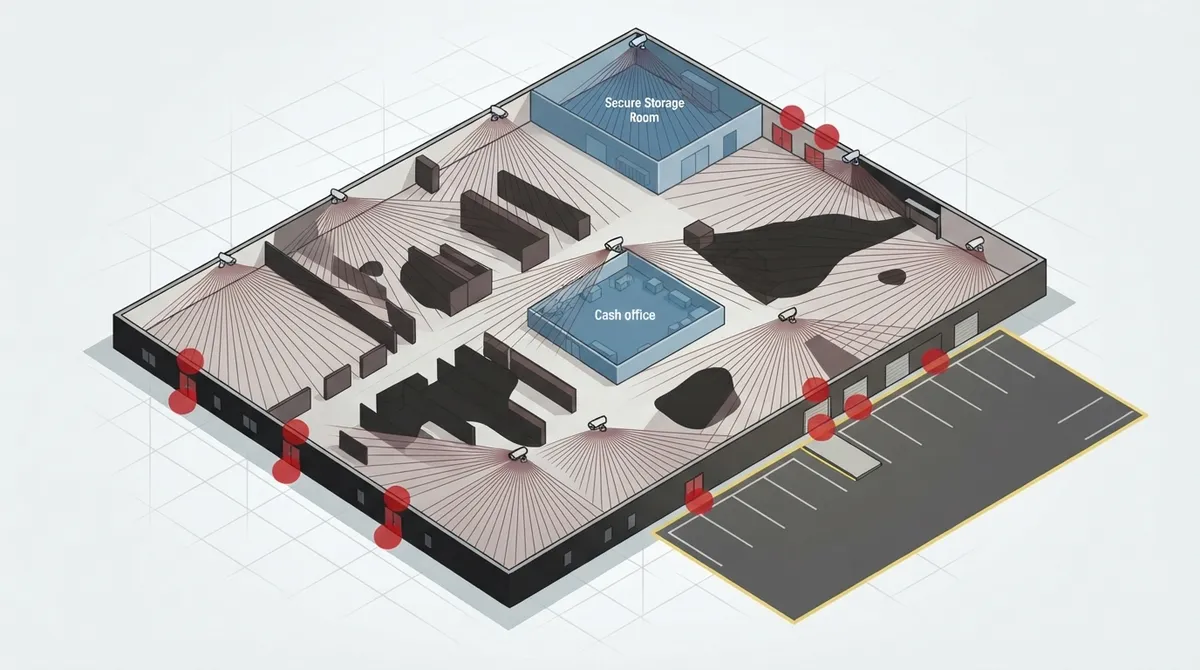
Define your security goals first (catching theft, monitoring loading docks, etc.) before deciding on camera count—the right number depends on your specific building layout, entry points, and high-value areas, not a universal formula.
-
Map your property into coverage zones (entrances, cash areas, stockrooms, parking lots, blind spots) rather than trying to cover everything at once; this approach makes the camera count almost figure itself out automatically.
-
Most small businesses need between 4 and 16 cameras; use the 400-600 square feet per camera rule as a starting point only, since layout and obstructions matter more than square footage alone.
-
Never skip dedicated cameras for every entry and exit point including emergency exits, rear doors, loading docks, and stairwells—missing even one creates critical security gaps.
-
Add a 15-20% buffer beyond your initial camera estimate to account for blind spots and layout quirks you'll discover during installation, and ensure your network infrastructure (PoE switching, cabling, internet capacity) can support the cameras.
-
Get a professional site survey for an accurate count since proper lighting, distance measurements, and blind spot identification require trained technician expertise that no article can replace.
Ever stand in your parking lot and wonder if one camera by the front door is really enough? You’re not alone. Business owners across Tampa Bay ask us this question almost every week, and honestly, it’s a great question to ask. The truth is, there’s no magic number that fits every business. But don’t worry, we’re going to walk through this together, step by step, so you feel confident about your next move.
Whether you run a cozy small office, a busy restaurant, or a growing warehouse, figuring out how many cameras does my business need comes down to a few simple factors. We’ll cover square footage, entry points, blind spots, and even the tech behind the scenes that makes it all work. By the end, you’ll have a clear picture (pun intended) of what your business really needs to stay safe and sound.

1. Start With Your Security Goals, Not a Random Number
Before you count cameras, think about what you actually want to accomplish. Are you trying to catch shoplifters in the act? Keep an eye on your loading dock? Or simply feel more at ease when you’re not on-site? Your goals shape everything else.
There’s no universal camera count that works for every business. The right number depends on your building layout, entry points, high-value areas, outdoor spaces, lighting, and how much detail you need to see. A small accounting office has very different needs than a busy auto shop with a parking lot full of customer vehicles.
2. Divide Your Property Into Coverage Zones
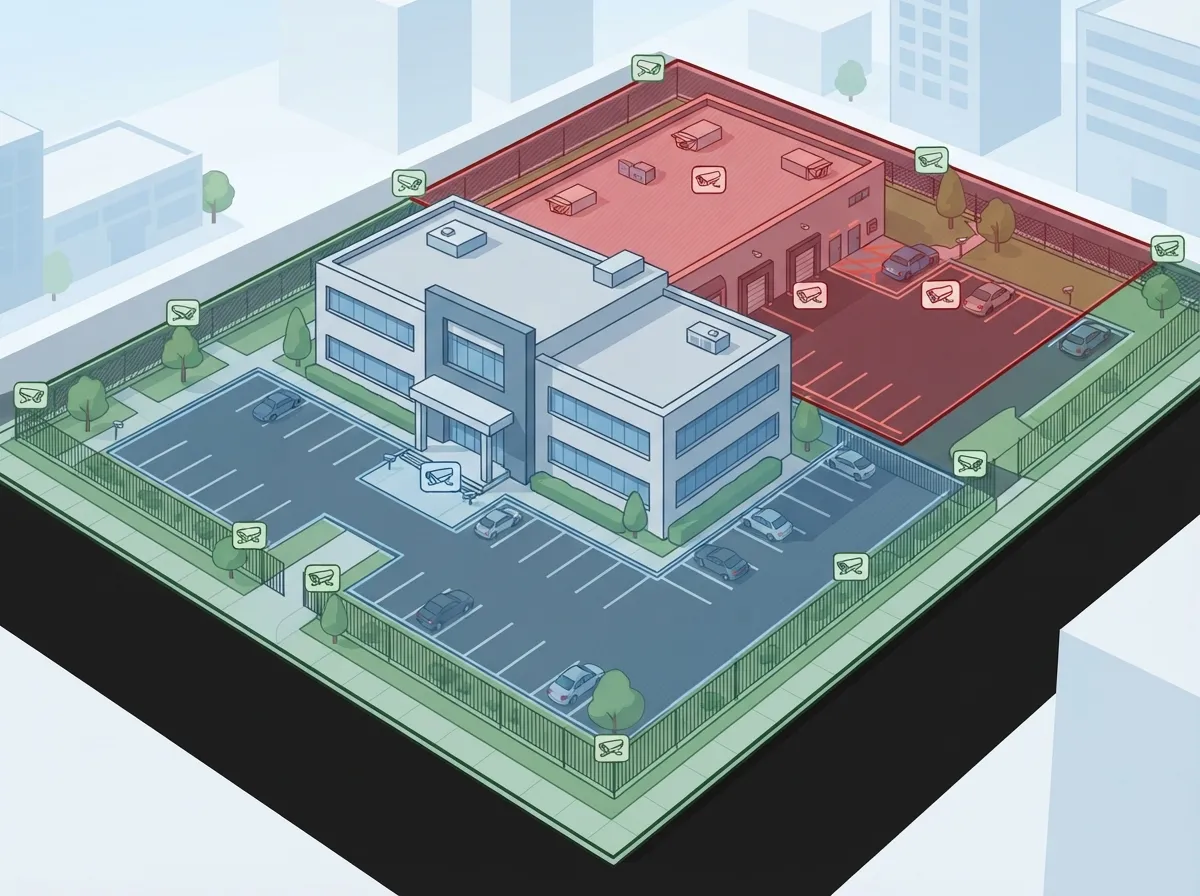
Here’s a friendly trick that security pros swear by: break your property into zones instead of trying to cover everything at once. This makes the whole process feel much less overwhelming.
Walk through your space and assign cameras to each of these areas:
- Every exterior entrance and exit
- Interior choke points like hallways or stairwells
- Point-of-sale or cash-handling areas
- Stockrooms and inventory storage
- Server or equipment rooms
- Loading docks and shipping areas
- Parking lots and garages
- Any known blind spots from past incidents
Once you map this out, the actual camera count almost figures itself out.
3. Know the Typical Range for Small Businesses
Good news: most small businesses land somewhere between 4 and 16 cameras. That’s a wide range, we know, but it gives you a helpful starting point.
Small offices and retail shops often sit near the lower end of that range, maybe 4 to 12 cameras. Restaurants, businesses with parking lots, and locations with multiple doors usually need more coverage. If your business has several access points or handles cash regularly, plan for the higher end.
4. Use Square Footage as a Starting Point (Not the Final Answer)
You’ve probably heard the rule of one camera per 400 to 600 square feet. It’s a decent starting point, but please don’t stop there. Some guides even suggest a range of 500 to 800 square feet per camera, which shows just how much this can vary.
Square footage alone doesn’t account for shelving units, tall partitions, narrow aisles, or high ceilings. A wide-open 2,000-square-foot showroom might need fewer cameras than a cluttered 1,500-square-foot stockroom. Layout matters just as much as size.
Quick Reference: Camera Estimates by Business Type
| Business Type | Typical Camera Range | Key Coverage Areas |
|---|---|---|
| Small Office | 4–8 cameras | Entry, lobby, server room |
| Retail Store | 6–12 cameras | Entrances, registers, aisles, stockroom |
| Restaurant | 8–14 cameras | Entrances, dining area, kitchen, cash register, parking |
| Warehouse/Industrial | 12–25+ cameras | Docks, aisles, yard, perimeter, offices |
| Multi-Location Franchise | Varies per site | Standardized zones across all locations |
5. Never Skip Your Entry and Exit Points
This one trips up a lot of business owners. Every access point deserves its own dedicated camera view, even if a wide-angle camera seems to cover the general area.
People often forget these spots during planning:
- Emergency exits
- Rear or back doors
- Loading docks
- Stairwell doors
- Freight entrances
- Parking garage access points
Missing even one of these can leave a real gap in your security story if something happens.
6. Think About Parking Lots Separately
Parking areas need their own planning approach. A common guideline suggests roughly one camera per 20 to 30 parking spaces for general lot coverage. But you’ll likely need extra cameras for entrances, exits, and pedestrian walkways too.
If reading license plates matters to your business (say, for a car dealership or gated facility), you’ll need cameras with a tighter field of view and better resolution, not just wider coverage.
7. Match Camera Type to the Job
Not all cameras are created equal, and picking the right type affects how many you’ll actually need. Here’s a simple breakdown:
- Fixed wide-angle cameras work great for open areas like lobbies or sales floors
- Varifocal cameras can be aimed precisely for tricky spots
- PTZ (pan-tilt-zoom) cameras cover large areas but shouldn’t replace fixed cameras for constant monitoring
- Specialized cameras handle low light, bad weather, or license-plate capture
Choosing the right camera for each zone often means you need fewer total units, not more.
8. Understand Detection vs. Identification
Here’s something a lot of people miss: there’s a big difference between simply seeing that someone is there and actually being able to identify who it is. A camera positioned for general detection doesn’t need the same setup as one meant to read a face or license plate.
If identification matters (like at a cash register or entry door), you need proper lighting, the right resolution, and correct mounting height. Coverage area alone won’t cut it.
9. Don’t Forget the Network Behind the Cameras
This is where things get interesting for business owners who’ve worked with us before. Cameras don’t work in isolation. A complete system depends on solid infrastructure behind the scenes, including:
- PoE switching to power your cameras
- Reliable structured cabling to connect everything
- Enough network capacity to handle video traffic
- Strong internet or WAN connectivity
- NVR or cloud storage for your footage
- Remote monitoring capability
- Power backup in case of outages
- Cybersecurity to protect your video data
This is exactly why so many business owners come to Ideal Solutions Provider for camera projects. We don’t just count cameras, we make sure the network, cabling, and internet service can actually support them. If your current setup is shaky, check out our guide on 9 signs your Tampa business needs structured cabling before adding new cameras.
10. Build In a Buffer for Blind Spots
Even the best planning misses something. That’s normal, and it’s why experts recommend adding 15% to 20% more cameras than your initial estimate. This buffer covers blind spots, obstructions, and layout quirks you might not notice until the actual walkthrough.
A little overlap between camera views can actually help too. It strengthens your evidence if something happens. Just don’t go overboard, too much overlap wastes storage space and bandwidth for no real benefit.
11. Factor In Privacy and Legal Requirements
Cameras protect your business, but they also come with responsibilities. Before installing anything, think through these points:
- Define a clear, legitimate security purpose for each camera
- Avoid monitoring sensitive areas like restrooms or break rooms
- Post notice signs where required by law
- Control who can access recorded footage
- Set retention and deletion policies for old recordings
- Check federal, state, local, and industry-specific rules that apply to your business
Every state handles this a little differently, so it’s worth a quick check with a legal advisor or your local government resources before you finalize your camera plan.
12. Get a Professional Site Survey for the Real Answer
Here’s the honest truth: no article, including this one, can give you an exact camera count for your specific building. The most reliable way to nail down the right number is a professional site survey or floor-plan review.
A trained technician walks your property, checks lighting, measures distances, and identifies blind spots you’d never spot on your own. This is especially valuable for franchise operators managing multiple locations, since a consistent, scalable approach saves money and headaches down the road. If you’re growing across Tampa Bay or beyond, take a look at our post on reliable network solutions for multi-location Tampa businesses to see how this all connects.
Why the Right Camera Count Depends on More Than Cameras
We’ve said it a few times already, but it deserves repeating: cameras are only one piece of the puzzle. Your internet connection, your cabling, and your network all play a role in whether your camera system actually works when you need it most.
If your business internet has been sluggish lately, adding a dozen new cameras will only make things worse. Take a look at our article on why your business internet might be slow and how to fix it before you invest in new security hardware. And if you want to understand what cameras actually do for your bottom line, our piece on what security cameras really do for your business is a great next read.
IT managers and office managers juggling multiple vendors know this pain all too well. Coordinating a camera installer, an internet provider, and a cabling contractor separately eats up hours you don’t have. That’s the whole reason Ideal Solutions Provider exists, to be that single point of contact handling consultation, installation, and ongoing support so you’re not stuck playing referee between companies.
Bringing It All Together
So, how many cameras does your business actually need? The honest answer is: it depends on your layout, your goals, and your risk areas. But now you have a real framework to work from instead of just guessing.
Start by mapping your zones, counting your entry points, thinking about parking, and choosing the right camera types for each area. Add your buffer for blind spots, keep privacy rules in mind, and lean on a professional walkthrough to fine-tune the final number. Follow our community and see real installs in action on Facebook, Instagram, or YouTube for more tips like these.
We know security planning can feel like a lot, but you don’t have to figure it out alone. Our team at Ideal Solutions Provider has spent over 24 years helping Tampa Bay businesses (and companies nationwide) build camera systems that actually fit their needs, not a one-size-fits-all package. Ready to get a clear, accurate camera count for your business? Contact us for a free consultation, or give us a call today and let’s map out the right plan together.
FAQs
Q: How many security cameras does a small business need?
A: Most small businesses do great with somewhere between 4 and 16 cameras, depending on your layout and risk areas. A small office might only need 4 to 8, while a busy retail shop could need closer to 12. The best way to know for sure is a quick walkthrough of your space with a security pro.
Q: How many cameras do I need for a 2,000 or 5,000 square foot business?
A: Using the common rule of one camera per 400 to 600 square feet, a 2,000-square-foot space might need around 4 to 5 cameras, and a 5,000-square-foot space might need 8 to 12. But honestly, layout matters more than square footage alone, so treat this as a starting point, not a final number.
Q: Does every entrance and exit need its own security camera?
A: Yes, and this is one of the most commonly missed steps! Every door, dock, and stairwell exit should get its own dedicated view, even if a wide camera seems to cover that general area. It’s an easy detail to overlook, but it makes a big difference in your overall coverage.
Q: How much network bandwidth and storage do business security cameras require?
A: This depends on your camera resolution, how many cameras you run, and how long you keep footage. Higher resolution cameras and longer storage windows need more bandwidth and space. This is exactly why we always recommend pairing your camera plan with a solid internet and network review first.
Q: Should my business use an NVR, cloud video surveillance, or a hybrid system?
A: It really comes down to your budget, your need for remote access, and how hands-on you want to be with maintenance. Cloud systems offer easy remote viewing and less on-site equipment, while NVR setups keep footage local. Many businesses today love a hybrid approach for extra peace of mind.





