

Key Takeaways
-
Cloud phone systems eliminate large upfront hardware costs, replacing them with predictable per-user monthly fees that are typically $15-$65 depending on features.
-
Your team can make and receive calls from anywhere using desktop apps, mobile apps, or IP phones with a single business number, making remote and hybrid work seamless.
-
You can keep your existing Tampa business phone numbers through number porting and scale users, locations, and features in minutes instead of weeks.
-
Cloud systems handle all maintenance, updates, and patches automatically while providing advanced features like auto-attendant, CRM integration, call recording, and analytics that legacy systems lack.
-
Built-in redundancy and failover ensure 99.9% uptime—critical for Tampa businesses during hurricane season—with automatic call rerouting to mobile devices during office outages.
-
Managing multiple locations from one admin dashboard with unified call routing, ring groups, and extensions simplifies operations for Bay Area franchise and multi-location businesses.
If you’re still running your Tampa business on an old landline or on-premise PBX, you’re not alone — but you might be leaving serious money and efficiency on the table. The good news? Making the move to a cloud based phone system is easier than most business owners expect, and the payoff can be huge. Whether you run a small office in Ybor City or manage multiple locations across the Bay Area, this guide breaks down 14 compelling reasons why now is the perfect time to switch to a cloud based phone system in Tampa. Let’s dive in!
What Is a Cloud Based Phone System?
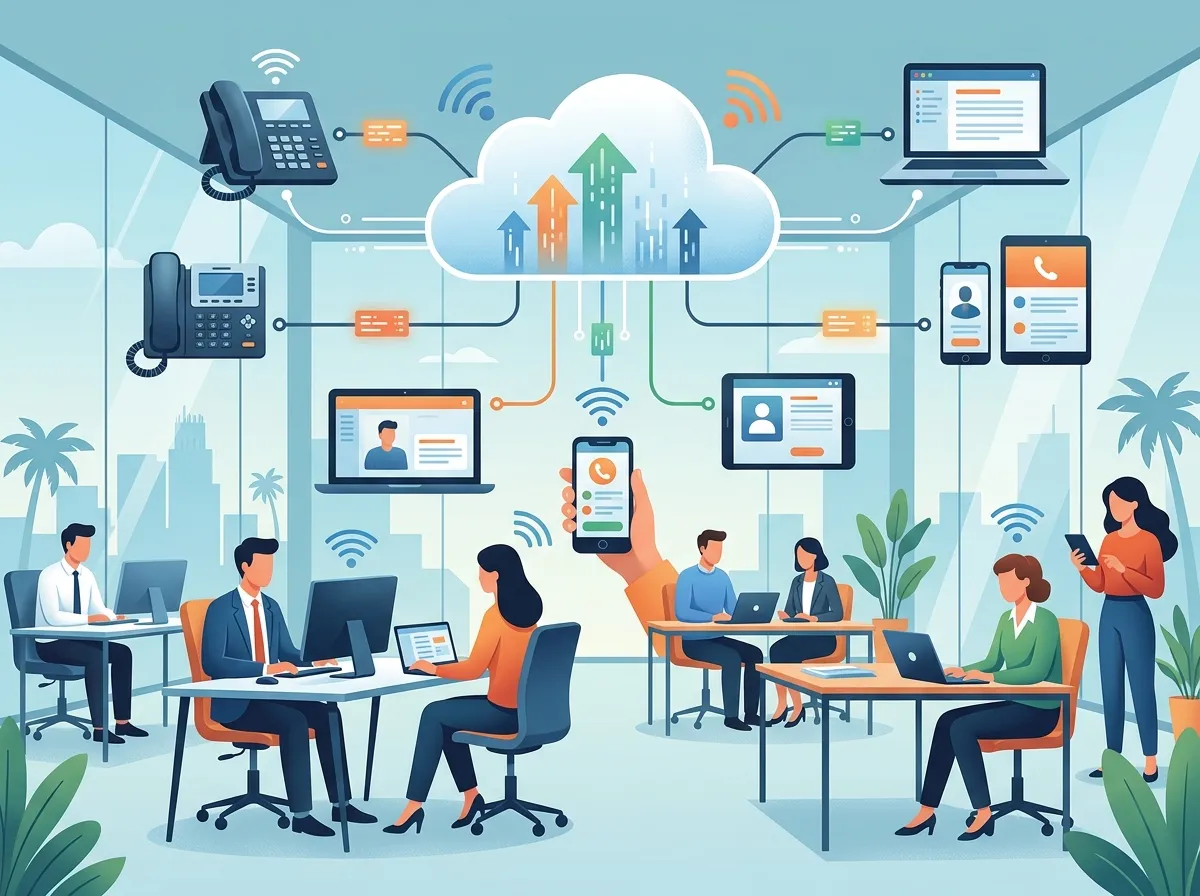
A cloud based phone system — also called hosted VoIP, hosted PBX, or UCaaS (Unified Communications as a Service) — routes your business calls over the internet instead of copper phone lines. There’s no bulky server sitting in your back room. Everything lives in the cloud, managed by your provider.
This means your team can make and receive calls from desk phones, mobile apps, or desktop computers — anywhere they have an internet connection. For Tampa businesses with hybrid or remote workers, that flexibility is a game-changer.

How Cloud Phone Systems Compare to Traditional Landlines
| Feature | Traditional Landline/PBX | Cloud Based Phone System |
|---|---|---|
| Hardware Required | On-site PBX server | Minimal (IP phones or apps) |
| Upfront Cost | High capital expense | Low to none |
| Monthly Cost | Fixed line charges | Per-user subscription |
| Scalability | Complex and costly | Add/remove users easily |
| Remote Work Support | Limited | Full mobile and desktop app access |
| Maintenance | In-house or vendor | Managed by provider |
| Features | Basic calling | Auto-attendant, SMS, analytics, CRM integrations |

14 Reasons to Switch to a Cloud Based Phone System in Tampa
1. Lower Upfront Costs
Traditional PBX systems require expensive on-site hardware. When you switch to a cloud based phone system in Tampa, you eliminate that big capital expense. Most businesses pay a predictable monthly per-user fee instead.
2. Predictable Monthly Billing
Cloud phone plans are typically priced per user per month. You know exactly what you’re paying. No surprise maintenance bills or hardware replacement costs lurking around the corner.
3. Easy Scalability
Growing your team? Adding a new location? With a cloud system, you can scale up users, phone numbers, and call queues in minutes — not weeks. This is especially valuable for Tampa businesses that are expanding quickly.
4. Support for Remote and Hybrid Work
Your team can take calls from anywhere using a desktop app, mobile app, or IP desk phone. Whether your staff is in the office, working from home, or traveling, they stay connected under your business number.
5. Rich Business Features
Cloud phone systems come loaded with features that legacy systems simply can’t match. Here’s what most platforms include:
- Auto-attendant (virtual receptionist)
- Call forwarding and routing
- Voicemail-to-email transcription
- Call recording
- SMS and MMS messaging
- Video conferencing
- CRM integrations
- Real-time call analytics
6. Keep Your Existing Phone Numbers
Worried about losing your business number? Don’t be. Number porting lets you bring your existing Tampa phone numbers to your new cloud platform. Your clients won’t notice a thing — except maybe that you answer faster!
7. Improved Call Reliability
Modern cloud VoIP platforms are built with redundancy and failover. If one data center goes down, calls automatically reroute. Pair that with solid business high-speed internet and you’ve got a very reliable communications setup.
8. Better Customer Experience
Features like auto-attendants, call queues, and smart routing ensure your customers always reach the right person quickly. That’s a direct boost to your customer satisfaction scores.
9. Seamless Multi-Location Management
Managing multiple Tampa Bay locations from one platform is straightforward with cloud phone systems. You can set up call routing rules, extensions, and ring groups that span every office — all from one admin dashboard.
10. No More In-House Maintenance Headaches
With a hosted PBX, your provider handles all system updates, patches, and maintenance. Your IT team (or office manager) is freed up to focus on what actually matters to your business.
11. CRM and Software Integrations
Most cloud phone systems plug directly into popular CRMs, helpdesk tools, and productivity apps. This means your team can log calls, pull up customer records, and work smarter — without switching between a dozen tabs.
12. Stronger Business Continuity
Tampa is no stranger to hurricanes and severe weather. With a cloud phone system, your communications don’t go down just because your office does. Calls can be rerouted to mobile devices automatically during an outage or evacuation.
13. Easier Compliance and Call Recording
Industries like healthcare, legal, and financial services often need call recording for compliance. Cloud phone systems make this simple — recordings are stored securely and accessible on demand.
14. A Single Vendor Can Handle Everything
Working with a trusted local partner like Ideal Solutions Provider means you get consultation, installation, number porting, training, and ongoing support — all from one point of contact. No more juggling five different vendors for your telecom needs.
What Features Should Tampa Businesses Prioritize?
Not every business needs every feature. Here’s a quick guide to help different types of Tampa businesses decide what matters most.
| Business Type | Must-Have Features |
|---|---|
| Small Office (under 10 users) | Auto-attendant, voicemail-to-email, mobile app |
| Mid-Sized Company (10–100 users) | Call recording, CRM integration, analytics, call queues |
| Multi-Location Business | Centralized admin portal, multi-site routing, ring groups |
| Franchise Operation | Scalable user management, local number support, unified billing |
| Remote/Hybrid Teams | Mobile and desktop apps, SMS, video conferencing |
How to Switch to a Cloud Based Phone System in Tampa: Step-by-Step
Ready to make the move? Here’s a simple process most Tampa businesses follow:
- Audit your current setup. Review your existing phone lines, hardware, contracts, and monthly costs. Many businesses discover they’re overpaying before they even start shopping.
- Define your needs. How many users do you have? Do you need call recording? CRM integrations? Make a list of must-haves versus nice-to-haves.
- Get provider comparisons. Work with a partner who can compare multiple vetted providers side by side — including monthly per-user pricing, included calling, setup fees, and contract terms.
- Plan your number porting. Confirm which numbers you want to keep and begin the porting process early. It typically takes 1–4 weeks.
- Set up your internet connection. A reliable, fast internet connection is essential. Check out these high-speed internet tips for businesses to make sure your bandwidth can handle VoIP traffic.
- Configure and test. Set up auto-attendants, call routing, voicemail, and user extensions. Test everything thoroughly before going live.
- Train your team. Walk your staff through the new desktop and mobile apps. Most cloud systems are very intuitive, but a quick training session prevents frustration.
- Go live and monitor. Launch your new system and keep an eye on call quality and analytics during the first few weeks.
What Does a Cloud Phone System Cost in Tampa?
Pricing varies depending on the provider, plan tier, and number of users. Here’s a general breakdown to give you a starting point.
| Plan Tier | Typical Monthly Cost Per User | Included Features |
|---|---|---|
| Basic | $15 – $25 | Calling, voicemail, auto-attendant |
| Standard | $25 – $40 | Basic + SMS, call recording, analytics |
| Advanced/UCaaS | $40 – $65+ | Full UCaaS: video, CRM integrations, advanced reporting |
Keep in mind that hardware costs (IP desk phones) and setup/porting fees may apply. Always ask about contract length and what’s included in domestic calling. For a more detailed breakdown, read 8 Affordable VoIP Phone Services for Tampa Businesses in 2026.
Common Mistakes to Avoid When Switching
Even a smooth transition can hit bumps if you’re not careful. Watch out for these pitfalls:
- Not testing internet bandwidth first. VoIP needs consistent, low-latency internet. A poor connection leads to choppy calls.
- Forgetting to port all numbers. Double-check every number your business uses before canceling old service.
- Skipping staff training. New features only help if your team knows how to use them.
- Locking into a long contract too soon. Try to negotiate a shorter initial term while you evaluate the platform.
- Choosing the wrong feature tier. Overpaying for features you’ll never use is wasteful. Underpaying and missing key tools is frustrating.
For more guidance, check out 5 Hosted PBX Mistakes Tampa Small Businesses Must Avoid before you commit to a provider.
Supporting Infrastructure: Don’t Overlook the Basics
A cloud phone system is only as good as the network supporting it. Before you switch, make sure your office infrastructure is ready. This includes your internet connection, your internal network, and your cabling.
For structured network cabling that supports VoIP traffic reliably, explore structured cabling services for your Tampa office. Poor cabling is one of the most overlooked causes of call quality issues. You can also learn more about structured cabling standards on Wikipedia to understand why quality installation matters.
Your business network should also be configured to prioritize VoIP traffic using Quality of Service (QoS) settings. This keeps call quality high even when the rest of your team is streaming video or transferring large files.
If you want to go even further and build out a full communications ecosystem, services like cloud video security and cloud based access control can integrate beautifully with your new phone system for a truly connected office.
How to Choose the Right Provider in Tampa
With so many options available, picking the right cloud phone provider can feel overwhelming. Here’s what to evaluate:
- Compare pricing across multiple providers — not just the advertised rate, but total cost including hardware, setup, and support.
- Check domestic calling inclusions — make sure unlimited domestic calling is included in your plan.
- Evaluate local support options — having a Tampa-based partner for installation, porting, and troubleshooting makes a big difference.
- Look at uptime guarantees — a solid Service Level Agreement (SLA) should promise 99.9% uptime or better.
- Read about contract flexibility — month-to-month options give you more negotiating power down the road.
For a deeper dive into choosing wisely, read How to Choose Cloud Based Phone System Providers in Tampa FL and Which Cloud-Based Phone System Is Best for Tampa Businesses?. You can also follow along with real customer stories and tips on Facebook and Instagram.
Ready to Make the Switch?
Switching to a cloud based phone system in Tampa doesn’t have to be stressful. With the right partner by your side, the process is straightforward — and the benefits show up almost immediately. Lower costs, better features, happier customers, and a more flexible team are all waiting on the other side of this upgrade.
Whether you’re a small business owner tired of overpaying for outdated lines, an IT manager looking for a streamlined telecom solution, or a franchise operator needing scalable communications across multiple locations, a cloud phone system is one of the smartest investments you can make in 2026.
Want to see what’s possible for your Tampa business? Watch real solution walkthroughs on the Ideal Solutions Provider YouTube channel, or better yet, get a free audit of your current setup. You can also explore more options by reading How to Choose a Business VoIP Solutions Provider in Tampa to make sure you’re making the most informed decision possible.
There’s never been a better time to upgrade. Reach out to our team today for a no-pressure consultation and start saving — in both time and money.
FAQs
Q: Is VoIP the same as a cloud based phone system?
A: Great question! VoIP (Voice over Internet Protocol) is the technology that transmits calls over the internet, while a cloud based phone system uses VoIP as its foundation but adds hosted management, features like auto-attendant and analytics, and a provider-managed infrastructure. Think of VoIP as the engine and the cloud phone system as the whole car!
Q: Can I keep my existing Tampa business phone numbers when switching?
A: Absolutely — and this is one of the most common concerns we hear! Number porting lets you transfer your existing business phone numbers to your new cloud platform. The process typically takes 1–4 weeks, so it’s best to start early in your transition planning.
Q: How much does a cloud phone system cost for a Tampa business?
A: Most cloud phone systems are priced on a per-user, per-month model ranging from about $15 to $65+ depending on the feature tier you choose. Basic plans cover calling and voicemail, while advanced UCaaS plans add video conferencing, CRM integrations, and analytics. Always ask about setup fees and hardware costs so you get the full picture!
Q: How hard is it to switch from a traditional PBX to a cloud phone system?
A: Honestly, it’s much easier than most people expect! With the right local partner handling the audit, number porting, configuration, and training, most Tampa businesses complete the switch with minimal disruption. The trickiest parts — like porting numbers and configuring call routing — are handled by your provider.
Q: Is cloud phone service reliable enough for my Tampa business?
A: Yes! Modern cloud phone platforms are built with redundancy and automatic failover, so even if one server goes down, your calls keep routing. Pairing your cloud system with a reliable high-speed business internet connection gives you a very solid communications setup — and in Tampa, that resilience is especially valuable during storm season.





