
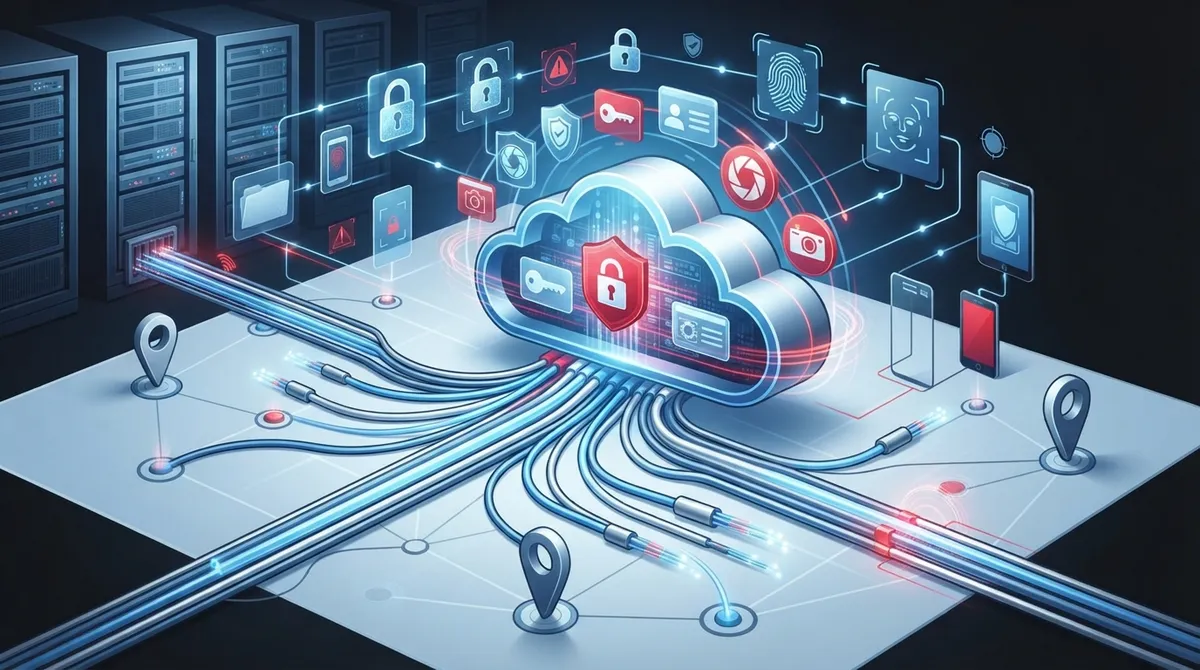
Key Takeaways
-
Choose a platform designed to scale from day one—avoid systems built only for single locations, as expanding later requires costly rework and system replacements.
-
Implement mobile credentials to reduce lost key card expenses and improve convenience, while ensuring your chosen platform supports smartphone-based access.
-
Plan integrations with video verification, biometric readers, and visitor management upfront to avoid expensive rework and create layered security across your system.
-
Set clear, role-based access permission policies across all locations from the start, especially critical for multi-location franchises to maintain consistent security standards.
-
Pair cloud access control with reliable internet infrastructure and structured cabling, as system performance depends entirely on network stability and proper wiring.
-
Establish ongoing staff training and regular activity log reviews as part of your implementation plan, since systems fail when teams lack training and security gaps go undetected.
Growing your business is exciting. But if your door security can’t keep up with your growth, things get messy fast. Maybe you’ve added a second office, or you’re franchising across Florida, and suddenly your old lock-and-key system feels like a headache waiting to happen. That’s where scalable cloud access control systems come in, and trust us, getting this right from the start saves you so much stress down the road.
We’ve talked to countless business owners who made small mistakes early on that turned into big, expensive problems later. The good news? Every single one of these mistakes is avoidable. In this friendly guide, we’ll walk through 15 common missteps businesses make with cloud access control, so you can skip the pain and go straight to smooth, secure growth. Whether you’re a small Tampa shop or a multi-location franchise, this list is for you.
Why Scalable Cloud Access Control Matters for Growing Businesses
Before we dive into the mistakes, let’s talk about why this topic deserves your attention. Cloud-based access control replaces old, clunky server-based door security with software you manage from anywhere. Instead of driving to each site to change a lock or update permissions, you do it all from your laptop or phone.
Vendors like LenelS2 build their cloud access platforms to work for small businesses and huge enterprises alike, scaling from one door to thousands. That flexibility matters because your business today might look very different a year from now. You want a system that grows right alongside you, not one you’ll outgrow in six months.
The 15 Mistakes Businesses Make With Cloud Access Control
Let’s get into it. Here are the most common slip-ups we see, and how to steer clear of each one.
1. Choosing a System That Can’t Scale Past Your Current Needs
Some businesses buy access control systems built only for one small office. Then they open a second location and hit a wall. Always pick a platform designed to grow, one that can handle multiple sites and hundreds of doors down the road.
2. Ignoring Remote Management Features
If you can’t issue credentials or check activity logs without visiting the building, you’re stuck with the same limits as old-school systems. Cloud access control should let you manage everything remotely, from anywhere with an internet connection.
3. Skipping Integration Planning
Many businesses buy access control as a standalone tool, then wish they’d thought about integrations sooner. Modern platforms connect with video verification, mobile credentials, and visitor management. Plan for these connections upfront to avoid costly rework later.
4. Forgetting About Mobile Credentials
Physical key cards get lost, forgotten, and expensive to replace. Mobile credentials let employees use their smartphones instead. If your system doesn’t support this, you’re missing a huge convenience and cost-saving opportunity.
5. Not Setting Clear Access Permission Policies
It’s tempting to just give everyone the same access level to save time. But this creates security gaps. Take time to define who needs access to which doors and when, especially across multiple locations.
6. Overlooking Structured Cabling Needs
Cloud access control still needs reliable wiring and network connections behind the scenes. Skipping proper structured cabling planning can lead to spotty performance. Good cabling keeps your readers and controllers talking to the cloud without hiccups.
7. Underestimating Internet Reliability Requirements
Cloud systems depend on your internet connection. If your business internet drops constantly, your access control could too. Pairing your system with a strong Internet Service Provider connection matters more than most people realize.
8. Not Testing Before Full Rollout
Jumping straight into a company-wide rollout without testing is risky. Start with one location or floor, work out any kinks, then expand. This step saves headaches and keeps your team confident in the new system.
9. Failing to Train Staff Properly
Even the best system fails if your team doesn’t know how to use it. Office managers and front-desk staff need clear training on issuing credentials, handling lockouts, and reading activity logs.
10. Choosing Based on Price Alone
We get it, budgets matter. But picking the cheapest option without checking scalability, support, and integrations often costs more later. Weigh long-term value against upfront price.
11. Not Planning for Multi-Site Consistency
Franchise operators especially need consistent security policies across every location. Rhombus notes that cloud access control supports multi-site management from a single dashboard. Without this, you’ll juggle different rules at every site, and that’s a recipe for confusion.
12. Ignoring Video Integration Options
Pairing access control with video verification adds another layer of protection. If someone uses a stolen credential, video confirms who actually walked through the door. Skipping this integration leaves a security gap.
13. Not Reviewing Activity Logs Regularly
Your system collects valuable data on who enters and exits, and when. Many businesses set up their system and never look at the logs again. Regular reviews help you spot unusual patterns before they become problems.
14. Working With Too Many Vendors
Some businesses end up juggling separate vendors for cameras, phones, internet, and access control. This creates confusion when something breaks and nobody takes ownership. Working with one trusted partner like a single telecom partner keeps everything simpler.
15. Not Budgeting for Ongoing Support
Installation is just the beginning. Systems need updates, troubleshooting, and occasional adjustments as your team grows. Make sure your provider offers ongoing support, not just a one-time install and goodbye.
Cloud vs. On-Premise Access Control: A Quick Comparison
Still weighing your options? Here’s a simple breakdown to help you see the difference clearly.
| Feature | Cloud Access Control | On-Premise Access Control |
|---|---|---|
| Management Location | Anywhere with internet | On-site server only |
| Scalability | Easy to add doors and sites | Often requires new hardware |
| Upfront Costs | Lower hardware investment | Higher server and installation costs |
| Software Updates | Automatic, cloud-delivered | Manual, IT-dependent |
| Multi-Site Support | Single dashboard for all locations | Separate systems per site |
| Remote Credentialing | Yes, instant | Limited or unavailable |
Key Features to Look For in a Scalable Platform
Not all cloud access control systems are built the same. Here’s a helpful list of features worth prioritizing.
- Centralized dashboard for managing every location from one screen
- Mobile credential support so employees can use their phones
- Integration options with video surveillance and biometric readers
- Real-time alerts for unusual access attempts
- Flexible permission settings by role, schedule, or location
- Detailed activity logs available on demand
Steps to Roll Out Cloud Access Control the Right Way
Ready to make the switch or upgrade your current setup? Follow these steps for a smooth transition.
- Audit your current access control setup and identify gaps
- Define access policies for each role and location
- Choose a scalable platform that fits your growth plans
- Plan structured cabling and network requirements ahead of installation
- Test the system at one location before expanding
- Train staff on daily use and emergency procedures
- Schedule regular reviews of activity logs and permissions
Why Telecom Businesses Care About Identity and Access
It’s not just about doors anymore. Telecom-related businesses also use identity and access approaches to protect networks, applications, and distributed teams. Tech Prescient reported a telecom case study where a company used Okta to manage secure, scalable identity across 150 applications. This shows how access control thinking extends beyond physical doors into your entire digital environment.
Cost Considerations for Cloud Access Control
Pricing varies based on the number of doors, locations, and features you choose. Here’s a general breakdown to help you budget.
| Business Size | Typical Door Count | Cost Consideration |
|---|---|---|
| Small Business | 1-5 doors | Lower monthly fees, basic features |
| Mid-Sized Enterprise | 6-50 doors | Mid-range pricing, more integrations |
| Multi-Location Franchise | 50+ doors across sites | Volume pricing, centralized management |
Acre Security’s 2026 comparison notes that cloud systems are managed through a secure web interface accessible from any device. That accessibility is part of why costs can stay reasonable even as you scale up.
Who Benefits Most From Scalable Cloud Access Control
Different businesses get different wins from this technology. Here’s a quick rundown.
- Small business owners get affordable security without hiring extra staff to manage it
- Mid-sized enterprises gain consistent policies across growing office networks
- IT managers save time with one dashboard instead of juggling multiple tools
- Office managers handle daily access changes without calling a technician
- Franchise operators keep every location secure with the same standards
Getting Started Without the Guesswork
Choosing the right system doesn’t have to feel overwhelming. Working with an experienced partner takes the guesswork out of the equation. Ideal Solutions Provider has spent over 24 years helping Tampa businesses and companies nationwide navigate telecom and security decisions, partnering with 35+ vetted suppliers to find the right fit for your budget and goals.
You can also learn more about related solutions like scalable access control for multi-location businesses or explore how cloud access control benefits Tampa businesses in similar situations.
Bringing It All Together
Avoiding these 15 mistakes puts you miles ahead of businesses that learn the hard way. Scalable cloud access control isn’t just a security upgrade, it’s peace of mind as your business grows. From remote management to mobile credentials, the right system adapts with you instead of holding you back.
We know security decisions can feel technical and overwhelming, but you don’t have to figure it all out alone. Follow us on Facebook, check out helpful tips on Instagram, or watch real setups on YouTube to see these systems in action. And when you’re ready to talk through your options, our friendly team is happy to help. Contact us today, or simply call us to get started on a security setup that grows with your business, not against it.
FAQs
Q: What is a scalable cloud access control system?
A: It’s a cloud-managed door security platform that grows with your business, letting you add doors, locations, and users without replacing hardware. Think of it as security software that flexes as your company expands, just like adding more phone lines when you hire new staff.
Q: How does cloud access control work for multi-site businesses?
A: You manage every location from one online dashboard instead of juggling separate systems. This means franchise operators and growing companies can set consistent security rules across all their sites with just a few clicks.
Q: What are the benefits of cloud-based access control over on-premise systems?
A: Cloud systems need less on-site hardware, get automatic updates, and let you manage everything remotely. You save on maintenance costs and gain the flexibility to make changes instantly, even if you’re not physically at the building.
Q: Can cloud access control integrate with video surveillance and biometric authentication?
A: Yes, most modern cloud platforms connect smoothly with video verification, mobile credentials, and biometric readers. This creates layered security, so you’re not relying on just one method to keep your business safe.
Q: How much does a cloud-based access control system typically cost?
A: Pricing depends on your door count, locations, and chosen features, ranging from budget-friendly setups for small offices to volume pricing for multi-location franchises. A free consultation can help you get an accurate quote based on your specific needs.





