
Key Takeaways
-
Calculate your bandwidth needs upfront (around 25 Mbps per employee for standard usage) before comparing plans to avoid overpaying or undersizing your connection.
-
Always verify provider availability at your exact Tampa address first, as coverage varies dramatically by location—check before getting excited about any plan.
-
Compare total cost of ownership including installation fees, contract length, early termination fees, and equipment costs, not just the monthly headline price.
-
Prioritize fiber or dedicated fiber for business-critical operations since they offer symmetric upload/download speeds and formal SLAs guaranteeing 99.9%+ uptime.
-
Use a telecom broker to compare quotes from 35+ providers simultaneously at no cost, rather than calling each provider individually.
-
Get a free telecom audit before signing any contract—9 out of 10 Tampa businesses discover they’re either overpaying or underperforming on their current setup.
Finding the best internet deal for your business in Tampa can feel overwhelming. There are dozens of providers, confusing pricing tiers, and technical jargon that makes comparison shopping a real headache. Whether you run a small office in Ybor City or manage multiple locations across the Tampa Bay area, your internet service is the backbone of everything you do — from VoIP calls to cloud apps to video conferencing.
The good news? You don’t have to figure it all out alone. This guide breaks down 12 practical ways to find the best business internet deal in Tampa in 2026 — so you get the speed, reliability, and price your business actually deserves. Let’s dive in!

1. Start by Understanding Your Bandwidth Needs
Before you compare a single price, figure out how much bandwidth your business actually needs. A 5-person office has very different needs than a 50-person call center. Think about the number of users, cloud-based apps, and video calls happening daily.
As a general rule, budget around 25 Mbps per employee for standard cloud app usage. If you’re running cloud-based phone systems or video conferencing all day, bump that number up significantly. Knowing your needs first keeps you from buying too little — or wasting money on too much.

2. Know What Providers Are Actually Available at Your Address
This is one of the most important steps Tampa business owners overlook. Business internet availability in Tampa is highly location-dependent. A provider available at one address may not serve a building two blocks away.
For example, Internet Service Providers like Frontier Fiber cover about 31.4% of Tampa addresses in current provider databases, while T-Mobile for Business fixed wireless reaches roughly 95.9% of Tampa locations. Those numbers vary wildly depending on where your business sits. Always check provider availability at your exact address before getting excited about a plan.
| Provider | Connection Type | Starting Price | Max Speed |
|---|---|---|---|
| AT&T Business Fiber | Fiber | $40/month | Up to 5 Gbps |
| Spectrum Business | Fiber-Powered Cable | $65/month | Up to 1 Gbps |
| Frontier Business Fiber | Fiber | Varies by plan | Up to 7 Gbps |
| T-Mobile for Business | Fixed Wireless | Varies by plan | Up to 100 Mbps |
| Verizon Business | Fixed Wireless | Varies by plan | Up to 400 Mbps |
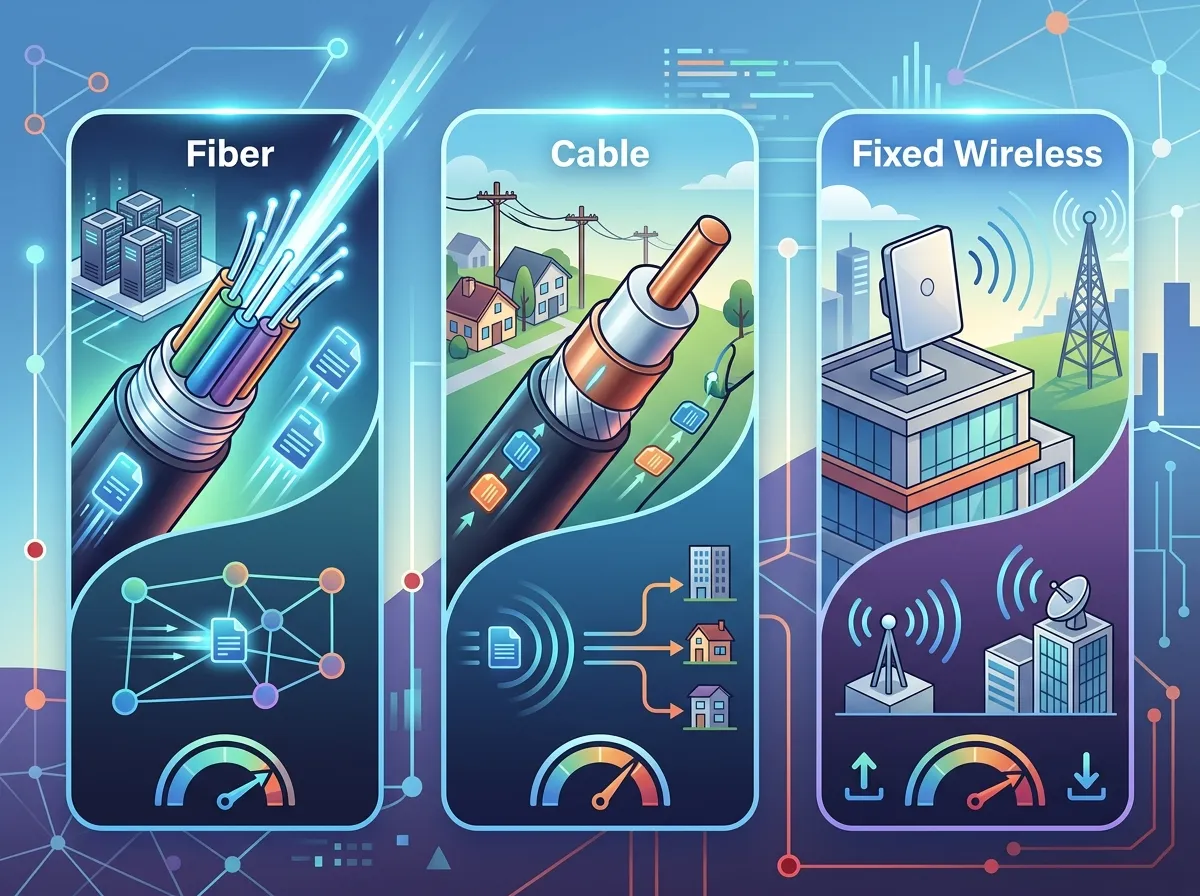
3. Compare Fiber vs. Cable vs. Fixed Wireless
Not all internet connections are created equal. The type of connection matters as much as the speed number on the brochure. Here’s a quick breakdown to help you choose wisely.
- Fiber internet offers the fastest and most consistent speeds, with symmetric upload and download rates — ideal for VoIP, video calls, and cloud-heavy businesses
- Cable internet is widely available and affordable, but upload speeds are typically much lower than download speeds
- Fixed wireless is a solid backup option where wired fiber isn’t available, though speeds are generally lower and can be affected by weather or line-of-sight issues
- Dedicated fiber gives your business its own private circuit with guaranteed speeds and strong SLA protections — best for data-intensive or high-uptime operations
You can learn more about the key differences in this helpful article: Fiber vs. Cable Business Internet in Tampa: Which Wins?

4. Look Beyond the Monthly Price Tag
That $40/month headline rate might look amazing — until you read the fine print. Many business internet plans come with added costs that aren’t obvious upfront. Always ask about the following before signing anything:
- Installation and equipment fees
- Contract length (12-month vs. 36-month terms)
- Price lock guarantees or renewal rate increases
- Early termination fees
- Modem and router rental costs
Comparing total cost of ownership — not just monthly rate — gives you a much clearer picture. Check out this article for more money-saving strategies: 13 High-Speed Internet for Business Tips That Save Money.
5. Evaluate Service Level Agreements (SLAs) Carefully
An SLA is your safety net. It spells out what happens when your internet goes down — how fast the provider responds, what uptime percentage they guarantee, and what credits you receive for outages. For businesses that depend on constant connectivity, this document matters a lot.
Shared cable plans often have no formal SLA. Dedicated fiber plans typically guarantee 99.9% or higher uptime with specific response time windows. If your operations can’t afford downtime, prioritize providers who back their promises in writing. For a deeper look at dedicated options, see Why Do Tampa Businesses Need Dedicated Fiber Internet?.
6. Check for Symmetric Upload and Download Speeds
Many business owners focus only on download speed. But if your team uploads large files, runs video calls, or uses VoIP phones, upload speed matters just as much. Fiber providers like Frontier Business offer symmetric speeds — meaning your upload matches your download — which is a big advantage for cloud-heavy workplaces.
Asymmetric connections (faster download, slower upload) can bottleneck performance during peak hours. If you’re relying on cloud-based VoIP phone systems, slow upload speeds can cause dropped calls and poor audio quality. Don’t skip this check!
7. Use a Telecom Broker to Compare Multiple Quotes at Once
Here’s a tip that many Tampa business owners don’t know: you can work with a telecom broker who shops multiple providers on your behalf — at no extra cost to you. Instead of calling each provider individually, a broker does the legwork and presents you with a side-by-side comparison.
Ideal Solutions Provider works with 35+ vetted suppliers across Tampa and nationwide. Their team audits your current setup, identifies savings, and recommends the right mix of services — from high-speed internet to business network solutions — without pushing you toward any single vendor. It’s a smarter way to shop.
| Shopping Method | Time Required | Providers Compared | Cost to You |
|---|---|---|---|
| Call providers directly | Many hours | 1 at a time | Free |
| Online comparison tools | Moderate | Limited | Free |
| Telecom broker (like Ideal Solutions) | Minimal | 35+ | Free |
8. Ask About Bundling Services for Better Rates
Many Tampa providers offer discounts when you bundle internet with phone service or other solutions. If your business is already paying separately for internet, VoIP, and networking, bundling could save you a meaningful amount each month.
Bundling also simplifies billing and support — you deal with fewer vendors when something goes wrong. Pairing your business high-speed internet services with a cloud phone system through the same provider can be a smart financial move for small and mid-sized businesses.
9. Consider Your Growth Plans Before Signing a Contract
The plan that works today might not work in 18 months. If you’re planning to hire more staff, open a second location, or expand cloud app usage, choose a provider with flexible upgrade paths. Getting locked into a plan that can’t scale with you is a costly mistake.
According to Lightyear’s 2026 network intelligence data, there are an estimated 35 business fiber providers available in Tampa — so there’s real competition for your business. Use that leverage. Ask providers directly: “What does upgrading look like, and will I face additional fees?” For multi-location businesses, Dedicated vs. Shared Fiber: Which Is Right for Tampa Businesses? is worth a read.
10. Don’t Overlook Installation Timelines
Fiber installation in Tampa can take anywhere from a few days to several weeks, depending on whether your building is already fiber-ready. If you’re moving offices or launching a new location, internet connectivity is often on the critical path for opening day.
Always ask for estimated installation timelines before committing to a provider. If speed of deployment matters, fixed wireless or cable options may be available faster while fiber construction is completed. Planning ahead can save serious headaches. For installation guidance, visit Structured Cabling Services to ensure your internal network is ready when the fiber arrives.
11. Check Customer Support Quality Before You Commit
When your internet goes down at 8 a.m. on a Monday, you want fast, knowledgeable help — not an automated phone tree. Before signing a contract, research the provider’s support reputation. Look at online reviews, ask other Tampa business owners about their experiences, and ask the provider directly about their business support hours and escalation process.
- Does support operate 24/7 or only during business hours?
- Is there a dedicated business support line separate from residential?
- What’s the average response time for service tickets?
- Are technician visits included or billed separately?
You can also follow Ideal Solutions Provider on Facebook for tips, updates, and real-world telecom advice from a team that genuinely cares about Tampa businesses.
12. Get a Free Telecom Audit to Find Hidden Savings
Here’s the final — and arguably most powerful — tip. Before you sign any new contract, get a free telecom audit. An independent audit reviews your current internet, phone, and network spend to identify where you’re overpaying or underperforming. It’s surprising how often businesses discover they’re paying for speeds or features they don’t actually need.
In fact, 9 out of 10 businesses audited by Ideal Solutions Provider are either overpaying, underperforming, or both. That’s not a small number — it’s almost everyone. An audit is free, takes minimal time, and could uncover significant monthly savings. You can also check out their educational videos to learn more about what to look for in a business internet plan.
| What an Audit Checks | Potential Benefit |
|---|---|
| Current internet speed vs. contracted speed | Identify if you’re getting what you pay for |
| Contract terms and renewal dates | Avoid auto-renewals at higher rates |
| Bundle opportunities | Lower monthly costs by combining services |
| Provider alternatives at your address | Find faster or more affordable options |
| SLA gaps or missing protections | Ensure uptime guarantees match your needs |
Quick Reference: What to Compare When Shopping for Business Internet in Tampa
Use this checklist every time you evaluate a new business internet plan. Sharing this with your team or IT manager can make the comparison process faster and more consistent.
- Monthly price (promotional vs. standard rate)
- Connection type (fiber, cable, fixed wireless, dedicated)
- Download AND upload speeds
- Contract length and early termination fees
- SLA terms and uptime guarantee
- Installation fees and timelines
- Equipment costs (modem, router, ONT)
- Scalability options as your business grows
- Business-specific customer support access
For a broader look at how Tampa businesses compare their options, read How Do You Compare Business Internet Providers in Tampa Florida? — it’s packed with helpful guidance.
Wrapping Up: The Best Deal Is the One That Fits Your Business
Finding the best internet deal for your business in Tampa isn’t just about the lowest price. It’s about finding the right combination of speed, reliability, support, and value that keeps your business running smoothly every single day. The Tampa market has strong options — fiber, cable, fixed wireless, and dedicated circuits — but the “best” choice is always the one that matches your specific needs, location, and budget.
You can also follow along on Instagram and YouTube for more Tampa business telecom tips, real customer stories, and expert advice from the Ideal Solutions Provider team.
Ready to stop guessing and start saving? Reach out to the Ideal Solutions Provider team for a free consultation and telecom audit. With 24+ years of experience and 35+ vetted suppliers, they’ll help you find the best business internet deal in Tampa — without the runaround.
FAQs
Q: What is the cheapest business internet provider in Tampa?
A: AT&T Business Fiber offers some of the lowest advertised starting prices in Tampa, with plans beginning around $40/month as of 2026. That said, the cheapest option at your specific address depends on which providers actually serve your building — so always check availability before assuming a rate applies to you!
Q: Is fiber internet worth it for a small business in Tampa?
A: Absolutely! Fiber internet gives you faster, more consistent speeds — especially for upload, which matters a lot if your team uses VoIP phones, video calls, or cloud apps daily. Even for small teams, the reliability and performance of fiber typically outweigh the slightly higher cost compared to cable options.
Q: How do I check which internet providers are available at my Tampa business address?
A: The easiest way is to contact providers directly and ask them to check serviceability at your exact address. You can also work with a telecom broker like Ideal Solutions Provider, who can check availability across 35+ suppliers simultaneously — saving you a ton of time and phone calls!
Q: What internet speed does my Tampa business need for VoIP and cloud apps?
A: A good starting point is 25 Mbps per employee for standard cloud and VoIP usage. If your team runs frequent video calls, uploads large files, or uses multiple cloud platforms at once, plan for more bandwidth per person. Symmetric fiber plans work best for VoIP-heavy environments since upload speed is just as important as download.
Q: Are there no-contract business internet plans available in Tampa?
A: Yes, some providers do offer month-to-month or shorter-term business internet plans in Tampa, though they often come at a higher monthly rate than contract-based plans. If flexibility is important to you — say you’re in a temporary office or growing fast — it’s worth asking providers directly about their no-contract options before signing anything long-term.