
Key Takeaways
-
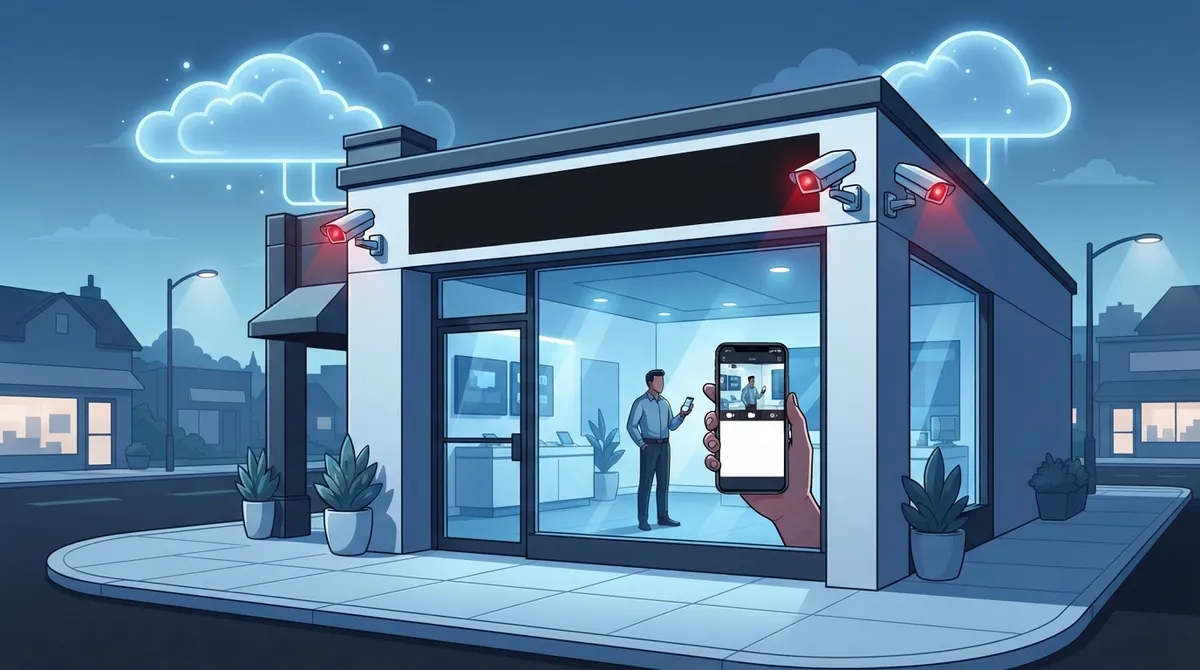
Cloud video surveillance eliminates expensive on-site servers and hardware, freeing up physical space and reducing maintenance costs for Spring Hill businesses of all sizes.
-
AI-powered features like human/vehicle classification, license plate recognition, and loitering detection reduce false alarms and let you focus on alerts that actually matter.
-
Cloud storage keeps your footage safe off-site, protecting evidence even if your building experiences fire, flood, or break-in—a critical advantage over traditional systems.
-
Remote access via mobile app lets you monitor live footage from anywhere, making it ideal for franchise operators managing multiple Spring Hill and Tampa Bay locations.
-
Cloud video surveillance typically costs less upfront than traditional systems and scales easily as your business grows, with no need for expensive hardware upgrades.
-
Pairing surveillance with strong internet connectivity and access control systems creates comprehensive security that detects unauthorized entry with instant video confirmation.
If you own or manage a business in Spring Hill, you already know how much easier life gets when your systems work together. That old DVR box sitting in your back office closet? It’s probably not doing you any favors. Cloud video surveillance is changing how Spring Hill businesses protect their people, property, and profits, and honestly, it’s about time. Grab a coffee and let’s walk through 12 real reasons why this shift matters, plus how it fits into your bigger telecom and IT picture.
Whether you’re running a single storefront or managing multiple franchise locations across Tampa Bay, this list will help you understand exactly what cloud video surveillance can do for your business right now. We’ll keep things simple, practical, and honestly, kind of fun. Security doesn’t have to feel like a chore.

1. Say Goodbye to Bulky On-Site Servers
Traditional camera systems need clunky recorders, hard drives, and a dedicated closet to store it all. Cloud video surveillance skips the hardware headache entirely. Your footage streams straight to secure cloud storage, freeing up physical space and removing one more thing that can break down on you.
This matters a lot for small business owners who don’t have room (or budget) for a server rack. It also means fewer maintenance calls and less stress when equipment ages out.

2. Watch Your Business From Anywhere
One of the best parts of cloud video surveillance is being able to check in on your Spring Hill location from your phone, tablet, or laptop. You could be at home, on vacation, or in a meeting across town and still pull up live footage in seconds.
This is a game-changer for franchise operators managing multiple sites. Instead of driving between locations, you get a real-time window into every store from one dashboard.
3. Find Footage in Seconds, Not Hours
Searching through old-school recordings used to feel like finding a needle in a haystack. Modern cloud platforms let you search by time, date, or even specific events. Need to see what happened at 2:47 pm on a Tuesday? You’ll have it pulled up before your coffee gets cold.
4. Smarter Alerts With AI Analytics
Today’s cloud surveillance systems come loaded with AI features that do the heavy lifting for you. Some of the most popular tools include:
- Human and vehicle classification, so you only get alerts that actually matter
- License plate recognition for tracking vehicles entering your property
- Loitering detection to flag suspicious activity near entrances
- Facial recognition for added access verification
- Motion zone customization so cameras ignore harmless movement like trees swaying
These smart features cut down on false alarms, which means less time wasted and more focus on what really needs your attention.
5. Protect Your Footage With Off-Site Backup
Here’s a scary thought: what happens to your security footage if there’s a fire, flood, or break-in at your business? With traditional systems, that evidence could be destroyed right along with the hardware. Cloud storage keeps your footage safe off-site, so it survives even if your building doesn’t.
This kind of protection gives office managers real peace of mind, especially when insurance claims or legal situations require solid proof of what happened.
6. Lower Upfront Costs Than You’d Think
A lot of business owners assume cloud surveillance costs more than traditional setups. Actually, it often costs less upfront because you’re not buying expensive servers or storage hardware. You pay for what you need, and you can scale up as your business grows.
Here’s a simple breakdown of how the costs typically compare:
| Feature | Traditional On-Premise System | Cloud Video Surveillance |
|---|---|---|
| Upfront Hardware Cost | High (servers, DVRs, storage drives) | Low to none |
| Remote Access | Limited or complex setup | Built-in, mobile-friendly |
| Data Backup | On-site, vulnerable to damage | Off-site, automatic |
| Maintenance | Manual, requires IT staff | Managed by provider |
| Scalability | Difficult, needs new hardware | Easy, add cameras anytime |
7. Scale Easily Across Multiple Locations
If you’re a franchise operator or growing enterprise, adding a new location shouldn’t mean starting your security setup from scratch. Cloud video surveillance lets you add cameras and locations to the same platform without a complicated overhaul.
This ties in nicely with other scalable telecom solutions, like reliable network solutions for multi-location Tampa businesses, which help keep everything connected and running smoothly.
8. Reduce IT Headaches With One Point of Contact
IT managers already juggle enough vendors, passwords, and support tickets. Cloud video surveillance from a trusted telecom partner means one less system to manage separately. When it’s bundled with your networking and phone systems, troubleshooting becomes way simpler.
Ideal Solutions Provider works with businesses to bring cloud video security, networking, and communications together under one roof, so you’re not stuck juggling five different vendor contacts.
9. Keep Your Cameras Working Even During Outages
A common worry is what happens if the internet goes down. Many modern systems include local edge storage as a backup, so footage keeps recording even during a temporary outage, then syncs to the cloud once connection returns.
Pairing your surveillance system with dedicated fiber internet for your business also reduces the chances of downtime in the first place.
10. Understand the Growing Demand for VSaaS
Cloud video surveillance, often called Video Surveillance as a Service (VSaaS), isn’t just a trend. It’s becoming the standard. The numbers back this up:
- The VSaaS market was valued at $45.5 billion in 2020.
- It’s projected to reach $74.1 billion by 2025.
- That’s a compound annual growth rate of nearly 10.4%.
- An estimated 9 out of 10 organizations already use cloud technology for their video surveillance needs.
Spring Hill businesses that make the switch now are simply getting ahead of where the industry is already headed.
11. Work With Local and Regional Providers Who Understand Florida Business Needs
Spring Hill has its own set of local telecom and security providers, along with regional partners covering the greater Tampa Bay area. Businesses here benefit from providers who understand Florida-specific concerns like hurricane season power outages, humidity effects on equipment, and seasonal tourism traffic.
Working with a partner who already knows the area, like Ideal Solutions Provider’s cloud video security team, means you get advice tailored to your specific location instead of generic recommendations.
12. Combine Surveillance With Access Control for Full Protection
Cameras are powerful on their own, but pairing them with access control systems takes security to another level. Imagine getting an alert every time a door opens after hours, along with instant video confirmation of who’s there.
This combo works especially well for mid-sized enterprises and franchise operators managing multiple entry points. You can learn more about how cloud access control systems benefit Tampa area businesses when paired with video monitoring.
How Cloud Video Surveillance Fits Into Your Bigger Telecom Picture
Security cameras don’t operate in a vacuum. They rely on strong internet connections, solid cabling, and dependable networking to function properly. If your internet speed isn’t up to the task, your cloud footage could lag or drop entirely.
This is why so many Spring Hill businesses choose to bundle their surveillance systems with other telecom services. Structured cabling, for example, plays a huge role in keeping cameras connected reliably. According to structured cabling standards, a well-organized cabling infrastructure reduces downtime and improves overall network performance, which directly benefits your surveillance system’s uptime.
Common Features to Look For
Before choosing a cloud video surveillance provider, here’s a quick checklist of features worth asking about:
- Mobile app access for iOS and Android devices
- AI-powered motion and object detection
- Automatic cloud backup with encryption
- Scalable camera counts for growing businesses
- Integration with access control and alarm systems
- 24/7 customer support and monitoring options
Quick Comparison: Cloud vs Traditional Surveillance
| Category | Cloud Video Surveillance | Traditional DVR/NVR System |
|---|---|---|
| Storage Location | Off-site, cloud-based | On-site hardware |
| Remote Viewing | Easy, app-based | Complex setup often required |
| Data Security | Encrypted, backed up automatically | Vulnerable to theft or damage |
| Upgrade Path | Simple software updates | Often requires new hardware |
| AI Features | Standard on most platforms | Limited or unavailable |
Steps to Get Started With Cloud Video Surveillance in Spring Hill
Ready to make the switch? Here’s a simple roadmap to follow:
- Schedule a consultation to review your current security setup and business needs.
- Get a walkthrough of your location to determine ideal camera placement.
- Choose your AI features based on what matters most, like license plate recognition or loitering alerts.
- Confirm your internet connection can support smooth video streaming.
- Install cameras and connect them to your cloud platform.
- Set up mobile access for your team and management.
- Test alerts and footage retrieval before going fully live.
This process usually takes far less time than people expect, especially compared to installing a traditional wired system from scratch.
Why This Matters for Every Type of Business
Whether you’re a small business owner keeping an eye on your storefront, an IT manager overseeing security across departments, or a franchise operator managing five locations, cloud video surveillance offers flexibility that traditional systems just can’t match. It’s not about replacing your entire security approach overnight. It’s about upgrading smartly, one step at a time.
Many businesses also pair their surveillance upgrades with improvements to their cloud-based phone systems and internet services, creating one connected, modern communications setup. It just makes sense to handle it all together rather than piecing systems together from different vendors.
You can also check out real examples and client stories on the company’s YouTube channel or follow updates through their Facebook page and Instagram for behind-the-scenes looks at installations across Tampa Bay.
Final Thoughts on Cloud Video Surveillance for Spring Hill Businesses
Cloud video surveillance isn’t just a fancy upgrade anymore. It’s quickly becoming the expected standard for businesses that care about protecting their people, property, and peace of mind. From AI-powered alerts to off-site data backups, the benefits stack up fast, and Spring Hill business owners have every reason to make the switch sooner rather than later.
If you’re ready to explore your options, our team would love to walk you through what’s possible for your specific location and budget. Reach out to our team today to schedule your free consultation, or simply give us a call to talk through your security goals. We’re here to make the process feel easy, friendly, and totally worth it.
FAQs
Q: What is Video Surveillance as a Service (VSaaS) and how does it benefit Spring Hill businesses?
A: VSaaS means your security cameras stream footage straight to secure cloud storage instead of a bulky on-site server. For Spring Hill businesses, this means easier remote access, automatic backups, and way less hardware to worry about. It’s a simpler, smarter way to handle security.
Q: How does cloud video surveillance protect data from theft or physical damage in Spring Hill, FL?
A: Since footage is stored off-site in the cloud, it stays safe even if something happens to your building, like a break-in, fire, or storm damage. Traditional systems store everything on-site, so a disaster could wipe out your evidence entirely. Cloud storage gives you a reliable backup no matter what happens locally.
Q: Can I view my business security cameras from my phone using cloud surveillance in Spring Hill?
A: Absolutely, that’s one of the best perks! Most cloud surveillance platforms come with mobile apps that let you check live feeds or past footage right from your phone, wherever you are. It’s perfect for busy owners who can’t always be on-site.
Q: What are the cost benefits of switching to cloud-based video surveillance for small businesses?
A: Cloud systems usually cost less upfront since you skip buying expensive servers and storage hardware. You only pay for what you actually need, and scaling up later is simple. It’s a budget-friendly way to get enterprise-level security features.
Q: Is cloud video surveillance secure against cyber threats for business telecom solutions?
A: Yes, reputable cloud surveillance providers use encryption and secure servers to protect your footage from cyber threats. Pairing your system with strong network security and a trusted telecom partner adds an extra layer of protection. It’s always smart to ask your provider about their specific security measures.





