
Key Takeaways
-
Cloud phone systems cost $15-$50 per user monthly versus $25-$50 for traditional landlines, saving Orlando businesses around $10 per user monthly while requiring minimal hardware and 1-6 weeks setup time.
-
Cloud phone systems enable remote and hybrid work by letting employees make business calls from anywhere via mobile apps and laptops, critical for Orlando's growing tourism, healthcare, and professional services sectors.
-
Installation takes 1-2 weeks for small businesses and 3-6 weeks for mid-sized companies, compared to traditional PBX systems that require longer labor-intensive setups with on-site hardware and technician visits.
-
Mobile app access, call recording, voicemail-to-email, call analytics, auto attendant, and business texting are essential features to compare when evaluating cloud phone providers for scalability and team performance tracking.
-
Pair your cloud phone system with reliable business internet before switching, as call quality depends entirely on connection stability; check your internet speed first and avoid choosing providers based solely on price without verifying support quality.
-
Ask potential providers about internet downtime backup plans, installation timelines, number portability, after-hours support availability, hidden fees, multi-location handling, and staff training inclusion before signing any contract.
Running a business in Orlando means juggling growth, hiring, and customer calls all at once. If your office still relies on an old landline system, you’re probably dealing with dropped calls, high monthly bills, and zero flexibility. A cloud based phone system in Orlando Florida fixes all of that by moving your calls to the internet, letting your team work from anywhere, and giving you room to grow without ripping out hardware every time you add a new hire.
We know switching phone systems can feel overwhelming, especially if you’ve never done it before. That’s why we put together this friendly, no-nonsense guide. We’ll walk through what cloud phone systems actually do, what they cost, how long setup takes, and the exact questions you should ask before signing with any provider. Grab a coffee, and let’s make this easy together.

What Is a Cloud Based Phone System, Really?
A cloud based phone system, sometimes called hosted VoIP or cloud PBX, routes your business calls through the internet instead of old copper phone lines. Instead of a big metal box in your server closet handling calls, everything runs on remote servers managed by your provider. You get a business phone system without owning bulky equipment.
This matters a lot for Orlando businesses because the city has a mix of small shops, growing mid-sized companies, and larger multi-location operations. Cloud systems flex to fit all of them. Whether you have five employees in one office or two hundred spread across several Florida cities, the same basic cloud platform can scale up or down. You can learn more about how these systems work in this simple breakdown of cloud phone systems.
Why Orlando Businesses Are Making the Switch
Orlando’s business scene is growing fast, from tourism and hospitality to healthcare and professional services. Companies need phone systems that keep up with that pace. Here’s why so many are ditching landlines:
- Lower monthly costs compared to traditional phone lines
- Remote management without needing an on-site technician for every change
- Support for remote and hybrid workers using laptops and mobile apps
- Faster setup than old-school PBX hardware installs
- Built-in features like voicemail-to-email and call analytics
- Easy scaling as your team grows or adds new locations
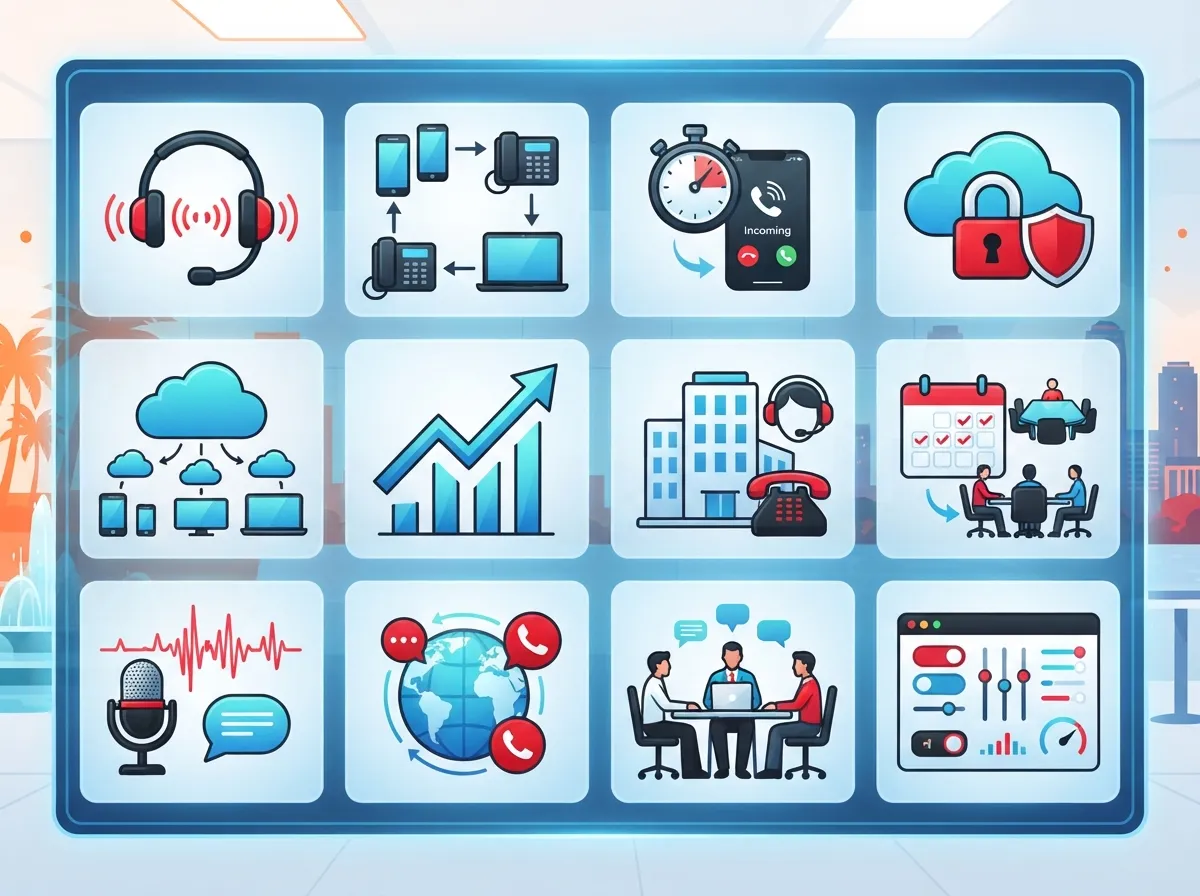
12 Must-Have Features for a Cloud Phone System in Orlando
Not every cloud phone system is built the same way. Some providers pack in extra tools, while others keep things basic. Here’s a ranked list of features Orlando businesses should look for when comparing options.
- Mobile app access so employees can make and receive business calls from anywhere
- Voicemail-to-email so you never miss an important message
- Call recording for training, quality control, or compliance needs
- Call analytics to track volume, wait times, and team performance
- Auto attendant to route callers without a live receptionist
- Business texting for quick customer replies
- Conference calling built right into the platform
- Multi-location routing so calls flow smoothly between offices
- Collaboration tool integrations like calendar and CRM syncing
- Desk phone compatibility for teams who still prefer a handset
- Reliable uptime guarantees backed by a service level agreement
- Responsive local support when something needs fixing fast
If you want a deeper look at features that actually move the needle for growing companies, check out this guide to cloud phone system features that transform your business.
Cloud PBX vs. Traditional PBX: What’s the Difference?
Some Orlando companies still use on-premise PBX systems, especially ones with strict compliance rules or older equipment they want to keep using. But for most growing businesses, cloud PBX wins on flexibility and cost. Here’s a quick side-by-side comparison.
| Feature | Cloud PBX | Traditional PBX |
|---|---|---|
| Hardware needed | Minimal or none | On-site server and wiring |
| Setup time | 1 to 6 weeks typically | Often longer, more labor-intensive |
| Remote work support | Strong, built for mobile teams | Limited without add-ons |
| Maintenance | Handled remotely by provider | Requires on-site technician visits |
| Scalability | Easy to add users or locations | Often requires new hardware |
| Monthly cost | Typically $15 to $50 per user | Often $25 to $50 per line plus hardware |
For a closer comparison between these two options in a broader business context, take a look at these key differences between VoIP and traditional phone systems.
How Much Does a Cloud Phone System Cost in Florida?
Pricing is one of the biggest questions we get from Orlando business owners. The good news is cloud phone systems are usually more affordable than traditional landlines once you factor in hardware and maintenance costs.
| Cost Factor | Typical Range |
|---|---|
| Cloud VoIP per user, per month | $15 to $50 |
| Traditional landline per line, per month | $25 to $50 (plus hardware and install) |
| Average monthly savings switching to VoIP | About $10 per user |
| Small business install timeline | 1 to 2 weeks |
| Mid-sized business install timeline | 3 to 6 weeks |
| Enterprise rollout timeline | 2 to 3 months or more |
These numbers can shift depending on the features you need and how many users you’re adding. If you’re curious how this breaks down for your specific business size, this cost breakdown for VoIP phone systems is a great starting point, even if it’s written with Tampa in mind, since Florida pricing tends to follow similar patterns.
Steps to Switch Your Orlando Business to a Cloud Phone System
Making the switch doesn’t have to be scary. Most businesses follow a pretty simple path from start to finish. Here’s how it typically goes.
- Get a free audit of your current phone setup and costs
- Compare providers based on features, pricing, and support quality
- Choose a plan that fits your team size and growth plans
- Schedule installation and porting of your existing phone numbers
- Train your team on the new system and mobile app
- Test call quality and routing before going fully live
- Get ongoing support for updates and troubleshooting
Want a more detailed walkthrough? This step-by-step guide to switching your business phone to the cloud covers what to expect at each stage.
Who Benefits Most From Cloud Phone Systems?
Cloud phone systems aren’t a one-size-fits-all deal. Different types of businesses get different perks depending on their setup. Here’s a quick rundown of who benefits and how.
- Small business owners save money and simplify vendor management by bundling phones with internet and cabling
- Mid-sized enterprises get comprehensive networks that scale as they add staff or locations
- IT managers get one point of contact instead of juggling multiple vendors for phones, cabling, and security
- Office managers enjoy hassle-free setups with less day-to-day maintenance work
- Franchise operators can roll out the same system across every location with consistent support
Is VoIP Reliable Enough for Business Use?
This is one of the most common worries we hear. The truth is, modern VoIP has come a long way. As long as your internet connection is solid, call quality is typically excellent. That’s why pairing your cloud phone system with strong business internet matters so much. If your connection is shaky, check out tips for fixing slow business internet before you make the switch, since a stable connection is the backbone of good call quality.
Questions to Ask Before Choosing a Provider
Before you sign a contract, it helps to ask the right questions. This protects you from surprise fees and mismatched service. Here’s what we recommend asking any provider you’re considering.
- What happens if our internet goes down? Is there a backup plan?
- How long does installation typically take for a business our size?
- Can we keep our existing phone numbers?
- What kind of support is available after hours?
- Are there hidden fees for features like call recording or texting?
- How does the system handle multiple office locations?
- What training is included for our staff?
Keeping your existing number is often a bigger deal than people expect. If that’s a concern for you, this guide on how to keep your phone number when switching to VoIP walks through exactly how that process works.
Common Mistakes Orlando Businesses Make When Switching
We’ve seen plenty of businesses rush into a cloud phone system without doing their homework. Avoid these common slip-ups to make your transition smoother.
- Choosing a provider based on price alone without checking support quality
- Skipping a proper internet speed check before installation
- Not training staff on new features before go-live day
- Forgetting to plan for call routing across multiple locations
- Ignoring contract terms around cancellation or upgrades
For a longer list of pitfalls to dodge, this article on cloud phone system mistakes small businesses make is worth a quick read before you commit to anything.
Why a Single Telecom Partner Makes Life Easier
Here’s something we’ve learned after 24 years in this industry: businesses do better when they have one trusted partner handling their telecom needs instead of juggling five different vendors. That’s exactly how Ideal Solutions Provider works. As an independent partner with 35+ vetted suppliers, they compare your options, run an honest audit of your current setup, and recommend what actually fits your business instead of pushing one brand.
This matters especially if you’re also thinking about upgrading your internet, adding structured cabling for a new office, or installing cloud security cameras alongside your new phone system. Having one point of contact for all of it saves time and headaches. You can see how this approach helps businesses avoid overpaying in this piece on telecom overpayment.
Supporting Remote and Hybrid Teams
Cloud phone systems shine brightest when your team isn’t all sitting in one office. Whether you have sales reps traveling around Orlando or staff working from home a few days a week, cloud systems let everyone stay connected through mobile apps and laptops. No one gets left out of the loop just because they’re not at a desk.
Choosing the Right Internet Connection to Support Your Phones
Your cloud phone system is only as good as the internet connection behind it. Before switching, it’s smart to check whether your current setup can handle the extra load. A solid Internet Service Provider connection with enough bandwidth keeps calls clear and prevents dropped conversations during busy hours.
If you’re not sure what speed you need, this resource on figuring out internet speed for VoIP breaks it down in plain terms. Pairing the right internet plan with your cloud phone system is one of the smartest moves you can make.
Final Thoughts on Cloud Phone Systems for Orlando Businesses
Switching to a cloud based phone system is one of the easiest upgrades an Orlando business can make. It saves money, supports remote work, and grows alongside your company without the hassle of old-school hardware. Whether you’re a small shop with five employees or a franchise with locations across the state, there’s a cloud phone plan built for you.
If you’re ready to see what a cloud phone system could look like for your Orlando business, our team would love to walk you through it. Reach out to our team for a free consultation or give us a call to get started today. You can also follow along with tips and updates on Facebook, Instagram, or YouTube.
FAQs
Q: What is a cloud based phone system for a business in Orlando?
A: It’s a business phone setup that runs calls through the internet instead of old phone lines. Think of it like swapping a clunky filing cabinet for a smart app that does the same job better, faster, and from anywhere.
Q: How does cloud PBX differ from traditional PBX for Orlando companies?
A: Cloud PBX skips the bulky on-site hardware and runs everything remotely, which means faster setup and easier updates. Traditional PBX keeps everything in-house, which can work great for certain compliance needs but usually costs more and takes longer to change.
Q: How much does a cloud based phone system cost per user in Florida?
A: Most cloud phone plans run between $15 and $50 per user each month, depending on the features you pick. Many Orlando businesses end up saving around $10 per user monthly compared to their old landline bills.
Q: Is VoIP reliable enough for business phone service in Orlando?
A: Absolutely, as long as you have a solid internet connection backing it up. Modern VoIP call quality is excellent, and pairing it with reliable business internet keeps everything running smoothly.
Q: How long does it take to install a business cloud phone system in Orlando?
A: Small teams can usually get up and running in about 1 to 2 weeks. Bigger rollouts across multiple locations might take a few months, but your provider should walk you through the whole timeline upfront.





