
Key Takeaways
-
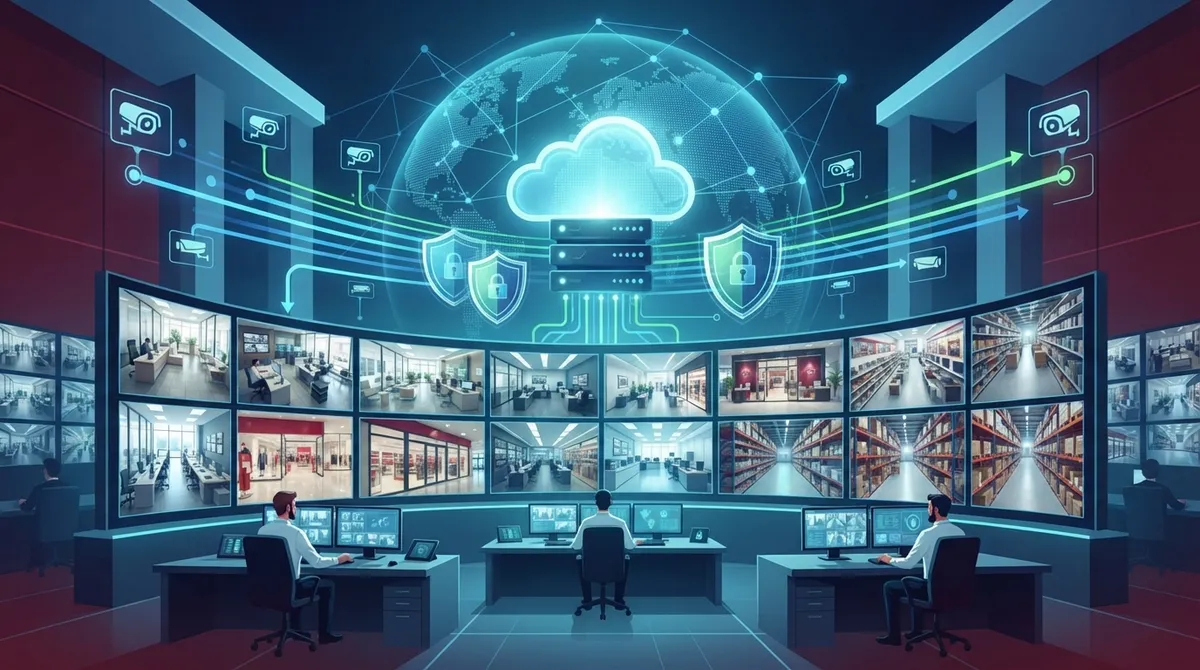
Cloud video security enables remote live viewing and centralized management across multiple business locations from a single dashboard, eliminating the need to physically visit sites or manage separate on-premises systems.
-
Reliable connectivity with cellular backup is essential; edge-cloud design that processes motion detection locally while syncing important clips to cloud prevents blind spots during internet outages.
-
The global cloud video surveillance market is growing at 17.2% annually, projected to reach $57.3 billion by 2034, with commercial applications driving 35.8% of current market value.
-
Before deployment, verify your provider offers encryption in transit and at rest, multifactor authentication, least-privilege access controls, and compliance with ONVIF Security Baseline Specification standards like TLS 1.3.
-
Cost depends on camera count, resolution, retention period, analytics features, and bandwidth needs; a telecom partner should calculate your actual requirements rather than applying one-size-fits-all packages.
-
Common implementation mistakes include choosing cameras before network assessment, skipping cellular backup, underestimating storage for high-resolution footage, and failing to integrate with access control and alarm systems.
Picture this: you own a growing company with five locations, and you get a text at midnight asking if you saw what happened at store three. If your cameras still record to a dusty box in a closet, you’re out of luck until someone drives there in person. That’s the exact headache cloud video security for enterprise is built to solve, and it’s why so many growing businesses are making the switch right now.
We know this topic can feel technical fast. So let’s slow down and walk through it together, the way a friend would explain it over coffee. Whether you run a single Tampa office or you’re juggling a dozen franchise locations across the country, you deserve video security that just works, from anywhere, on any device. This guide breaks down what cloud video security for enterprise really means, what it costs, and how to set it up without losing your mind.
What Is Cloud Video Security for Enterprise, Really?
Cloud video security for enterprise is a smarter way to run cameras across your business. Instead of recording everything to a box on-site, your footage lives in the cloud, backed by strong connectivity and management tools. It combines IP cameras, cloud software, storage, and smart analytics into one system you can check from your phone.
For companies like yours, the magic is in the connection. Reliable internet, SD-WAN solutions, and cellular backup keep your cameras online even when one connection hiccups. That means fewer blind spots and way less stress for you.
Why Enterprises Are Making the Switch
Old-school DVR systems ask you to buy, house, and babysit big servers. Cloud systems skip most of that hassle. Here’s what enterprise teams love about going cloud-first:
- Remote live viewing from any location, on any device
- Centralized management across multiple sites in one dashboard
- Role-based access, so employees only see what they need
- Automatic software updates instead of manual patching
- Smart alerts for motion, people, or vehicles
- Easy integration with access control and alarm systems
This shift isn’t just a trend. One 2025 market report valued the global cloud video surveillance market at $12.8 billion, with projections reaching $57.3 billion by 2034, a 17.2% growth rate. That same report found commercial applications made up 35.8% of the market, proof that businesses just like yours are driving this growth.
How Cloud Video Security Differs From On-Premises Systems
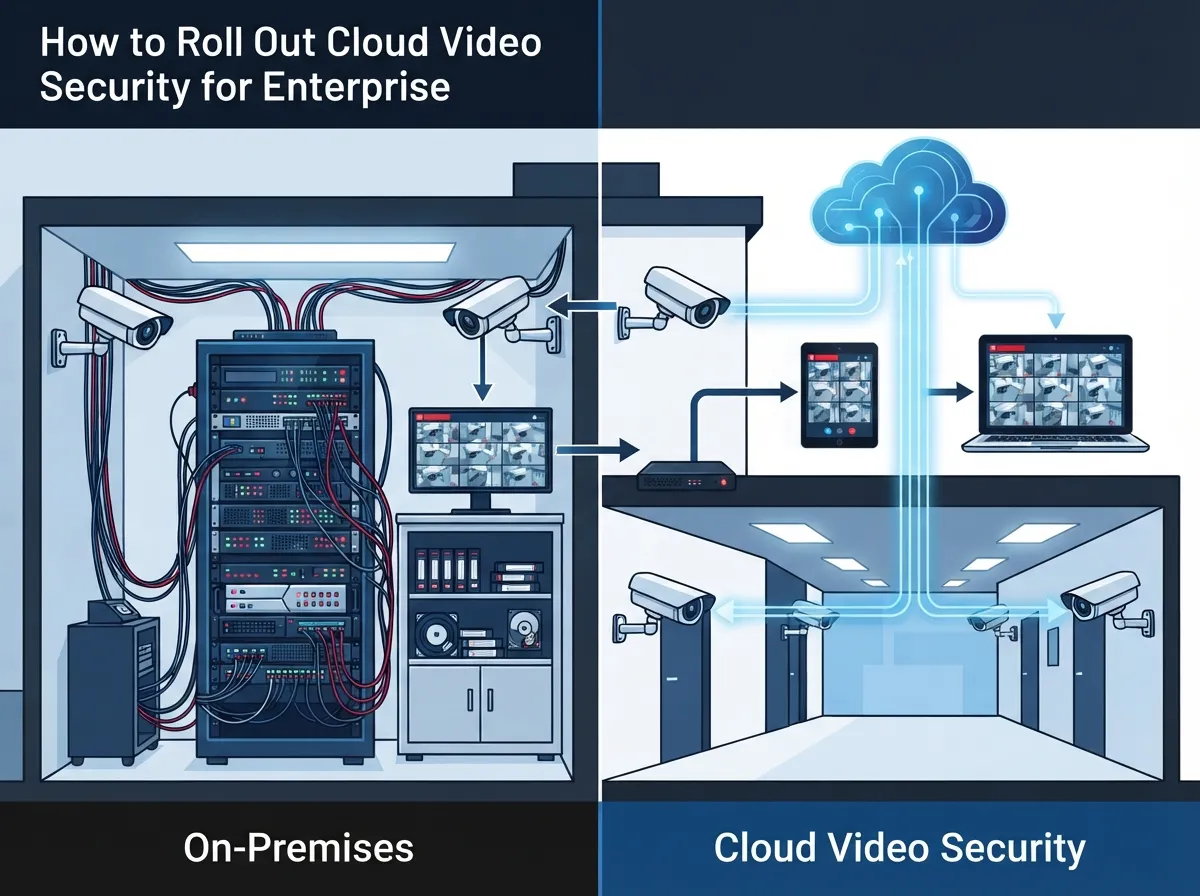
If you’ve ever dealt with a broken NVR right before an important audit, you already know the pain of on-premises systems. Here’s a simple side-by-side to help you see the difference clearly.
| Feature | On-Premises NVR/DVR | Cloud Video Security |
|---|---|---|
| Storage Location | Local hard drive or server | Secure cloud data centers |
| Remote Access | Limited or requires VPN setup | Built-in, from any device |
| Multi-Site Management | Separate systems per site | One dashboard for all locations |
| Maintenance | Manual updates, on-site repairs | Automatic updates, managed support |
| Scalability | Requires new hardware | Add cameras or sites easily |
| Upfront Cost | Higher hardware investment | Lower upfront, subscription-based |
Curious how this plays out for smaller offices too? Check out 6 Key Differences Between Cloud Video Security and DVR Systems for a deeper look.
Building Blocks of a Strong Enterprise Cloud Video System
Think of your video security setup like a house. You need a solid foundation before you add the fancy furniture. Here are the pieces that matter most.
Reliable Connectivity Comes First
Cameras are only as good as the network carrying their footage. Enterprises need dependable high-speed internet, backed by cellular failover so a single outage doesn’t leave you blind. This is where a telecom partner really earns their keep, since connectivity and cameras have to work together seamlessly.
Edge-Cloud Design for Smoother Performance
Some of the smartest systems use a mix of local and cloud processing. Cameras or small gateways handle quick decisions on-site, like spotting motion, while sending only the important clips to the cloud. This saves bandwidth and keeps recording going even if the internet blips for a moment.
Smart Analytics That Actually Help
AI-powered features aren’t just a buzzword anymore. They can genuinely make your team’s day easier. Popular capabilities include:
- People and vehicle detection
- Loitering and intrusion alerts
- License plate recognition for parking areas
- Occupancy counts for busy locations
- Searchable video by object or event
Just make sure you ask your provider about accuracy rates and false alarms. Nobody wants a security guard chasing shadows all night.
Steps to Roll Out Cloud Video Security Across Multiple Locations
Ready to actually do this? Here’s a simple roadmap that keeps the process manageable, even if you’re managing several sites at once.
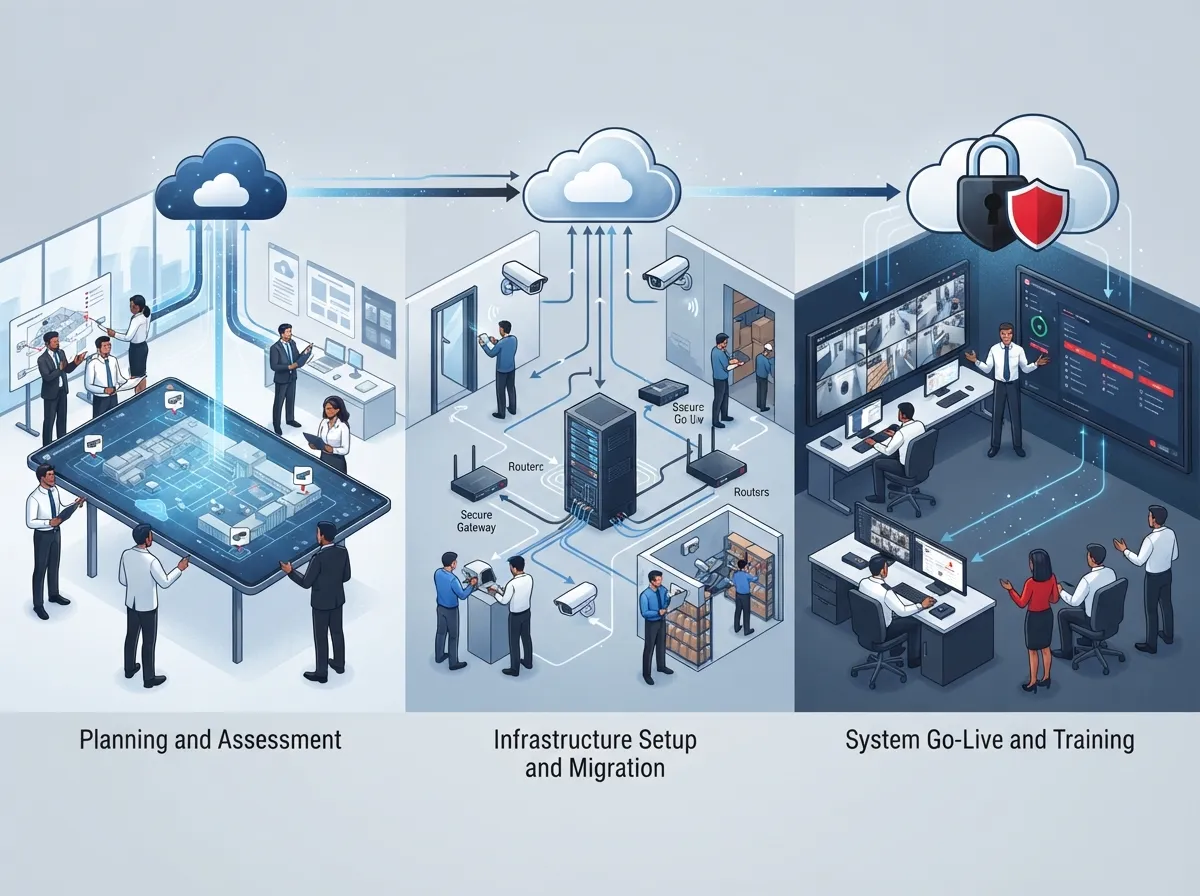
- Audit your current cameras, network, and storage setup at each site
- Define your goals: theft prevention, safety compliance, or operational insights
- Decide on camera count, resolution, and placement for full coverage
- Choose your retention period and cloud storage tier based on your needs
- Confirm your internet and backup connectivity can handle the load
- Select a cloud VMS platform that supports your required integrations
- Schedule professional installation and staff training
- Test remote access, alerts, and backup systems before going live
- Set up ongoing monitoring and support agreements
If structured cabling is part of your rollout, it’s worth learning how structured cabling supports reliable camera performance across a building. Solid wiring behind the walls means fewer dropped connections later.
What Enterprise Buyers Should Ask About Security and Privacy
Cameras watch your business, so your cloud provider needs to watch out for your data too. Before signing anything, ask about these essentials:
- Encryption for footage both in transit and at rest
- Multifactor authentication for all user accounts
- Least-privilege access so employees only see relevant footage
- Secure firmware updates pushed automatically
- Clear incident-response and data-retention policies
- Support for open standards like ONVIF for multivendor setups
Speaking of standards, the ONVIF Security Baseline Specification version 25.12, published in December 2025, now references TLS 1.3 and authenticated encryption. That’s a solid benchmark to hold your provider to when comparing camera and software options.
Privacy and Compliance Basics
Every location, and sometimes every state, can have different rules about signage, employee monitoring, and biometric data. Before deployment, define your policies on consent, retention periods, and who can request access to footage. This matters even more if you’re using facial recognition or other sensitive analytics tools.
How Much Does Cloud Video Security Cost for Multiple Locations?
Cost is usually the first question, and the honest answer is: it depends. But here’s a breakdown of the biggest factors that shape your final price.
| Cost Factor | Why It Matters |
|---|---|
| Camera count and resolution | More cameras and higher resolution mean more storage needs |
| Retention period | Longer footage storage increases monthly cloud fees |
| Analytics features | AI detection tools often carry added licensing costs |
| Bandwidth and connectivity | Multiple sites need dependable internet with backup options |
| Installation complexity | New cabling or hard-to-reach areas add labor costs |
| Support and monitoring | 24/7 monitoring plans cost more but reduce risk |
A good telecom partner will help you build a budget that fits your actual needs, not a one-size-fits-all package. For a deeper dive, take a look at How to Budget for Commercial Video Surveillance in Tampa FL.
Connecting Cloud Video Security With the Rest of Your Telecom Setup
Here’s the part a lot of businesses miss: cameras don’t operate alone. Your video security system works best when it’s tied into your broader network. Think about how it connects with your cloud-based phone system, your access control systems, and your overall network design.
When one provider manages your Internet Service Provider relationships, cabling, cameras, and phones together, everything runs smoother. You get one bill, one point of contact, and far less finger-pointing when something goes wrong. That’s exactly the kind of single-partner approach Ideal Solutions Provider has built its reputation on over 24 years, working with more than 35 vetted suppliers to find the right fit for your business.
Franchise and Multi-Location Considerations
If you run a franchise or manage several locations, consistency is everything. You want the same camera standards, the same access rules, and the same support experience at every site. A scalable cloud platform lets you add new locations without starting from scratch each time.
Common Mistakes Enterprises Make With Cloud Video Security
We’ve seen plenty of businesses stumble on the same few issues. Avoid these missteps to save yourself time and money:
- Choosing cameras before checking if the network can support them
- Skipping cellular backup, leaving sites blind during outages
- Underestimating storage needs for high-resolution footage
- Ignoring integration with access control and alarm systems
- Forgetting to train staff on how to use the platform
- Overlooking privacy policies until after installation
Getting ahead of these issues early saves a ton of headaches down the road. It also helps to follow companies on social platforms like Facebook, Instagram, or YouTube to see real installation examples and customer stories before you commit.
Bringing It All Together
Cloud video security for enterprise isn’t just about watching your business from afar. It’s about peace of mind, smarter operations, and a system that grows right alongside you. Whether you’re protecting one office or fifty locations nationwide, the right combination of cameras, connectivity, and support makes all the difference.
You don’t have to figure this out alone. If you’re ready to talk through your options, reach out to our team for a friendly, no-pressure consultation, or simply give us a call to get started today. We’ll help you build a cloud video security plan that actually fits your business, your budget, and your peace of mind.
FAQs
Q: What is cloud video security for enterprise?
A: It’s a managed video surveillance setup where your cameras, storage, and management tools live in the cloud instead of a local server. This means you can check footage from anywhere, and your provider handles updates and maintenance for you. It’s a great fit for businesses with multiple locations who want everything in one place.
Q: Can cloud video security keep recording if the internet goes down?
A: Yes, many systems use local storage or edge devices that buffer footage during an outage. Once the connection comes back, everything syncs up to the cloud automatically. Adding cellular backup makes this even more reliable, so you’re never left with a gap in coverage.
Q: How much bandwidth does enterprise cloud video surveillance need?
A: It depends on your camera count, resolution, and frame rate, but higher-quality footage naturally uses more bandwidth. A good telecom partner will calculate this for you based on your specific setup. This helps avoid slow uploads or missed alerts down the road.
Q: Can cloud video security integrate with access control and alarms?
A: Absolutely, most enterprise-grade platforms are built to connect with access control, alarms, intercoms, and even building management systems. This gives you one unified view of security instead of juggling separate logins and dashboards. It’s one of the biggest reasons businesses love making the switch.
Q: How long should enterprise security footage be retained?
A: Retention periods vary by industry and compliance needs, but 30 to 90 days is common for most businesses. Some industries with stricter regulations may require longer storage. Your provider can help you choose a retention plan that balances cost with your specific requirements.





