

Key Takeaways
-
Enable Data Access Logs manually if your business handles sensitive customer or employee information, as they are disabled by default and critical for comprehensive audit trails.
-
Implement least-privilege IAM roles so team members only access logs relevant to their job function, reducing risk of unauthorized record alterations and maintaining organized security.
-
Centralize logs from VoIP, network, cameras, and access control into a single SIEM dashboard for multi-location visibility, especially important for franchise operators managing multiple sites.
-
Establish a 12-month minimum log retention policy aligned with your industry regulations, with healthcare and financial services requiring longer periods, to support both investigations and compliance audits.
-
Protect audit logs themselves using field-level access controls, encryption in transit and at rest, and restricted export permissions to prevent sensitive data exposure.
-
Conduct monthly audit log reviews to detect unusual activity patterns and configure real-time alerts for unauthorized access attempts or suspicious exports occurring outside normal hours.
Picture this: someone badges into your server room at 2 a.m., and nobody can tell you who it was, what they touched, or why. Scary, right? That’s exactly the kind of blind spot cloud access control audit logging is built to fix. If you’re a Tampa business owner, IT manager, or franchise operator juggling multiple locations, this friendly guide will walk you through everything you need to know, step by step, without the confusing tech-speak.
Cloud access control audit logging is simply the record-keeping system behind your cloud based access control setup. It tracks who unlocked which door, who changed a security setting, and when it all happened. Think of it as a digital paper trail that protects your business, your data, and your peace of mind. Let’s break down how it works and how to get it right.
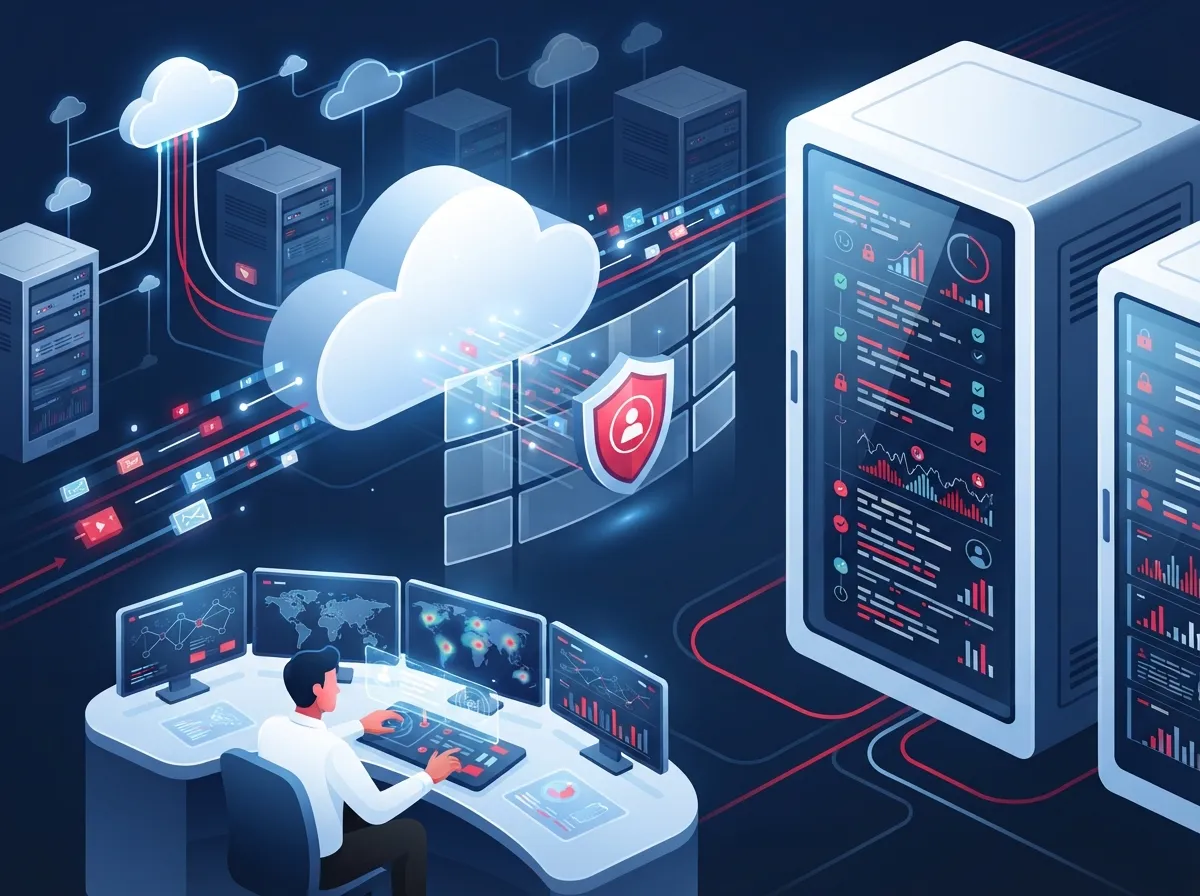
What Is Cloud Access Control Audit Logging?
Cloud access control audit logging records every action taken inside your cloud-based access control and telecom systems. It answers four simple questions: who did it, what they did, when they did it, and where it happened. This applies to door access, admin changes, and even VoIP or network configuration updates tied to your cloud environment.
For businesses managing sensitive customer data or regulated communications, this isn’t just a nice-to-have. It’s often required for compliance and gives you real evidence when something goes wrong. According to Google Cloud documentation, audit logs are enabled by default for customer admin access, giving you a strong starting point right out of the gate.
Why It Matters More Than Ever in 2026
Telecom systems today handle more than just phone calls. They manage door access, security cameras, network configurations, and customer data all in one cloud dashboard. That means one weak link in your logging setup could expose your entire operation.
- Cyber threats targeting cloud systems continue to grow every year
- Regulators expect businesses to prove who accessed what and when
- Multi-location franchises need consistent oversight across every site
- Insurance providers often ask for audit trails after a security incident
- Remote work has increased the number of people accessing systems from outside the office

Why Audit Logging Matters for Business Telecom Solutions
Your telecom environment isn’t just phones anymore. It’s a web of connected systems including VoIP platforms, high-speed internet, structured cabling, cloud cameras, and access control. Each one touches sensitive information, and each one needs oversight.
Without proper logging, you’re flying blind. If a former employee’s access wasn’t revoked, or if someone changes a firewall setting without approval, you won’t know until something breaks or worse, gets breached. Good audit logs give you visibility into everything happening across your enterprise network infrastructure.
Common Business Pain Points This Solves
- Not knowing who changed door access permissions after an employee left
- Struggling to prove compliance during a security review
- Discovering unauthorized changes to VoIP call routing weeks after they happened
- Losing track of which manager approved a new vendor’s system access
- Facing insurance claim delays because there’s no proof of who did what
How IAM Roles Control Access to Your Audit Logs
Not everyone in your company needs to see every log entry. That’s where Identity and Access Management, or IAM, comes in. IAM roles let you decide exactly who can view, edit, or manage audit records.
Google Cloud recommends configuring log views so different teams only see the logs relevant to their job. Your office manager probably doesn’t need to see network firewall logs, and your IT manager probably doesn’t need to see every door badge swipe. Splitting access this way keeps things organized and secure.
| Role | Typical Access Level | Example Use Case |
|---|---|---|
| Business Owner | Summary reports only | Monthly security overview |
| Office Manager | Door access logs | Confirming staff badge activity |
| IT Manager | Full admin and network logs | Investigating a system change |
| Franchise Operator | Multi-site log dashboards | Comparing activity across locations |
| Compliance Officer | Retention and audit exports | Preparing for regulatory review |
Least-Privilege Access: The Golden Rule
The safest approach is giving people only the access they truly need, nothing more. This is called least-privilege access, and it’s a core best practice for cloud audit logging. It reduces the risk of someone accidentally (or intentionally) altering records they shouldn’t touch.
- Grant view-only access to most staff members
- Reserve edit permissions for a small trusted group
- Review permissions quarterly, especially after staff changes
- Use field-level controls to hide sensitive details from broader teams
- Document who has access and why, for easy compliance checks
What Should Be Included in Your Telecom Cloud Audit Logs
A solid audit log isn’t just a list of timestamps. It needs specific details to actually be useful during an investigation or compliance review.
- The identity of the user or system that performed the action
- The exact action taken, such as a door unlock or configuration change
- The date and time down to the second
- The location or device from which the action occurred
- The specific resource affected, like a camera feed or phone line
- Whether the action succeeded or was denied
Google Cloud’s Policy Denied Logs, which are enabled by default, automatically capture security policy violations. This is incredibly useful for catching unauthorized attempts before they become real problems.
Admin Activity Logs vs. Data Access Logs
These two log types often get confused, but they serve different purposes. Admin activity logs track changes to your system’s configuration, like adding a new user or changing camera settings. Data access logs track who viewed or read specific data, like pulling up call history or camera footage.
| Log Type | Default Status | What It Captures |
|---|---|---|
| Admin Activity Logs | Enabled by default | Configuration and permission changes |
| Data Access Logs | Disabled by default | Read/write activity on data |
| Policy Denied Logs | Enabled by default | Security policy violations |
| Access Transparency | Available for sensitive workloads | Provider-side admin access |
Since Data Access Logs are disabled by default, you’ll want to turn them on manually if your business handles sensitive customer records or regulated communications. This step is easy to miss but makes a huge difference during an audit.
How to Set Up Cloud Access Control Audit Logging: A Step-by-Step Guide
Ready to get your logging system in shape? Here’s a simple roadmap that works whether you’re a small Tampa shop or a multi-location franchise.
- Start with an audit of your current telecom and access control setup to see what’s already being logged
- Enable Data Access Logs if your business handles sensitive customer or employee information
- Set up IAM roles so each team member only sees relevant log data
- Configure field-level controls to hide sensitive details from general staff views
- Centralize logs from your VoIP, network, cameras, and access control into one dashboard
- Set a retention policy that matches your industry’s compliance requirements
- Schedule regular reviews, at least monthly, to check for unusual activity
- Train your team on how to read and respond to audit alerts
Centralizing Logs for Better Visibility
One of the biggest wins for growing businesses is pulling all your logs into a single place. Instead of checking your VoIP system, your cameras, and your door access separately, a centralized SIEM or unified log platform shows everything at once. This is especially helpful for franchise operators managing several sites at once.
If you’re already thinking about upgrading your business network solutions, centralized logging should be part of that conversation. It ties together your phones, internet, cameras, and access control into one clear picture.
How Long Should Telecom Audit Logs Be Retained?
Retention periods vary by industry and regulation, but a good rule of thumb is to keep logs long enough to support both investigations and compliance reviews. In fact, one UK telecom security mapping referenced by Google Cloud suggests logs should be available for audit for up to 13 months.
- Healthcare businesses often need longer retention due to HIPAA requirements
- Financial services may require multi-year retention for audits
- General businesses should aim for at least 12 months as a baseline
- Franchise operations should align retention across all locations for consistency
- Always check with your compliance officer or legal advisor for specifics
Balancing Storage Costs with Compliance Needs
Longer retention means more storage, which can add up. The good news is cloud storage costs have dropped significantly over the years, making longer retention more affordable than it used to be. Still, it’s smart to set clear policies so you’re not paying for data you don’t need.
How Audit Logs Support Compliance and Investigations
When regulators or auditors come knocking, audit logs are your best friend. They provide clear, timestamped proof of who accessed what, which is exactly what compliance teams need to see.
- Logs help prove that only authorized staff accessed sensitive systems
- They provide a timeline during incident response investigations
- They support internal security reviews without guesswork
- They demonstrate due diligence if a breach ever occurs
- They reduce the time and cost of responding to compliance audits
This is a big reason why businesses working with a trusted telecommunications provider often find compliance reviews go much smoother. Having the right logging structure in place from day one saves headaches later.
Protecting Sensitive Data Inside Your Audit Logs
Here’s something people don’t always think about: audit logs themselves can contain sensitive information. If your logs capture customer names, phone numbers, or door access details, you need to protect those records just as carefully as the systems they describe.
- Use field-level access controls to mask sensitive fields from general viewers
- Restrict export permissions to a small, trusted group
- Encrypt logs both in transit and at rest
- Regularly review who has access to exported log files
- Set alerts for unusual log access patterns, like large exports at odd hours
A Quick Comparison: Manual Logging vs. Cloud-Based Logging
| Feature | Manual Logging | Cloud-Based Audit Logging |
|---|---|---|
| Real-time alerts | Rarely available | Standard feature |
| Multi-location visibility | Difficult to manage | Centralized dashboard |
| Compliance readiness | Time-consuming to prepare | Reports generated quickly |
| Storage and retention | Manual backups required | Automatic, scalable storage |
| Scalability for franchises | Limited | Built for growth |
Bringing It All Together with the Right Partner
Setting up cloud access control audit logging doesn’t have to be a solo project. Many Tampa businesses find it easier to work with a partner who already understands the ins and outs of structured cabling, networking, and cloud security systems. This is exactly where Ideal Solutions Provider comes in, with over 24 years of experience helping businesses across Tampa Bay and nationwide get their telecom and security systems working together seamlessly.
Whether you’re upgrading your cloud based access control company setup or rethinking your entire network, having a single point of contact makes life so much easier. Instead of juggling five different vendors, you get one team that understands how your phones, internet, cameras, and access control all connect.
Questions to Ask Any Provider Before You Sign On
- Do they enable Data Access Logs by default, or will you need to request it?
- Can they configure IAM roles specific to your team structure?
- What retention period do they recommend for your industry?
- How do they handle field-level protection for sensitive log data?
- Can they centralize logs across multiple business locations?
If you’re not sure how your current setup stacks up, it might be worth checking out how Internet Service Providers and telecom partners typically handle security logging as part of a broader network review.
Bringing Your Logging Strategy Full Circle
Cloud access control audit logging isn’t just a technical checkbox. It’s peace of mind. It’s proof. It’s the difference between confidently answering “who did this?” and staring blankly at a screen with no answers.
Whether you run a small Tampa storefront or manage a growing franchise with locations across the state, getting your logging strategy right protects your business, your team, and your customers. Start small if you need to. Enable the logs you’re missing, set up smart IAM roles, and centralize what you can. Every step forward is a step toward better security.
Feeling a little overwhelmed? That’s completely normal, and you don’t have to figure it all out alone. The team at Ideal Solutions Provider has spent over two decades helping businesses just like yours build smarter, safer telecom systems. You can follow their work on Facebook, check out helpful tips on Instagram, or watch real installation walkthroughs on YouTube.
Ready to get your cloud access control and audit logging set up the right way? Contact us today for a free consultation, or feel free to call us and let’s talk through your specific needs. Your future self (and your compliance officer) will thank you.
FAQs
Q: What is cloud access control audit logging in telecom?
A: It’s simply the record-keeping system that tracks who accessed your cloud-based access control and telecom systems, what they did, and when it happened. Think of it as a security camera for your digital systems, always watching and always recording the important stuff.
Q: Why is audit logging important for business telecom solutions?
A: Because your telecom systems today handle so much more than phone calls, they manage cameras, door access, and network settings too. Without solid logging, you’re left guessing when something goes wrong, and that’s a risk no business owner wants to take.
Q: How long should telecom audit logs be retained?
A: Most businesses should aim for at least 12 months, though some industries like healthcare may need longer retention. One telecom security reference even suggests keeping logs available for up to 13 months, so it’s worth checking what fits your specific industry.
Q: What’s the difference between admin activity logs and data access logs?
A: Admin activity logs track configuration changes, like adding a new user or adjusting camera settings. Data access logs track who actually viewed or pulled data, like reviewing call history or footage, and these are disabled by default so you’ll need to turn them on.
Q: How do telecom providers protect sensitive data in audit logs?
A: Good providers use field-level access controls to hide sensitive details from general staff, encrypt logs both in transit and at rest, and restrict who can export log files. It’s all about making sure the logs meant to protect you don’t become a security risk themselves.





