

Key Takeaways
-
Cloud CCTV systems enable remote access from any device and support multi-site monitoring via centralized dashboards, making them ideal for franchise operators and companies managing multiple locations across different areas.
-
AI-powered features like smart alerts, video search, and behavior analytics are the biggest differentiators between top-rated platforms, allowing businesses to flag real problems instead of wasting hours reviewing footage.
-
Camera compatibility with existing IP cameras is critical—platforms that work with your current infrastructure avoid costly rip-and-replace projects and enable faster deployment with cloud adapters or gateway hardware.
-
Evaluate cloud CCTV systems using a three-to-five-year total cost analysis rather than just monthly stickers, accounting for avoided expenses like NVR maintenance, guard labor, and per-site infrastructure costs.
-
Mobile app quality, customer support responsiveness, and data retention/compliance controls vary significantly between platforms—verify these features through verified business reviews before signing contracts.
-
Internet bandwidth and network stability directly impact cloud CCTV performance; weak connections cause dropped footage and delayed alerts, so assess your current infrastructure capability before deploying the system.
Shopping for business security cameras used to mean picking a box off a shelf and hoping for the best. Not anymore. Today’s business owners, IT managers, and franchise operators are turning to cloud CCTV system reviews before they spend a single dollar. And honestly? That’s smart. With so many platforms promising AI alerts, remote access, and easy setup, you deserve real answers before you commit.
Grab a coffee, because we’re about to walk through what actually matters when you read cloud CCTV system reviews in 2026. Whether you run a single Tampa storefront or manage a franchise chain across five states, this guide will help you cut through the noise. We’ll cover pricing, features, compatibility, and the questions smart buyers always ask. By the end, you’ll know exactly what to look for and why so many businesses lean on partners like Ideal Solutions Provider to make sense of it all.

Why Cloud CCTV System Reviews Matter More Than Ever
Cloud CCTV systems send video to secure off-site storage instead of a box sitting in your back closet. That one shift changes everything about how businesses monitor their locations. You can check in from your phone, share clips instantly, and avoid the dreaded “the hard drive died” phone call.
For multi-site businesses, this matters even more. Franchise operators, retail chains, and companies with several offices need one dashboard to see everything at once. That’s exactly what cloud CCTV promises, but not every platform delivers it the same way. Good reviews help you spot the difference before you sign a contract.
What Makes a Review Trustworthy
Not all reviews are created equal. Here’s what separates the useful ones from the fluff:
- Real user ratings from verified business buyers, not just marketing copy
- Clear breakdowns of pricing over three to five years, not just month one
- Honest notes on camera compatibility and installation headaches
- Details on AI features like smart alerts and video search
- Information on data retention and compliance support
- Feedback on customer support responsiveness
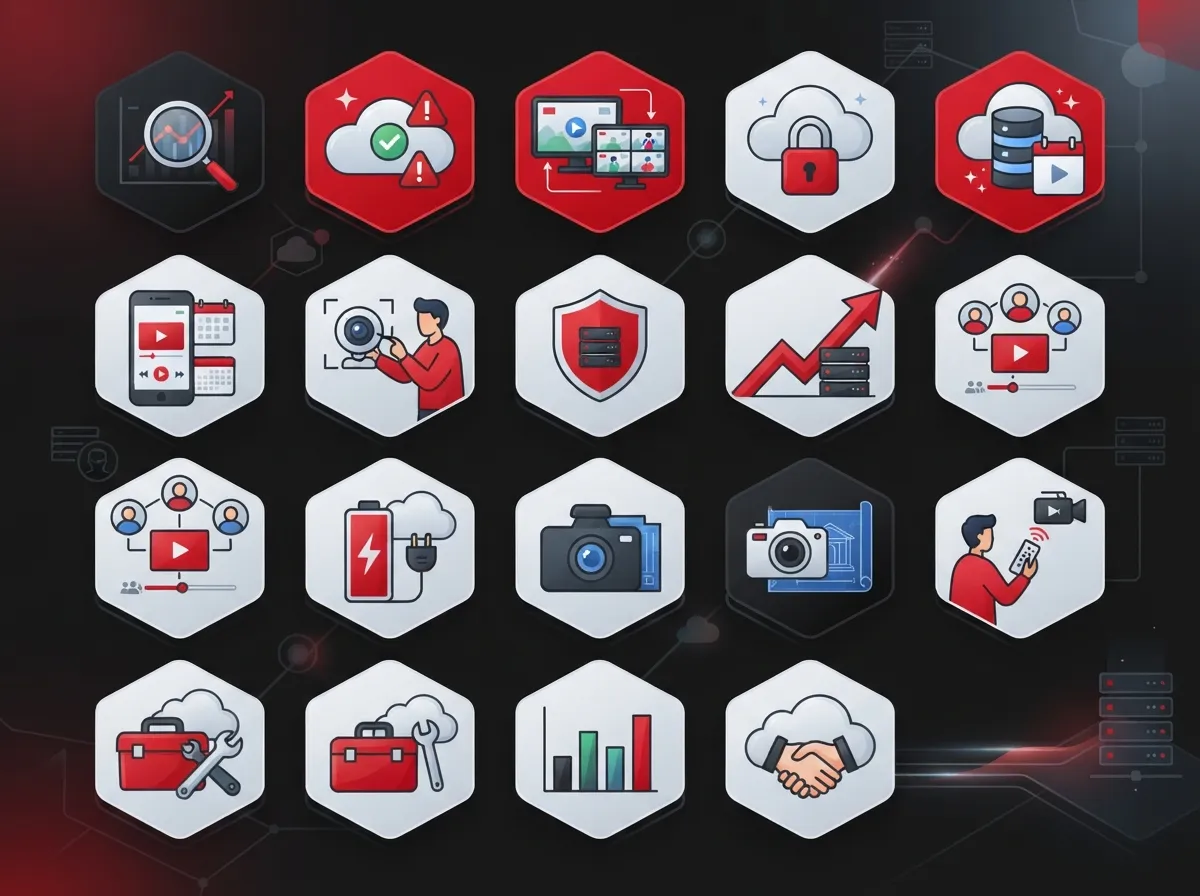
15 Things Cloud CCTV System Reviews Reveal About Top Platforms
We combed through 2026 review data, buyer guides, and industry roundups to bring you the most useful takeaways. Here’s what businesses are saying about cloud video security right now.
1. Videoloft Earns High Marks for Ease of Use
Videoloft holds an average rating of 4.8 out of 5.0 from 16 reviews on G2 in 2026. Reviewers consistently praise its simple setup and clean interface, which matters a lot for busy office managers who don’t have time to babysit software.
2. Coram AI Leads the Pack in Overall Satisfaction
G2’s 2026 video surveillance software roundup rates Coram AI at 4.9 out of 5. That top score often comes down to strong AI analytics and a smooth user experience that IT teams appreciate.
3. Verkada Remains a Popular Choice for Mid-Sized Companies
Verkada scored 4.7 out of 5 in the same 2026 roundup. Reviewers often mention its all-in-one hardware and software approach, which appeals to growing companies that want fewer vendors to manage.
4. Rhombus Scores Well for Multi-Site Oversight
Rhombus came in at 4.6 out of 5, with reviewers highlighting its dashboard for managing cameras across several locations. That’s a big win for franchise operators juggling multiple sites.
5. XProtect Impresses With Massive Scalability
G2’s 2026 roundup notes that XProtect supports more than 14,000 devices. That kind of scale shows just how far cloud-friendly platforms can stretch for large enterprises.
6. Camera Compatibility Is a Recurring Theme in Reviews
Reviewers repeatedly call out camera-agnostic platforms as a major plus. If a system works with your existing IP cameras, you avoid a costly rip-and-replace project and get up and running faster.
7. AI Features Are the Biggest Differentiator
Smart alerts, video search, and behavior analytics show up again and again in top reviews. Businesses want cameras that do more than just record. They want systems that flag real problems and cut down on wasted hours reviewing footage.
8. Retention Policies Matter for Compliance-Heavy Industries
Healthcare, finance, and government buyers pay close attention to how long footage stays stored and how it’s protected. Reviews that spell out retention windows and compliance controls tend to earn more trust from these industries.
9. Deployment Speed Gets Praised When Existing Cameras Are Supported
Systems that work with cloud adapters or gateway hardware often deploy much faster than fully on-premise builds. Reviewers love this because it means less downtime and fewer disruptions to daily operations.
10. Pricing Comparisons Focus on Total Cost, Not Just Sticker Price
Smart reviewers compare subscription costs against avoided expenses like NVR maintenance, guard labor, and per-site infrastructure. This three-to-five-year view gives a much clearer financial picture than a single upfront quote.
11. Mobile Access Quality Varies Widely
Some platforms offer clunky apps that lag or crash. Others give office managers a smooth, reliable way to check cameras from anywhere. Reviews that test the mobile experience firsthand are worth their weight in gold.
12. Customer Support Responsiveness Shapes Long-Term Satisfaction
A flashy dashboard means little if support takes days to respond. Reviewers frequently mention how fast (or slow) a vendor resolves issues, which directly affects day-to-day trust in the system.
13. Multi-Site Businesses Need Centralized Dashboards
Franchise operators and companies with several branches consistently look for one login that shows every camera at every site. Reviews that highlight this feature save buyers a ton of research time.
14. Bundled Solutions Are Gaining Popularity
More businesses want cameras, access control, and internet service handled by one partner. This trend shows up in reviews praising companies that simplify vendor management, similar to what our cloud video security services offer alongside phone and internet solutions.
15. Traditional Security Providers Are Adjusting Their Pricing
Security.org’s 2026 business security roundup lists starting prices of $269 for ADT, $251 for SimpliSafe, $199 for Vivint, $69 for Frontpoint, and $399 for Lorex. These numbers give buyers a helpful baseline when comparing cloud CCTV subscriptions to more traditional security packages.
Cloud CCTV vs. Traditional DVR/NVR Systems: A Quick Comparison
If you’re still weighing cloud versus on-site storage, here’s a side-by-side look at how they typically stack up based on review data and industry guides.
| Feature | Cloud CCTV System | Traditional DVR/NVR |
|---|---|---|
| Remote Access | Yes, from any device with internet | Limited or requires extra setup |
| Storage Location | Off-site, secure cloud servers | On-site hard drive or box |
| Scalability | Easy to add sites and cameras | Often requires new hardware |
| Maintenance | Handled by vendor | Falls on your IT team |
| AI Analytics | Commonly included | Rarely included, costly add-on |
| Upfront Cost | Lower, subscription-based | Higher, hardware-heavy |
Key Features to Look for in Cloud CCTV Reviews
When you’re reading through reviews, keep an eye out for these must-have features. They’ll tell you a lot about whether a platform fits your business.
- Compatibility with your current IP cameras
- Clear pricing tiers with no hidden fees
- Mobile app performance and reliability
- AI-powered alerts for motion, people, or vehicles
- Video search that lets you find footage fast
- Data retention options that match your compliance needs
- Multi-site dashboard for centralized monitoring
- Integration with access control and other security tools
How to Read Cloud CCTV Reviews Like a Pro
Reading reviews takes a little strategy. Follow these steps to get the most useful information out of any review site.
- Check the review date to make sure it reflects 2026 pricing and features
- Look for verified business reviews, not just consumer feedback
- Compare at least three platforms side by side before deciding
- Read both the highest and lowest rated reviews for balance
- Note any mentions of installation time or hidden costs
- Search for comments about customer support quality
Comparing Business Sizes and Cloud CCTV Needs
Not every business needs the same setup. Here’s a quick breakdown by business type.
| Business Type | Typical Need | What to Prioritize |
|---|---|---|
| Small Business | Single location, basic monitoring | Affordable pricing, easy mobile app |
| Mid-Sized Enterprise | Multiple departments or floors | AI analytics, integration with access control |
| Franchise Operator | Several locations nationwide | Centralized dashboard, scalable licensing |
| IT-Managed Corporation | Complex network integration | Camera compatibility, compliance controls |
Structured planning around your network also matters here. If your cabling and internet aren’t ready to support cloud video, even the best-reviewed system will struggle. Learn more about how structured cabling supports reliable video performance across your business locations.
Common Mistakes Businesses Make When Choosing Cloud CCTV
Even with great reviews in hand, businesses still trip up during the buying process. Watch out for these pitfalls:
- Choosing a system without checking camera compatibility first
- Ignoring internet bandwidth requirements for smooth streaming
- Skipping questions about data retention length and compliance
- Focusing only on upfront price instead of long-term costs
- Forgetting to ask about support response times
- Not testing the mobile app before committing to a contract
Your internet connection plays a bigger role than most people expect. Weak or unstable connections can cause dropped footage and delayed alerts. If you’re unsure your current setup can handle it, our guide on high-speed internet for business covers what to check before adding cloud cameras.
Why a Single Point of Contact Makes This Easier
Here’s something reviews don’t always mention: juggling separate vendors for cameras, internet, and networking is exhausting. One system needs a firmware update, another needs a bandwidth boost, and suddenly you’re on hold with three different companies.
This is where working with an experienced telecom and IT partner pays off. At Ideal Solutions Provider, we’ve spent over 24 years helping Tampa businesses and companies nationwide cut through vendor confusion. We compare options across 35+ vetted suppliers, so you get honest recommendations instead of a sales pitch. In fact, we’ve found that 9 out of 10 businesses we audit are overpaying, underperforming, or both.
Whether you need cloud video security for your Tampa business or help pairing it with reliable networking and structured cabling, we handle it all under one roof. That means fewer headaches and faster answers when something needs attention.
Security and Privacy Considerations
Business owners often ask if cloud CCTV is actually safe. It’s a fair question, especially with sensitive footage involved. Reputable platforms use encryption both during transmission and while footage sits in storage.
Look for these security markers when reviewing any platform:
- End-to-end encryption for video streams
- Two-factor authentication for user logins
- Role-based access controls for staff permissions
- Regular third-party security audits
- Clear data ownership policies in the contract
You can also learn more about the basics of network security from resources like the Internet Service Provider overview on Wikipedia, which explains how data travels securely across networks.
Bringing It All Together
Cloud CCTV system reviews give you a real window into what works and what doesn’t before you spend a dime. From AI-powered alerts to multi-site dashboards, the best platforms in 2026 are built to make business security simpler, not more complicated. The key is knowing what to look for and asking the right questions.
If you’d rather skip the guesswork, our team is happy to walk you through your options and make sure whatever you choose fits your internet, cabling, and network setup too. Follow us on Facebook, check out project photos on Instagram, or watch real installations on our YouTube channel to see how we support businesses just like yours.
Ready to find the right cloud CCTV system for your business? Contact us today for a free consultation, or call us to talk through your options with a real person who actually knows the industry.
FAQs
Q: What is a cloud CCTV system for business use?
A: A cloud CCTV system stores video footage on secure off-site servers instead of a local recorder. This lets business owners check their cameras from anywhere using a phone or computer, which is a huge relief when you’re juggling multiple locations.
Q: Which cloud CCTV systems are best for multi-site businesses?
A: Platforms like Rhombus and Verkada consistently earn high marks in 2026 reviews for their multi-site dashboards. They let franchise operators and growing companies watch every location from one simple screen, which saves a ton of time.
Q: How do cloud CCTV reviews compare with traditional DVR/NVR systems?
A: Reviews generally favor cloud systems for their remote access, easier scaling, and lower maintenance burden. Traditional DVR setups still work, but they usually require more hands-on IT support and don’t scale as smoothly across multiple sites.
Q: Can cloud CCTV work with existing IP cameras?
A: Many cloud platforms are camera-agnostic, meaning they can work with cameras you already own. This is great news because it can save you a lot of money and speed up your installation timeline significantly.
Q: How much does cloud CCTV cost for a small or medium business?
A: Pricing varies a lot, but traditional security packages start around $69 to $399 per month according to 2026 industry data. Cloud CCTV subscriptions often compare favorably once you factor in avoided costs like hardware maintenance and on-site storage.





