
Key Takeaways
-
Network segmentation and dual internet providers are foundational requirements—isolate camera traffic from teller/ATM systems and implement cellular backup to prevent single-point failures from blinding your branches.
-
Treat cloud video vendors as third-party risks subject to Federal Reserve, FDIC, and OCC oversight; vet providers on data storage location, access controls, encryption methods, and audit capabilities before signing contracts.
-
Implement multifactor authentication, least-privilege access, regular firmware updates, and detailed audit logs for all camera systems, since third-party involvement in breaches doubled to 30% and credential abuse affects 22% of incidents.
-
Define retention schedules by location and use case (typically 30-90 days), limit footage exports with approval workflows, and document policies for auditor review to comply with banking regulations and EU's DORA.
-
Design for reliability with edge recording, automatic cellular failover, and 24/7 monitoring support to ensure cameras stay operational during internet outages and provide continuous security coverage.
-
Partner with a telecom provider experienced in banking who handles connectivity, cameras, and support as a single point of contact rather than juggling multiple vendors for video, network, and phone systems.
If you run security or IT for a bank, you already know the stakes are high. Cameras aren’t just watching the lobby anymore. They’re part of your whole network, your compliance story, and your peace of mind. Cloud video security for banks brings all your branch cameras, ATMs, and back-office footage into one place you can check from anywhere. But here’s the thing nobody tells you upfront: the cameras are only as good as the network and support behind them.
That’s where a real telecom partner comes in. Getting cloud video right for a bank means more than picking a camera brand. It means secure connections, backup internet, strong network design, and a provider who understands financial-industry expectations. We put together this friendly, no-jargon guide to walk you through the five things every bank should nail down before rolling out cloud video security. Grab a coffee, and let’s get into it.

1. Build Your Cloud Video Security on a Rock-Solid Network Foundation
Cloud cameras live and die by your internet connection. A camera that can’t talk to the cloud is just a paperweight with a lens. That’s why the first step for any bank isn’t buying cameras at all. It’s making sure the network underneath can handle the job.
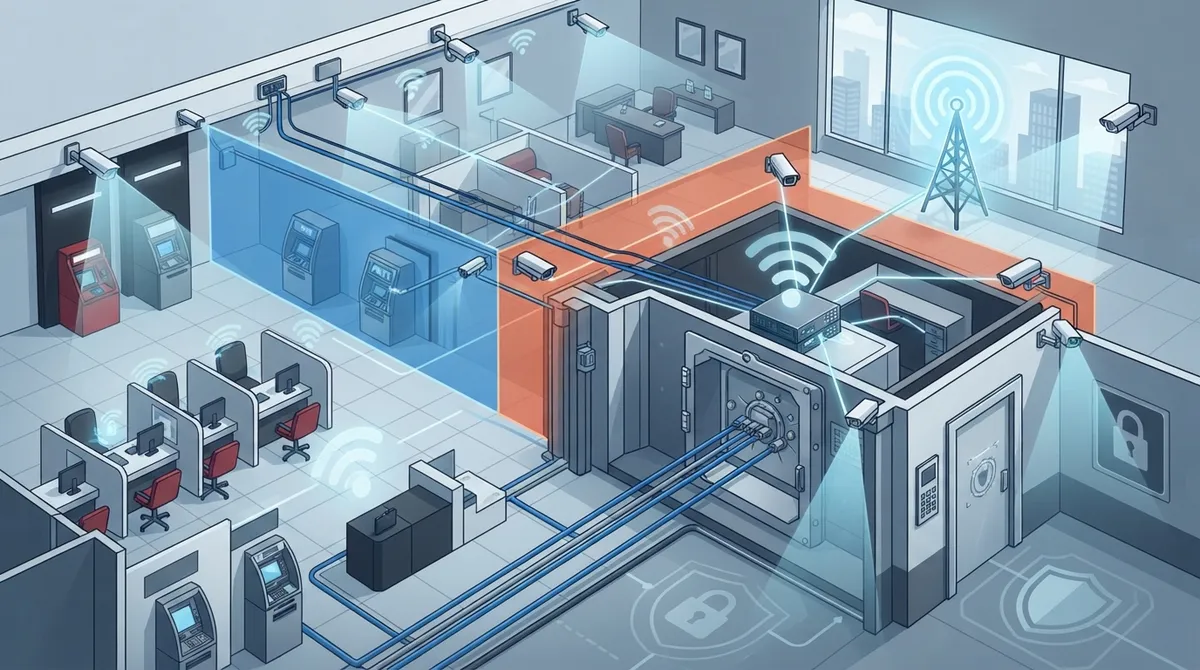
A well-designed setup keeps camera traffic separate from teller systems, ATMs, and guest Wi-Fi. This is called network segmentation, and it stops a problem on one system from spreading to another. Pairing this with smart high-speed internet planning keeps your video flowing smoothly, even during busy hours.
What a Strong Network Setup Should Include
- Isolated networks for cameras, separate from teller and ATM systems
- Firewalls and access rules limiting who can reach camera feeds
- Dual internet providers so one outage doesn’t blind your branch
- Cellular or 5G backup for camera gateways
- Bandwidth planning based on camera count, resolution, and frame rate
- Quality of Service (QoS) settings that prioritize video traffic
Banks with multiple branches especially benefit from reliable network solutions built for multi-location businesses. One weak link at a single branch shouldn’t put your whole security picture at risk.

2. Choose a Provider Who Understands Bank-Level Third-Party Risk
Here’s something a lot of businesses miss: your cloud video vendor is a third party your bank now depends on. Regulators care about this. The Federal Reserve, FDIC, and OCC all publish guidance on managing third-party relationships, and cloud video providers fall under that umbrella.
That doesn’t mean cloud video is off-limits. It means you need to ask the right questions before signing anything. Think of it like vetting a new employee, except this “employee” holds footage of your vault room.
5 Questions to Ask Any Cloud Video Provider
- Where is our video data stored, and who can access it?
- What happens to our footage if we cancel or switch providers?
- How quickly will you notify us if there’s a security incident?
- Do you allow audits or third-party security reviews?
- What encryption do you use, both in transit and at rest?
This kind of due diligence lines up with the FFIEC’s Joint Statement on Security in a Cloud Computing Environment. It’s not extra paperwork for the sake of it. It protects your customers, your reputation, and your charter.
3. Lock Down Cybersecurity Around Every Camera and Gateway
Cameras are small computers connected to your network. That means they can be a way in for attackers if left unprotected. This isn’t a scare tactic, it’s just math. Verizon’s 2025 Data Breach Investigations Report studied over 22,000 real security incidents and found that third-party involvement in breaches doubled to 30% year over year.
The same report found credential abuse played a role in 22% of breaches, and vulnerability exploitation jumped 34% compared to the year before. Financial services alone saw 3,336 incidents and 927 confirmed breaches, with system intrusion as the top attack pattern. Ransomware showed up in 44% of all breaches studied. None of this means cloud video is unsafe. It means banks need strong controls around it.
Cybersecurity Basics for Bank Camera Systems
- Multifactor authentication for anyone accessing footage or system settings
- Least-privilege permissions, so staff only see what they need
- Regular firmware updates and vulnerability patching
- Encrypted video, both while traveling over the network and while stored
- Detailed audit logs showing who viewed or exported footage
- Integration with your security team’s monitoring tools
Since human error still shows up in about 60% of breaches according to the same DBIR report, staff training matters just as much as technology. A quick refresher on password habits and phishing awareness goes a long way.
4. Plan Smart Retention, Privacy, and Compliance Practices
Bank footage isn’t just video. It can include customer faces, transaction context, and employee activity. That makes privacy and retention planning a must, not a nice-to-have.
Banks in the U.S. don’t follow one single cloud-surveillance law. Instead, guidance comes from safety-and-soundness expectations and general privacy rules. Banks operating in the European Union also need to think about the Digital Operational Resilience Act, which has applied since January 17, 2025. DORA covers ICT risk management, incident handling, and third-party oversight, and a cloud video platform can fall under that review.
Steps for Solid Retention and Privacy Policies
- Define exactly why you’re collecting video and for how long you need it
- Set clear retention schedules by camera location or use case
- Limit who can export footage and require approval for downloads
- Redact footage before sharing it outside the bank when appropriate
- Document your policy so auditors and regulators can review it easily
- Review policies yearly as regulations and business needs change
A little planning here saves a lot of stress later, especially if footage ever becomes part of a legal case or fraud investigation.
5. Design for Reliability, Analytics, and Real Support
Cameras that go dark during an internet hiccup don’t help anyone. That’s why reliability planning matters as much as picking a good camera brand. Think about upstream bandwidth, latency, packet loss, and how many camera streams your network can handle at once.
Smart analytics can also add real value here. Features like loitering alerts, perimeter monitoring, and unusual-activity detection help your team catch problems faster. Just remember analytics should be tested for false positives and reviewed regularly, since no system is perfect out of the box.
Comparing Cloud Video Reliability Features
| Feature | Why It Matters for Banks | What to Look For |
|---|---|---|
| Dual Internet Providers | Keeps cameras online if one connection drops | Different carriers, not just different plans |
| Cellular/LTE Failover | Backup connectivity during outages | Automatic switchover, no manual reset needed |
| Edge Recording | Saves footage locally if cloud connection is lost | Local storage that syncs once connection returns |
| 24/7 Monitoring | Someone watching for issues around the clock | Real people, not just automated alerts |
| Analytics Accuracy | Fewer false alarms, faster real responses | Documented testing and tuning options |
This is exactly the kind of planning Ideal Solutions Provider handles for clients across many industries, including financial services. As a Tampa-based telecom and IT partner with over 24 years of experience and 35+ vetted suppliers, they act as one point of contact for connectivity, cameras, and everything in between. That means banks don’t have to juggle five different vendors just to get their video security working right.
How Cloud Video Fits Into Your Bigger Telecom Picture
Cloud video security rarely lives on its own island. It usually connects to your phone systems, your internal network, and sometimes your access control setup too. If your bank branches are still running on outdated traditional phone systems, it might be worth looking at how a modern cloud-based phone system could work alongside your video upgrade.
Structured cabling also plays a bigger role than people expect. Clean, well-planned structured cabling keeps camera connections stable and makes future upgrades much easier. If your branch wiring is old or was added piecemeal over the years, it might be time to check out how structured cabling supports VoIP and cameras together.
Quick Checklist Before You Deploy Cloud Video at Your Branches
- Confirm bandwidth is sufficient for all planned camera streams
- Verify network segmentation is in place for camera traffic
- Test failover connections before go-live day
- Review your provider’s contract for data ownership and exit terms
- Train staff on access rules and footage handling
- Set a retention schedule that fits your compliance needs
Getting these pieces lined up before installation day saves headaches later. It also builds confidence with your compliance team, your board, and your customers.
Working With a Partner Who Gets Banking Needs
Banks don’t have room for guesswork when it comes to security and connectivity. You need a partner who can explain things in plain language, plan for your worst-case scenarios, and stick around for support after installation. A good telecom expert who gets results should feel like an extension of your own team, not just another vendor sending invoices.
You can also follow along with helpful tips and updates through Facebook, Instagram, and YouTube for a look at how modern security and connectivity solutions come together in real installations.
Bandwidth planning ties directly into your choice of Internet Service Provider, so it’s worth comparing options carefully rather than settling for whatever was available when your branch first opened. A quick review of your current setup often uncovers gaps nobody noticed before.
Wrapping It All Up
Cloud video security for banks isn’t just about cameras. It’s about the network, the people, the policies, and the partner backing it all up. When those pieces work together, you get clear footage, fast alerts, and fewer sleepless nights wondering if your branches are truly covered.
If you’re ready to talk through your bank’s specific needs, our team would love to help you map out a plan that fits your branches, your budget, and your compliance requirements. Reach out to our team today for a friendly consultation, or give us a call to start the conversation. We’re here to make cloud video security feel a lot less complicated and a lot more secure.
FAQs
Q: What is cloud video security for banks?
A: It’s a system that connects branch and ATM cameras to cloud-based video management, so your team can view footage, get alerts, and store recordings securely from anywhere. It combines internet-connected cameras with centralized monitoring, analytics, and evidence storage tailored to banking needs.
Q: Is cloud video surveillance secure enough for a bank?
A: Yes, when it’s set up correctly with encryption, network segmentation, and strong access controls. The key is treating your camera network like any other sensitive system, with careful vendor vetting and cybersecurity practices baked in from day one.
Q: What internet bandwidth does a bank need for cloud video surveillance?
A: It depends on camera count, resolution, and frame rate, but most branches need dedicated bandwidth beyond regular office use. A good telecom partner can calculate your exact needs and set up failover options so cameras stay online even during outages.
Q: How long should banks retain security camera footage in the cloud?
A: Retention schedules vary by branch and use case, but many banks keep footage for 30 to 90 days unless it’s tied to an investigation. It’s smart to document your policy clearly so it holds up during audits or compliance reviews.
Q: How can telecom providers improve the reliability of cloud security cameras at bank branches?
A: Providers can add dual internet connections, cellular backup, and edge recording so cameras keep working even if the main connection drops. Combining these with proper network segmentation and 24/7 monitoring keeps footage flowing without gaps.





