

Key Takeaways
-
Keeping your existing PBX is often possible with SIP trunking, which connects it to the phone network over the internet and can avoid costly phone system replacement.
-
Size SIP channels for your busiest hour of calls, not an average day, and confirm how your provider bills overages and whether you can add channels easily.
-
Test your network before switching: check bandwidth, latency, jitter, packet loss, and QoS settings, since poor connectivity causes choppy audio and dropped calls.
-
Verify 911 setup for each site, confirm local number availability for your exact address, and get a written number porting plan with a clear timeline.
-
Compare the full contract, including SLA uptime promises, support hours, installation fees, early termination terms, and overage billing, not just the monthly channel rate.
-
Treat published SIP price estimates, such as about $15 to $25 per channel monthly, as rough benchmarks only and request written quotes based on your address and usage.
If your Tampa office already has a phone system you like, you probably do not want to rip it out just to save on phone bills. Good news: you may not have to. SIP trunking Tampa businesses use today can connect your existing PBX to the phone network over the internet, often without replacing the equipment you already own.
But here is the catch. Not every SIP deal is a good deal. Prices vary by address, contracts can be tricky, and a weak network can turn a smart upgrade into a headache. Think of it like moving a favorite couch to a new house. It can work great, but only if the doorway is wide enough.
This friendly guide walks you through five things to check before you sign. It is written for small business owners, office managers, IT managers, and franchise operators across Tampa Bay. By the end, you will know what to ask, what to avoid, and how to compare quotes with confidence.

What Is SIP Trunking, and How Does It Work?
SIP trunking uses Session Initiation Protocol (SIP) to link your on-site phone system, called a PBX, to the public phone network over an IP connection. It can replace older PRI or analog carrier lines. Your phones and your PBX stay in place.
Instead of buying a fixed bundle of physical lines, you buy call capacity. That capacity is usually counted in concurrent call paths, also called channels, or sometimes by usage. One channel supports one call at a time.
Here is a quick picture of the flow:
- Your desk phone connects to your PBX.
- Your PBX connects to your SIP provider over your internet or a private circuit.
- Your provider connects the call to the regular phone network.
That is it. Simple idea, but the details matter a lot. Let us go through them.
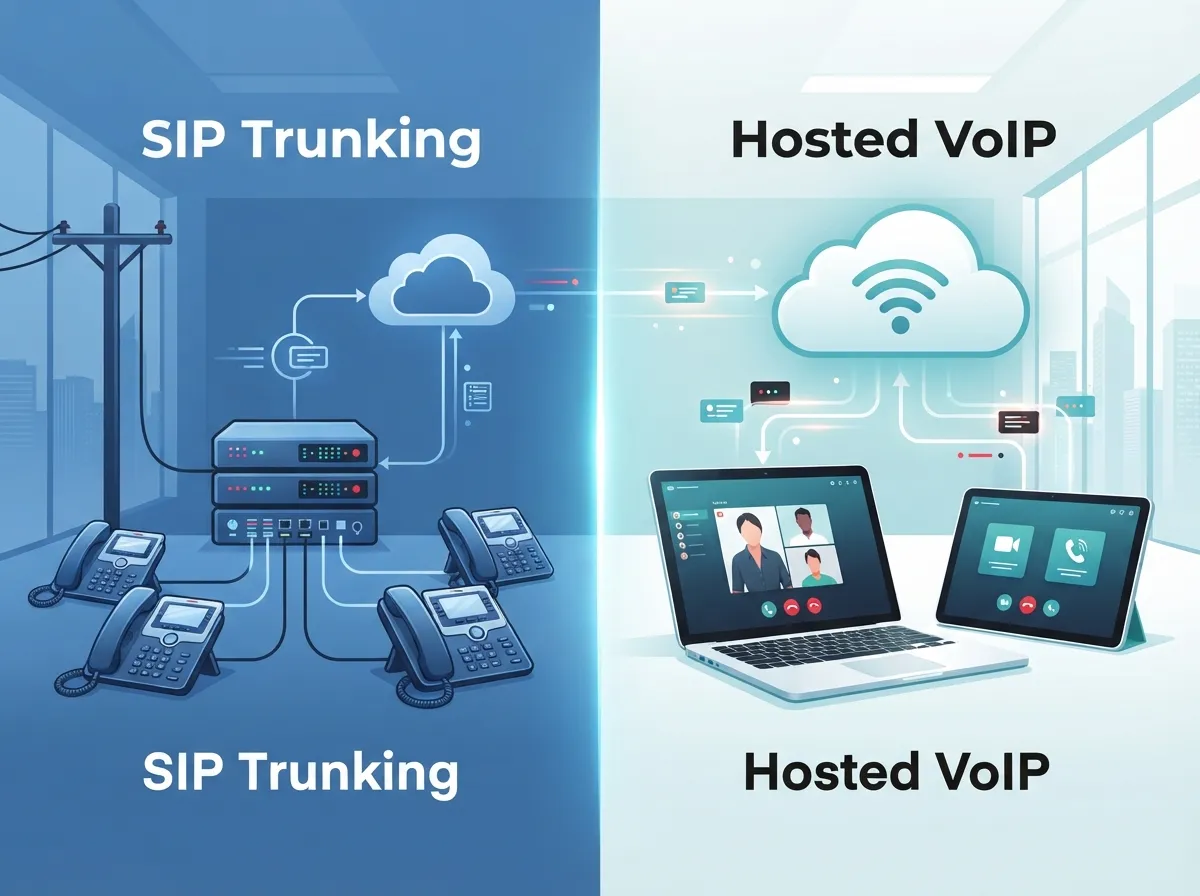
Tip 1: Know Whether SIP Trunking or Hosted VoIP Fits Better
This is the first fork in the road, and many Tampa businesses get stuck here. SIP trunking and hosted VoIP are cousins, but they are not twins.
With SIP trunking, you keep your own PBX and just swap how it reaches the phone network. With hosted VoIP, the phone system itself lives in the provider’s cloud. Your team uses IP phones or apps, and there is no PBX box in your closet.
| Question | SIP Trunking | Hosted VoIP |
|---|---|---|
| Where does the phone system live? | On your premises (your PBX) | In the provider’s cloud |
| Do you keep your current PBX? | Yes, if it is SIP-compatible | No, it is replaced |
| Typical billing | Per channel or per usage | Per user per month |
| Best for | Businesses with working PBX gear and IT support | Businesses wanting less hardware and easier remote work |
One Tampa comparison page estimates SIP at roughly $15 to $25 per channel per month, and hosted VoIP at about $20 to $35 per user per month. Treat those as rough, third-party estimates, not quotes. Real pricing depends on your provider, features, contract, and address.
Still unsure which path is right? Our guide on hosted VoIP vs. traditional phone breaks down the trade-offs. You can also see our take on local vs. cloud VoIP providers in Tampa.
Tip 2: Size Your Channels for Peak Calls, Not Average Days
Here is where businesses either overpay or run out of lines at the worst moment. SIP capacity is based on how many calls happen at the same time. So you need to size for your busiest hour, not a calm Tuesday afternoon.
Here is an easy way to estimate your needs:
- Look at your busiest day in the last few months.
- Count the most calls happening at once during that rush.
- Add a cushion for growth, seasonal spikes, or a big promotion.
- Ask your provider how they bill channels, minutes, and overages.
A Tampa dental office, a busy restaurant group, and a logistics dispatcher all have very different peaks. Spectrum Enterprise’s Tampa page says its enterprise phone services can scale from eight call paths to thousands. That is a provider claim, not a market rule. Still, it shows that capacity should be flexible. Make sure you can add channels without starting a whole new contract.
Also ask what happens when you go over your limit. Some providers block extra calls. Others charge overage fees. You want to know before a big call day, not after.
Tip 3: Check Your Network Before You Check Prices
A great SIP deal on a shaky network is like a fast car on a muddy road. Voice calls are sensitive. Even small hiccups can cause choppy audio, echoes, or dropped calls.
Before moving business calls to SIP, review these items:
- Internet capacity: Do you have enough bandwidth for voice plus everything else your team does online?
- Latency and jitter: These measure delay and uneven timing. High numbers hurt call quality.
- Packet loss: Lost data packets can make people sound robotic or cut out.
- Quality of service (QoS): Your router and switches should give voice traffic priority.
- Backup connectivity: A second internet line can keep calls alive during an outage.
- Failover routing: Calls should reroute to a mobile or backup number if the main path fails.
For many Tampa Bay offices, a dedicated or business-class connection makes SIP much more dependable. If you are weighing options, read why Tampa businesses need dedicated fiber internet and what internet speed you need for VoIP.
Do not forget the inside of your building. Messy wiring can drag down even a great circuit. Quality structured cabling keeps your phones, PBX, and network gear talking clearly. If your office is older, take a look at 9 signs your Tampa business needs structured cabling.
Tip 4: Plan 911, Number Porting, and Local Numbers Early
These three topics are not glamorous, but they cause the most surprises. Let us tackle each one.
Emergency Calling (911)
Emergency calling needs extra care, especially for multi-site offices or staff who move around. Ask your provider how 911 works with your setup and how location records get updated. Confirm that your PBX configuration meets any rules that apply to you, including direct 911 dialing and notification requirements where relevant.
If you run several locations, ask how each site gets its own correct address on file. A wrong address in an emergency is a risk nobody wants.
Number Porting
Yes, you can usually keep your existing phone numbers. This is called porting. The timeline can vary, so start early and ask for a written port plan. Many Tampa businesses want to keep numbers they have used on signs, trucks, and websites for years. Our walkthrough on keeping your phone number when switching to VoIP in Tampa covers the process well.
Local Number Availability
Some providers list local service in the 813 area code. Do not assume that means every number you want is available. Confirm local number availability and coverage for your exact address before you commit.
Tip 5: Compare the Whole Contract, Not Just the Monthly Rate
A low advertised price can hide a lot. When you compare SIP quotes, look at the total cost and the fine print. Here is a handy checklist:
| What to Compare | Why It Matters |
|---|---|
| Service-level agreement (SLA) | Defines uptime promises and what you get if they miss them |
| Support hours | Phone trouble does not wait for business hours |
| Contract length | Longer terms may lower the rate but reduce flexibility |
| Installation charges | One-time fees can add up fast |
| Early termination terms | Costly exits can lock you in |
| Security controls | Protects against fraud and toll abuse |
| Overage and minute billing | Surprise bills often hide here |
Notice that price is only one row. A cheaper channel rate with weak support or a harsh exit fee can cost more over time. Also remember that no authoritative, current Tampa-wide statistic proves a set amount of savings. So validate any claimed savings against your current bill and your real call habits.
If you want more ideas for trimming costs the smart way, check out 15 ways to reduce business telecom costs in Tampa and is your Tampa business overpaying for telecom services.
Who Offers SIP Trunking in the Tampa Area?
Tampa has a mix of national carriers, local providers, and integrators. For example, Spectrum Enterprise lists SIP, PRI, and analog services in Tampa. Other providers and integrators also serve the region. Availability, pricing, and terms depend on your service address, so verify details directly before you decide.
This is where a neutral guide can really help. Instead of calling provider after provider, many businesses use a single partner to compare options side by side. Ideal Solutions Provider is a Tampa-based telecom and IT partner with over 24 years of experience and relationships with 35+ vetted suppliers. They audit your current setup and help match you with the right fit based on your needs, not a sales quota. You can learn more about working with a telecom broker versus going direct, or read about the benefits of one telecom partner.
A Quick Look at SIP Trunking Versus Other Options
Still weighing SIP against older lines or full cloud systems? This snapshot may help.
- SIP trunking: Keeps your PBX, scales by channel, works best with a solid internet connection.
- PRI or analog lines: Familiar and steady, but physical lines are less flexible and can be pricier to scale.
- Hosted VoIP: Cloud-based, per-user pricing, strong for remote and hybrid teams.
For a deeper look at older versus newer options, see 6 key differences between VoIP and traditional phone systems and VoIP vs. POTS for Tampa small businesses.
Who Benefits Most From SIP Trunking?
SIP trunking tends to shine for a few types of Tampa businesses:
- Small business owners with a PBX that still works well and who want to cut carrier costs without starting over.
- Mid-sized companies that need flexible call capacity as they grow.
- IT managers who prefer to keep control of their phone system while modernizing the carrier side.
- Franchise operators with multiple Tampa Bay sites who want centralized, scalable voice service.
Office managers will appreciate that a good SIP setup should feel invisible. The phones ring, calls sound clear, and nobody has to think about it. That is the goal.
Ready to Make a Smart Move?
SIP trunking can be a terrific fit for Tampa businesses that want to keep their PBX and modernize how calls travel. The secret is doing a little homework: choose the right model, size your channels well, prepare your network, plan 911 and number porting, and compare the full contract.
You do not have to figure it all out alone. If you would like a friendly, no-pressure review of your current phone setup, contact us and the Ideal Solutions Provider team will help you compare options across trusted suppliers. Prefer to talk it through? Call us any time. You can also follow along on YouTube for helpful telecom tips.
FAQs
Q: What is SIP trunking, and how does it work for a Tampa business?
A: SIP trunking connects your on-site PBX or compatible phone system to the public phone network over an internet connection. It can replace PRI or analog lines, so you often keep the phone system you already own. It is a friendly way to modernize without a full rip-and-replace.
Q: How much does SIP trunking cost in Tampa?
A: One Tampa comparison page estimates about $15 to $25 per channel per month, but that is a third-party estimate, not a quote. Real pricing depends on your provider, usage, features, contract, and address. Ask for written quotes and compare the full contract, not just the monthly rate.
Q: Can I keep my existing PBX and phone numbers with SIP trunking?
A: In most cases, yes. SIP trunking is built to work with a compatible PBX, and numbers can usually be ported to the new carrier. Confirm your PBX is SIP-ready and ask for a clear port timeline so there are no surprises.
Q: How many SIP channels does my business need?
A: Size your channels for your busiest hour, not an average day. Count the most calls happening at the same time, then add a cushion for growth. Also ask how your provider bills channels, minutes, and overages.
Q: What network setup do I need for reliable SIP trunking?
A: You need enough internet capacity, low latency, low jitter, and minimal packet loss, plus quality-of-service settings that prioritize voice. A backup connection and failover routing are smart too. A quick network review before you switch can save you a lot of trouble.





