

Key Takeaways
-
Distinguish between physical access control (managing doors and building entry) and network access control (managing network device admission), as most businesses need different vendors or integrated solutions for each type.
-
Evaluate vendors across six key categories: cloud-native physical platforms, enterprise hybrid systems, building automation giants, hardware specialists, traditional NAC vendors, and cloud-native NAC providers—suitability depends on your specific business needs, not marketing claims.
-
Calculate total cost of ownership over 5 years including subscriptions, hardware replacement, vendor lock-in, and support costs, not just per-door pricing; nine out of ten companies overpay or underperform with current access control setups.
-
Prioritize multi-site scalability, identity provider integration (Microsoft Entra ID/Okta), offline resilience, mobile credentials, transparent pricing, and API compatibility when evaluating any vendor to avoid long-term operational headaches.
-
For multi-location businesses, demand centralized management with one dashboard, role-based permissions by location, bulk credential issuance capabilities, and site-filtered reporting to avoid managing five separate vendor relationships.
-
Ensure your broader telecom ecosystem—including internet reliability, structured cabling quality, video security cameras, and network infrastructure—can support cloud access control before vendor selection, as isolated product choices often fail.
Picking the right cloud access control vendor can feel a lot like dating. You see a lot of shiny profiles, everyone promises the world, and it’s hard to know who will actually stick around when things get tough. If you’re a Tampa business owner, IT manager, or franchise operator trying to sort through vendor claims, you’re not alone. Grab a coffee, because we’re about to walk through this together in plain language.
Before we jump in, let’s clear something up. When people search for a cloud access control vendor review, they’re usually thinking about physical building security. That means the system that lets employees badge into the office or unlocks doors with a phone app. But there’s a second cousin in this family: cloud network access control (NAC), which manages who and what gets onto your Wi-Fi and wired network. Some telecom customers need one. Some need both. We’ll cover both so you know exactly what you’re shopping for.

Why This Review Matters for Growing Businesses
The market for cloud access control is booming, and honestly, the numbers are a little all over the place depending on who you ask. One 2025 report pegged the global market at around $12.4 billion, growing to $47.8 billion by 2034. Another report says $12.8 billion growing to $49.2 billion. A third estimate puts today’s market at just $3.39 billion. That’s a wide spread, and it tells you something important: these figures depend heavily on how each research firm defines “cloud access control.” Don’t get hung up on the headline numbers. Focus on what a vendor’s product actually does for your business.
Here’s what we do know for sure. Software makes up about 45.3% of market revenue, and mobile access credentials account for roughly 34.7% of all access types. That tells us businesses want cloud dashboards and phone-based entry, not clunky key fobs and on-site servers. It also tells us that telecom and IT companies are becoming a bigger piece of this pie, with about 5.1% of total market share tied to IT and telecom organizations specifically.
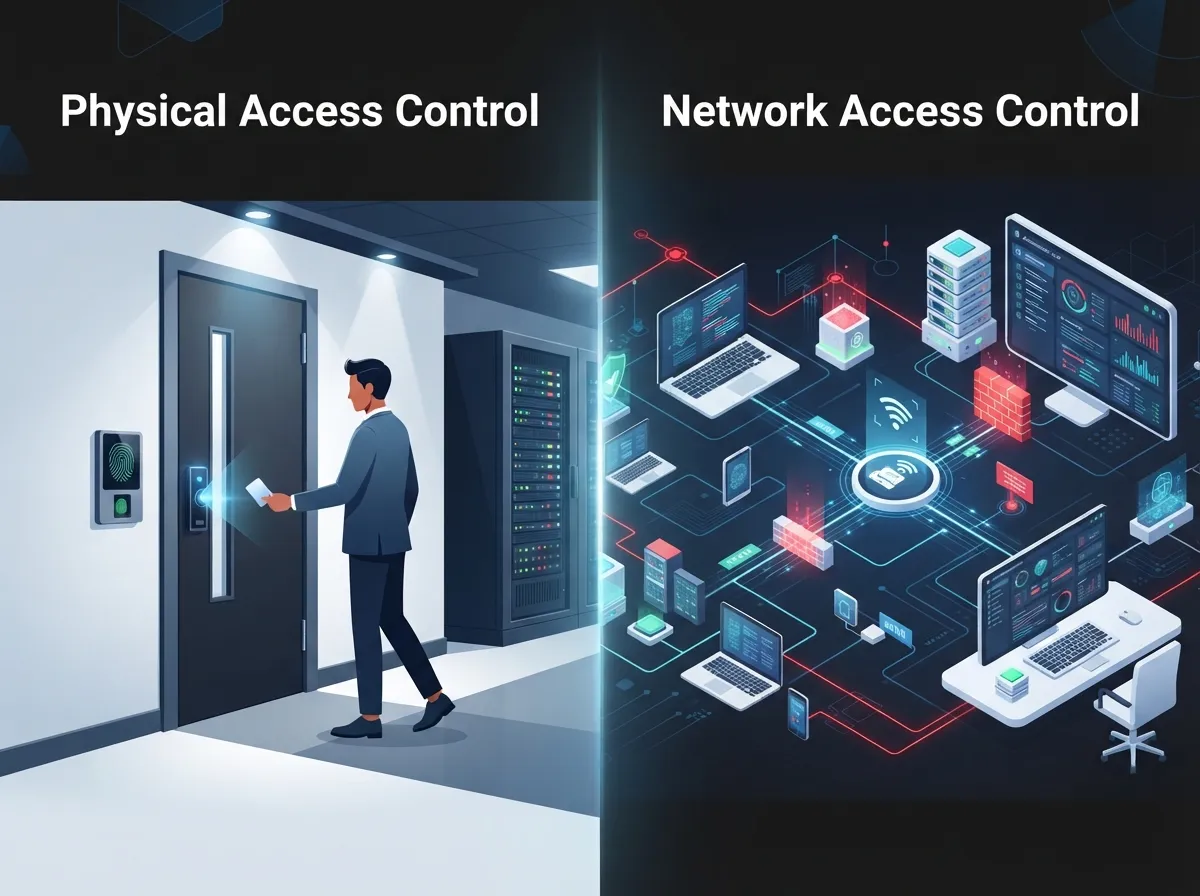
Physical Access Control vs Network Access Control: Know the Difference
This trips up a lot of people, so let’s make it simple.
- Cloud physical access control manages doors, gates, elevators, and building entry points. Think keycards, mobile credentials, and video intercoms.
- Cloud network access control (NAC) manages who and what devices can join your network. This includes employees, contractors, guests, and even smart devices like printers or cameras.
- Some telecom-heavy businesses, like those running data centers or multiple branch offices, need both working together.
- Physical systems often use different protocols and integrations than network systems, so don’t assume one vendor does both well.
- Your business network solutions setup should already inform which type of access control makes sense for you.
What a Good Physical Access Control Review Should Cover
A trustworthy vendor review digs into more than just price. It should look at cloud architecture, how easy it is to manage multiple office locations, and whether the system plays nice with your identity provider like Microsoft Entra ID or Okta. It should also cover mobile credentials, visitor check-in tools, audit logs, and how the system performs offline.
Top Criteria for Evaluating Cloud Access Control Vendors
Let’s break down the must-have features in a numbered list, because this is the stuff that actually separates a great vendor from a mediocre one.
- Multi-site scalability. Can the platform manage five doors or five hundred doors across multiple cities without extra headaches?
- Identity integrations. Does it connect cleanly with Microsoft Entra ID, Okta, or your HR software so employee changes sync automatically?
- Offline resilience. What happens to your doors if the internet goes down? A good system should still let authorized badges through locally.
- Mobile credentials. Employees want to use their phones, not fumble for a badge. This should be standard, not an upsell.
- API and integration options. Your video cameras, alarm systems, and building management tools should talk to your access control platform.
- Transparent pricing. Look for clear per-door or per-user subscription costs, not vague quotes buried behind a sales call.
For network access control specifically, add a few more boxes to check: RADIUS and TACACS+ support, 802.1X authentication, device-posture checks, and VLAN assignment. These features matter if you’re managing contractor laptops, guest Wi-Fi, or a zero-trust security policy.
6 Cloud Access Control Vendor Categories to Know
Rather than pretending there’s one “best” vendor for every business, let’s look at the major categories and names that come up again and again in vendor comparisons. Suitability really depends on whether you need facility entry, network admission, or both.
1. Cloud-Native Physical Access Platforms
These vendors were built for the cloud from day one. Names like Brivo, Kisi, Verkada, and Avigilon Alta fall into this bucket. They tend to offer fast deployment, mobile-first credentials, and simple dashboards that don’t require an IT degree to use.
2. Enterprise and Hybrid Access Control Systems
Genetec, HID Global, ASSA ABLOY, and Allegion serve larger organizations that may still have some on-site hardware alongside cloud management. These platforms often support more complex, multi-building campuses.
3. Building Automation Giants Offering Access Control
Johnson Controls, Honeywell, and Bosch bring access control into a broader building management ecosystem, which can be handy if you already use their HVAC or fire safety systems.
4. European and Global Hardware Specialists
SALTO and Feenics are known for flexible hardware options and strong wireless lock integrations, useful for businesses with older buildings that need retrofits.
5. Cloud Network Access Control (NAC) Vendors
If your priority is network admission rather than door locks, look at Cisco, Aruba, Fortinet, Forescout, and Extreme Networks. These are established names with deep firewall and switch integrations.
6. Cloud-Native NAC Providers
Newer cloud-native NAC providers like Portnox focus on simplifying 802.1X and device-posture checks without heavy on-site infrastructure. This is worth a look if your team wants less hardware to maintain.
Comparing Vendor Categories at a Glance
| Category | Best For | Key Strength | Watch Out For |
|---|---|---|---|
| Cloud-Native Physical Access | Small to mid-size offices | Fast setup, mobile credentials | May lack deep enterprise features |
| Enterprise/Hybrid Access | Large campuses, multi-building | Complex policy management | Higher cost, longer setup |
| Building Automation Platforms | Facilities with existing BMS | Unified building systems | Access control may feel secondary |
| Hardware Specialists | Retrofits, older buildings | Flexible lock options | Cloud features can vary |
| Traditional NAC Vendors | Large IT networks | Deep firewall/switch ties | Steeper learning curve |
| Cloud-Native NAC | Lean IT teams | Simple deployment | Newer, smaller support teams |
Questions to Ask During Your Vendor Review
When you’re comparing vendors, come prepared with real questions. Here’s a list to bring to every sales call or demo.
- How does pricing work per door, per user, or per site?
- What happens during an internet or power outage?
- Can we manage all our locations from one central dashboard?
- Does the platform support temporary contractor or visitor access?
- What identity providers and directory services do you integrate with?
- Is hardware proprietary, or can we reuse existing readers and locks?
Total Cost of Ownership: Look Beyond the Sticker Price
Vendors love to quote a low per-door price, but the real cost story unfolds over three to five years. Cloud subscriptions reduce the need for on-site servers, which is a genuine win. But you still need to budget for hardware replacement, potential vendor lock-in, and support contracts.
Here’s a simple step-by-step approach for building a fair cost comparison.
- List every door, user, or site that needs coverage today and in three years.
- Request itemized quotes covering software, hardware, and installation.
- Ask about annual price increases and contract renewal terms.
- Factor in support response times and whether onsite visits cost extra.
- Compare data residency and compliance certifications if you handle sensitive records.
- Calculate a five-year total, not just the first-year invoice.
This is exactly the kind of audit work that budgeting for cloud access control should include. Nine out of ten companies we review here at Ideal Solutions Provider are either overpaying or underperforming with their current setup, and access control is no exception.
How This Fits Into Your Bigger Telecom Picture
Access control rarely lives in isolation. It usually connects to your cloud video security cameras, your structured cabling infrastructure, and your overall network. If your high-speed internet is unreliable, even the best cloud access control platform will stumble. That’s why a proper vendor review should always zoom out and consider your whole telecom ecosystem, not just one product in isolation.
Good structured cabling practices also matter more than people realize. Access control readers, cameras, and network switches all depend on solid wiring behind the walls. A shaky cabling job today becomes a very expensive headache tomorrow.
Franchise and Multi-Location Considerations
If you’re running multiple locations, whether it’s a franchise or a growing regional business, centralized management becomes non-negotiable. You want one dashboard, one login, and one support contact, not five separate logins for five different offices.
- Look for role-based permissions so regional managers only see their own locations.
- Confirm the vendor supports adding new sites quickly without a full re-implementation.
- Ask about bulk credential issuance for onboarding waves of new hires.
- Check whether reporting can be filtered by site, region, or the whole company.
Working with a single telecom partner who already understands scalable access control for multi-location businesses saves you from juggling five vendor relationships at once.
Security and Compliance: Don’t Skip This Step
Cloud platforms generally offer strong encryption and regular software updates, which beats an outdated on-premise box that nobody patches. Still, ask vendors directly about their compliance certifications, data residency options, and incident response history. If your business handles healthcare records, financial data, or government contracts, this step is not optional.
You can also follow Ideal Solutions Provider on Facebook, Instagram, or YouTube for practical tips on keeping your telecom and security setup running smoothly.
Bringing It All Together
Choosing a cloud access control vendor doesn’t have to feel overwhelming. Break it down into categories, ask sharp questions, and always calculate the real long-term cost, not just the flashy demo price. Whether you need physical door security, network access control, or both, the right partner will make your life easier, not harder.
If you’d rather skip the guesswork, our team at Ideal Solutions Provider has spent over 24 years comparing vendors across 35+ trusted suppliers so you don’t have to. We’ll review your current setup, point out where you might be overpaying, and recommend a solution that actually fits your business. Reach out to our team today for a free consultation, or give us a call to talk through your options. We’re genuinely happy to help you find the right fit.
FAQs
Q: What is cloud access control for a telecom business?
A: It’s a system that manages who can enter a building or join a network, all controlled through the cloud instead of a local server. Think mobile badge apps for doors, or dashboards that decide which devices can connect to your Wi-Fi. It’s a lot less hassle than old-school hardware boxes tucked in a back closet.
Q: What is the difference between cloud physical access control and cloud network access control?
A: Physical access control manages doors, gates, and buildings. Network access control manages who and what devices can connect to your network. Some businesses need only one, but many growing companies eventually need both working together.
Q: Which cloud access control vendor is best for multi-location telecom companies?
A: There’s no single perfect answer, since it depends on your building count, budget, and existing hardware. Look for vendors offering centralized dashboards and role-based permissions across sites, and don’t be afraid to ask for references from other multi-location clients.
Q: How much does cloud access control cost per door, user, device, or site?
A: Pricing varies widely, and most vendors require a custom quote. Physical access control often runs on a per-door subscription, while network access control may charge per user or device. Always build a three to five year total cost estimate before signing anything.
Q: What happens to doors or network access if the internet connection goes down?
A: Good cloud platforms are built to keep working locally even without internet, so authorized badges still open doors. Always ask vendors directly how their system behaves offline, because this varies a lot between providers.





