
Key Takeaways
-
Cloud cameras excel for multi-location businesses with one unified dashboard for all sites, while traditional systems keep recording during internet outages—choose based on whether you prioritize scalability or offline reliability.
-
Cloud systems have lower upfront costs but recurring monthly fees, while traditional systems require higher initial hardware investment with minimal ongoing costs; total cost often evens out over several years depending on your cash flow preference.
-
Your network infrastructure directly impacts camera system performance, so audit your bandwidth capacity and structured cabling before installation to avoid slowdowns, especially for cloud cameras requiring consistent upload speeds.
-
Hybrid systems combining both cloud and local recording offer the best solution for most businesses, providing cloud convenience for remote access while maintaining local backup recording for compliance and outage protection.
Picking new security cameras for your business feels a lot like picking a new phone system. There are so many choices, and everyone claims their option is the best one. If you’ve been stuck comparing cloud vs traditional security cameras for your Tampa business, you’re definitely not alone, and we’re glad you’re here. Grab a coffee, and let’s walk through this together in plain, friendly terms.
At Ideal Solutions Provider, we’ve spent over 24 years helping business owners sort through telecom and security choices without the headache. We work with 35+ vetted suppliers, so we’ve seen firsthand how cloud and traditional camera systems perform in real Tampa businesses. This guide breaks down exactly what you need to know, no tech degree required.
What Makes Cloud vs Traditional Security Cameras So Different?
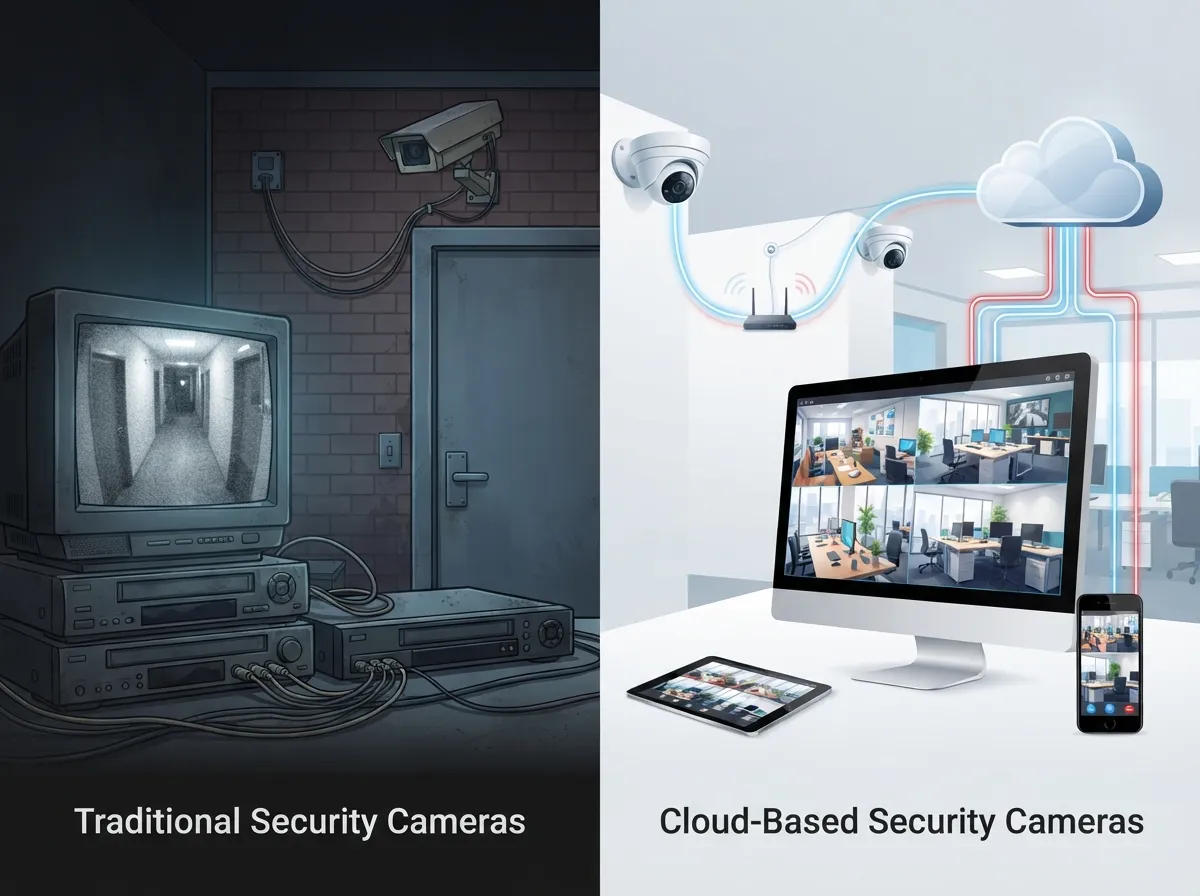
Let’s start simple. Cloud security cameras send video footage straight to remote servers. You watch your footage through a web browser or an app on your phone. Traditional systems, on the other hand, store everything locally using DVRs, NVRs, or an on-site server sitting in a closet somewhere.
Think of it like the difference between saving photos to your phone versus backing them up to the cloud. Both work, but they behave very differently when something goes wrong, like a stolen phone or, in this case, internet issues.
The Core Technical Difference
Cloud systems lean on the internet for almost everything, including live viewing, alerts, and storage. Traditional setups keep the brains of the operation right there on-site, which means they don’t need a strong internet connection to keep recording.
- Cloud cameras stream footage to secure remote data centers
- Traditional cameras record to a local box you can physically touch
- Cloud systems usually need steady Internet Service Provider connectivity to work at full capacity
- Traditional systems keep working locally even during an outage
- Cloud platforms often bundle in mobile apps for remote viewing
9 Facts Every Tampa Business Owner Should Know
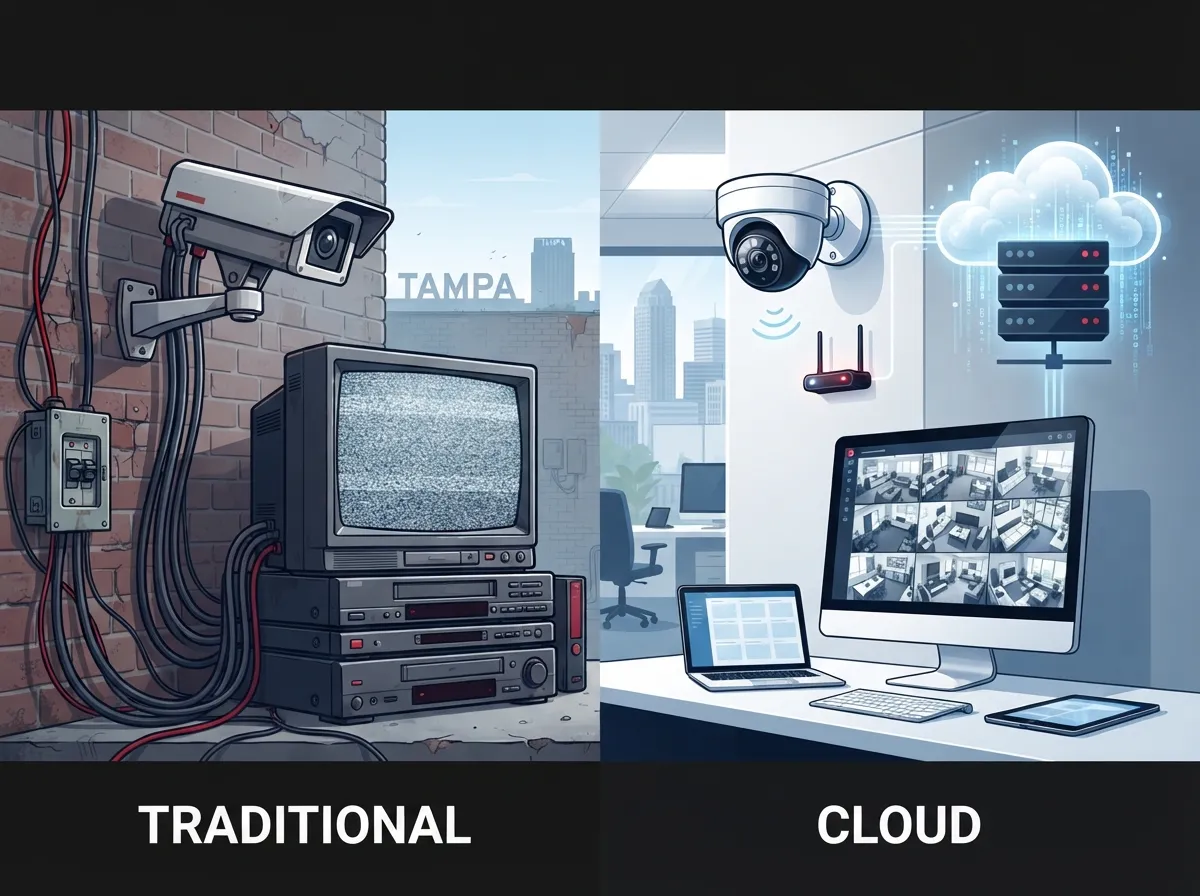
Here’s our numbered breakdown of the most important facts to keep in your back pocket when weighing cloud vs traditional security cameras for your business.
1. Cloud Systems Are Easier to Scale
If you’re a franchise operator or growing enterprise, this one matters a lot. Cloud systems let you add cameras or new locations without needing new hardware wired into a central server every time. It’s a bit like adding new lines to a VoIP phone system versus rewiring an entire building.
2. Traditional Systems Keep Recording During Outages
Because footage stays local, traditional DVR and NVR setups keep recording even if your internet goes down. This matters for businesses that can’t risk gaps in coverage, even for a few hours.
3. Upfront Costs Work in Opposite Directions
Traditional systems usually cost more upfront because you’re buying hardware outright. Cloud systems often cost less to start but come with ongoing monthly subscription fees. Over several years, the totals can even out, so it really depends on your cash flow preferences.
4. Cloud Systems Handle Updates Automatically
Nobody wants another item on their maintenance checklist. Cloud providers push security patches and feature updates automatically. Traditional systems often need manual updates, which can slip through the cracks if your team is stretched thin.
5. Multi-Site Businesses Usually Prefer Cloud
If you’re managing several Tampa Bay locations, or franchises scattered nationwide, cloud cameras let you check every site from one dashboard. This is a huge time-saver for office managers juggling multiple properties.
6. Local Control Still Wins for Some Businesses
Some businesses, especially those with strict data policies, want their footage to never leave the building. Traditional systems offer that airtight, local control that some IT managers require for compliance reasons.
7. Bandwidth Needs Are Real for Cloud Cameras
Cloud cameras need decent upload bandwidth, especially if you’re running several high-resolution cameras at once. This is exactly why pairing your cameras with reliable business high-speed internet services in Tampa matters so much.
8. Hybrid Systems Are Becoming the Popular Middle Ground
Lots of businesses now use both. They keep local recording for backup while also enjoying cloud access for convenience. It’s the best of both worlds without picking just one side.
9. Storage Retention Varies Between Systems
Cloud systems typically offer flexible retention plans you can adjust based on your needs and budget. Traditional systems depend on how much local storage you’ve physically installed, which can fill up faster than you’d expect.
Cloud vs Traditional Security Cameras: Side-by-Side Comparison
Sometimes a simple table says it best. Here’s how these two systems stack up across the categories that matter most to business owners.
| Feature | Cloud Security Cameras | Traditional DVR/NVR Systems |
|---|---|---|
| Storage Location | Remote data centers | On-site DVR, NVR, or server |
| Internet Dependency | High | Low (records locally) |
| Upfront Cost | Lower | Higher |
| Ongoing Cost | Monthly subscription | Minimal, mostly maintenance |
| Scalability | Very easy | Limited by hardware |
| Remote Access | Built-in | Often limited or requires setup |
| Update Management | Automatic | Manual |
How to Decide Which System Fits Your Business
There’s no single right answer here. It really comes down to how your business operates day to day. Let’s walk through a simple decision process you can follow.
- List how many locations you need to monitor right now and in the next few years
- Check your current internet reliability and available upload bandwidth
- Decide how important remote access is for your managers or owners
- Estimate your budget for upfront costs versus predictable monthly fees
- Talk to your IT team about compliance or data storage requirements
- Consider whether a hybrid setup solves more problems than picking just one
Questions to Ask Before You Choose
Before signing any contract, it helps to ask a few pointed questions. This keeps you from getting stuck with a system that doesn’t fit your actual needs.
- How much bandwidth will this system use during peak hours?
- What happens to footage if the internet goes down?
- Can this system grow with us as we open new locations?
- Who handles maintenance and troubleshooting long term?
- Does this integrate with our existing network and cabling setup?
Why Network Infrastructure Matters More Than You Think
Here’s something people often overlook. Your camera system is only as good as the network supporting it. Weak structured cabling or outdated wiring can slow down cloud footage uploads or cause dropped connections on local systems too.
This is why so many businesses pair their camera upgrades with a full review of their structured cabling services and internet setup at the same time. It’s much easier to fix everything together instead of patching problems one by one later.
Bandwidth Planning for Cloud Cameras
If you’re leaning toward cloud, plan your bandwidth needs carefully. More cameras and higher resolution both mean more upload demand. A dedicated business connection, rather than a shared residential-style plan, usually handles this much better.
- Estimate bandwidth per camera based on resolution and frame rate
- Add extra headroom for growth and future camera additions
- Consider a dedicated fiber connection for busier locations
- Ask your provider about quality of service settings for video traffic
Common Mistakes Businesses Make With Security Cameras
We’ve seen a lot of setups over the years, and certain mistakes come up again and again. Here’s what to watch out for.
- Choosing cloud cameras without checking if internet speeds can handle the load
- Buying traditional systems with too little local storage for retention needs
- Skipping a network audit before installing new cameras
- Forgetting to plan for multi-site management as the business grows
- Ignoring integration with existing access control or phone systems
Avoiding these mistakes early saves a lot of frustration later. It also helps to work with a partner who has actually installed these systems in real businesses, not just sold them on paper.
How This Connects to Your Broader Telecom Setup
Security cameras rarely operate alone. They usually share your network with your phone system, your Wi-Fi, and your daily internet traffic. That’s why businesses looking into cloud-based phone systems for Tampa businesses often review their camera systems at the same time.
Bundling these decisions together can also simplify vendor management. Instead of juggling five different companies, many businesses prefer one partner managing phones, internet, cabling, and cameras. That’s exactly the kind of single point of contact approach Ideal Solutions Provider was built around.
Access Control Ties In Too
If you’re already exploring cloud cameras, it’s worth looking at cloud access control systems as well. Many cloud camera platforms integrate directly with door access systems, giving you one dashboard for both video and entry logs.
Final Thoughts on Cloud vs Traditional Security Cameras
Both systems have real strengths. Cloud cameras win on flexibility, remote access, and easy scaling for growing or multi-site businesses. Traditional systems win on offline reliability and predictable long-term costs. Many businesses find their sweet spot with a hybrid setup that blends both worlds.
Whatever you choose, make sure your network and internet setup can actually support it. A camera system is only as strong as the infrastructure behind it, and that’s where a little expert guidance goes a long way.
If you’d like a friendly, no-pressure walkthrough of your options, our team would love to help you compare cloud vs traditional security cameras for your specific business. You can get in touch with our team today, or simply call us to talk through what makes sense for your Tampa business. You can also follow our latest tips and updates on Facebook, check out install walkthroughs on YouTube, or see behind-the-scenes photos on Instagram. We’re always happy to help you find the setup that actually fits your business, not just what’s easiest to sell.
FAQs
Q: What is the difference between cloud security cameras and traditional CCTV?
A: Cloud security cameras send footage to remote servers you access through an app or browser, while traditional CCTV records to a local DVR or NVR on-site. Both keep your business safe, but they handle storage, access, and updates in very different ways.
Q: Are cloud security cameras better for multi-location businesses?
A: In most cases, yes! Cloud systems let you check footage from every location in one dashboard, which is a huge relief for franchise operators and growing companies. It’s much simpler than juggling separate local systems at each site.
Q: Do cloud security cameras work without internet?
A: Not fully, unfortunately. Cloud cameras rely on a steady internet connection for live viewing and uploads, so an outage can limit their functionality. If offline reliability is a top priority, a hybrid setup with local backup recording is a great compromise.
Q: Which is cheaper over time: cloud cameras or traditional NVR systems?
A: It really depends on your business! Traditional systems cost more upfront but have lower ongoing fees, while cloud systems cost less to start but add monthly subscriptions. Over several years, the totals often end up pretty close, so it comes down to your cash flow preference.
Q: What bandwidth do cloud security cameras need?
A: It varies based on camera count, resolution, and frame rate, so more cameras mean more upload demand. We always recommend reviewing your internet plan before installing several high-resolution cloud cameras to avoid slowdowns.





