
Key Takeaways
-
Cloud access control enables remote door management via smartphone, allowing Tampa business owners to lock doors, add employees, and check entry logs from anywhere without on-site server visits.
-
Cloud systems maintain offline functionality during internet outages, with doors continuing to read credentials locally and syncing data automatically once connection is restored, ensuring uninterrupted security.
-
Mobile credentials eliminate plastic badge expenses and lost key hassles by allowing employees to use smartphones as badges, reducing administrative overhead and improving onboarding speed.
-
Subscription-based pricing for cloud access control provides predictable monthly budgets compared to traditional one-time purchases, making it easier for growing businesses to scale across multiple Tampa Bay locations.
-
Leading cloud access control brands in Tampa include Brivo, PDK, Paxton10, Avigilon Alta, and Verkada, each offering different strengths for healthcare, finance, retail, and industrial facilities.
-
Integration of cloud access control with existing telecom infrastructure, video security systems, and structured cabling ensures optimal performance and simplifies vendor management for Tampa businesses.
Picture this: you’re on vacation, sipping coffee somewhere far from Tampa, and you get a text saying someone’s trying to badge into your office at 2 a.m. With an old-school access system, you’d be stuck making frantic calls to whoever has a key. But with cloud access control systems Tampa FL businesses are choosing more and more, you just pull out your phone, check the live feed, and lock the door remotely. That’s the kind of peace of mind we’re talking about today.
Whether you run a small office near Ybor City or manage several locations across Tampa Bay, choosing the right access control setup matters. This guide breaks down cloud-based systems versus old-fashioned on-premise setups, so you can pick what fits your business best. We’ll walk through real features, honest pricing talk, and answers to the questions Tampa business owners ask us every single week.
What Is Cloud Access Control, Really?
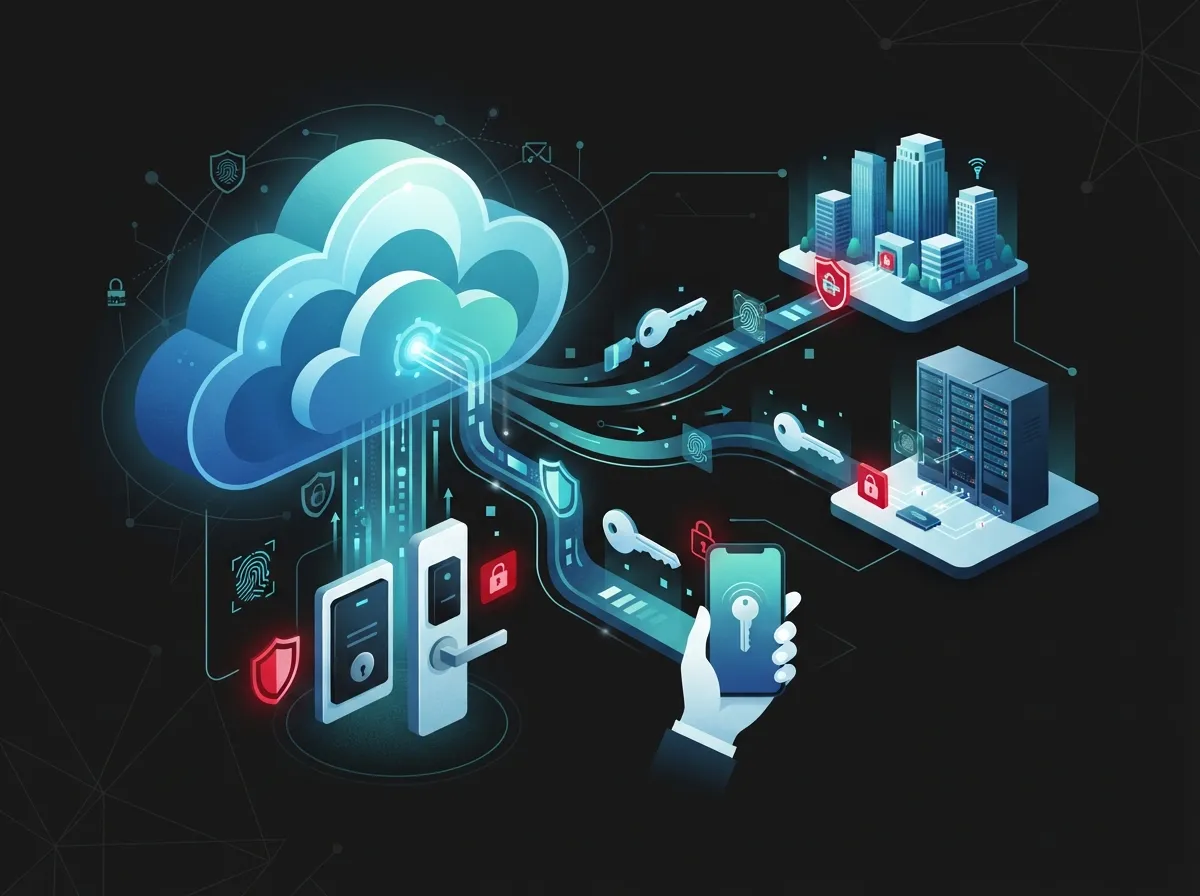
Let’s keep this simple. Cloud access control means your building’s door locks, key cards, and entry logs are all managed through the internet instead of a clunky server sitting in a back closet. You log into a dashboard from your phone or laptop, and you can lock doors, add new employees, or check who came in at 7 a.m. from anywhere.
This is a big shift from the old way of doing things. Traditional systems needed a physical server on-site, someone walking over to reset codes, and often a technician visit just to add a new employee badge. Cloud systems ditch all that hassle.
How Cloud Systems Work Day to Day
Here’s what a typical day looks like with a cloud-based setup:
- An employee badges in using their phone or a key fob
- The system checks their credentials instantly through the cloud
- Managers get real-time alerts if something looks off
- Office managers can add or remove access from a web browser
- Reports and logs are stored safely off-site, not on a fragile local server
This kind of setup pairs nicely with other smart building tools too, like cloud video security systems that many Tampa FL businesses already use for monitoring their spaces.
Cloud vs. On-Premise: The Real Differences
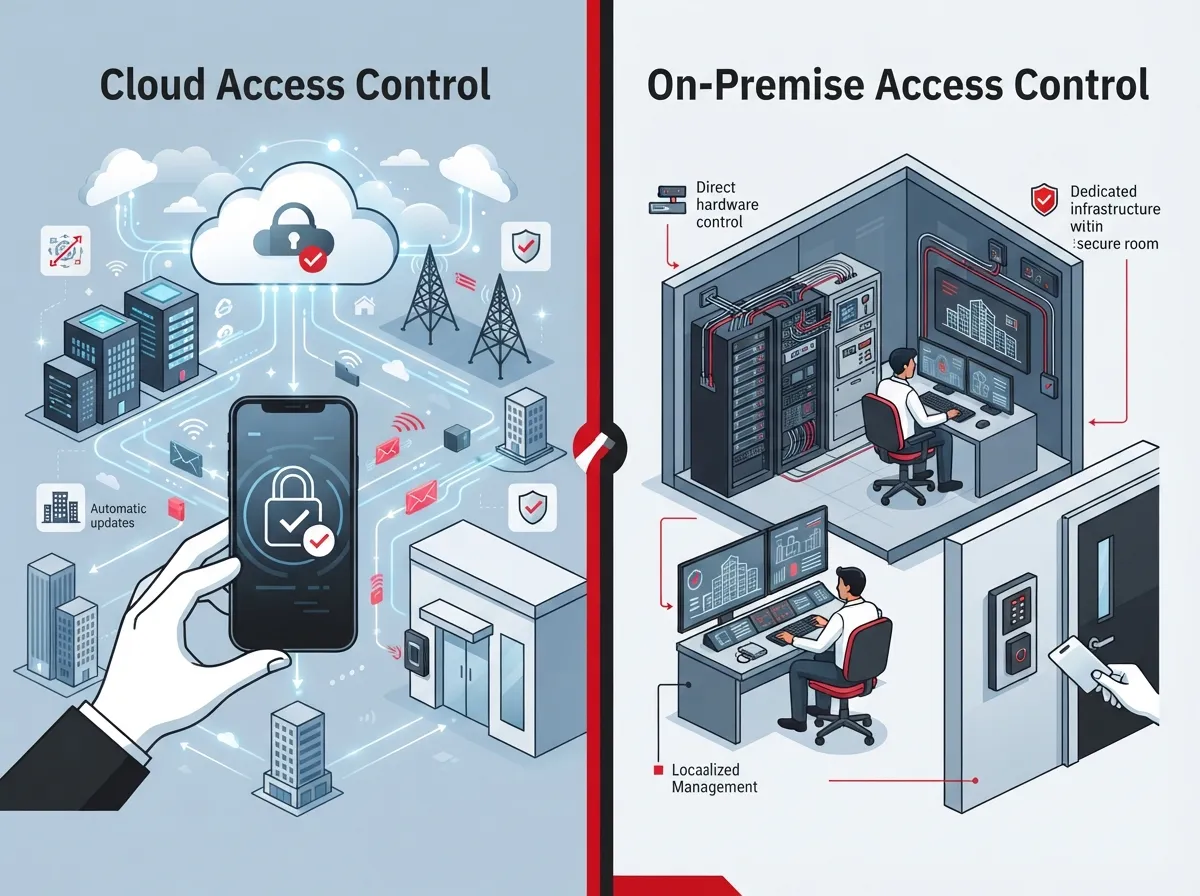
So which one actually wins for your business? Let’s compare them side by side.
| Feature | Cloud Access Control | On-Premise Access Control |
|---|---|---|
| Management | Remote, from any device | Requires on-site server access |
| Software Updates | Automatic | Manual, often delayed |
| Scalability | High, easy to add locations | Moderate, needs new hardware |
| Cost Structure | Subscription-based | One-time purchase plus maintenance |
| Offline Functionality | Doors still work locally during outages | Fully dependent on local server |
| Best For | Multi-site, growing, hybrid workforces | Highly regulated, single-site facilities |
Notice how cloud systems come out ahead for most growing businesses. That said, some highly regulated industries still lean on-premise. It really depends on your goals, so this isn’t a one-size-fits-all decision.
Popular Cloud Access Control Brands in Tampa
Not all cloud systems are created equal. Here are the brands Tampa providers install most often, and why they’re trusted.
- Brivo – A pioneer in cloud access control, known for solid mobile credential support and easy visitor management.
- PDK (Pro Data Key) – Popular with commercial facilities across the Tampa Bay metro area, praised for reliability.
- Paxton10 – Combines access control and video surveillance into one simple platform.
- Avigilon Alta – Formerly known as Openpath, this scalable option works well for offices, retail, and multi-family buildings.
- Verkada – A favorite among finance, healthcare, and military contractors for its strong security features.
Local providers like Harris Technology Services are certified partners for several of these brands, serving Hillsborough County businesses in finance, healthcare, and government sectors. This shows just how mainstream cloud access control has become for serious Tampa organizations.
Why Tampa Businesses Are Making the Switch
We talk to business owners every week who are tired of dealing with lost keys, outdated codes, and confusing paperwork. Here’s why so many are moving to cloud-based systems.
Remote Management Saves Time
You shouldn’t have to drive to the office just to let in a delivery person or reset a forgotten code. Cloud systems let you handle all of this from your couch, your car, or even another state.
Better Security Without the Headache
Modern cloud platforms are hosted in data centers with built-in backup systems. That means if one server has a hiccup, your access control keeps running smoothly without a hitch.
Mobile Credentials Are the Future
Employees can use their smartphones as their badge. No more printing plastic cards or replacing lost fobs every month. It’s faster, cheaper, and honestly a lot more convenient for everyone involved.
Perfect for Multi-Location Businesses
If you’re running a franchise or have offices scattered across Tampa Bay, cloud access control lets you manage every single door from one dashboard. This is a huge win for scalable access control systems that grow alongside your business.
What Happens During Internet Outages?
This is one of the most common questions we hear, and it’s a fair one. Nobody wants their doors to stop working just because the Wi-Fi went down.
The good news is that most modern cloud access control systems have offline functionality built right in. Doors keep reading credentials locally even if the internet connection drops. Once the connection comes back, everything syncs up automatically with the cloud, so you don’t lose any data.
Some providers, like Gate Tech in Tampa, even use cellular connectivity through carriers like Verizon for locations that are hard to wire or sit in remote spots. This means you can skip expensive landlines and long wiring runs altogether.
Industries in Tampa Using Cloud Access Control
Cloud access control isn’t just for big office towers. It’s showing up everywhere across Tampa Bay.
- Healthcare facilities protecting patient records and restricted areas
- Finance offices needing strict entry logs and compliance
- Retail stores managing multiple staff schedules and shifts
- Educational buildings controlling student and visitor access
- Religious buildings balancing openness with safety
- Industrial and manufacturing sites securing equipment and inventory
- Homeowners associations and multifamily developments upgrading from old hardware
This wide range shows just how flexible cloud access control has become. It’s not a niche product anymore. It’s a mainstream business tool.
How Much Does It Cost?
We know this is the question on everyone’s mind, so let’s break it down honestly. Cloud access control typically runs on a subscription model instead of one giant upfront payment.
Here’s a simple breakdown of what affects your pricing:
- Number of doors and entry points you need to secure
- Type of credentials used, like mobile app, key fob, or card
- Integration needs with video security or your telecom network
- Ongoing support and maintenance plans
- Whether you need cellular backup for remote locations
The subscription model actually helps a lot of businesses budget better. Instead of one huge bill, you pay a predictable monthly amount, similar to how you’d budget for cloud-based phone systems or internet service.
Choosing the Right Cloud Access Control Partner
Picking a provider isn’t just about the hardware. It’s about who’s going to answer the phone when something goes wrong at 9 p.m. on a Friday.
What to Look For
Here’s a quick checklist for vetting your options:
- Do they offer certified installation for major brands like Brivo or Verkada?
- Can they integrate access control with your existing video security setup?
- Do they provide ongoing support, not just a one-time install?
- Are they familiar with your specific industry’s compliance needs?
- Can they scale the system if you open new locations?
This is exactly where working with a single point of contact makes life easier. Instead of juggling five different vendors for your phones, internet, cabling, and security, you get one team handling it all. That’s the whole idea behind Ideal Solutions Provider’s approach here in Tampa. With over 24 years of experience and partnerships across 35+ vetted suppliers, they help businesses compare options honestly instead of pushing whatever earns the biggest commission.
Integration With Your Existing Telecom Setup
Here’s something people often overlook. Your access control system doesn’t live in isolation. It needs to work smoothly with your network, your internet connection, and sometimes even your phone system.
For example, if your business relies on high-speed internet for business, a spotty connection could slow down how fast your cloud access control system responds. That’s why it helps to have a partner who understands both worlds, telecom and security, rather than treating them as separate projects.
Good structured cabling also plays a role here. If your building’s wiring is outdated, even the best cloud access control brand won’t perform at its full potential. A proper cabling foundation makes everything from door readers to security cameras run faster and more reliably.
Common Mistakes Tampa Businesses Make
We’ve seen a few patterns repeat themselves over the years. Here’s what to avoid when setting up your system.
- Choosing a system based only on price, without checking scalability
- Skipping integration planning with existing security cameras
- Forgetting about cellular backup for remote or hard-to-wire locations
- Not training staff on how to issue or revoke mobile credentials
- Ignoring long-term support needs after installation is complete
Avoiding these mistakes early on saves you a lot of stress and money down the road. It’s always easier to plan properly the first time.
The Bottom Line for Tampa Businesses
Cloud access control has quickly become the smart choice for growing companies across Tampa Bay. It gives you flexibility, real-time control, and peace of mind, whether you’re managing one office or ten locations. On-premise systems still have their place for highly regulated environments, but for most modern businesses, cloud wins the comparison hands down.
If you’re ready to explore what a cloud access control system could look like for your business, our team would love to walk you through your options. You can follow along with more tips and behind-the-scenes looks at our work on Facebook, Instagram, or YouTube too. And if you’re weighing your options between a full Internet Service Provider upgrade alongside new security features, it’s worth having one conversation instead of five separate ones.
Ready to see how a cloud access control system could fit your Tampa business? Reach out to our team today or feel free to give us a call for a free, no-pressure consultation.
FAQs
Q: What are the top cloud access control system providers in Tampa FL for businesses?
A: Tampa businesses often choose brands like Brivo, PDK, Paxton10, Avigilon Alta, and Verkada for their cloud access control needs. Each one brings something a little different to the table, so it really comes down to your building size and industry. A good local provider can help you compare these options without any pressure.
Q: How does cloud-based access control differ from on-premise systems in Tampa?
A: Cloud systems let you manage doors and credentials from your phone or laptop, anywhere you are. On-premise systems need a physical server on-site and usually require someone to be there in person to make changes. Most growing Tampa businesses find cloud systems much easier to scale as they add locations.
Q: Can cloud access control systems work during internet outages in Tampa businesses?
A: Yes, and this is honestly one of our favorite features to explain. Most modern systems keep working locally even if the internet goes down, then sync everything back up once the connection returns. You won’t be locked out just because a storm knocked out your Wi-Fi.
Q: What mobile credential options are available for Tampa commercial access control?
A: Employees can typically use a smartphone app as their badge instead of carrying a physical card or fob. This makes onboarding new team members faster and cuts down on lost or stolen credentials. It’s a small change that makes a big difference in daily convenience.
Q: How much does a cloud access control system cost for a Tampa office building?
A: Costs vary based on the number of doors, credential types, and whether you need video integration or cellular backup. Most providers use a subscription model, so you pay a predictable monthly fee instead of one giant upfront cost. It’s worth getting a few quotes to compare what fits your budget best.





