
Key Takeaways
-
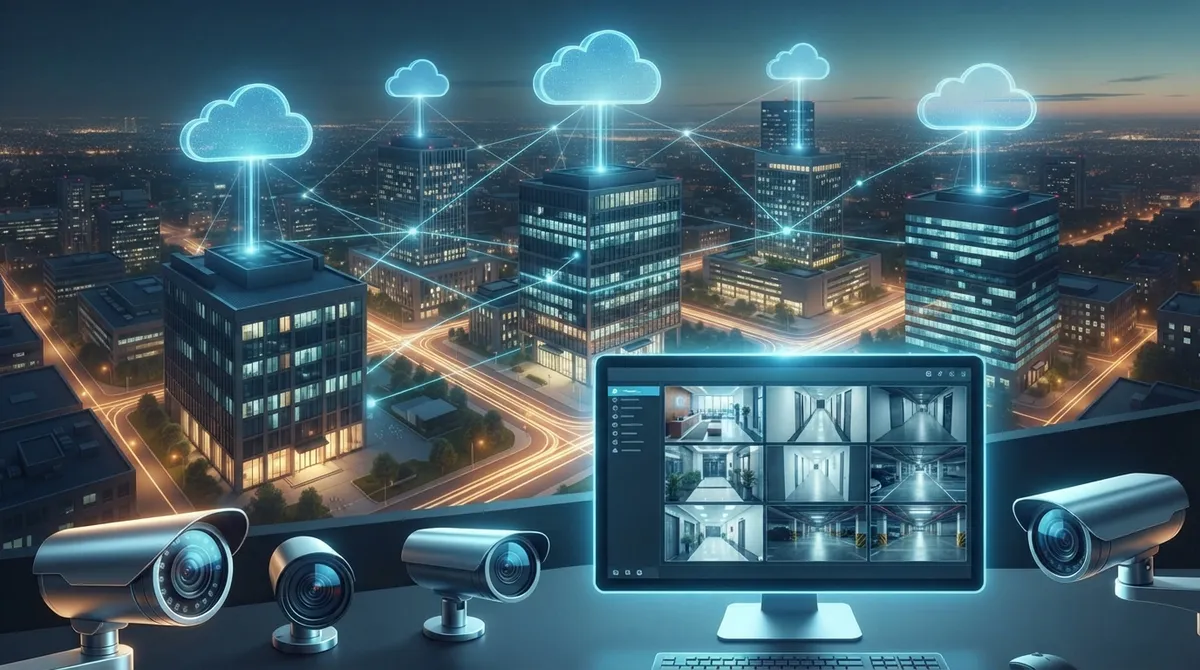
Cloud-based camera systems eliminate expensive on-site hardware by storing footage on secure servers, allowing remote access from any device while reducing upfront costs through subscription pricing instead of hardware investment.
-
Hybrid cloud systems use local buffering to continue recording during internet outages, automatically syncing footage to the cloud once connectivity returns, addressing the primary concern businesses have about internet dependency.
-
Multi-location businesses gain centralized monitoring through a single dashboard, enabling franchise operators and enterprise managers to oversee all sites without separate hardware installations at each location.
-
Cloud systems include AI-powered analytics that detect motion, people, and specific events automatically, sending alerts faster than manual review and enabling quick video searches by person or vehicle type.
-
Typical cloud camera costs depend on camera count, storage retention (30-90 days), and features, with small offices needing 2-6 cameras and warehouses requiring 10-20+ cameras based on coverage needs.
-
Reputable cloud providers use strong encryption during transmission and storage with industry compliance standards, making systems suitable for healthcare and sensitive data environments when properly vetted for security certification.
Picture this: you’re grabbing coffee on a Saturday morning, and your phone buzzes with an alert from your office. Instead of panicking, you pull up the app, check the live feed, and see it’s just the cleaning crew running a little late. That’s the magic of commercial security camera systems cloud technology, and it’s changing how Tampa businesses protect their people and property. No more driving back to the office to check a clunky DVR box. No more grainy footage stuck on a hard drive that fails right when you need it most.
If you’re a small business owner, an IT manager juggling multiple locations, or a franchise operator trying to keep an eye on five different sites at once, this guide is for you. We’ll walk through how cloud-based commercial camera systems work, what they cost, and how to pick the right setup for your business. Let’s get into it.
What Is a Commercial Security Camera System Cloud Setup?
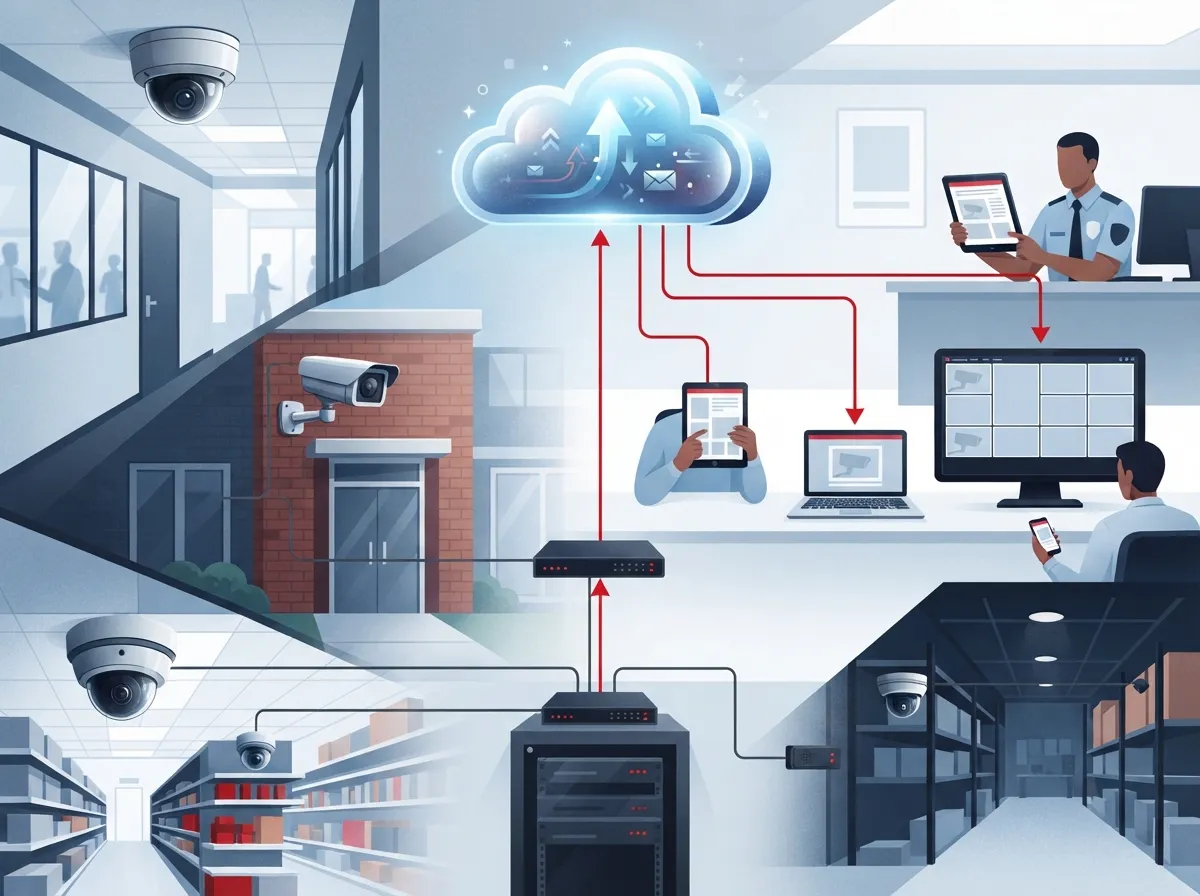
A commercial security camera system cloud setup uses internet-connected IP cameras to send video straight to secure, off-site servers. Instead of storing footage on a bulky DVR or NVR sitting in a closet, your video lives safely in the cloud. This means you can pull up footage from your phone, tablet, or laptop no matter where you are.
These systems have become the go-to choice for businesses that want flexibility without a mountain of hardware. Retailers, warehouses, medical offices, and multi-location franchises all benefit from having one dashboard to view every camera, everywhere. It’s a simple concept with a big impact on daily operations.
How Cloud Video Surveillance Actually Works
Here’s the basic flow, step by step:
- IP cameras capture video at your location and connect to your business network.
- Footage gets encrypted and sent over your internet connection to the cloud.
- The cloud platform stores, organizes, and indexes the video automatically.
- Authorized users log into an app or web portal to view live or recorded footage.
- AI tools scan the footage for motion, people, or specific events and send alerts.
Because everything runs through your internet service provider, having a stable connection matters a lot. That’s one reason many businesses pair their camera upgrade with a broader look at their business high-speed internet services to make sure everything runs smoothly together.
Why Businesses Are Ditching Old DVR and NVR Systems
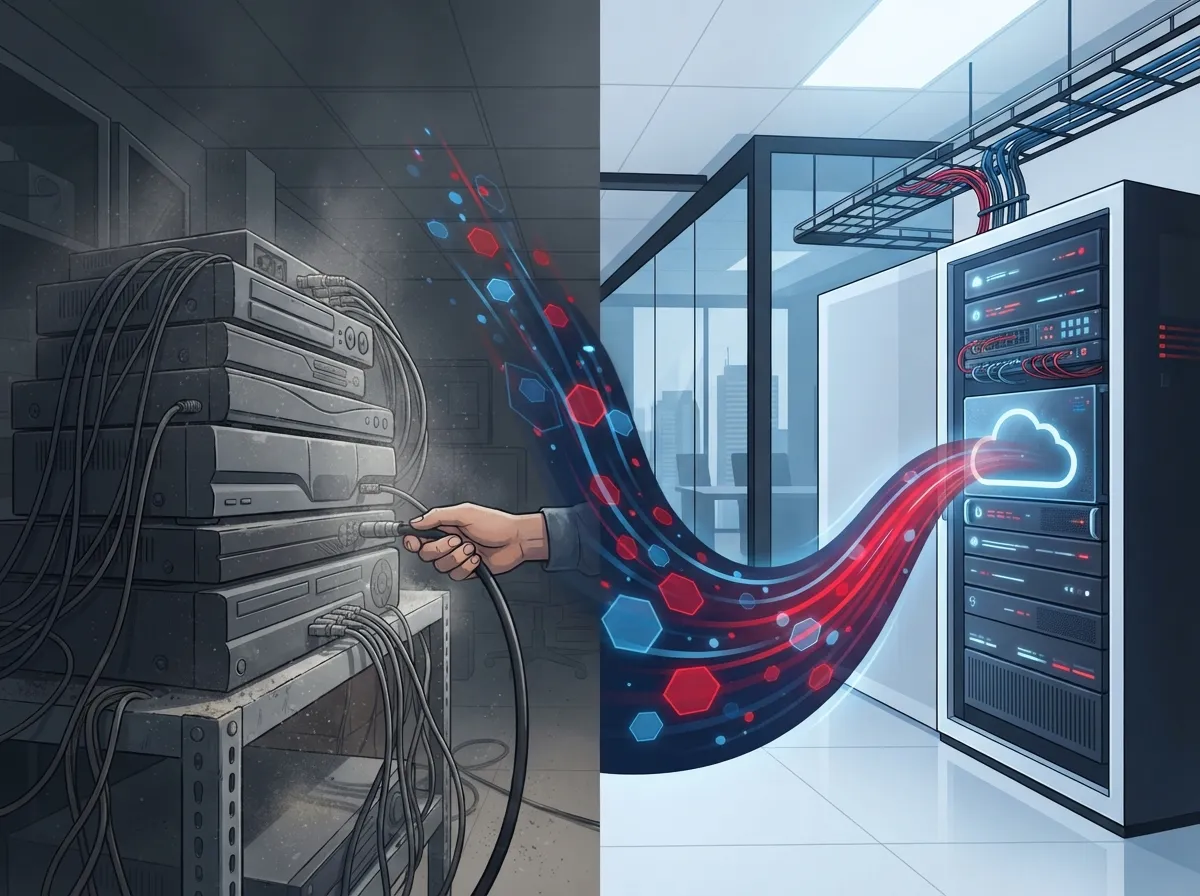
Old-school DVR and NVR systems aren’t going away overnight, but more businesses are moving to the cloud every year. Here’s why the shift makes sense for so many companies:
- No more managing physical hard drives that fill up or fail unexpectedly.
- Remote access lets you check any location from anywhere with internet.
- Scaling up is easy. Add a camera or a whole new site without new servers.
- AI-powered alerts catch important events faster than manual review.
- Lower upfront costs since you’re not buying expensive on-site hardware.
- Automatic software updates keep your system current without extra work.
Many of our clients ask us about the real difference between these two approaches, and honestly, it’s worth understanding before you invest. We break it down in more detail in 6 Key Differences Between Cloud Video Security and DVR Systems.
Cloud vs. Traditional Systems: A Quick Comparison
| Feature | Cloud-Based System | Traditional DVR/NVR |
|---|---|---|
| Storage Location | Off-site secure cloud servers | On-site hardware box |
| Remote Viewing | Yes, from any device | Limited or requires setup |
| Scalability | Easy to add cameras or sites | Often requires new hardware |
| Upfront Cost | Lower, subscription-based | Higher hardware investment |
| AI Analytics | Commonly included | Rare or add-on only |
| Internet Dependency | High | Low for local viewing |
Key Benefits for Different Types of Businesses
Not every business has the same needs, and that’s okay. Cloud security systems flex to fit a wide range of setups. Let’s look at how different teams benefit.
Small Business Owners
If you run a single Tampa location, a cloud camera system gives you peace of mind without breaking the budget. You can check in during off-hours, keep an eye on inventory, and even use footage to resolve customer disputes. It pairs nicely with an affordable VoIP phone service setup, since both run on your internet connection.
Mid-Sized Enterprises and Franchise Operators
Growing companies with multiple locations need centralized monitoring more than anyone. A single dashboard showing every site saves hours of phone calls and site visits. Franchise operators especially love how easy it is to roll out the same camera setup across new locations without reinventing the wheel each time. Learn more about how these setups scale in Scalable Access Control Systems for Multi-Location Tampa Businesses.
IT Managers and Office Managers
For IT managers, having one vetted partner handle cameras, cabling, and networking cuts down on vendor headaches. Office managers appreciate that cloud systems require less day-to-day maintenance than old hardware. Everything just works, and when something needs attention, support is a phone call away.
Must-Have Features in a Commercial Cloud Camera System
When shopping around, keep an eye out for these features. They separate a solid system from a mediocre one.
- Motion-triggered alerts sent directly to your phone or email.
- AI-based search that lets you find a person or vehicle in seconds.
- Flexible storage plans that fit your retention needs and budget.
- Encrypted video transmission to protect footage from tampering.
- Multi-user access with permission controls for different staff roles.
- Integration options with access control and alarm systems.
Cloud footage retention typically runs between 30 and 90 days, depending on your plan and storage needs. If you want a deeper dive into how long your footage sticks around, check out 6 Key Facts About Cloud Video Security Footage Storage in Tampa.
Steps to Roll Out a Cloud Camera System at Your Business
Getting started doesn’t have to be complicated. Here’s a simple roadmap we walk clients through:
- Assess your current setup and identify coverage gaps.
- Check your internet bandwidth to confirm it can handle video traffic.
- Choose camera types and quantities based on your space and risk areas.
- Select a cloud storage plan that matches your retention requirements.
- Schedule professional installation for proper placement and cabling.
- Train your team on accessing footage and responding to alerts.
- Set up regular reviews to make sure the system keeps meeting your needs.
Proper structured cabling plays a bigger role than people expect in camera performance. Poor wiring can cause dropped feeds or lag, which is why professional installation matters. We cover this connection in 13 Ways Structured Cabling Supports VoIP & Cameras.
What Does It Cost to Get Started?
Pricing varies based on camera count, storage length, and features like AI analytics. Cloud systems are usually marketed as lower upfront cost options because you skip the expensive on-site server hardware. Instead, you pay a predictable monthly or annual subscription.
| Business Size | Typical Camera Count | Common Considerations |
|---|---|---|
| Single Small Office | 2 to 6 cameras | Basic motion alerts, 30-day storage |
| Retail Location | 6 to 12 cameras | Theft prevention, checkout monitoring |
| Warehouse or Logistics Site | 10 to 20+ cameras | Wide coverage, loading dock views |
| Multi-Site Franchise | Varies per location | Centralized dashboard, consistent setup |
For a detailed breakdown, our article How to Budget for Commercial Video Surveillance in Tampa FL walks through real numbers to help you plan.
Common Concerns Businesses Have About Cloud Cameras
It’s normal to have questions before switching systems. Let’s tackle a few common worries head-on.
What Happens If the Internet Goes Down?
This is probably the most common concern we hear, and it’s a fair one. Many modern systems use hybrid setups with local buffering, so cameras keep recording even during an outage. Once the connection returns, footage syncs back up to the cloud automatically. We explain this in detail in How to Keep Security Cameras Working During Internet Outages.
Is Cloud Storage Actually Secure?
Reputable cloud video providers use strong encryption both during transmission and while footage sits in storage. Look for providers who follow industry security standards and offer clear compliance documentation, especially if you’re in healthcare or handle sensitive data.
Choosing the Right Partner for Installation and Support
Picking a system is only half the battle. The other half is finding a partner who understands your business and won’t disappear after installation day. At Ideal Solutions Provider, we’ve spent over 24 years helping Tampa businesses and companies nationwide build reliable, scalable telecom setups. We work with 35+ vetted suppliers so you get an honest comparison instead of a one-size-fits-all pitch.
Our team handles everything from the initial consultation through installation and ongoing support. We also connect your camera system with your broader network, including cloud video security and cloud based access control, so everything works together seamlessly. You can see examples of our completed projects on our YouTube channel or follow updates on Facebook and Instagram.
Industries That Benefit Most
We’ve helped businesses across many industries get set up with reliable cloud video systems:
- Healthcare offices needing compliant, secure monitoring.
- Retail stores focused on loss prevention and customer safety.
- Warehouses and logistics hubs tracking inventory movement.
- Professional service firms protecting sensitive client areas.
- Franchise operations needing consistent setups across locations.
Ranking the Top Priorities When Choosing a System
If you’re feeling overwhelmed by options, here’s how we suggest prioritizing your decision:
- Reliability of your internet connection and network infrastructure.
- Storage retention length that matches your compliance needs.
- Ease of remote access for your team and management.
- AI features that actually save you time, not just add complexity.
- Total cost of ownership over the subscription’s lifetime.
Getting this order right helps you avoid overspending on features you won’t use while making sure the essentials are covered.
Ready to Upgrade Your Business Security?
Switching to a commercial security camera system cloud setup is one of the smartest moves a growing business can make. You get flexibility, remote access, and peace of mind, all without a room full of hardware. Whether you’re protecting one office or twenty franchise locations, the right cloud system grows right alongside you.
We’d love to walk you through your options and show you what a customized setup could look like for your business. Contact us today for a free consultation, or give us a call to talk through your specific needs. Let’s build a security setup you can actually trust.
FAQs
Q: What is a commercial cloud security camera system?
A: It’s a business surveillance setup where cameras send video straight to secure off-site servers instead of a local DVR box. You can view footage anytime from your phone or laptop, which is pretty amazing when you think about it. It’s the modern way businesses keep an eye on things without being tied to a physical location.
Q: Do commercial cloud camera systems work without internet?
A: Great question, and honestly one we get all the time! Many systems use local buffering so cameras keep recording even if the internet drops. Once your connection comes back, everything syncs up to the cloud automatically, so you don’t lose that footage.
Q: How much does a cloud-based business camera system cost?
A: Costs depend on how many cameras you need, how long you want footage stored, and whether you want AI features. The good news is cloud systems usually have lower upfront costs since you skip expensive on-site servers. We’re happy to walk through real numbers based on your specific setup.
Q: Can existing security cameras be connected to the cloud?
A: In many cases, yes! It depends on whether your current cameras are IP-based and compatible with cloud platforms. Our team can take a look at what you already have and let you know the best path forward, whether that’s an upgrade or a full replacement.
Q: Are cloud security camera systems secure and compliant for business use?
A: Absolutely, reputable providers use strong encryption to protect footage during transmission and storage. If your business handles sensitive data, like in healthcare, it’s worth confirming your provider meets the compliance standards you need. We always help our clients sort through these details so nothing gets overlooked.





