
Key Takeaways
-
Check your internet bandwidth before installing cloud cameras, as higher resolution and multiple camera units require significant bandwidth to prevent lag and performance issues.
-
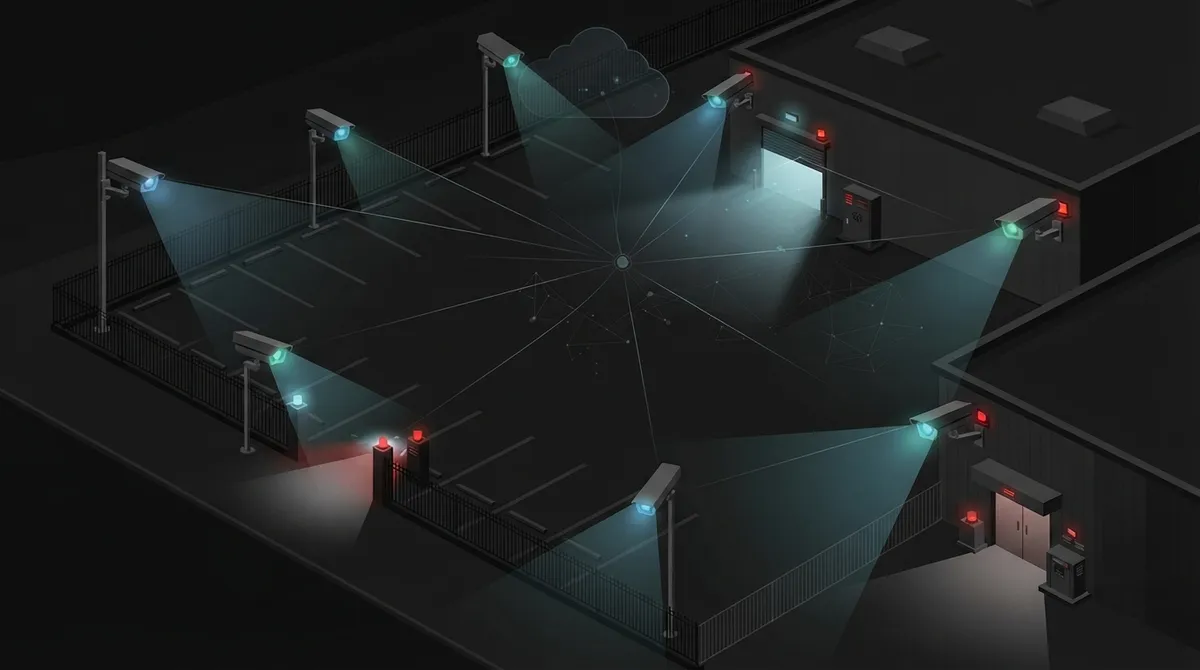
Choose IR night vision for long-range coverage (100-330 feet) on perimeters and fences, or color night vision near entrances where identifying details like faces and license plates matters most.
-
Place cameras strategically at front entrances, loading docks, parking lots, fence lines, and identified blind spots discovered during a nighttime property walkthrough.
-
Look for cameras with 4MP HDR video resolution, motion-triggered alerts, 24/7 continuous recording, and flexible cloud storage options to match your business accountability needs.
-
Bundle your cloud camera system with your internet, networking, and phone services from a single provider to simplify support, reduce vendor conflicts, and typically save money.
-
Common installation mistakes to avoid include choosing cameras by price alone, skipping bandwidth checks, placing cameras too high, and failing to test mobile alerts before an emergency.
Picture this. It’s 2 a.m., and something moves near your loading dock. No one is there to see it in person. But with the right night vision cloud security cameras, you could pull up crisp, clear footage from your phone in seconds. That’s the kind of peace of mind more Tampa business owners are chasing these days, and honestly, it’s easier to get than you might think.
Whether you run a small shop, manage a growing enterprise, or oversee IT for a multi-location franchise, dark parking lots and empty hallways don’t have to be blind spots anymore. In this friendly guide, we’ll walk through eight standout picks and features for night vision cloud security cameras, explain how they actually work, and help you figure out what your business really needs. Grab a coffee, and let’s get into it together.
What Are Night Vision Cloud Security Cameras, Really?
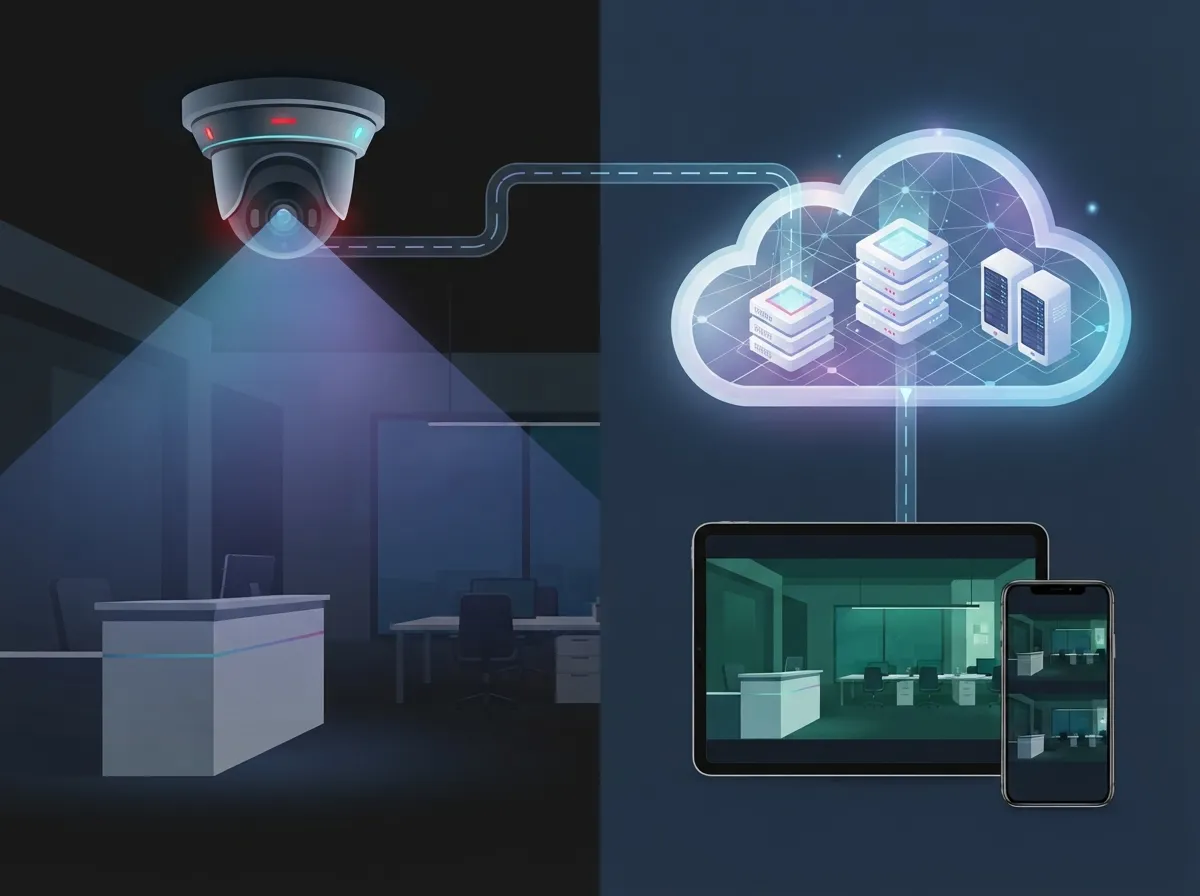
Night vision cloud security cameras are business cameras that see clearly in the dark and send video straight to the cloud. Instead of storing footage on a bulky box in a back closet, your video lives safely online. That means you can check on your business from anywhere, at any hour, using just your phone or laptop.
These cameras usually use infrared (IR) light or special low-light sensors to capture footage when the sun goes down. Combine that with cloud storage, and you get a system that’s always watching, always recording, and always within reach. It’s a simple idea, but it makes a huge difference for business owners who can’t be on-site 24/7.
Why Businesses Are Making the Switch
More companies are ditching old-school DVR setups for cloud-based systems, and it’s not hard to see why. Here are some of the biggest draws:
- Remote viewing from any authorized device, anywhere with internet access
- Easier scaling across multiple locations without new hardware headaches
- Automatic software updates instead of manual maintenance visits
- Motion alerts sent straight to your phone, day or night
- Less physical equipment to protect, store, or replace
If you want a deeper look at how this compares to older setups, this piece on cloud video security versus DVR systems breaks it down nicely.
8 Features That Make Night Vision Cloud Cameras Worth It
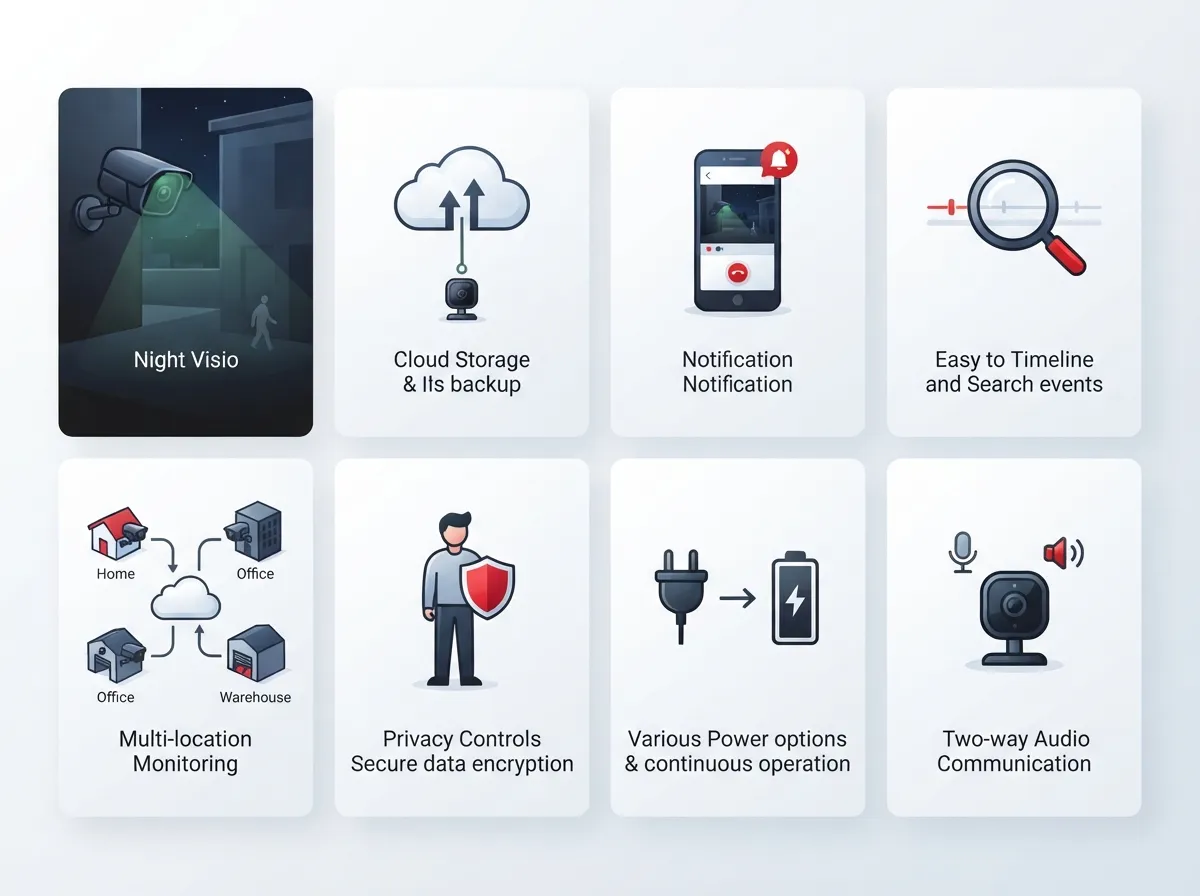
Not every camera is built the same. Here are eight features we always recommend businesses look for when shopping for night vision cloud security cameras.
1. Strong Infrared Range
Commercial cameras often advertise night vision ranges like 100 feet, 130 feet, or even 330 feet in low light, depending on the model. A longer range means better coverage for parking lots, fence lines, and large yards.
2. High Resolution in Low Light
Some business-grade systems now offer 4MP HDR video paired with IR night vision, giving you sharp detail even after dark. Higher resolution helps you actually identify faces, license plates, and other important details.
3. Motion Detection and Smart Alerts
Good systems don’t just record, they notify you. Motion-triggered alerts mean you’re not stuck watching hours of empty footage to find the one moment that matters.
4. 24/7 Cloud Recording
Some cloud camera systems now support continuous 24/7 recording instead of only capturing short clips. This is especially helpful for businesses that need full accountability, not just highlight reels.
5. Business Activity Analytics
Certain commercial packages include analytics tools that track patterns, like busy entry points or unusual after-hours activity. This turns your cameras into more than just recorders. They become a tool for smarter decisions.
6. NDAA Compliance
For regulated industries or businesses working with government contracts, NDAA-compliant cameras matter. Some providers specifically market these commercial-grade cameras for customers who need to meet stricter compliance standards.
7. Flexible Cloud Storage Options
Cloud-based systems typically let you choose how long footage is stored and how it’s accessed. That flexibility helps you balance cost with how much history you actually need to keep.
8. Easy Multi-Location Management
If you run a franchise or have several offices, look for systems that let you view every location from one dashboard. This is a game-changer for franchise operators trying to keep tabs on multiple sites at once.
IR Night Vision vs. Color Night Vision: What’s the Difference?
This is one of the most common questions we hear, and it’s a good one. Both types help you see in the dark, but they work differently.
| Feature | IR Night Vision | Color Night Vision |
|---|---|---|
| How It Works | Uses infrared light invisible to the human eye | Uses larger sensors and sometimes built-in lighting |
| Image Type | Black and white footage | Full color footage, even at night |
| Best For | Long-range detection, low visibility conditions | Identifying colors, like vehicles or clothing |
| Typical Range | Often 100 to 330 feet | Usually shorter range but more detail |
| Cost | Generally more affordable | Can cost more due to added tech |
Some businesses actually use a mix of both, placing color cameras near entrances where detail matters most, and IR cameras along fences or perimeters where range is the priority.
Cloud Cameras vs. Traditional NVR Systems
This is another question we get a lot from IT managers and office managers alike. Are cloud cameras really better than old-school NVR (network video recorder) setups? Let’s break it down.
| Factor | Cloud Security Cameras | Traditional NVR Systems |
|---|---|---|
| Storage Location | Stored online in the cloud | Stored on a physical device on-site |
| Remote Access | Yes, from any authorized device | Limited or requires extra setup |
| Scalability | Easy to add cameras or locations | Often requires new hardware |
| Maintenance | Usually handled remotely by provider | Requires on-site troubleshooting |
| Upfront Cost | Lower hardware cost, subscription fees apply | Higher upfront hardware cost |
Some setups even combine both worlds, sending high-resolution video to a DVR, NVR, or cloud-based recording system depending on the business’s needs. There’s no one-size-fits-all answer here, but for most growing businesses, cloud systems win on flexibility.
How Much Internet Bandwidth Do You Actually Need?
Here’s something that trips up a lot of business owners. Cloud cameras rely on your internet connection, so bandwidth matters more than people expect.
Generally, higher resolution cameras and more camera units mean more bandwidth needed. If your current setup struggles just running video calls and point-of-sale systems, adding several cloud cameras could slow things down without an upgrade.
This is exactly why pairing your camera system with a solid internet plan matters so much. Our friends in the networking world often recommend checking out resources like high-speed internet tips that save money before adding a full camera lineup.
Where Should You Place Night Vision Cameras?
Placement really can make or break your security setup. Here’s a simple numbered list to guide your planning.
- Front entrances, where most foot traffic happens day and night
- Back doors and loading docks, common spots for after-hours activity
- Parking lots, especially poorly lit corners
- Fence lines and property perimeters
- Gates or vehicle entry points
- Stairwells and hallways near sensitive areas
- Storage rooms or areas with valuable inventory
- Any blind spots identified during a walkthrough at night
Walking your property after dark, even just once, can reveal spots you never noticed during the day. It’s a simple step that makes a big difference.
Steps to Getting Started With Night Vision Cloud Cameras
Ready to take the plunge? Here’s a straightforward path many of our clients follow.
- Do a quick site walkthrough to identify weak spots and high-priority areas
- Check your current internet bandwidth to see if upgrades are needed
- Decide how many cameras and what resolution level fits your budget
- Choose between IR, color night vision, or a mix of both
- Confirm cloud storage length and access needs for your team
- Schedule professional installation to avoid gaps in coverage
- Set up mobile alerts and test remote access before going live
Skipping steps, especially the bandwidth check, is one of the most common mistakes we see. It’s worth doing right the first time.
Common Mistakes Businesses Make With Cloud Cameras
We’ve seen a few patterns pop up again and again. Here’s what to watch for:
- Choosing cameras based on price alone, without checking night range
- Ignoring internet bandwidth needs until footage starts lagging
- Placing cameras too high or too far from key entry points
- Skipping professional installation and dealing with blind spots later
- Not testing mobile alerts before an actual emergency happens
- Forgetting to review footage storage settings and retention length
The good news? Every single one of these is avoidable with a little planning and the right partner guiding you along the way.
Why Bundle Cameras With Your Telecom and Networking Setup
Here’s something a lot of business owners don’t think about until later. Your cameras, internet, and phone systems all rely on the same underlying network. If one piece is weak, the whole system can suffer.
That’s why many businesses choose to bundle their cloud video security with their networking and internet services. It simplifies support, reduces finger-pointing between vendors, and usually saves money too. Structured cabling also plays a bigger role here than people realize, since solid wiring supports everything from cameras to VoIP phones. You can learn more about how structured cabling forms the backbone of a reliable business network.
At Ideal Solutions Provider, we’ve spent over 24 years helping Tampa businesses and companies nationwide connect the dots between internet, networking, and security. Instead of juggling five different vendors, you get one team handling it all, from consultation to installation to ongoing support.
Quick Comparison: What to Look for at Each Business Size
| Business Type | Priority Features | Why It Matters |
|---|---|---|
| Small Business | Affordable pricing, easy setup, basic motion alerts | Limited budget and staff to manage complex systems |
| Mid-Sized Enterprise | Analytics, scalability, integration with access control | Growing needs across departments and locations |
| Franchise Operator | Multi-site dashboard, consistent camera standards | Managing several locations from one central view |
| IT Managed Environment | NDAA compliance, strong support SLAs | Regulatory needs and internal IT accountability |
Getting the Right Support Behind Your Cameras
Even the best night vision cloud security cameras won’t help much without reliable installation and support behind them. That’s where having a single point of contact really pays off, especially for office managers juggling a dozen other responsibilities.
Instead of calling five different companies when something goes wrong, you get one team that understands your whole setup: internet, cabling, networking, and cameras together. You can see real examples of how this works on our YouTube channel, where we walk through actual client installations and setups.
We also share regular updates and behind-the-scenes looks at projects on Facebook and Instagram, if you like seeing the process before committing to anything.
Bringing It All Together
Night vision cloud security cameras aren’t just a nice-to-have anymore. They’re quickly becoming a standard part of how businesses protect their people, property, and peace of mind after dark. Whether you’re a small shop owner or managing security across multiple franchise locations, the right setup can genuinely change how confident you feel about your business overnight, literally.
The key is choosing features that actually match your needs, from IR range to cloud storage length, and pairing your cameras with a network strong enough to support them. That’s a lot to think about, we know, but you don’t have to figure it out alone.
If you’re ready to explore what a smarter, better-connected security setup could look like for your business, our team would love to help. Reach out to our team today for a friendly consultation, or simply give us a call to talk through your options. We’re here, we’re local, and we genuinely enjoy helping businesses feel safer and more connected.
FAQs
Q: What are night vision cloud security cameras?
A: They’re business cameras that see clearly in the dark using infrared or low-light technology, then send that footage straight to the cloud. This means you can check in on your business anytime, anywhere, right from your phone. It’s like having a set of eyes that never sleep, even when you do.
Q: How do cloud security cameras work for businesses?
A: Cloud cameras capture video and upload it to secure online storage instead of a local box on-site. You can then log in from an authorized device to view live footage or scroll back through recordings. It’s a simple, flexible way to keep tabs on your business without being physically present.
Q: What’s the difference between IR night vision and color night vision?
A: IR night vision uses infrared light to capture black and white footage, often with longer range coverage. Color night vision uses bigger sensors or added lighting to show full color, even after dark, though usually at a shorter range. Many businesses actually use both types in different spots around their property.
Q: Are cloud security cameras better than NVR systems for businesses?
A: It really depends on your goals, but cloud systems tend to win on flexibility and remote access. NVR systems store footage locally, which can be great for certain needs, but they’re harder to scale across multiple locations. Many growing businesses lean toward cloud setups for the easier expansion and simpler maintenance.
Q: How much internet bandwidth do cloud security cameras need?
A: It depends on how many cameras you’re running and how high the resolution is set. More cameras and higher quality footage mean you’ll need stronger bandwidth to keep everything running smoothly. It’s always worth checking your current internet setup before adding a full camera system, so nothing lags or drops.





