

Key Takeaways
-
Reliable business internet is essential for cloud surveillance systems since it serves as the backbone for uninterrupted camera streaming and footage transmission to cloud servers.
-
Cloud surveillance enables remote access from any device, allowing business owners to view live feeds and search past footage via phone or laptop without being on-site.
-
Resolution choice significantly impacts usability: 1080p suits general areas, 4K works for entrances and cash registers, and ultra-HD provides clearest identification for high-security zones.
-
Multi-location and franchise businesses benefit from centralized management through one dashboard, eliminating the need to juggle separate systems and simplifying staff training across locations.
-
Hybrid systems combining local storage with cloud backup provide resilience during internet outages while maintaining remote access capabilities without sacrificing bandwidth efficiency.
-
Cloud surveillance providers with encryption, multi-factor authentication, SOC 2 certification, and audit logs offer enterprise-grade security that protects sensitive footage from unauthorized access.
Picture this: you’re grabbing coffee on a Sunday morning when your phone buzzes. Someone just walked into your Tampa office building, and you weren’t expecting them. With high definition cloud surveillance, you pull up crystal-clear footage right from your phone. You see exactly who it is and decide what to do next. No frantic drive to the office. No grainy black-and-white blur that leaves you guessing. Just clear answers, right when you need them.
This is the reality for more and more Tampa Bay businesses today. Whether you run a small retail shop, manage IT for a growing company, or oversee multiple franchise locations, high definition cloud surveillance is changing how businesses watch over their spaces. It is smarter, clearer, and far easier to manage than the clunky camera systems of years past. Let’s walk through what it actually is, why it matters, and how it fits into your bigger telecom picture.
What Is High Definition Cloud Surveillance, Really?
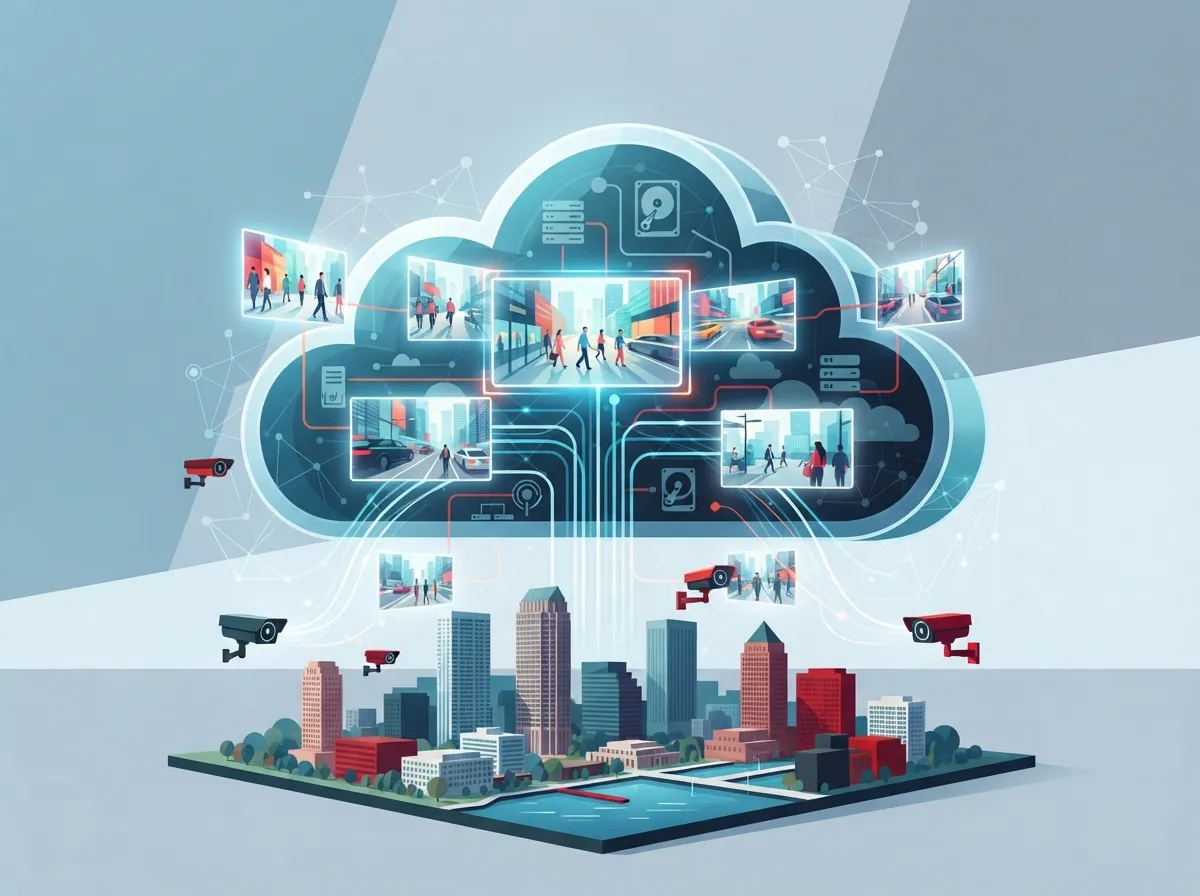
High definition cloud surveillance combines two simple ideas. First, you get sharp, clear cameras that capture detailed video, often in 1080p, 4K, or even ultra-HD resolution. Second, instead of storing that footage on a bulky box in a closet, everything gets saved safely in the cloud.
This means you can log in from anywhere. Check your phone at the beach. Pull up footage from a laptop at a coffee shop. Review last week’s incident from a hotel room while traveling for business. That kind of freedom simply was not possible with old-school security setups tied to a single on-site recorder.
For businesses exploring cloud video security options, this shift represents a real leap forward. You are not just buying cameras anymore. You are investing in a flexible system that grows with your business.
The Building Blocks of a Cloud Surveillance System
A typical high definition cloud surveillance setup includes a few key pieces working together:
- IP cameras that capture HD, 4K, or ultra-HD video quality
- A stable internet connection to send footage to the cloud
- Cloud storage that holds your recorded video securely
- A web or mobile app for remote viewing and management
- Optional local backup for extra peace of mind
- Encryption and access controls to keep footage private
Because these systems rely so heavily on your internet connection, having reliable business high speed internet is not optional. It is the backbone that keeps your cameras streaming without interruption.
How Does Cloud Video Surveillance Actually Work for Businesses?
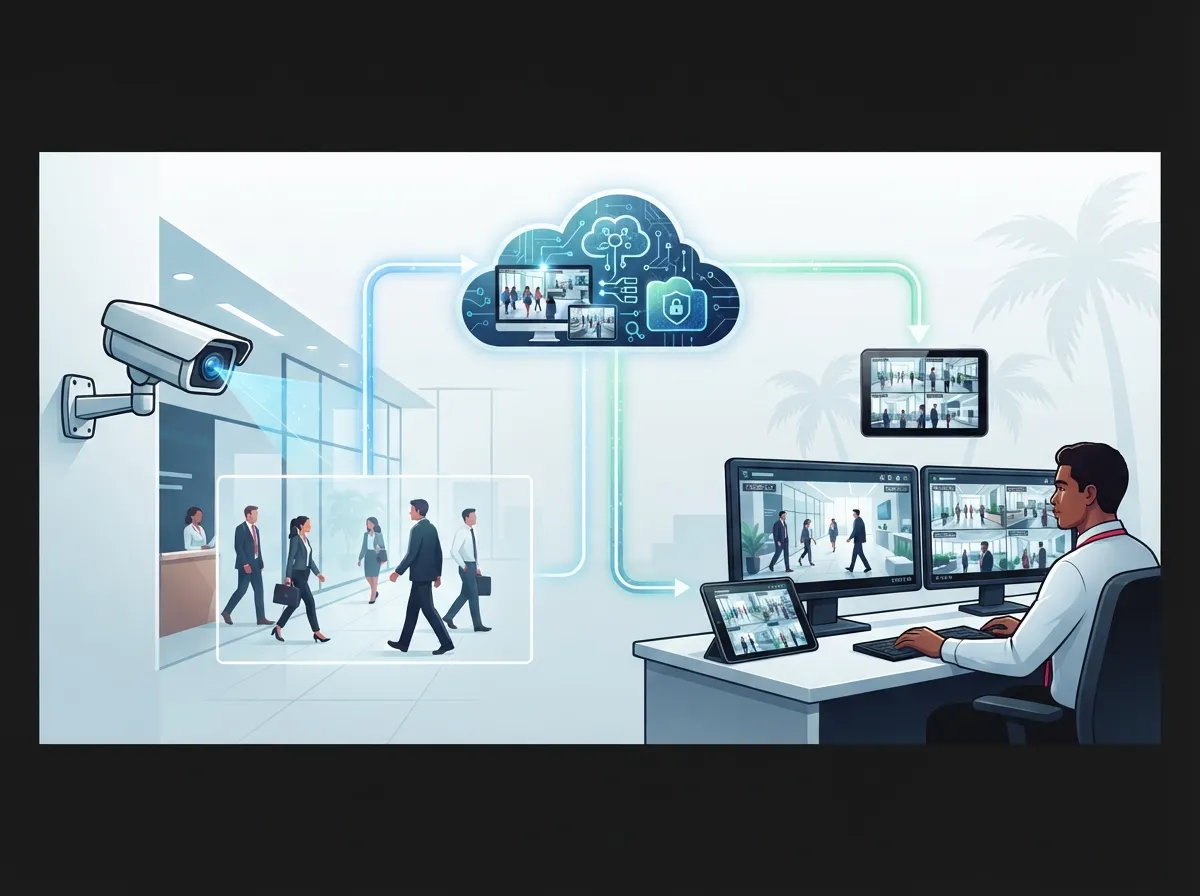
Here is the simple version. Your cameras capture video just like traditional systems do. But instead of sending that footage to a local hard drive or DVR sitting in a back room, it travels over your network straight to secure cloud servers.
From there, you or your team can log into a dashboard from any device. You can watch live feeds, search past footage, and share clips with staff or law enforcement if needed. Many systems also include smart alerts, so you get notified the moment something unusual happens.
This setup works especially well for businesses that operate across multiple locations. Instead of juggling separate systems at each site, everything lives in one place. That is a huge win for multi-location businesses trying to keep an eye on every storefront or office without losing their minds.
Steps to Get Started With Cloud Surveillance
- Assess your current camera setup and identify gaps in coverage
- Choose camera resolution based on your needs, such as 1080p for general areas or 4K for entrances
- Confirm your internet bandwidth can support continuous video streaming
- Select a cloud storage retention plan that fits your compliance and budget needs
- Work with a trusted installer to set up cameras and connect them to the cloud
- Train your team on how to access footage and respond to alerts
- Schedule regular reviews to make sure the system still meets your needs
If any of these steps feel overwhelming, that is completely normal. This is exactly why many businesses choose to work with a telecom expert instead of figuring it all out alone.
Cloud Surveillance vs Traditional CCTV: What Is the Real Difference?
A lot of business owners still picture old security cameras when they think about surveillance. Bulky recorders, tangled wires, and footage you can only view on-site. Cloud surveillance flips that entire model.
| Feature | Traditional CCTV | High Definition Cloud Surveillance |
|---|---|---|
| Storage | On-site DVR or NVR | Cloud-based, often with hybrid backup |
| Remote Access | Limited or none | Full access via web or mobile app |
| Scalability | Difficult across multiple sites | Easy to add cameras or locations |
| Video Quality | Often standard definition | 1080p, 4K, or ultra-HD options |
| Maintenance | Requires on-site hardware upkeep | Managed largely through software updates |
| Upfront Cost | Higher hardware investment | Lower upfront cost, subscription-based |
As you can see, the differences add up quickly. For growing businesses, that flexibility often matters more than saving a few dollars on hardware upfront.
Why Resolution Matters More Than You Think
Not all HD is created equal. A blurry face on camera does not help you identify anyone. That is why resolution choice matters so much in business settings.
- 1080p works well for general area monitoring like hallways or waiting rooms
- 4K resolution captures fine details, useful for entrances, cash registers, or parking lots
- Ultra-HD options provide the clearest identification for high-security areas
- Higher resolution requires more bandwidth and storage planning
- Choosing the right mix keeps costs balanced without sacrificing clarity
Why Does This Matter for Multi-Site and Franchise Businesses?
If you manage more than one location, you already know the headache of juggling separate systems. Cloud surveillance solves this by centralizing everything into one dashboard. You can compare footage across sites, standardize security policies, and manage user access from a single login.
For franchise operators expanding across Tampa Bay or nationwide, this centralized approach saves serious time. Instead of training staff on different systems at each site, everyone uses the same tools. It also means faster onboarding when you open a new location, since the cloud platform scales without major new hardware investments.
Benefits That Matter Most to Growing Companies
- Centralized management across every business location
- Consistent video quality and retention policies company-wide
- Faster incident review since footage is searchable in one place
- Reduced need for on-site IT support at each individual site
- Easier compliance reporting for industries with strict recordkeeping needs
Is Cloud Surveillance Secure Enough for Business Use?
This is one of the most common questions business owners ask, and it is a fair one. You are trusting sensitive footage to servers you cannot physically see. The good news is that reputable cloud surveillance providers take security very seriously.
Look for systems that include encryption both during transmission and while stored. Identity controls, like multi-factor authentication, add another layer of protection. Many providers also follow recognized standards such as SOC 2 or ISO-based practices, giving you extra confidence that your data is handled responsibly.
- End-to-end encryption protects footage from unauthorized access
- Role-based permissions limit who can view or download video
- Audit logs track who accessed footage and when
- Regular software updates patch potential vulnerabilities
- Compliance certifications support industries with strict data rules
Combining strong cloud security with solid cloud access control gives you a complete picture of who enters your building and what happens once they are inside.
How Much Cloud Storage Do You Actually Need?
Storage needs vary depending on your business size, camera count, and how long you need to keep footage. Most business cloud surveillance plans offer retention windows ranging from 30 to 90 days, giving you plenty of time to review incidents before footage cycles out.
Some enterprise-level plans even offer around 60 days of retention as a standard subscription feature. Direct-to-cloud systems can also reduce the need for local recording hardware entirely, which simplifies your setup and cuts down on maintenance headaches.
| Business Type | Recommended Retention | Typical Camera Count |
|---|---|---|
| Small Retail Shop | 30 days | 2-6 cameras |
| Mid-Sized Office | 60 days | 6-15 cameras |
| Multi-Location Franchise | 60-90 days | 15+ cameras across sites |
| High-Compliance Industries | 90 days or longer | Varies by location size |
Rather than guessing, it helps to review your actual needs with a specialist. Every business is different, and a one-size-fits-all plan rarely fits well.
Why Telecom Providers Are Adding Cloud Surveillance to Their Services
You might wonder why a telecom company would offer security cameras at all. The answer comes down to convenience and integration. Cloud surveillance runs on the same network infrastructure as your phone systems and internet connection. It makes sense to have one trusted partner managing it all instead of juggling separate vendors.
This bundled approach, sometimes called Video Surveillance as a Service, lets telecom providers offer recurring value beyond just phones and internet. For businesses, that means one point of contact for support, billing, and troubleshooting. No more bouncing between three or four different companies when something goes wrong.
Advantages of Bundling Surveillance With Telecom Services
- One invoice and one point of contact for support
- Consistent network performance across phones, internet, and cameras
- Easier troubleshooting since one provider understands your full setup
- Potential cost savings from bundled service packages
- Simplified upgrades as your business grows
This is exactly the kind of comprehensive approach that Ideal Solutions Provider brings to Tampa businesses. With over 24 years of experience and partnerships with more than 35 vetted suppliers, they help companies compare cloud surveillance options alongside their cloud-based phone system and network needs, all through a single relationship.
Hybrid Systems: Getting the Best of Both Worlds
Not every business needs a fully cloud-only setup right away. Many providers now offer hybrid architectures that combine local storage with cloud backup. This approach balances bandwidth usage, retention needs, and resilience during internet outages.
With a hybrid system, your cameras keep recording locally even if your internet connection drops temporarily. Once the connection returns, footage syncs back up to the cloud automatically. This gives you a safety net without sacrificing the remote access benefits that make cloud surveillance so appealing in the first place.
- Local storage captures footage continuously, even during outages
- Cloud backup syncs automatically once connectivity is restored
- Businesses get remote access without losing reliability
- IT teams gain flexibility in managing bandwidth usage
- Hybrid setups often cost less than pure cloud storage at scale
Choosing the Right Partner for Your Cloud Surveillance Needs
Not every provider offers the same quality, support, or pricing. Before signing a contract, it helps to ask a few important questions and compare your options carefully.
- What resolution options are available for different camera locations
- How long is footage retained, and can that be adjusted later
- What security certifications does the provider maintain
- Is local support included, or will you be stuck with a call center
- Can the system scale easily if you open new locations
- Does the provider also handle related services like structured cabling or networking
Proper structured cabling often plays a bigger role than people expect. Even wireless cameras need reliable network infrastructure behind the scenes to perform well. If your cabling is outdated, even the best cameras will struggle to send clear footage consistently.
Signs You Are Ready to Upgrade
- Your current cameras only record locally with no remote access
- Footage quality is too grainy to identify faces or license plates
- You manage multiple locations with no centralized view
- Your business has grown since your last security system was installed
- You want to bundle surveillance with your existing phone and internet services
If any of these sound familiar, it might be time for a fresh look at your current setup. Businesses that wait too long often end up dealing with a security gap right when they need footage most.
Final Thoughts on Making the Switch
High definition cloud surveillance is not just a tech upgrade. It is peace of mind. It means you can step away from your business without worrying about what you might miss. It means clearer footage when you need answers fast. And it means one less system to manage separately from your phones, internet, and network.
Whether you run a single Tampa storefront or manage locations across the country, the right cloud surveillance setup can make your day-to-day operations smoother and your business safer. You deserve a partner who understands your whole telecom picture, not just one piece of it.
Ready to see what a modern, high definition cloud surveillance setup could look like for your business? Reach out to our team today for a free consultation, or give us a call to talk through your options. You can also follow along on Facebook, Instagram, or YouTube for more tips on keeping your business connected and protected.
FAQs
Q: What is high definition cloud surveillance?
A: It’s a security setup where HD or 4K cameras send video straight to the cloud instead of a local recorder. You get sharp footage plus the freedom to check in from your phone or laptop, wherever you happen to be that day.
Q: How does cloud video surveillance work for businesses?
A: Your cameras capture footage and send it over the internet to secure cloud servers. From there, you log into an app or dashboard to watch live video, search past clips, and get alerts when something needs your attention.
Q: What is the difference between cloud surveillance and traditional CCTV?
A: Traditional CCTV stores footage locally on a DVR, which means you’re usually stuck viewing it on-site. Cloud surveillance stores video remotely, so you can access it from anywhere and add cameras or locations much more easily.
Q: Is cloud surveillance secure for business use?
A: Yes, when you choose a reputable provider. Look for encryption, role-based access controls, and certifications like SOC 2 to make sure your footage stays private and protected from unauthorized access.
Q: Can cloud surveillance work for multi-location businesses?
A: Absolutely, and it’s actually one of its biggest strengths. You can view and manage footage from every location through one centralized dashboard, which saves time and keeps your security standards consistent company-wide.





