
Key Takeaways
-
Implement zero trust architecture for cloud telecom systems where every user, device, and app must verify identity each time, following NIST SP 800-207 framework to prevent unauthorized access.
-
Centralize both logical and physical access control in one cloud dashboard to eliminate spreadsheet tracking, reduce duplicate accounts, and enable remote management across multiple locations.
-
Design deployments following least privilege principles, ensuring employees only receive access necessary for their job function, which significantly reduces security risk and compliance violations.
-
Plan for internet outages by including local decision-making at door controllers, redundant WAN links, offline credentials, and battery backup so operations continue uninterrupted during connectivity loss.
-
Avoid common deployment mistakes including unchanged default passwords, forgotten service accounts, expired certificates, and insufficient audit logging—plan ahead with asset discovery and choose vendors who understand both telecom and security.
-
Measure deployment success by tracking MFA adoption rates, time to revoke access, dormant account counts, authentication failures, and system uptime to identify problems before they escalate into security incidents.
Picture this. You just added a new office location, hired three new field techs, and your IT manager is drowning in spreadsheets trying to track who has keys to what. Sound familiar? If you nodded along, you are exactly who this article is for. Cloud access control deployment is changing how businesses manage both their physical doors and their digital telecom systems, and once you understand how it works, you will wonder how you ever lived without it.
At Ideal Solutions Provider, we have spent over 24 years helping Tampa businesses and companies nationwide simplify their telecom and security setups. We have seen firsthand how a smart, well-planned cloud access control deployment can save time, reduce risk, and give business owners peace of mind. In this friendly guide, we will walk through what cloud access control really means for your business, how to plan a deployment that actually works, and what pitfalls to avoid along the way. Grab a coffee, and let us get into it together.

What Is Cloud Access Control Deployment, Really?
In the world of business telecom, cloud access control deployment covers two big things. First, it means controlling who can log into your cloud-based phone systems, networks, and management tools. Second, it means using cloud software to manage physical doors, gates, and building entry points.
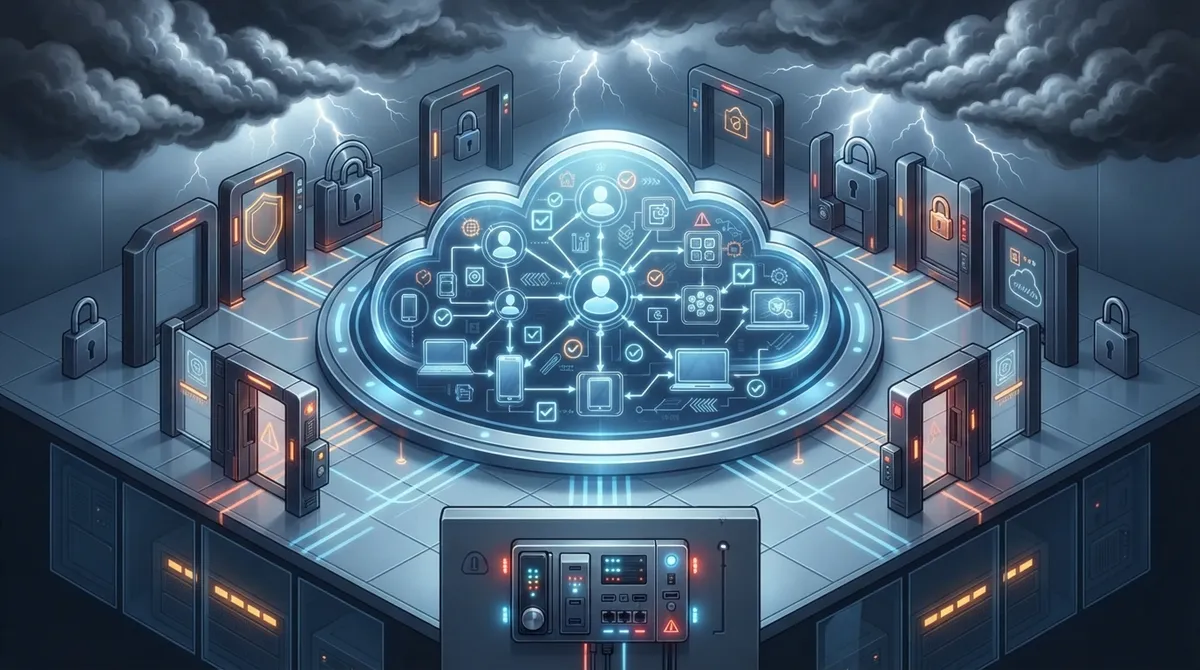
Think of it as a security blanket that wraps around both your digital tools and your physical spaces. Instead of juggling passwords for ten different systems and a separate key fob system for the office door, everything gets centralized and managed from one dashboard. That is a huge win for busy office managers and IT teams alike.
Logical Access Control for Telecom Systems
This side of things protects your cloud phone system, your network devices, your APIs, and your management platforms. It follows a security approach called zero trust, which basically means nobody gets automatic access just because they are on the office Wi-Fi. Every person, device, and app has to prove who they are, every single time.
This matters a lot if your business relies on cloud-based phone systems or manages sensitive customer data through hosted platforms. The National Institute of Standards and Technology, or NIST, published a framework called SP 800-207 that many telecom providers now use as their blueprint for zero trust design.
Cloud-Managed Physical Access Control
This is the part most office managers picture when they hear “access control.” It includes networked door readers, smart locks, cameras, and cloud software that lets you manage who enters your building and when. No more rekeying locks when an employee leaves. No more guessing who used a badge at 2 a.m.
Best of all, this kind of system often removes the need for an old-fashioned on-site server. Everything lives in the cloud, and you can manage it from your phone or laptop, whether you are at your Tampa office or halfway across the country.

Why Should Your Business Care About This Now?
Telecom systems and office buildings are more connected than ever. That connection brings convenience, but it also brings risk if access is not managed carefully. Here is why now is the time to pay attention:
- Remote and hybrid work means employees need secure access from many locations, not just one office.
- Franchise operators and multi-location businesses need consistent security across every site.
- Cyber threats increasingly target cloud logins, APIs, and management dashboards, not just front doors.
- Compliance rules in healthcare, finance, and government sectors require detailed access logs and audit trails.
- Growing businesses need scalable systems that do not require a full rebuild every time they add a location.
If any of these sound like your business, a cloud access control deployment is worth serious consideration.
Core Building Blocks of a Telecom-Ready Deployment
A strong deployment is not just one tool. It is a collection of pieces working together. Here are the main components most businesses need:
| Component | What It Does | Why It Matters |
|---|---|---|
| Centralized Identity Management | Stores and verifies user identities in one place | Reduces duplicate accounts and forgotten passwords |
| Single Sign-On (SSO) | Lets users log into multiple systems with one set of credentials | Improves convenience and reduces password fatigue |
| Multifactor Authentication (MFA) | Requires a second proof of identity beyond a password | Blocks most stolen-password attacks |
| Role-Based Access Control | Grants permissions based on job function | Keeps employees from seeing data they do not need |
| Centralized Logging and Monitoring | Tracks every login, door swipe, and system change | Supports audits and speeds up incident response |
Step-by-Step: How a Cloud Access Control Deployment Works
Rolling out a new access control system might sound intimidating, but breaking it into clear steps makes it manageable. Here is the general order most successful deployments follow:
- Conduct an asset discovery review to identify every door, network device, cloud app, and user group that needs protection.
- Design access policies based on least privilege, meaning people only get the access they truly need.
- Integrate your identity system, connecting employee accounts to a central directory.
- Run a pilot test at one location or department before rolling out company-wide.
- Roll out in phases across additional offices, departments, or franchise locations.
- Set up continuous monitoring and alerts for unusual login or entry activity.
- Train employees and managers on how to use the new system day to day.
- Document everything, from policies to emergency procedures.
- Schedule regular access reviews to remove old accounts and adjust permissions.
Notice that training and documentation are not afterthoughts here. They are just as important as the technology itself. A system is only as good as the people using it.
Zero Trust and Why It Matters for Telecom Networks
Zero trust sounds like a fancy buzzword, but the idea is simple. Nobody gets trusted automatically, not even people already inside your network. Every user, device, and application must verify who they are before getting access.
For telecom providers and businesses using cloud-native systems, this includes protecting things like Kubernetes clusters, network functions, APIs, and databases. According to research published in the International Journal of Computer Techniques in late 2025, zero trust has become essential for 5G and cloud-native telecom operators because traditional network-based trust models no longer hold up against modern threats.
Microsegmentation Keeps Threats From Spreading
Microsegmentation is a fancy term for breaking your network into smaller, isolated sections. If one section gets compromised, the threat cannot easily jump to another. Common methods include:
- Kubernetes network policies for containerized applications
- Software-defined networking and virtual overlays
- Security groups and firewalls between network segments
- Service meshes using mutual TLS encryption between services
This approach is especially valuable for businesses running SD-WAN solutions across multiple locations, since it limits how far a breach can travel.
Physical Access Control: What Office Managers Need to Know
If you manage a Tampa office, the physical side of cloud access control probably matters most to your daily routine. Here is what a modern setup typically includes:
- Networked door readers that connect to the cloud instead of a local server
- Mobile credentials so employees can unlock doors with their phones
- Real-time alerts when a door is propped open or accessed after hours
- Detailed audit reports showing every entry and exit
- Integration with security cameras for visual verification
Cloud-managed systems can scale from a single office to hundreds of locations, according to vendor implementation guidance. That said, always verify scalability and uptime claims during your own procurement process, since every business has different needs.
What Happens If the Internet Goes Down?
This is one of the most common questions we hear from office managers and franchise operators. Reliable connectivity is the backbone of any cloud system, so planning for outages matters. A well-designed deployment should include:
- Local decision-making at the door controller, even without cloud access
- Redundant WAN links or backup internet connections
- Offline credentials that still work temporarily during outages
- Battery backup power for door hardware
- Clear emergency override procedures for staff
This is exactly where a strong high-speed internet setup and backup connectivity plan pays off. A telecom partner who understands both networking and access control can design redundancy into your system from day one.
Comparing Cloud IAM and Cloud Physical Access Control
| Feature | Cloud IAM (Logical Access) | Cloud Physical Access Control |
|---|---|---|
| Protects | Apps, networks, APIs, cloud accounts | Doors, gates, buildings, equipment rooms |
| Key Tools | SSO, MFA, role-based permissions | Smart locks, badge readers, mobile credentials |
| Common Standards | SAML, OAuth 2.0, OpenID Connect | Vendor-specific cloud platforms |
| Typical User | Employees, contractors, service accounts | Employees, visitors, delivery staff |
Common Mistakes to Avoid During Deployment
Even well-meaning businesses stumble during rollout. Here are the most frequent missteps we see:
- Granting excessive permissions instead of following least privilege principles
- Leaving default passwords or credentials unchanged on new devices
- Forgetting about unmanaged service accounts used by applications
- Skipping certificate management, leading to expired or weak encryption
- Failing to plan for offline operation during internet outages
- Choosing a system that locks you into one vendor with no flexibility
- Not keeping complete audit logs for compliance purposes
Avoiding these mistakes usually comes down to careful planning and working with a partner who has done this before. That is where having a single point of contact really pays off, instead of juggling separate vendors for networking, phones, and security.
How to Measure Deployment Success
Once your system is live, how do you know it is actually working? Here are metrics worth tracking:
- Percentage of accounts covered by multifactor authentication
- Average time to revoke access after an employee leaves
- Number of dormant or unused accounts still active
- Frequency of privileged-access exceptions granted
- Authentication failures and unusual login attempts
- System uptime and availability across all locations
Reviewing these numbers regularly helps you catch problems early, before they turn into bigger headaches.
Bringing It All Together With the Right Telecom Partner
Cloud access control deployment touches a lot of moving parts: identity systems, networking, physical hardware, and ongoing monitoring. That is a lot for any single business to manage alone, especially if you are also running daily operations. This is exactly the kind of project where a trusted telecom partner earns their keep.
Ideal Solutions Provider works with over 35 vetted suppliers to design deployments that fit your specific business, whether you run a single Tampa office or manage franchise locations across the country. We handle the heavy lifting, from initial access control system consultation to installation and ongoing support, so you do not have to become a security expert overnight.
You can also see examples of our work and client experiences on our Facebook page or check out helpful walkthroughs on our YouTube channel. For visual updates on installations and projects, our Instagram is a great place to look.
Bringing Structured Cabling and Networking Into the Picture
It is easy to forget that cloud access control still relies on solid physical infrastructure. Door readers, cameras, and network switches all need proper wiring to function reliably. This is where structured cabling comes into play, providing the backbone that keeps your devices connected and communicating smoothly.
If your building has outdated wiring or a patchwork network setup, it might be time for an upgrade before adding cloud access control hardware. A good structured cabling service ensures your new system has a stable foundation to run on, rather than fighting against old infrastructure.
Final Thoughts on Getting Started
Cloud access control deployment does not have to feel overwhelming. When you break it into clear steps, involve the right people, and choose a partner who understands both telecom and security, the process becomes far less stressful. Start small with a pilot, learn what works, and scale from there.
Whether you are a small business owner tired of juggling vendors, an IT manager looking for a reliable partner, or a franchise operator needing consistency across locations, the right approach to cloud access control can genuinely make your workday easier. We would love to help you figure out the best path forward for your business. Reach out to our team today to schedule a free consultation, or simply give us a call to talk through your specific needs. We are here, and we are genuinely excited to help you build a safer, smarter business.
FAQs
Q: What is cloud access control deployment in business telecom?
A: It is the process of setting up cloud-based security for both your telecom systems and your physical office access. Think logins, permissions, and door entry, all managed from one central cloud dashboard instead of scattered tools.
Q: Can cloud-managed physical access control keep working during an internet outage?
A: Yes, if it is designed correctly. A good system stores decisions locally at the door, uses backup power, and allows offline credentials so your team is never locked out even if the internet blinks.
Q: How long does a typical cloud access control deployment take?
A: It depends on your business size, but most deployments start with a pilot phase, then roll out across locations over several weeks. Planning ahead with asset discovery and clear policies helps keep things on schedule.
Q: Do I need separate systems for logical access and physical door access?
A: Not necessarily. Many modern platforms let you manage both from a similar cloud dashboard, though the underlying tools differ. A telecom partner can help you decide what integration makes sense for your business.
Q: How does cloud access control support compliance requirements?
A: It creates detailed audit logs of every login and door entry, which makes it much easier to prove compliance during an inspection. This is especially helpful for healthcare, finance, and government clients with strict recordkeeping rules.





