
Key Takeaways
-
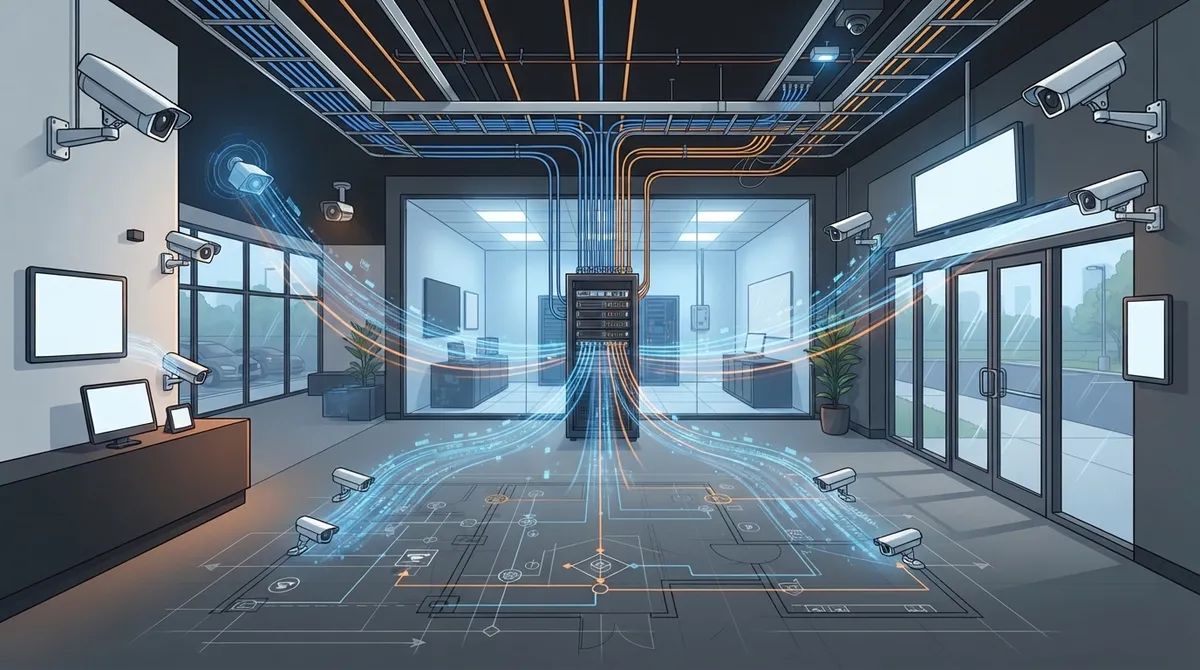
Modern commercial CCTV systems are network projects, not just security purchases—cameras send digital video over Ethernet alongside phones and computers, requiring proper structured cabling and network planning to avoid buffering, dropped connections, and system failures.
-
Always start with a professional site survey mapping entrances, exits, parking areas, high-risk zones, and blind spots before selecting equipment; poor placement leads to useless footage and missed security gaps that can't be fixed later.
-
Power over Ethernet (PoE) and bandwidth planning are critical—high-resolution cameras recording 24/7 consume significant network capacity, cable distances matter, and many businesses need internet upgrades alongside camera deployment to prevent system slowdowns.
-
Match camera resolution and features to actual job requirements using reference standards like BS EN IEC 62676-4:2025; a parking lot detector needs less detail than a front-door camera meant for facial identification or courtroom evidence.
-
Implement cybersecurity from day one by placing cameras on separate network segments, removing default passwords, requiring multi-factor authentication, encrypting streams, and keeping firmware updated—over 40,000 internet-exposed cameras are vulnerable to hacking.
-
Cloud, on-site, or hybrid storage each have tradeoffs—cloud reduces hardware costs and enables multi-location dashboards but adds subscription fees and internet dependency; hybrid approaches record locally as backup for maximum reliability during outages.
If you think CCTV installation for commercial buildings just means bolting a few cameras above the doors, we get it. That’s how it used to work. But today, your security cameras are computers on your network, and they need the same careful planning as your phones and internet. Get the network part wrong, and even the best camera in the world will give you blurry footage, dropped connections, or a system that stops working the moment your internet hiccups.
Here’s the good news: you don’t have to figure this out alone. Whether you’re running a small Tampa storefront, managing a growing franchise, or overseeing IT for a mid-sized company, understanding how CCTV fits into your telecom setup will save you money, headaches, and maybe even a break-in or two. Let’s walk through what a modern, network-smart CCTV installation actually looks like, and why treating it as a telecom project (not just a security purchase) makes all the difference.
Why CCTV Is Really a Network Project Now
Most commercial security cameras today are IP-based. That means they send digital video over your Ethernet network, not through old-fashioned analog cables to a clunky DVR box. This shift opened the door to remote monitoring from your phone, centralized management across multiple locations, and smart integrations with your other business systems.
But it also means your cameras now live on the same network as your phones, computers, and point-of-sale systems. If that network isn’t built to handle the extra traffic, everything can slow down or fail. This is exactly why pairing your camera installation with proper structured cabling and network planning matters so much.
The Shift from Analog to IP Cameras
Older analog systems recorded to a local box and that was it. If you wanted to check footage, you had to be standing right there. IP cameras changed the game by sending video over your network to a recorder, a software platform, or even the cloud. This lets you check in on your business from anywhere, set up alerts for unusual activity, and connect your cameras to door locks, alarms, and intercoms.

Start With a Site Survey, Not a Shopping List
Before anyone picks a camera, a good installer should walk your building first. This step gets skipped way too often, and it’s the reason so many businesses end up with cameras pointed at the wrong things or blind spots nobody noticed until something went wrong.
A proper site survey looks at:
- Entrances, exits, and loading docks where people and goods move
- Parking areas and lots, especially ones with poor lighting
- Reception desks, cash registers, and other high-risk spots
- Hallways, stairwells, and elevators
- Restricted rooms like server closets or supply storage
- Areas where privacy matters, such as restrooms or break rooms
This isn’t just about crime prevention, either. OSHA data shows workplace violence is a real concern, with an average incidence rate of 2.6 for assaults in private industry, and some sectors like convenience stores seeing rates above 20.0. Cameras placed thoughtfully can help protect your team, not just your inventory.
Power, Cabling, and Bandwidth: The Unsung Heroes
Here’s where things get technical, but stick with us because this part decides whether your system actually works.
Power over Ethernet (PoE) Explained Simply
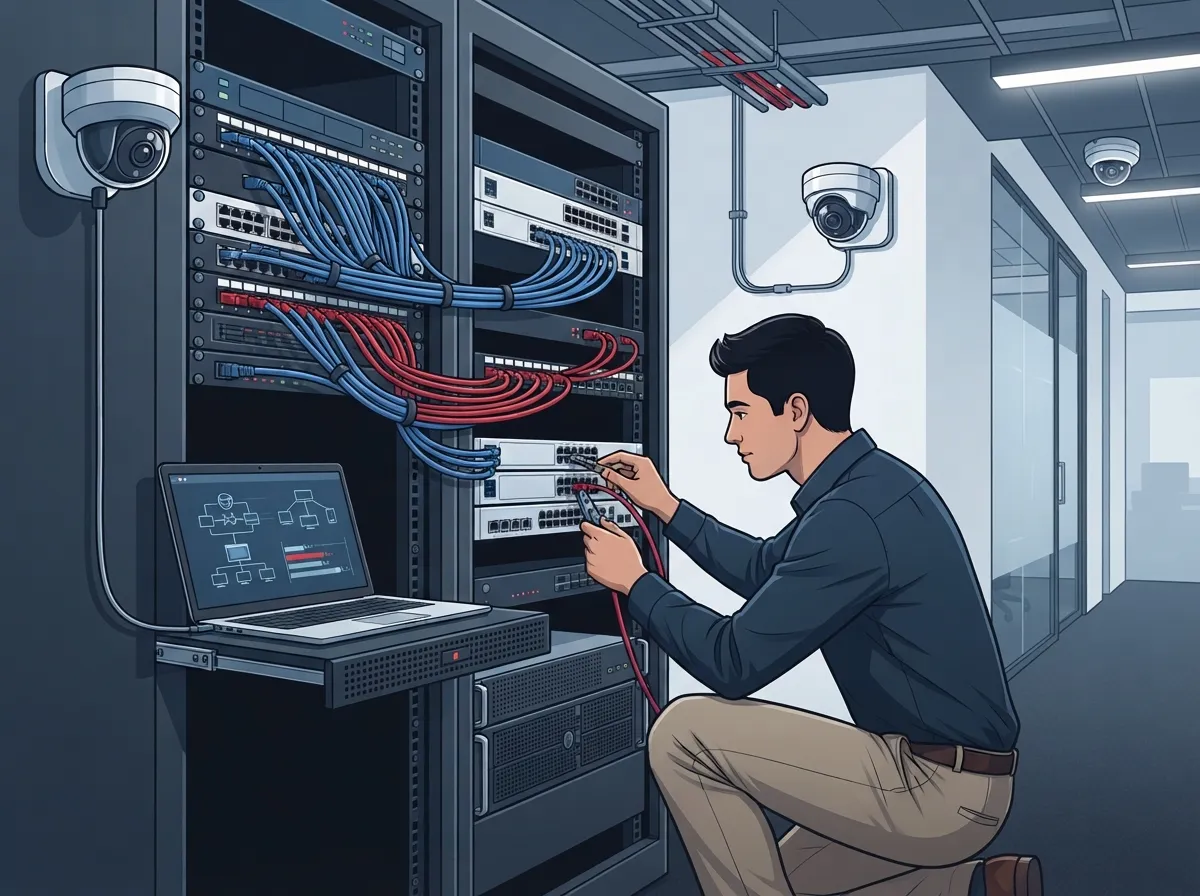
Most modern IP cameras use PoE, which sends both power and data through one cable. That means fewer wires, easier installs, and lower costs. But your PoE switch needs enough capacity to handle every camera, plus room to grow. Cable distances matter too. Run a cable too far without a repeater or extra switch, and you’ll lose signal quality.
A good installer also checks whether you need fiber connections between floors or buildings, whether your uplink bandwidth can handle all that video traffic, and whether a UPS (battery backup) is in place to keep cameras recording during a power outage. This is exactly the kind of planning our team at structured cabling services handles alongside camera design.
Bandwidth Needs You Shouldn’t Ignore
Cameras eat up bandwidth, especially high-resolution ones recording around the clock. If your business already struggles with slow internet, adding a dozen cameras without upgrading your connection is a recipe for buffering nightmares. Many businesses pair their CCTV rollout with an internet upgrade, and articles like 7 Best Business High Speed Internet Services in Tampa FL can help you figure out what speed tier makes sense.
Choosing the Right Video Quality for the Job
Bigger resolution numbers don’t always mean better security. What matters is matching the camera to its actual job. A camera watching a parking lot to detect movement needs less detail than one meant to read a license plate or identify a face at the front door.
European standards, like BS EN IEC 62676-4:2025, break this down into seven detail levels: Overview, Outline, Discern, Perceive, Characterise, Validate, and Scrutinise. While this is a UK/European reference and not a universal legal requirement, it’s a helpful way to think about your goals. Ask yourself: do I need to just notice something happened, or do I need to prove who did it in court?
Lighting, lens choice, mounting height, and nighttime performance all play into this too. A camera mounted too high or aimed into direct sunlight will give you useless footage no matter how many megapixels it has.
Keeping Your Cameras Cyber-Secure
Here’s a sobering fact: one 2026 industry report identified more than 40,000 internet-exposed security cameras vulnerable to hacking through unsecured access. That number should be independently verified, but it makes a clear point: cameras connected to the internet without proper protection are an open invitation to trouble.
A telecom-savvy installer will set up your CCTV system with real security in mind, including:
- Placing cameras on a separate, dedicated network segment away from your main business systems
- Removing default usernames and passwords immediately
- Requiring multi-factor authentication for anyone accessing footage remotely
- Encrypting video streams and admin connections wherever supported
- Applying firewall rules to control what traffic can reach your cameras
- Keeping firmware updated and watching for known vulnerabilities
- Logging who accessed footage and when, for accountability
NIST, the National Institute of Standards and Technology, offers detailed guidance on video surveillance equipment selection and security controls that’s worth a look if you want the deep technical details. This same logic applies to your broader business network solutions, where segmentation and access control keep everything safer.
What a Complete Commercial CCTV Deployment Includes
A full-scale installation isn’t just cameras on a wall. Here’s what typically goes into a professional setup:
| Component | Purpose |
|---|---|
| IP Cameras | Capture video at entrances, hallways, and key areas |
| PoE Switches | Power cameras and carry data over one cable |
| Structured Cabling | Reliable, organized wiring throughout the building |
| NVR or VMS Software | Records, manages, and organizes footage |
| Storage | Holds footage locally, in the cloud, or both |
| Monitors/Workstations | Live viewing for staff or security teams |
| UPS Equipment | Keeps cameras running during power outages |
| Network Connectivity | Supports remote viewing and cloud uploads |
| Remote Access Controls | Secure login for viewing footage off-site |
| Signage | Notifies visitors that recording is in progress |
A telecom provider who understands your full picture, phones, internet, Wi-Fi, and access control, can coordinate all of this instead of leaving you to piece it together with separate vendors.
Cloud CCTV vs. On-Site Storage: What’s Right for You
Cloud-based video security has become popular, and for good reason. It reduces the need for bulky on-site recorders, lets you check multiple locations from one dashboard, and simplifies updates. This is especially appealing for franchise operators managing several sites across Tampa Bay or nationwide.
That said, cloud systems come with tradeoffs:
- Recurring subscription costs instead of a one-time purchase
- Dependence on a stable internet connection
- Questions about where your data is stored and who can access it
- Added responsibility for cloud account security
A hybrid approach, where cameras record locally as a backup even if the internet goes down, gives you the best of both worlds. If you’re curious how this works in practice, check out how to keep security cameras working during internet outages.
Retention, Privacy, and Legal Considerations
CCTV footage counts as personal data in many cases, which means you need a plan for how long you keep it, who can view it, and how it gets deleted. This isn’t just good practice, it can be a legal requirement depending on your state and industry.
Here are the basics every business should nail down:
- Define why you’re recording (safety, theft prevention, liability protection)
- Only capture footage in areas where you have a legitimate need
- Post clear signage letting people know they’re being recorded
- Limit who can view live or recorded footage
- Set a retention schedule and stick to it
- Protect any footage exports with encryption or access limits
- Keep records of who accessed footage and why
Retention periods vary widely depending on your industry and local laws, so it’s worth checking with a legal advisor or your telecom partner about what applies to your business.
Integrating CCTV With Access Control and Other Systems
One of the biggest advantages of modern CCTV is how well it plays with other systems. Picture this: someone badges into a restricted room, and your camera automatically bookmarks that moment in the recording. Or an alarm triggers, and your security team gets a live camera feed instantly instead of scrambling to find the right screen.
This kind of integration works best when everything, cameras, door access, alarms, and even your VoIP phone system, runs on a coordinated network. Businesses exploring cloud-based access control often pair it directly with their video security for a more complete picture of building activity. Just make sure any integration gets tested for time syncing, proper permissions, and backup plans if one system goes down.
Standards and Procurement Rules to Check First
Before you sign off on equipment, it’s worth checking a few boxes. NIST publishes guidance on selecting and applying video surveillance equipment. ONVIF sets interoperability and security standards many camera manufacturers follow. And if you’re working with government contracts or certain regulated industries, federal procurement rules may restrict specific telecommunications and surveillance equipment.
Your electrical and cabling work should also follow recognized standards for safety and reliability. This is another area where partnering with an experienced structured cabling provider pays off, since they already know what’s required for compliant installs.
Why a Single Telecom Partner Makes This Easier
Here’s the honest truth: juggling separate vendors for your internet, phones, cabling, and cameras is exhausting. You end up playing phone tag between companies when something breaks, and nobody takes full ownership of the problem.
At Ideal Solutions Provider, we’ve spent over 24 years helping Tampa businesses and companies nationwide simplify this exact headache. With partnerships across 35+ vetted suppliers, we design CCTV installations that work seamlessly with your existing network, internet, and phone systems, all under one point of contact. We’ve found that 9 out of 10 businesses we audit are overpaying, underperforming, or both, and camera systems are no exception.
Whether you need a fresh install, a network upgrade to support new cameras, or help connecting your security system to your access control setup, we’re happy to walk through it with you. You can also follow along with tips and updates on our Facebook page or check out real installs on our YouTube channel.
Getting Started With Your Own CCTV Project
If you’re ready to move forward, here’s a simple roadmap to follow:
- Schedule a site survey to map out coverage needs and risk areas
- Review your current network and internet capacity for camera traffic
- Decide between IP, cloud, or hybrid storage based on your budget and goals
- Plan for structured cabling and PoE switching if you’re starting fresh
- Build in cybersecurity protections from day one, not as an afterthought
- Set clear policies for footage retention and access
- Consider integrations with access control, alarms, and your phone system
Every one of these steps ties back to your broader telecom setup, which is exactly why treating CCTV installation for commercial buildings as a network project (not just a security purchase) leads to better results.
Ready to Build a Smarter Security System?
CCTV installation for commercial buildings doesn’t have to feel overwhelming. With the right planning around your network, cabling, and cybersecurity, you get a system that actually works when you need it most. And when it’s all coordinated by one trusted partner, you save time, money, and a whole lot of frustration.
If you’re ready to talk through your options, our team would love to help you build a plan that fits your building and your budget. Contact us today for a free consultation, or feel free to call us directly to get started.
FAQs
Q: How much does CCTV installation cost for a commercial building?
A: Costs vary a lot depending on building size, number of cameras, and whether you need new cabling or network upgrades. A small office might spend a few thousand dollars, while a larger facility with cloud storage and multiple integrations could run much higher. The best way to get an accurate number is a free site consultation, since guessing without seeing your space rarely gives you the full picture.
Q: How many security cameras does a commercial building need?
A: There’s no single magic number here, friend. It really depends on your entrances, parking areas, high-risk spots like cash registers, and any blind spots in hallways or storage rooms. A proper site survey will map this out so you’re not overspending on cameras you don’t need or leaving gaps where you do.
Q: Should I choose IP CCTV, cloud CCTV, or a hybrid system?
A: IP cameras give you flexibility and remote access, cloud systems simplify management across multiple locations, and hybrid setups keep recording even if your internet drops. Most growing businesses love the hybrid approach because it covers both convenience and reliability. Your choice really comes down to your budget, how many locations you manage, and how much you rely on internet uptime.
Q: Can CCTV integrate with my access control or VoIP phone system?
A: Absolutely, and it’s one of the coolest parts of modern security setups. A door badge event can trigger a camera recording, or an alarm can pull up a live video feed automatically. Just make sure whoever installs it tests the integration thoroughly so everything works together smoothly, not just on paper.
Q: How long should we keep our CCTV footage?
A: Retention periods depend on your industry, local laws, and what makes sense for your risk level, but many businesses keep footage anywhere from 30 to 90 days. Some regulated industries require longer retention for compliance reasons. It’s worth chatting with your telecom provider or a legal advisor to nail down the right policy for your specific situation.





