
Key Takeaways
-
Cat 6A cable supports full-distance 10 Gigabit speeds (100 meters) with 500 MHz bandwidth, making it the recommended choice for future-proof business networks planning long-term infrastructure.
-
UTP cabling maximum channel length is 100 meters (90 meters permanent cabling plus 10 meters patch cords); exceeding this limit causes signal degradation and network unreliability.
-
Power over Ethernet (PoE) standards deliver 12.95W to 73W of usable power through UTP cabling for IP phones, cameras, and access points, eliminating separate electrical wiring needs.
-
Proper UTP installation requires maintaining wire pair twists until termination, separating data from electrical sources, and certification testing; poor installation tanks performance even with premium cable.
-
Shielded twisted pair (STP) only improves performance in electrically noisy manufacturing environments if shield is correctly installed with continuous bonding and grounding; UTP is simpler and cheaper for standard offices.
-
Mixing cable categories in same run limits performance to weakest link, and underestimating PoE and bandwidth needs leads to costly premature rewiring within 2-3 years.
Ever peeked behind your office wall plates and wondered what’s actually carrying your internet, phone calls, and security camera feeds? Chances are, it’s unshielded twisted pair cabling, better known as UTP. This simple-looking cable does some heavy lifting for your business every single day. Whether you’re running a small Tampa shop or managing a growing enterprise network, understanding UTP cabling helps you make smarter decisions about your telecom setup.
We know cabling talk can feel dry. But stick with us, because getting this right can save you money, headaches, and those annoying “why is the internet down again” moments. At Ideal Solutions Provider, we’ve spent over 24 years helping Tampa businesses build networks that actually work. So let’s break down everything you need to know about UTP cabling in plain, friendly language. Here are 13 facts that will help you feel confident about your next cabling decision.
1. What Unshielded Twisted Pair Cabling Actually Is
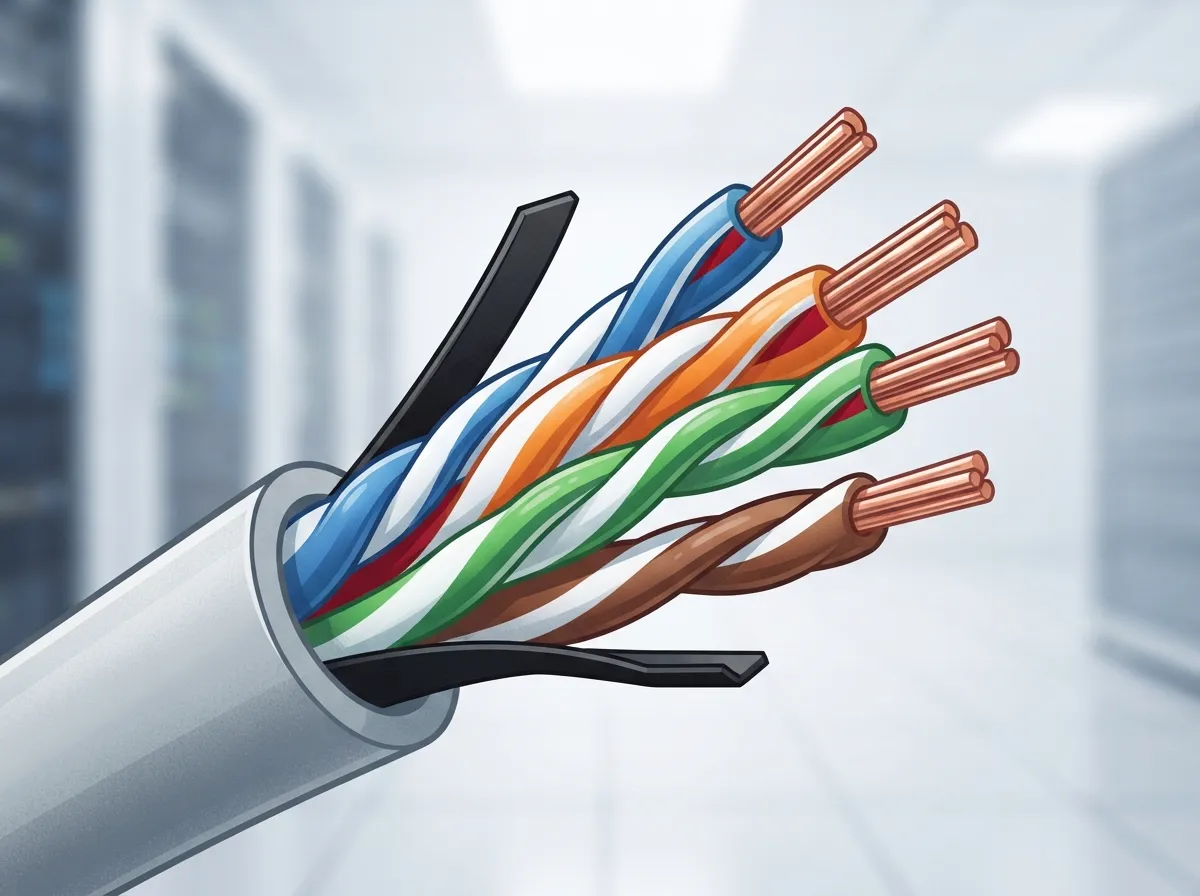
Unshielded twisted pair cabling is made of insulated copper wires twisted together in pairs. There’s no metal foil or braided shield wrapped around those pairs. The twisting itself is the magic trick here. It helps cancel out electrical noise and crosstalk between wires.
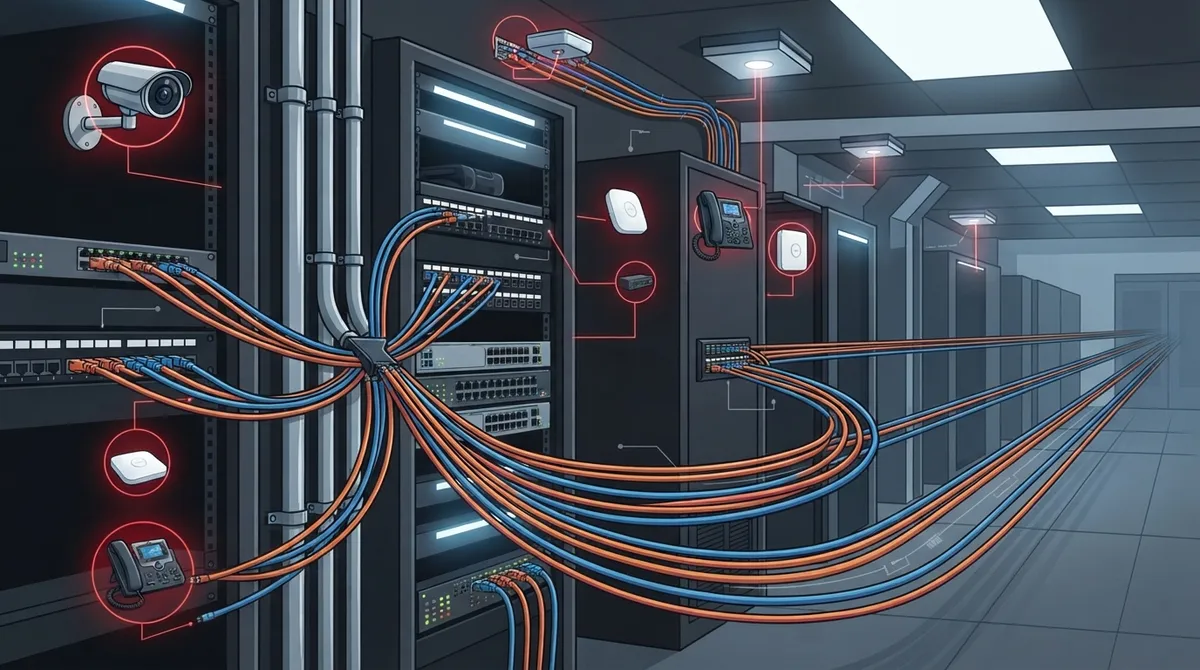
This type of cable is the backbone of most business networks. It connects computers, IP phones, Wi-Fi access points, and security cameras to your network. If you’ve ever set up a VoIP phone system or a business security camera system, you’ve relied on UTP cabling without even thinking about it.
2. UTP vs Shielded Twisted Pair: Knowing the Difference
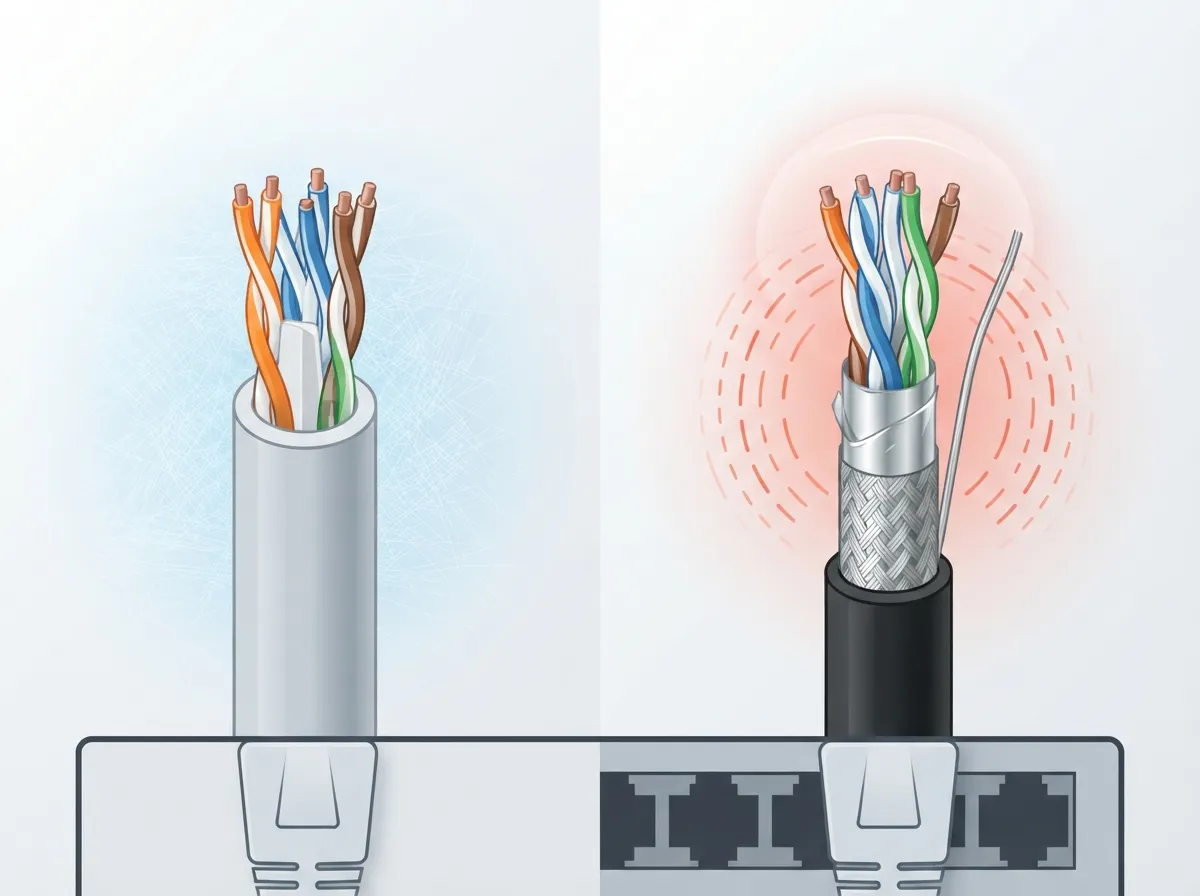
Shielded twisted pair (STP) cable adds a layer of foil or braided shielding around the wire pairs. This extra layer helps block outside electrical interference. Sounds better, right? Not always.
Shielded cable only works well if it’s installed correctly. The shield has to stay continuous all the way through every connector, and it needs proper bonding and grounding. Miss a step, and that shield can actually make performance worse instead of better, according to cabling experts at Belden. UTP skips all that complexity. It’s simpler to install, more flexible, and usually less expensive.
3. When Your Business Actually Needs Shielded Cable
Most offices do just fine with UTP. But some environments have a lot of electrical noise. Think manufacturing floors with heavy machinery, or spaces near large motors and fluorescent lighting ballasts.
In these noisy environments, shielded cable can help. Just remember, it only helps if it’s installed the right way. If you’re not sure whether your Tampa facility needs shielded or unshielded cabling, it’s worth getting a professional opinion before you buy materials.
4. The Three Main Categories Business Owners Should Know
Not all UTP cable is created equal. Categories, often just called “Cat” ratings, tell you how much data the cable can handle and how fast.
- Cat 5e: An older standard, still used in some legacy setups, but generally not recommended for new installations today.
- Cat 6: A solid choice for most standard business networks, supporting higher speeds over shorter distances.
- Cat 6A: The go-to option for businesses planning ahead, supporting full-distance 10 Gigabit speeds.
Choosing between these isn’t just about your current switch speed. You should think about your PoE needs, your building’s cable runs, and how long you plan to use this infrastructure. If you want a deeper dive, check out this guide on the key differences between CAT5e and CAT6 cabling.
5. Why Cat 6A Is Becoming the Standard Choice
Cat 6A cable is rated for 500 MHz bandwidth and supports 10GBASE-T Ethernet across the full 100-meter channel, according to CommScope. That’s a big deal if your business wants to run high-speed connections without worrying about distance limits.
Cat 6, by comparison, has a 250 MHz rating. It can technically handle 10 Gigabit speeds, but usually only over shorter distances, roughly 37 to 55 meters depending on installation conditions. If you’re building out a network meant to last, Cat 6A gives you more breathing room for future upgrades.
6. How Far Can UTP Ethernet Cable Actually Run?
This is one of the most common questions we hear from office managers and IT teams. The standard maximum channel length for Ethernet over UTP is 100 meters. That breaks down into up to 90 meters of permanent cabling running through walls and ceilings, plus a combined 10 meters of patch cords at each end.
Go beyond that limit, and you’re asking for trouble. Signal quality drops, and your network becomes unreliable. If you need to connect a building or area farther than 100 meters, you’ll need a different solution, like fiber optic cabling or a properly engineered extender.
7. Can UTP Handle 10 Gigabit Ethernet?
Yes, but the category matters a lot here. Cat 6A is built specifically to handle 10GBASE-T over the full 100-meter channel. Cat 6 can technically do it too, just not over the full distance.
If your business is planning for growth, or if you’re supporting bandwidth-heavy applications like video conferencing and cloud backups, Cat 6A is usually worth the extra investment upfront. It saves you from having to rip out walls and rewire everything a few years down the road.
8. UTP Cabling and Power over Ethernet (PoE)
Here’s something a lot of business owners don’t realize: UTP cabling doesn’t just carry data. It can also carry electrical power. This is called Power over Ethernet, or PoE, and it’s what lets you power devices like IP phones, wireless access points, and security cameras without running separate electrical wiring.
There are several PoE standards, each providing more power than the last:
| PoE Standard | Power at Source | Power at Device (approx.) |
|---|---|---|
| 802.3af (Type 1) | 15.4 W | 12.95 W |
| 802.3at (Type 2, PoE+) | 30 W | 25.5 W |
| 802.3bt (Type 3) | 60 W | Up to 51 W |
| 802.3bt (Type 4) | 90 W | Up to 73 W |
Notice how the power delivered to the device is always lower than what’s supplied at the source. That’s due to natural cable losses. If you’re planning to power a lot of devices, like a fleet of cloud security cameras or access control readers, make sure your cabling and switches are rated for the PoE level you need.
9. Good Cabling Practices That Protect Your Investment
Installing UTP cabling isn’t just about running wire from point A to point B. Sloppy installation can tank your network performance even if you bought the best cable available. Here are some habits that separate a solid installation from a headache-in-waiting:
- Use standards-compliant cable and components, all matching the same category rating.
- Keep the twists in each wire pair intact right up to the termination point.
- Avoid sharp bends or excessive pulling force during installation.
- Keep data cabling separated from electrical wiring and other interference sources, following local codes.
- Test every installed cable run with proper certification equipment before calling the job done.
Skipping these steps might save time on installation day, but it usually costs more later in troubleshooting and repairs.
10. Planning a New Cabling Installation the Right Way
Before you start pulling cable through your Tampa office, take a step back and plan. Think about where your devices will live now, and where they might live in two or three years. Consider how many PoE devices you’ll run, whether you need Cat 6 or Cat 6A, and how your cabling will be labeled and documented.
Here’s a simple planning process that works well for most small and mid-sized businesses:
- Map out current and future device locations, including phones, cameras, and access points.
- Calculate your PoE power needs based on device count and type.
- Choose your cable category based on distance and speed requirements.
- Select a qualified installer who follows structured cabling standards.
- Test and certify every cable run before going live.
- Document everything, including cable labels and patch panel maps.
If this sounds like a lot to juggle, you’re not wrong. That’s exactly why many businesses turn to a trusted partner for professional structured cabling services instead of tackling it alone.
11. Common Mistakes Businesses Make with UTP Cabling
We’ve seen plenty of cabling jobs go wrong over the years. Here are the mistakes that come up again and again:
- Mixing cable categories in the same run, which limits performance to the weakest link.
- Running cables too close to fluorescent lights or heavy electrical equipment.
- Skipping certification testing to save a few dollars.
- Underestimating future bandwidth and PoE needs, leading to premature rewiring.
- Choosing the cheapest installer instead of one with proven experience.
Avoiding these pitfalls now saves real money later. A network built on solid structured cabling principles tends to serve businesses well for a decade or more.
12. How UTP Cabling Supports Your Whole Telecom Ecosystem
UTP cabling isn’t just about internet speed. It’s the foundation for nearly every piece of your business communications setup. Your cloud-based phone system, your Wi-Fi network, your security cameras, and your access control system all depend on properly installed cabling behind the scenes.
Franchise operators and mid-sized enterprises with multiple locations especially benefit from consistent cabling standards across every site. It makes troubleshooting easier and keeps every location performing the same way, whether it’s in Tampa or across the country.
13. Why Working With Experienced Installers Matters
UTP cabling might look simple, but getting it right takes real expertise. The wrong category, a bad termination, or interference from nearby electrical lines can quietly wreck your network performance. And once it’s inside your walls, fixing mistakes gets expensive fast.
This is where having one trusted partner makes a real difference. Ideal Solutions Provider has spent over 24 years helping Tampa businesses, and companies nationwide, plan and install cabling that actually holds up. We work with 35+ vetted suppliers, so you get options that fit your budget and your goals, not a one-size-fits-all pitch. You can see examples of our work and client experiences on our YouTube channel or follow updates on Facebook and Instagram.
Good cabling is invisible when it’s done right. You just notice that your calls don’t drop, your cameras stay online, and your Wi-Fi keeps up with your team. That’s the goal, and it’s completely achievable with the right planning and the right partner.
Wrapping It Up
Unshielded twisted pair cabling is one of those unsung heroes of business technology. It’s affordable, flexible, and when installed correctly, incredibly reliable. Whether you’re setting up a brand new office or upgrading an aging network, choosing the right category, planning for PoE, and working with skilled installers makes all the difference.
Feeling ready to talk through your cabling options? Our team would love to help you build a network that actually works for your business, today and years from now. Contact us for a free consultation, or give us a call to get started.
FAQs
Q: What is unshielded twisted pair (UTP) cabling?
A: UTP cabling is copper wire twisted into pairs, with no metal shielding around them. The twisting helps reduce interference, making it a reliable and affordable choice for business networks, phones, and cameras.
Q: What is the difference between UTP and shielded twisted pair cabling?
A: UTP skips the metal foil or braided shield found in STP cable, making it simpler and cheaper to install. Shielded cable can help in electrically noisy environments, but only if the shield is installed and grounded correctly.
Q: Which Ethernet cable category should my business use: Cat 5e, Cat 6, or Cat 6A?
A: Cat 6A is often the smartest pick for new installations because it supports full-distance 10 Gigabit speeds. Cat 6 works well for shorter runs, while Cat 5e is mostly seen in older, legacy setups.
Q: How far can UTP Ethernet cable run?
A: The standard maximum is 100 meters total, made up of up to 90 meters of permanent cabling plus 10 meters of patch cords. Longer distances need a different solution, like fiber optic cabling.
Q: Can UTP cable carry Power over Ethernet for phones, cameras, and Wi-Fi access points?
A: Yes, UTP cabling can deliver both data and power through PoE standards. Depending on the standard, devices can receive anywhere from about 13 watts up to 73 watts of usable power.





