
Key Takeaways
-
Business broadband service availability depends on your exact address, not citywide coverage, so run address-level checks with each provider and the FCC National Broadband Map before comparing plans.
-
Fiber suits cloud-heavy and multi-location teams with matching upload and download speeds, cable works for small offices with basic needs, and dedicated internet fits businesses that cannot afford downtime.
-
Advertised promo prices like $49.99 for 500 Mbps fiber often change after the first term and can exclude installation, equipment, or static IP fees, so request a full written quote.
-
Check upload speed, uptime commitments, repair response times, and contract renewal terms, since these matter as much as the headline download speed for daily work.
-
Size your bandwidth by counting users and devices, listing heavy tasks like video calls and cloud apps, and planning for growth over the next two years.
-
Add a backup connection or failover router and consider cloud-based phones that forward calls to mobile devices to stay online during outages and Tampa hurricane season.
Picking a broadband business solution in Tampa can feel like a maze. You search online and see fiber, cable, dedicated lines, bundles, and promo prices. Every provider says it is the fastest and the most reliable. So how do you know what is right for your office?
Here is the good news. Once you know the basics, the choice gets much easier. A broadband business solution is more than a speed number. It is the mix of internet, phone, networking, and security that keeps your team working all day without stress.
In this guide, we will walk you through what broadband for business really means in Tampa. We will compare fiber, cable, and dedicated options, show you what to check before you sign, and share simple steps to get the right fit. Whether you run a small shop or manage many locations, you will leave with a clear plan.

What Does a Broadband Business Solution Mean in Tampa?
The phrase “broadband business solution Tampa” does not point to one single plan or one single company. It describes business-grade internet and the related services that go with it. That can include business voice, dedicated connectivity, managed networking, and security tools.
Think of it like building a house. The internet line is the foundation. Your phones, Wi-Fi, cameras, and door systems all sit on top of it. If the foundation is weak, everything above it feels shaky.
Business broadband also differs from home internet. Business plans often come with faster repair response, static IP options, and service terms written for companies. That matters when a slow connection means lost sales or missed calls.
Providers that advertise business services in Tampa include Spectrum Business, Frontier Business, and AT&T Business. Some enterprise fiber providers also serve parts of the metro area. But being present in Tampa does not mean service is available at your exact address. We will come back to that, because it is the most important point in this whole guide.
If you want a deeper primer, take a look at what business broadband is and why your company needs it.
Your Main Broadband Options for Tampa Businesses
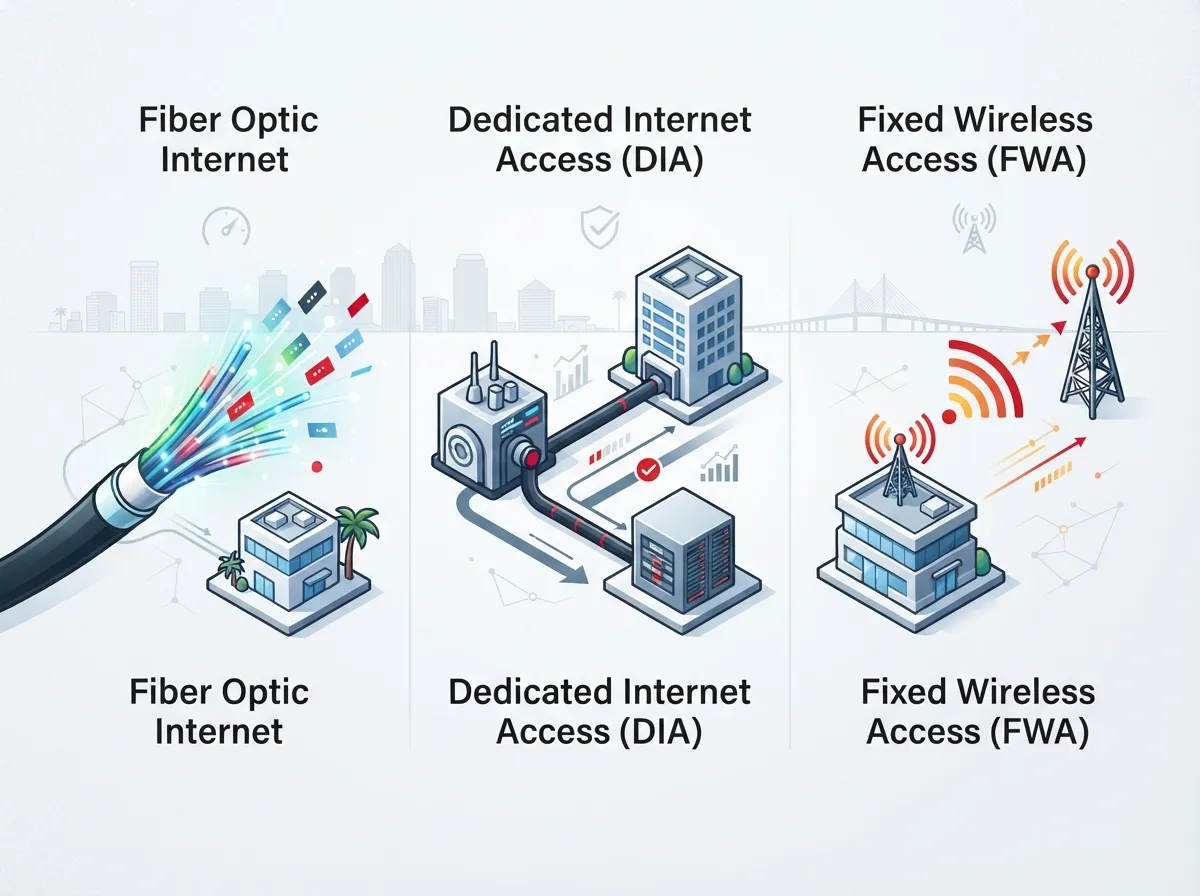
Most Tampa businesses choose from three main paths. Each one fits a different type of company. Let’s break them down in plain terms.
Business Fiber Internet
Fiber sends data as light through glass strands. It is often a strong fit for businesses that use cloud apps, video meetings, large file transfers, or run more than one location. Many fiber plans offer matching upload and download speeds, which helps when you send big files or host video calls all day.
Frontier advertises business fiber in select Tampa areas, with 500 Mbps, 1 Gig, and 2 Gig plans on its local page. AT&T advertises Business Fiber with speeds up to 5 Gbps. Remember, advertised maximums depend on your location and the plan you qualify for.
Cable Broadband
Cable can be a practical choice for small and midsize businesses when fiber is not available or not needed. Spectrum’s Tampa business page describes its service as fiber-powered, with the last stretch to your building delivered over coaxial cable. It advertises speeds up to 1 Gbps, subject to availability and terms.
Cable often has lower download-to-upload balance than fiber. For a small office that mostly browses, emails, and uses a few cloud tools, that may be perfectly fine.
Dedicated Internet Access
Dedicated internet is a private connection built for your business alone. AT&T describes its Dedicated Internet as a private connection with guaranteed speeds and 24/7 monitoring and support. You should always confirm the exact service-level terms directly in writing.
This option suits companies that cannot afford downtime, such as medical offices, call centers, and firms with heavy data needs. To learn more, read why Tampa businesses need dedicated fiber internet and how dedicated and shared fiber compare.
Fiber vs. Cable vs. Dedicated: Quick Comparison
Here is a simple side-by-side view to help you sort the options. Treat this as a starting point, since real availability and pricing change by address.
| Feature | Cable Broadband | Business Fiber | Dedicated Internet |
|---|---|---|---|
| Best for | Small offices with basic needs | Cloud-heavy teams and growing firms | Companies needing guaranteed performance |
| Upload speed | Often lower than download | Often matches download speed | Usually symmetric |
| Uptime terms | Varies by plan | Varies by plan | Often backed by a service-level agreement |
| Cost level | Lower | Moderate | Higher |
| Availability | Wide in many areas | Limited to select areas | Depends on building and carrier |
Want a closer look at the first two? Our post on fiber vs. cable business internet in Tampa goes deeper.
What Does Business Broadband Cost in Tampa?
This is the question everyone asks first, and the honest answer is: it depends. Prices change by address, speed, contract length, and whether you bundle services.
Here are some advertised examples from provider pages in 2026:
- Frontier fiber: promotional prices of $49.99 for 500 Mbps, $69.99 for 1 Gig, and $89.99 for 2 Gig per month. These come with conditions such as Auto Pay or bundling, and availability is limited.
- AT&T: business internet pricing that starts at $40 per month, depending on location, plan eligibility, and terms.
- Spectrum: fiber-powered plans advertised up to 1 Gbps, with offers that depend on availability and terms.
Please treat these as starting points, not final quotes. Promotional rates often change after the first term. Also, a low monthly price can hide extra costs like installation, equipment, or static IP fees.
If budget is a big worry, check out how to find affordable business broadband service in Tampa FL and 12 business internet cost mistakes Tampa owners make in 2026.
What to Compare Beyond Download Speed
Speed is the number everyone sees first. But it is only one piece of the picture. A fast plan with poor support can still hurt your day. Here is a checklist of what really matters.
- Upload speed: Important for video calls, cloud backups, and sending large files.
- Uptime commitments: Ask what the provider promises and what happens if they miss it.
- Repair response time: How fast will a technician show up when something breaks?
- Static IP needs: Useful for hosting, remote access, and some security tools.
- Installation lead time: Fiber builds can take weeks, so plan early.
- Contract and promo terms: Know the length, renewal rules, and what the price becomes later.
- Equipment and Wi-Fi: Find out what is included and what costs extra.
- Cybersecurity: Ask about firewalls and managed security options.
- Voice integration: Make sure the line can handle your business phones well.
- Backup connectivity: A second connection can keep you online during an outage.
For a handy walk-through, see how to compare business internet providers in Tampa Florida.
How Much Speed Does Your Tampa Business Need?
There is no magic number, but a few simple rules help. Think about how many people use the network at once and what they do online.
- Count your users and devices. Include laptops, phones, tablets, printers, and cameras.
- List your heavy tasks. Video meetings, cloud software, large uploads, and VoIP calls all need steady bandwidth.
- Check upload needs. Many teams forget this part and then struggle with video calls.
- Add room to grow. If you plan to hire in the next two years, pick a plan that can scale.
- Test your real-world needs. A short trial or a provider survey can reveal gaps.
A small office with a handful of staff may do well on a cable plan. A company with dozens of people on video calls and cloud tools may want fiber. For more detail, read how to choose the right internet speed for your Tampa business. If your phones matter most, what internet speed you need for VoIP in Tampa is a useful read.
Why Address-Level Checks Matter
Here is a lesson many business owners learn the hard way. A provider can serve Tampa and still not serve your building. Fiber can be available on one block and missing on the next.
So do not rely on citywide coverage summaries or advertised maximum speeds. Instead, take these steps:
- Check your address on the Internet Service Provider pages you are considering.
- Look up your location on the FCC National Broadband Map for a neutral view.
- Ask each provider for a written quote tied to your exact address.
- Confirm install timelines, equipment, and service terms in writing.
Third-party listings sometimes show very high speeds, such as Frontier fiber up to 7 Gbps in Tampa. Those are listing-level maximums. They are not a promise for your office. Always get a qualified quote.
Building a Complete Setup, Not Just a Connection
A strong broadband business solution works with the rest of your technology. If your wiring is old or your network is poorly set up, even the fastest line will feel slow.
Good structured cabling gives your office a clean, organized backbone. Pair it with the right network gear and you avoid many common slowdowns. If you suspect a problem, see why your business internet is so slow in Tampa and how to fix it.
Your internet also powers other tools you may already use or plan to add:
- Cloud phone systems: Clear calls depend on steady upload and low delay. Learn more in which cloud-based phone system is best for Tampa businesses.
- Cloud security cameras: These stream video over your connection, so bandwidth planning matters. See how to keep security cameras working during internet outages.
- Cloud access control: Door systems rely on a steady link to stay up to date.
When all these pieces come from different vendors, finger-pointing can happen. That is why many companies prefer one partner. Read about why to use one telecom partner in Tampa FL.
Planning for Outages and Hurricane Season
If you work in Tampa, you know storms are part of life. A smart broadband plan includes a backup. Even a great connection can go down from a cut line or severe weather.
Here are simple ways to stay online:
- Add a second connection from a different provider or technology.
- Use a failover router that switches over on its own.
- Ask about service-level terms for repair times.
- Keep cloud-based phones so calls can forward to mobile devices.
- Talk to your provider about storm readiness before you sign.
For multi-location companies, options like SD-WAN can help route traffic across connections. You can read about how to choose SD-WAN solutions for Tampa Bay businesses.
How Ideal Solutions Provider Can Help
Shopping for broadband alone can eat up hours. Every carrier has its own forms, quotes, and fine print. That is where an independent partner can make life easier.
Ideal Solutions Provider is a Tampa-based telecom and IT partner with over 24 years of experience. The team works with 35+ vetted suppliers, so you can compare options side by side instead of chasing quotes one by one. They also handle phones, structured cabling, networking, cloud security cameras, and access control, so you get one point of contact from start to finish.
Their approach starts with a free review of your current setup. Many businesses find they are overpaying, underperforming, or both. You can learn more about business high speed internet services or explore the best business high speed internet services in Tampa FL for more ideas.
A Simple Step-by-Step Plan to Choose Your Broadband
Ready to move forward? Here is an easy path to follow.
- Audit what you have. Review your current bill, speeds, and contract end date.
- List your needs. Note users, apps, phones, cameras, and growth plans.
- Check address-level availability. Use provider checkers and the FCC map.
- Request written quotes. Compare fiber, cable, and dedicated options.
- Review the fine print. Look at promo terms, fees, uptime promises, and repair times.
- Plan your backup. Choose a second connection or failover option.
- Schedule installation. Book early, since lead times can vary.
If you manage several sites, the same steps apply to each location. Franchise owners can also look at reliable network solutions for multi-location Tampa businesses.
Final Thoughts
A broadband business solution in Tampa is about more than a fast speed number. It is about picking the right mix of fiber, cable, or dedicated internet, then backing it with solid wiring, a good network, and a plan for outages. Check your exact address, compare real quotes, and read the terms with care.
You do not have to do it alone. If you want help sorting through your options, contact us for a free consultation or call us at 813-388-4935. We would love to help your Tampa business stay fast, steady, and connected.
FAQs
Q: Which business internet providers serve my address in Tampa?
A: Providers like Spectrum Business, Frontier Business, and AT&T Business advertise in Tampa, but service changes from one address to the next. The best move is to run an address check with each provider and the FCC National Broadband Map, then ask for a written quote.
Q: What is the difference between business fiber, cable, and dedicated internet?
A: Fiber uses light signals and often offers matching upload and download speeds. Cable is a practical choice for smaller offices when fiber is not available. Dedicated internet is a private line built for your business, often with guaranteed speeds and stronger support terms.
Q: How much does business broadband cost in Tampa?
A: Prices vary by address, speed, and contract. Advertised examples include fiber promos from about $49.99 per month and AT&T plans starting around $40 per month, but these depend on conditions. Always ask for a full quote that includes equipment, installation, and what the price becomes after the promo ends.
Q: How can my business stay online during an outage or hurricane?
A: The easiest fix is a backup connection from a different provider or technology, paired with a failover router. Cloud-based phones that forward calls to mobile devices also help keep your team reachable during a storm.