
Key Takeaways
-
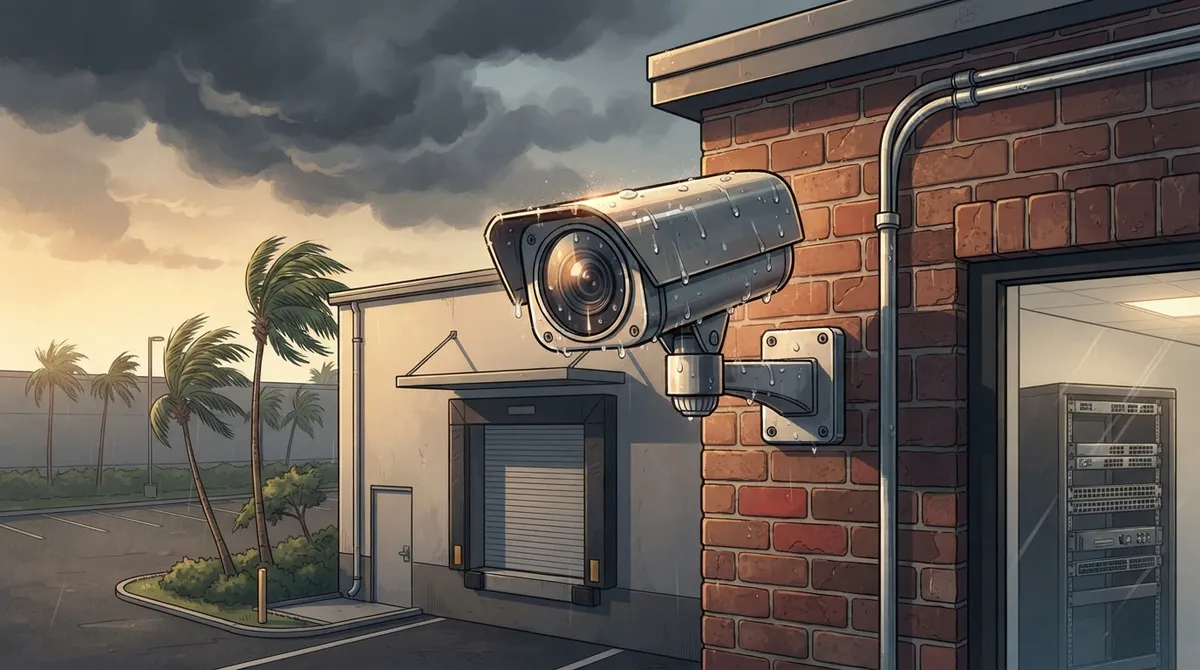
Choose weather-rated cameras with IP ratings, surge protection, and backup power specifically designed for Tampa's heat, humidity, hurricanes, and salt air—consumer cameras often fail within a year in Florida conditions.
-
Florida's all-party-consent audio recording law requires everyone's agreement before capturing audio; most Tampa businesses should disable microphone recording to avoid legal issues unless documented compliance is in place.
-
Use professional IP-camera systems connected through business-grade Ethernet or fiber instead of consumer Wi-Fi cameras, which integrate better with your network switches, cabling, internet, phones, and access control.
-
Implement hybrid cloud-and-local storage to ensure cameras keep recording during internet outages common during hurricane season, with automatic footage sync once connection is restored.
-
Conduct a professional site survey to map entrances, exits, cash areas, loading docks, parking lots, and blind spots before installation—proper documentation protects you for incident investigations and insurance claims.
-
Secure your camera system with unique admin credentials, multifactor authentication, network segmentation, encrypted remote viewing, and regular firmware updates to prevent cybersecurity breaches.
If you own or manage a business in Tampa, you already know our weather doesn’t mess around. Between the summer storms, the salty air near the bay, and the occasional flooding, your security cameras need to work as hard as you do. Picking the best security cameras for business in Tampa isn’t just about grabbing whatever camera looks good online. It’s about choosing a system built for our climate, your building, and your network.
Here’s the good news: you don’t have to figure this out alone. Whether you run a small shop, manage a growing office, or oversee IT for a multi-location company, this guide will walk you through exactly what to look for. We’ll cover camera types, weather resistance, storage options, Florida’s privacy laws, and how cameras connect to your existing network. By the end, you’ll feel confident making a smart choice for your business.
Why Tampa Businesses Need a Different Approach to Security Cameras
Tampa isn’t like other cities when it comes to security camera planning. Our heat, humidity, hurricanes, and heavy rain put extra stress on outdoor equipment. A camera that works great in a mild climate might fail here within a year.
That’s why the best commercial security systems for Tampa businesses are built around your specific site. A good provider will look at your building, your risks, and your network setup before recommending anything. This is where working with a trusted cloud video security partner makes a real difference.
Consumer Cameras vs. Business-Grade Systems
Many business owners start with a consumer Wi-Fi camera from a big box store. It seems easy and affordable at first. But these cameras often can’t handle Florida’s outdoor conditions, and they rarely integrate well with business networks.
A professional IP-camera system connected through business-grade Ethernet, fiber, or managed Wi-Fi is almost always the stronger choice. These systems connect with your switching, structured cabling, internet service, and even your VoIP phones and access control. That means one unified system instead of a pile of disconnected gadgets.
Types of Commercial Security Cameras to Consider
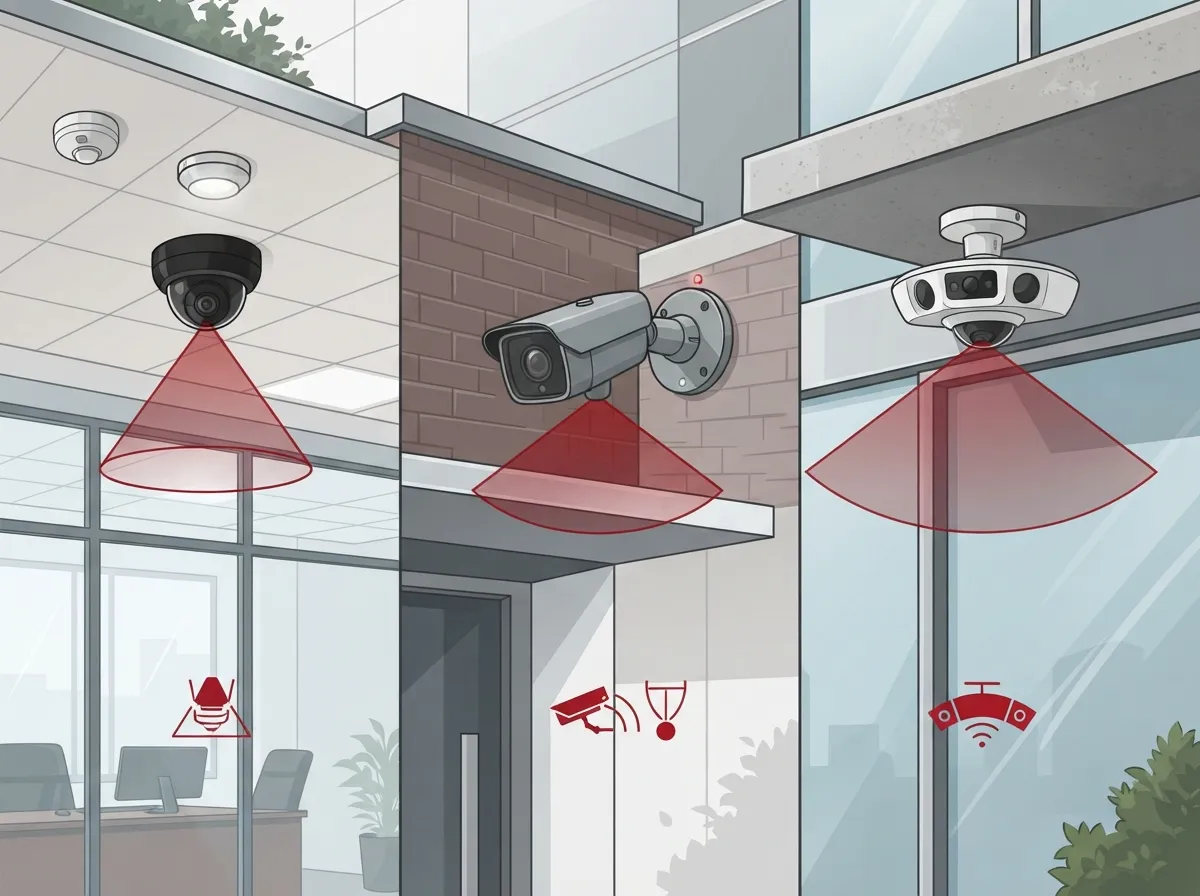
Not every camera fits every space. The right mix depends on your building layout, entrances, and risk areas. Here’s a quick breakdown of common camera types used in Tampa commercial installations:
- Fixed dome cameras – Great for indoor spaces like lobbies, hallways, and retail floors
- Bullet cameras – Built for exterior perimeters, parking lots, and building entrances
- Panoramic or multisensor cameras – Ideal for wide-open spaces like warehouses or large offices
- PTZ (pan-tilt-zoom) cameras – Best for large properties that need active monitoring and zoom capability
- License-plate recognition cameras – Useful for vehicle entrances, gated lots, and loading docks
Most Tampa businesses use a combination of these camera types. A retail store might rely on dome cameras inside and bullet cameras outside. A warehouse might add panoramic cameras to cover large storage areas.
Weather-Ready Features Every Tampa Business Should Look For
Our climate is tough on equipment. Heat, humidity, coastal salt air, and sudden storms all take a toll on outdoor cameras. Here’s what to check before you buy:
- IP rating – This two-digit code tells you how well a camera resists dust and water. Outdoor cameras need a rating built for exposure, not just an indoor camera placed outside.
- Vandal resistance – Look for cameras rated to withstand impact, especially in high-traffic or exposed areas.
- Low-light and infrared performance – Tampa nights can get dark fast, so your cameras need to see clearly after sunset.
- Wide dynamic range – This helps cameras handle bright sun and shadow at the same time, which is common with our intense Florida sunlight.
- Surge protection and backup power – Storms bring power flickers and outages, so your system should keep recording even when the power blinks.
Weather-rated enclosures and properly sealed cabling also matter. A poorly installed camera can let moisture in, even if the camera itself is rated for outdoor use.
Cloud-Based, On-Premises, or Hybrid Storage?
One of the biggest decisions you’ll make is how your footage gets stored and accessed. Each option has its strengths, and the right pick depends on your business size and needs.
| Storage Type | Best For | Key Benefit |
|---|---|---|
| Cloud-Managed | Multi-location businesses, remote managers | Remote viewing, automatic updates, centralized control |
| On-Premises NVR | Single-location businesses wanting local control | Predictable storage costs, no ongoing subscription |
| Hybrid System | Businesses wanting backup security | Local recording plus cloud backup and access |
If you manage multiple Tampa Bay locations or you’re a franchise operator, cloud-managed systems usually win. They let you check every site from your phone, and updates happen automatically. If you’d rather keep everything in-house, an on-premises network video recorder gives you more direct control. Many businesses land somewhere in between with a hybrid setup.
Curious how cloud systems compare to traditional DVR setups? Check out this breakdown on 6 Key Differences Between Cloud Video Security and DVR Systems for more detail.
Where Should You Install Cameras in Your Tampa Business?
A good camera system starts with a proper site survey. A qualified installer should walk your property and map out every high-risk area. Common spots to cover include:
- Entrances and exits
- Cash-handling areas and registers
- Loading docks and delivery zones
- Inventory and storage rooms
- Server rooms and utility closets
- Parking lots and perimeter fencing
The installer should also document each camera’s field of view, note any blind spots, and set clear rules for how long footage is stored. This documentation matters if you ever need to pull footage for an incident or insurance claim.
Is Audio Recording Legal for Florida Businesses?
This is one of the most important legal questions Tampa business owners ask, and it’s worth getting right. Florida is an all-party-consent state under Fla. Stat. §934.03. This means that in many situations, everyone being recorded must agree to it before audio can be captured legally.
Because of this, video-only surveillance is generally the safer choice for non-private business areas. Most businesses should keep camera microphones turned off unless they’ve worked out a documented compliance process with clear signage and legal review.
It’s also important to know where you can’t install cameras at all. Florida’s video-voyeurism statute, Fla. Stat. §810.145, prohibits recording in places where people expect privacy, like restrooms, locker rooms, and changing areas. Keep your cameras focused on business areas only, and post visible notices where required.
Cybersecurity Matters Just as Much as Camera Hardware
A great camera system can still be a weak link if it’s not secured properly on your network. Cybersecurity should be part of every conversation about commercial security cameras. Here’s what a solid setup should include:
- Unique administrator credentials for every user
- Multifactor authentication wherever it’s available
- Network segmentation to keep cameras separate from other business systems
- Encrypted connections for remote viewing
- Regularly updated firmware
- A documented process for removing access when employees leave
This is exactly the kind of thing a telecom and IT partner can help manage for you. Instead of juggling camera security on top of everything else, you get one team handling network design, cybersecurity, and camera integration together.
How Cameras Fit Into Your Bigger Telecom Network
Security cameras don’t operate in a bubble. They connect to switches, cabling, and your internet connection, just like your phones and computers. This is why it makes sense to think about cameras as part of your whole telecom setup, not a separate project.
Power over Ethernet, or PoE, lets a single cable carry both data and power to each camera. This simplifies installation and makes it easier to manage everything from a central network switch. But PoE needs to be engineered correctly for your building, including cable length, power budget, and bandwidth.
If your current network wasn’t built with cameras in mind, you might run into bandwidth issues or unreliable connections. A provider who understands both business network solutions and camera systems can design everything to work together smoothly. This also matters for internet reliability. Learn more about keeping your systems running with 13 High-Speed Internet for Business Tips That Save Money.
What Happens If Your Internet Goes Down?
This is a fair question, especially during hurricane season. A well-designed hybrid system can keep recording locally even if your internet connection drops. Once the connection comes back, footage syncs to the cloud automatically. Ask your provider directly how their system handles outages before you commit.
Video Analytics: A Smart Add-On for Busy Businesses
Modern camera systems can do more than just record footage. Video analytics can help identify people, vehicles, loitering, and even line-crossing events. This means you get alerts about suspicious activity instead of reviewing hours of footage after something happens.
That said, analytics need proper tuning here in Florida. Rain, blowing vegetation, traffic, and glare from our bright sun can all trigger false alarms if the system isn’t calibrated correctly. A good installer will fine-tune these settings so you get useful alerts, not constant noise.
Integrating Cameras With Access Control and Other Systems
One of the biggest advantages of working with a full-service telecom provider is integration. Your security cameras can work alongside cloud-based access control, alarms, intercoms, and even your VoIP phone system. This creates a connected security picture instead of a bunch of separate tools.
For example, if someone uses an access badge to enter after hours, your camera system can automatically pull footage from that entrance. This kind of integration saves time and gives you a clearer picture of what’s happening at your business, whether you’re on-site or checking in remotely.
How Much Does Commercial Camera Installation Cost in Tampa?
Pricing varies quite a bit based on your building size, number of cameras, storage choice, and network readiness. Rather than relying on generic online estimates, it’s best to get a site-specific quote. A proper consultation should include a walkthrough of your property and a clear breakdown of equipment, installation, and any ongoing service costs.
This is where a company like Ideal Solutions Provider can help simplify things. With over 24 years of experience and partnerships with 35+ vetted suppliers, they act as a single point of contact for your entire telecom and security setup, handling everything from the initial site survey to long-term support.
Steps to Choosing the Right Camera System for Your Business
Feeling ready to move forward? Here’s a simple step-by-step approach to help you pick the right system:
- Walk your property and list every entrance, exit, and high-risk area
- Decide whether cloud, on-premises, or hybrid storage fits your business best
- Check your current network and internet connection for camera readiness
- Choose camera types based on indoor, outdoor, and wide-area needs
- Confirm weather ratings for anything installed outside
- Review Florida’s audio recording laws with your installer
- Ask about cybersecurity practices, including encryption and access control
- Request a written plan covering coverage, blind spots, and retention periods
Taking these steps one at a time makes the whole process feel much more manageable. You don’t need to be a tech expert to make a smart decision. You just need the right partner walking you through it.
Bringing It All Together With One Trusted Partner
Juggling separate vendors for cameras, internet, cabling, and phones can turn into a full-time headache. That’s exactly why so many Tampa business owners choose to work with one telecom and security partner instead. It means fewer phone calls, fewer finger-pointing conversations, and one team that actually understands your whole setup.
Ideal Solutions Provider has spent over two decades helping Tampa businesses build reliable, connected systems. From cloud-based phone systems to structured cabling to cloud video security, they bring everything together under one roof. You can also follow their work and see real client stories on Facebook, Instagram, and YouTube.
Ready to protect your business with a camera system built for Tampa’s weather, your building, and your network? Reach out to our team today for a free consultation, or give us a call to talk through your options. You deserve a security system that actually works when you need it most, and we’re here to make that happen.
FAQs
Q: What are the best commercial security cameras for a business in Tampa?
A: The best choice really depends on your building and risks, but most Tampa businesses do well with a mix of fixed dome cameras indoors, bullet cameras outdoors, and weather-rated equipment built to handle our heat, humidity, and storms. A professional site survey helps match the right camera types to your specific space, so you’re not guessing.
Q: Should a Tampa business choose cloud-based cameras, an NVR, or a hybrid system?
A: It honestly comes down to how you like to manage things. Cloud-based systems are wonderful for remote viewing and multi-location businesses, while on-premises NVRs give you more local control and predictable costs. A hybrid setup gives you the best of both, which many growing Tampa businesses find reassuring.
Q: Are security cameras with audio legal in Florida businesses?
A: This one requires some care. Florida is an all-party-consent state, so recording audio often requires everyone’s agreement first. Most businesses keep microphones turned off and stick to video-only recording in non-private areas to stay on the safe side.
Q: How many security cameras does my Tampa business need?
A: There’s no one-size-fits-all number here. It depends on your entrances, cash-handling areas, storage rooms, and parking lots. A proper site walkthrough with an experienced installer is really the best way to figure out your exact coverage needs.
Q: Can security cameras integrate with access control, alarms, business internet, and VoIP systems?
A: Yes, and this is one of the best parts of working with a full-service telecom provider. Cameras can connect with access control, alarms, and even your phone system, giving you one connected security picture instead of separate tools that don’t talk to each other.





