
Key Takeaways
-
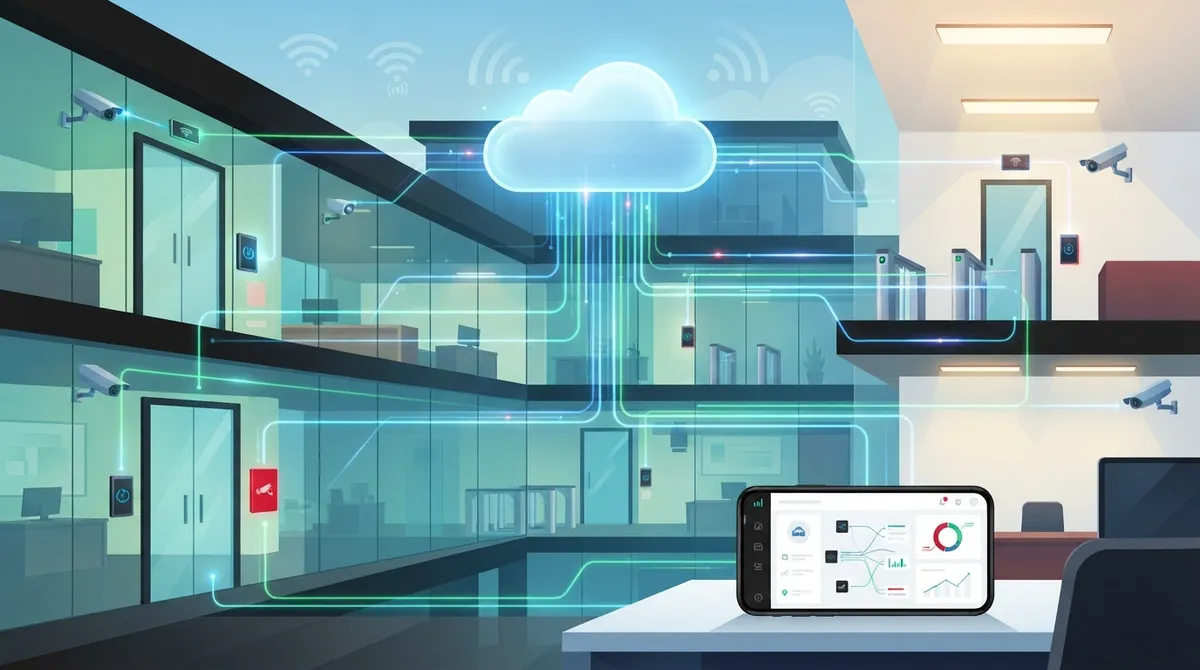
Cloud access control badge systems eliminate vendor fragmentation by consolidating doors, credentials, and security data into one dashboard accessible from anywhere, reducing coordination headaches for multi-location businesses.
-
Network reliability is critical—badge systems need wired Ethernet, PoE switching, secure Wi-Fi, cellular failover, and local edge devices to function during internet outages, making telecom partnership essential.
-
Implement NIST Zero Trust principles by verifying every access request based on user identity, device health, location, behavioral patterns, and area sensitivity rather than assuming access based on network position.
-
Cloud systems offer centralized management for multiple locations with automatic updates, instant access revocation, role-based permissions, and audit-ready reporting—advantages that traditional on-premises servers cannot match.
-
Plan infrastructure carefully before deployment: assess network gaps, choose credentials matching staff workflows, design failover options, and integrate with existing cameras and alarms to avoid costly mistakes.
-
Multi-location and franchise businesses benefit most from cloud access control since one platform scales across sites without installing separate servers, enabling consistent policies and regional visibility.
Picture this: your office manager is stuck on hold with three different vendors, trying to figure out why the front door reader stopped talking to the back gate. Sound familiar? If you have ever juggled separate systems for phones, internet, and building security, you know the headache. A cloud access control badge system fixes that mess by putting your doors, your credentials, and your security data in one simple dashboard you can check from anywhere. In this friendly guide, we will walk through exactly how these systems work, why the network behind them matters so much, and how businesses across Tampa Bay and beyond are using them to sleep a little easier at night. Grab a coffee, and let us talk about keeping your building safe without the stress.
What Is a Cloud Access Control Badge System?
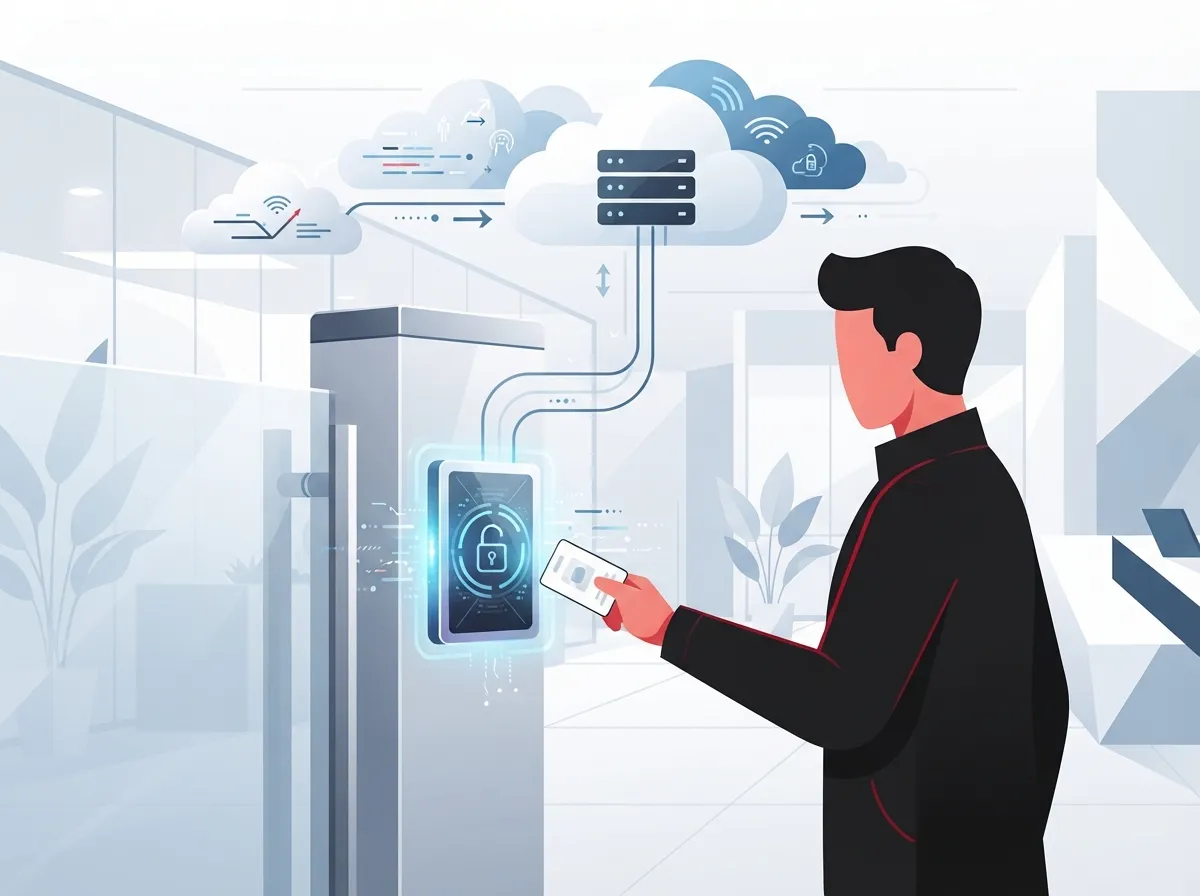
A cloud access control badge system is a security setup that controls who can open your doors. Instead of metal keys, people use badges, smart cards, mobile phones, or even QR codes to get in. The magic happens in the cloud, where a hosted platform stores all the rules, records every entry, and lets you manage everything from a web browser or app.
Unlike old-school systems that need a bulky server sitting in a closet, cloud-based platforms keep your settings, user lists, and event history online. That means you can lock a door, add a new employee, or check who walked in last night, all from your phone while sitting at home. It is security made simple, and it is a service Ideal Solutions Provider helps businesses set up every day.
How It Actually Works Behind the Scenes
Every badge system needs a few key pieces working together. Here is what typically makes up a full setup:
- Badge readers mounted at each door or entry point
- Electronic locks or door controllers that respond to approved credentials
- A cloud management platform for administrators
- Directory integrations that sync employee records automatically
- Reliable network connectivity linking everything together
- A local controller or edge device that keeps doors working during short internet outages
That last point matters a lot. Good systems do not just freeze up if your internet blinks. They store permissions locally so doors keep working, then sync back up once the connection returns.

Why the Network Behind Your Badge System Matters
Here is something many businesses miss: a cloud access control badge system is only as strong as the network holding it up. If your internet drops or your Wi-Fi is unreliable, your badge readers may struggle to check permissions or send alerts. This is exactly why pairing access control with solid connectivity makes such a big difference.
Think of it like this: your badge system is the lock, but your network is the hinge holding the whole door together. A shaky hinge makes everything wobble, no matter how good the lock is.
Connectivity Pieces That Keep Doors Working
A well-designed access control network usually includes:
- Wired Ethernet and PoE switching to power readers and cameras
- Secure, segmented Wi-Fi for wireless devices
- Cellular failover so doors keep working if the main line drops
- VPN connections for safe remote management
- Firewall policies that block unauthorized traffic
- Ongoing network monitoring to catch problems early
This is where working with a full telecom partner pays off. Instead of hiring one company for internet and another for door hardware, you get one team handling it all. Businesses researching high-speed internet for business tips often discover that upgrading connectivity is the missing piece that makes their whole security setup finally click into place.
Cloud vs. On-Premises Access Control: A Quick Comparison
Trying to decide between a cloud system and a traditional on-site setup? Here is a simple breakdown to help you compare.
| Feature | Cloud Access Control | On-Premises Access Control |
|---|---|---|
| Where data is stored | Hosted platform, accessible remotely | Local server on-site |
| Managing multiple locations | One dashboard for all sites | Separate system at each site |
| Software updates | Automatic, handled by provider | Manual, often requires IT visit |
| Remote door control | Yes, from any device | Usually limited to on-site network |
| Upfront hardware cost | Lower, subscription-based | Higher, server required |
| Works during internet outage | Yes, with local edge device | Yes, always local |
For businesses with more than one location, cloud systems usually win out simply because you are not managing five different servers in five different closets.
Key Benefits for Growing Businesses
So why are so many companies making the switch? Let us count the ways.
- Centralized management. Add or remove employee access from one screen, no matter how many buildings you have.
- Role-based permissions. Give the warehouse team access to the loading dock only, while office staff get the front lobby and their floor.
- Scheduled access. Set doors to unlock automatically during business hours and lock down after closing.
- Visitor management. Issue temporary badges or mobile passes for guests and contractors, then have them expire automatically.
- Instant revocation. When someone leaves the company, pull their access in seconds, from anywhere.
- Audit-ready reporting. Every badge tap creates a record, giving you a clear history of who entered and when.
- Integration with cameras and alarms. Pair badge events with video footage for a complete picture of activity.
Many of these features tie in beautifully with business security camera systems, letting you match a badge swipe to actual video of the person walking through the door.
Following Zero Trust Principles for Stronger Security
The National Institute of Standards and Technology, better known as NIST, publishes guidance that applies directly to access control. Their zero trust framework says something simple but important: never assume someone should have access just because of where they are standing or which network they are on.
Instead, every access request should be checked, every single time. NIST Special Publication 800-207 introduced this idea back in 2020, and the follow-up guidance published in September 2023, known as SP 800-207A, expanded it further by recommending that businesses combine network-level and identity-level policies together.
What This Means in Everyday Terms
In plain language, zero trust means your badge system should consider things like:
- Who the person is and what role they hold
- Whether their credential or device looks healthy and legitimate
- Where they are trying to badge in from
- Whether the access request looks unusual compared to their normal pattern
- How sensitive the area they are trying to enter actually is
NIST also recommends a step-by-step rollout: take stock of your buildings and systems, write clear access policies, spot any technology gaps, apply risk-based controls, and then roll things out in phases while checking that everything works as planned. This slow-and-steady approach helps avoid costly mistakes.
Choosing Credentials: Badges, Mobile, or Both?
One of the first questions business owners ask is which type of credential to use. Here is a simple rundown.
| Credential Type | Best For | Considerations |
|---|---|---|
| Physical badge or key card | Employees with fixed schedules | Can be lost or shared, needs replacement |
| Smart card | Higher security zones | More expensive per card, encrypted data |
| Mobile credential | Tech-savvy teams, hybrid workers | Requires compatible readers and smartphones |
| QR code | Visitors and short-term guests | Simple to issue, easy to expire |
Mobile credentials are gaining popularity fast because most people never leave home without their phone, but availability still depends on your reader hardware and chosen vendor. A mix of badge types often works best, giving flexibility for employees, visitors, and contractors alike.
Steps to Roll Out a Cloud Access Control Badge System
Ready to make the switch? Here is a straightforward path to follow.
- Walk through your building and list every door, gate, and entry point that needs control.
- Decide who needs access to which areas, and write down basic rules for each group.
- Check your current network for gaps in Wi-Fi, cabling, or bandwidth.
- Choose credential types that fit your team, whether badges, mobile, or both.
- Work with a telecom and security partner to design connectivity, including PoE switches and failover options.
- Install readers, controllers, and edge devices at each door.
- Test the system thoroughly before going live, including a simulated internet outage.
- Train staff on how to use badges and report lost credentials quickly.
If your building also needs new wiring, this is a great time to review structured cabling requirements alongside your access control plans. Doing both projects together saves time and avoids opening walls twice.
Multi-Location Businesses and Franchise Operators
If you run more than one office, store, or franchise location, cloud access control becomes even more valuable. Instead of juggling separate servers and separate logins for every site, one platform lets you manage everything centrally.
Why This Matters for Franchise Growth
Franchise operators expanding across Tampa Bay and beyond need systems that scale without adding complexity. A cloud badge platform lets you:
- Set consistent access rules across every location
- Onboard new sites quickly without installing new servers
- Give regional managers visibility into multiple buildings at once
- Track access trends across your whole portfolio of locations
Pairing this with reliable scalable access control systems designed for multi-location businesses helps franchise owners avoid growing pains as they open new doors, literally and figuratively.
Working With a Telecom Partner for a Smoother Rollout
Here is the honest truth: badge hardware alone will not get you very far without dependable internet, secure networking, and someone who understands how it all fits together. That is exactly the gap Ideal Solutions Provider fills for businesses across Tampa and nationwide, with over 24 years handling telecom, cabling, networking, and security together.
Rather than juggling one vendor for phones, another for internet, and a third for door access, a single point of contact can design the whole system, from the cloud phone system to the network backbone to the badge readers on your doors. This kind of integrated approach also helps IT managers who are stretched thin and simply want a trusted resource handling vetted suppliers on their behalf.
You can also follow along with real client stories and behind-the-scenes tips on Facebook, see project photos on Instagram, or watch walkthrough videos on YouTube to get a feel for how these systems come together in real buildings.
Common Mistakes to Avoid
Even a great system can run into trouble if a few basics get overlooked. Watch out for these common missteps:
- Skipping a network assessment before installing readers and controllers
- Choosing credentials without asking staff what they will actually use
- Forgetting to plan for internet outages with a local edge device
- Ignoring integration with existing cameras, alarms, or phone systems
- Not setting clear schedules and role-based permissions from day one
Taking a little extra time upfront to plan properly saves a lot of frustration later. This is where an experienced telecom expert can walk you through the process step by step.
Bringing It All Together
A cloud access control badge system gives your business modern, flexible security without the headaches of old-school hardware. When it is paired with strong connectivity, thoughtful planning, and zero trust principles, you get a setup that protects your people, your property, and your peace of mind. Whether you run a single Tampa office or manage a growing franchise network, the right combination of badges, network design, and cloud management can make security feel simple again.
Ready to see how a cloud access control badge system could work for your business? Contact us for a friendly, no-pressure consultation, or call us today to talk through your options with a real person who actually listens.
FAQs
Q: What is a cloud access control badge system?
A: It is a security setup where badges, mobile credentials, or QR codes open your doors, and all the management happens through a hosted online platform. You can add users, set schedules, and check activity from your phone or laptop, no matter where you are.
Q: Can a cloud badge system still work if the internet goes down?
A: Yes, most quality systems include a local controller that keeps enforcing your access rules even during a short outage. Once your connection comes back, everything syncs up automatically, so you never lose your records.
Q: How does a cloud access control system work with my business network?
A: It relies on solid connectivity like PoE switching, secure Wi-Fi, and sometimes cellular backup to keep readers online. That is why pairing badge systems with a trusted telecom partner makes such a big difference in reliability.
Q: Are mobile credentials safer than physical badges?
A: Mobile credentials can offer extra security since phones often require a passcode or fingerprint before use, and lost phones are noticed faster than a missing badge. That said, both options work well when paired with strong access policies.
Q: What should I look for in a cloud access control provider?
A: Look for a provider who understands both the badge hardware and the network behind it, since one without the other leaves gaps. A good partner will also help with structured cabling, internet reliability, and ongoing support after installation.





