

Key Takeaways
-
Upgrade to business-grade internet and fiber connectivity instead of consumer plans, which lack the reliability and speed needed for VoIP, video calls, and cloud tools that modern Tampa businesses depend on.
-
Implement managed network services with 24/7 monitoring to catch and resolve issues before they cause downtime, which pays for itself quickly when outages cost thousands per hour.
-
Upgrade cabling infrastructure to CAT6 or fiber optic cables and deploy enterprise-grade access points with strategic placement to eliminate dead zones and maximize network speeds.
-
Conduct a professional network audit to identify specific bottlenecks—outdated equipment, insufficient bandwidth, poor Wi-Fi coverage, or security vulnerabilities—rather than guessing at solutions.
-
Plan bandwidth based on 10-25 Mbps per active user plus growth headroom, adjusting for heavy VoIP, video conferencing, or cloud tool usage to avoid underestimating actual needs.
-
For multi-location businesses, implement SD-WAN with centralized monitoring and work with a single trusted partner to standardize hardware across all sites and simplify vendor management.
If your office internet feels sluggish or your team keeps complaining about dropped calls and slow file transfers, you are not alone. Thousands of Tampa businesses deal with these exact frustrations every single day. The good news? Most network performance problems have clear, fixable causes. Whether you run a small shop in Ybor City or manage multiple locations across the Tampa Bay area, improving your business network performance in Tampa FL is absolutely within reach. This guide walks you through the most effective steps to get your network running faster, more reliably, and more securely — without the headaches.

Why Business Network Performance Matters More Than Ever
In 2026, your network is the backbone of nearly every business operation. VoIP phone calls, video meetings, cloud software, security cameras, and payment systems all depend on a strong, stable connection. When your network underperforms, productivity takes a direct hit. Employees wait, customers get frustrated, and revenue slips through the cracks.
The Tampa business market is competitive. Companies that invest in reliable, fast networking gain a real edge. Those that ignore it tend to fall behind. The stakes have never been higher, which is exactly why understanding how to improve your setup is so valuable.
Common Causes of Poor Business Network Performance
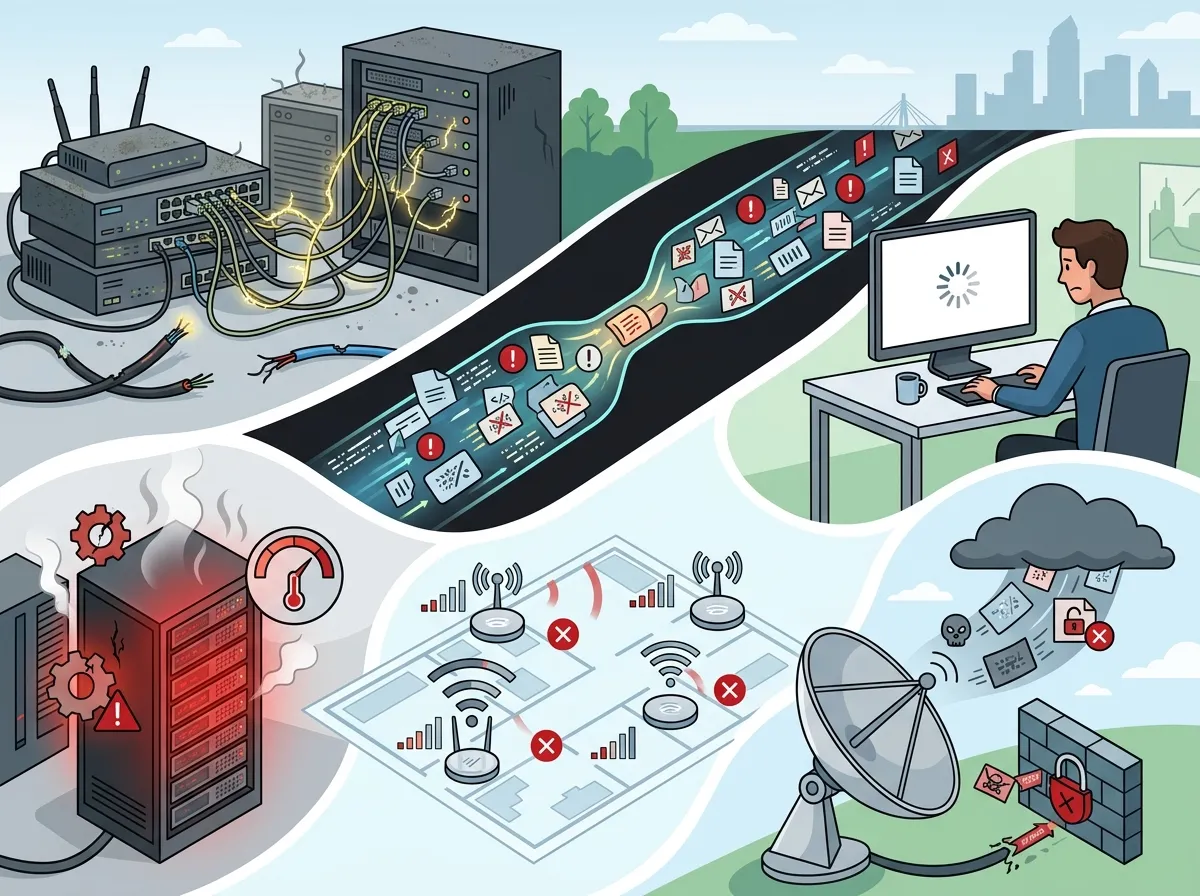
Before you can fix a problem, you need to know what is causing it. Most slow or unreliable business networks share a handful of common culprits. Here is what to look for first:
- Outdated equipment: Old routers and switches simply cannot handle modern bandwidth demands.
- Weak or patchy Wi-Fi coverage: Dead zones in your office create real productivity problems.
- Insufficient bandwidth: Your internet plan may not match your actual usage needs.
- Poor router placement: Physical obstacles and interference reduce signal strength significantly.
- No network monitoring: Without monitoring, you often discover problems only after they cause damage.
- Outdated cabling infrastructure: Old CAT5 or unmanaged cables limit your maximum speeds.
- Security vulnerabilities: Unsecured networks invite attacks that can slow or crash your systems.
Identifying which of these applies to your business is the first step. Many Tampa businesses find that they are dealing with more than one issue at the same time. A full network audit — like the free consultations offered by Ideal Solutions Provider — can uncover all of these pain points quickly.
Step-by-Step: How to Improve Your Business Network in Tampa
Ready to take action? Follow these steps in order. Each one builds on the last to create a strong, reliable network foundation for your business.
Step 1: Audit Your Current Network Setup
Start by taking stock of what you have. Document your current internet plan, your hardware (routers, switches, access points), and your cabling. Ask yourself: when was this equipment last upgraded? Are you using consumer-grade hardware for business purposes? Many businesses discover they are paying for services that do not match their actual needs.
A professional network audit gives you a clear picture. Companies that get audited often find they are either overpaying, underperforming, or both. Knowing where you stand makes every next step more targeted and cost-effective.
Step 2: Upgrade to Business-Grade Internet
Consumer internet plans are not designed for business workloads. Upgrading to a business high-speed internet service gives you faster speeds, better reliability, and dedicated support. In Tampa, businesses have access to an impressive range of options. According to Lightyear, there are approximately 35 internet providers serving the Tampa market, including major names like Frontier, Spectrum, AT&T, Comcast, Cox, and Verizon.
Fiber internet is widely available for Tampa businesses and delivers the best combination of speed and reliability. If you want to dive deeper into your options, check out this helpful guide on 7 best business high-speed internet services in Tampa FL to compare what is available in your area.
Step 3: Upgrade Your Cabling Infrastructure
Your internet plan is only as good as the cabling that carries it. If your office is still running on older CAT5 cabling, you are leaving speed on the table. Upgrading to structured cabling services with CAT6 or fiber optic cable dramatically improves data transfer speeds and reduces interference.
Professional structured cabling also makes your network more organized and easier to manage long-term. It supports not just your internet connection, but also VoIP phones, security cameras, and other connected systems. You can learn more about why this matters in this article on 13 ways structured cabling supports VoIP and cameras.
Step 4: Strengthen Your Wi-Fi Coverage
Wired connections are always the fastest and most reliable option. But modern offices also need strong, consistent Wi-Fi. Here is how to improve your wireless performance:
- Upgrade to enterprise-grade access points — Consumer routers simply cannot handle large office environments.
- Conduct a Wi-Fi site survey — Identify dead zones and areas of interference before placing equipment.
- Use multiple access points strategically — Spread coverage evenly across your entire workspace.
- Separate guest and business networks — Keep employee devices on a secured, dedicated network.
- Update firmware regularly — Outdated firmware creates both performance and security issues.
Step 5: Implement Managed Network Services
One of the smartest investments a Tampa business can make is in managed network services. Instead of waiting for problems to appear, managed services keep your network monitored 24/7. This means issues are often caught and resolved before they ever affect your team.
Managed network services typically include firewall protection, VPN access, uptime monitoring, bandwidth monitoring, vendor management, and support for multi-location operations. For growing businesses, this kind of proactive support is a game-changer.
Choosing the Right Internet Type for Your Tampa Business
Not all internet connections are created equal. Here is a quick comparison to help you understand your options:
| Connection Type | Best For | Speed Range | Reliability |
|---|---|---|---|
| Dedicated Fiber | High-demand businesses, VoIP-heavy teams | 100 Mbps – 10 Gbps | Excellent |
| Shared Fiber / Cable | Small to mid-size offices | 25 Mbps – 1 Gbps | Good |
| SD-WAN | Multi-location businesses | Varies by circuits | Very Good |
| MPLS | Enterprise, data-heavy operations | Varies | Excellent |
For most growing Tampa businesses, dedicated fiber is the gold standard. It gives you consistent speeds in both directions and a service level agreement that holds your provider accountable. You can explore more about this in our guide on why Tampa businesses need dedicated fiber internet.
How Bandwidth Needs Grow With Your Business
One of the most common mistakes Tampa business owners make is underestimating how much bandwidth they need. As your team grows and you add more cloud tools, your network demands grow too. Here is a simple guide to help you estimate:
| Business Size | Typical Users | Recommended Bandwidth | Key Considerations |
|---|---|---|---|
| Small Office | 1 – 10 | 50 – 200 Mbps | VoIP, email, basic cloud tools |
| Mid-Size Office | 11 – 50 | 200 Mbps – 1 Gbps | Video calls, file sharing, cloud software |
| Large Office | 51 – 200+ | 1 Gbps+ | HD video, large file transfers, security cameras |
| Multi-Location | Varies | Dedicated circuits per site | SD-WAN, centralized management |
Not sure how to calculate the right speed for your situation? This article on how to choose the right internet speed for your Tampa business breaks it down in plain language.
Enterprise Network Services Available in Tampa
Tampa businesses have access to a strong ecosystem of enterprise network services. These go well beyond basic internet connectivity. Enterprise-level options typically include:
- Ethernet and wavelength technology for high-capacity data transport
- Managed firewall and security services to protect your data
- SD-WAN solutions for intelligent traffic routing across multiple locations
- Proactive monitoring and alerting to catch issues before they escalate
- Cloud-based networking tools that scale with your business
If you want to understand the full scope of what is available, the guide on enterprise network infrastructure services in Tampa is a great starting point. You can also explore business network solutions tailored specifically for the Tampa Bay market.
Securing Your Network Without Sacrificing Speed
A fast network that is not secure is a liability. Security and performance should go hand in hand. Here are the key steps to protect your business network while keeping things running smoothly:
- Install a business-grade firewall — This is your first line of defense against outside threats.
- Use a VPN for remote workers — Encrypted connections protect data no matter where your team works from.
- Enable network segmentation — Keep sensitive systems on separate network segments.
- Regularly update all firmware and software — Unpatched systems are easy targets for attackers.
- Monitor network traffic in real time — Unusual spikes in traffic often indicate a security event.
Pairing strong network security with cloud video security and cloud-based access control creates a comprehensive security ecosystem for your business. You can also follow Ideal Solutions Provider on Facebook for regular tips on keeping your business network and security systems in top shape.
Multi-Location Businesses: Special Considerations
If you operate multiple locations across Tampa Bay or beyond, network performance gets more complex. Each site needs to perform consistently, and all locations need to communicate securely. Here is what to focus on:
- Standardize your cabling and hardware across all locations for easier management
- Use SD-WAN to intelligently route traffic and automatically reroute around outages
- Implement centralized monitoring so your IT team can see all locations from one dashboard
- Choose a single trusted partner to manage all vendors and support tickets
Working with a single point of contact for all your telecom and network needs saves enormous time and reduces the stress of managing multiple vendor relationships. Explore how reliable network solutions for multi-location Tampa businesses can simplify operations across your entire organization.
Comparing DIY vs. Professional Network Management
| Factor | DIY Network Management | Professional Managed Services |
|---|---|---|
| Upfront Cost | Lower | Moderate to Higher |
| Ongoing Monitoring | Manual / Reactive | Automated / Proactive |
| Downtime Risk | Higher | Lower |
| Security Management | Often Overlooked | Built-In |
| Scalability | Difficult | Easy |
| Long-Term Value | Variable | Consistently High |
For most Tampa businesses, the long-term value of professional managed services far outweighs the initial cost savings of a DIY approach. When downtime costs your business thousands per hour, proactive monitoring pays for itself quickly. Check out this helpful comparison on in-house IT vs. a network solutions provider to see which model makes more sense for your business size and budget.
You can also watch real-world examples and explainer content on the Ideal Solutions Provider YouTube channel to see how these solutions work in practice.
Quick Wins: What You Can Do Right Now
You do not have to overhaul everything at once. Here are some quick wins that can improve your business network performance in Tampa FL starting today:
- Restart and update your router and access points
- Remove any devices or applications consuming unnecessary bandwidth
- Move your router or access point to a more central location in your office
- Contact your current internet provider and ask for a speed and plan review
- Schedule a free network audit to identify hidden performance issues
These steps cost little to nothing and can make an immediate difference. For more money-saving ideas as you upgrade, this guide on 13 high-speed internet for business tips that save money is packed with practical advice. You can also stay connected with the latest tips and updates by following Ideal Solutions Provider on Instagram.
Finding the Right Network Partner in Tampa
Choosing the right partner to help you improve your network is one of the most important decisions you will make. Look for a provider that offers more than just equipment. You want a team that takes the time to understand your business, compares options across multiple vendors, and stays with you through installation and ongoing support.
Ideal Solutions Provider has spent over 24 years helping Tampa Bay businesses build stronger, faster, and more reliable networks. With partnerships across 35+ vetted suppliers, they act as your single point of contact — cutting through the complexity of managing multiple vendors. Whether you need faster internet, better cabling, managed services, or a complete network overhaul, they have the expertise to guide you every step of the way.
Ready to stop guessing and start improving? Reach out to our team today for a free network consultation and find out exactly what your business needs to perform at its best. You can also give us a call at 813-388-4935 to speak with a local Tampa telecom expert right away.
FAQs
Q: What is the best way to improve business Wi-Fi performance in Tampa?
A: The best approach is to upgrade to enterprise-grade access points, conduct a Wi-Fi site survey to find dead zones, and place multiple access points strategically throughout your office. Separating your guest and business networks also keeps your main connection faster and more secure.
Q: How do managed network services help reduce downtime for Tampa businesses?
A: Managed network services monitor your network 24/7 and catch issues before they turn into outages. Instead of reacting to problems after the damage is done, your provider can often resolve issues in the background without your team ever noticing a disruption — pretty great, right?
Q: Should my Tampa business choose fiber, Ethernet, or wireless internet?
A: For most Tampa businesses, dedicated fiber internet offers the best combination of speed, reliability, and scalability. Wireless can supplement your wired setup, but fiber-backed connections should always be your primary network foundation for consistent performance.
Q: What causes slow network performance in an office environment?
A: The most common causes include outdated hardware, insufficient bandwidth, poor Wi-Fi placement, old cabling infrastructure, and a lack of network monitoring. A professional network audit is the fastest way to pinpoint exactly what is slowing your specific setup down.
Q: How much bandwidth does a growing Tampa business need?
A: It depends on your team size and how you use the network, but a general rule is to plan for 10–25 Mbps per active user and add extra headroom for growth. If your team uses VoIP phones, video conferencing, or cloud-based tools heavily, lean toward the higher end of that range.





