
Key Takeaways
-
Cloud phone systems in Clearwater start around $17-$27 per user monthly with typical small offices (10 employees) paying roughly $220/month plus ~$1,200 one-time setup, often including phones, installation, and training.
-
Most Clearwater cloud phone providers enable setup in 24-48 hours and support number porting, letting you keep your existing business number while gaining flexibility to work from anywhere.
-
Cloud systems automatically update without technician visits and let employees answer business calls from mobile apps, laptops, or desk phones, making them ideal for Clearwater's growing remote and hybrid workforce.
-
Critical features to prioritize include auto-attendant, mobile app access, voicemail-to-email, call routing, video conferencing, and remote support capabilities that traditional landlines cannot match.
-
Internet quality and structured cabling directly impact call quality—verify your current bandwidth can support your call volume before switching, as poor connections cause dropped calls, not system failures.
-
Local provider support matters significantly; choose a Tampa Bay-based vendor who responds faster than national call centers and can handle number porting timelines in writing to avoid common migration mistakes.
Picture this: your office phone rings while your best sales rep is stuck in traffic on Gulf to Bay Boulevard. With an old-school landline, that call goes nowhere. With a cloud phone system in Clearwater, FL, that same call finds her on her cell phone in seconds. That’s the magic we’re talking about today, and honestly, it’s one of the easiest upgrades a local business can make.
More and more Clearwater business owners are ditching their clunky, wall-mounted phone boxes for something lighter, smarter, and honestly a lot more fun to use. A cloud phone system sends your calls over the internet instead of old copper wires. No giant server closet. No mysterious repair guy who takes three weeks to show up. Just clear calls, happy employees, and a system that grows right alongside your business.
In this friendly guide, we’ll walk through exactly what a cloud phone system is, what it costs in the Clearwater area, and how to pick the right one for your team. Whether you run a small dental office or manage IT for a growing company with multiple locations, there’s something here for you. Grab a coffee, get comfy, and let’s talk phones.

What Is a Cloud Phone System, Really?
Let’s keep this simple. A cloud phone system, sometimes called cloud VoIP or hosted PBX, sends your business calls over the internet instead of traditional phone lines. Think of it like streaming a movie instead of renting a DVD. Same great experience, way less hassle.
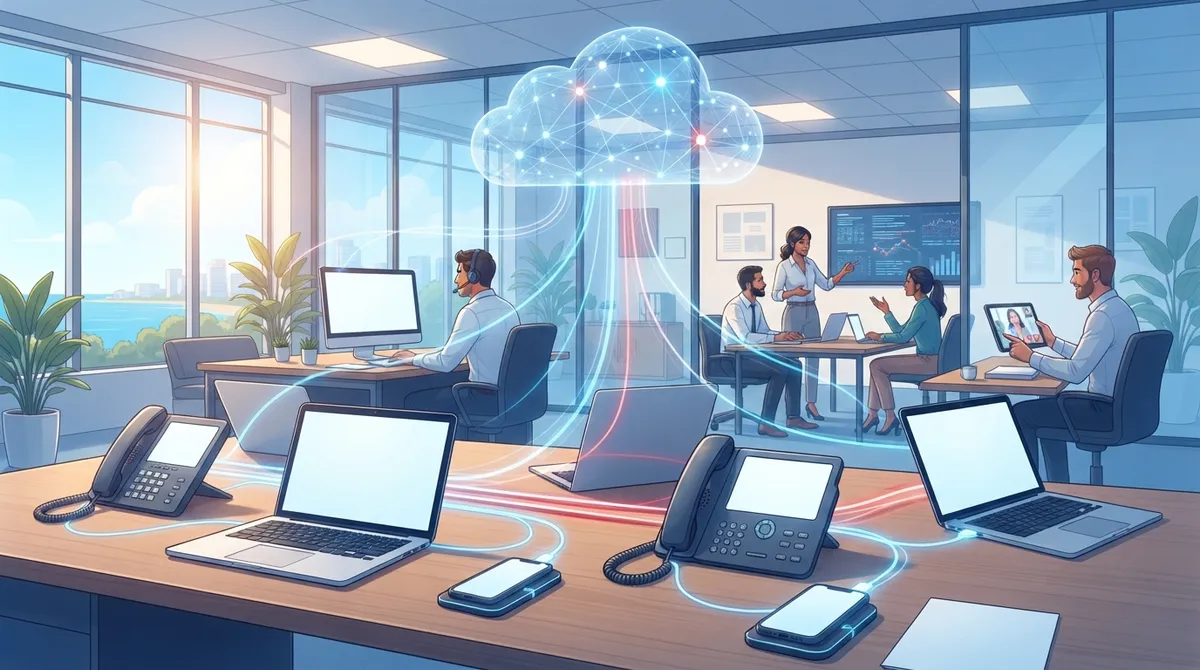
Instead of a big physical PBX box sitting in a closet somewhere, all the smart technology lives safely in the cloud. Your desk phones, your cell phone app, and your computer all connect to that same system. That means you can answer your business line from anywhere with a decent internet connection.
How This Differs From a Traditional Landline
Traditional phone systems rely on physical wires running into your building. They’re reliable, sure, but they’re also rigid, expensive to expand, and nearly impossible to use when you’re not physically at your desk. If you’ve ever read up on the key differences between VoIP and traditional phone systems, you already know cloud systems win on flexibility almost every time.
- Traditional systems need on-site hardware that requires regular maintenance
- Cloud systems update automatically without technician visits
- Landlines are tied to one physical location
- Cloud phones follow your team wherever they go
- Adding new lines with a landline often means new wiring
- Cloud systems let you add users with just a few clicks

Why Clearwater Businesses Are Making the Switch
Clearwater is booming. New businesses are popping up near Cleveland Street and along US-19, and none of them want to be stuck with outdated phone technology. Cloud systems fit the pace of this growing coastal city perfectly.
Lower Upfront Costs Than You’d Expect
Here’s something that surprises a lot of business owners: cloud phone systems often cost less to start than people assume. Many Clearwater providers roll phones, installation, programming, and training right into your monthly plan. That means no giant upfront invoice that makes your accountant nervous.
Local providers commonly advertise starting prices around $17 per user each month, with lines included in that cost. A typical small office with 10 employees might pay roughly $220 a month for service, plus about $1,200 one time for phones and setup. Most popular packages in the Clearwater market land somewhere between $17 and $27 per user per month, depending on features.
Fast Setup Means Less Downtime
Nobody wants their phones down for weeks during a switch. The good news? Some providers can get a Clearwater business up and running in as little as 24 to 48 hours. That’s a huge relief if you’re worried about missing customer calls during a transition.
Cloud Phone Pricing in Clearwater: What to Expect
Pricing varies depending on your provider, your features, and how many employees you have. Here’s a simple breakdown based on common Clearwater market pricing to help you plan your budget.
| Package Type | Typical Monthly Cost Per User | What’s Usually Included |
|---|---|---|
| Entry-Level Cloud VoIP | $17 – $20 | Basic calling, voicemail, mobile app |
| Standard Business Package | $20 – $24 | Auto-attendant, call routing, voicemail-to-email |
| Full-Feature Package | $24 – $27 | Video conferencing, CRM integration, advanced analytics |
| All-Inclusive Setup Bundle | Varies (often no upfront cost) | Phones, PoE switch, installation, programming, training |
If you’re comparing this to what you’d pay elsewhere in the Tampa Bay area, our guide on how much a VoIP phone system costs for a business in Tampa breaks down even more pricing details you’ll want to see before signing anything.
Must-Have Features for Clearwater Businesses
Not every cloud phone package is created equal. Some are bare bones, and some come loaded with tools that genuinely make your team’s day easier. Here’s what to look for.
- Auto-attendant: Greets callers and routes them to the right department automatically, even after hours.
- Mobile app access: Lets employees make and receive business calls from their personal phones without giving out their cell numbers.
- Voicemail-to-email: Sends voicemail messages straight to your inbox as audio files or transcripts.
- Call routing and forwarding: Directs calls based on time of day, department, or caller needs.
- Video conferencing: Built right into many cloud systems, saving you from paying for a separate video tool.
- Remote and hybrid support: Keeps your whole team connected whether they’re in the office, at home, or on the road.
If you want to dig deeper into which specific features matter most, check out our article covering VoIP phone system features every business needs in 2026. It’s a great companion piece for anyone building a wish list before talking to a provider.
Supporting Remote and Hybrid Teams
Since the shift toward hybrid work, this has become one of the top questions we hear. Yes, Clearwater cloud phone providers are absolutely built for remote and hybrid teams. Employees can log into the same business phone system from a laptop, a mobile app, or a desk phone, no matter where they’re sitting.
Can You Keep Your Existing Phone Number?
This is one of the most common worries we hear from Clearwater business owners, and the answer is a happy yes. Most providers support what’s called number porting, which simply means moving your existing number over to the new cloud system. You keep the number your customers already know and trust.
If you’d rather establish more of a local presence, you can also choose a brand-new local Clearwater area code. Either way, the process is usually smooth. For a step-by-step walkthrough, take a look at our guide on how to keep your phone number when switching to VoIP.
Cloud Phone vs Traditional PBX: A Quick Comparison
| Feature | Cloud Phone System | Traditional PBX |
|---|---|---|
| Upfront Hardware Cost | Low to none | High |
| Remote Work Support | Excellent | Limited or none |
| Maintenance | Handled by provider | Requires on-site IT |
| Scalability | Add users instantly | Requires new wiring/hardware |
| Setup Time | 24-48 hours in many cases | Weeks |
For a much deeper dive into this comparison, we recommend reading local vs cloud VoIP providers in Tampa: which wins. It answers a lot of the lingering questions business owners have before making the switch official.
Choosing the Right Provider for Your Clearwater Business
With so many options out there, from local specialists to big national vendors, picking the right one can feel overwhelming. Here’s a simple process to make the decision easier.
- Start by listing your must-have features, like mobile apps or video conferencing.
- Ask about local support and average response times for the Clearwater or Tampa Bay area.
- Compare pricing across a few providers, not just the first quote you get.
- Check if installation, training, and programming are included in the monthly cost.
- Ask directly if you can keep your current business number.
- Confirm how quickly they can get you up and running.
Local support really does matter here. A provider based in the Tampa Bay area can respond faster than a call center halfway across the country. That’s part of why our guide on how to choose cloud based phone system providers in Tampa FL puts so much emphasis on local presence and hands-on support.
Common Mistakes to Avoid
Even a great cloud phone system can fall flat if you rush the setup. Here are a few pitfalls we see often.
- Choosing a provider based on price alone, without checking feature quality
- Skipping employee training on new phone apps and desk phones
- Forgetting to check internet bandwidth before switching over
- Not confirming number porting timelines in writing
- Overlooking the need for reliable structured cabling to support new equipment
If you want a full rundown of these issues, our article on 15 cloud phone system mistakes Tampa small businesses make covers even more detail so you can avoid the same headaches other business owners have faced.
Why Internet Quality Matters More Than You Think
Your cloud phone system is only as good as your internet connection. Choppy calls and dropped meetings usually trace back to weak bandwidth, not the phone system itself. Before switching, it’s worth checking your current setup against our tips in 13 high-speed internet for business tips that save money.
A stable connection, paired with quality structured cabling, keeps every call crisp and every video meeting smooth. And if your current Internet Service Provider can’t keep up with your call volume, that’s a sign it might be time for an upgrade alongside your new phone system.
Bringing It All Together for Different Types of Businesses
Every business has different needs, and that’s perfectly okay. Here’s how cloud phone systems tend to help different Clearwater teams.
- Small business owners: Enjoy lower monthly costs and simple setup without hiring extra IT staff.
- Mid-sized companies: Get scalable systems that grow alongside new hires and new locations.
- IT managers: Appreciate having one point of contact instead of juggling multiple vendors.
- Office managers: Love the easy-to-use apps and reduced maintenance headaches.
- Franchise operators: Benefit from consistent, scalable systems across every location.
This is exactly why Ideal Solutions Provider has spent over 24 years helping Tampa Bay businesses simplify their communications. With partnerships across 35+ vetted suppliers, they act as a single point of contact so you’re not stuck comparing quotes from a dozen different companies on your own.
Bringing Your Clearwater Business Into the Cloud
Switching to a cloud phone system doesn’t have to feel scary or complicated. With the right partner, it can actually be one of the easiest upgrades your business makes all year. You’ll get lower costs, better flexibility, and a system that keeps up with wherever your team happens to be working that day.
If you’re ready to see what a cloud phone system could look like for your Clearwater business, our team would love to help. You can reach out to our team for a free consultation or simply give us a call to talk through your options. We’ll walk you through pricing, features, and timelines so you can make the switch with total confidence. You can also follow along with helpful tips and behind-the-scenes updates on our Facebook, Instagram, and YouTube pages.
FAQs
Q: What is a cloud phone system for a business in Clearwater, FL?
A: It’s a business phone service that runs over the internet instead of old copper phone lines. You get features like mobile apps, auto-attendants, and voicemail-to-email, all without a bulky on-site system taking up closet space.
Q: How much does a cloud phone system cost in Clearwater?
A: Pricing typically starts around $17 per user per month and can go up to $27 depending on features. A 10-person office might expect to pay roughly $220 a month plus a one-time setup cost around $1,200.
Q: Can I keep my existing business number when switching to cloud phone service?
A: Absolutely, yes! Most providers offer number porting, so you keep the number your customers already know. If you’d rather have a fresh local Clearwater number, that’s an easy option too.
Q: Do Clearwater cloud phone providers support remote and hybrid employees?
A: They sure do. Employees can answer business calls from a mobile app, laptop, or desk phone no matter where they’re working that day, which makes hybrid schedules a breeze.
Q: How fast can a cloud phone system be installed for a Clearwater business?
A: Some providers can get you fully set up in just 24 to 48 hours. That’s great news if you’re worried about downtime during the switch from your old system.





