
Key Takeaways
-
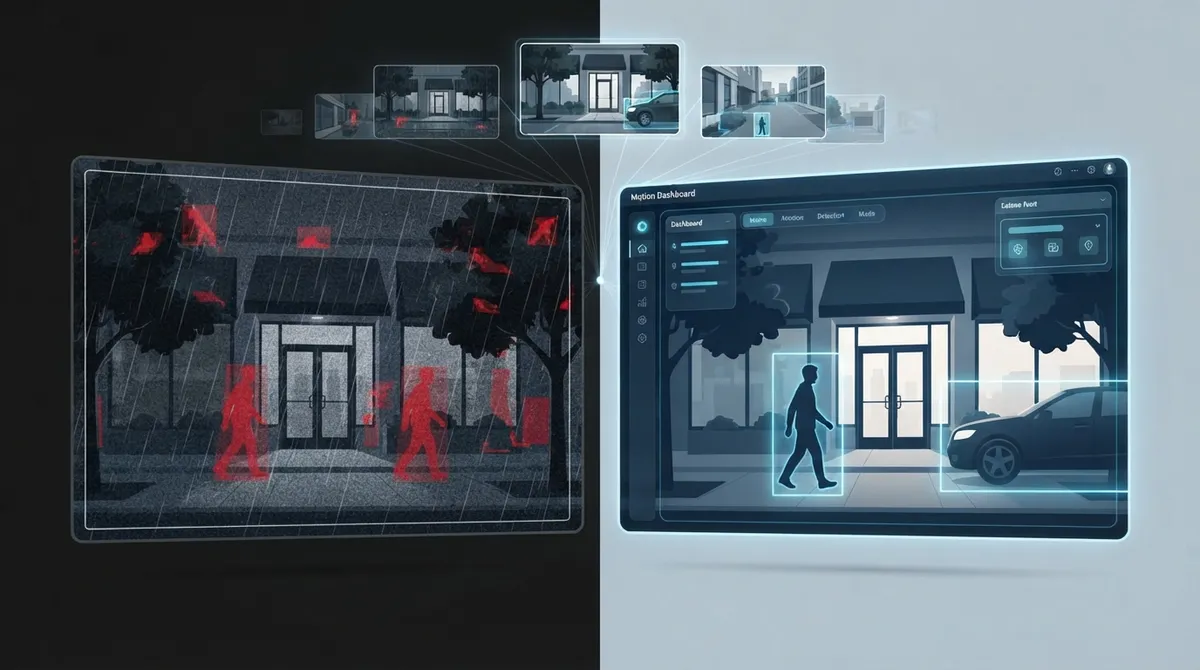
AI-powered motion detection significantly reduces false alarms by distinguishing between people, vehicles, and objects, whereas basic motion detection triggers on any pixel change including shadows and weather.
-
Cloud-based systems enable centralized management across multiple locations from a single dashboard, eliminating the need to check separate DVR systems at each site—essential for franchise operators and multi-location businesses.
-
Reliable high-speed internet is critical for cloud camera systems; a weak connection can result in missed alerts and choppy footage, making it essential to verify network readiness before implementation.
-
Modern cloud camera packages typically include 30 days of cloud storage and features like real-time alerts, night vision, line crossing detection, and people counting—compare retention periods and AI capabilities against your compliance needs.
-
Bundling cloud cameras with other telecom services (VoIP, internet, structured cabling) under one provider simplifies management, reduces costs, and ensures all systems work seamlessly together.
-
Common installation mistakes include ignoring bandwidth requirements, skipping AI features to save money, and failing to test the mobile app before full rollout—working with an experienced partner helps avoid these costly errors.
Picture this: it’s 2 AM, and something is moving in your warehouse. With the right motion detection cloud security cameras, you get an alert on your phone before trouble even starts. That kind of peace of mind used to feel like a luxury only big corporations could afford. Today, it’s within reach for small businesses, growing enterprises, and multi-location franchises alike.
If you’re a Tampa business owner, an IT manager juggling multiple vendors, or an office manager tired of chasing down grainy DVR footage, this guide is for you. We’ll walk through exactly how motion detection cloud security cameras work, what features actually matter, and how to pick a system that fits your business instead of the other way around. Grab a coffee, and let’s make sense of this together.
What Are Motion Detection Cloud Security Cameras?
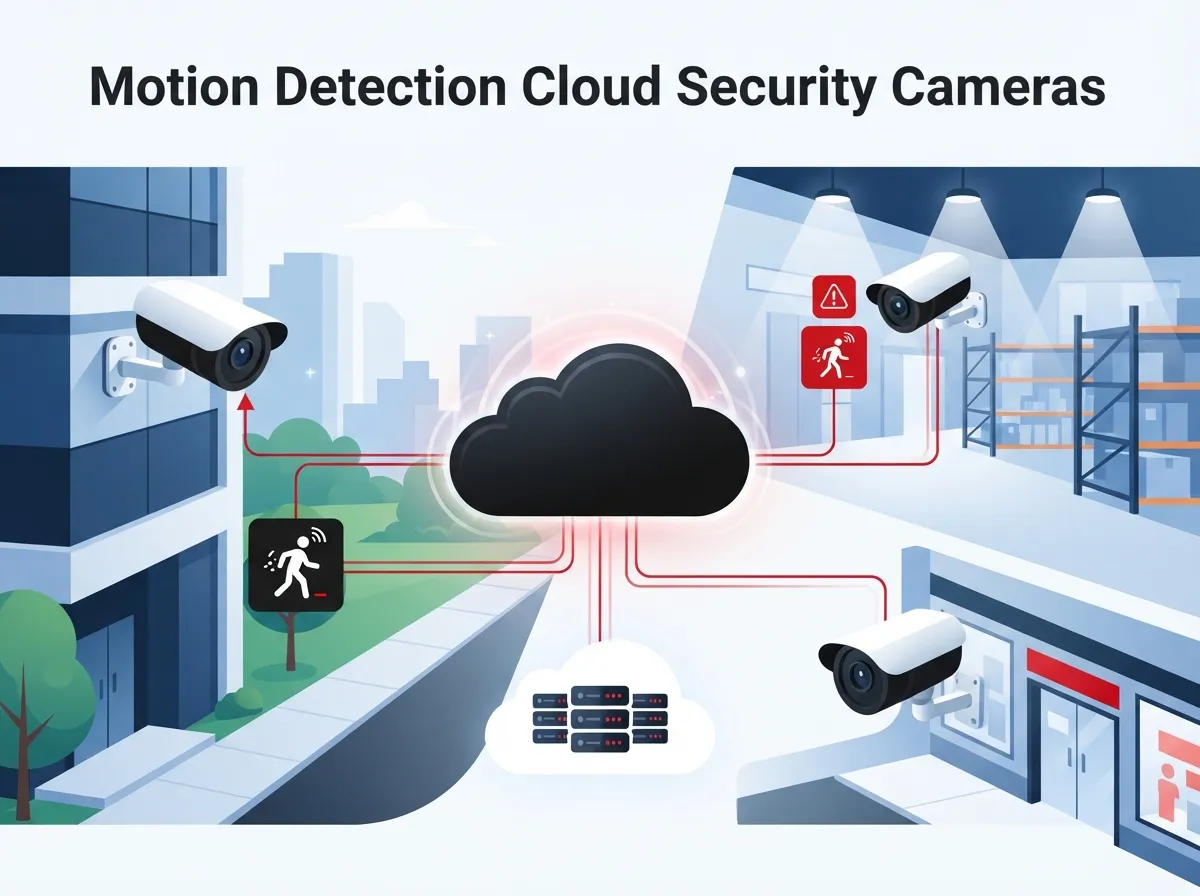
Motion detection cloud security cameras are internet-connected cameras that watch for movement and store their video in the cloud instead of on a clunky box in your back closet. Rather than relying only on local recording hardware, these systems use a cloud video surveillance platform to manage devices, store footage, and send alerts. That means you can check on your business from anywhere with an internet connection, whether you’re at home, on vacation, or at a coffee shop between meetings.
For businesses juggling multiple locations, this is a game changer. Instead of driving to each site to check a DVR, everything lives in one dashboard. This pairs nicely with other business security camera solutions that many companies are already using to protect their teams and assets.
How Do Cloud Security Cameras Detect Motion?
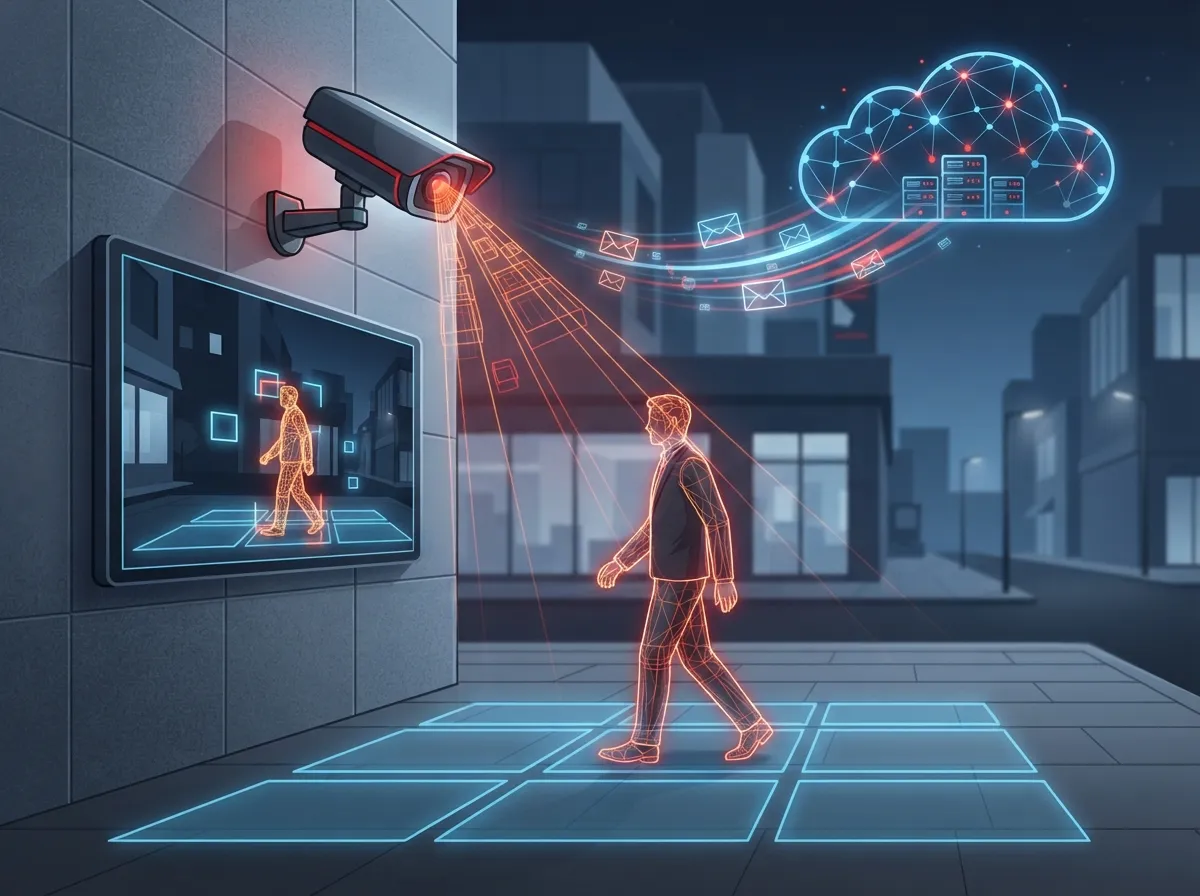
At a basic level, motion detection cameras notice changes in pixels between video frames. If something moves, whether it’s a person, a shopping cart, or a stray cat, the camera flags it and often sends an alert. Simple, right? But basic motion detection alone can be a bit trigger-happy, tripping alerts for shadows, blowing leaves, or passing cars.
That’s where smarter systems come in. Many modern platforms now use AI analytics layered on top of motion sensing. These systems can tell the difference between a person, a vehicle, and a package sitting on your doorstep. This reduces false alarms and helps your team focus on events that actually matter.
Basic Motion Detection vs AI-Powered Detection
Here’s a simple breakdown of how these two approaches stack up against each other.
| Feature | Basic Motion Detection | AI-Powered Motion Detection |
|---|---|---|
| Trigger Method | Any pixel change | Identifies people, vehicles, objects |
| False Alarms | Frequent (shadows, weather, animals) | Reduced with smart filtering |
| Alert Detail | Generic “motion detected” | Specific (“person detected at entrance”) |
| Search Capability | Limited or none | Search by object type or event |
| Best For | Very small budgets | Businesses needing accuracy and scale |
Why Business Telecom Providers Recommend Cloud-Based Systems
Business telecom providers, including teams like ours at Ideal Solutions Provider, often recommend cloud security cameras because they scale so well. Whether you have one office or twenty franchise locations, cloud platforms let you manage everything from a single login. No more juggling separate systems for every site.
These systems typically support:
- Remote viewing from a phone, tablet, or laptop
- Centralized management across multiple locations
- Automatic software updates without a technician visit
- Easy scalability as your business grows
- Integration with other security tools, like access control
- Lower upfront hardware costs compared to traditional DVR setups
This flexibility is especially helpful for franchise operators managing several locations across Tampa Bay or nationwide. Instead of asking each location manager to check separate systems, everything rolls up into one clean view.
Key Features to Look for in Motion Detection Cloud Cameras
Not all cloud camera systems are created equal. Some are barebones, while others come packed with smart tools that make your security team’s life much easier. Here’s what to prioritize when comparing options.
- Real-time alerts: Look for systems that send instant email or push notifications when motion is detected, so your team can respond quickly.
- AI object recognition: Choose cameras that can tell people, vehicles, and packages apart instead of alerting on every leaf blowing by.
- Line crossing and intrusion detection: These features flag when someone crosses a virtual boundary, which is great for perimeter security.
- Loitering detection: Useful for retail entrances or parking lots where lingering activity might signal trouble.
- People counting and heat maps: Helpful for understanding foot traffic patterns, not just security incidents.
- Searchable footage: A good platform lets you search by time, object type, or event instead of scrubbing through hours of video.
- Night vision: Non-negotiable for any business with exterior cameras or after-hours activity.
- Sufficient cloud storage: Many business packages include around 30 days of recorded footage, which gives you a solid buffer for reviewing incidents.
Storage and Retention Considerations
Cloud storage is one of the biggest differences between old-school DVR systems and modern cloud platforms. Instead of relying on a hard drive that can fail or fill up, footage lives safely off-site. Some business camera packages, similar to offerings referenced by providers like Spectrum Enterprise, include built-in AI and machine learning for motion detection, object tracking, heat maps, and people counting, along with 30-day cloud storage as a standard feature.
That said, it’s smart to ask your provider exactly how long footage is retained and whether you can extend that window if needed. Some industries, like healthcare or education, may have compliance reasons to keep footage longer.
Pros and Cons of Cloud Security Cameras for Business
Like any technology decision, cloud security cameras come with tradeoffs. Let’s lay them out honestly so you can make the best choice for your business.
| Pros | Cons |
|---|---|
| Remote access from anywhere | Requires reliable internet connection |
| Lower upfront hardware costs | Ongoing subscription fees |
| Easy multi-location management | Video quality depends on bandwidth |
| AI features reduce false alarms | Advanced features may cost more |
| Simple scalability as you grow | Data stored off-site (some businesses prefer local control) |
Notice that internet reliability shows up as both a pro enabler and a potential con. That’s why pairing your camera system with strong business high-speed internet services in Tampa matters so much. A shaky connection can mean missed alerts or choppy footage right when you need clarity most.
Steps to Choose the Right Cloud Camera System for Your Business
Ready to get started? Here’s a simple, step-by-step process to help you pick a system that actually fits your needs instead of buying more tech than you’ll ever use.
- Assess your locations: Count how many sites need coverage and how many cameras each location requires.
- Define your priorities: Decide if you need basic motion alerts or advanced AI analytics like loitering or line crossing detection.
- Check your network readiness: Confirm your current internet and structured cabling can support multiple camera feeds without lag.
- Compare storage options: Look at retention periods and whether you can adjust them based on compliance needs.
- Ask about integration: Find out if the system works alongside access control or VoIP phone systems for a unified security setup.
- Request a demo: Always test the mobile app and alert system before committing.
- Review support options: Make sure installation, maintenance, and troubleshooting are covered by your provider.
Questions to Ask Before Signing a Contract
Before you commit to any provider, it helps to ask a few pointed questions. Here are ones we always recommend:
- How many days of video does the cloud storage plan include?
- Can I upgrade storage or add more cameras later without a full system overhaul?
- What happens to footage if my internet goes down temporarily?
- Is there a mobile app for real-time alerts and live viewing?
- Does the system support AI features like people counting or heat maps?
- Who handles installation and ongoing support?
Cloud Cameras for Multi-Location and Franchise Businesses
If you’re running a franchise or managing several offices, centralized visibility isn’t just convenient, it’s essential. Cloud platforms let you view every location’s cameras from one login, compare activity across sites, and even set consistent alert rules company-wide. This is far easier than managing separate DVR boxes at each address.
Many franchise operators pair cloud cameras with other centralized tools, like scalable access control systems, to create one unified security picture. When your cameras, door access, and network all talk to each other, your team spends less time managing tech and more time running the business.
Bundling Cloud Cameras with Other Telecom Services
One of the smartest moves a growing business can make is bundling its security cameras with other telecom services instead of managing everything separately. Think about it: your VoIP phones, internet connection, structured cabling, and security cameras all rely on the same underlying network. Handling them together with one partner just makes sense.
This is exactly the kind of single point of contact approach that Ideal Solutions Provider offers Tampa businesses and companies nationwide. With over 24 years of experience and relationships with 35+ vetted suppliers, the team compares options across providers so you’re not stuck overpaying or underperforming with the wrong setup. In fact, many audits reveal that businesses were doing both without realizing it.
If you want to see how cloud cameras fit into a broader telecom strategy, it’s worth exploring managed network services for Tampa businesses as part of your overall setup. A well-planned network keeps your cameras, phones, and internet running smoothly together.
Common Mistakes Businesses Make with Cloud Security Cameras
Even well-meaning business owners can stumble when setting up a new camera system. Here are mistakes we see often, so you can avoid them.
- Choosing a system without checking internet bandwidth requirements first
- Skipping AI features to save money, then dealing with alert fatigue from false alarms
- Forgetting to plan for cloud storage retention needs based on industry rules
- Not testing the mobile app experience before rolling it out company-wide
- Overlooking integration with existing phone or network systems
- Assuming one camera brand fits every location without site-specific planning
Avoiding these pitfalls usually comes down to working with a partner who asks the right questions upfront. That’s part of why so many businesses prefer a guided approach over a do-it-yourself install.
Bringing It All Together
Motion detection cloud security cameras have come a long way from grainy black-and-white footage and constant false alarms. Today’s systems use smart AI, real-time alerts, and centralized cloud dashboards to give business owners genuine peace of mind. Whether you run a single Tampa storefront or a multi-state franchise network, there’s a cloud camera solution built for your size and budget.
The best part? You don’t have to figure this out alone. Our team stays active on Facebook, Instagram, and YouTube, sharing real examples of how businesses are upgrading their security and telecom setups. And when you’re ready to talk specifics, we’re just a conversation away.
Ready to find the right motion detection cloud security camera setup for your business? Contact us for a free consultation, or simply call us to chat with a real person who can walk you through your options.
FAQs
Q: What are motion detection cloud security cameras?
A: They’re internet-connected cameras that spot movement and send you alerts, while storing all that footage safely in the cloud instead of a local box. Think of it as having a security guard who never sleeps and texts you the moment something happens.
Q: How do cloud security cameras detect motion?
A: Most systems compare video frames and flag any pixel changes, which triggers an alert. Smarter systems add AI on top, so they can actually tell if it’s a person, car, or package instead of just random movement.
Q: What’s the difference between AI motion detection and basic motion detection?
A: Basic motion detection alerts on any movement, which can mean lots of false alarms from shadows or blowing leaves. AI motion detection is smarter, it identifies specific objects like people or vehicles, so you get fewer unnecessary notifications and more useful alerts.
Q: Are cloud security cameras good for multi-location businesses?
A: Absolutely, they’re often the best option for businesses with several sites. You can view every location from one dashboard instead of juggling separate systems, which saves time and headaches for franchise owners and growing companies alike.
Q: How much cloud storage do business security cameras usually include?
A: Many business packages include around 30 days of cloud storage as a standard feature, giving you plenty of time to review footage if needed. Some providers let you extend that window if your industry requires longer retention, so it’s always worth asking.





