

Key Takeaways
-
Cloud access control eliminates expensive on-site server maintenance, hardware management, and costly technician visits, reducing long-term IT support expenses significantly for businesses of all sizes.
-
Centralized dashboard management allows administrators to instantly grant/revoke access, monitor activity logs, and manage multiple locations from a single interface instead of logging into separate systems.
-
Cloud platforms automatically handle security patches, backups, and software updates without manual intervention, reducing vulnerabilities and eliminating downtime from maintenance windows.
-
Cloud access control scales effortlessly to accommodate business growth—adding new doors, buildings, or employees requires only a few clicks rather than expensive hardware upgrades.
-
Integration with security cameras, VoIP systems, and business networks creates a unified security ecosystem, providing complete visibility through combined video and entry logs in one platform.
-
Remote management capabilities enable credential updates, access revocation, and real-time monitoring from anywhere with internet, making it ideal for hybrid teams and franchise operations.
Picture this: your office manager is stuck at home with the flu, but someone still needs to let the delivery driver into the building. Or maybe you run three locations across Tampa Bay and you’re tired of juggling three different key rings. If any of this sounds familiar, you’re not alone. So many business owners we talk with are still using outdated locks and keycards, missing out on the real cloud access control benefits that could make their day-to-day so much easier.
Here’s the good news. Switching to cloud-based access control doesn’t have to be complicated, and avoiding a few common mistakes can save you time, money, and a whole lot of stress. In this friendly guide, we’ll walk through 11 mistakes businesses make with cloud access control, and how you can sidestep every single one. Whether you’re a small business owner, an IT manager, or running a franchise with multiple locations, there’s something here for you.
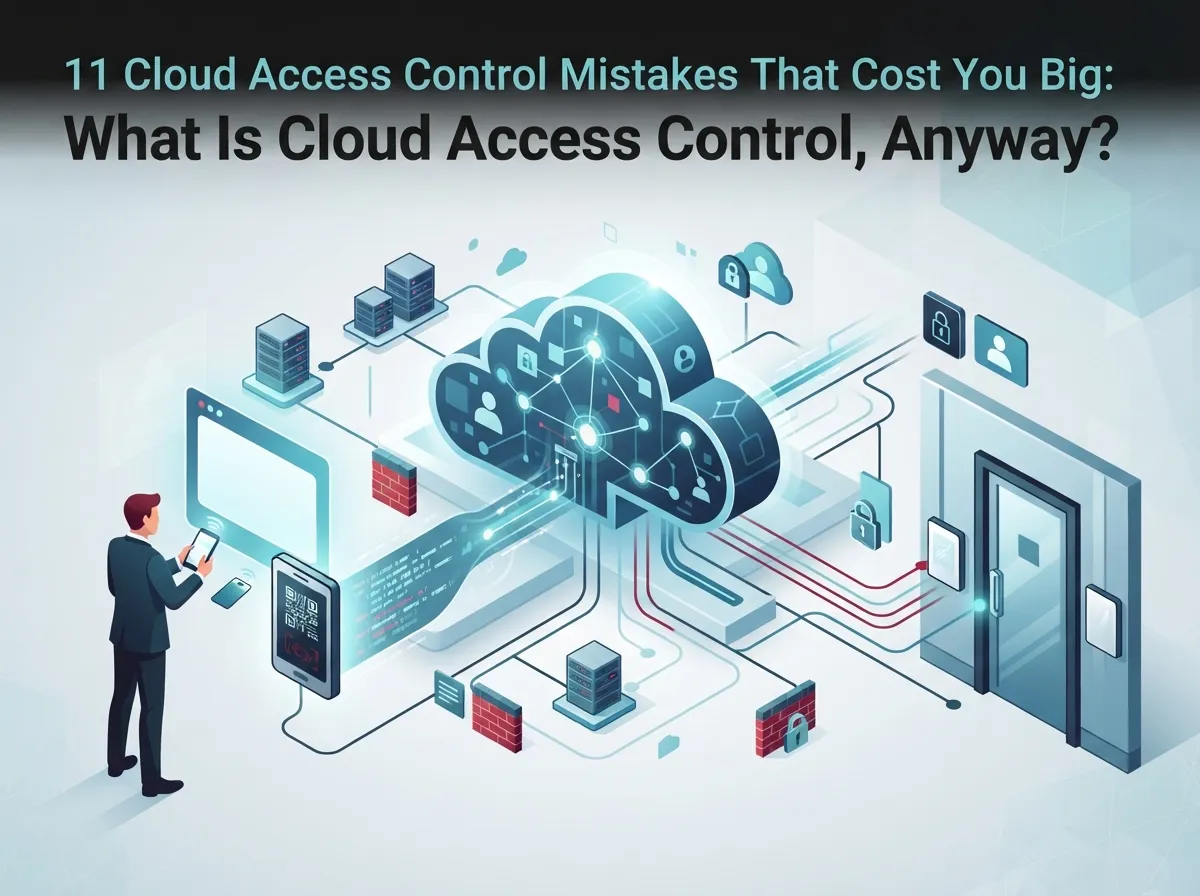
What Is Cloud Access Control, Anyway?
Let’s start simple. Cloud access control lets you manage who gets into your building, or specific rooms inside it, all from an app on your phone or a dashboard on your computer. No more physical key cabinets. No more calling a locksmith when someone loses a badge.
Instead of running everything from a server closet in your office, the system lives in the cloud. That means you can grant access, revoke it, or check who came and went, from anywhere with an internet connection. It works hand-in-hand with your broader cloud access control setup for business telecom environments, tying security into the same digital ecosystem as your phones, internet, and network.

Mistake 1: Sticking With On-Site Servers Out of Habit
A lot of businesses stay with old-school, on-premises access control simply because it’s what they’ve always used. But this habit can be costly. On-site systems require dedicated hardware, regular maintenance, and someone technical on standby.
Cloud systems remove much of that burden. There’s no server closet to babysit, no software to install manually, and no waiting around for a technician to drive out and fix a glitch. This is one of the clearest cloud access control benefits: less hardware, less hassle, and lower long-term costs.
Why This Matters for Small Businesses
If you’re a small business owner, every dollar counts. Paying for server upkeep and in-person IT visits adds up fast. Moving to the cloud frees up that budget for things that actually grow your business.
Mistake 2: Ignoring Remote Management Features
Some companies invest in cloud access control but never actually use the remote features. That’s like buying a smartphone and only using it to make calls. The real value comes from managing everything remotely.
With cloud access control, administrators can grant permissions, revoke them, or check activity logs from a desktop, tablet, or even their phone. This matters a lot for businesses with hybrid teams or multiple locations, since you’re no longer tied to being physically present to make a change.
- Log into your access control dashboard from anywhere.
- Add or remove user credentials instantly.
- Monitor entry activity in real time.
- Set schedules for who can enter and when.
- Receive alerts for unusual activity right away.
Mistake 3: Treating Every Location as a Separate System
This one trips up franchise operators and mid-sized enterprises the most. If you’re running multiple sites and managing each location’s access control separately, you’re creating extra work for yourself and your team.
Centralized management is one of the standout cloud access control benefits for businesses with more than one site. You can view and manage every location from a single dashboard, instead of logging into five different systems just to update one employee’s access.
| Approach | Time to Manage 5 Locations | Risk of Errors |
|---|---|---|
| Separate on-site systems | Hours per week | High |
| Centralized cloud dashboard | Minutes per week | Low |
Mistake 4: Overlooking Scalability Needs
Growth is great, until your security system can’t keep up. Some businesses choose an access control system that works fine for their current size but has no room to grow. Then, when they add a new office or a hundred new employees, everything breaks down.
Cloud platforms are built to scale. Adding a new door, a new building, or a new batch of users is usually as simple as a few clicks. This scalability is exactly why franchise operators and growing enterprises lean toward cloud-based systems rather than clunky, hardware-heavy alternatives.
Signs You Need a More Scalable System
- You’re adding new locations faster than your IT team can keep up.
- Onboarding new employees takes longer than it should.
- Your current system can’t handle more than a set number of doors or users.
- You’re paying for costly upgrades every time you expand.
Mistake 5: Skipping Automatic Updates and Backups
Some businesses stick with older systems because “it still works.” But older systems often miss out on security patches, feature updates, and automatic backups that cloud platforms handle behind the scenes.
With cloud access control, your provider typically manages updates and backups for you. That means fewer surprises, fewer vulnerabilities, and no scrambling to manually install patches during business hours.
Mistake 6: Not Integrating With Other Telecom and IT Systems
Access control shouldn’t live on an island. One of the biggest missed opportunities is failing to connect your access control with your broader network, security cameras, and telecom systems.
When everything works together, you get a fuller picture of your building’s security. For example, pairing your access control with security cameras that actually protect your business gives you both video and entry logs in one place. This kind of integration is a major reason IT managers push for cloud-based systems over standalone hardware.
Common Integrations Worth Considering
- Cloud video security cameras for visual verification.
- Business network solutions for centralized IT oversight.
- VoIP phone systems for front-desk alerts and visitor management.
- Structured cabling to support reliable, wired connections where needed.
Mistake 7: Underestimating Cost Savings
Business owners sometimes assume cloud access control costs more than traditional systems. In reality, it can often reduce costs over time by cutting down on-site hardware, server maintenance, and dedicated IT support.
While exact savings vary by business size and setup, the pattern is consistent: fewer physical servers, less rack space, lower power usage, and reduced need for on-call technicians. Over a few years, those savings add up in a real way.
| Cost Factor | Traditional On-Premises | Cloud-Based |
|---|---|---|
| Server Hardware | Required | Not needed |
| Software Installation | Manual, ongoing | Handled by provider |
| Maintenance Visits | Frequent | Minimal |
| Multi-Site Management | Separate systems | Single dashboard |
Mistake 8: Assuming Cloud Access Control Is Only for Big Enterprises
This is a myth we hear a lot. Some small business owners think cloud access control is only for large corporations with big budgets. That’s simply not true anymore.
Cloud systems are built to scale down just as easily as they scale up. A single-location small business can benefit just as much as a nationwide franchise, especially when it comes to remote management and lower upkeep costs.
Who Benefits Most From Cloud Access Control
- Small business owners wanting simple, affordable security.
- Office managers who need hassle-free daily operations.
- IT managers overseeing multiple vetted vendors and systems.
- Franchise operators managing several locations at once.
- Mid-sized enterprises planning for future growth.
Mistake 9: Neglecting Detailed Logs and Monitoring
If your current system doesn’t give you clear logs of who entered, when, and where, you’re missing a huge piece of the security puzzle. Detailed activity logs help with audits, incident response, and just general peace of mind.
Cloud access control platforms typically offer real-time monitoring and searchable logs. This makes it much easier to answer questions like “who was in the server room last night?” without digging through paper sign-in sheets.
Mistake 10: Choosing a Provider Without Proper Support
Not all providers are created equal. Some businesses pick the cheapest option and end up with a system that’s hard to set up, poorly supported, or missing key features they actually need.
This is where working with an experienced telecom and security partner really pays off. Ideal Solutions Provider, for example, works with dozens of vetted suppliers to match businesses with the right cloud access control setup, rather than pushing a one-size-fits-all product.
Questions to Ask Before Choosing a Provider
- Does the platform support the number of doors and users we need?
- How responsive is customer support if something goes wrong?
- Can it integrate with our existing phone and network systems?
- What does onboarding and installation actually look like?
- Are updates and backups automatic, or do we manage them ourselves?
Mistake 11: Waiting Too Long to Make the Switch
Last but definitely not least, some businesses simply wait too long. They know their current system is outdated, but they keep putting off the upgrade. Meanwhile, they’re stuck with slow key replacements, limited visibility, and rising maintenance costs.
The truth is, the sooner you make the switch, the sooner you start enjoying the benefits. Faster credential updates, better oversight, and a more secure building are all just a decision away.
If you want to learn more about pairing access control with the rest of your telecom setup, check out our guide on scalable access control systems for multi-location businesses. It’s a great next step if you’re managing more than one site.
How Cloud Access Control Fits Into Your Bigger Telecom Picture
Access control doesn’t work in a vacuum. It connects with your business network solutions, your internet setup, and even your phone system. A reliable Internet Service Provider connection is the backbone that keeps your cloud access control running smoothly all day, every day.
Many businesses also pair access control with structured cabling projects, since new wiring is often installed at the same time doors and readers are set up. If you’re curious how this works together, our piece on structured cabling explains the wiring side of the equation nicely.
A Quick Checklist Before You Upgrade
- Review your current number of doors and access points.
- List all locations that need to be managed centrally.
- Check if your internet connection can support cloud-based tools.
- Decide who on your team will manage day-to-day permissions.
- Ask about integration with cameras and phone systems.
Bringing It All Together
Cloud access control isn’t just a trendy upgrade. It’s a practical way to save money, reduce stress, and give your team better control over who comes and goes. From remote management to easier scaling, the cloud access control benefits touch nearly every part of running a business, whether you have one office or fifty.
We get it, though. Switching systems can feel overwhelming, especially if you’re not sure where to start. That’s exactly why so many Tampa businesses turn to a trusted partner instead of going it alone. You can follow updates and customer stories on our Facebook page, see real installations on Instagram, or watch helpful walkthroughs on our YouTube channel.
Ready to stop worrying about outdated locks and confusing systems? Contact us today for a friendly, no-pressure consultation, or call us to talk through your options. We’re here to help you find the right fit, without the sales pressure.
FAQs
Q: What is cloud access control in business telecom solutions?
A: Great question! Cloud access control is a way to manage who can enter your building or specific rooms, all through an app or online dashboard. Instead of relying on physical keys or on-site servers, everything lives securely in the cloud, so you can manage it from anywhere.
Q: How does cloud-based access control improve security for telecom offices and equipment rooms?
A: It gives you real-time visibility into who’s coming and going, plus instant alerts if something looks off. You can also revoke access immediately if a badge is lost or an employee leaves, which is much faster than rekeying locks.
Q: What are the main cloud access control benefits for multi-location businesses?
A: The biggest win is centralized management. Instead of juggling separate systems for each site, you get one dashboard to control every location, which saves time and reduces mistakes.
Q: Can cloud access control integrate with telecom and IT security systems?
A: Yes, and it’s actually one of the best parts! Cloud access control often pairs nicely with security cameras, business networks, and VoIP phone systems, giving you a more complete security picture.
Q: Is cloud access control suitable for small businesses as well as enterprises?
A: Absolutely. Cloud systems scale up or down easily, so a small Tampa office can enjoy the same remote management and cost savings as a large, multi-location enterprise.





