

Key Takeaways
-
Cloud access control deploys in days to weeks while on-premise takes weeks to months; cloud is ideal for multi-location businesses under 50 doors, on-premise suits large single campuses with 500+ doors.
-
Cloud systems use predictable monthly subscriptions with minimal upfront costs, while on-premise requires significant initial hardware investment; cloud often proves more affordable long-term when factoring IT staffing and hardware refresh cycles.
-
Cloud vendors handle all updates, patching, and backups, reducing IT burden significantly; on-premise requires dedicated internal IT resources or contracted support for maintenance and security management.
-
Hybrid approaches allow new locations to launch on cloud immediately while legacy systems remain on-premise, with typical migration timelines of 18-36 months—this strategy works especially well for franchise operators and mid-sized enterprises.
-
Both cloud and on-premise can be equally secure; cloud vendors invest heavily in encryption and round-the-clock monitoring as their core business, while on-premise security depends entirely on your internal IT team's diligence with updates and backups.
-
Cloud access control integrates more easily with mobile credentials and video security systems, and enables management from anywhere with internet; on-premise requires on-site access or VPN and needs more custom configuration for integrations.
Choosing between cloud access control vs on premise systems feels a lot like picking a phone plan. There are too many options, and everyone claims theirs is the best. If you’re a Tampa business owner trying to secure your doors without a headache, you’re in the right place. We’ll walk through the real differences so you can make a smart choice for your team, your budget, and your peace of mind.
Whether you run a small office, manage IT for a growing company, or oversee several franchise locations, this decision matters. Access control protects your people, your equipment, and your data. Let’s break down what cloud access control vs on premise really means, in plain language, so you can pick the right fit.
What Is Cloud Access Control vs On Premise, Really?
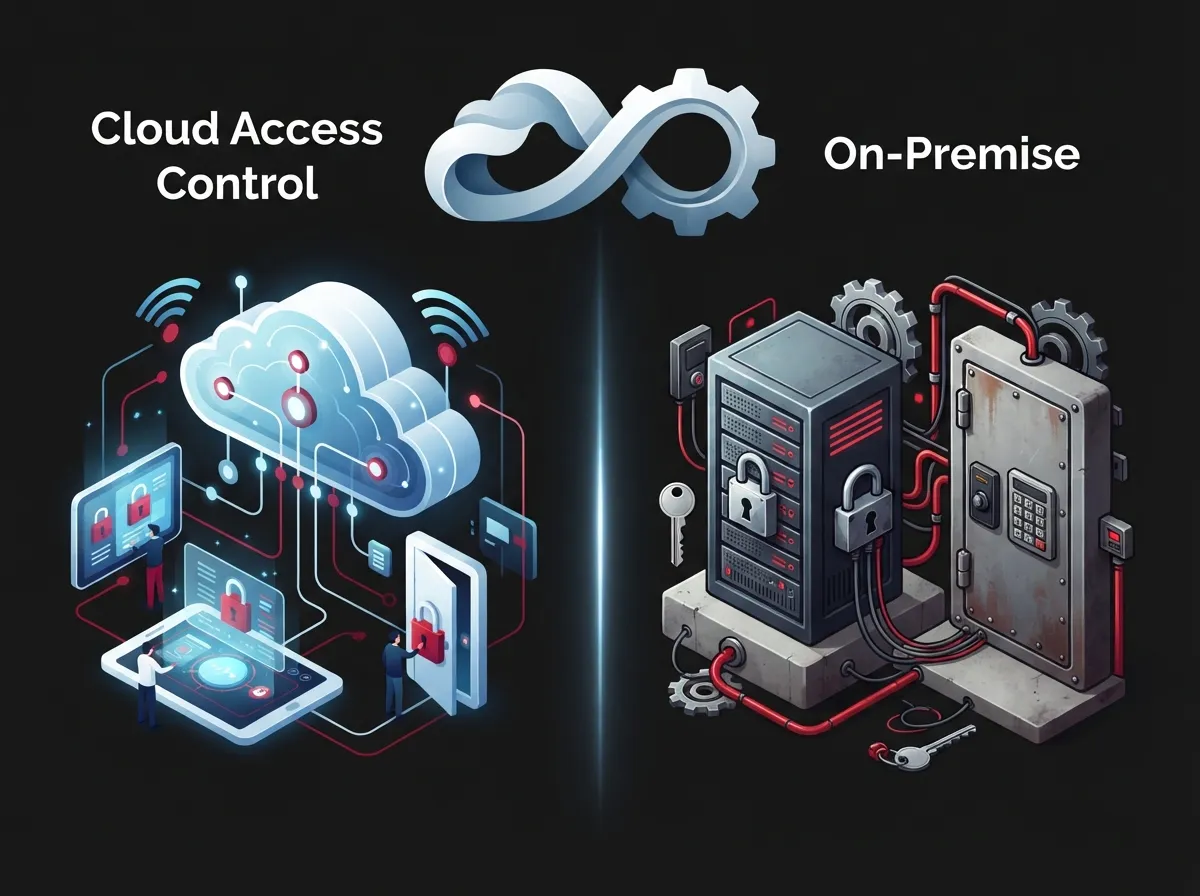
Cloud access control means your door security software lives on remote servers run by a vendor. You log in from your phone or laptop to lock doors, add users, or check activity. On-premise access control keeps everything local. The servers, software, and data all sit inside your building, usually managed by your own IT team.
Think of it like the difference between streaming a movie and owning a DVD collection. Cloud access gives you flexibility and someone else handles the upkeep. On-premise gives you full control, but you own every part of the maintenance job too.
How Cloud Access Control Works
With cloud access control, your access data and software sit on vendor-hosted servers. You manage everything through a browser or app. This setup works great if you have multiple office locations, because you control every door from one dashboard, from anywhere with internet.
How On-Premise Access Control Works
On-premise systems keep hardware and software physically in your building. Your team, or a contracted IT provider, handles updates, backups, and repairs. This model appeals to businesses that want direct hands-on control over their security data.
8 Key Differences Between Cloud Access Control vs On Premise
Let’s get into the details. Here are the eight biggest differences you should weigh before making your decision.
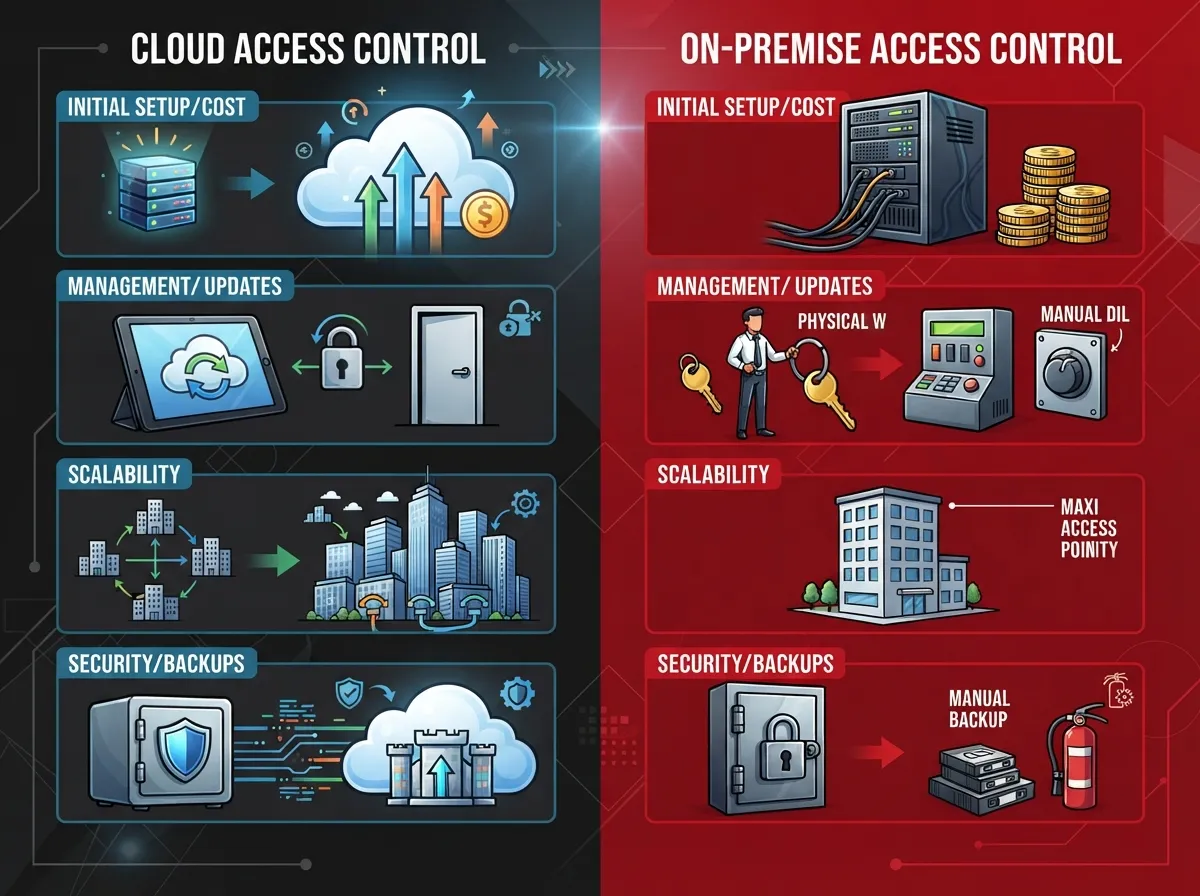
- Deployment speed: Cloud systems often go live in days to weeks. On-premise setups can take weeks to months, since hardware and servers need installation and configuration first.
- Upfront cost: Cloud platforms typically use a predictable monthly subscription. On-premise systems usually require a bigger upfront investment plus smaller yearly maintenance fees.
- Maintenance burden: Cloud vendors handle updates, patching, and backups for you. On-premise systems put that responsibility on your internal IT staff or a contracted partner.
- Scalability: Cloud access control makes it simple to add new locations from one central console. On-premise expansion often means new servers and more local setup work.
- Data control: On-premise systems keep your data fully in-house, which can matter for strict compliance needs. Cloud systems store data with the vendor, though most offer strong encryption and security standards.
- Remote management: Cloud dashboards let you manage doors from anywhere with an internet connection. On-premise systems often require you to be on-site or connected through a VPN.
- Best fit by size: Cloud access control tends to work best for organizations under 50 doors. On-premise systems are often a better match for large single campuses with 500 or more doors.
- Integration flexibility: Cloud platforms usually integrate more easily with mobile credentials and video security systems. On-premise setups can integrate too, but often need more custom configuration.
Cloud Access Control vs On Premise: Side-by-Side Comparison
| Factor | Cloud Access Control | On-Premise Access Control |
|---|---|---|
| Deployment time | Days to weeks | Weeks to months |
| Cost structure | Monthly subscription | Upfront capex plus maintenance |
| Maintenance | Handled by vendor | Handled by your IT team |
| Best for | Multi-site, under 50 doors | Large campuses, 500+ doors |
| Remote access | Anywhere with internet | Often requires on-site or VPN |
| Data location | Vendor-hosted servers | Local company servers |
As you can see, the right choice often comes down to your business size and how many locations you manage. A single-site company with strict data rules might lean on-premise. A growing franchise with locations across Tampa Bay and beyond will likely find cloud far more practical.
Which Businesses Benefit Most From Each Option?
Small Business Owners
If you run a small Tampa business with one or two doors to secure, cloud access control is usually the easier path. You skip the big upfront hardware costs and get simple mobile management. Pair it with reliable high-speed internet for your business and you’re set for smooth, remote-friendly security.
Mid-Sized Enterprises
Growing companies often need more than a simple lock and key. Cloud access control scales well as you add employees, departments, or buildings. It also pairs nicely with cloud video security systems for a fuller security picture.
IT Managers
If you’re the one fielding calls about badge readers and server outages, cloud access control can lighten your load. The vendor handles patches and backups, freeing you up for bigger projects. Many IT teams also value working with a single point of contact who coordinates structured cabling, networking, and access control together.
Office Managers
Office managers usually want something simple that just works, without constant troubleshooting. Cloud access control’s mobile app management makes daily tasks, like granting a new hire access, quick and painless.
Franchise Operators
Multi-location franchise owners have the most to gain from cloud access control. You can open a new location and connect it to your existing system in days, not months. Learn more about scalable access control systems for multi-location businesses to see how this works in practice.
3 Steps to Decide Between Cloud and On-Premise
Not sure which path fits your business? Follow these three steps to get clarity.
- Count your doors and locations. Under 50 doors across multiple sites usually points to cloud. A single massive campus with 500+ doors often favors on-premise.
- Review your compliance needs. If your industry has strict data-residency or regulatory rules, on-premise may give you the local control you need.
- Assess your IT resources. If you have a strong internal IT team ready to manage hardware, on-premise can work well. If not, cloud reduces your maintenance load significantly.
Is a Hybrid Approach Right for You?
Many businesses don’t have to choose just one option. A hybrid approach lets you use cloud access control for new locations while slowly migrating older on-premise systems. Industry guides suggest a typical migration timeline of about 18 to 36 months for multi-site organizations making this switch.
This approach works especially well for franchise operators and mid-sized enterprises with a mix of new and older buildings. You get the benefits of cloud right away for new sites, without ripping out systems that still work fine.
Common Hybrid Scenarios
- New franchise locations launch on cloud from day one
- Legacy headquarters stays on-premise until a planned upgrade
- Regulated departments keep on-premise while other areas move to cloud
- Seasonal or temporary sites use cloud for fast, flexible setup
Security Considerations for Both Systems
A common question we hear is whether cloud access control is actually as secure as on-premise. The honest answer is that both can be very secure, but they protect data in different ways. Cloud vendors invest heavily in encryption, redundancy, and round-the-clock monitoring, since security is their entire business.
On-premise systems put security in your hands. That can be a strength if you have skilled IT staff, but a weakness if updates get delayed or backups get skipped. Neither option is automatically safer. It depends on how well the system gets managed day to day.
Questions to Ask Any Vendor
- How is data encrypted, both in transit and at rest?
- What happens to access control if the internet goes down?
- How often are software updates and patches released?
- Can the system integrate with our existing security cameras and network?
- What is the backup and disaster recovery plan?
Cost Breakdown: What to Expect
Budget is often the deciding factor in the cloud access control vs on premise debate. Here’s a simple breakdown of typical cost patterns.
| Cost Type | Cloud Access Control | On-Premise Access Control |
|---|---|---|
| Initial investment | Lower, mostly hardware readers | Higher, includes servers and software |
| Ongoing cost | Monthly subscription fee | Annual maintenance and support |
| IT staffing needs | Minimal, vendor-managed | Requires dedicated IT resources |
| Upgrade costs | Included in subscription | May require new hardware purchases |
Many businesses find that when you add up staffing time and hardware refresh cycles, cloud access control ends up being more predictable and, in many cases, more affordable over several years.
How This Fits Into Your Bigger Telecom Picture
Access control rarely stands alone. It usually works alongside your cloud phone system, your network setup, and your security cameras. When these systems are planned together, they run smoother and cost less to maintain.
This is where working with an experienced partner really pays off. At Ideal Solutions Provider, we’ve spent over 24 years helping Tampa businesses and companies nationwide connect the dots between phone systems, internet, cabling, networking, and security. Our team compares options across 35+ vetted suppliers, so you get honest advice instead of a sales pitch. You can also follow us on Facebook or check out helpful videos on our YouTube channel for more tips on business telecom solutions.
Mistakes to Avoid When Choosing Access Control
Before you sign a contract, watch out for these common missteps.
- Choosing a system that doesn’t scale as your business grows
- Ignoring how the system integrates with your existing network setup
- Skipping a review of internet reliability, since cloud systems depend on solid connectivity
- Forgetting to ask about support response times when something breaks
- Not planning for future locations if you’re a franchise operator
- Overlooking mobile credential support, which many teams now expect
Final Thoughts on Cloud Access Control vs On Premise
There’s no universal winner in the cloud access control vs on premise debate. It really comes down to your business size, your compliance needs, and how much you want your team managing day to day. Cloud tends to win for speed, flexibility, and lower maintenance. On-premise wins when you need tight local control over a large single site.
The good news is you don’t have to figure this out alone. Our team at Ideal Solutions Provider has helped businesses across every industry, from healthcare to manufacturing, find the right access control fit. We’ll review your current setup, compare your options honestly, and help you avoid the common mistakes that trip up so many companies. Contact us today for a free consultation, or give us a call to talk through your specific needs. Your business, and your doors, deserve the right protection.
FAQs
Q: What is the main difference between cloud access control and on-premise access control?
A: Cloud access control stores your software and data on vendor-hosted servers, so you manage everything through a browser or app. On-premise access control keeps hardware, software, and data physically inside your building, managed by your own team. Think of it as renting a smart apartment versus owning a house you maintain yourself!
Q: Which is better for a multi-site telecom business: cloud or on-premise access control?
A: For most multi-site businesses, cloud access control tends to be the friendlier choice. You can manage every location from one dashboard without needing IT staff at each site. On-premise still works great for a single large campus, but it gets trickier to coordinate across many locations.
Q: Is cloud access control more secure than on-premise access control?
A: Both can be very secure, it really depends on how well they’re managed. Cloud vendors handle encryption, updates, and monitoring as their core business, which is reassuring. On-premise puts that responsibility on your own team, so it’s only as secure as your internal upkeep allows.
Q: How much does cloud access control cost compared with on-premise?
A: Cloud access control usually runs on a predictable monthly subscription with lower upfront costs. On-premise systems typically need a bigger initial investment in servers and hardware, plus ongoing maintenance fees. Many businesses find cloud more budget-friendly over time, especially once you factor in staffing needs.
Q: What is a hybrid access control architecture?
A: A hybrid approach lets you use cloud access control for new locations while gradually phasing out older on-premise systems. It’s a great middle ground, especially for franchise operators juggling both new and legacy buildings. Many businesses plan this transition over about 18 to 36 months, which keeps things smooth and stress-free.





