
Key Takeaways
-
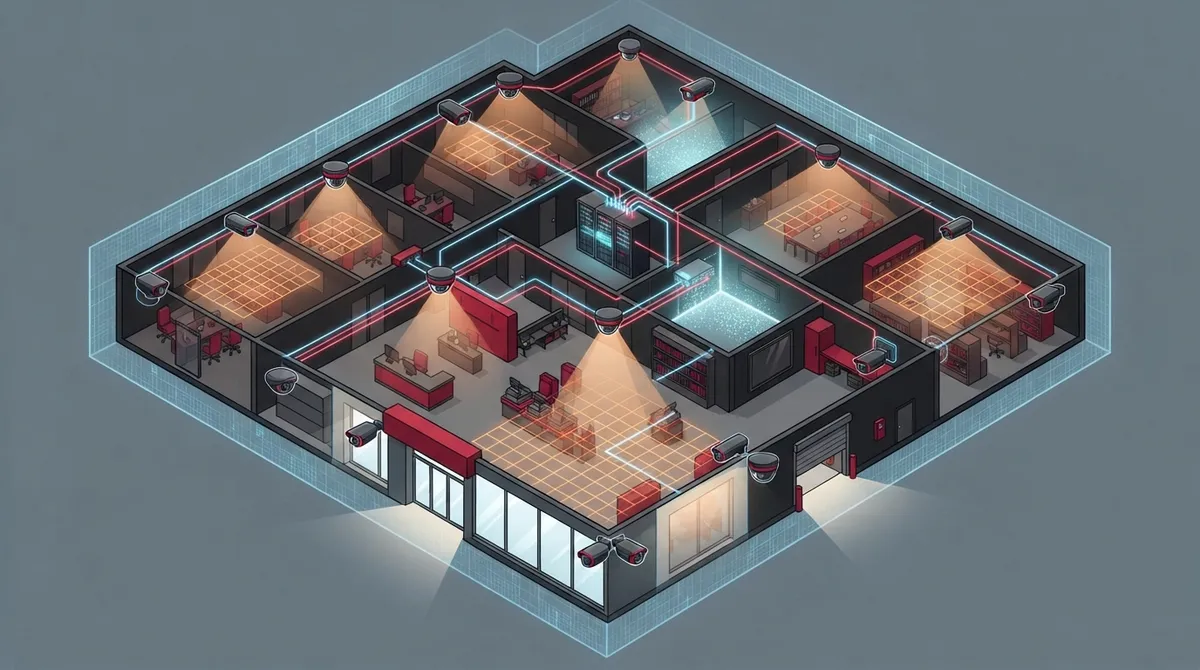
Start with a coverage plan by mapping your property's entrances, exits, cash registers, loading docks, and blind spots before selecting cameras, as placement matters more than resolution or brand.
-
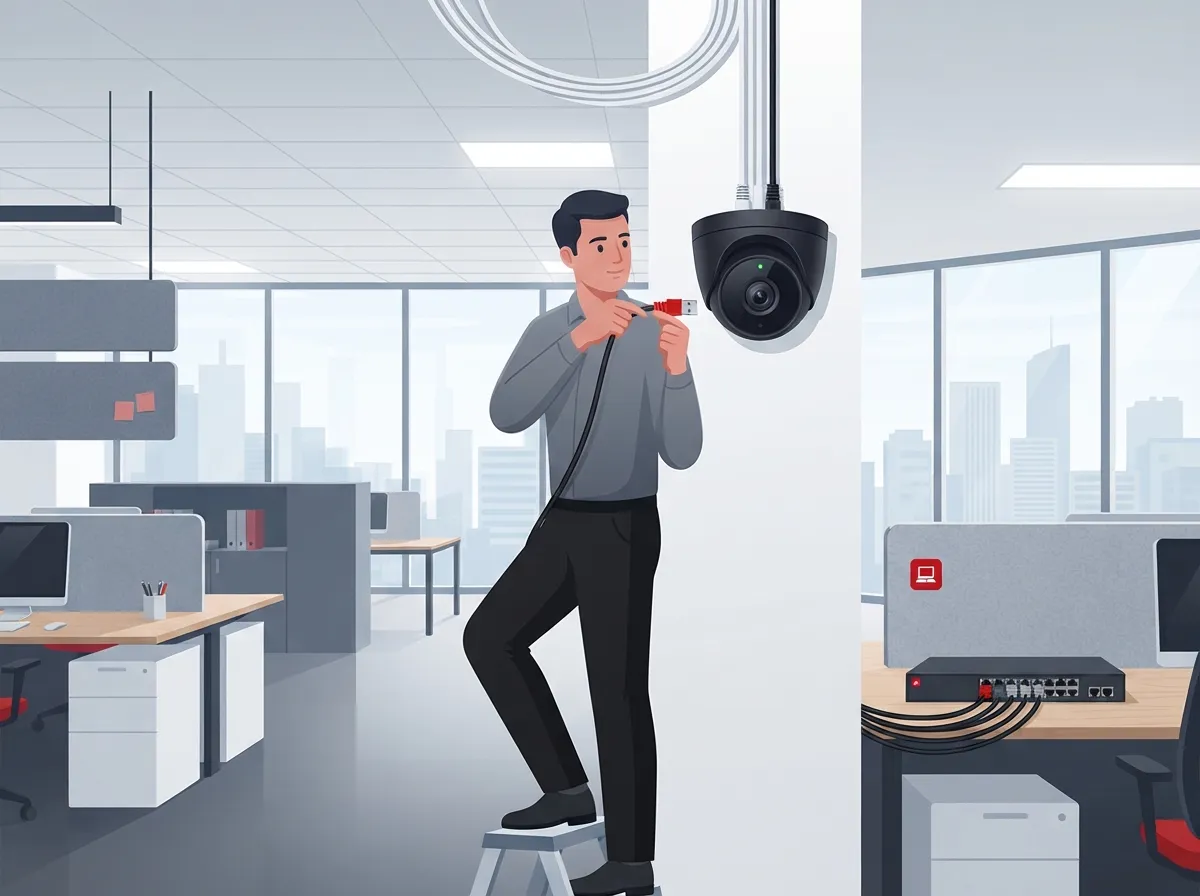
Choose PoE cameras for most commercial setups since they deliver power and network access through one cable, making them more reliable than Wi-Fi for busy businesses and multi-camera systems.
-
Prioritize low-light and wide dynamic range (WDR) performance since most incidents occur in darkness; request sample footage from your exact camera model taken in similar lighting conditions to your space.
-
Implement robust cybersecurity by using strong passwords, encrypted video streams, firmware updates, multifactor authentication, and a separate VLAN network just for cameras to prevent hackers from accessing your business network.
-
Calculate total cost of ownership including cabling, PoE switches, storage subscriptions, installation labor, and maintenance rather than just the camera price to avoid budget surprises.
-
Establish clear privacy policies and check local laws before installation, especially for employee areas, audio recording, facial recognition, or license plate capture to avoid legal liability.
Picking the right business cameras can feel like a big job. There are so many brands, features, and price tags out there. But here’s the good news: once you know what really matters, the choice gets a lot easier. Grab a coffee and let’s walk through this together, like two friends figuring it out at the kitchen table.
Whether you run a small shop in Tampa or manage security across ten franchise locations, the same basic rules apply. A good camera system protects your people, your property, and your peace of mind. This guide breaks down the 13 things that actually matter, based on how modern commercial systems are built and used in 2026. We’ll skip the fluff and get straight to what helps you make a smart decision.

1. Start With a Coverage Plan, Not a Camera Catalog
Before you even look at camera models, walk your property with a notepad. Where are your entrances and exits? Where’s your cash register or point-of-sale area? Don’t forget loading docks, parking lots, and employee-only spaces.
This step matters more than resolution or brand name. A camera in the wrong spot won’t help you, no matter how expensive it is. Map out your blind spots first, then shop for cameras that fill those gaps.
2. Choose PoE Cameras for Most Commercial Setups
PoE stands for Power over Ethernet. These cameras get power and network access through one cable. That makes them more reliable than Wi-Fi cameras for busy businesses.
Wi-Fi cameras can work fine for small, temporary setups. But for warehouses, multi-camera systems, or outdoor runs, PoE is the safer bet. It also plays nicely with the kind of structured cabling that supports your whole office network. If you’re not sure which cabling setup fits your building, our guide on professional structured cabling services for Tampa businesses can help.
3. Don’t Just Chase Resolution Numbers
Higher megapixels sound impressive, but resolution alone won’t give you clear footage. A 4 MP to 8 MP camera, even up to 4K, works well for most businesses. Still, lens quality, field of view, and lighting matter just as much.
Ask to see sample footage from the exact camera model, taken in a space similar to yours. That tells you far more than a spec sheet ever will.
Key Factors Beyond Resolution
- Frame rate for smooth motion capture
- Bitrate for image clarity during playback
- Lens type matched to your coverage distance
- Camera placement height and angle
4. Test Low-Light and Wide Dynamic Range Performance
Most business break-ins and incidents happen when it’s dark outside. That’s why low-light performance is a must-have, not a nice-to-have. Wide dynamic range, or WDR, also helps in spots with strong glare from windows or glass doors.
Ask your installer to test footage from the same camera during the day and at night. This small step can save you a lot of frustration later.
5. Match Camera Form Factor to Your Site
Different camera shapes work better in different spots. Here’s a quick breakdown:
| Camera Type | Best Used For | Notes |
|---|---|---|
| Dome | Indoor, discreet monitoring | Hard to tell which way it’s pointing |
| Turret | Indoor and covered outdoor areas | Easy to adjust angle |
| Bullet | Visible outdoor coverage | Acts as a visual deterrent |
| PTZ (Pan-Tilt-Zoom) | Active monitoring of large areas | Should not replace fixed cameras |
6. Decide Between Cloud, NVR, or Hybrid Storage
Your footage has to live somewhere. You’ve got three main options: an on-site NVR (network video recorder), a cloud-based system, or a hybrid mix of both.
Think about how long you need to keep footage, how much bandwidth you have, and what happens if the internet goes down. Cloud systems tend to offer easier remote access and less on-site hardware to maintain. If you want a deeper look at this choice, check out our article on choosing cloud security cameras for commercial buildings.
Common Retention Periods
- 14 days — often used for lower-risk retail spaces
- 30 days — a common middle-ground choice
- 90 days — used by businesses with higher compliance needs
The right number depends on your industry, your risk level, and any laws that apply to your business.
7. Look for Business-Grade Management Tools
Consumer cameras usually come with a basic phone app. Business cameras need more. Look for centralized dashboards, multi-site viewing, role-based permissions, and health monitoring.
These features let your team check on multiple locations at once, control who sees what footage, and get alerts if a camera goes offline. This is especially important for multi-location businesses managing several sites at once.
8. Confirm ONVIF and Integration Support
ONVIF is a standard that helps different security devices talk to each other. Cameras with ONVIF support can often connect more easily to access control systems, alarms, and intercoms.
This matters if you want your cameras to work alongside your cloud access control system or your existing alarm setup. Some advanced analytics features may still be tied to a specific brand, so ask questions before you buy.
9. Treat Cameras Like Any Other Network Device
Business cameras connect to your network, which means they can be a target for hackers if not set up correctly. The National Institute of Standards and Technology recommends checking device security, authentication, and manufacturer support before you buy any connected device.
Cybersecurity Checklist for Business Cameras
- Strong, unique passwords for every camera and system login
- Encrypted video streams, not just encrypted storage
- A clear process for firmware updates
- Multifactor authentication for remote access
- A separate network segment, called a VLAN, just for cameras
This last point is a big one. Putting cameras on their own VLAN keeps them separate from your main business network. If a camera gets compromised, it won’t easily spread to your other systems.
10. Check Weatherproofing and Impact Ratings
Outdoor cameras face rain, heat, and humidity every single day, especially here in Florida. Look for an IP66 or IP67 rating, which tells you how well the camera resists water and dust.
If your camera sits somewhere it could get bumped or vandalized, look for an IK10 impact rating too. Don’t just trust marketing claims. Ask for the manufacturer’s test documentation.
11. Plan for Power and Network Backup
A camera system is only as strong as the network behind it. Make sure your PoE switches have enough capacity for all your cameras, plus room to grow. Add a UPS, or battery backup, to keep your switches and recorders running during a power blip.
Slow or unreliable internet can also hurt your camera performance, especially for cloud-based systems. If your connection struggles, take a look at our tips on getting fast and reliable business internet in Tampa Bay.
12. Address Privacy Rules Before You Install
Cameras raise real privacy questions, especially in employee-only areas or restrooms. Set clear policies before installation day. This includes signage, access limits, retention rules, and notification for employees and customers.
If you’re thinking about audio recording, facial recognition, or license plate capture, check your local and state laws first. Rules vary quite a bit, and getting this wrong can cause real legal headaches.
13. Calculate the Full Cost, Not Just the Camera Price
The camera itself is only one piece of the puzzle. Your total cost includes cabling, PoE switches, storage or cloud subscriptions, analytics licenses, installation labor, and ongoing maintenance.
Total Cost of Ownership Breakdown
| Cost Category | What It Covers |
|---|---|
| Hardware | Cameras, PoE switches, NVR or cloud gateway |
| Installation | Cabling, mounting, configuration |
| Storage | Cloud subscription fees or NVR hard drives |
| Maintenance | Firmware updates, camera replacements, troubleshooting |
| Cybersecurity | VLAN setup, credential management, monitoring |
The global video surveillance market is expected to keep growing, with one estimate placing it around $56 billion in 2025 and rising through 2029. That growth means more choices for you, but also more reason to compare options carefully before signing a contract.
Why Working With a Telecom Partner Makes This Easier
Here’s the honest truth: a great camera system depends on more than the cameras themselves. It needs a solid network, reliable internet, and proper cabling behind it. This is exactly where a telecom and IT partner adds real value.
At Ideal Solutions Provider, we’ve spent over 24 years helping Tampa businesses and companies nationwide build systems that actually work together. We’re not tied to one brand or supplier. Instead, we compare options across 35 vetted partners to find what truly fits your business, your budget, and your building. Learn more about our approach on our cloud video security page, or see how we combine cameras with networking on our business network solutions page.
You can also see real client stories and setups on our YouTube channel, or follow project updates on Facebook and Instagram.
Bringing It All Together
Choosing business cameras isn’t about finding the flashiest model on the shelf. It’s about matching coverage, image quality, storage, security, and support to your specific business needs. Take your time, ask good questions, and don’t be afraid to bring in a partner who knows the full picture, from the Internet Service Provider connection all the way to the camera lens.
If you’re ready to get real answers about what your business actually needs, our team would love to help. Contact us for a free consultation, or call us today to talk through your options. We’re here to make this whole process feel a lot less overwhelming, and a lot more like teamwork.
FAQs
Q: What resolution is best for business security cameras?
A: Most businesses do great with cameras in the 4 MP to 8 MP range, and some go up to 4K for extra detail. But remember, resolution alone isn’t everything. Lens quality, lighting, and placement matter just as much as the megapixel count.
Q: Are PoE or Wi-Fi cameras better for a business?
A: For most businesses, PoE cameras are the way to go since they combine power and network connection in one cable, making them more reliable for continuous recording. Wi-Fi can work fine for small or temporary setups, but PoE handles bigger, busier spaces much better.
Q: How long should a business retain security camera recordings?
A: Many businesses choose 14, 30, or 90 days, depending on their risk level and industry rules. It’s a good idea to check any laws or insurance requirements that apply to your specific business before locking in a retention period.
Q: Do business cameras need ONVIF compatibility?
A: ONVIF support makes it much easier to connect your cameras with access control systems, alarms, and other security tools down the road. It’s not always required, but it definitely gives you more flexibility as your system grows.
Q: How much does a professionally installed business camera system cost?
A: Costs vary quite a bit based on the number of cameras, cabling needs, and storage choice, whether that’s cloud, on-site NVR, or both. The best way to get an accurate number is to have a professional walk your site and give you a tailored quote.





