
Key Takeaways
-
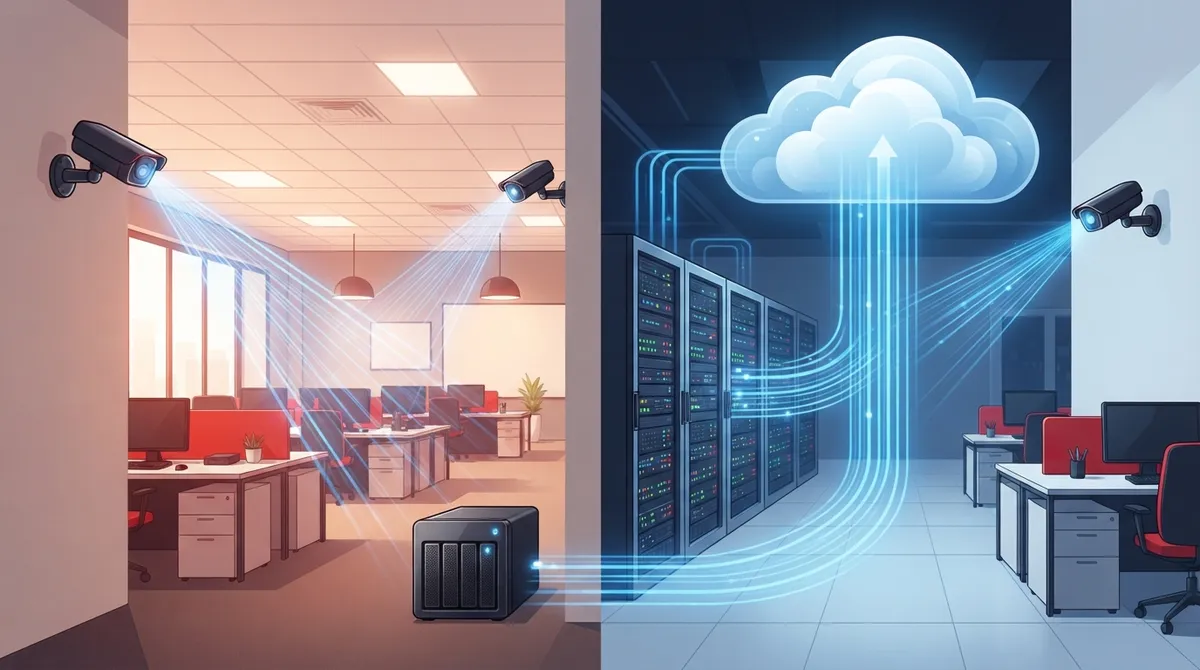
Cloud cameras compress video at the device level before uploading, preventing bandwidth hogging and ensuring faster transmission to cloud servers.
-
Hybrid cloud systems record locally and auto-sync to cloud when internet returns, protecting against footage loss during outages—better than pure cloud-only models for most businesses.
-
Multi-location businesses gain centralized dashboard viewing, consistent setup rollout, and easy scalability across new sites without managing separate systems per location.
-
Cloud storage is more secure than traditional DVR systems when providers use encryption, access controls, audit logs, and multi-factor authentication to protect footage.
-
Internet bandwidth planning is critical—calculate expected usage based on camera count and resolution, then upgrade your connection before installation to avoid choppy footage.
-
Cloud cameras require stable internet connection and integrate with your broader telecom setup, making structured cabling and dependable ISP service essential for reliable performance.
Ever wonder what actually happens when you check your security camera app from your phone? You’re not alone. Business owners ask us this question all the time, and honestly, it’s a great one to ask before you invest in a system. Understanding how does cloud security camera work can help you make a smarter choice for your Tampa business, whether you run a single storefront or manage locations across the country.
Here’s the good news: you don’t need to be a tech expert to understand this. We’re going to break it down into simple, friendly steps. By the end of this article, you’ll feel confident talking about cloud cameras with your team, your IT manager, or your telecom provider. Let’s dig in together.
What Cloud Security Cameras Actually Do
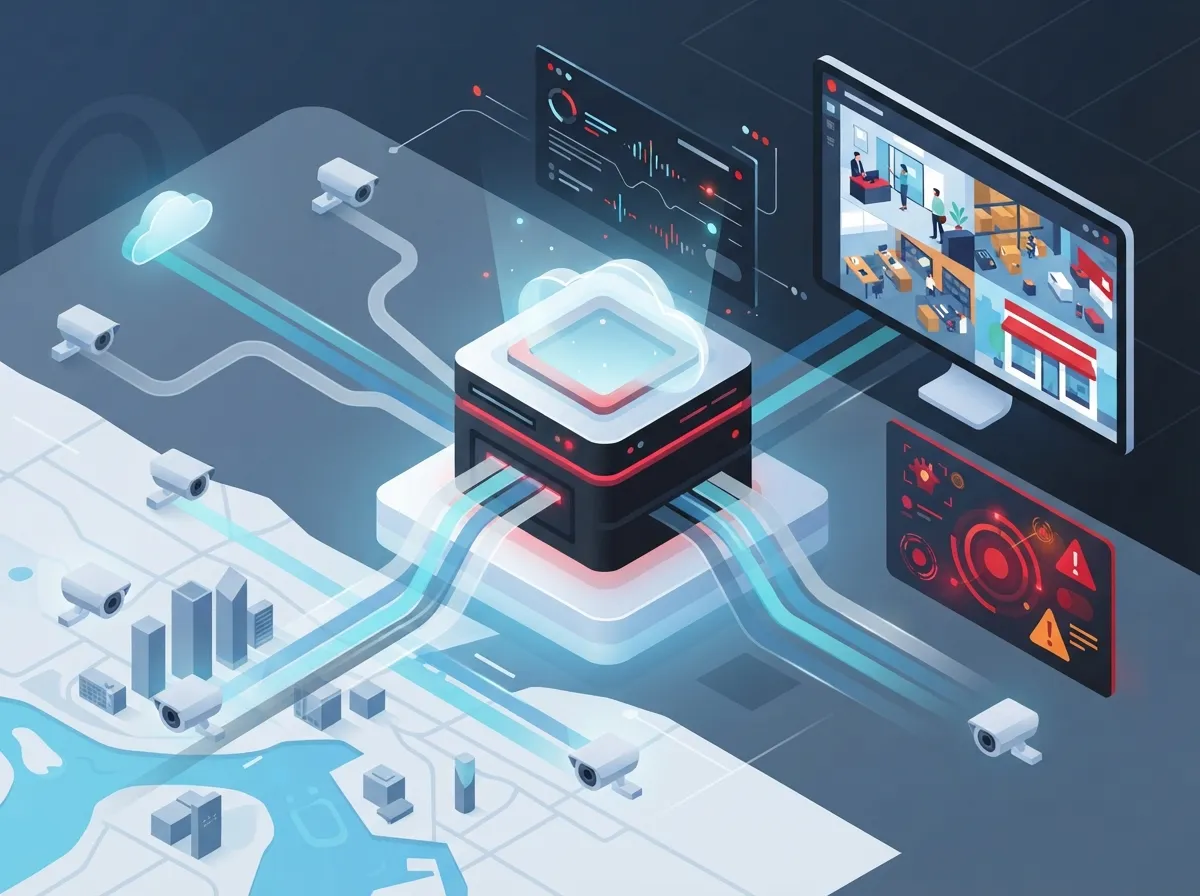
Cloud security cameras are internet-connected devices that record video and send it to secure online storage. Instead of only saving footage on a box in your back office, these cameras use the internet to back things up remotely. This means you can log in from anywhere and see what’s happening at your business right now.
Many modern systems use a hybrid approach. The camera stores some footage right on the device itself. At the same time, it syncs that footage to the cloud for safekeeping and easy access. This combo gives you the best of both worlds: speed and reliability.
5 Steps That Show How Does Cloud Security Camera Work
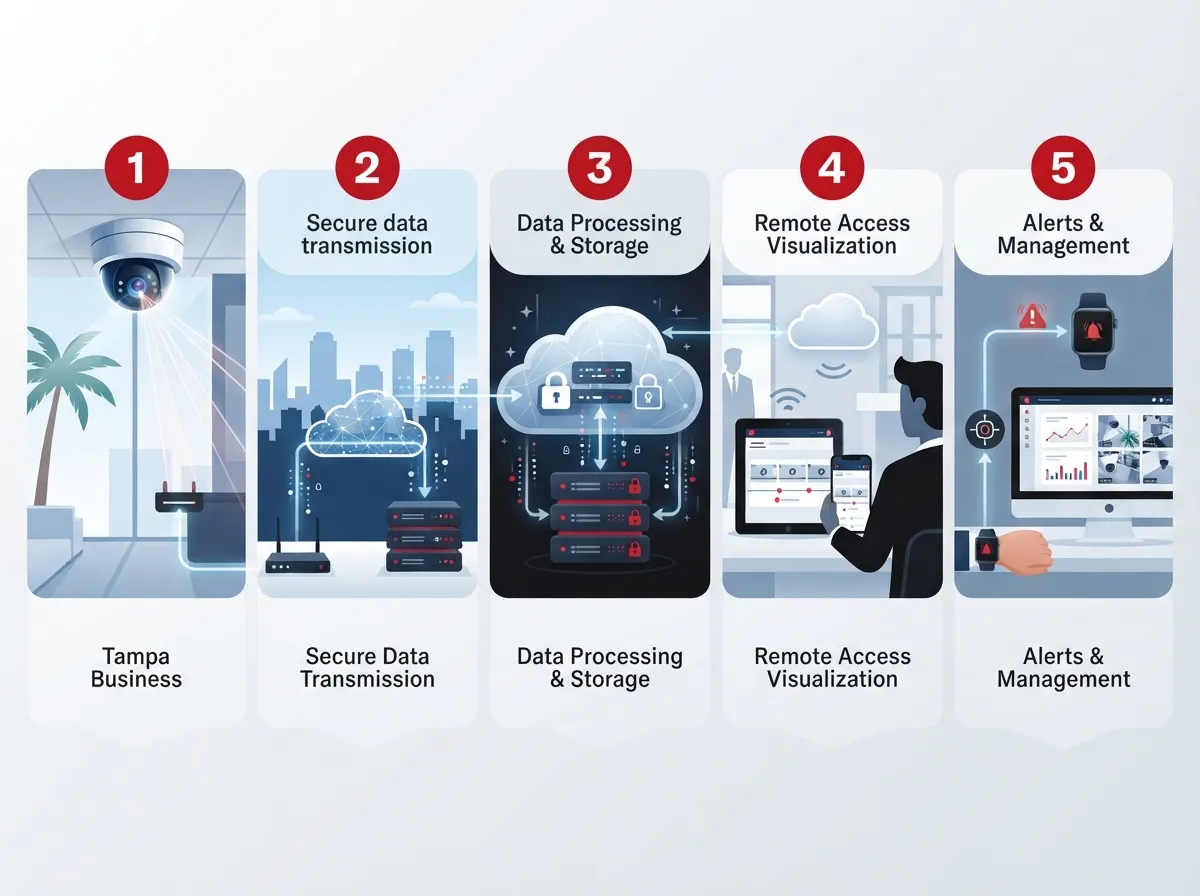
Let’s walk through the actual journey your video takes, from the moment it’s captured to the moment you view it on your phone. Understanding these steps makes the whole system feel a lot less mysterious.
1. The Camera Lens Captures the Scene
It all starts with light. The camera lens captures whatever is happening in front of it, just like your smartphone camera does. This is the most basic step, but it sets the stage for everything else.
2. The Image Sensor Converts Light Into Data
Next, the image sensor inside the camera turns that captured light into digital data. Think of this as translating a picture into a language computers can understand. This step happens in a split second, every single second, all day long.
3. The Camera Processes and Compresses the Footage
Raw video files are huge. So the camera compresses the footage right on the device, at what’s called “the edge.” This makes the file small enough to send quickly without hogging all your internet bandwidth.
4. Footage Transmits to the Cloud
Once compressed, the footage travels over your internet connection to a cloud server. This is where your Internet Service Provider plays a big role. A stable, fast connection means smoother uploads and fewer hiccups.
5. You Access Footage Through an App or Browser
Finally, you or your team can log into a web browser or mobile app to view live or recorded video. This step is where the magic really shines for busy business owners. You can check in on your Tampa office while you’re grabbing coffee across town, or check a franchise location three states away.
Cloud vs. Traditional CCTV: What’s the Real Difference?
A lot of business owners still picture old-school security systems when they hear “cameras.” But cloud systems work quite differently from traditional CCTV setups. Here’s a simple comparison to help clear things up.
| Feature | Cloud Security Cameras | Traditional CCTV |
|---|---|---|
| Storage Location | Cloud servers, often with local backup | On-site DVR or NVR only |
| Remote Access | Yes, via app or browser | Limited or requires extra setup |
| Equipment Needed | Minimal, often no server required | Dedicated recording hardware |
| Multi-Location Viewing | Centralized, easy to manage | Difficult, separate systems per site |
| Internet Dependency | Requires connection for cloud sync | Works without internet |
As you can see, cloud systems offer a lot of flexibility that older setups just can’t match. This is especially helpful if you’re managing more than one location. Curious how this fits into your bigger network picture? Our guide on what security cameras really do for your business covers even more ground.
Do Cloud Cameras Work Without Internet?
This is one of the most common questions we hear, and it makes total sense to wonder about it. The short answer is: it depends on the type of system you choose.
- Pure cloud-only cameras need internet to record and store footage in real time.
- Hybrid cloud systems keep recording locally even if your internet goes down.
- Once your connection returns, hybrid systems automatically sync stored footage to the cloud.
- Local storage on many models can hold footage anywhere from 30 to 365 days, depending on the camera.
- This backup approach means you rarely lose important footage, even during an outage.
For businesses that can’t afford gaps in coverage, hybrid models are usually the safer bet. If you want to dig deeper into this exact topic, check out our article on keeping security cameras working during internet outages.
Why Bandwidth and Network Planning Matter So Much
Here’s something a lot of people don’t think about until it’s too late: your cameras share your internet connection with everything else. Your phones, your point-of-sale system, your Wi-Fi guests, all of it competes for bandwidth.
That’s why smart planning matters. A business running several cameras without enough bandwidth can end up with choppy footage or slow uploads. This is where working with a telecom partner really pays off, because they can help you figure out exactly what you need.
- Estimate how many cameras you’ll run and their resolution.
- Calculate expected bandwidth usage for continuous or scheduled uploads.
- Check your current internet plan against that estimate.
- Upgrade your connection if needed, before installing cameras.
- Test the system under real conditions to confirm smooth performance.
If your current setup feels sluggish already, it might be time to explore why your business internet is slow and how to fix it. A strong connection is the backbone of any successful cloud camera rollout.
Is Cloud Storage Secure Enough for Business Use?
Security is probably your biggest concern, and that’s completely fair. You’re trusting a system to protect your building, your team, and your customers. So let’s talk about what actually keeps cloud footage safe.
- Reputable providers encrypt footage both during transmission and while stored.
- Access controls limit who can view or download recordings.
- Cloud platforms often include audit logs showing who viewed what and when.
- Regular software updates patch vulnerabilities automatically, without you lifting a finger.
- Multi-factor authentication adds another layer of protection for user logins.
These features generally make cloud systems more secure than older setups, where a stolen DVR could mean lost footage forever. Best practices for cyber safety, like those outlined by industry security guides, recommend strong passwords and regular reviews of who has access. It’s a small effort that goes a long way toward peace of mind.
How Cloud Cameras Help Multi-Location Businesses
If you’re running a franchise or managing several offices, you already know how tricky it can be to keep tabs on everything. Cloud cameras were basically made for this challenge.
Centralized Viewing From One Dashboard
Instead of logging into five different systems, you can see every location from a single dashboard. This saves time and reduces headaches for busy franchise operators and IT managers alike.
Consistent Setup Across Sites
Cloud systems make it easier to roll out the same camera setup at every new location. This consistency helps with training, troubleshooting, and overall peace of mind.
Scalable as You Grow
Adding a new site doesn’t mean starting from scratch. You simply add new cameras to your existing cloud account, and they show up right alongside your other locations.
Businesses expanding across Tampa Bay and beyond often pair this kind of camera setup with reliable network solutions built for multi-location businesses. It’s a smart way to keep everything connected and running smoothly.
Common Cloud Camera Deployment Models
Not every cloud camera system works the same way. Here’s a quick breakdown of the most common models businesses choose today.
| Model Type | How It Works | Best For |
|---|---|---|
| Full Cloud | All footage streams directly to the cloud | Small offices with strong internet |
| Hybrid Cloud | Local storage plus cloud backup and sync | Businesses needing outage protection |
| Scheduled Upload | Footage uploads at set intervals, not continuously | Businesses managing bandwidth carefully |
| Continuous Streaming | Constant live upload to cloud servers | High-security locations needing real-time monitoring |
Choosing the right model depends on your bandwidth, your budget, and how critical constant footage really is for your operations. A quick chat with a telecom expert can help you land on the right fit without guesswork.
Why This Matters for Your Broader Telecom Setup
Cloud cameras don’t live in a bubble. They rely on the same network, cabling, and internet service that power your phones and daily operations. That’s why so many businesses treat security cameras as part of a bigger telecom strategy, not a separate purchase.
Solid structured cabling ensures your cameras have a stable physical connection when needed. Meanwhile, dependable internet service keeps footage flowing to the cloud without frustrating delays. When these pieces work together, everything just runs better.
At Ideal Solutions Provider, we’ve spent over 24 years helping Tampa businesses connect the dots between phones, internet, cabling, and security systems. We work with more than 35 vetted suppliers, so you get options that actually fit your needs instead of a one-size-fits-all pitch. You can follow along with our latest tips and behind-the-scenes updates on Facebook, Instagram, and YouTube.
Getting Started With Cloud Security Cameras
If you’re ready to explore cloud cameras for your business, here’s a simple checklist to guide your next steps.
- Assess how many cameras and locations you need to cover.
- Review your current internet speed and bandwidth capacity.
- Decide between full cloud, hybrid, or scheduled upload models.
- Ask potential providers about encryption and access control features.
- Plan for future growth, especially if you operate multiple sites.
Taking these steps early saves you from costly surprises down the road. It also sets you up for a smoother installation process overall.
Final Thoughts on How Cloud Security Cameras Work
So there you have it. Cloud security cameras capture footage, process it right on the device, and send it to secure cloud storage where you can access it anytime. Hybrid systems add an extra layer of protection by keeping local backups too. It’s a system built for busy business owners who need flexibility and peace of mind.
Whether you’re a small business owner in Tampa or managing franchise locations nationwide, understanding this technology helps you make better decisions for your team and your customers. And you don’t have to figure it all out alone. Our team at Ideal Solutions Provider is here to help you review your options and build a system that actually fits your business. Contact us today to get started, or feel free to call us and chat through your options with a friendly, real person.
FAQs
Q: How does a cloud security camera work step by step?
A: It’s actually pretty simple once you break it down! The camera lens captures the scene, the image sensor turns it into digital data, and then the camera compresses that data so it’s easier to send. From there, it travels over your internet connection to the cloud, where you can view it anytime through an app or browser.
Q: Do cloud security cameras work without internet?
A: Great question, and the answer depends on your setup. Pure cloud-only cameras need internet to function, but hybrid systems keep recording locally even during an outage. Once your connection comes back, everything syncs up automatically, so you won’t lose your footage.
Q: What is the difference between cloud and hybrid cloud security camera systems?
A: Cloud-only systems send footage straight to the internet with no local backup. Hybrid systems store footage on the camera itself and in the cloud, giving you extra protection if your internet ever drops. Most business owners we work with prefer the hybrid option for that added peace of mind.
Q: Are cloud security cameras secure for business use?
A: Yes, and honestly, they’re often more secure than older systems! Reputable providers use encryption, access controls, and regular software updates to keep your footage safe. Just be sure to choose strong passwords and review who has access every so often.
Q: How do cloud cameras help multi-location businesses?
A: They’re a total game-changer for franchise operators and growing companies. Instead of juggling separate systems at each site, you can view every location from one simple dashboard. Adding a new location is easy too, since you just connect new cameras to your existing cloud account.





