

Key Takeaways
-
Start any business network assessment by defining business needs such as critical apps, user counts, voice/video use, growth plans, and uptime requirements before touching equipment.
-
Build a current-state inventory and network map of routers, switches, firewalls, circuits, and connected devices, since many businesses discover forgotten or outdated equipment.
-
Measure real performance across bandwidth use, latency, jitter, packet loss, and availability, testing at different times of day to catch peak-hour problems.
-
Compare contracted telecom bandwidth and uptime commitments against actual performance, and check whether critical sites have failover or a second carrier.
-
Check security and resilience using the NIST CSF 2.0 functions, reviewing firewall rules, stale accounts, unsupported equipment, and single points of failure.
-
Turn findings into a prioritized, phased roadmap ranked by business impact, and reassess at least yearly or after major changes like a move or new phone system.
Picture this: it is Monday morning, your team is logging in, and the video call with your biggest client keeps freezing. Phones crackle. The Wi-Fi in the back office just gave up. Sound familiar? You are not alone, and the good news is that a business network assessment can help you find out exactly what is going wrong and how to fix it.
In plain terms, a business network assessment is a structured review of the connectivity and equipment that keep your voice, data, cloud apps, and connected devices running. It looks at your internet circuits, Wi-Fi, switches, routers, firewalls, cabling, and telecom services. Then it turns what it finds into a clear to-do list.
Whether you run a small Tampa office, manage IT for a growing company, or oversee a franchise with several sites, this guide walks you through seven steps that make an assessment useful. No jargon overload, just friendly, practical advice you can use in 2026.

What Is a Business Network Assessment, Really?
Think of it like a health checkup for your business connectivity. A doctor does not guess what is wrong. They measure, test, and review your history. A good business network assessment works the same way.
It reviews how your network performs today, where it is weak, and what it needs to support tomorrow. It covers speed, reliability, coverage, security, and how well your telecom services match what you actually use.
It is also different from a penetration test. An assessment may include a configuration and security review, but active vulnerability testing should be scoped and authorized separately. Guidance such as NIST’s guideline on network security testing recommends planning assessments carefully, analyzing findings, building fixes, and then verifying that the fixes worked.
The 7 Steps at a Glance
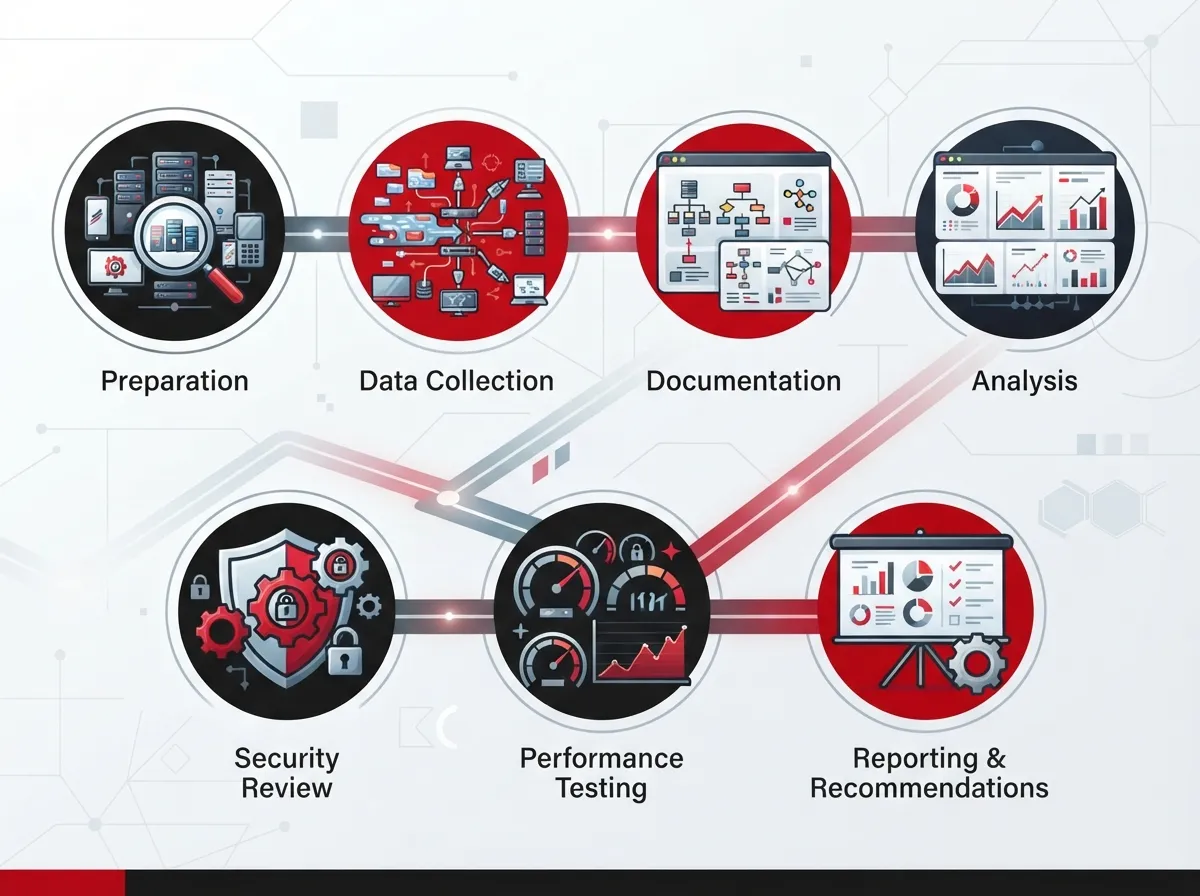
Here is a quick look at the seven steps before we dig in:
- Start with your business needs
- Build a current-state inventory and network map
- Measure real performance
- Inspect cabling and Wi-Fi coverage
- Review your telecom services and contracts
- Check security and resilience
- Create a prioritized roadmap and reassess
Step 1: Start With Your Business Needs
Before anyone touches a router, talk about what your business actually needs. A network is only “good” if it supports the way you work. A generic equipment checklist will miss that.
Gather the basics:
- How many locations and users you have
- Which apps are mission critical, such as cloud software, point-of-sale, or scheduling tools
- How much voice and video you use every day
- Your growth plans for the next two to three years
- Your uptime expectations and any compliance rules
For example, a dental office needs steady access to cloud records and clear phone lines. A franchise operator might need the same setup copied across ten sites. Knowing this upfront keeps the assessment focused and the results useful.
Step 2: Build a Current-State Inventory and Network Map
You cannot fix what you cannot see. The second step is to document everything on your network. This is often the most eye-opening part, especially for offices that have grown over the years without a plan.
Your inventory should include:
- Routers, switches, firewalls, and access points, with age and firmware versions
- Internet circuits and who provides them
- Phone systems and connected devices
- Servers, cameras, and access control devices on the network
- A diagram showing how it all connects
Many businesses discover forgotten devices, unlabeled cables, or equipment that is years past its prime. If labeling is a pain point, our guide on network cable labeling tips can help you stay organized going forward.
Step 3: Measure Real Performance
Now it is time to look at the numbers. A strong business network assessment measures what is actually happening, not what you hope is happening.
The key metrics are shown below.
| Metric | What It Tells You | Why It Matters |
|---|---|---|
| Bandwidth utilization | How much of your circuit capacity is used | Shows if you are maxed out or overpaying |
| Latency | How long data takes to travel | High latency makes apps feel sluggish |
| Jitter | Variation in delay | Causes choppy voice and video calls |
| Packet loss | Data that never arrives | Leads to dropped calls and frozen screens |
| Availability | How often the connection is up | Reveals recurring outages |
Testing should happen at different times of day. A network that looks fine at 7 a.m. may struggle at 2 p.m. when everyone is on video calls. If your connection feels slow, this guide on why business internet slows down explains common causes.
Signs Your Connection Is Underperforming
You may not need a full report to spot trouble. Watch for these clues:
- Video calls freeze or drop several times a week
- Cloud apps load slowly during busy hours
- Staff complain about Wi-Fi in certain rooms
- Your measured speeds fall well below what you pay for
If two or more of these sound familiar, an assessment will likely pay for itself.
Step 4: Inspect Cabling and Wi-Fi Coverage
Your network is only as strong as its foundation. Old or poorly installed cabling can quietly cap your speeds, no matter how fast your internet plan is. A good assessment checks the physical layer, including the type of cable, its condition, and how it is installed.
Look for outdated cable types, damaged runs, messy racks, and poor cable management. Understanding the basics of structured cabling helps you see why a tidy, standards-based system matters. If you are weighing options, our comparison of Cat5e vs. Cat6 is a helpful read.
Wi-Fi gets the same attention. Your assessment should check:
- Coverage across every work area, including corners and conference rooms
- Signal interference from neighbors or equipment
- Capacity for the number of devices connecting at once
- Access point placement and age
Remember, one weak spot can frustrate a whole team. Fixing coverage gaps is often one of the quickest wins.
Step 5: Review Your Telecom Services and Contracts
This step is where many businesses find real savings. A telecom review compares what you pay for against what you actually get and need.
Here is what to compare:
- Contracted bandwidth versus observed speeds
- Service-level commitments versus real uptime
- Redundant or underused circuits you may no longer need
- Phone lines that could move to a modern cloud system
- Contract end dates and renewal terms
It also asks whether you have a backup plan. For critical sites, failover or a second carrier can keep you online when a primary line fails. Our tips on automatic internet failover show how this works in practice.
If you have several sites, you may also want to explore whether SD-WAN services could simplify and strengthen your connections. Honestly, this is where having one trusted guide helps. Ideal Solutions Provider compares options across more than 35 vetted suppliers, so you are not stuck juggling quotes from one carrier at a time.
Step 6: Check Security and Resilience
A fast network that is not secure is a risk you cannot afford. Security belongs in every assessment alongside performance and reliability.
The NIST Cybersecurity Framework 2.0 is a helpful guide here. It organizes cybersecurity into six functions: Govern, Identify, Protect, Detect, Respond, and Recover. You do not need to be a security expert to borrow its ideas. They simply encourage you to know what you have, protect it, spot problems, and be ready to bounce back.
During this step, a reviewer typically looks at:
- Firewall rules and configuration
- Who has access to what, and whether old accounts were removed
- Equipment that no longer gets security updates
- Single points of failure that could take everything down
- Backup and recovery plans
Security also reaches physical devices on your network. If you use cameras or door controls, make sure they are properly connected and secured. Our guide on why cloud-based security systems fail without fast internet shows how network health affects these tools too.
Step 7: Create a Prioritized Roadmap and Reassess
The final step turns findings into action. A report full of problems is not helpful unless it tells you what to fix first and why.
A strong deliverable includes:
- A current-state inventory and network diagram
- Findings ranked by business impact
- Recommended improvements with cost estimates or options
- A phased timeline so you can spread out the work and budget
Prioritizing matters. A quick Wi-Fi fix may take a day, while replacing aging cabling might be a longer project. Splitting the work into phases keeps your business running smoothly.
Do not stop there. Reassess after major changes, such as a new office, a big hiring push, or a new phone system. Periodic reviews keep your performance, security, and capacity on track. If you want a deeper look at one piece of this process, our network infrastructure audit steps go further into the technical details.
Which Audience Gets the Most From an Assessment?
Every business benefits, but the focus differs depending on who you are. Here is a quick guide:
| Business Type | Top Assessment Priority |
|---|---|
| Small business owners | Affordable fixes and cutting overpayment |
| Mid-sized enterprises | Growth capacity, security, and multi-site performance |
| IT managers | Documentation, redundancy, and vendor coordination |
| Office managers | Phone reliability and fewer surprise outages |
| Franchise operators | Consistent, scalable setups across every location |
No matter which row sounds like you, the process is the same. Start with your needs, measure honestly, and build a plan.
Should You Do It Yourself or Bring in Help?
You can handle some of the basics on your own, like listing your equipment and running speed tests. But a full assessment takes the right tools, experience, and a neutral eye.
An outside expert can spot patterns you might miss and compare your services against what is available in the market. If you are unsure where to turn, learn the signs you need a telecom consultant. It can save you time, money, and plenty of headaches.
Ready to Take the Next Step?
A business network assessment does not have to be scary. Take it one step at a time: define your needs, map what you have, measure performance, check cabling and Wi-Fi, review your telecom services, tighten security, and build a roadmap you can actually follow.
With more than 24 years of experience serving businesses in Tampa and nationwide, Ideal Solutions Provider acts as your single point of contact, from consultation to installation to ongoing support. Contact us for a free consultation, or call us to talk through your setup. You can also follow along on YouTube for helpful telecom tips. We would love to help you build a network that works as hard as you do.
FAQs
Q: What does a business network assessment include?
A: It typically covers your network diagram and equipment inventory, internet circuit performance, Wi-Fi coverage, cabling condition, telecom services, and a security and resilience review. You then get a prioritized list of fixes with a phased plan. It is a friendly checkup for your whole connectivity setup.
Q: How often should a business network be assessed?
A: A good rule is to review your network at least once a year and after any big change, like moving offices, adding a location, or switching phone systems. Regular check-ins keep performance, security, and capacity from slipping. Think of it like routine maintenance for your car.
Q: Does a network assessment include penetration testing?
A: Not necessarily. An assessment may include a configuration and security review, but active vulnerability or penetration testing is a separate service that should be scoped and authorized on its own. This keeps your systems safe while still giving you a clear view of your risks.
Q: How much does a business network assessment cost?
A: Costs vary based on how many locations, users, and devices you have, plus how deep the review goes. The best way to get an accurate number is to ask for a consultation. Many providers, including Ideal Solutions Provider, offer a free review of your current telecom setup to get started.
Q: How can I tell if my business internet is underperforming?
A: Watch for frequent call drops, slow cloud apps, weak Wi-Fi spots, and measured speeds far below what you pay for. Running speed tests at different times of day can confirm it. If you see several of these signs, an assessment will help pinpoint the cause.





