Key Takeaways
-
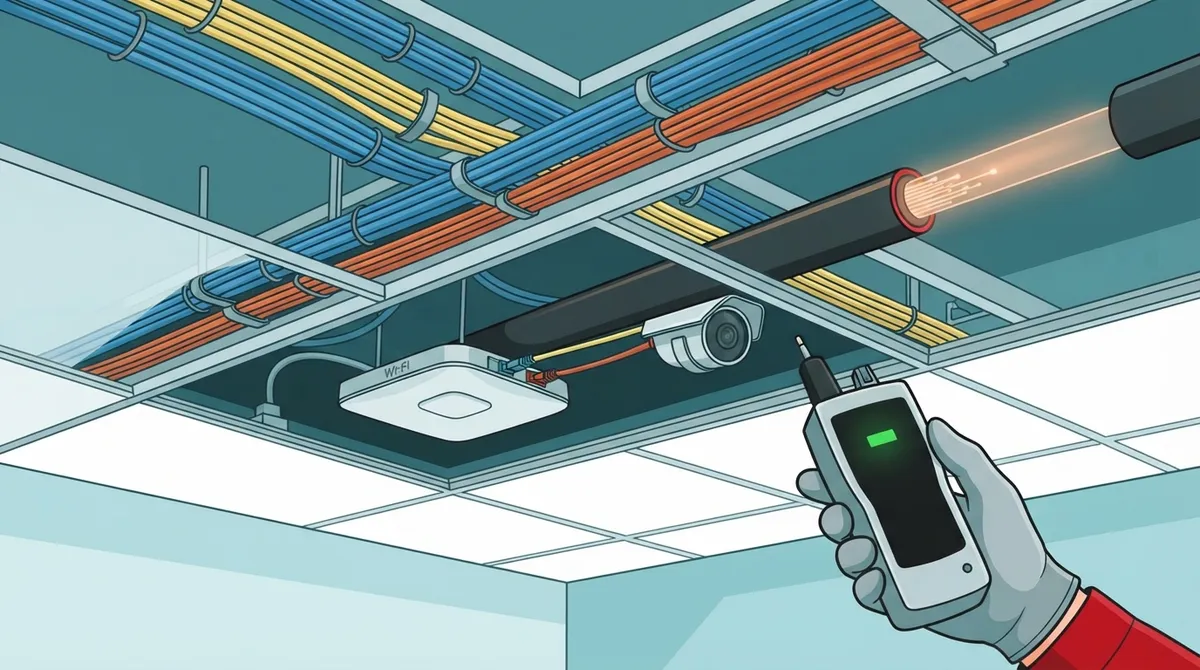
Wi-Fi drops, phone issues, and cameras going offline often trace back to the cabling inside walls and ceilings, not the phone system or internet plan.
-
Cable is the hardest part of your network to change later, so plan for speed, distance, power, and growth over the next five to ten years before installing.
-
Cat 6 suits everyday desk and phone runs, Cat 6A offers more headroom for Wi-Fi access points and growth, and fiber fits backbones and long or high-capacity links.
-
Cable that looks fine can still perform poorly, so insist on certified link testing plus as-built documentation, labels, and test records at project handover.
-
Confirm which ANSI/TIA editions your project requires, since plenum and riser spaces, firestopping, and code rules can override what a cable's jacket rating alone suggests.
-
Plan all systems together, including phones, Wi-Fi, cameras, and door readers, to avoid multiple vendors installing separate, uncoordinated cabling.
Picture this. It is Monday morning, and your office phones crackle. The Wi-Fi drops every time someone walks past the break room. A new hire cannot get online because nobody knows which wall jack goes where. Sound familiar? Often the culprit is not the phone system or the internet plan. It is the wiring hiding in the walls and ceilings.
Commercial low voltage cabling is the quiet backbone of every modern business. It carries your calls, your data, your Wi-Fi signals, and more. When it is planned well, nobody notices it. When it is not, everybody feels it.
In this friendly guide, we will walk through what commercial low voltage cabling is, how it works, which cable types fit which jobs, and what a good installation looks like. Whether you run a small shop, manage an office, or oversee several franchise locations, you will leave with clear, practical answers.
What Does Commercial Low Voltage Cabling Mean?
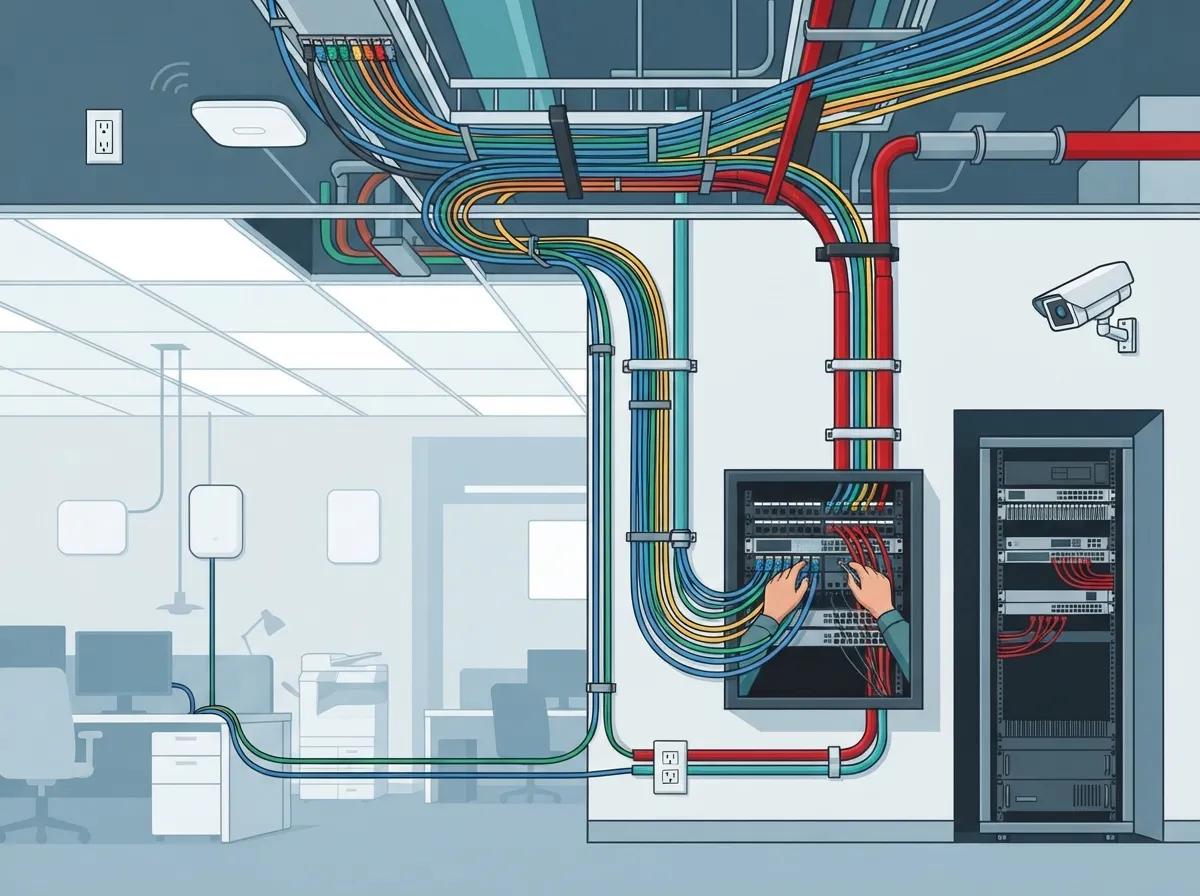
In the telecom world, commercial low voltage cabling is the physical wiring that connects your communications technology. It carries voice, data, and Wi-Fi access point signals around your building. Depending on the project, it can also support security cameras, access control, and audiovisual gear.
The word “low voltage” simply means the signals use far less power than the electrical lines that run your lights and outlets. That is why this work is usually separate from standard electrical work. It still has its own rules, though, so it deserves a careful, professional approach.
Most business projects fall under structured cabling. That means an organized, standards-based system rather than a tangle of random point-to-point wires. If you want a deeper primer, our post on what structured cabling is for your business network covers the basics in plain language.
What Business Systems Depend on Low Voltage Cabling?
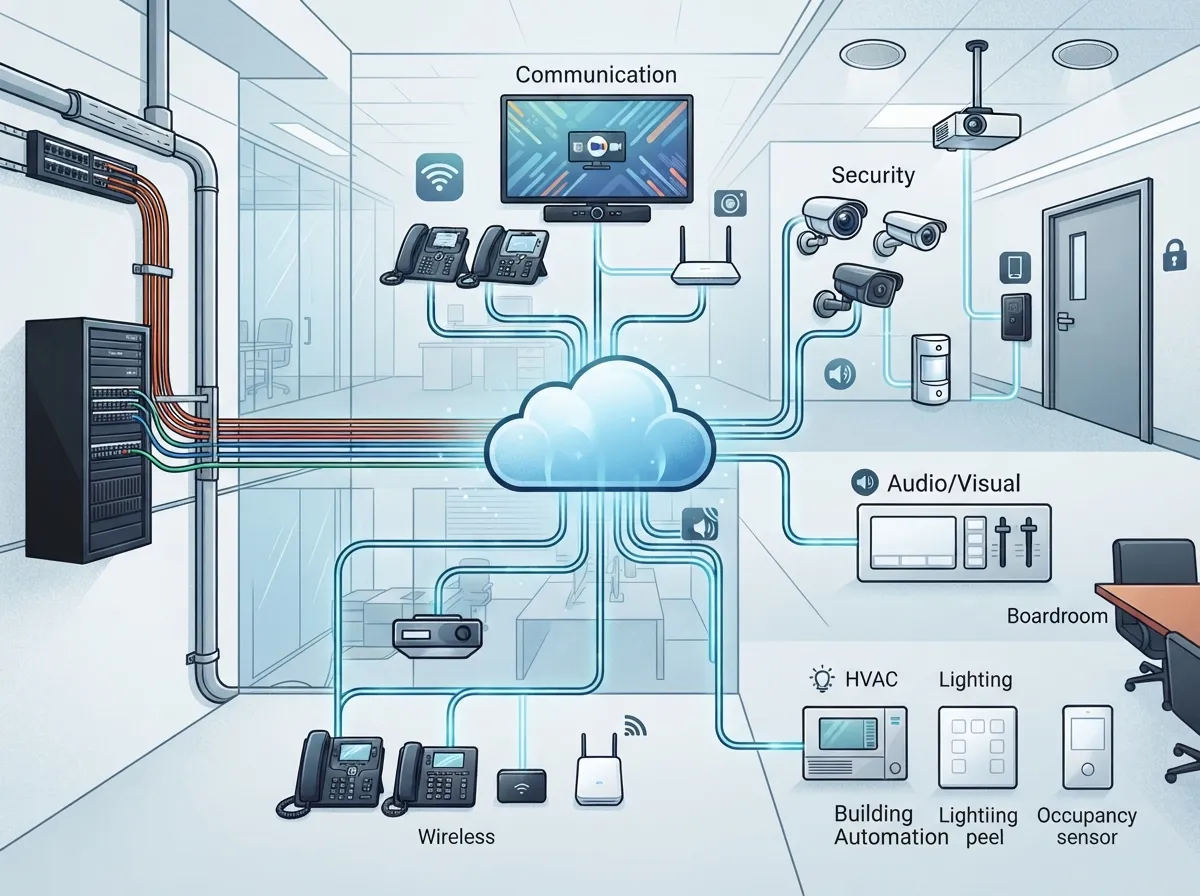
More of your daily operations rely on cabling than you might think. Here are the common ones:
- VoIP phones: Desk phones and conference units often connect over network cable.
- Computers and printers: Wired connections stay steady and fast.
- Wi-Fi access points: Every wireless signal starts with a cable running to the ceiling.
- Security cameras: Many IP cameras receive both data and power over one cable.
- Access control: Door readers and controllers need reliable connections.
- Audiovisual systems: Conference rooms and displays need clean signal paths.
In other words, even a cloud-based setup still depends on a solid physical layer. Cloud phones and cloud cameras are only as dependable as the cabling behind them. If you are planning phone upgrades, see our guide on how to plan VoIP phone cabling that works in 2026.
What Are the Parts of a Structured Cabling System?
A well-designed system has clear building blocks. Think of it like a city road map, with highways, side streets, and addresses. The typical pieces are:
- Entrance facility: Where your internet and phone services enter the building.
- Equipment room: The main hub for core network gear.
- Telecommunications rooms: Smaller hubs that serve each floor or area.
- Backbone cabling: The major links between rooms and floors.
- Horizontal cabling: The runs from the telecom room out to each work area.
- Pathways: The conduits, trays, and routes that hold the cable.
- Outlets and patch panels: The connection points on both ends.
- Administration records: Labels and documentation that keep it all organized.
That last item gets forgotten often, but it saves enormous time later. Our guide on how to build structured cabling documentation that works explains how to keep it tidy.
Copper or Fiber: Which Cable Type Fits Your Business?
This is one of the most common questions we hear, and the honest answer is that it depends. Copper twisted-pair cable is typically used for horizontal runs to desks, phones, and devices. Fiber is often chosen for building backbones, longer distances, and higher-capacity links.
The right pick depends on speed needs, distance, power delivery, the building environment, and how much you expect to grow. Here is a simple comparison.
| Cable Type | Best Used For | Key Strengths | Things to Consider |
|---|---|---|---|
| Cat 6 | Everyday desk and phone connections | Solid performance for most offices | Check distance and speed goals |
| Cat 6A | Wi-Fi access points, high-demand areas, growth planning | Higher bandwidth headroom | Thicker cable needs more pathway space |
| Fiber optic | Backbones, long runs, high-capacity links | Distance and capacity | Needs proper termination and testing |
Interestingly, the market is moving this way. Reporting on a 2026 BSRIA worldwide report says Cat 6A overtook Cat 6 in global sales, though the available summary does not give a sales share. For a closer look at the choice, read how to choose between Cat6 and Cat6A for your office and copper vs. fiber for low voltage cabling.
A Simple Way to Decide
Ask yourself three questions. How fast does my network need to be today? How long are my cable runs? And how much will my team or technology grow in the next five to ten years? Cable is the hardest thing to change later, because it lives inside walls and ceilings. A little extra planning now often saves a lot of rework.
Which Standards and Codes Apply?
Good cabling follows recognized rules. In the United States, commercial projects often reference the ANSI/TIA family of standards. Here is a quick guide:
- ANSI/TIA-568: Covers commercial building cabling, including copper and fiber. ANSI/TIA-568.2-E, for balanced twisted-pair cabling, was published in October 2024, and ANSI/TIA-568.3-E, for optical fiber, was published in September 2022.
- TIA-569: Covers pathways and spaces.
- TIA-606: Covers administration and labeling.
- TIA-607: Covers telecommunications bonding and grounding.
One friendly tip: always confirm which editions your project or local authority requires. Standards get updated, and your contract should name the version in use.
Building codes matter too. Cable jackets carry ratings, and plenum spaces and riser spaces can call for different listed cable types. A cable’s rating does not by itself allow it to run inside an air duct or override other code rules. Firestopping at wall and floor penetrations is another must. Your installer should handle these details, which is one big reason to hire a pro. Our post on ANSI/TIA-568 cabling rules Tampa businesses must follow goes deeper.
What Does Good Installation Look Like?
Great cabling is not just about the cable you buy. It is about how it is installed. Strong installation practices include:
- Planning pathways and room capacity before pulling a single cable
- Respecting cable bend radius and pulling limits so the cable is not damaged
- Keeping communications cabling separated from electrical sources as required
- Sealing penetrations with proper firestop systems
- Avoiding overly tight bundles and messy routing
- Labeling every cable and outlet clearly
Rushed or sloppy work can cause slow speeds, random drops, and hard-to-trace faults. If you want to avoid headaches, check out common cabling mistakes that cripple your network and network cable labeling tips that save time.
Why Is Testing and Documentation So Important?
Here is something many business owners do not realize. Cable that looks fine can still perform poorly. That is why certified testing matters. A proper test confirms that each installed link meets the performance requirements in your project specs.
When the job is done, a complete handover should include:
- Link certification results for each tested cable
- Cable and outlet identifiers that match the labels on the wall
- Test records you can keep on file
- As-built documentation showing how the system was actually installed
These records are gold when something breaks, or when you move offices and add desks. Without them, troubleshooting turns into guesswork. For more, see cable testing and certification mistakes to avoid.
How Much Does Commercial Low Voltage Cabling Cost?
Everyone wants a number, and we get it. The truth is that price varies a lot from project to project. Several factors shape your final cost:
- The number of cable drops and total cable length
- Cable type, such as Cat 6, Cat 6A, or fiber
- Ceiling type, wall construction, and how hard the building is to access
- Whether you need new pathways, racks, or patch panels
- Required testing, labeling, and documentation
- Whether work happens after hours to avoid disrupting staff
A fair quote spells these items out clearly. Be wary of a bid that is a single lump sum with no detail. For help with budgeting, explore 10 factors that shape network cabling installation cost and 12 cabling expenses for a new office to budget.
What Does the Market Say About Cabling Growth?
Cabling is a busy field right now. According to BSRIA’s 2026 worldwide report, as summarized by Data Centre Review, the global structured cabling market grew 21% in 2025 to $9.08 billion across 34 countries. The same report says data centers made up more than 41% of global installations, and that segment grew 54% in 2025.
A quick note of caution. Those numbers describe the whole global market, and data centers drive a big part of the growth. They are not office-only statistics. Other sources give different estimates, and market definitions vary, so treat any single figure as a snapshot rather than a promise. What the trend does show is that reliable physical infrastructure remains a priority for businesses everywhere.
How Should You Plan Cabling for Phones, Wi-Fi, Security, and Growth?
The smartest approach is to plan for the whole picture, not just today’s needs. Here is a friendly step-by-step way to think about it:
- List every system that will use the cabling, including phones, Wi-Fi, cameras, and door readers.
- Map your space and mark where people, devices, and equipment will sit.
- Add spare capacity so you are not rewiring every time you grow.
- Choose media wisely based on speed, distance, and power needs.
- Plan for documentation from day one so records stay accurate.
Many businesses run into trouble when each system is installed by a different vendor with no shared plan. Cameras go in one way, phones another, and nobody coordinates. Our posts on security camera cabling for business and access control cabling choices that pay off show how to bring these pieces together. If you are laying out an office, 5 steps for cabling layout planning for office is a handy checklist.
Should You DIY or Hire a Professional?
It is tempting to save money by running a few cables yourself. For a single home-style jack, that might work. For a commercial space, though, the risks add up. Code compliance, fire safety, standards, testing, and documentation all come into play. A mistake inside a wall is costly to find and fix.
A professional contractor brings the tools, the training, and the accountability. If you want a sense of what to look for, read should I hire a cabling contractor for my business and DIY vs. professional cabling for Tampa offices.
How Can Ideal Solutions Provider Help?
This is where having one trusted partner makes life easier. Ideal Solutions Provider is a Tampa-based telecom and IT partner with over 24 years of experience. We handle structured cabling alongside VoIP phones, high-speed internet, networking, cloud security cameras, and access control. That means one point of contact from consultation to installation to ongoing support.
We serve businesses nationwide, including multi-location franchise operators who need consistent, scalable cabling across many sites. Because we work with 35+ vetted suppliers, we can recommend what fits your needs rather than pushing one product. You can learn more about our structured cabling services or read our local guide to low voltage cabling in Tampa FL.
Curious about our team and community? You can follow us on YouTube to see what we are up to.
Ready to Build a Network You Can Trust?
Commercial low voltage cabling may be hidden behind walls, but it shapes everything your team does all day. With the right media, standards-aware design, careful installation, certified testing, and clear documentation, your system stays reliable today and easy to manage as your business changes.
You do not have to figure it all out alone. If you would like a free consultation to review your current setup and plan your next step, contact us or call us at 813-388-4935. We would love to help you build something solid.
FAQs
Q: What is commercial low voltage cabling, and what business systems does it support?
A: It is the physical wiring that carries voice, data, and Wi-Fi signals around a business building. It can also support security cameras, access control, and audiovisual gear. Think of it as the road system your technology travels on, so it is worth getting right.
Q: What is the difference between structured cabling and low voltage wiring?
A: Low voltage wiring is the broad term for any lower-power signal cabling. Structured cabling is a specific, organized, standards-based approach with defined rooms, pathways, backbone and horizontal runs, and records. In short, structured cabling is the tidy, planned way to do low voltage work.
Q: Should a business use Cat 6, Cat 6A, or fiber cabling?
A: Cat 6 suits many everyday desk and phone connections, while Cat 6A offers more bandwidth headroom for Wi-Fi and growth. Fiber is often chosen for backbones and longer or higher-capacity links. The best fit depends on your speed needs, distances, and future plans.
Q: What testing and documentation should a cabling contractor provide at project completion?
A: You should receive link certification results, cable and outlet identifiers, test records, and accurate as-built documentation. These items help you troubleshoot faults, manage moves and changes, and confirm the installed links meet the specified performance. Do not be shy about asking for them up front.
Q: When is plenum-rated or riser-rated cable required?
A: It depends on where the cable runs and which codes your local authority has adopted. Plenum spaces and riser spaces can call for different listed cable types, and a cable’s rating alone does not allow installation in an air duct. A qualified installer will match the cable to the space and code.