
Key Takeaways
-
Pair camera installation with a network review and structured cabling assessment, as outdated wiring causes cameras to struggle regardless of hardware quality.
-
Choose between onsite NVR/DVR systems for data privacy and offline reliability, or cloud-based storage for remote access and easier law enforcement sharing based on your business needs.
-
Small Wesley Chapel businesses should budget $1,500-$4,000 for 4-8 cameras, with costs increasing for cloud subscriptions, additional cameras, and cabling upgrades.
-
Integrate cameras with VoIP phone systems and access control so teams can answer video intercoms from desk phones or mobile apps, creating a fully connected security setup.
-
Install high-definition cameras specifically at front entrances, parking lots, loading docks, and cash areas to capture clear identifiable footage for law enforcement and legal purposes.
-
Post visible signage about camera use and ensure compliance with Florida law, which prohibits cameras in restrooms and private areas where people have reasonable privacy expectations.
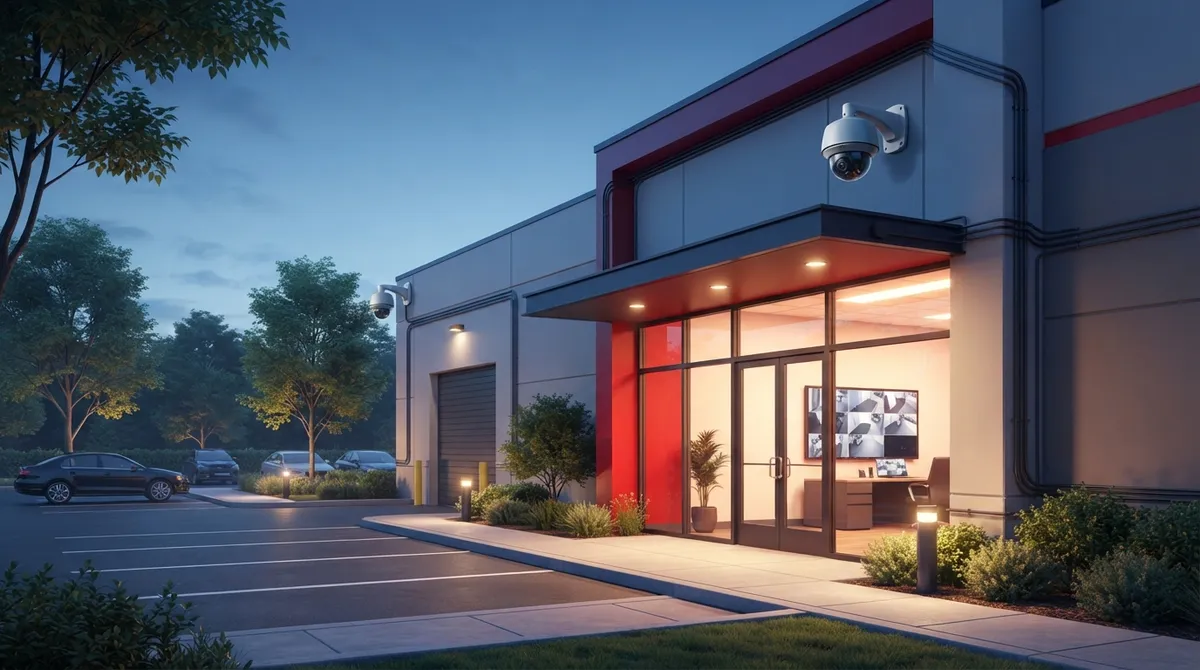
If you own or manage a business in Wesley Chapel, you already know this town is booming. New shopping centers, medical offices, and warehouses seem to pop up every month. That growth is exciting, but it also brings a real question: how do you keep your building, staff, and inventory safe? Commercial security cameras Wesley Chapel business owners can rely on are no longer a luxury. They are quickly becoming a must-have, right alongside your phones and internet.
Here at Ideal Solutions Provider, we have spent over 24 years helping Tampa Bay businesses build smarter, safer, and more connected offices. We know cameras cannot work well without the right cabling, network, and support behind them. This guide walks you through 9 things every Wesley Chapel business should know before choosing a commercial security camera system. We will keep it simple, friendly, and packed with real answers.
1. Why Wesley Chapel Businesses Need Commercial Security Cameras Now
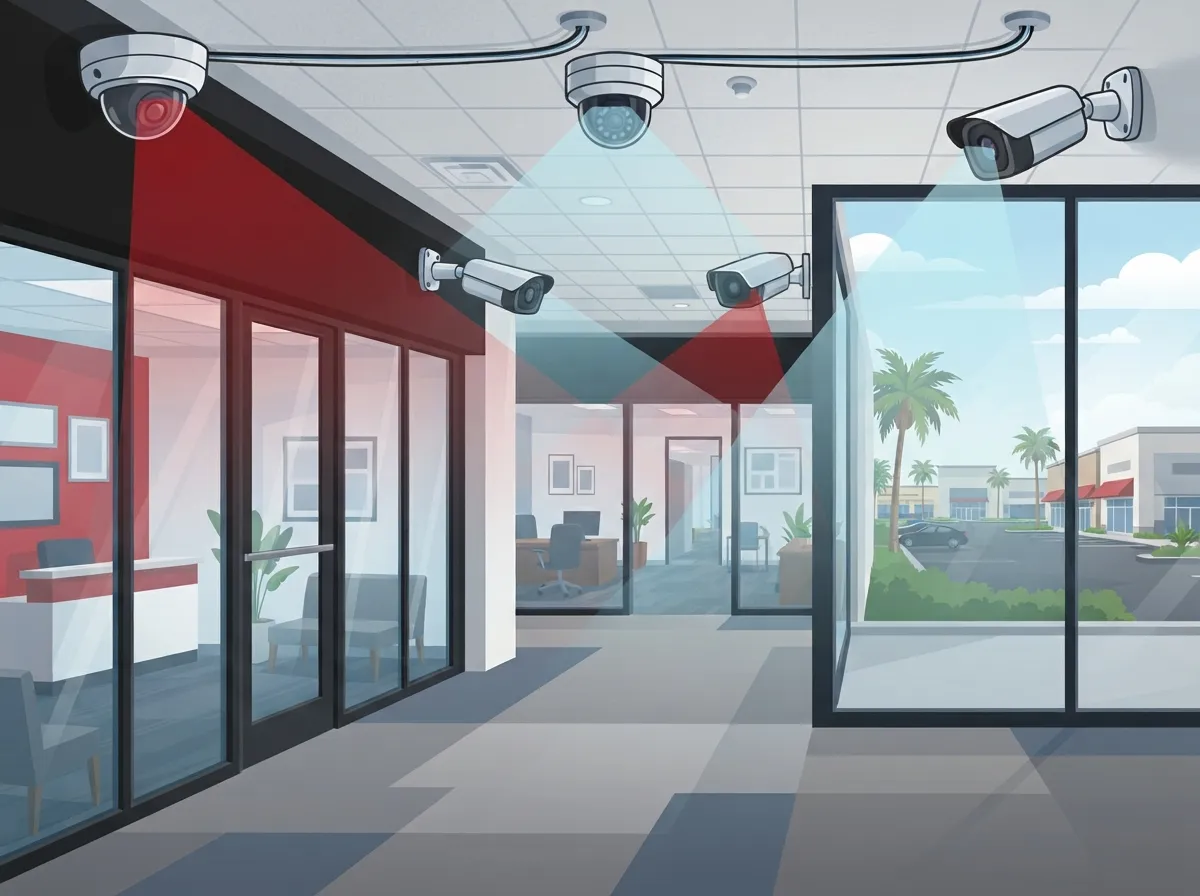
Wesley Chapel is one of Florida’s fastest-growing communities. More growth means more foot traffic, more deliveries, and yes, more opportunities for theft or vandalism. There are over 220 security system providers listed near Wesley Chapel on the Better Business Bureau alone. That tells you something important: demand here is real, and competition among providers is fierce.
Cameras help you do a few big things at once:
- Deter break-ins and vandalism before they happen
- Keep an eye on parking lots, entrances, and loading docks
- Give your team peace of mind during late shifts
- Provide clear evidence if something does go wrong
For many small businesses, cameras are also a smart, budget-friendly alternative to hiring overnight security guards. You get eyes on your property 24/7 without the added payroll cost.
2. Onsite Recording vs Cloud Storage: What’s Better for Wesley Chapel?
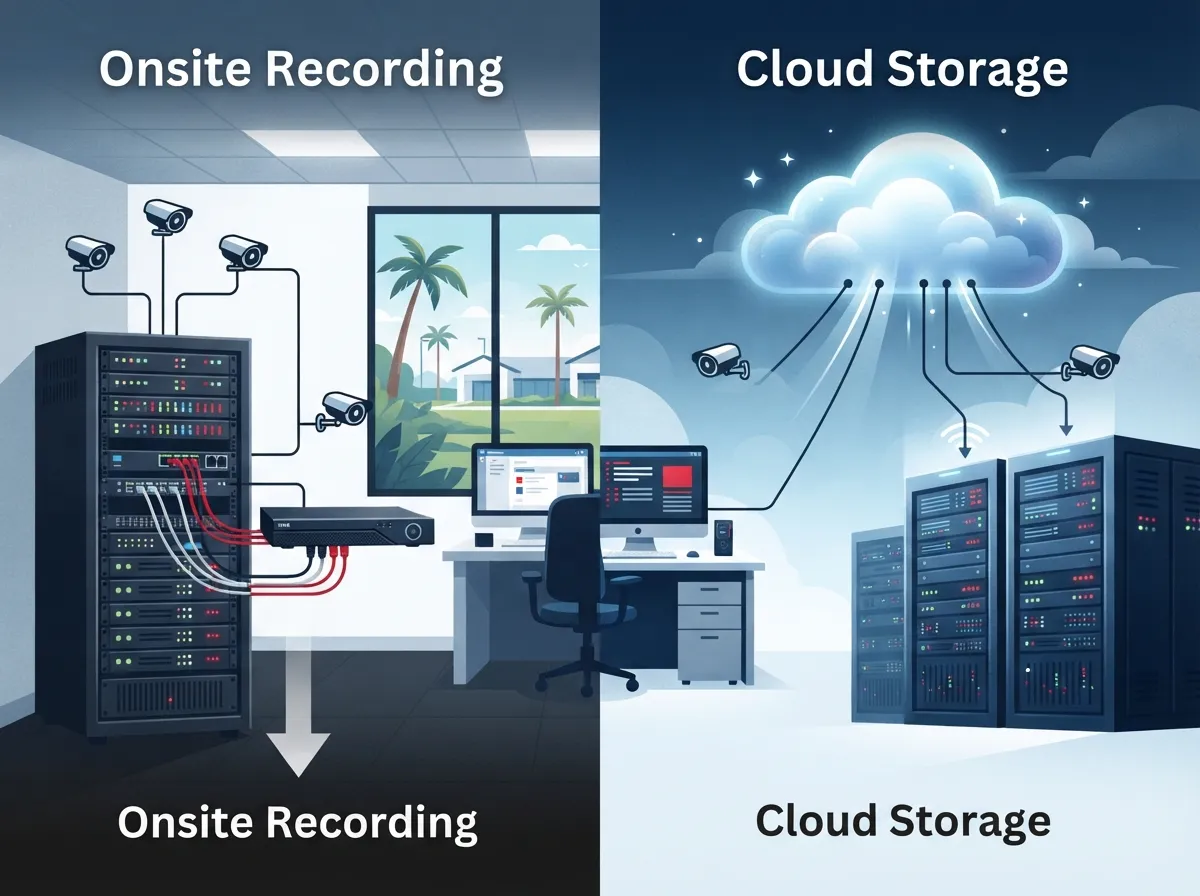
One question we hear all the time is whether to record footage onsite or store it in the cloud. Both have their place, and the right choice depends on your business.
Onsite NVR and DVR Systems
Many Wesley Chapel businesses still prefer onsite recording using Network Video Recorders (NVRs) or Digital Video Recorders (DVRs). This keeps your footage private, reliable, and accessible even if your internet connection has a hiccup. It is a solid choice for businesses that want full control over their data.
Cloud-Based Video Security
Cloud systems, on the other hand, let you check your cameras from your phone, anywhere, anytime. They also make it easier to share footage with law enforcement or your management team. If you are curious how cloud options stack up, our article on 6 Key Differences Between Cloud Video Security and DVR Systems breaks it down in plain language.
Whichever route you choose, the important thing is picking a system that matches how your team actually works. We are happy to walk through the pros and cons together, no pressure at all.
3. Table: Comparing Camera Recording Options for Wesley Chapel Businesses
| Feature | Onsite NVR/DVR | Cloud-Based Storage |
|---|---|---|
| Data Privacy | High, stored onsite | Depends on provider security |
| Remote Access | Limited without setup | Easy, from any device |
| Internet Dependency | Low | Higher, needs stable connection |
| Upfront Cost | Often higher hardware cost | Lower upfront, subscription fees |
| Best For | Data-sensitive businesses | Multi-location or remote teams |
4. High-Definition Cameras: Where They Matter Most
Not every camera placement is created equal. Some spots simply need sharper eyes than others.
- Front entrances and lobbies, to identify visitors clearly
- Parking lots and garages, to catch license plates and deter break-ins
- Loading docks, to track deliveries and prevent theft
- Cash handling areas, for accuracy and accountability
- Common areas and hallways, for general safety monitoring
High-definition indoor and outdoor cameras give you clear video, even in low light. This makes a big difference when footage needs to be reviewed by law enforcement or used for legal purposes.
5. How Security Cameras Work With Your Existing Telecom Setup
Here is something a lot of business owners do not realize until later: your camera system depends heavily on your cabling and network. Cameras need strong, stable connections to send video without lag or dropped frames.
This is where structured cabling comes into play. Properly installed Cat6 or Cat6a cabling supports faster data transfer and fewer connection issues. If your building’s wiring is outdated, your cameras may struggle no matter how good the hardware is.
We recommend pairing your camera installation with a review of your current network. Our guide on 9 Signs Your Tampa Business Needs Structured Cabling Now is a great place to start if you are unsure whether your cabling is holding you back.
Integrating Cameras With VoIP and Access Control
Many Wesley Chapel businesses are combining cameras with VoIP phone systems and access control for a fully connected security setup. For example, when someone rings a video intercom, your team can answer from a VoIP desk phone or mobile app instantly. Curious how this all ties together? Check out 13 Ways Structured Cabling Supports VoIP & Cameras for more detail.
6. Steps to Plan Your Commercial Camera Installation
Getting a camera system installed the right way takes a bit of planning. Here is a simple step-by-step process we recommend.
- Walk your property and identify high-risk areas needing coverage
- Decide between onsite or cloud storage based on your privacy needs
- Check your current cabling and network capacity
- Choose cameras rated for indoor or outdoor use as needed
- Schedule installation with a licensed, experienced provider
- Test all cameras and confirm remote access if applicable
- Train your staff on how to review footage when needed
Skipping steps, especially the network check, is one of the most common mistakes we see. A camera is only as good as the connection behind it.
7. What Local Providers Bring to the Table
Wesley Chapel has no shortage of security providers. Companies like FlyLock Security Solutions and Prime Protection LLC tailor their systems specifically for the area’s rapid growth and unique challenges. Prime Protection LLC has even run promotions offering 50% off Florida business CCTV installation, a sign of just how competitive this market has become.
You will also find ADT-authorized dealers in the area offering monitored security alongside camera systems. TABS Security Service holds a SecureScore of 9.6 out of 10, while Prime Protection LLC sits at 8.6 out of 10, according to local review data. These scores can help you compare providers, but remember to also ask about integration with your phones, internet, and network.
That is exactly where a company like Ideal Solutions Provider fits in. We are not just about cameras. We look at your entire telecom picture, so your security system, phones, and internet all work together smoothly.
8. Cost Factors for Small and Mid-Sized Businesses
Pricing for commercial security cameras varies a lot depending on your needs. Here are the biggest factors that affect cost.
- Number of cameras and coverage areas needed
- Choice between onsite recording hardware or cloud subscriptions
- Existing cabling condition, or need for new structured cabling
- Integration with access control or VoIP systems
- Ongoing monitoring or maintenance plans
Table: Typical Cost Ranges for Wesley Chapel Businesses
| Business Size | Camera Count | Estimated Cost Range |
|---|---|---|
| Small Office | 4 to 8 cameras | $1,500 to $4,000 |
| Mid-Sized Business | 8 to 16 cameras | $4,000 to $10,000 |
| Multi-Location Franchise | Varies per site | Custom quote needed |
These are general ranges. Your actual cost depends on cabling needs, camera quality, and whether you choose cloud or onsite storage. A free consultation is the best way to get an accurate number for your specific building.
9. Legal and Compliance Considerations in Florida
Florida has specific rules about where cameras can and cannot be placed. Generally, cameras are allowed in public-facing areas like lobbies, parking lots, and hallways. They are not allowed in restrooms or private changing areas, where people have a reasonable expectation of privacy.
It is also smart to post visible signage letting visitors and employees know cameras are in use. This protects your business legally and builds trust with your team. If you are unsure about compliance, it is worth checking guidance from a trusted resource like the Internet Service Provider industry standards body or consulting a local attorney familiar with Florida privacy law.
Choosing the Right Partner for Your Camera System
At the end of the day, picking the right provider matters just as much as picking the right cameras. You want a partner who understands cabling, networking, and telecom, not just hardware sales. That combination is what makes a security system actually reliable long-term.
We have seen firsthand how a poorly cabled camera system leads to grainy footage, dropped connections, and frustrated business owners. That is why we always start with a full picture of your network before recommending any camera setup. Our team has helped businesses across Tampa Bay, including Wesley Chapel, connect cameras, phones, and internet into one smooth system.
Want to see real examples of how security cameras protect businesses day to day? Take a look at What Do Security Cameras Really Do for Your Business? for some eye-opening insights.
A Few Honest Tips Before You Buy
Before you sign a contract with any provider, keep these friendly reminders in mind.
- Always ask about cabling compatibility before installation day
- Compare onsite vs cloud storage costs over a 3-year period, not just upfront
- Check if the provider offers ongoing support, not just installation
- Ask how cameras will integrate with your phones and access control
- Get everything in writing, including warranty and service response times
We also recommend following businesses like ours on Facebook or Instagram for real customer stories and tips. Our YouTube channel also has helpful walkthroughs if you are a visual learner.
Bringing It All Together for Your Wesley Chapel Business
Commercial security cameras Wesley Chapel business owners install today are about much more than catching bad guys. They are part of a bigger conversation about how your building connects, communicates, and protects everything inside it. Cameras, cabling, VoIP phones, and access control all work best when they are planned together, not bolted on one at a time.
We would love to sit down with you, review your current setup, and show you exactly where you stand. Whether you need a brand-new camera system or just want a second opinion on your cabling, our team is ready to help. Contact us today, or simply call us to schedule your free consultation. Your safer, smarter Wesley Chapel business is closer than you think.
FAQs
Q: What are the best commercial security camera installation companies in Wesley Chapel, FL?
A: There are over 220 providers serving the Wesley Chapel area, including local names like FlyLock Security Solutions and Prime Protection LLC. We always suggest choosing a provider who also understands cabling and networking, since that combo keeps your cameras running smoothly for years to come.
Q: How do onsite NVR/DVR security systems compare to cloud-only systems for Wesley Chapel businesses?
A: Onsite NVR and DVR systems keep your footage private and working even if the internet goes down, while cloud systems let you check cameras from your phone anywhere. Many Wesley Chapel businesses actually use a mix of both to get the best of each world.
Q: What is the cost of commercial CCTV installation for small businesses in Wesley Chapel?
A: Small businesses typically spend between $1,500 and $4,000 for a basic setup of 4 to 8 cameras. Costs go up with more cameras, cloud storage subscriptions, or if new cabling is needed, so a free consultation is the best way to get real numbers.
Q: Can security cameras in Wesley Chapel integrate with VoIP phone systems and access control?
A: Yes, and honestly, this is one of our favorite parts of the job. When cameras, VoIP phones, and access control work together, your team can answer video intercoms right from their desk phone or mobile app, making your whole building feel more connected.
Q: What are the legal requirements for commercial security camera placement in Florida?
A: Florida law generally allows cameras in public-facing areas like lobbies and parking lots, but not in private spaces like restrooms. It is also a good idea to post visible signage so everyone knows cameras are in use, which helps with both trust and legal compliance.





