
Key Takeaways
-
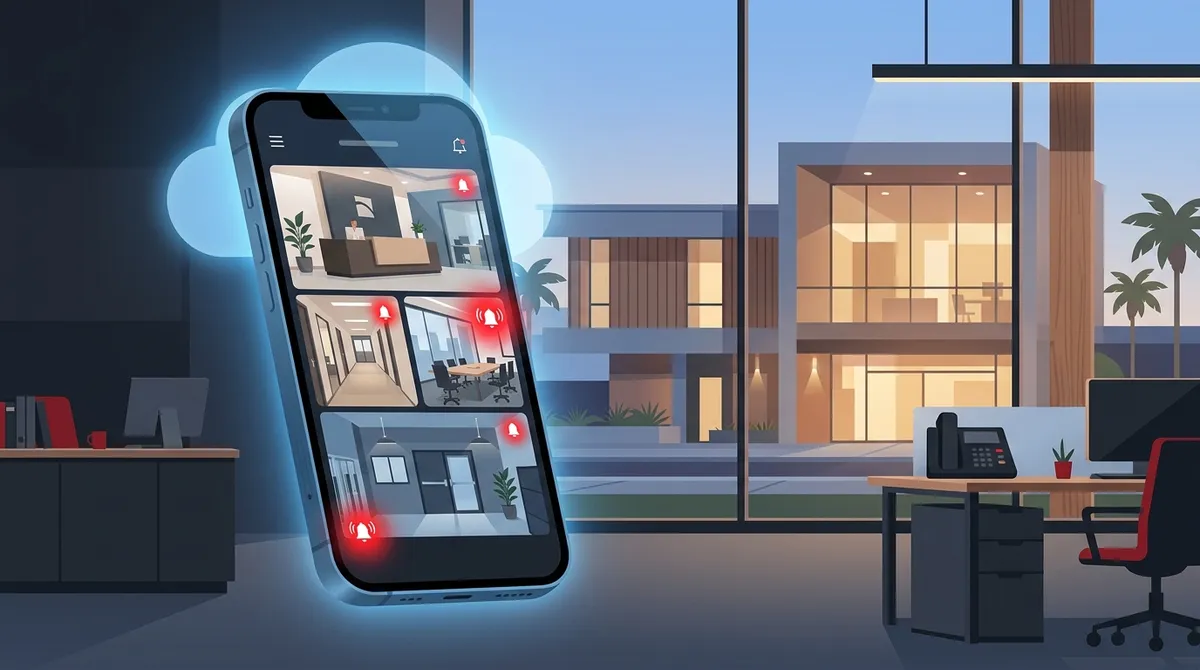
Cloud-based business camera systems allow real-time remote monitoring from your smartphone via a mobile app, with instant motion detection alerts that notify you immediately of suspicious activity after hours.
-
Your Tampa business needs adequate upload internet speed (5-10 Mbps for 1-4 cameras, up to 50+ Mbps for 20+ cameras) and business-grade IP cameras to enable reliable mobile camera access without disrupting other office operations.
-
Cloud camera systems provide superior security through AES-256 encryption, two-factor authentication, and role-based access control, while eliminating vulnerabilities of older DVR systems that store footage locally on easily-stolen hard drives.
-
Multi-user access with customizable permissions allows managers and owners at different locations to simultaneously view cameras specific to their role, making cloud systems ideal for franchise operators managing multiple Tampa Bay sites.
-
Professional network infrastructure including proper VLAN segmentation, Quality of Service settings, and structured cabling is essential for optimal cloud camera performance and cyber threat reduction in your business.
-
Upgrading from legacy DVR systems to cloud video security requires professional installation and assessment of your current setup, with certified technicians ensuring optimal camera coverage and network configuration for seamless remote access.
You just stepped out for lunch. Your phone buzzes with a motion alert from your business. Within seconds, you’re watching a live feed of your Tampa storefront — right from your smartphone. Sound too good to be true? It’s not. In 2026, remote phone monitoring for business security cameras is not just possible — it’s the new standard for smart business owners across Tampa Bay.
Whether you run a small retail shop in Ybor City, manage a multi-location franchise across the Tampa area, or oversee operations from a corporate office, the ability to monitor your business cameras from your phone gives you real peace of mind. Let’s break down exactly how it works, what you need to set it up, and why more Tampa businesses are making the switch to cloud video security.
Yes, You Can Monitor Your Tampa Business Cameras From Your Phone
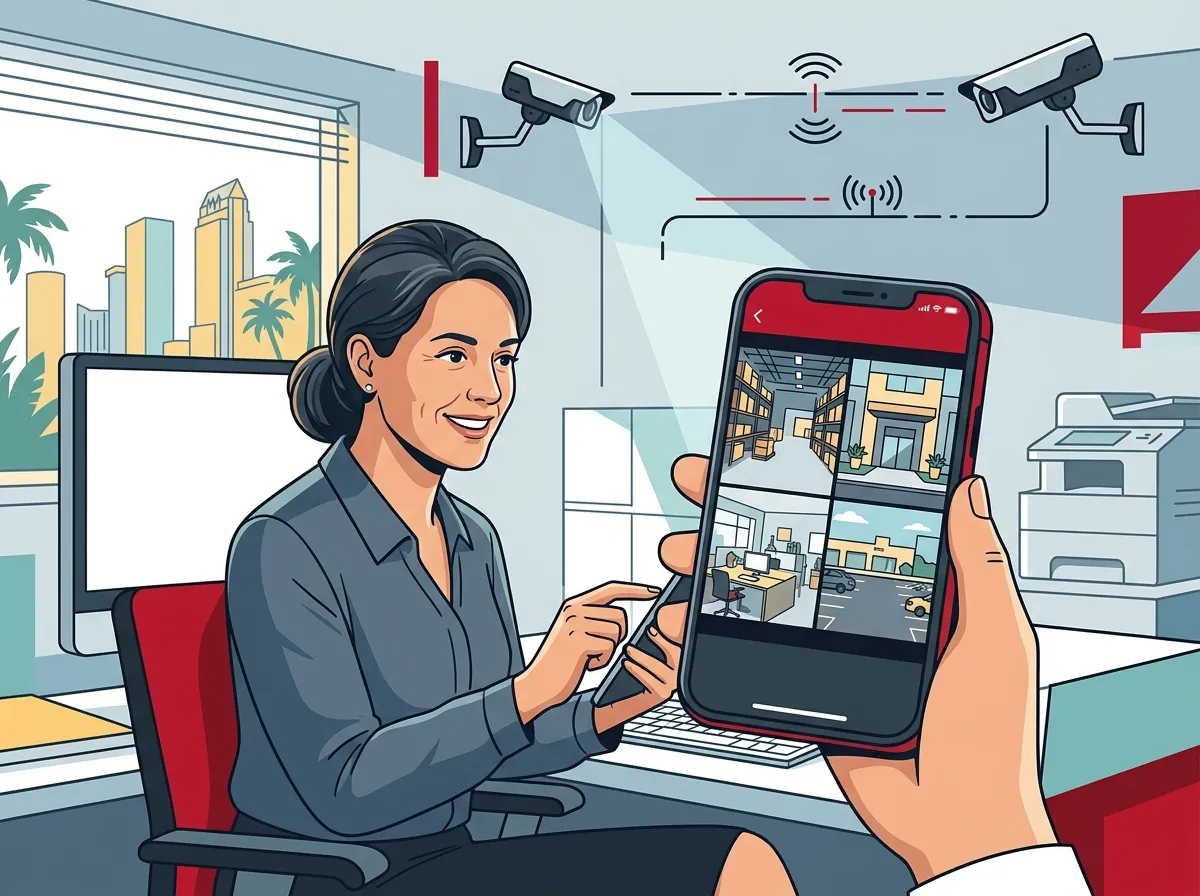
The short answer is a confident yes. Modern business surveillance systems are built with remote access in mind. When your camera system is connected to a cloud platform, you can view live footage, review recorded clips, and receive real-time alerts — all from a smartphone app.
This isn’t just a convenience feature. It’s a game-changer for Tampa business owners who can’t be on-site 24/7. Tampa-area providers now market cloud and mobile access as a core feature of commercial surveillance packages, making it easier than ever to stay connected to your business from anywhere in the world.
If you want to see real-world examples of how cloud camera systems work for businesses, check out the video resources available from Ideal Solutions Provider.
How Remote Camera Monitoring Actually Works
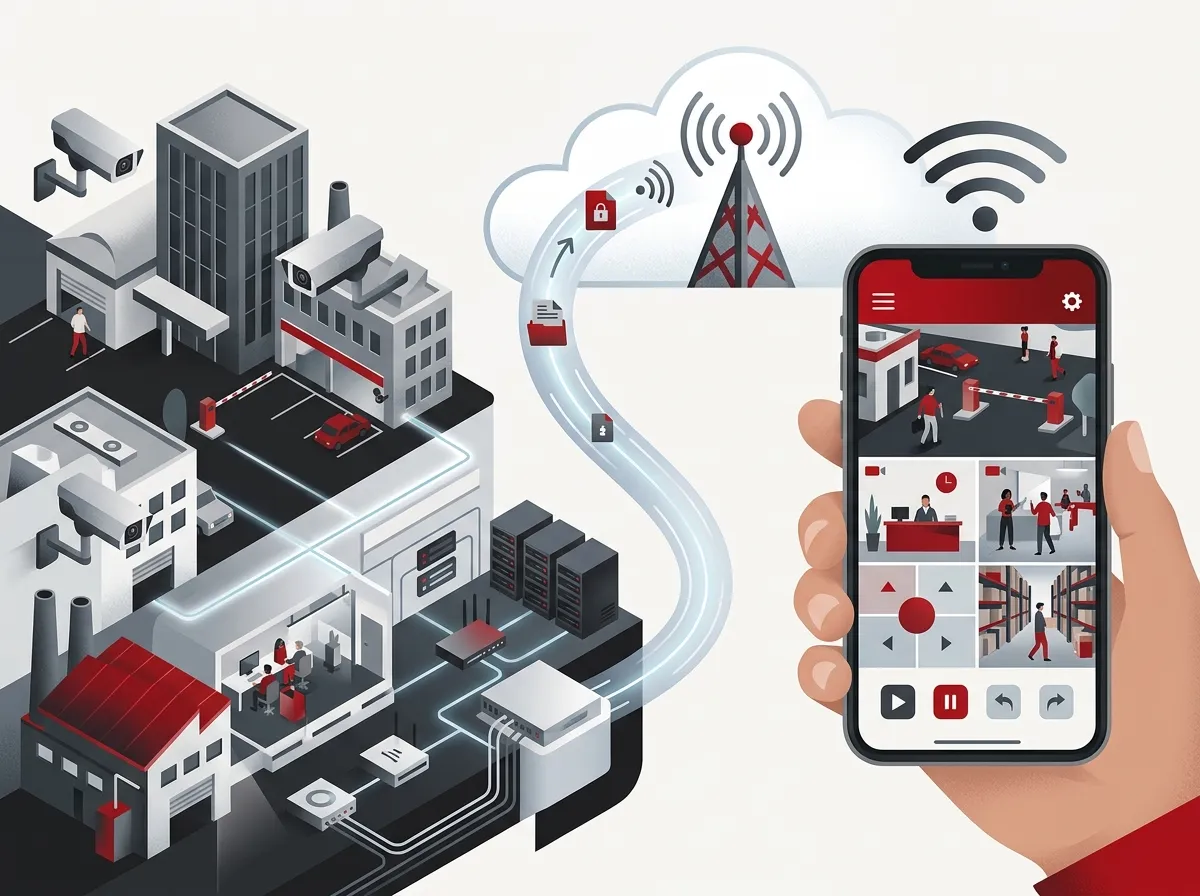
Understanding the technology helps you make better decisions. Here’s a simple breakdown of how remote phone monitoring works for business security cameras:
- Your cameras connect to the internet. Business-grade IP cameras or cloud cameras link to your office network or directly to the cloud via a cellular or Wi-Fi connection.
- Footage is stored in the cloud. Instead of relying on a local hard drive that can be stolen or damaged, cloud systems store your video footage securely on remote servers.
- You download a mobile app. Your camera system provider supplies a mobile app (iOS or Android) that gives you secure access to your camera feeds.
- You log in from anywhere. Open the app, authenticate your credentials, and you’re watching your Tampa business cameras in real time — whether you’re across town or across the country.
- Motion alerts notify you instantly. When cameras detect movement after hours, you receive a push notification so you can check the feed immediately.
It’s really that straightforward. The technology does the heavy lifting so you can focus on running your business. For a deeper look at setting this up, learn how to set up remote business video monitoring in Tampa.
What You Need to Monitor Cameras From Your Phone
Before you can enjoy the convenience of mobile camera access, a few key components need to be in place. Here’s what your Tampa business needs:
- Cloud-compatible IP cameras — Not all cameras support remote access. You need business-grade cameras designed for cloud connectivity.
- A reliable internet connection — Your office network must have sufficient upload speed to stream video to the cloud. More on this below.
- A cloud video management platform — This is the software layer that handles storage, access control, and mobile app functionality.
- A smartphone with the provider’s app — Available on iOS and Android for most business surveillance platforms.
- Secure login credentials — Two-factor authentication is recommended to protect your camera access from unauthorized users.
If you’re not sure whether your current setup supports mobile access, it’s worth having a professional review your system. Reach out to our team for a free consultation — we’ll assess what you have and what upgrades might be needed.
Internet Speed Requirements for Remote Camera Viewing
One of the most overlooked factors in remote camera monitoring is internet speed. A slow or unreliable connection can make your live feeds choppy, delayed, or completely unavailable. Here’s a quick guide to what your Tampa business should expect:
| Number of Cameras | Recommended Upload Speed | Video Quality | Suggested Connection Type |
|---|---|---|---|
| 1–4 cameras | 5–10 Mbps upload | 720p–1080p | Business broadband or fiber |
| 5–10 cameras | 15–25 Mbps upload | 1080p | Business fiber recommended |
| 11–20 cameras | 30–50 Mbps upload | 1080p–4K | Dedicated fiber circuit |
| 20+ cameras | 50+ Mbps upload | 4K | Dedicated fiber or SD-WAN |
For many Tampa businesses, a standard broadband connection won’t cut it once you scale beyond a handful of cameras. Business high-speed internet services with dedicated bandwidth ensure your cameras stream reliably without affecting other office operations. You can also explore how to choose the right internet speed for your Tampa business.
Key Features to Look for in a Mobile-Ready Business Camera System
Not all business camera systems are created equal. When evaluating options for your Tampa location, here are the features that matter most for mobile monitoring:
| Feature | Why It Matters | Must-Have or Nice-to-Have |
|---|---|---|
| Mobile app access (iOS & Android) | Lets you view cameras from any smartphone | Must-Have |
| Cloud video storage | Keeps footage safe and accessible remotely | Must-Have |
| Motion detection alerts | Notifies you instantly of suspicious activity | Must-Have |
| Multi-user access | Allows managers and owners to view cameras simultaneously | Must-Have |
| Two-factor authentication | Secures your camera feed from unauthorized access | Must-Have |
| HD or 4K resolution | Provides clear footage for identification purposes | Must-Have |
| Desktop VMS software | Centralizes monitoring across multiple locations | Nice-to-Have |
| 24/7 professional monitoring | Adds an extra layer of protection after hours | Nice-to-Have |
If you’re managing multiple Tampa Bay locations, desktop video management software (VMS) in addition to a mobile app gives your IT team centralized control. Explore how cloud video security systems for Tampa FL businesses handle multi-site monitoring effectively.
Cloud Security Cameras vs. Traditional DVR Systems
Many Tampa businesses are still running older DVR-based camera systems. These systems store footage locally on a hard drive — which means you usually can’t access them remotely without complicated VPN setups. Here’s how cloud systems compare:
- Remote access: Cloud systems offer seamless phone access. DVR systems often require technical workarounds.
- Storage security: Cloud footage is protected from physical theft or damage. DVR footage can be lost if the recorder is stolen.
- Scalability: Adding cameras to a cloud system is simple. DVR systems are limited by physical ports and storage capacity.
- Maintenance: Cloud systems receive automatic software updates. DVR systems require manual upkeep.
- Alerts: Cloud systems push instant motion alerts to your phone. DVR systems typically don’t offer this feature.
If your Tampa business is still running a legacy DVR setup, upgrading to a cloud video security system could be one of the smartest investments you make in 2026. You can also read about what security cameras really do for your business to understand the full value.
Can Multiple Managers Access the Same Camera System?
Absolutely — and this is one of the biggest advantages of modern cloud-based business surveillance. Multi-user access is a standard feature in most commercial camera platforms. Here’s how it typically works:
- The administrator sets up the system and creates individual user accounts with assigned permissions.
- Each user downloads the mobile app and logs in with their own credentials.
- Permissions can be customized — for example, a store manager might see cameras in their location only, while the business owner sees all locations.
- Access logs are maintained so you can see who viewed the cameras and when.
For franchise operators or multi-location businesses in Tampa Bay, this level of access control is incredibly valuable. You can give regional managers visibility into their sites while maintaining full oversight at the owner level. Follow Ideal Solutions Provider on Facebook and Instagram for tips on managing multi-location business security.
How Secure Is Remote Camera Access for Your Business?
Security is a fair concern when you’re accessing live business video feeds over the internet. Here’s the good news: reputable cloud camera platforms use enterprise-grade encryption to protect your footage. Here’s what to look for:
- AES-256 encryption for video data in transit and at rest
- Two-factor authentication (2FA) to prevent unauthorized logins
- Role-based access control to limit who can see which cameras
- Automatic firmware updates to patch security vulnerabilities
- Activity logging to track who accessed the system and when
Your network infrastructure also plays a role in security. A professionally configured business network with proper firewall settings adds another layer of protection. Business network solutions from a trusted Tampa provider ensure your camera traffic stays separate from general office traffic — reducing your exposure to cyber threats.
The Role of Network Infrastructure in Remote Monitoring
Remote camera monitoring doesn’t happen in a vacuum. Your office network needs to be set up correctly to support reliable video streaming to the cloud. This includes:
- Proper network segmentation — Camera traffic should run on a dedicated VLAN to avoid congestion with other office applications.
- Quality of Service (QoS) settings — Your router should prioritize camera traffic during peak business hours.
- Structured cabling — Physical camera connections require well-organized cabling to maintain signal quality. Learn more about structured cabling services for commercial buildings.
- Reliable internet uptime — If your internet goes down, remote access goes with it. A redundant connection or cellular backup keeps you covered.
Tampa businesses that invest in a solid network foundation get dramatically better performance from their cloud camera systems. Check out how structured cabling supports VoIP phones and security cameras together in a unified business setup.
After-Hours Monitoring for Tampa Businesses
One of the most valuable uses of remote phone monitoring is after-hours oversight. Tampa businesses that close at night — retail stores, restaurants, warehouses, medical offices — benefit enormously from knowing they can check in anytime. Here’s a quick look at common after-hours monitoring scenarios:
| Business Type | After-Hours Concern | How Mobile Monitoring Helps |
|---|---|---|
| Retail Store | Break-ins, shoplifting | Instant motion alerts and live feed review |
| Restaurant | Employee activity, kitchen safety | Remote check-in after closing hours |
| Warehouse | Inventory theft, unauthorized access | 24/7 live monitoring from any device |
| Medical Office | Compliance, patient area security | Recorded footage with cloud backup for audits |
| Franchise Location | Multi-site oversight | Single app view of all locations simultaneously |
Pairing mobile camera access with cloud-based access control gives you a complete picture of who is entering and exiting your building — even when you’re miles away. You can also watch helpful explainer content on the Ideal Solutions Provider YouTube channel to see how these systems work together.
Steps to Get Started With Mobile Camera Monitoring in Tampa
Ready to set up mobile monitoring for your Tampa business cameras? Here’s a simple roadmap to follow:
- Audit your current camera setup. Determine whether your existing cameras support cloud connectivity and mobile access.
- Evaluate your internet connection. Make sure your upload speed is sufficient for the number of cameras you plan to run remotely.
- Choose a cloud camera platform. Select a system that includes a mobile app, cloud storage, and motion alert features.
- Schedule professional installation. Have a certified technician install and configure your cameras for optimal coverage and network performance.
- Set up user accounts and permissions. Assign access to the appropriate managers and staff members.
- Test your remote access. Confirm that you can view all camera feeds from your phone before relying on the system for security.
Ideal Solutions Provider has been helping Tampa businesses build complete telecom and security setups for over 24 years. From affordable cloud security camera installation in Tampa to full network infrastructure design, they serve as your single point of contact — so you’re not juggling multiple vendors. Give us a call today to get your free consultation started.
Why Tampa Businesses Are Choosing Cloud Camera Systems in 2026
The shift toward cloud-based surveillance is accelerating in Tampa Bay. Business owners are increasingly demanding flexibility — the ability to check in on their business at any time, from any location. Cloud camera systems with mobile access deliver exactly that.
Beyond convenience, cloud systems are more resilient, easier to scale, and increasingly affordable. As Tampa continues to grow as a business hub, investing in smart, connected security infrastructure is no longer optional — it’s a competitive advantage. Businesses that embrace cloud surveillance systems in Tampa Bay are better positioned to protect their assets, reduce losses, and operate with confidence.
Conclusion
The answer to “Can I monitor my Tampa business security cameras from my phone?” is a resounding yes — and in 2026, it’s easier and more affordable than ever. All you need is the right cloud camera system, a reliable business internet connection, and a properly configured network. Whether you run one location or manage a dozen sites across Tampa Bay, mobile camera monitoring puts control right in the palm of your hand.
If you’re ready to upgrade your Tampa business security cameras to a cloud-based system with full mobile access, we’d love to help. Contact our team at Ideal Solutions Provider for a free, no-obligation consultation — and let’s build a security setup that keeps your business safe around the clock.
FAQs
Q: Can I view my Tampa business security cameras live on my phone?
A: Absolutely! With a cloud-based business camera system, you can watch live feeds from your smartphone anytime, anywhere. Just download your provider’s mobile app, log in with your credentials, and you’re connected to your Tampa business cameras in seconds.
Q: What internet speed do I need for remote camera viewing at my Tampa business?
A: For 1–4 cameras, you’ll generally need at least 5–10 Mbps of upload speed. If you’re running more cameras or want 4K quality, a dedicated fiber connection is the way to go. A reliable business internet connection makes all the difference in keeping your feeds smooth and clear.
Q: Can multiple managers access the same business camera system from different phones?
A: Yes, and it’s one of the best features of cloud camera systems! Most platforms support multi-user access with customizable permissions, so your store manager, regional director, and business owner can all view cameras simultaneously — each with their own secure login.
Q: How secure is remote access to my Tampa business security cameras?
A: Very secure, when you choose the right system! Reputable cloud camera platforms use AES-256 encryption, two-factor authentication, and role-based access controls to keep your footage safe. Pair that with a properly configured business network, and you’ve got solid protection against unauthorized access.
Q: Do Tampa business security cameras work without Wi-Fi for remote viewing?
A: Your office cameras need an internet connection to stream footage to the cloud and your phone. However, some systems support cellular backup, which keeps your cameras online even if your main internet connection goes down. This is a great option for Tampa businesses that need continuous coverage.





