
Key Takeaways
-
Cloud phone systems cost $15-$50 per user monthly with predictable pricing, significantly lower than traditional PBX systems that require expensive hardware and ongoing maintenance.
-
Cloud systems enable remote and hybrid work by allowing employees to make and receive calls from any device with internet, keeping teams connected across office, home, and mobile locations.
-
Auto-attendants, call routing, voicemail-to-email, and mobile apps provide professional communication features that small businesses typically need expensive staff to handle manually.
-
Built-in call analytics, CRM integrations, and video conferencing consolidate communication tools into one platform, eliminating the need to juggle multiple apps.
-
Scalability and redundancy make cloud systems ideal for growing businesses and multi-location operations, as adding users or locations requires no hardware changes or complex rewiring.
-
Call recording, encryption, multi-factor authentication, and 99.999% uptime guarantees deliver security and business continuity that protect sensitive communications and prevent downtime.
Is your business still tied to a clunky landline setup? You’re not alone. Thousands of companies across the country are ditching outdated phone systems and making the switch to cloud phone systems. And honestly, it’s easy to see why. These modern communication platforms are flexible, affordable, and packed with features that make day-to-day business so much smoother.
Whether you’re a small business owner in Tampa, an IT manager juggling multiple locations, or a franchise operator looking to scale, cloud phone systems offer something for everyone. In this guide, we’ll walk you through 15 powerful features that can genuinely transform the way your team communicates. Let’s dive in!

What Is a Cloud Phone System?
A cloud phone system uses Voice over Internet Protocol (VoIP) to make and receive business calls over the internet instead of traditional copper landlines. The service is hosted in off-site data centers managed by the provider, so you don’t need bulky on-premise PBX hardware cluttering up your office. If you want a deeper look at how this compares to older setups, check out this helpful breakdown of 6 key differences between VoIP and traditional phone systems.
The best part? Pricing is typically straightforward. Most cloud phone systems run between $15 and $50 per user per month, depending on the provider and features included. That predictable cost model is a huge win for business owners watching their budgets.

Why Cloud Phone Systems Matter in 2026
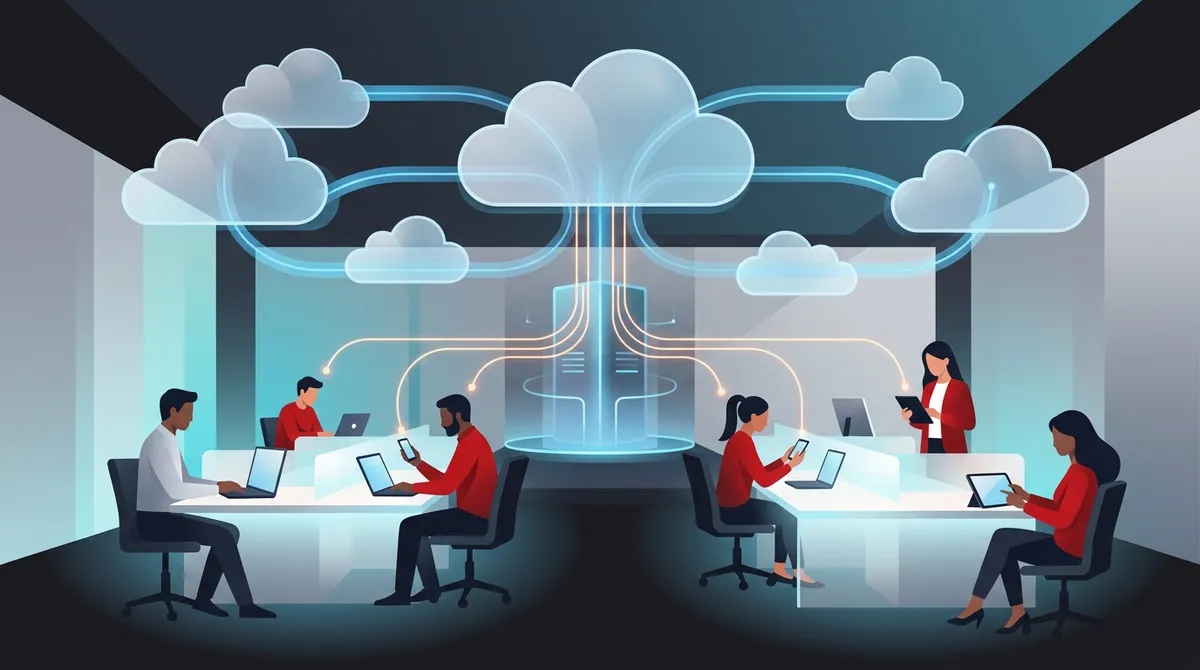
Remote and hybrid work are here to stay. Your team needs to communicate from anywhere — the office, home, or on the road. Cloud phone systems make that possible by letting employees place and receive calls from desk phones, computers, smartphones, and tablets. All they need is a reliable internet connection.
If you’re curious about how your internet service affects call quality, this article on what internet speed you need for VoIP in Tampa is a great resource. For businesses thinking about switching, here are 7 reasons Tampa businesses are switching to VoIP in 2026.
15 Cloud Phone System Features That Make a Real Difference
1. Auto-Attendant (Virtual Receptionist)
An auto-attendant greets callers and routes them to the right department. It works 24/7 without a salary. Small businesses especially love this feature because it gives them a professional image right from the first ring.
2. Call Routing and Forwarding
Smart call routing sends calls to the right person or team based on rules you set. Whether it’s by time of day, department, or caller location, your customers always reach the right person faster.
3. Voicemail to Email
Miss a call? No problem. Voicemail to email delivers audio messages straight to your inbox. You can listen from anywhere without dialing into a mailbox. It’s a small feature that saves a surprising amount of time.
4. Mobile App Support
Your office phone travels with you. Cloud phone systems come with mobile apps that turn your smartphone into a fully functional business line. Your personal number stays private, and your business identity stays consistent.
5. HD Voice Quality
Nobody wants to strain to hear a client. HD voice technology delivers crystal-clear audio that makes every conversation feel professional. Paired with a solid internet connection, it’s a game changer for customer-facing teams.
6. Call Analytics and Reporting
Data nerds, rejoice! Cloud phone systems track call volume, duration, wait times, and more. IT managers and office managers can use these insights to improve staffing, spot bottlenecks, and measure team performance.
7. Business SMS and Text Messaging
Customers love texting. Many cloud phone systems include built-in business SMS so your team can send and receive texts from the same business number. It’s a simple way to meet customers where they already are.
8. CRM and App Integrations
Your phone system doesn’t have to live in a silo. Cloud systems integrate with popular CRM tools, help desks, and business apps. When a customer calls, their history pops up automatically. That’s a smoother experience for everyone.
9. Video Conferencing
Many cloud phone offerings are now bundled as UCaaS (Unified Communications as a Service), combining voice, messaging, and video in one platform. Instead of juggling multiple apps, your team has everything in one place. You can explore more about this in our guide on 12 VoIP phone system features every business needs in 2026.
10. Scalability
Growing fast? Cloud phone systems make it easy to add new users, lines, or locations. There’s no need to buy new hardware or rewire an entire office. This is especially valuable for franchise operators managing multiple sites. Speaking of which, check out these 11 reliable network solutions for multi-location Tampa businesses to see the bigger picture.
11. Call Recording
Training new employees? Need to review an important client call? Built-in call recording lets you capture and store conversations securely. It’s great for quality assurance and compliance in regulated industries.
12. Conference Calling
Host multi-party conference calls without needing a separate service. Cloud phone systems handle conference bridges natively. Your team can collaborate internally or bring clients into conversations with ease.
13. Number Portability
Worried about losing your existing business number? Don’t be. Cloud phone systems support number porting so you keep the same number your customers already know. Learn more about how to keep your phone number when switching to VoIP in Tampa.
14. Redundancy and Business Continuity
What happens if your office internet goes down? Cloud phone systems are designed with redundancy built in. Calls can automatically reroute to mobile devices, keeping your business connected no matter what. Some providers, like RingCentral, market 99.999% uptime reliability. That’s serious peace of mind.
15. Advanced Security and Encryption
Security is a top priority for any business phone system. Cloud providers protect your calls with encryption, multi-factor authentication, and continuous monitoring. You can communicate confidently knowing your conversations are protected.
Feature Comparison: Cloud vs. Traditional Phone Systems
| Feature | Cloud Phone System | Traditional PBX |
|---|---|---|
| Setup Time | Hours (minimal disruption) | Days to weeks |
| Monthly Cost | $15–$50 per user | Higher (hardware + maintenance) |
| Remote Work Support | Yes (any device, anywhere) | Limited |
| Scalability | Easy (add users instantly) | Complex and costly |
| Maintenance | Provider-managed | In-house IT required |
| Redundancy | Built-in failover | Depends on setup |
If you’re still weighing your options, this article on VoIP vs. traditional phone for Tampa businesses breaks it down in even more detail.
What to Look for When Choosing a Cloud Phone System
Not all cloud phone systems are created equal. Here’s what to evaluate before you commit:
- Feature set: Does it include the tools your team actually needs?
- Reliability: What uptime guarantee does the provider offer?
- Security: Is call encryption and data protection included?
- Support: Can you reach a real human when something goes wrong?
- Integrations: Does it connect with your existing CRM or apps?
- Pricing transparency: Are there hidden fees or long-term contracts?
For Tampa-area businesses specifically, check out this detailed guide on how to choose cloud based phone system providers in Tampa FL. It covers local-specific considerations that make a big difference.
Cloud Phone System Pricing Breakdown
| Plan Tier | Typical Monthly Cost Per User | Best For | Common Features |
|---|---|---|---|
| Basic | $15–$20 | Small businesses (1–10 users) | Calling, voicemail, auto-attendant |
| Standard | $25–$35 | Growing teams (10–50 users) | SMS, analytics, integrations |
| Advanced | $40–$50 | Enterprises and multi-location | Video, call recording, advanced security |
Want to understand the full cost picture? This resource on how much a VoIP phone system costs for a Tampa business walks through pricing in plain language. You can also explore tips on 15 ways to reduce business telecom costs in Tampa to make sure you’re not overpaying.
Steps to Switch to a Cloud Phone System
Switching doesn’t have to be stressful. Here’s a simple roadmap:
- Audit your current setup: Understand what you have and what you’re paying. Many businesses discover they’re overpaying before they even shop around.
- Define your needs: How many users? Which features matter most? Remote workers? Multiple locations?
- Compare providers: Look at features, uptime guarantees, support quality, and pricing. Don’t just go with the first quote you get.
- Plan your migration: Coordinate number porting, hardware needs, and training so the transition is smooth.
- Go live and monitor: Track call quality and usage in the early weeks to catch any issues fast.
For a more detailed walkthrough, read our guide on 5 steps to switch your business phone to the cloud in Tampa. And if you want to avoid common pitfalls along the way, don’t miss this list of 15 cloud phone system mistakes Tampa small businesses make.
How Ideal Solutions Provider Can Help
Ideal Solutions Provider is a Tampa-based telecom partner with over 24 years of experience helping businesses find the right communication tools. Rather than pushing a single product, they work with 35+ vetted suppliers — including carriers like RingCentral, Nextiva, and Net2Phone — to match each client with the best cloud phone system for their needs and budget.
They handle everything from consultation and number porting to installation and ongoing support. That means you get one trusted point of contact instead of bouncing between vendors. Follow them on Facebook and Instagram to stay up to date on telecom tips and local business resources.
Is Your Business Ready for a Cloud Phone System?
Here are some signs it’s time to make the move:
- Your team works remotely or in a hybrid setup
- You’re paying too much for a legacy phone system
- You’re opening new locations or hiring quickly
- Your current system lacks basic features like voicemail-to-email or call analytics
- You’ve experienced reliability issues or dropped calls
- You want to bundle phone and internet under one vendor for simplicity
If any of those sound familiar, it’s worth exploring your options. You can also learn about how to bundle your business phone and internet service to simplify billing and potentially save money.
Quick Reference: Cloud Phone System Benefits by Business Type
| Business Type | Top Benefit | Key Feature to Prioritize |
|---|---|---|
| Small Business Owner | Lower cost, professional image | Auto-attendant, mobile app |
| Mid-Sized Enterprise | Scalability and integrations | CRM integration, call analytics |
| IT Manager | Centralized management | Admin portal, security features |
| Office Manager | Ease of use, reliable support | Voicemail-to-email, call routing |
| Franchise Operator | Consistency across locations | Multi-site management, scalability |
You can also find helpful educational content on the Ideal Solutions Provider YouTube channel, where they break down telecom topics in plain language for business owners of all backgrounds.
Conclusion: The Right Cloud Phone System Is Out There for You
Cloud phone systems aren’t just a tech upgrade — they’re a business upgrade. From auto-attendants and mobile apps to call analytics and bulletproof security, the features available in 2026 make it easier than ever to communicate professionally, stay connected on the go, and scale without the headache.
The key is finding the right system for your specific needs. That means understanding your team size, your budget, your features wish list, and your growth plans. Whether you’re a solo operator in Tampa or a franchise with locations nationwide, there’s a cloud phone system built for you.
Ready to find out which cloud phone system is the best fit for your business? Reach out to our team at Ideal Solutions Provider for a free consultation, or give us a call at 813-388-4935 — we’d love to help you make the switch with confidence.
FAQs
Q: What is a cloud phone system for business?
A: A cloud phone system uses VoIP technology to route business calls over the internet instead of traditional phone lines. It’s hosted off-site by a provider, which means you skip the bulky hardware and get a flexible, affordable communication solution that works from any device, anywhere.
Q: How much does a cloud phone system cost per user per month?
A: Great news — cloud phone systems are typically very budget-friendly! Most plans range from $15 to $50 per user per month, depending on the provider and the features included. Basic plans cover essentials like calling and voicemail, while advanced tiers add video, analytics, and CRM integrations.
Q: Are cloud phone systems good for remote and hybrid teams?
A: Absolutely! Cloud phone systems were practically made for remote and hybrid work. Employees can make and receive business calls from their desk phones, laptops, or smartphones — all they need is a solid internet connection. Your whole team stays connected no matter where they’re working from.
Q: What is the difference between a cloud phone system and a traditional PBX?
A: Traditional PBX systems rely on physical hardware installed at your office and are costly to maintain and scale. Cloud phone systems, on the other hand, are hosted by a provider off-site and can be set up quickly, scaled easily, and accessed from anywhere — making them a much more flexible choice for modern businesses.
Q: How do I choose the best cloud phone system for my small business?
A: Start by thinking about your team size, budget, and must-have features like mobile access, call routing, or CRM integration. Then compare providers on reliability, support quality, and pricing transparency. Working with an independent telecom partner like Ideal Solutions Provider can make this process much easier — they’ll compare options across 35+ suppliers and match you with the best fit.





