
Key Takeaways
-
VoIP systems cost $15-$35 per user monthly compared to $40-$80+ for traditional landlines, making them the most cost-effective modern option for businesses of all sizes.
-
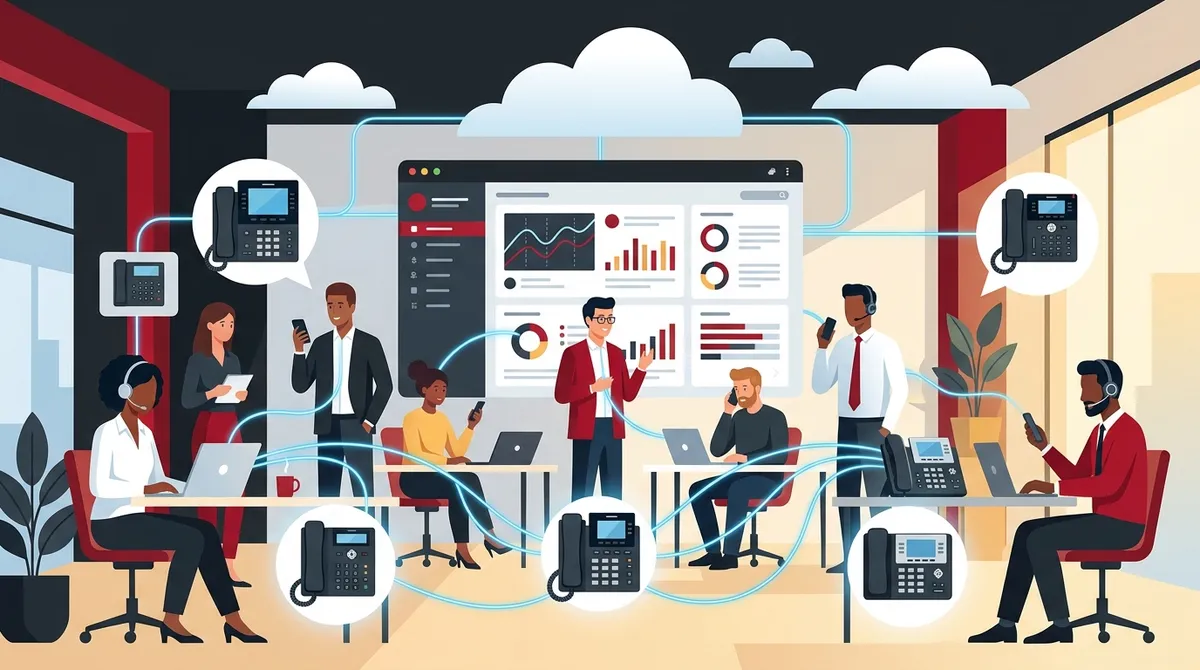
Cloud-based and VoIP systems enable remote and hybrid work by allowing employees to make and receive calls from any device using one business number, with centralized admin control from a single dashboard.
-
Before upgrading your phone system, audit your internet speed and network cabling infrastructure—VoIP call quality depends on stable, fast internet connectivity, not just the phone system itself.
-
Essential features for modern business phone systems include auto-attendant, call forwarding, voicemail-to-email, call recording, and conference calling, which most cloud VoIP providers include standard.
-
Choosing a telecom partner with multi-vendor access, transparent pricing, and bundled voice/data/security solutions reduces migration risks and eliminates the complexity of managing multiple vendors.
-
Hosted PBX and cloud VoIP systems are replacing on-premise PBX for most businesses because they deliver enterprise-level features without requiring dedicated IT staff or expensive hardware maintenance.
If you’ve ever missed a customer call because your phone system couldn’t keep up, you already know the pain. A great business phone system isn’t just about making calls. It’s the backbone of how your team communicates, how customers reach you, and how smoothly your operations run every single day. Whether you’re a small business owner in Tampa or an IT manager overseeing multiple locations, choosing the right system matters more than most people realize.
The good news? Modern business phone systems have come a long way. Today’s options are flexible, feature-rich, and far more affordable than the clunky hardware setups of the past. In this guide, we’ll walk you through six key system types, what to look for, and how to make the smartest choice for your team. Let’s dive in!

What Is a Business Phone System?
A business phone system is a communications platform that handles calls across your organization. It goes far beyond a single desk phone. Modern systems manage call routing, voicemail, conferencing, texting, and even video. Many today are part of broader unified communications platforms that bundle voice, data, and collaboration tools into one managed solution.
For context, global telecom spending reached an estimated $1,655 billion in recent years — a clear sign that businesses worldwide understand how critical communication infrastructure really is. If you’re curious about how these systems have evolved, check out this helpful overview on business phone systems in Tampa.
The 6 Business Phone System Types Explained
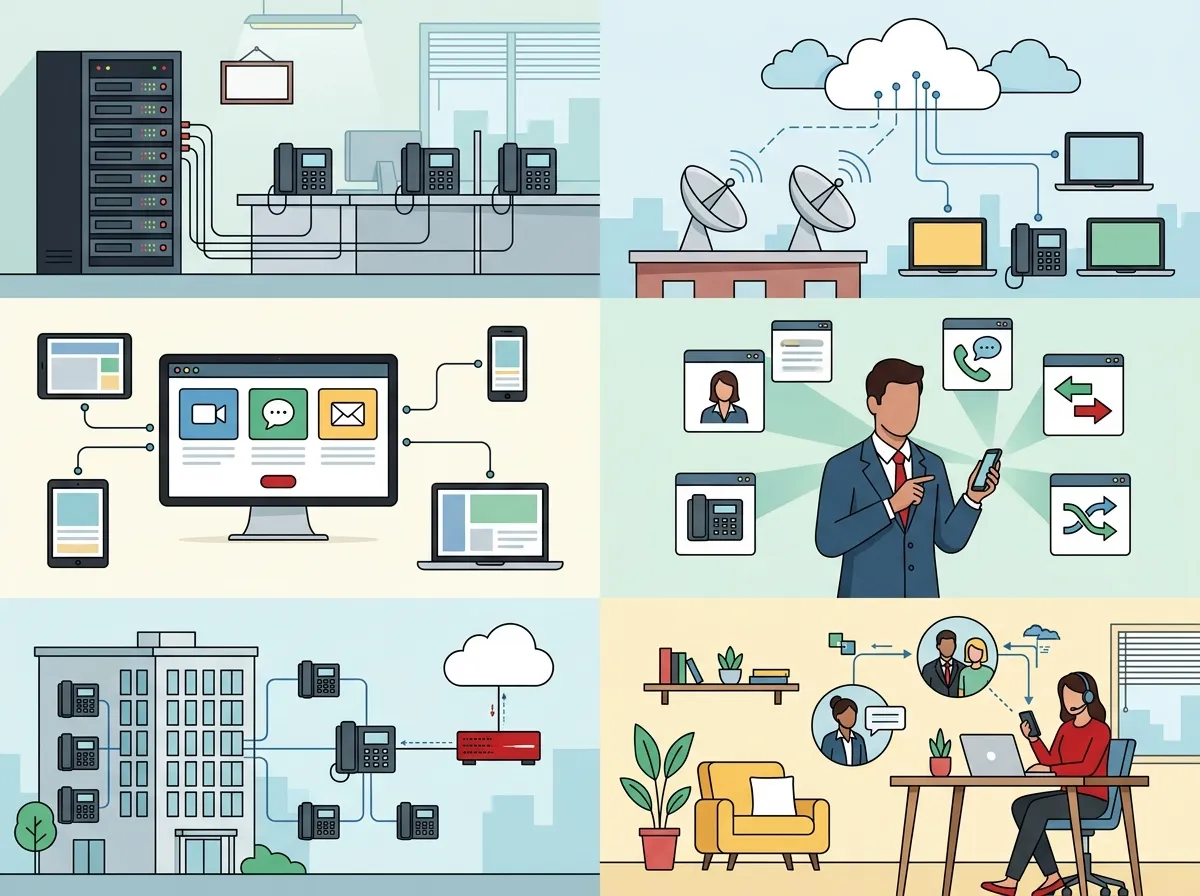
1. Traditional Landline Phone Systems
Traditional landlines use copper wire connections routed through a local telephone provider. They’ve been around for decades and were once the gold standard for business communications. They’re reliable in their own way, but they come with real limitations.
- Require significant on-site hardware
- Limited flexibility for remote or hybrid work
- Higher maintenance costs over time
- Difficult to scale as your team grows
- Increasingly being phased out by internet-based alternatives
The US Chamber of Commerce notes that traditional landlines have largely been replaced in small business use by internet-based phone systems. If you’re still using a landline setup, it might be time to explore your options. You can compare the two directly in this article on VoIP vs. traditional phone systems for Tampa businesses.
2. VoIP Phone Systems
VoIP (Voice over Internet Protocol) systems transmit calls over your internet connection instead of copper phone lines. This makes them incredibly flexible and cost-effective. VoIP has become the dominant modern option for businesses of all sizes, and it’s easy to see why.
VoIP systems typically cost about $15 to $35 per user per month, making them a budget-friendly option compared to traditional setups. They support remote work, integrate with software tools, and offer features that landlines simply can’t match. For a deeper look at pricing, visit our guide on how much a VoIP phone system costs for a Tampa business.
| Feature | Traditional Landline | VoIP System |
|---|---|---|
| Monthly Cost (per user) | $40–$80+ | $15–$35 |
| Remote Work Support | Limited | Excellent |
| Scalability | Difficult | Easy |
| Hardware Required | Significant | Minimal |
| Feature Set | Basic | Extensive |
Want to see all the reasons businesses are making the move? Check out why Tampa businesses are switching to VoIP in 2026.
3. Cloud-Based Phone Systems
Cloud phone systems are hosted entirely off-site by a service provider. There’s no bulky equipment in your server room. Everything runs through the internet, and you manage it all from a simple dashboard. This is ideal for growing teams, multi-location businesses, and anyone who wants less IT headache.
Cloud systems reduce dependence on on-premise hardware and offer better flexibility, lower costs, and easier feature integration. They’re especially great for businesses with remote or hybrid workers. Learn more about how this works in our article on what a cloud-based phone system is and whether you need one.
- Easy setup — No complex hardware installation needed
- Automatic updates — Your provider handles all software upgrades
- Centralized management — Control everything from one web portal
- Instant scaling — Add or remove users in minutes
- Built-in redundancy — Better uptime than most on-premise systems
4. On-Premise PBX Systems
A Private Branch Exchange (PBX) system is a private telephone network hosted within your building. Traditional PBX systems require dedicated hardware, IT support, and regular maintenance. They give businesses full control over their communications infrastructure — but that control comes at a cost.
- High upfront hardware investment
- Ongoing IT maintenance required
- Best for large enterprises with dedicated IT staff
- Limited flexibility for remote workers
Many businesses that once relied on on-premise PBX are now migrating to cloud PBX or full VoIP systems. If you’re making that switch, watch out for common pitfalls covered in our post on hosted PBX mistakes Tampa small businesses must avoid.
5. Hosted PBX (Cloud PBX)
Hosted PBX gives you all the power of a traditional PBX system — without managing the hardware yourself. Your provider hosts the PBX equipment off-site and delivers the service over the internet. You get enterprise-level features with the simplicity of a cloud solution.
| System Type | Hardware Location | Management | Best For |
|---|---|---|---|
| On-Premise PBX | Your office | Your IT team | Large enterprises |
| Hosted PBX | Provider’s data center | Your provider | Mid-sized businesses |
| Cloud VoIP | Cloud (distributed) | Provider + web dashboard | SMBs and remote teams |
For help choosing the right cloud phone system provider in your area, our guide on how to choose cloud-based phone system providers in Tampa FL is a great starting point.
6. Virtual Phone Systems
Virtual phone systems are lightweight solutions that route calls to mobile phones or other devices. They’re popular with solopreneurs, small teams, or businesses that don’t need a full enterprise setup. Think of them as a professional call-routing layer on top of your existing phone plan.
- Lowest cost option — often under $15/month
- Great for small teams or home-based businesses
- Limited advanced features compared to full VoIP or cloud PBX
- Easy to set up with no hardware required
- Works with existing mobile or landline phones
Virtual systems are a stepping stone for many small businesses before they upgrade to a full business phone system. If you’re a Tampa-area business exploring options, our post on affordable VoIP phone services for Tampa businesses in 2026 covers great entry-level options too.
Key Features Every Business Phone System Should Have
No matter which system type you choose, certain features are non-negotiable for modern business communications. Leading systems commonly include dozens of features. Here are the ones that matter most:
- Auto-attendant — Greets callers and routes them to the right department automatically
- Call forwarding — Sends calls to mobile devices so you never miss a beat
- Voicemail-to-email — Delivers voicemail transcriptions directly to your inbox
- Call recording — Captures conversations for training, compliance, and quality assurance
- Conference calling — Supports multi-party calls for team meetings and client discussions
- Hold music and queues — Keeps callers engaged while they wait
For an in-depth look at must-have features, check out our article on 12 VoIP phone system features every business needs in 2026. You can also explore 15 cloud phone system features that can transform your business.
How Business Phone Systems Support Remote and Hybrid Work
Remote and hybrid work isn’t going anywhere in 2026. Your business phone system needs to keep up. Cloud-based and VoIP systems are designed with this in mind. Employees can make and receive calls from anywhere using a laptop, smartphone, or desk phone — all under the same business number.
| Work Scenario | Best System Type | Key Benefit |
|---|---|---|
| Fully remote team | Cloud VoIP | Works from any device, anywhere |
| Hybrid office setup | Hosted PBX or Cloud VoIP | Centralized admin, flexible endpoints |
| Single office location | On-premise PBX or Hosted PBX | Full control, enterprise features |
| Multi-location business | Cloud VoIP or SD-WAN + VoIP | Unified system across all sites |
Centralized administration is a game-changer. Your IT team or office manager can add users, adjust call routing, and pull reports from one dashboard — no matter where everyone is working. If your business spans multiple Tampa Bay locations, our article on reliable network solutions for multi-location Tampa businesses is worth a read.
What to Look for in a Business Telecom Partner
Choosing the right system is only half the battle. Finding the right partner to install, manage, and support it is just as important. A poorly planned migration from a legacy system can create serious reliability issues. The right telecom partner helps you avoid those headaches from day one.
Here’s what a strong telecom partner should bring to the table:
- Experience working with businesses in your industry
- Access to multiple vetted providers — not just one carrier
- Transparent pricing with no hidden fees
- Hands-on installation and ongoing support
- Ability to bundle phone, internet, cabling, and security into one managed solution
That last point is huge. Modern business telecom providers increasingly bundle voice, data, video, and mobility into one managed package rather than selling standalone services. Ideal Solutions Provider is a great example of this approach — with over 24 years of experience and partnerships with 35+ vetted suppliers, they serve as a single point of contact for businesses nationwide. You can learn more in their post on why using one telecom partner in Tampa FL makes sense.
You can also follow their latest tips and updates on their Facebook page, Instagram profile, and YouTube channel for helpful telecom guidance.
Don’t Forget the Infrastructure Behind Your Phone System
Even the best business phone system will struggle if your internet connection or network cabling isn’t up to the task. VoIP calls need stable, fast internet to sound clear. Choppy audio and dropped calls often aren’t phone system problems — they’re network problems.
Before upgrading your phone system, make sure your foundation is solid:
- Audit your current internet speed and reliability
- Ensure your network cabling supports modern data demands
- Consider dedicated fiber if your team handles high call volumes
Our guide on what internet speed you need for VoIP in Tampa is a helpful resource. And if your cabling needs an upgrade, check out our post on professional structured cabling services for Tampa businesses.
Making the Switch: A Simple Migration Plan
Ready to upgrade your business phone system? Here’s a simple step-by-step approach to keep things smooth:
- Audit your current setup — Know what you have before deciding what you need
- Define your requirements — How many users? Remote workers? Multiple locations?
- Compare system types and pricing — Use the tables in this guide as a starting point
- Choose a trusted telecom partner — Look for a provider with multi-vendor access
- Plan the migration timeline — Avoid peak business hours for any cutover
Our detailed walkthrough on 5 steps to switch your business phone to the cloud in Tampa covers this process in full detail. It’s a great read before you make any final decisions.
Conclusion: Your Business Deserves the Right Phone System
Choosing the right business phone system doesn’t have to be overwhelming. Whether you’re leaning toward VoIP, a cloud-hosted solution, or a full unified communications platform, the key is matching the system to your team’s actual needs. Think about how your people work, where they work, and how your business plans to grow.
The technology is better than ever, the pricing is more accessible than ever, and the right telecom partner can make the entire process smooth and stress-free. Don’t let an outdated phone system hold your business back any longer.
Ready to explore your options with a team that knows Tampa business telecom inside and out? Get in touch with our team today for a free consultation — or give us a call at 813-388-4935 to talk through your needs right now. We’d love to help you find the perfect fit.
FAQs
Q: What is a business phone system?
A: A business phone system is a communications platform that manages calls, voicemail, call routing, conferencing, and more across your organization. Modern systems go far beyond basic phone calls — they often bundle voice, messaging, and collaboration tools into one unified platform. Think of it as the communications hub your whole team relies on every day!
Q: Is VoIP better than a traditional landline for business?
A: For most businesses in 2026, VoIP is the smarter choice. It’s more affordable (typically $15–$35 per user per month), easier to scale, and supports remote and hybrid work far better than a traditional landline. Unless you have very specific reasons to stick with copper-wire infrastructure, VoIP is worth a serious look.
Q: What features should a small business phone system have?
A: At a minimum, small businesses should look for auto-attendant, call forwarding, voicemail-to-email, conference calling, and mobile support. These features keep your team connected and make sure customers always reach the right person. Many cloud VoIP systems include all of these — and dozens more — right out of the box!
Q: What is the difference between PBX, cloud PBX, and VoIP?
A: Traditional PBX systems are hosted on hardware in your office and managed by your IT team. Cloud PBX moves that hardware off-site to a provider’s data center — so you get the same enterprise features without the maintenance burden. VoIP is a broader technology that transmits voice over the internet and powers most modern cloud phone systems.
Q: How do business phone systems support remote and hybrid work?
A: Cloud-based and VoIP phone systems let employees make and receive calls from any device — laptop, smartphone, or desk phone — no matter where they’re working. Centralized dashboards let admins manage users and call routing from one place, keeping everything organized whether your team is in the office or across the country.





