

Key Takeaways
-
A single high-definition cloud camera requires 1-4 Mbps of upload speed; check your current bandwidth capacity before installation to avoid system performance issues.
-
Hybrid systems provide local backup storage if internet fails, while fully cloud-native systems are simpler to scale across multiple locations—choose based on your internet reliability.
-
Multi-location businesses can manage all cameras from one dashboard instead of juggling separate logins, enabling faster issue spotting and consistent security standards across sites.
-
Avoid common installation mistakes like skipping bandwidth checks, poor camera placement, inadequate storage tiers, and neglecting staff training—these cause costly system underperformance.
-
Cloud CCTV enables remote monitoring from any device, centralized management across locations, real-time motion alerts, and encrypted storage without bulky on-site hardware.
-
Many existing IP cameras can connect to cloud platforms if compatible; ask your installer about upgrading current hardware before committing to a full camera replacement.
If you have ever squinted at grainy DVR footage or driven back to the office just to check a locked door, you already know the pain. Old-school security cameras can feel like more trouble than they are worth. That is where cloud CCTV system installation comes in, and honestly, it is a game changer for busy business owners. Instead of wrestling with clunky hardware, you get clear video, remote access, and peace of mind from your phone.
Whether you run a single Tampa storefront or oversee a dozen franchise locations across the country, cloud-based cameras make security simpler. This guide walks through everything you need to know, from how the technology works to what a proper installation should include. We will also cover costs, bandwidth needs, and the questions business owners ask most. By the end, you will feel confident deciding if cloud CCTV is right for your business.
1. What Cloud CCTV System Installation Actually Means
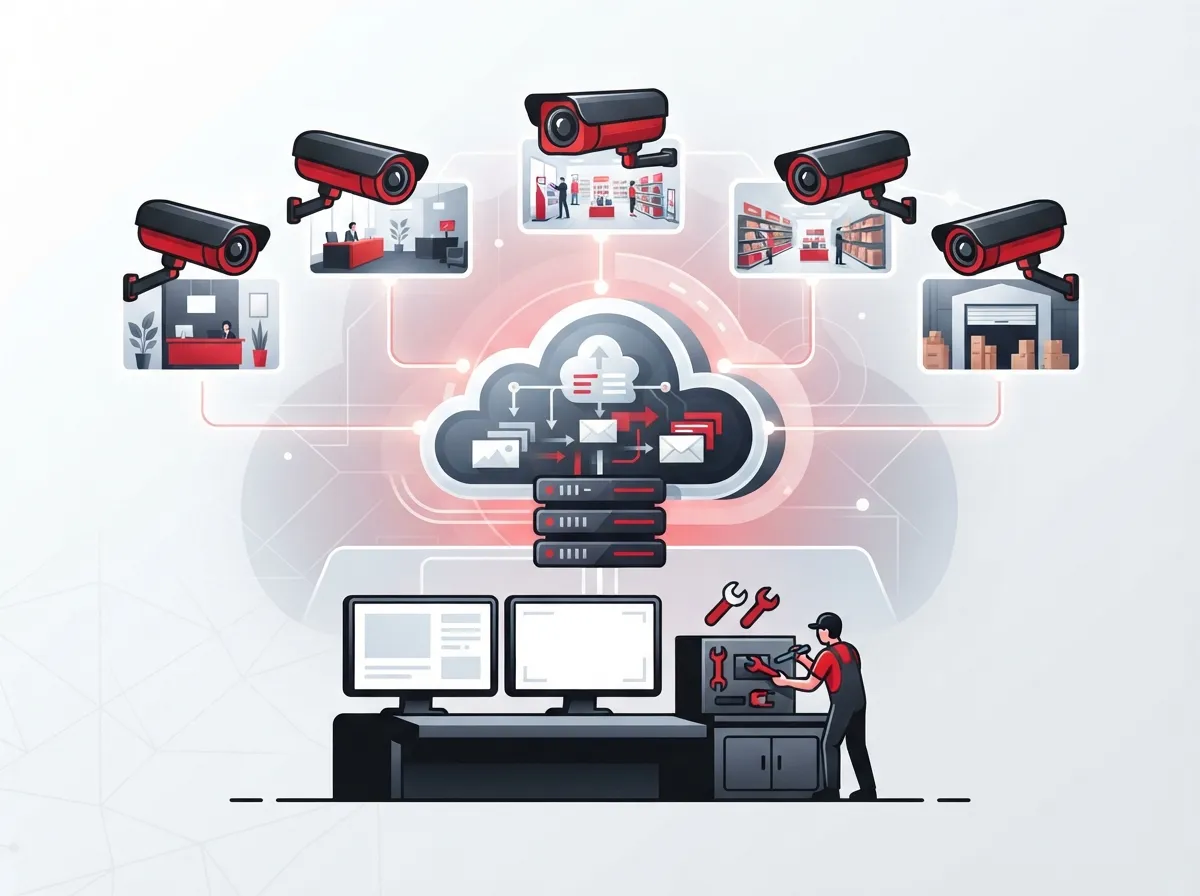
Cloud CCTV system installation is the process of setting up business security cameras that send video to a secure online platform instead of just a local hard drive. You can watch live feeds, review past footage, and get alerts from anywhere with an internet connection. This is a big shift from the old days of digging through a bulky DVR box in a back closet.
Most systems today fall into one of two categories. Some are hybrid setups, combining a local recorder with backup cloud storage. Others are fully cloud-native, sending footage straight to the cloud with no on-site box needed at all. Both approaches aim to give you the same thing: easy access and less hassle.
Hybrid vs. Fully Cloud-Native Systems
Hybrid systems store some footage on-site and back it up to the cloud. This gives you a safety net if your internet goes down for a bit. Fully cloud-native systems skip local storage almost entirely, relying on a strong internet connection to send video directly to secure servers.
- Hybrid systems work well for locations with spotty internet history
- Cloud-native systems are simpler to scale across many sites
- Both types support remote viewing through apps or web browsers
- Storage retention can range from about 7 days to several years, depending on your plan
2. Why Businesses Are Making the Switch
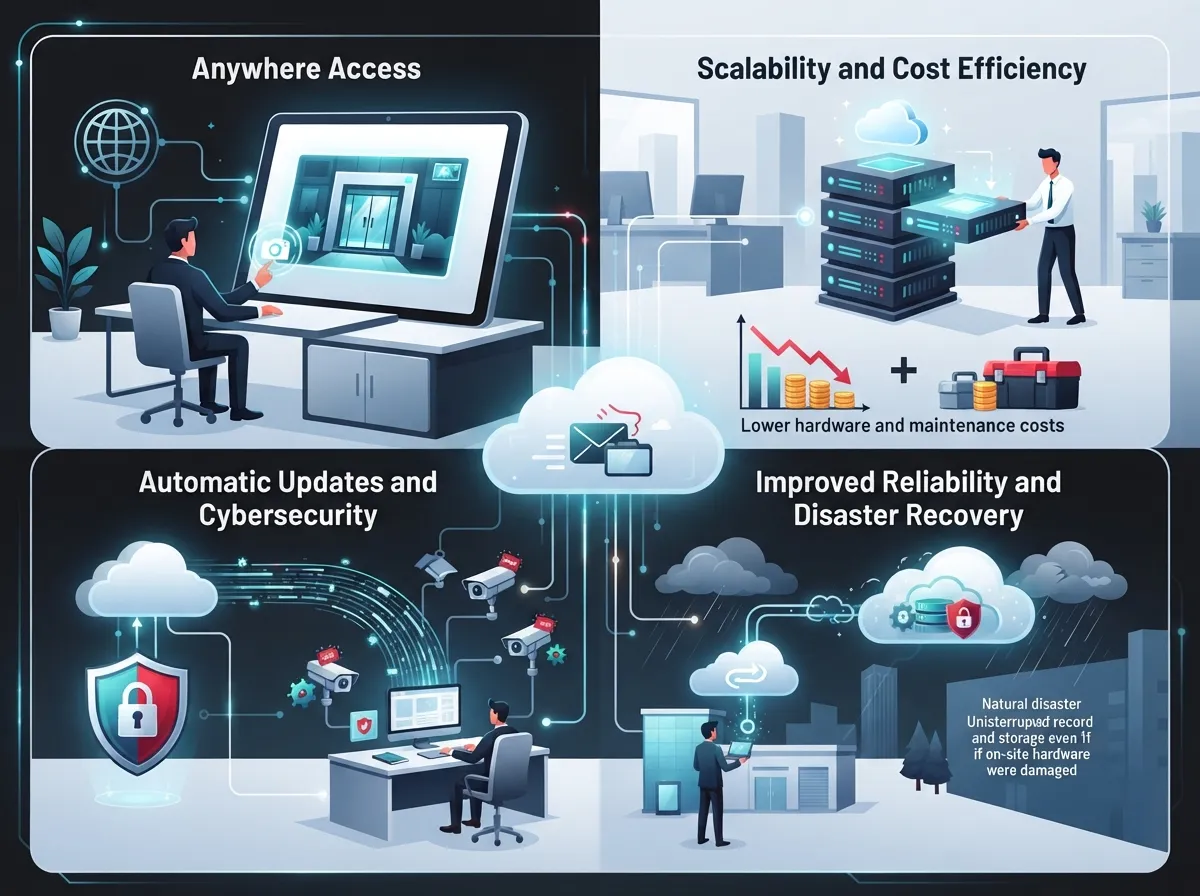
More companies are ditching their old NVR boxes for cloud platforms, and the reasons are pretty simple. You do not need to be on-site to check what is happening at your business. You also do not need to worry about a hard drive failing and losing weeks of footage.
For businesses managing several locations, this shift is even more valuable. A regional manager can pull up cameras from five stores on one screen instead of juggling five separate logins. If you want to dig deeper into how this compares to older systems, our article on key differences between cloud video security and DVR systems breaks it down nicely.
Top Benefits at a Glance
- Remote monitoring from any device with internet access
- Centralized management across multiple business locations
- Real-time alerts for motion or unusual activity
- Reduced need for bulky on-site recording hardware
- Easier scaling as your business opens new locations
- Encrypted storage that protects footage from tampering
3. Who Benefits Most From Cloud CCTV
Not every business has the same needs, but cloud CCTV tends to shine for certain types of operations. Multi-location businesses love the centralized dashboard. Mobile teams appreciate checking in on job sites without driving over. Small and mid-sized businesses like the lower upfront hardware costs.
- Franchise operators managing several storefronts
- Retail businesses wanting theft deterrence and proof for claims
- Warehouses and distribution centers with large footprints
- Medical offices needing compliant, secure video records
- Professional service firms protecting sensitive client areas
4. Core Equipment You Will Need
A smooth installation depends on having the right pieces in place before the technician shows up. Skipping this step is one of the most common reasons projects get delayed.
| Equipment | Purpose |
|---|---|
| IP Cameras | Capture and transmit video over your network |
| Stable Broadband Connection | Sends footage to the cloud without lag or dropouts |
| Power Source (PoE or standard) | Keeps cameras running continuously |
| Cloud Platform Software | Stores, organizes, and lets you view footage remotely |
| Networking Hardware | Switches and routers that support camera traffic |
If your building’s wiring is outdated, you may also need updated structured cabling to support all these devices reliably. This is often overlooked, but it makes a big difference in how well your system performs long-term.
5. The Step-by-Step Installation Process
Every reputable installer follows a fairly consistent process. Knowing these steps ahead of time helps you set realistic expectations and ask smart questions.
- Site assessment to determine camera placement and coverage gaps
- Selecting the right camera types for indoor, outdoor, or low-light areas
- Mounting cameras securely at optimal angles
- Setting up network connections and confirming bandwidth capacity
- Configuring the cloud platform and user access levels
- Testing every camera feed for clarity and reliability
- Training your staff on how to use the app and dashboard
This process usually takes anywhere from a day to a few weeks, depending on the size of your business and number of locations involved.
6. How Much Bandwidth Do You Actually Need
This is one of the most common questions we hear, and for good reason. Cloud cameras are constantly sending data, so your internet connection matters a lot. A single high-definition camera can use anywhere from 1 to 4 Mbps of upload speed, and that adds up fast with multiple cameras.
If your current connection struggles with video calls or slow uploads, it likely cannot handle a full camera system either. Many businesses upgrade their internet at the same time they install cameras. Our guide on high-speed internet for business tips that save money is a great place to start if you are unsure where your current setup stands.
Bandwidth Planning Checklist
- Count the total number of cameras planned for installation
- Estimate upload speed needs based on resolution and frame rate
- Check current usage from phones, VoIP calls, and other devices
- Consider a dedicated connection for camera traffic if needed
- Ask your provider about Internet Service Provider options built for business-grade reliability
7. Cost Factors to Expect
Pricing for cloud CCTV system installation is rarely one-size-fits-all. Most providers use a modular pricing model, meaning you pay for exactly what you need instead of a flat package.
| Cost Component | What It Covers |
|---|---|
| Cameras | Hardware cost, varies by resolution and features |
| Networking Equipment | Switches, cabling, and connectivity gear |
| VMS Licensing | Software that manages your video system |
| Cloud Storage Tier | Monthly or annual fee based on retention length |
| Installation Labor | Professional setup and configuration |
| Managed Services | Ongoing support, updates, and troubleshooting |
Franchise operators and multi-location businesses often negotiate better rates when bundling cameras across several sites. It is worth asking your provider about volume pricing if this applies to you.
8. Security and Data Protection Concerns
Storing video in the cloud might sound less secure than keeping it in a locked closet, but that is usually not the case. Reputable providers encrypt footage both while it travels and while it sits on protected servers. Many also offer 24/7 technical support to catch and fix issues fast.
- Look for end-to-end encryption on all stored footage
- Ask about server locations and data privacy compliance
- Confirm who has access rights and how permissions are managed
- Check if the provider offers redundant backups for extra protection
If you want a deeper look at how security holds up in the cloud, check out our article on how secure cloud video storage really is for your business.
9. Connecting Existing Cameras to the Cloud
You do not always need to replace every camera you already own. Many existing IP cameras can connect to a cloud platform if they meet certain compatibility standards. A quick site assessment will tell you if your current hardware can be upgraded instead of replaced.
This is a great cost-saving option for businesses that invested in decent cameras a few years back but want the flexibility of cloud access now. It is always worth asking your installer directly before assuming a full replacement is required.
10. Cloud CCTV for Multi-Location and Franchise Businesses
If you are running more than one location, cloud CCTV becomes even more valuable. Instead of separate systems at each site, you get one dashboard showing everything. This saves time and helps you spot patterns across locations, like which store has more after-hours activity.
Why Franchise Owners Love This Setup
- One login manages cameras across every location
- New sites can be added to the system quickly
- Consistent security standards across the whole brand
- Easier to share footage with corporate or insurance teams
Pairing this with reliable network solutions for multi-location businesses ensures your cameras stay connected no matter how many sites you add.
11. What a Good Installation Package Should Include
Not all installation packages are created equal. A solid provider should walk you through the whole process, not just drop off cameras and leave. Here is what to look for before signing anything.
- A detailed site assessment before any equipment is ordered
- Clear pricing broken down by hardware, software, and labor
- Professional mounting and cable management
- Cloud platform training for your team
- Ongoing support options after installation is complete
This is exactly the kind of thorough approach we bring to every project at Ideal Solutions Provider, where we handle consultation, installation, and support so you are never left guessing.
12. Common Mistakes to Avoid
Even a great system can underperform if a few key details get missed during setup. Here are the mistakes we see most often.
- Skipping a proper bandwidth check before installation
- Placing cameras without considering lighting or glare
- Choosing a storage tier that is too short for your needs
- Not training staff on how to use mobile alerts
- Ignoring cabling issues that cause dropped connections
Getting these details right the first time saves you from costly do-overs down the road. Our team also handles professional structured cabling services to make sure your foundation is solid before cameras even go up.
13. Choosing the Right Telecom Partner for Installation
At the end of the day, cloud CCTV works best when it is part of a bigger, well-connected system. Your cameras, internet, and network all need to work together smoothly. That is why many businesses choose a single telecom partner instead of juggling separate vendors for cameras, internet, and networking.
With over 24 years of experience and partnerships across 35+ vetted suppliers, Ideal Solutions Provider acts as one point of contact for your entire setup. We handle everything from the initial audit to final training, so you are not stuck coordinating between three different companies. You can follow our work and see real project examples on Facebook, Instagram, and YouTube.
Questions to Ask Any Provider
- Do you offer both hybrid and fully cloud-native options?
- What happens to footage if the internet goes down?
- Can you support multiple locations under one account?
- What ongoing support is included after installation?
Getting clear answers to these questions upfront will save you headaches later. A trustworthy provider should never hesitate to explain their process in plain language.
Final Thoughts on Cloud CCTV System Installation
Cloud CCTV system installation is not just a tech upgrade, it is a smarter way to protect your business, your team, and your peace of mind. Whether you are a small Tampa shop or a franchise with locations across the country, moving to the cloud gives you visibility you simply cannot get from an outdated DVR system.
If you are ready to explore what a cloud-based security setup could look like for your business, our friendly team is here to help walk you through it. Contact us today to schedule your free consultation, or feel free to call us directly to start the conversation. We would love to help you build a system that keeps your business protected and running smoothly for years to come.
FAQs
Q: What is cloud CCTV system installation for businesses?
A: It is the process of setting up business security cameras that send video to a secure online platform instead of a local hard drive. This lets you watch live feeds and review footage from anywhere, which is a huge relief for busy owners who cannot always be on-site.
Q: How does cloud CCTV differ from traditional DVR or NVR surveillance?
A: Traditional DVR and NVR systems store footage locally on a physical box, which can fail or get damaged. Cloud CCTV stores video online instead, so you get remote access, easier scaling, and less worry about hardware breaking down.
Q: Can existing CCTV cameras be connected to the cloud?
A: In many cases, yes! If your current IP cameras meet certain compatibility standards, you may be able to upgrade to cloud access without buying all new hardware. A quick site assessment will tell you exactly where you stand.
Q: How much internet bandwidth do cloud CCTV systems require?
A: It depends on your camera count and resolution, but a single HD camera typically needs 1 to 4 Mbps of upload speed. If you have several cameras, it is smart to check your current bandwidth before installation day.
Q: What should a telecom provider include in a cloud CCTV installation package?
A: A solid package should include a thorough site assessment, clear pricing, professional mounting, cloud platform training, and ongoing support after the install. If a provider skips these steps, it might be time to look elsewhere.





