
Key Takeaways
-
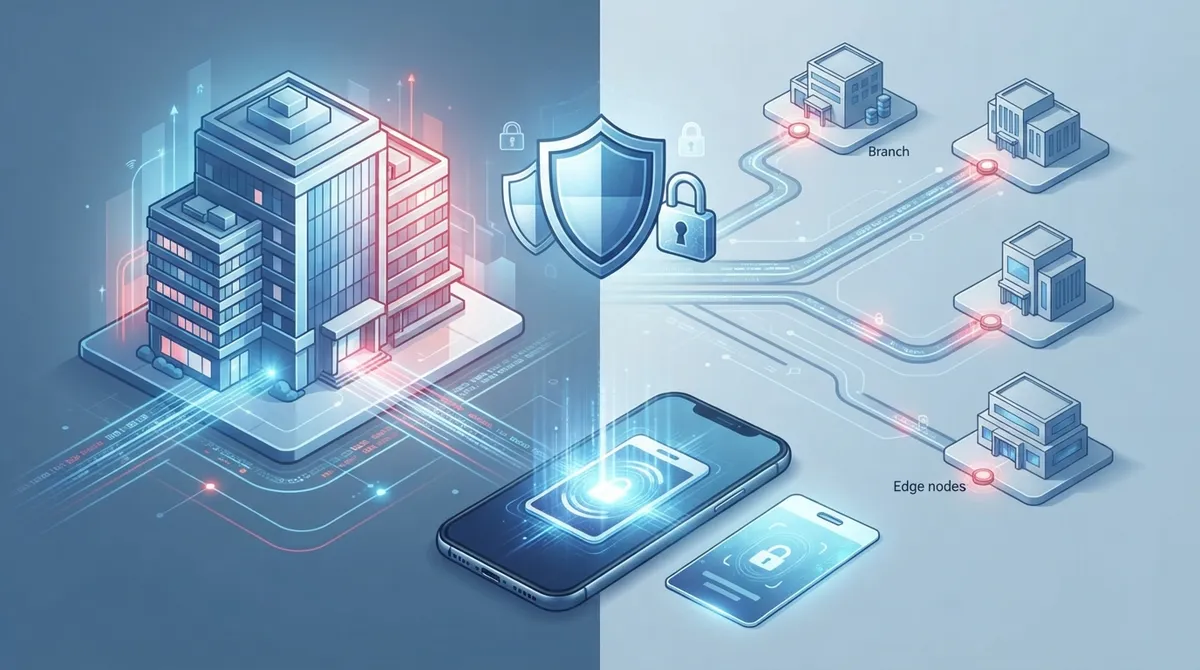
Cloud-native systems eliminate on-site server maintenance and enable seamless multi-site management, making them ideal for franchises and growing businesses needing quick scalability across locations.
-
Total cost of ownership includes hardware, installation, per-credential fees, and integrations—not just monthly subscription fees—so request full cost breakdowns to avoid surprise charges.
-
Systems must maintain offline functionality with edge controllers that make access decisions locally during internet outages, preventing complete lockouts when connectivity fails.
-
Mobile credentials require backup support with physical badges since phone battery death or app failures can lock out field technicians at customer sites.
-
Ask vendors specific security questions about data encryption, multifactor authentication, audit log retention, and incident response plans—vague answers signal vendors hiding weak practices.
-
Integrations with HR systems, video surveillance, and identity providers like Okta create unified security ecosystems that automate onboarding/offboarding and reduce manual access management errors.
Picking the right cloud access control software feels a bit like choosing a new phone plan. There are so many options, so many buzzwords, and everyone promises the moon. If you run a business with more than one door to lock, this cloud access control software comparison is here to make your life easier. We will skip the sales fluff and focus on what actually matters when you are protecting offices, server rooms, and customer sites.
Whether you manage one small office in Tampa or a growing franchise with locations across the country, this guide breaks things down in plain language. We will cover the features worth paying for, the questions to ask any vendor, and the mistakes that trip up even smart business owners. Grab a coffee, and let’s get you ready to make a confident decision.
What Cloud Access Control Software Actually Does
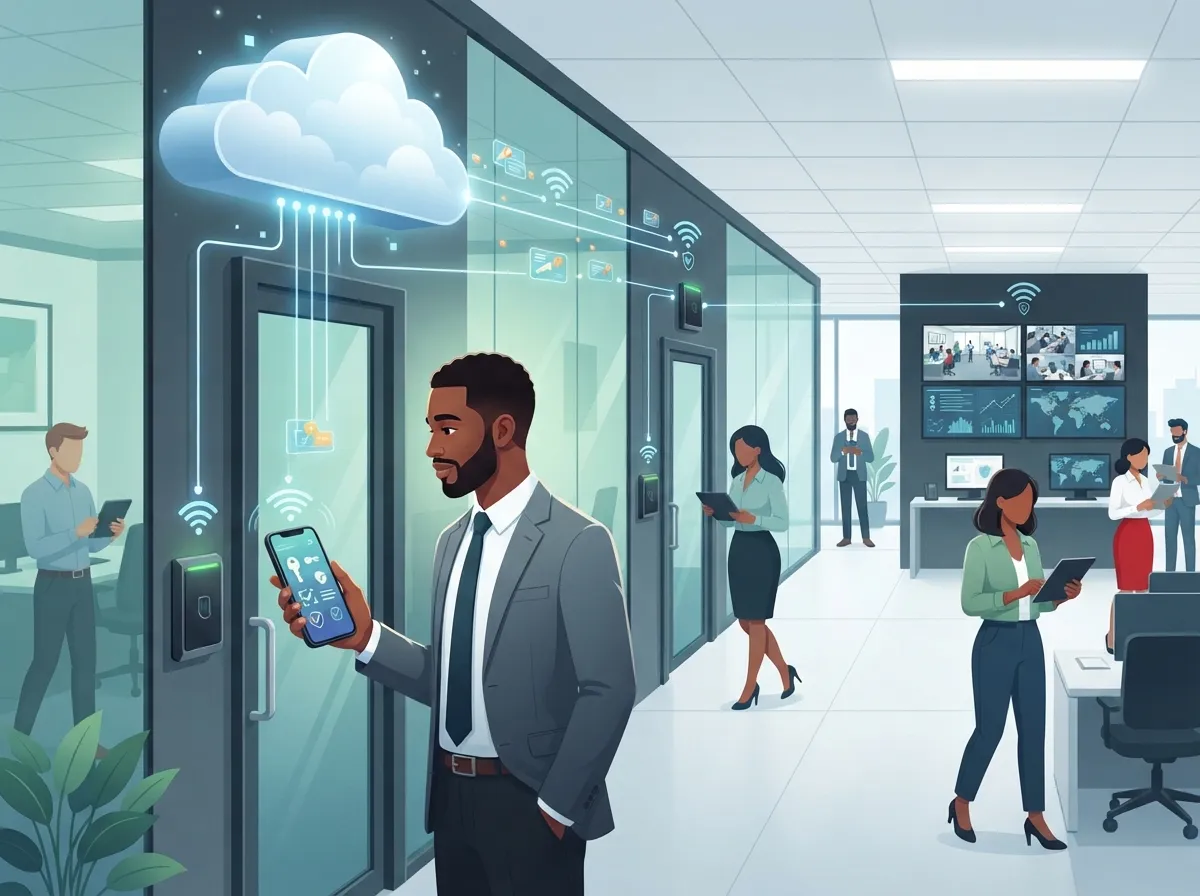
In the world of business telecom solutions, cloud access control software manages who can walk through your doors. It connects to door controllers, badge readers, cameras, and sensors through a hosted online platform. Instead of a clunky box in a closet, your system lives in the cloud where you can check it from anywhere.
This matters for telecom-heavy businesses because access control often protects more than just an office. Think data centers, network equipment rooms, and multi-site customer locations. A good system keeps these spaces safe while giving your team easy remote control.
- Locks and unlocks doors from a phone or laptop
- Tracks who entered which door and when
- Sends alerts for unusual activity, like a door held open too long
- Manages temporary access for visitors or contractors
- Connects with cameras so you can see, not just log, who came through
Cloud-Native vs Cloud-Managed vs On-Premises Systems
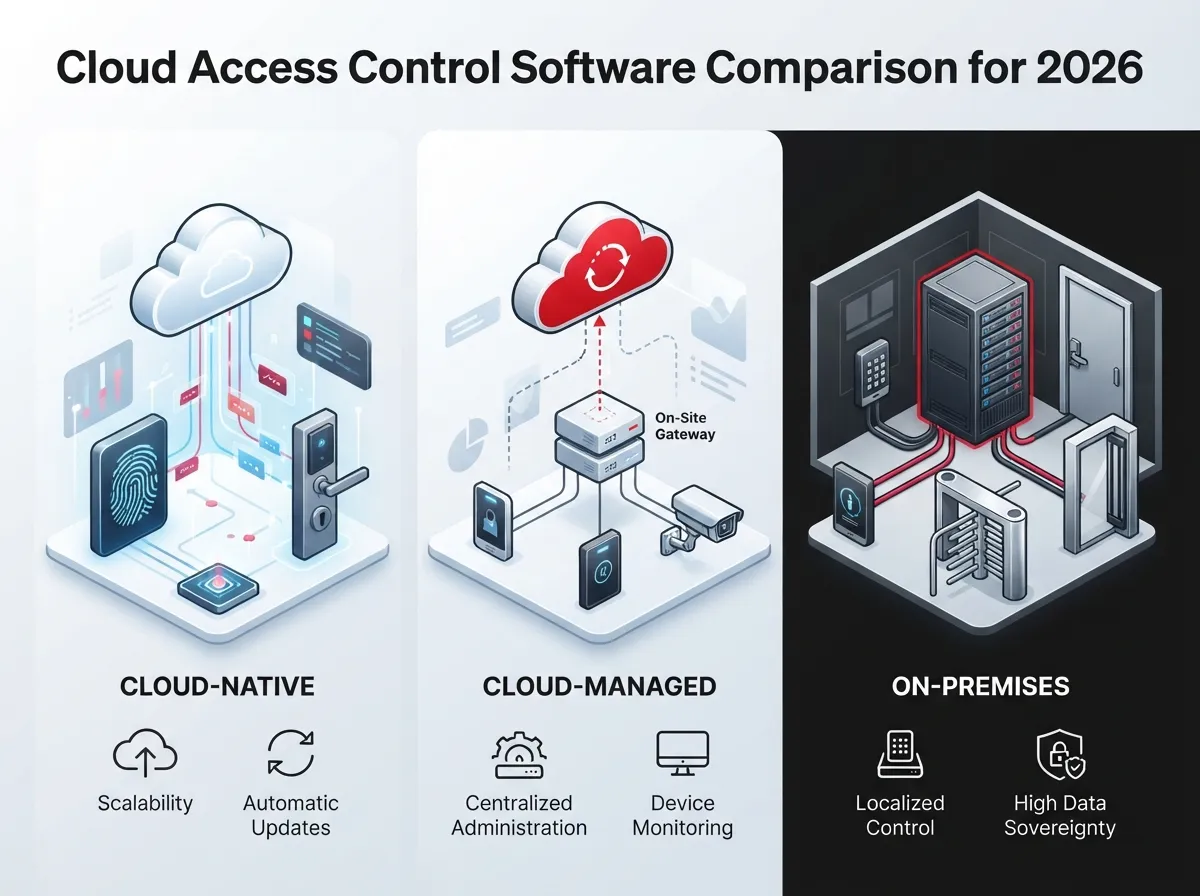
This is the biggest fork in the road for any comparison. Not all “cloud” systems work the same way, so it pays to know the differences before you sign anything.
Cloud-Native Systems
These systems run entirely online. There is no local server to maintain, updates happen automatically, and you can add new doors or sites without much fuss. Most modern telecom-friendly platforms fall into this category.
Cloud-Managed Systems
These keep some hardware on-site, like a local gateway or mini-server, but still offer cloud dashboards. They can be a good middle ground, though they usually come with more maintenance responsibility.
Traditional On-Premises Systems
These older systems store everything locally. They work fine until you need remote access, multi-site management, or quick scalability. For most growing businesses, this option feels outdated fast.
| System Type | Local Server Needed | Remote Management | Best For |
|---|---|---|---|
| Cloud-Native | No | Excellent | Multi-site businesses, franchises |
| Cloud-Managed | Sometimes | Good | Mid-sized offices needing local backup |
| On-Premises | Yes | Limited | Single-site, low-tech setups |
Core Features to Compare Side by Side
When you line up different platforms, do not just compare price tags. Compare what each system can actually do for your daily operations.
- Scalability – Can it grow from one door to fifty doors across multiple states?
- Mobile credentials – Does it support phone-based entry using Bluetooth or NFC?
- Badge lifecycle management – How easy is it to add, pause, or remove access?
- Role-based permissions – Can you set different access levels for staff, managers, and visitors?
- Visitor management – Is there a simple way to check in guests or delivery drivers?
- Audit trails – Can you pull a report of every entry for compliance or investigations?
- Real-time alerts – Will you get a text or email if something looks off?
- Video and intercom integration – Does it pair with your existing cameras?
- Elevator and turnstile support – Needed for larger buildings or shared office spaces?
- Offline operation – What happens if the internet goes down for a few hours?
That last point deserves extra attention. A system that becomes useless the moment your internet drops is a risk you do not want. Look for edge controllers that can make basic access decisions locally, then sync back to the cloud once connection returns.
Integrations That Matter for Telecom-Focused Businesses
Access control does not exist in a vacuum. It should work well with the other tools you already rely on every day.
- Identity providers like Microsoft Entra ID or Okta for employee account syncing
- HR systems for automatic onboarding and offboarding
- Ticketing or field-service platforms for technician access windows
- Video surveillance systems for combined footage and entry logs
- Intrusion alarms and building-management systems
- APIs or webhooks for custom automation
It is worth noting that physical access control and cloud identity management are two different things. Products like Microsoft Entra ID or Okta manage access to apps and files. Platforms built for doors and buildings manage physical entry. Many businesses need both, connected through an integration, rather than picking just one.
Mobile Credentials and Field Technician Access
If your business sends technicians to customer sites, mobile credentials can be a game-changer. Instead of juggling physical badges, workers can use their phones for temporary access. Vendor materials commonly point to Bluetooth Low Energy and NFC as the standard technologies here, often paired with AES encryption for added protection.
Still, do not rely on mobile credentials alone. A strong platform supports both mobile and physical badges, so nobody gets locked out because of a dead phone battery or forgotten app update.
Why This Matters for Franchise Operators and Multi-Site Businesses
Managing access across several locations used to mean juggling different systems for every site. With scalable access control systems for multi-location businesses, franchise operators can control every door from one dashboard. That means faster onboarding for new hires and instant lockout for departing employees, no matter which city they work in.
Security and Resilience: Look Beyond the Word “Cloud”
Calling something cloud-based does not automatically make it secure. Before signing a contract, ask vendors these questions.
- How is data encrypted, both in transit and at rest?
- Is multifactor authentication required for administrator accounts?
- Are controllers tamper-resistant?
- How long are audit logs kept, and can they be exported?
- How often are software updates released, and are they automatic?
- Where is data physically stored, and does that affect compliance needs?
- What is the vendor’s incident response plan if a breach occurs?
- What independent security certifications does the vendor hold?
- How do doors behave during a power outage or internet failure?
These answers separate a serious vendor from one that just slapped “cloud” on a marketing page. If a sales rep cannot answer these clearly, that is a red flag worth noting.
Total Cost of Ownership: What You Are Really Paying For
A low monthly subscription can be misleading. The real cost includes hardware, installation, credentials, and future upgrades.
| Cost Category | What It Covers | Common Pitfall |
|---|---|---|
| Software Subscription | Monthly or annual platform access | Per-door pricing adds up fast |
| Hardware | Controllers, readers, door sensors | Proprietary hardware locks you in |
| Credentials | Badges, fobs, mobile licenses | Hidden per-credential fees |
| Installation | Cabling, mounting, configuration | Underestimating labor for older buildings |
| Integrations | Video, HR, or API connections | Paid add-ons not included in base price |
| Support and Maintenance | Ongoing troubleshooting | Slow response times from budget vendors |
Market research shows just how fast this industry is expanding. One estimate values the global cloud-based access control market at roughly $1.2 billion, with growth projected to reach $3.8 billion within the next several years at a compound annual growth rate near 14.5%. Another estimate places the current market much higher, showing how much these figures can vary by research methodology. What stays consistent is the trend: businesses are moving away from clunky legacy systems and toward cloud platforms, with mobile credentials representing one of the fastest-growing segments.
Common Platforms Worth Researching
Several established platforms show up often in access control comparisons, including Brivo, Verkada, Kisi, Avigilon Alta, Genetec Security Center’s cloud options, and HID Origo-connected solutions. Capabilities and pricing shift frequently, so always confirm details with current vendor documentation and a formal quote rather than relying on older reviews.
Steps to Choose the Right System for Your Business
- List every door, gate, and site you need to manage today and in the next two years.
- Decide which integrations are non-negotiable, like HR systems or existing cameras.
- Ask each vendor how their system behaves during internet or power outages.
- Request a full cost breakdown, not just the subscription price.
- Check for independent security certifications and data handling practices.
- Test the mobile app with a small pilot group before a full rollout.
- Confirm installation timelines and who handles ongoing support.
This process takes a little time, but it saves you from a costly redo down the road. Many businesses skip step three and regret it the first time their internet goes out during business hours.
How Ideal Solutions Provider Helps Simplify the Comparison
Comparing access control platforms on your own can eat up hours you do not have. That is where a trusted telecom partner comes in handy. Ideal Solutions Provider has spent over 24 years helping Tampa businesses and companies nationwide sort through vendor options without the sales pressure. With partnerships across 35+ vetted suppliers, they compare systems side by side and recommend what actually fits your building, budget, and growth plans.
This same approach applies across other telecom needs too, from structured cabling services to cloud-based phone systems. When your access control, internet, and phone systems all work together, your whole office runs smoother. You can learn more about how cloud based access control fits into a full telecom strategy, or browse their cloud video security options for a combined camera and access solution.
Quick Checklist Before You Sign a Contract
- Confirm the door and site count matches your current and future needs
- Verify mobile and physical credential support
- Test offline behavior during a scheduled outage window
- Review the full cost, including hardware and per-credential fees
- Ask about data residency and compliance certifications
- Get a written support and response-time guarantee
You can also follow Ideal Solutions Provider on Facebook, Instagram, or YouTube for helpful tips on telecom, networking, and security topics. Good structured cabling and a reliable Internet Service Provider connection both play a supporting role in how well your access control system performs day to day.
Wrapping Up Your Cloud Access Control Software Comparison
Choosing the right system does not have to feel overwhelming. Focus on architecture, offline reliability, integrations, and true total cost rather than chasing the lowest sticker price. A well-chosen platform protects your people, your equipment, and your peace of mind for years to come.
If you are ready to stop guessing and start comparing real options built for your business, reach out to our team for a free consultation, or give us a call today to talk through what your building actually needs.
FAQs
Q: What is the best cloud access control software for telecom companies?
A: There is no single best pick since it depends on your number of doors, sites, and integration needs. The best approach is comparing a few vetted platforms side by side, which is exactly what a trusted telecom partner can help you do without the sales pressure.
Q: How do cloud-native and cloud-managed access control systems differ?
A: Cloud-native systems run fully online with no local server, making updates and multi-site growth simple. Cloud-managed systems keep some hardware on-site, which can mean more maintenance but sometimes offers extra local control.
Q: Can cloud access control work when the internet or power goes down?
A: Good systems use edge controllers that keep making basic access decisions even without a live connection. Always ask a vendor directly how their doors behave during an outage before you commit.
Q: How much does cloud-based access control cost per door or per site?
A: Costs vary widely based on hardware, credentials, and subscription tiers, so it is smart to look at total cost of ownership rather than just the monthly fee. Getting a full breakdown upfront helps you avoid surprise charges later.
Q: Are mobile access credentials secure for contractors and field technicians?
A: Yes, when paired with strong encryption like AES and multifactor login for admins, mobile credentials can be very secure and convenient. It’s still smart to offer a backup credential option in case a phone runs out of battery.





