
Key Takeaways
-
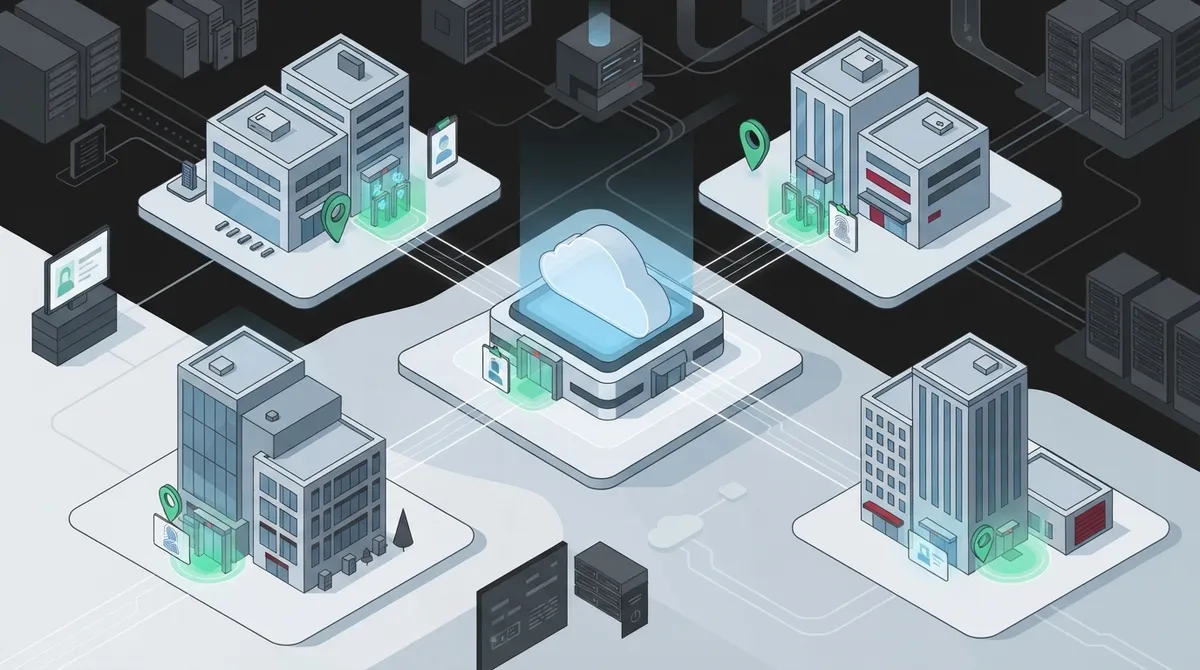
Cloud access control centralizes management of office doors, networks, and apps from one dashboard, eliminating the need for separate systems at each location and reducing manual badge reprogramming tasks.
-
Implement zero-trust architecture where every access request is verified by identity, device, and location rather than trusting users inside your building, following NIST guidelines for growing multi-location companies.
-
Reliable internet connectivity and SD-WAN infrastructure are critical dependencies for cloud access control systems; partnering with a single telecom provider ensures your phones, internet, and access control work seamlessly together.
-
Design backup access plans including local door controllers, cellular failover, and break-glass emergency procedures to maintain security during internet outages or identity provider failures.
-
Deploy access control in stages starting with a pilot location, verify integrations with your existing directory systems, and establish regular access reviews to prevent permission creep as your company grows.
-
Choose systems supporting industry standards like SAML, OpenID Connect, SCIM, and RADIUS authentication to ensure compatibility with Microsoft Entra ID and other business tools already in use.
If your company has grown past that scrappy startup phase but isn’t quite a giant enterprise yet, you know the feeling. You’ve got two or three offices now, maybe a warehouse, a growing remote team, and a security setup held together with old key fobs and a spreadsheet nobody updates. Sound familiar? You’re not alone, and there’s good news: cloud access control mid market solutions were basically built for businesses exactly like yours.
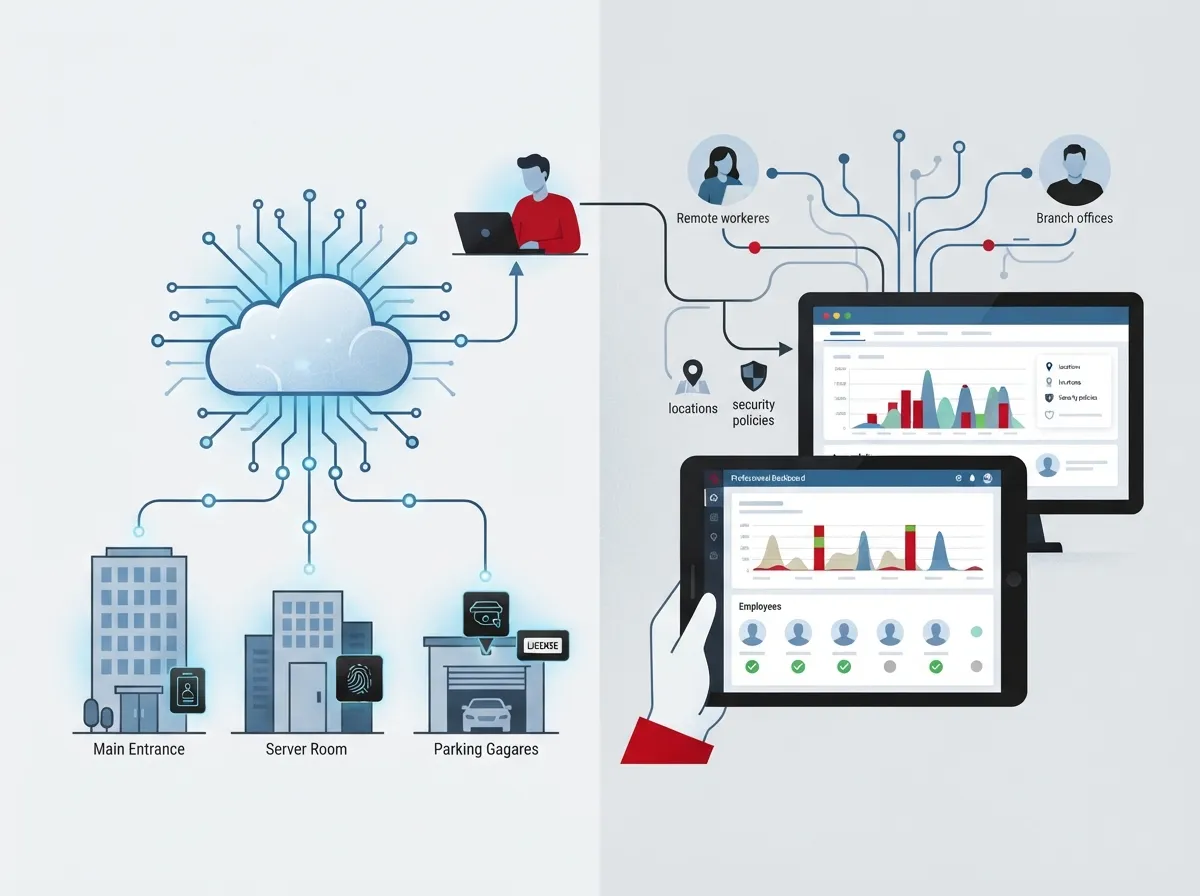
Mid-sized companies sit in a tricky spot. You have enough locations and staff to need real security controls, but you probably don’t have a massive IT department to manage them all by hand. That’s where cloud-based access control shines. It lets you manage who gets into your buildings, your networks, and your cloud apps, all from one dashboard, without needing a dedicated security team watching it 24/7.
In this guide, we’ll walk through what cloud access control actually means for growing businesses, how it connects with your telecom and network setup, and how to roll it out without headaches. Grab a coffee, and let’s get into it together.
What Cloud Access Control Actually Means for Mid-Market Businesses
Cloud access control is a fancy way of saying: you decide who can get into what, and the system checks every single time, not just once. This applies to office doors, but it also applies to your Wi-Fi, your business apps, and your private network. Instead of trusting someone just because they’re plugged into your office network, the system checks their identity, their device, and even their location before letting them in.
This idea has a name in the security world: zero trust. According to the National Institute of Standards and Technology (NIST), zero trust means nobody gets a free pass just because they’re inside your building or on your Wi-Fi. Every request gets checked, every time. NIST’s own guidance, Special Publication 800-207A, published in September 2023, lays out exactly how this works for cloud-based systems spread across multiple offices and cloud platforms. That’s basically the definition of a growing mid-market company.
Why This Matters More as You Grow
When you had one office and ten employees, a simple lock and key setup was fine. But growth changes everything. Here’s what usually happens as mid-market companies expand:
- New offices pop up in different cities, each with its own hardware and logins
- Remote and hybrid employees need secure access without a dedicated office badge
- IT staff stays small even as the number of doors, devices, and apps grows
- Old systems can’t talk to each other, creating security gaps
- Onboarding and offboarding employees becomes a slow, manual process
- Compliance requirements start showing up from clients, insurers, or regulators
Cloud access control solves these problems by putting everything in one place. You add a new hire once, and they get access to the right doors, apps, and networks automatically. When someone leaves, you can shut off their access everywhere with a few clicks.
How Cloud Access Control Works With Your Telecom Setup
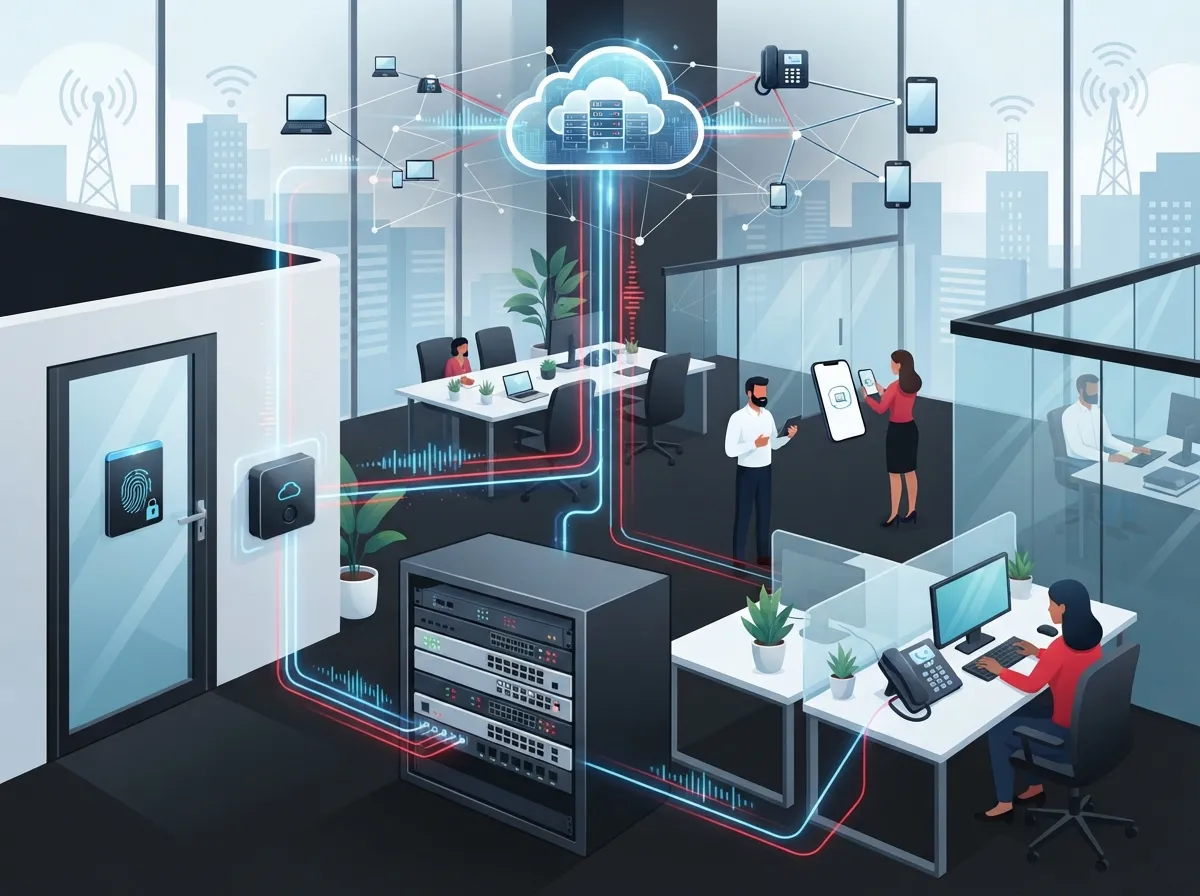
Here’s something a lot of businesses miss: access control doesn’t work in a vacuum. It depends heavily on your internet connection and network setup. If your connectivity is shaky, your access control system will feel shaky too.
A well-built system usually connects several pieces together. Think of it like a chain, where each link needs to be strong:
- Cloud identity service that verifies who someone is
- Secure network connection, often through SD-WAN or SASE, linking offices together
- Managed Wi-Fi and wired network at each location
- VPN or zero-trust network access for remote workers
- Backup internet or cellular failover in case the main line drops
- Cloud applications that your team uses daily
This is exactly why pairing your access control provider with your telecom provider makes so much sense. When one company handles your cloud-based phone system, your high-speed internet, and your access control, everything gets designed to work together instead of getting patched together after the fact.
The Role of Reliable Internet and Networking
Without solid connectivity, even the best cloud access control system can stumble. That’s why businesses serious about security also invest in dedicated fiber internet and dependable SD-WAN solutions to keep every location connected and protected. Structured, well-planned structured cabling also plays a bigger role than people realize, since it’s the physical backbone that keeps your network stable at every office.
Key Components of a Mid-Market Cloud Access Control Solution
Not every access control platform is built the same way. Here are the pieces you should expect to see in a solid mid-market setup:
- Single sign-on so employees log in once and access everything they’re allowed to use
- Multifactor authentication requiring more than just a password
- Role-based access control that limits access based on job function
- Directory integration with tools like Microsoft Entra ID
- Mobile credentials so phones can replace physical badges
- Real-time alerts for unusual access attempts
- Detailed audit logs showing who accessed what and when
NIST’s 2025 practice guide, SP 1800-35, documents 19 different example architectures built with 24 technology vendors. The big takeaway? There’s no single required product. You can mix and match tools that fit your business, as long as they follow solid zero-trust principles.
Logical Access vs. Physical Access
It’s worth pointing out a common mix-up here. Cloud access control can mean controlling access to apps and networks (logical access), or it can mean controlling who walks through your office doors (physical access). Many mid-market companies now use cloud-managed door readers, badges, and visitor management systems alongside their network security tools. These systems complement each other but aren’t automatically the same thing, so make sure your provider understands both sides.
| Access Type | What It Controls | Common Tools |
|---|---|---|
| Logical Access | Apps, networks, cloud services | SSO, MFA, conditional access, VPN |
| Physical Access | Doors, gates, secure rooms | Cloud door readers, mobile badges, cameras |
| Combined Access | Full facility and digital security | Unified identity platform with both integrations |
Benefits Mid-Market Companies Actually Notice
Let’s talk about the good stuff. Once you make the switch, here’s what tends to change for the better:
- Faster onboarding, since new hires get access set up in minutes, not days
- Quicker offboarding, which closes security gaps left by former employees
- One dashboard for managing every office location
- Better visibility into who’s accessing what and from where
- Easier support for remote and hybrid employees
- Less reliance on physical hardware sitting at each site
- More consistent security policies across the whole company
For office managers juggling a dozen tasks at once, this kind of automation is a lifesaver. You stop being the person who has to physically go reprogram a badge reader every time someone starts or leaves the company.
Franchise and Multi-Location Advantages
If you’re running a franchise or managing several locations, cloud access control becomes even more valuable. You can set access rules once and roll them out everywhere, keeping every location consistent. Adding a new site becomes much simpler too, since the framework is already built. Many franchise operators pair this with scalable access control systems designed specifically for multi-location growth.
Evaluation Criteria: What to Look for in a Provider
Choosing the right system feels overwhelming at first, but it gets simpler once you know what questions to ask. Here’s a helpful checklist:
- Does it support Microsoft Entra ID or your existing directory?
- Does it support SAML and OpenID Connect for secure logins?
- Can it automatically provision and remove users through SCIM?
- Does it support RADIUS or 802.1X for network-level authentication?
- Are there open APIs for connecting with other business tools?
- How detailed are the audit logs and reporting features?
- Where is your data stored, and does it meet your compliance needs?
- What’s the service level agreement for uptime and support response?
These details matter more than they seem. A system that checks every box on paper but can’t integrate with your current setup will cause headaches down the road.
Comparing Deployment Approaches
| Approach | Best For | Considerations |
|---|---|---|
| Fully Cloud-Hosted | Companies with minimal on-site IT staff | Depends heavily on internet reliability |
| Hybrid Cloud/On-Prem | Mid-market firms with some legacy hardware | More flexible but slightly more complex to manage |
| Managed by Telecom Partner | Businesses wanting a single point of contact | Simplifies vendor management and support |
Planning Your Rollout: A Step-by-Step Approach
Jumping into a new system without a plan is a recipe for frustration. Here’s a practical order of operations that works well for mid-market businesses:
- Inventory every user, device, application, and office location
- Review existing controls and identify gaps or outdated hardware
- Design your access policies based on roles and departments
- Choose a pilot location or department to test the new system
- Train employees on new login and access procedures
- Roll out in stages across remaining locations
- Monitor performance and adjust policies as needed
- Schedule regular access reviews to keep permissions current
This staged approach reduces surprises and gives your team time to adjust. It also gives you a chance to catch problems early, before they affect your whole company.
Don’t Skip Backup Planning
Here’s something people often forget: what happens if the internet goes down, or your identity provider has an outage? Cloud access control does not remove the need for backup plans. Smart businesses build in:
- Local door controllers that can operate briefly without internet
- Backup authentication methods for critical systems
- Documented break-glass procedures for emergencies
- Battery backup or generator power for critical hardware
- Cellular failover connections for network continuity
These safety nets keep your business running smoothly even when something unexpected happens. It’s like having a spare key hidden somewhere, just in case.
Why Working With a Single Telecom Partner Makes Sense
Here’s the honest truth: juggling separate vendors for internet, phones, networking, and access control is exhausting. You end up playing phone tag between providers when something breaks, and nobody wants to take ownership of the problem.
This is where a company like Ideal Solutions Provider comes in. With over 24 years of experience and partnerships with 35+ vetted suppliers, they act as a single point of contact for everything from consultation to installation to ongoing support. Instead of managing five different vendors, you get one team that understands how your phones, internet, network, and access control all fit together.
Whether you’re a small Tampa business trying to simplify your setup, or a mid-sized company with locations across the country, having one partner coordinate everything saves time, reduces confusion, and often saves money too.
Staying Connected With the Latest Updates
You can also follow along with helpful tips and updates on social platforms like Facebook, Instagram, and YouTube, where telecom and security topics get broken down in simple terms.
Common Mistakes to Avoid
Before wrapping up, let’s cover a few pitfalls that trip up mid-market businesses during rollout:
- Choosing a system that doesn’t integrate with your current directory
- Skipping employee training, leading to confusion and workarounds
- Forgetting about backup access during outages
- Not reviewing access permissions regularly
- Underestimating the importance of reliable internet connectivity
- Trying to do everything at once instead of a phased rollout
Avoiding these mistakes early on saves a ton of stress later. A good Internet Service Provider paired with a thoughtful access control plan makes all the difference.
Bringing It All Together
Cloud access control for mid-market businesses isn’t just a security upgrade. It’s a way to simplify your operations, support your growing team, and give yourself peace of mind. You get centralized control, better visibility, and a system that grows alongside your business instead of holding it back.
If you’re ready to talk through what this could look like for your company, our team would love to help. Get in touch with our team for a free consultation, or give us a call to start the conversation today. We’re here to make your telecom and security setup feel a whole lot simpler.
FAQs
Q: What is cloud access control for a mid-market business?
A: It’s a centralized way to manage who can access your apps, networks, and even office doors, all from one dashboard. Instead of managing separate systems at every office, you get one place to control everything, which is a huge relief once your business starts growing across multiple locations.
Q: How does cloud access control work with SD-WAN and SASE?
A: These technologies work together to keep your locations securely connected while your access control system checks every request. Think of SD-WAN as the highway connecting your offices, and access control as the checkpoint making sure only the right people get through.
Q: Can a telecom provider manage identity, network, and cloud access controls together?
A: Yes, and honestly, it makes life so much easier when they do. A single provider coordinating your phones, internet, and access control means fewer headaches and one team to call when something needs attention.
Q: How much does cloud access control cost for a mid-market company?
A: Costs vary based on the number of doors, users, and integrations you need, so there’s no one-size-fits-all number. The best approach is getting a free consultation so a provider can review your setup and give you an accurate estimate.
Q: What happens to access control when the internet or cloud identity provider goes down?
A: A well-designed system includes backup plans, like local door controllers and documented emergency procedures, so you’re never completely locked out. It’s always smart to ask your provider how they handle outages before you commit to a system.





