

Key Takeaways
-
Facial recognition access control requires robust telecom infrastructure (high-speed internet, PoE networking, structured cabling) to function reliably—it's fundamentally a network project, not just a camera system.
-
Implement multiple security layers beyond face-matching: liveness detection to block photos/videos, encrypted data, multi-factor authentication for admins, and non-biometric backup options to prevent spoofing and ensure compliance.
-
Privacy and FTC compliance are non-negotiable: provide clear notice before collecting facial data, get required consent, limit storage duration, encrypt sensitive information, and offer opt-out alternatives to avoid legal and reputational risk.
-
Cloud, edge, or hybrid processing each suit different scenarios—hybrid setups work best for multi-location businesses with unreliable internet since edge processing keeps doors functioning during outages while maintaining central permission updates.
Walking up to your office door and having it unlock just by seeing your face sounds like something out of a movie. But in 2026, this is real, affordable technology many Tampa businesses already use. Cloud access control facial recognition blends smart cameras, cloud software, and your existing network to keep doors secure without keycards or fobs. If you’re an office manager tired of replacing lost badges, or an IT manager juggling security across multiple buildings, this technology might be the upgrade you’ve been waiting for.
At Ideal Solutions Provider, we’ve spent over 24 years helping Tampa businesses (and companies nationwide) build smarter, safer workplaces. We work with 35+ vetted suppliers to bring you the right mix of cameras, networking, and cloud software. Let’s walk through eight facts every business owner should know before adopting facial recognition access control.
1. How Cloud Access Control Facial Recognition Actually Works
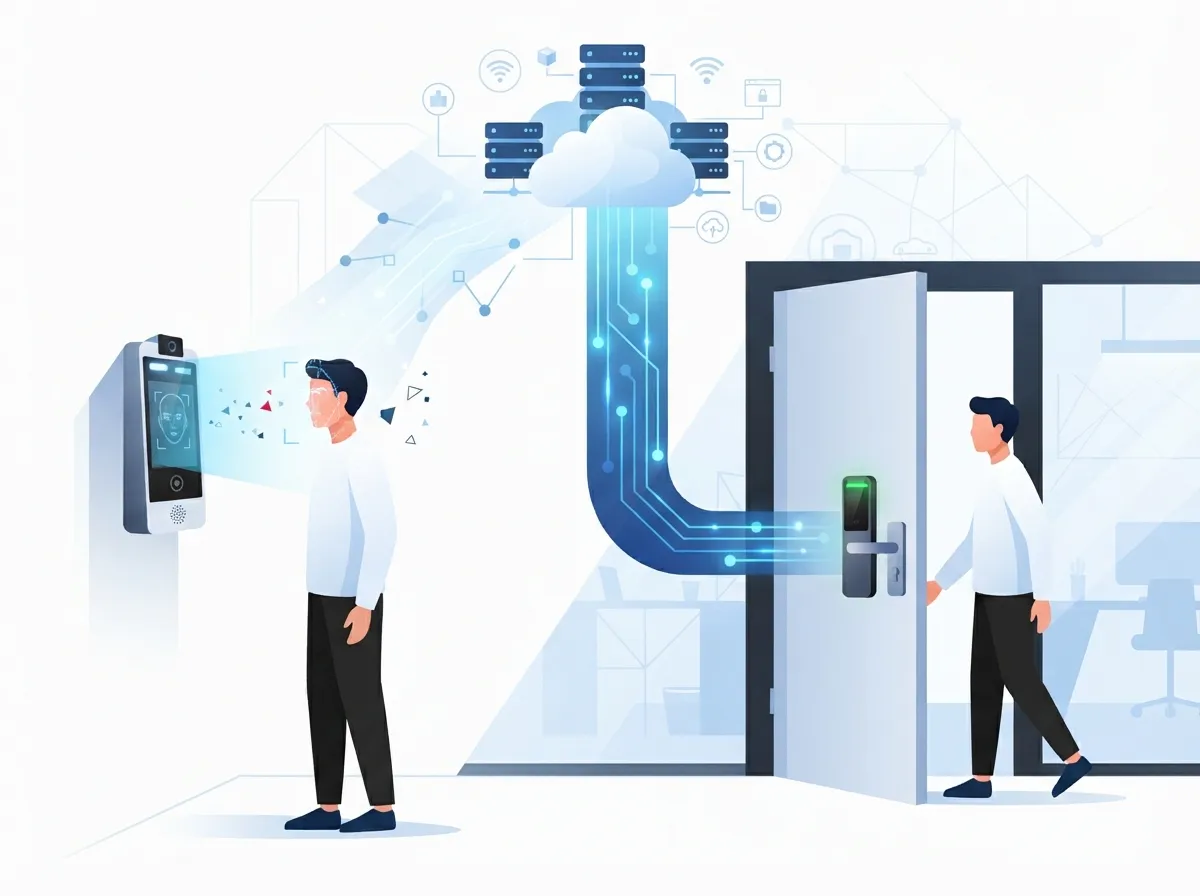
Think of it like a very fast, very picky bouncer. A camera or terminal scans a person’s face and compares it to a stored template. If it matches, the system sends an unlock signal to the door, gate, or turnstile through your cloud based access control platform.
All of this happens over your business network, which is why solid networking infrastructure matters so much. A vendor case study on the Comba Telecom ScanViS ID GateGuard system reported entry times of about one second, showing just how fast this process can be when set up correctly.
The Basic Steps in Every Transaction
- Camera captures an image of the person approaching the door.
- Software converts the face into a mathematical template, not a photo.
- The template is compared to enrolled users stored in the cloud.
- An allow or deny decision is sent instantly to the door hardware.
- The event is logged automatically for later review.
2. Why Telecom Infrastructure Is the Real Backbone
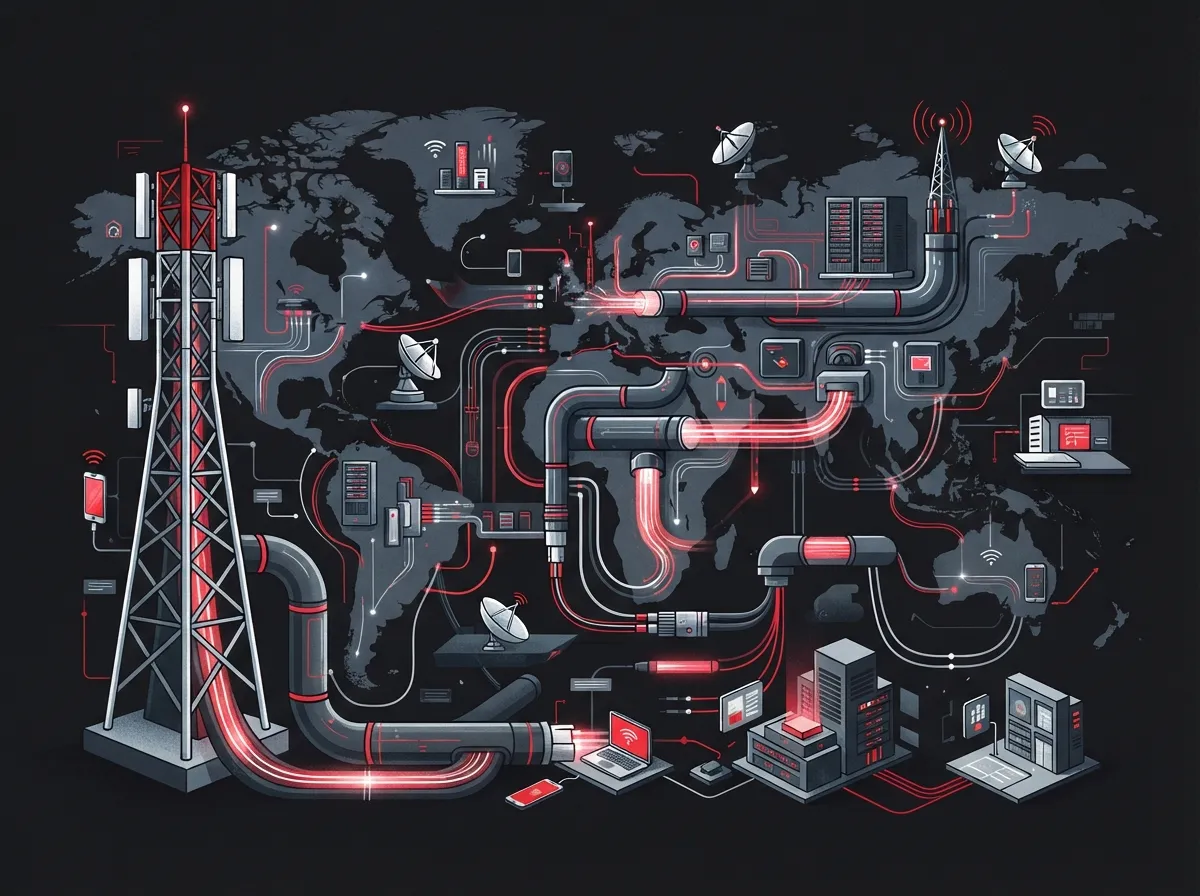
Facial recognition access control isn’t just a camera and a lock. It’s really a telecom project wearing a security costume. You need reliable high-speed internet, strong structured cabling, and PoE (Power over Ethernet) networking to keep cameras and door controllers running smoothly.
For companies with multiple locations, this often means pairing cloud identity management with SD-WAN or MPLS connections so every office talks to the same central system. Learn more about the fundamentals behind structured cabling, which forms the physical foundation for almost every smart building system today.
- PoE switches to power cameras and door readers
- Redundant internet connections for uptime
- Edge devices to reduce bandwidth strain
- Secure VPN or SD-WAN tunnels between sites
- Cloud servers for enrollment, logs, and permissions
3. Cloud, Edge, or Hybrid: Which Setup Fits Your Business?
Not every business needs the same setup. Some rely fully on the cloud. Others process data locally to save bandwidth or meet strict privacy rules. A hybrid approach often works best when internet service isn’t perfectly reliable.
| Architecture | Best For | Key Benefit | Watch Out For |
|---|---|---|---|
| Full Cloud | Small offices, single location | Easy remote management | Depends on strong internet |
| Edge Processing | High-traffic entries | Fast, low-latency decisions | Higher hardware cost |
| Hybrid | Multi-site franchises | Works during outages | More complex setup |
If your internet connection drops often, edge processing keeps doors working even when the cloud link is temporarily down. This is one reason why reliable connectivity during outages is such a common concern for growing companies.
4. Security Isn’t Just About the Face Scan
Facial recognition alone shouldn’t be your only line of defense. Smart systems add extra layers to stop people from tricking the camera with a photo, video, or mask.
Layers of Protection Worth Adding
- Liveness detection to block photo or video spoofing
- Tamper alerts if someone messes with the camera
- Encrypted data in transit and at rest
- Multi-factor authentication for system administrators
- A backup entry method like a badge, PIN, or staffed check-in
The National Institute of Standards and Technology tests these anti-spoofing defenses separately from basic face-matching accuracy. This matters because a system can be great at recognizing faces but still fall for a printed photo if it lacks proper liveness checks.
5. Accuracy Depends on More Than the Software
Good lighting, camera angle, and image quality all affect how well facial recognition works. NIST research also notes that accuracy can vary across different demographic groups, and one-to-many searches behave differently than simple one-to-one verification.
Factors That Affect Accuracy
- Camera placement and angle at the entry point
- Lighting conditions throughout the day
- Image resolution and camera quality
- Changes in appearance over time
- Whether the system checks one face or searches many
This is why a proper site survey matters before installation. Our team at Ideal Solutions Provider always recommends testing camera placement in real conditions, not just in a showroom.
6. Privacy and Compliance Cannot Be an Afterthought
Facial data is sensitive. The Federal Trade Commission’s 2023 biometric policy statement warns businesses about deceptive claims, weak security, and undisclosed data collection. Businesses using facial recognition should be upfront with employees and visitors about how the data is used.
- Provide clear notice before collecting facial data
- Get consent where required by law
- Limit how long data is stored
- Secure data with encryption and access controls
- Offer a non-biometric option for anyone who opts out
The FTC’s guidance also stresses privacy by design and reasonable security as baseline expectations, not bonus features. Skipping these steps can create legal and reputational risk down the road.
7. Best Use Cases for Business Telecom Environments
Facial recognition access control works best in specific, well-defined situations. Broad public monitoring creates far more risk than reward. For most businesses, the sweet spot is controlled entry points.
Where This Technology Shines
- Employee entrances at corporate offices
- Restricted telecom or server rooms
- Data centers and network operations centers
- Registered visitor check-in areas
- Multi-location franchise headquarters and warehouses
Franchise operators managing several Tampa Bay locations often like this setup because permissions can be updated centrally, without visiting every site in person.
8. Rolling Out a System the Right Way
A smooth rollout takes planning, not guesswork. Rushing installation is one of the most common reasons businesses end up frustrated with new security tech.
A Practical Deployment Checklist
- Conduct a site survey and network assessment
- Run a privacy and risk review before enrollment begins
- Design camera placement and cabling paths
- Set clear enrollment and consent policies
- Pilot test with a small group first
- Check performance across lighting and demographics
- Train staff on daily use and fallback procedures
- Schedule regular access reviews and audits
Pairing this checklist with strong scalable access control planning helps multi-location businesses avoid costly redos later.
Comparing Traditional vs. Cloud Facial Recognition Access Control
| Feature | Traditional Badge System | Cloud Facial Recognition |
|---|---|---|
| Entry Speed | 2-4 seconds | About 1 second (vendor reported) |
| Lost Credential Risk | High (lost badges) | Low (no physical badge) |
| Remote Management | Limited | Full cloud dashboard access |
| Multi-Site Control | Manual per location | Centralized permissions |
| Setup Complexity | Simple | Moderate to complex |
Why Choose a Telecom Partner for This Project
Facial recognition access control touches your network, your cameras, and your cloud software all at once. That’s a lot of moving parts for one IT manager or office admin to juggle alone. A single telecom and security partner can handle the cabling, the connectivity, and the ongoing support so nothing slips through the cracks.
Ideal Solutions Provider works with 35+ vetted suppliers to design systems that fit your budget and your building. We also handle the boring but important stuff, like making sure your cabling infrastructure can support the extra devices. You can see examples of our work on YouTube or catch quick tips on Facebook.
Final Thoughts
Cloud access control facial recognition isn’t just a flashy gadget. It’s a real, practical way to speed up entry, cut down on lost badges, and manage security across multiple locations from one dashboard. The key is pairing the right hardware with dependable networking, clear privacy policies, and backup entry options for anyone who needs them.
If you’re curious whether this technology fits your building, your budget, or your franchise network, we’d love to help you figure it out. Contact us for a free consultation, or call us to talk through your options today.
FAQs
Q: How does cloud-based facial recognition access control work?
A: A camera scans a face and compares it to an enrolled template stored in the cloud. If it matches, the system sends an unlock signal to the door in about a second. It’s fast, but it relies on a solid network connection to work smoothly.
Q: Is facial recognition access control secure against spoofing or photos?
A: Good systems add liveness detection to spot photos, screens, or masks trying to fool the camera. Without this feature, spoofing risk goes up quite a bit. We always recommend asking your provider about anti-spoofing testing before installation.
Q: Should facial recognition be processed in the cloud or at the edge?
A: It depends on your internet reliability and building layout. Cloud processing is easier to manage remotely, while edge processing keeps doors working during outages. Many multi-location businesses choose a hybrid setup for the best of both.
Q: What privacy rules apply to workplace facial recognition?
A: Businesses should give clear notice, get consent where required, and limit how long facial data is stored. The FTC has warned companies about weak security and undisclosed data collection, so transparency really matters here.
Q: What if an employee doesn’t want to use facial recognition?
A: Every good system should offer a backup option, like a badge, PIN code, or staffed check-in. Nobody should be forced into biometric enrollment without an alternative, and offering choices builds trust with your team.





