
Key Takeaways
-
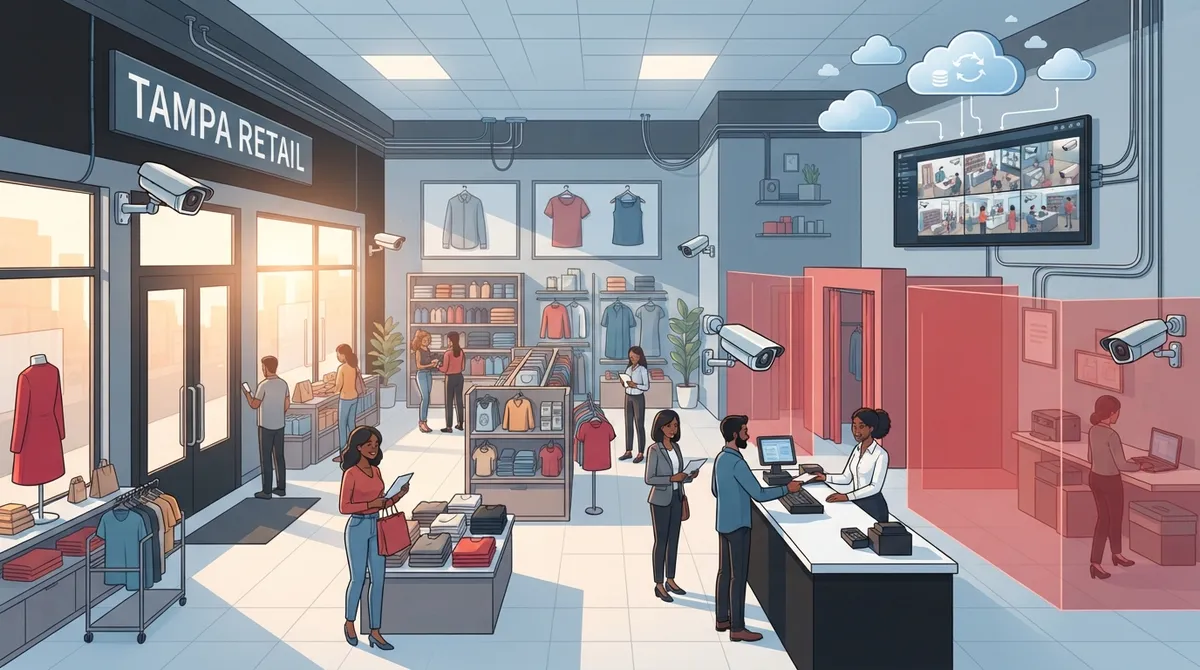
Florida Statute §877.26 strictly prohibits recording in dressing rooms, fitting rooms, changing rooms, and restrooms—violations are first-degree misdemeanors, so work with an experienced installer who knows these legal boundaries.
-
Retail camera systems must integrate with your network infrastructure, internet, cabling, and access control to function reliably; standalone cameras often lag, drop footage, or fail without proper foundational support.
-
Cloud storage systems outperform on-site storage for multi-location businesses and franchise operators since they enable remote management from one dashboard and protect footage from hardware theft.
-
Key camera placement priorities include front entrances, checkout registers, high-value merchandise areas, stockrooms, loading docks, parking lots, and employee-only areas to address most retail security gaps.
-
Professional retail security camera systems in Tampa cost $2,500–$15,000 depending on store size and features; final pricing varies based on cabling needs, resolution, storage type, and smart analytics integration.
-
Modern IP camera systems using Power over Ethernet (PoE) eliminate messy extra wiring while supporting remote viewing, motion alerts, night vision, and integration with phone systems and access control platforms.
Running a retail store in Tampa means juggling a lot. You watch inventory, train staff, and try to keep customers happy. But there’s one thing that often gets pushed to the bottom of the list: security. If you’ve been searching for tampa retail security cameras, you’re already ahead of the game. This guide will walk you through what really matters, from camera placement to Florida privacy laws, so you can protect your store without a headache.
The good news? You don’t need to be a tech expert to get this right. A smart camera setup works best when it’s part of a bigger plan that includes your internet, your network, and even your phone system. That’s where a trusted telecom partner comes in handy. Let’s break down everything you need to know.
Why Tampa Retailers Need More Than Just Cameras
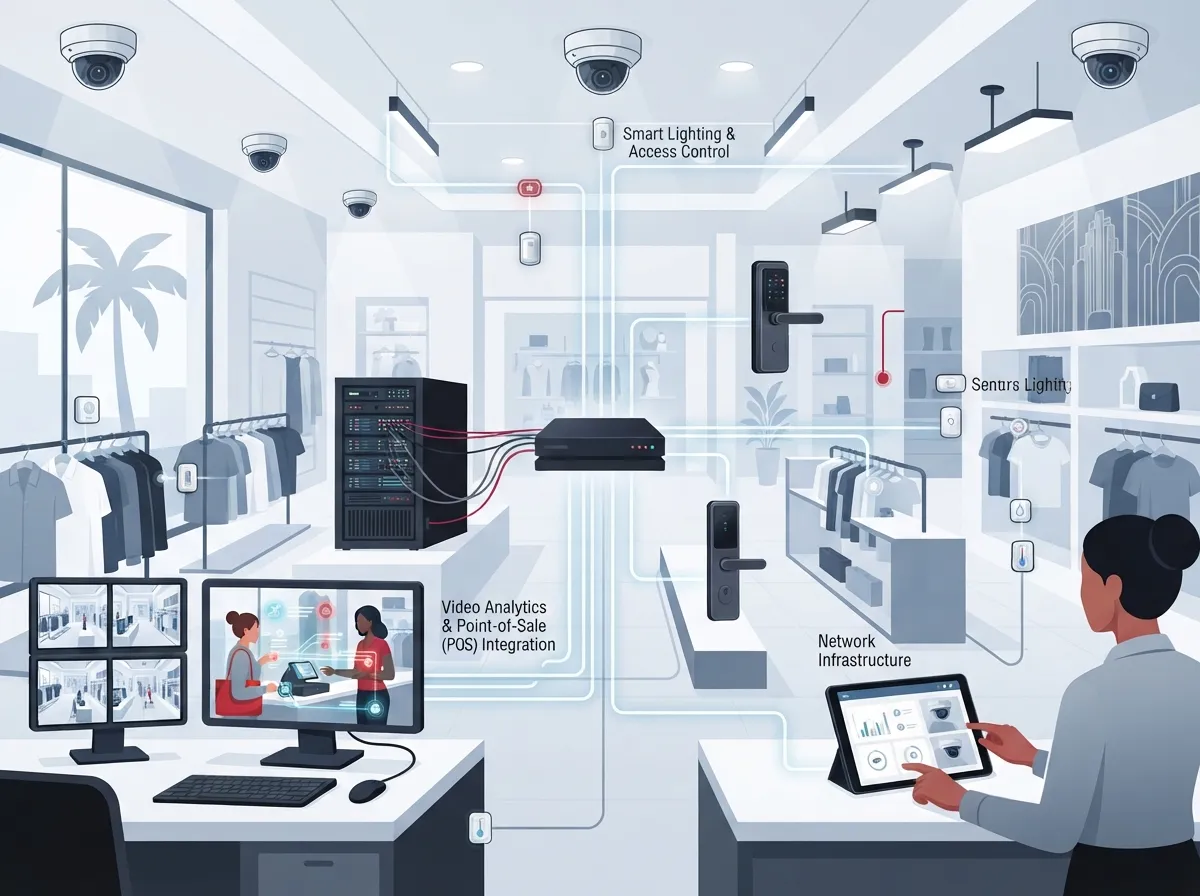
Here’s a little secret many store owners don’t know: buying a camera off the shelf and sticking it above the door isn’t a security plan. It’s a start, but it’s not enough. A real retail security setup connects your cameras to your internet, your network switches, and often your access control system too.
Think of it like building a house. The camera is the roof, but you still need strong walls and a solid foundation underneath. That foundation is your structured cabling and network setup. Without it, even the fanciest camera can lag, drop footage, or fail when you need it most.
This is exactly why Ideal Solutions Provider treats camera systems as part of a full communications package. Cameras, internet, cabling, and access control all work together like a team, not separate players.
What a Modern Retail Camera System Actually Includes
Today’s commercial systems use IP cameras that connect through your network using Power over Ethernet, often shortened to PoE. This means one cable delivers both power and data. No messy extra wiring, no separate outlets needed at every camera spot.
- High-definition or 4K cameras for clear, zoomable footage
- Network video recorders (NVRs) or cloud storage for saving video
- Motion alerts and line-crossing notifications sent to your phone
- Wide dynamic range imaging for bright storefront windows
- Infrared night vision for after-hours coverage
- Remote viewing so you can check in from anywhere
Many Tampa businesses are moving away from old-school DVR boxes toward cloud video security systems. Cloud storage means you’re not stuck if a hard drive fails, and you can pull up footage from your phone during a slow afternoon or a busy holiday rush.
Where Should Cameras Go in a Retail Store?
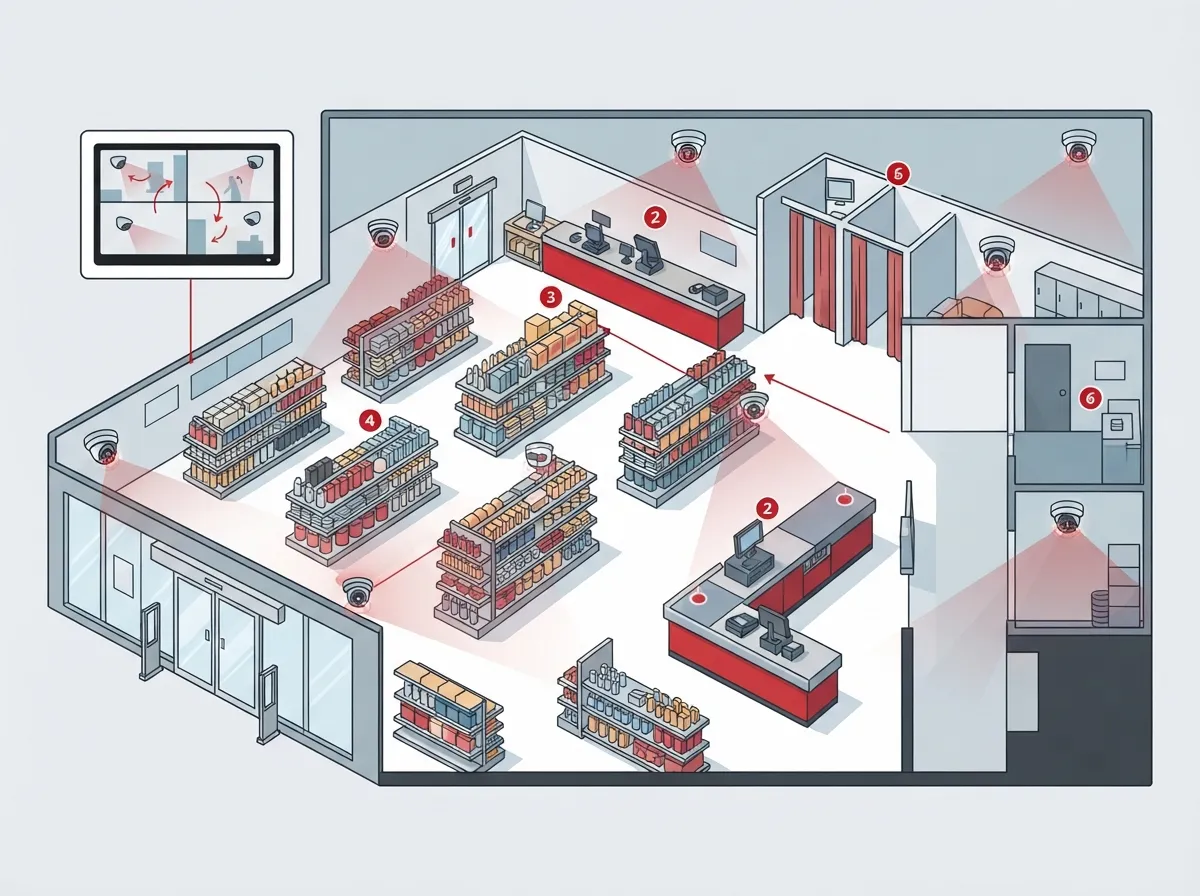
Placement matters just as much as picking good equipment. A camera pointed at the wrong angle is basically decoration. Here’s a simple list of the spots that matter most in most Tampa retail locations:
- Front entrance and exit doors, to catch every person coming and going
- Checkout lanes and registers, where cash and card transactions happen
- High-value merchandise areas, like electronics or jewelry displays
- Stockrooms and storage areas, where inventory theft often starts
- Loading docks and back entrances, a common blind spot for many stores
- Parking lots, for customer safety and to catch break-ins
- Employee-only areas, to track internal access and activity
Notice what’s missing from that list? Dressing rooms, fitting rooms, changing rooms, and restrooms. That’s on purpose, and it’s not just a suggestion.
Florida Law: What You Cannot Record
Florida Statute §877.26 is crystal clear on this point. Merchants cannot observe or record customers in dressing rooms, fitting rooms, changing rooms, or restrooms where people expect privacy. This law applies broadly, covering owners, managers, employees, and even lessees of retail spaces.
Breaking this law isn’t a small mistake. A violation is classified as a first-degree misdemeanor. That’s a serious legal risk for a store owner who just wanted to prevent shoplifting. When in doubt, keep cameras pointed at hallways leading to these spaces, never inside them.
This is one more reason working with an experienced telecom and security partner pays off. A knowledgeable installer knows where the legal lines are drawn, so you don’t accidentally cross them.
How Much Do Retail Security Cameras Cost in Tampa?
Pricing varies a lot based on your store size and what features you want. One Tampa-area installer publishes a general range that’s helpful for budgeting purposes.
| System Type | Typical Cost Range | Best For |
|---|---|---|
| Basic 4-camera setup | Toward the lower end of $2,500–$15,000 | Small boutique or single-register shop |
| Mid-size retail system | Middle of the $2,500–$15,000 range | Stores with stockrooms and multiple entry points |
| Full-featured, multi-camera system | Upper end of $2,500–$15,000 | Large retail floors, analytics, integration with access control |
Final pricing depends on cabling needs, labor, camera resolution, storage type, and any extra analytics like people counting. A four-camera system for a small shop tends to sit near the bottom of that range, while larger stores with cloud storage and smart alerts will land higher up.
Cloud Storage vs. On-Site Storage: Which Fits Your Store?
This is one of the most common questions Tampa retailers ask. Both options work, but they serve different needs.
| Feature | Cloud Storage | On-Site Storage (NVR) |
|---|---|---|
| Access from anywhere | Yes, via app or browser | Limited without extra setup |
| Upfront hardware cost | Lower | Higher |
| Protection from theft of equipment | Footage stays safe off-site | Footage lost if device is stolen |
| Ongoing subscription cost | Yes, monthly or annual fee | Usually none after purchase |
| Best for multi-location businesses | Excellent | Harder to manage remotely |
Franchise operators with multiple Tampa Bay locations often lean toward cloud storage since it’s easier to manage from one dashboard. Single-location shops sometimes prefer on-site storage to avoid a monthly bill, though hybrid setups that combine both are becoming more popular too.
Connecting Cameras to Your Bigger Telecom Setup
Here’s where things get interesting for business owners who want to save time and money. Your camera system doesn’t have to live in its own little bubble. It can work alongside your phone system, internet connection, and door access.
- Video intercoms that let staff see who’s at a locked door before buzzing them in
- Alarm systems that trigger camera recording automatically
- Cloud access control systems that log who enters stockrooms and offices
- Point-of-sale integration for reviewing incidents tied to specific transactions
- Business phone systems that send alerts when motion is detected after hours
This kind of integration takes some planning. Your network needs enough bandwidth to handle video streams without slowing down your cloud-based phone system or point-of-sale terminals. That’s why many Tampa store owners bring in a telecom specialist rather than trying to piece it together themselves.
Network and Cybersecurity Basics You Shouldn’t Skip
Cameras connect to your network, which means they can be a target for hackers if you’re not careful. A few basics go a long way toward keeping your system safe.
- Use separate network segments (VLANs) to keep cameras isolated from other business data
- Make sure your switches have enough capacity for camera traffic plus daily operations
- Install surge protection and battery backup for power interruptions, common during Tampa storms
- Set up secure remote access with strong passwords and two-factor authentication
- Plan for offline recording in case your internet connection drops
Tampa’s weather adds another layer to think about. High heat, humidity, and frequent storms mean outdoor cameras need weather-resistant housings. Power blips are common too, so battery backup isn’t optional if you want reliable footage during a storm-related outage.
Choosing the Right Provider for Your Tampa Store
Not all installers are created equal, and price shouldn’t be your only deciding factor. Here’s what smart retailers look for when comparing providers.
- Proper licensing and insurance for commercial installation work
- Fast response times if something breaks or malfunctions
- Strong cybersecurity practices baked into the installation
- Camera systems that play nicely with other brands and existing equipment
- Clear terms on how long footage is stored and how it’s accessed
- Experience handling multi-location deployments for franchise or growing businesses
This is where having a single point of contact really pays off. Instead of calling five different companies for your phone lines, internet, cabling, and cameras, you get one team who understands how everything fits together. Ideal Solutions Provider has spent over 24 years building relationships with 35+ vetted suppliers, which means Tampa retailers get options instead of a one-size-fits-all pitch.
A Simple Checklist Before You Install
Feeling ready to move forward? Here’s a quick rundown to keep things organized.
- Walk your store and mark every entrance, register, and high-value area
- Decide on cloud, on-site, or hybrid storage based on your budget and locations
- Check your current internet speed and network capacity for camera traffic
- Ask about integration with access control, alarms, or phone systems
- Confirm your installer understands Florida privacy laws around fitting rooms
- Get a written quote that breaks down cabling, labor, and equipment costs
Following these steps helps you avoid surprises later, whether you’re a small boutique owner or managing several franchise locations across Tampa Bay.
Bringing It All Together
Retail security cameras aren’t just about catching shoplifters, though that matters too. They’re about peace of mind, protecting your team, and keeping your store running smoothly even when you’re not physically there. When your cameras, internet, and access control work as one connected system, everything just runs better.
If you’re a small business owner juggling too many vendors, an office manager tired of chasing down support tickets, or a franchise operator scaling across multiple Tampa Bay sites, you deserve a simpler path. Reliable structured cabling, solid high-speed internet, and well-placed cameras all work better when one trusted partner handles the whole picture.
Curious what a system might look like for your store? You can follow updates and installation examples on Facebook, watch real setups on YouTube, or check daily tips on Instagram. For a deeper dive into how solid structured cabling supports every device in your store, or how choosing the right Internet Service Provider keeps your cameras running smoothly, these resources are worth a look.
Ready to protect your Tampa store the smart way? Contact us for a free consultation, or simply call us today to talk through your options with a real person who knows Tampa retail inside and out.
FAQs
Q: How much do retail security cameras cost to install in Tampa?
A: A professionally installed small-business system in Tampa typically runs between $2,500 and $15,000, depending on how many cameras you need and what kind of storage you choose. A basic four-camera setup for a small shop usually lands near the lower end of that range. Larger stores with cloud storage and smart analytics will cost more, but you get a lot more protection and flexibility in return.
Q: Are security cameras allowed in Florida retail stores and fitting rooms?
A: Cameras are absolutely allowed throughout your retail floor, but Florida Statute §877.26 strictly prohibits recording inside dressing rooms, fitting rooms, changing rooms, or restrooms. Breaking this rule is treated as a first-degree misdemeanor, so it’s not something to risk. A good installer will always point cameras at hallways and entrances near these spaces, never inside them.
Q: Should a Tampa business choose cloud-based or on-site video storage?
A: It really depends on your goals! Cloud storage is great if you want to check footage from anywhere or manage multiple store locations from one dashboard. On-site storage can save you a monthly fee, though you’ll want a backup plan in case the hardware ever gets damaged or stolen.
Q: Can retail security cameras integrate with access control, alarms, and business phone systems?
A: Yes, and this is honestly one of the best parts of building a modern system. Cameras can trigger alerts through your phone system, work alongside cloud access control to track who enters certain areas, and even sync with alarm systems for automatic recording. It all comes together nicely when one experienced provider sets everything up together.
Q: How many cameras does a retail store in Tampa need?
A: There’s no single magic number, since it depends on your store’s size, layout, and risk areas. Most retailers start with coverage at entrances, checkout lanes, stockrooms, and high-value merchandise displays. A walk-through with an experienced installer will help you figure out exactly how many cameras make sense for your specific space.





