
Key Takeaways
-
Parking lots are the third-highest location for violent crimes (239,998 incidents 2019-2024), making dedicated video surveillance critical for commercial properties to deter theft, vandalism, and provide liability defense.
-
Camera system quality depends on networking infrastructure, not just hardware—use Power over Ethernet (PoE), weatherproof enclosures, surge protection, and network redundancy to ensure cameras stay operational during outages.
-
Use a mix of camera types matched to specific zones: fixed bullet cameras at entrances/exits, PTZ cameras for large open areas, and license plate recognition cameras at gates for automatic vehicle identification.
-
Place cameras at vehicle entrances/exits, pedestrian walkways, poorly lit corners, payment kiosks, loading zones, and building entrances with overlapping coverage so a single camera failure doesn't create blind spots.
-
Post visible signage, restrict footage access with encryption and audit logs, use privacy masking, set a 30-90 day retention schedule, and disable audio recording unless legal counsel approves—facial recognition carries statutory damages up to $5,000 per violation in some states.
-
Choose hybrid storage (local recording for immediate playback + cloud backup for redundancy and remote access) rather than purely cloud or local, and coordinate camera integration with access control systems for unified security response.
Your parking lot is often the first place trouble happens. Break-ins, vandalism, and even assaults tend to occur where cars sit unattended and lighting is weak. In fact, ASIS International reports that parking areas saw 239,998 violent-offense incidents from 2019 through 2024, making parking lots the third-highest location for these crimes. If you own or manage a commercial property, that number should grab your attention.
Here’s the good news: a well-planned camera system can change everything. But parking lot security cameras commercial systems aren’t just about buying a few cameras and hoping for the best. They need strong networking, smart placement, and the right storage plan to actually work when you need them. That’s where a Business Telecom Solutions partner comes in, because these systems live and die by the connectivity behind them.
In this guide, we’ll walk through everything a small business owner, IT manager, or franchise operator needs to know. We’ll cover camera types, placement tips, bandwidth needs, storage choices, and legal basics. By the end, you’ll know exactly what to ask for when you start shopping for a system.
Why Commercial Parking Lots Need Dedicated Video Surveillance
Parking lots are open spaces with lots of foot and vehicle traffic. That makes them easy targets for theft, vandalism, and break-ins. It also makes them a common site for liability disputes, like slip-and-fall claims or accident disagreements between drivers.
A solid camera system does more than record crime. It helps businesses:
- Deter theft, vandalism, and car break-ins before they happen
- Provide clear evidence for insurance claims and police reports
- Support liability defense when accidents or disputes occur
- Give property managers peace of mind with remote monitoring
- Improve employee and customer safety, especially after dark
Many businesses learn the hard way that a cheap, poorly designed system doesn’t hold up. Grainy footage, dead zones, or a camera that stopped recording weeks ago won’t help you when you need answers. That’s why treating this as a telecom and network project, not just a hardware purchase, makes such a big difference. To understand the broader value cameras bring to a business, check out this article on what security cameras really do for your business.
Types of Cameras Used in Commercial Parking Lots
Not every camera works well outdoors, and not every outdoor camera works well for every part of your lot. Here’s a simple breakdown of the most common options.
| Camera Type | Best Use Case | Key Benefit |
|---|---|---|
| Fixed bullet cameras | Entrances, exits, drive lanes | Weather-resistant, long-range visibility |
| Varifocal cameras | Areas needing adjustable zoom | Flexible coverage for changing layouts |
| PTZ (pan-tilt-zoom) | Active monitoring, large lots | Live tracking of suspicious activity |
| License plate recognition (LPR) | Gates, entry points | Automatic vehicle identification |
| Panoramic/multisensor | Wide-open lots | Covers more ground with fewer devices |
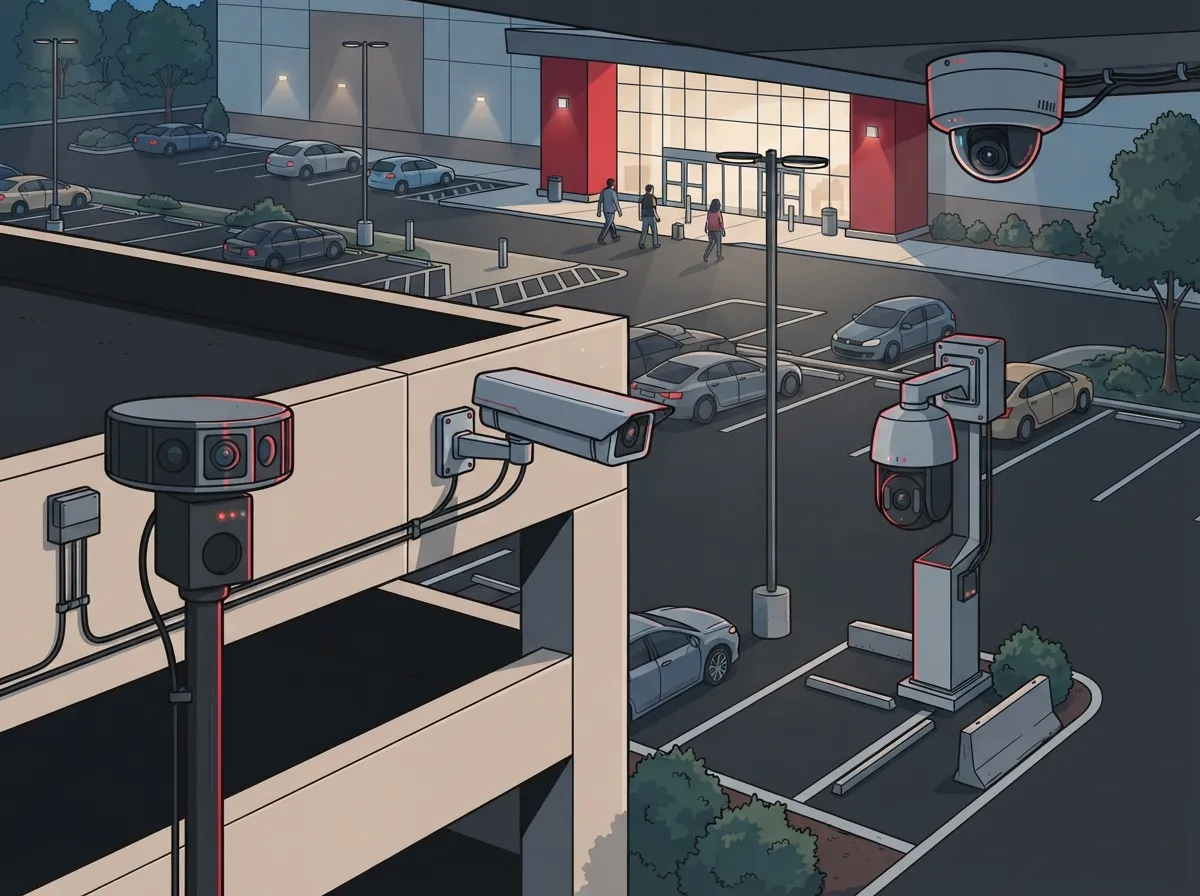
Most commercial properties use a mix of these camera types. A small office might only need a few fixed cameras at entrances. A large distribution center or multi-location franchise might need PTZ cameras plus LPR units at every gate. If you’re not sure how many cameras your property needs, this resource on factors that decide how many security cameras you need breaks it down clearly.
Where to Place Cameras for Maximum Coverage
Camera placement matters just as much as camera quality. A camera pointed at the wrong angle is basically useless. Here are the priority zones every commercial lot should cover:
- Vehicle entrances and exits, where most activity happens
- Pedestrian walkways leading to the building
- Poorly lit corners and edges of the lot
- Payment kiosks, gates, or access-control points
- Loading zones and delivery areas
- Building entrances and side doors
- Any spot with a history of past incidents
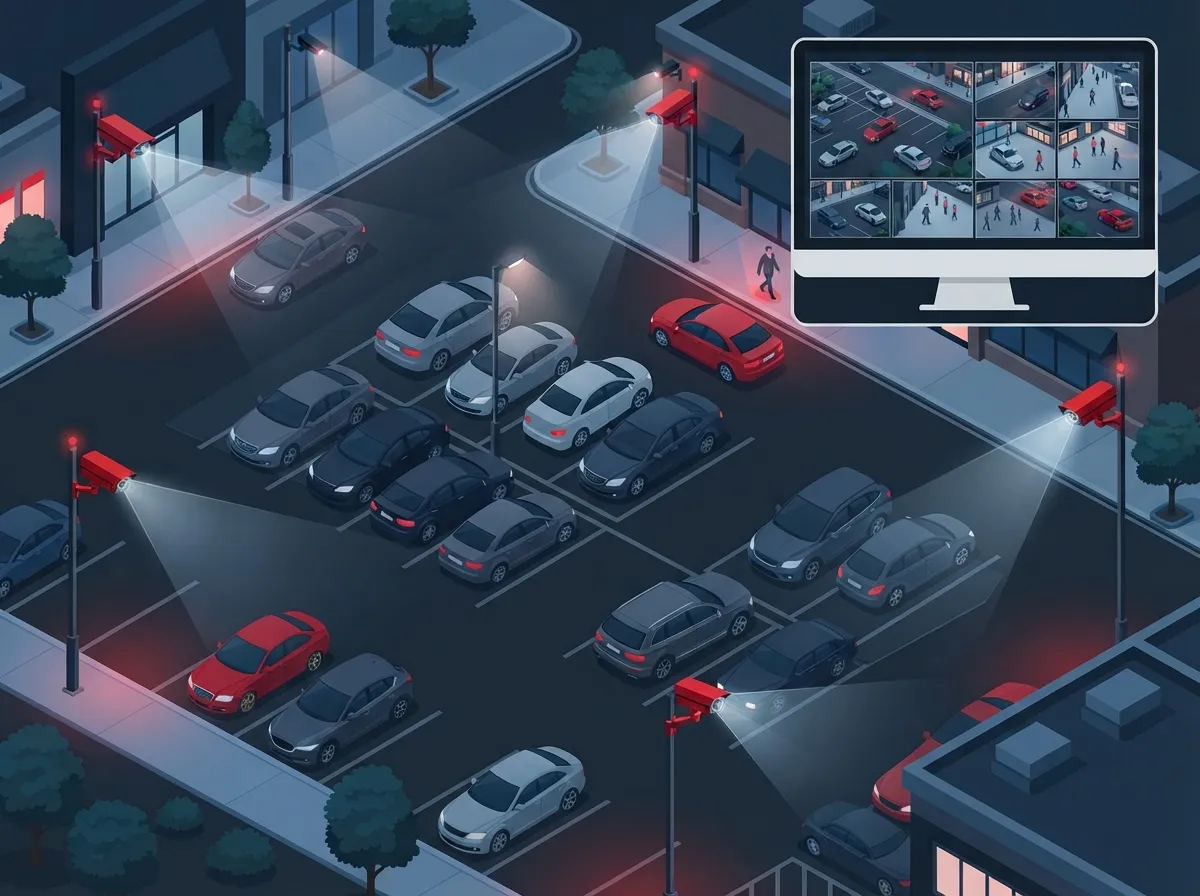
Overlapping camera views are important too. If one camera goes down or gets blocked, another should still capture the same area. Good lighting also plays a big role. Even the sharpest 4K camera can’t produce usable footage in near-total darkness.
The Network Behind the Cameras: Why Connectivity Matters
Here’s something many business owners overlook: cameras are only as good as the network supporting them. A parking lot security cameras commercial setup depends on solid cabling, reliable power, and enough internet bandwidth to keep everything running smoothly.
Most modern systems use Power over Ethernet (PoE), which sends both power and data through a single cable. This simplifies installation, but outdoor deployments still need careful planning. You’ll want to consider:
- Cable distance limits and signal loss over long runs
- Weatherproof enclosures for switches and connection points
- Surge protection and proper grounding for outdoor equipment
- Backup power in case of an outage
- Network redundancy so cameras stay online
This is exactly why structured cabling matters so much for outdoor security projects. If you want to learn more about how proper cabling supports both phones and cameras, take a look at this piece on how structured cabling supports VoIP and cameras. You can also read more about the basics of structured cabling as an industry standard for organizing network wiring.
How Much Internet Bandwidth Do You Need?
This is one of the most common questions business owners ask. The answer depends on a few factors:
- Camera resolution (higher resolution means more data)
- Frame rate (more frames per second means more bandwidth)
- Number of cameras running at once
- Whether you’re recording continuously or only on motion
- Whether footage stays local or uploads to the cloud
A small lot with a handful of cameras might run fine on standard business internet. A large facility with dozens of high-resolution cameras and cloud backup will need much more capacity, often a dedicated connection. This is a case where working with a knowledgeable Internet Service Provider partner really pays off, since they can help size your connection correctly the first time. For a deeper look at planning connectivity for security needs, check out this guide on high-speed internet tips that save money.
Cloud Storage vs. Local Recording: Which Is Right for You?
Business owners often ask whether they should store footage in the cloud or keep it on-site. Both options work, but they serve different needs.
Cloud storage offers easy remote access, automatic backups, and less on-site hardware to maintain. It’s a great fit for multi-location franchise operators who want to check footage from anywhere. Local storage can be cheaper upfront and doesn’t rely on internet uptime for recording, though it’s more vulnerable to theft or damage if someone steals the recorder itself.
Many businesses today choose a hybrid approach: local storage for immediate playback, with cloud backup for redundancy and remote access. If you’re weighing your options, this comparison of cloud vs. DVR security cameras can help you decide what fits your budget and goals.
Smart Features Worth Considering
Today’s cameras do a lot more than just record. Many systems now include analytics that make monitoring easier and faster. Common features include:
- Motion detection and line-crossing alerts
- Vehicle classification (car, truck, motorcycle)
- Loitering detection near entrances
- Occupancy monitoring for busy lots
- License plate capture for entry logs
Facial recognition is also available, but it comes with much bigger legal risks. Some states, like Illinois under its Biometric Information Privacy Act, allow statutory damages of $1,000 for negligent violations and $5,000 for intentional ones. Before adding facial recognition to any system, talk to your legal counsel first.
Legal Considerations for Parking Lot Cameras
Good news: parking lots generally don’t carry the same expectation of privacy as bathrooms or private offices. That means video recording is usually allowed without much legal trouble. But there are still important rules to follow.
Here’s what to keep in mind:
- Post visible signage letting people know cameras are in use
- Create a documented policy for who can access footage
- Use privacy masking for areas that don’t need coverage
- Set a clear retention and deletion schedule for old footage
- Restrict system access with encryption and audit logs
Audio recording is a different story. State wiretap laws vary widely, and many require consent from all parties before recording conversations. Most commercial systems simply disable microphones unless legal counsel has signed off. There’s no single federal law covering every private CCTV system, so requirements come from a mix of state laws, biometric statutes, and industry rules. If your business works with federal agencies or contractors, you may also need to screen equipment under Section 889 procurement rules.
Integrating Cameras with Access Control and Alarms
A parking lot camera system works even better when it talks to your other security tools. Many businesses now connect their cameras to access control systems, alarm panels, and remote monitoring services. This creates a single, unified view of what’s happening on your property.
For example, if someone tries to enter through a locked gate after hours, the system can trigger an alert and pull up live camera footage automatically. This kind of integration saves time and helps security teams respond faster. If you’re curious how access control fits into the bigger picture, this article on cloud access control for businesses explains the benefits well.
Working with a Telecom Partner for Installation
Setting up a parking lot camera system involves more moving parts than most people expect. You need cabling, network switches, internet capacity, storage, and software that all work together. Trying to coordinate separate vendors for each piece can turn into a headache fast.
This is exactly the kind of project Ideal Solutions Provider handles every day. With over 24 years of experience and partnerships with 35+ vetted suppliers, they act as a single point of contact for the entire project, from consultation through installation and ongoing support. Instead of juggling multiple vendors, you get one team handling cameras, cabling, internet, and network security together.
Whether you’re a small Tampa business installing your first system or a mid-sized enterprise rolling out cameras across multiple locations, having one partner manage the details saves time and reduces costly mistakes. You can follow their work and see real installations on Facebook, Instagram, or YouTube.
Steps to Plan Your Parking Lot Camera Project
If you’re ready to get started, here’s a simple roadmap to follow:
- Walk your property and identify high-risk or high-traffic zones
- Decide which camera types fit each area (fixed, PTZ, LPR, etc.)
- Check your current internet bandwidth and cabling infrastructure
- Choose between cloud storage, local storage, or a hybrid setup
- Set clear policies for footage access, retention, and signage
- Plan integration with access control or alarm systems if needed
- Work with a telecom partner to handle installation and support
Skipping any of these steps often leads to gaps in coverage or systems that underperform. Taking the time upfront pays off with a system that actually works when it matters most.
Bringing It All Together
A commercial parking lot camera system is about more than just cameras. It’s a full package of networking, storage, and smart planning that keeps your property safer and your business protected. Whether you’re running a single Tampa storefront or managing cameras across a growing franchise network, the right setup makes all the difference.
Ready to get your parking lot properly covered? Contact us for a free consultation, or call us today to talk through your options. Our team will review your current setup, recommend the right cameras and network design, and handle everything from installation to ongoing support.
FAQs
Q: What are the best security cameras for a commercial parking lot?
A: It really depends on your lot’s layout, but most businesses do great with a mix of fixed bullet cameras at entrances and PTZ cameras for wide-open areas. If you need to track vehicles at gates, license plate recognition cameras are a smart add-on. The key is matching camera type to each zone’s specific needs.
Q: How many cameras does a commercial parking lot need?
A: There’s no one-size-fits-all number here, friend! It depends on your lot’s size, layout, lighting, and past incident history. A small lot might only need 4 to 6 cameras, while a larger property could need 15 or more for full coverage.
Q: Should commercial parking-lot cameras use cloud storage or local recording?
A: Both work well, and honestly, a lot of businesses land on a hybrid approach. Cloud storage gives you easy remote access and automatic backups, while local storage keeps costs down and doesn’t depend on internet uptime. Think about your budget and how often you’ll need to check footage remotely.
Q: Can a business legally record video and audio in a parking lot?
A: Video recording in parking lots is generally fine since these areas don’t carry a strong expectation of privacy. Audio is trickier though, since many states require consent from everyone being recorded. Most businesses simply skip audio recording unless they’ve checked with legal counsel first.
Q: How long should parking-lot security footage be retained?
A: This varies by business and local requirements, but many companies keep footage for 30 to 90 days as a starting point. Some industries or insurance policies may require longer retention. It’s smart to set a clear written policy so everyone on your team knows the rules.





