

Key Takeaways
-
Backup and archiving serve different purposes: backup recovers footage from hardware failure or ransomware, while archiving preserves footage long-term for legal and compliance needs. Both are essential for complete protection.
-
Hybrid storage combining local and cloud infrastructure is the optimal approach, providing fast local access for immediate playback while protecting against site-wide disasters like fires or theft.
-
Storage requirements vary significantly by camera count, resolution, frame rate, and retention period. A practical example: 20 cameras at 4 Mbps recording continuously for 30 days requires approximately 30.4 terabytes of storage.
-
Security controls are as critical as storage capacity: implement role-based access, multifactor authentication, encryption in transit and at rest, and audit logging to protect against ransomware targeting backup systems.
-
Retention periods have no universal standard and depend on industry regulations, state laws, and insurance requirements. Consult legal advisors and insurers to establish compliant policies rather than using generic timeframes.
-
Reliable bandwidth and connectivity are essential for cloud backup success. Multiple-location businesses benefit from SD-WAN technology and cellular failover options to prevent upload delays and footage gaps during outages.
Picture this: a break-in happens at your Tampa office over the weekend, and when you go to pull up the footage, it’s gone. Overwritten, corrupted, or stuck on a hard drive that just failed. It happens more often than you’d think, and it’s one of the most frustrating calls we get. That’s why video backup and archiving systems matter so much for businesses today, whether you’re running a single storefront or managing locations across the country.
The good news? You don’t need to be a tech wizard to get this right. In this friendly guide, we’ll walk through 11 facts every business owner, office manager, and IT professional should know about keeping video footage safe, searchable, and ready when you need it most. We’ll cover the real differences between backup and archiving, how much storage you actually need, and what to look for in a provider. By the end, you’ll feel confident making smart decisions for your business. Let’s dive in together.
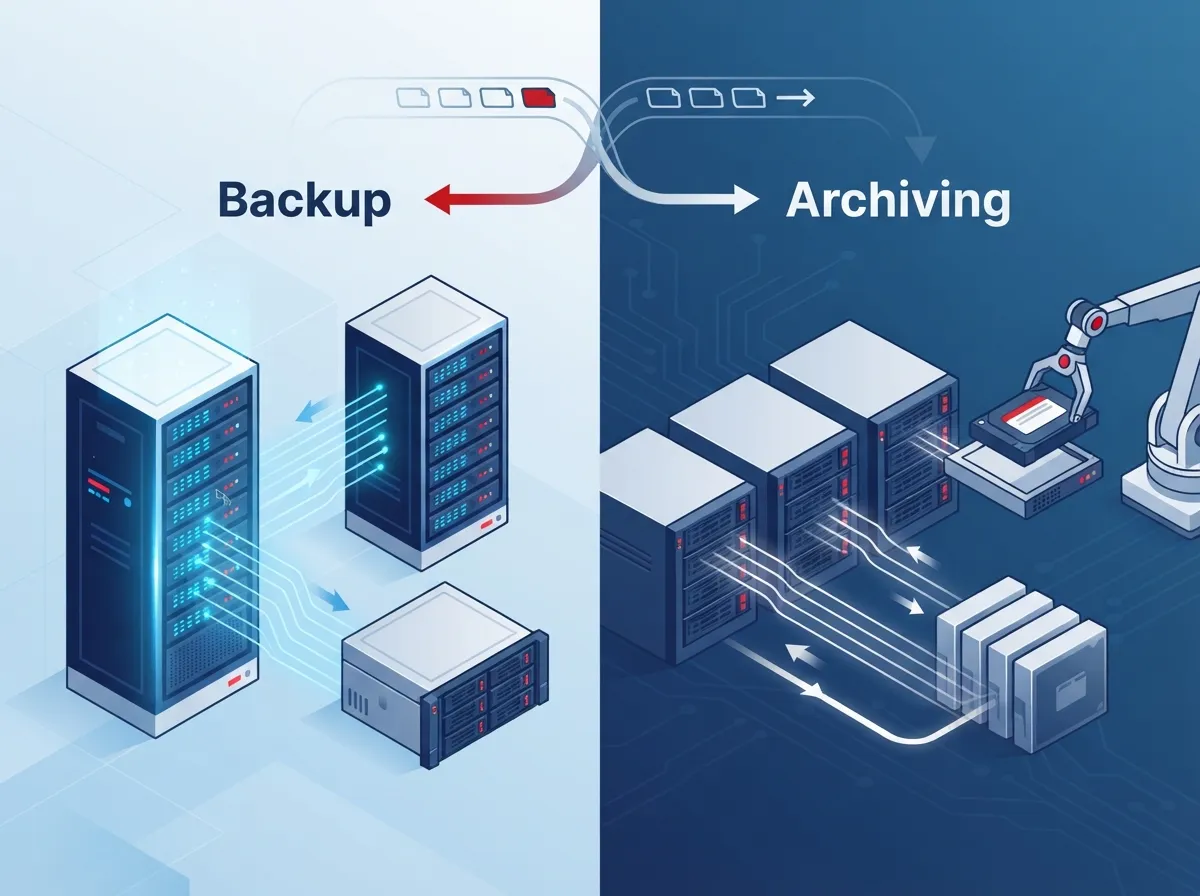
1. Backup and Archiving Are Not the Same Thing
A lot of folks use these two words like they mean the same thing. They don’t, and knowing the difference matters. Backup is your safety net. It helps you recover footage after accidental deletion, hardware failure, ransomware attacks, or even a fire at your main location. Archiving is different. It’s about preserving footage long-term for investigations, legal disputes, insurance claims, or compliance needs.
Think of backup as your quick-response system and archiving as your long-term memory. Both are important, but they serve different jobs. A strong security camera setup needs both pieces working together to actually protect your business.
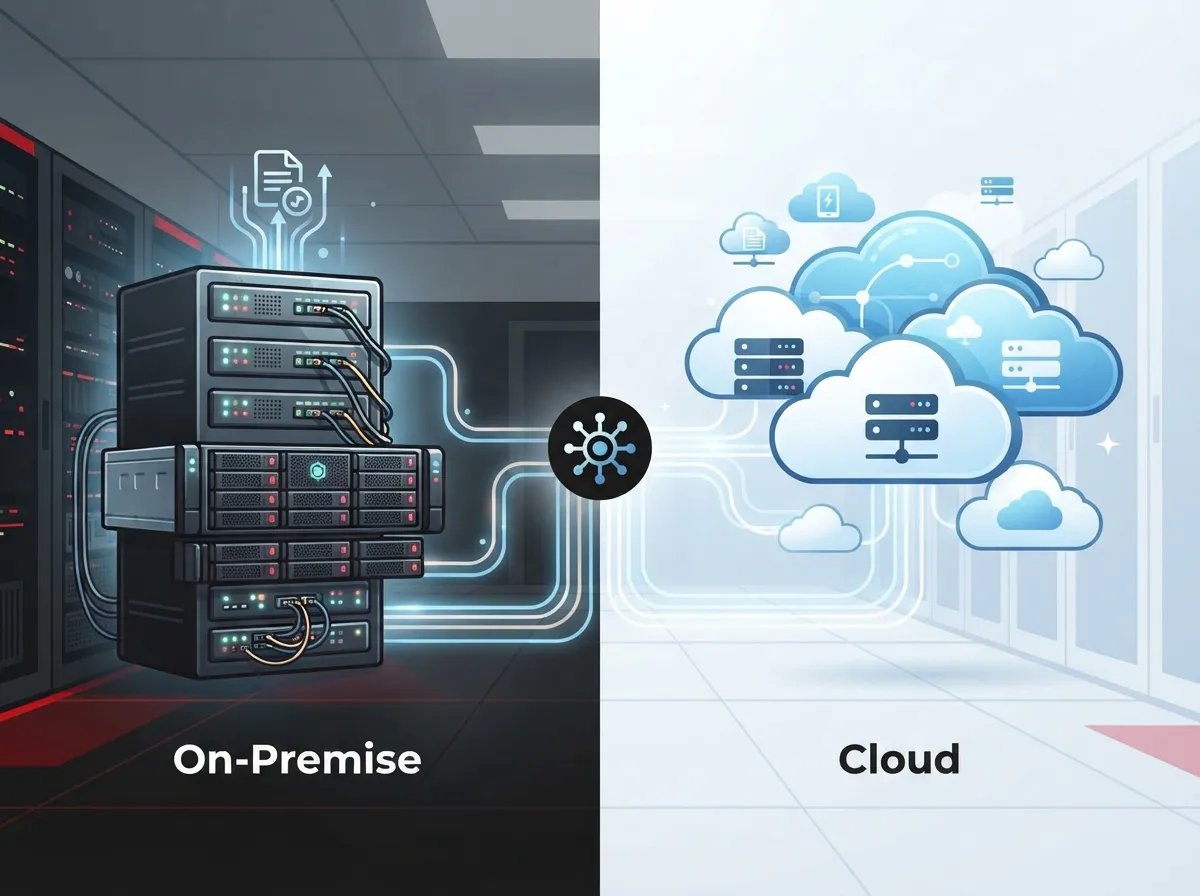
2. Hybrid Storage Is the Smartest Approach
The best video systems today use a mix of local and cloud storage. This is called a hybrid architecture, and it’s honestly the sweet spot for most businesses. Local or edge storage gives you fast, low-latency recording and quick playback right when you need it. Meanwhile, cloud or off-site storage protects your footage if something happens to your building.
Verizon’s own research on intelligent video systems describes this exact setup: cameras record at the edge, local devices handle short-term storage, and long-term video moves to the cloud for authorized access later. This design keeps your team fast on their feet while still protecting the big picture.
Why Hybrid Beats Single-Location Storage
If all your footage lives on one device in one building, you’re taking a big risk. A power surge, theft, or flood could wipe it all out in seconds. Splitting storage between local and remote locations means one bad day doesn’t erase your entire video history.
3. Storage Needs Depend on Several Factors
How much storage do you actually need? It’s not a one-size-fits-all answer. It depends on:
- Number of cameras at each site
- Video resolution and frame rate
- Whether cameras record continuously or only on motion
- How long you need to keep footage (your retention period)
- Whether you’re storing audio and extra metadata
- How much redundancy you want built in
Here’s a simple planning formula that IT teams use: storage in gigabytes equals bitrate in megabits per second, times 3,600 seconds per hour, times recording hours per day, times retention days, times camera count, divided by 8,000. It sounds complicated, but the takeaway is simple. More cameras, higher resolution, and longer retention all mean more storage.
4. A Real-World Storage Example
Let’s make this practical. Say you have 20 cameras recording continuously at 4 Mbps for 30 days. Using the formula above, that adds up to roughly 31,104 gigabytes, or about 30.4 terabytes, before you even add overhead or redundancy. That’s a lot of data for just one month!
For comparison, a single camera at 4 Mbps produces about 43.2 gigabytes of raw video per day when recording nonstop. Switching to motion-triggered recording instead of continuous recording can shrink that number significantly, which helps control costs without sacrificing the footage that actually matters.
| Recording Type | Approx. Daily Storage (per camera, 4 Mbps) | Best For |
|---|---|---|
| Continuous Recording | ~43.2 GB | High-risk areas, entrances, cash handling |
| Motion-Triggered Recording | ~10-15 GB (varies by activity) | Low-traffic zones, storage rooms |
| Hybrid (Continuous + Motion Tags) | ~20-30 GB | Most business environments |
5. There’s No Universal Retention Period
People often ask how long they should keep security footage. The honest answer is: it depends on your industry, your state laws, your contracts, and your insurance policy. There’s no single rule that fits every business.
For public safety agencies, retention periods have ranged anywhere from about 2 to 10 years, according to guidance from the National Institute of Standards and Technology. But that range doesn’t automatically apply to a private business. Your best move is to check with your legal advisor and insurance provider, then set a retention policy that matches your actual risk and requirements.
6. Security Controls Are Just as Important as Storage Space
Having enough storage doesn’t help much if your footage isn’t secure. NIST’s security guidelines recommend several protections that every business video system should include:
- Role-based access, so only authorized staff can view or export footage
- Multifactor authentication for anyone accessing stored video
- Encryption both in transit and at rest
- Audit logs that track who accessed or exported footage
- Secure deletion processes with legal hold capabilities
- Controls that prevent important footage from being overwritten
These aren’t just nice-to-haves. Ransomware attacks specifically target backup systems now, so protecting your archive is just as critical as protecting your main network.
7. Separate Your Archive From Your Production System
This one’s a bit technical, but it’s important. NIST guidance recommends keeping your long-term archive and backup systems separate from your day-to-day production storage. Why? Because if your main system gets compromised, you don’t want your backup to go down with it.
This is where a tiered storage approach really shines. Think of it in three levels:
- Hot tier: Local, high-performance storage for recent footage and fast searches
- Warm tier: Cloud or network storage for medium-term retention
- Cold tier: Lower-cost archival storage for footage you must keep for months or years
This kind of layered setup keeps costs manageable while still meeting your retention and security goals. It’s also a smart way to plan alongside your broader network solutions strategy.
8. Bandwidth and Connectivity Make or Break Cloud Backup
Cloud video backup only works if your internet connection can handle it. If you’re sending footage from multiple cameras across several locations, you need solid, reliable bandwidth. Otherwise, you’ll see delayed uploads, gaps in coverage, or footage that never makes it to the cloud at all.
This is where working with a telecom partner really pays off. Bandwidth planning, network resiliency, and cellular failover options all help keep your video system online, even during outages. If your current setup feels shaky, it might be time to look into high-speed internet options built for business needs like this.
SD-WAN and Failover Options
For businesses with multiple locations, SD-WAN technology can route video traffic more efficiently and switch to backup connections automatically if your main line drops. This keeps your cameras recording and your footage flowing to storage without interruption.
9. Chain of Custody Matters for Legal and Insurance Cases
If footage ever becomes evidence in a legal dispute or insurance claim, you need more than just the video clip. You need proof of where it came from and that nobody altered it. This is called chain of custody.
To protect chain of custody, businesses should:
- Preserve metadata along with the video (timestamps, camera ID, location)
- Restrict who can export or delete footage
- Log every access and export attempt
- Use integrity checks, like cryptographic hashes, for sensitive footage
NIST’s guidance on digital evidence also recommends backing up footage in a location unlikely to be affected by the same event as your primary site. In other words, don’t store your backup copy in the same building as your cameras if you can avoid it.
10. Integration With Existing Systems Saves Time and Money
You probably already have a video management system, network video recorder, access control system, or alarm setup in place. The good news is that modern video backup and archiving systems can usually integrate with what you already have, rather than forcing you to start from scratch.
This matters because rip-and-replace projects are expensive and disruptive. A good cloud video security provider will look at your current setup first, then recommend upgrades that work with your existing cabling, cameras, and network rather than against them. Solid structured cabling also plays a bigger role here than people expect, since it directly affects how reliably video data moves from cameras to storage.
11. The Right Partner Makes All the Difference
Here’s the truth: most businesses aren’t telecom experts, and they shouldn’t have to be. Juggling camera vendors, cloud storage providers, and internet carriers on your own is exhausting and often leads to gaps in coverage or wasted spending.
This is exactly the kind of challenge Ideal Solutions Provider was built to solve. As a Tampa-based telecom and IT partner with over 24 years of experience, they work with 35+ vetted suppliers to design video backup and archiving systems that actually fit your business, your budget, and your risk tolerance. Instead of juggling five different vendors, you get one point of contact who handles consultation, installation, and ongoing support.
Here’s what to look for when evaluating a provider for your video storage needs:
| Feature to Evaluate | Why It Matters |
|---|---|
| Hybrid local + cloud storage | Protects against both hardware failure and site-wide disasters |
| Role-based access controls | Limits who can view, export, or delete sensitive footage |
| Bandwidth and network planning | Ensures video uploads without gaps or lag |
| Flexible retention policies | Matches storage costs to your actual legal and business needs |
| Integration with existing VMS/NVR | Avoids costly rip-and-replace projects |
| Transparent total cost of ownership | Includes cameras, storage, bandwidth, and retrieval fees upfront |
Whether you’re running a small shop in Tampa or managing a franchise with locations nationwide, having one trusted partner for cameras, storage, and connectivity makes life a lot easier.
Putting It All Together for Your Business
Video backup and archiving systems aren’t just a nice-to-have anymore. They’re a core part of keeping your business protected, compliant, and ready for whatever comes your way. From choosing the right hybrid storage setup to locking down security controls and planning your bandwidth needs, every piece matters.
The businesses that get this right usually aren’t doing it alone. They’re working with a partner who understands both the video side and the network side of the equation. If you’re ready to stop guessing and start protecting your footage the right way, our team would love to help. Reach out to our team today for a free consultation, or give us a call to talk through your specific setup. We’re here, and we’re genuinely happy to help you get this sorted out.
You can also follow along with tips and updates on our Facebook page, check out real installations on our YouTube channel, or see behind-the-scenes content on Instagram.
FAQs
Q: What is the difference between video backup and video archiving?
A: Backup is your safety net for recovering footage after accidental deletion, hardware failure, or ransomware attacks. Archiving is about keeping footage long-term for legal cases, insurance claims, or compliance needs. Think of backup as quick recovery and archiving as long-term memory storage.
Q: How long should a business retain security camera footage?
A: Honestly, it depends on your industry, local laws, and insurance requirements, so there’s no single answer that fits everyone. Some public safety guidance mentions ranges of 2 to 10 years, but your best bet is checking with your legal advisor and setting a policy that fits your specific business.
Q: Should surveillance video be stored locally, in the cloud, or both?
A: Both, if you can manage it! A hybrid setup gives you fast local access for quick playback plus off-site cloud protection in case something happens to your building. This combo is what most experts recommend for businesses today.
Q: How can businesses protect archived video from ransomware and unauthorized deletion?
A: Start with role-based access so only the right people can view or delete footage, add multifactor authentication, and encrypt everything in transit and at rest. Audit logs and secure deletion controls with legal holds also go a long way in keeping your footage safe.
Q: What should businesses look for in a telecom provider offering video surveillance storage?
A: Look for hybrid storage options, strong security controls, flexible retention policies, and the ability to integrate with your existing cameras and systems. It also helps to work with a provider who plans your bandwidth and network needs alongside your storage, since the two go hand in hand.





