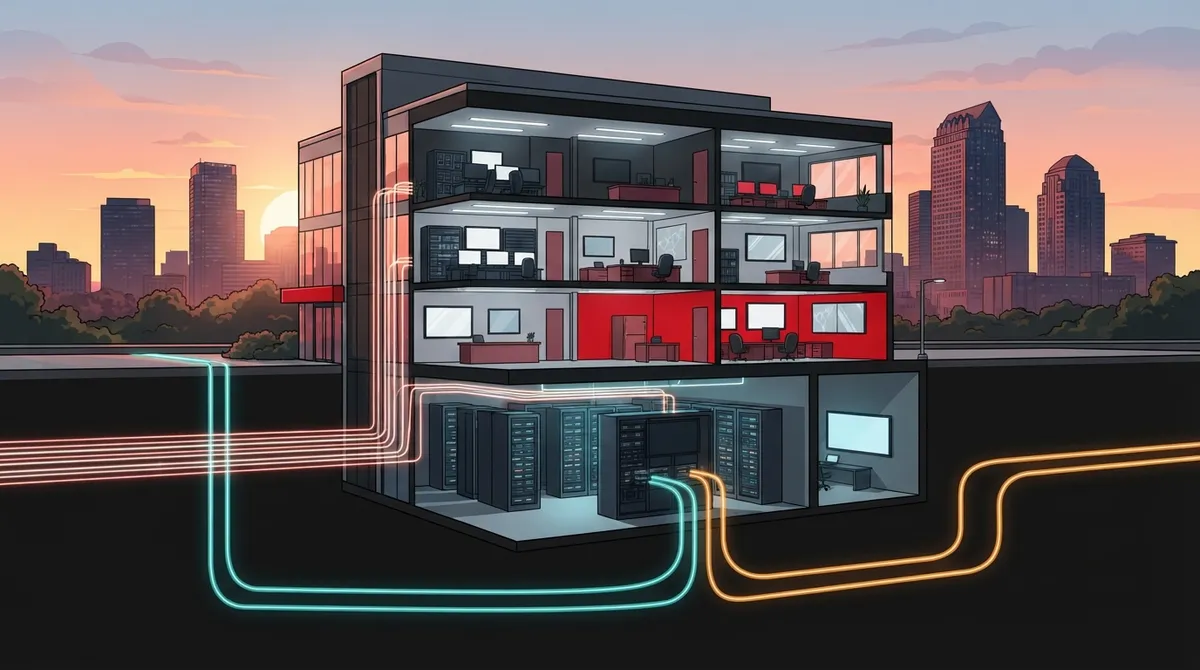
Key Takeaways
-
Dedicated internet (DIA) reserves committed bandwidth just for your business, usually over fiber, with symmetrical speeds and a written SLA, unlike shared business broadband.
-
Advertised maximum speeds like 100 Gbps don't mean fiber reaches your building; check serviceability at your exact address and suite, and confirm the product type says dedicated internet in writing.
-
Start availability checks with the FCC National Broadband Map, then request a DIA-specific serviceability check from providers and ask about build-out time and installation fees.
-
Compare SLAs beyond uptime: 99.9% allows about 8 hours 46 minutes of downtime per year versus about 52 minutes at 99.99%, so also review repair response, latency, jitter, packet loss, and credit claims.
-
Ask whether a backup circuit can take a physically diverse path, since two lines sharing the same conduit can fail together; SD-WAN can automate failover between connections.
-
Don't overlook upload speed and in-building cabling; cloud work, backups, and VoIP depend on symmetrical uploads, and old wiring can bottleneck even a fast line.
Is your Tampa office video call freezing right when a big client joins? Does your cloud software crawl at 2 p.m. when everyone is online? You are not alone. Many Tampa businesses outgrow regular internet faster than they expect. That is where dedicated internet in Tampa comes in.
Dedicated internet gives your business its own private lane to the web. No sharing with the neighbors. No guessing about speed. In this friendly guide, we will walk you through what it is, who offers it, what to ask before you sign, and how to avoid common traps. Whether you run a small shop, a growing company, or several franchise sites, you will leave with a clear plan.

What Is Dedicated Internet Access (DIA)?
Dedicated Internet Access, or DIA, is a business-grade connection reserved for one customer. It is usually delivered over fiber. Unlike shared broadband, it is typically sold with committed bandwidth and a service-level agreement (SLA).
Think of it like a private road versus a busy highway. On a highway, rush hour slows everyone down. On your private road, the lane stays open for you.
Here are the main traits of dedicated internet in Tampa and beyond:
- Committed bandwidth: The speed you buy is the speed reserved for you.
- Symmetrical speeds: Upload and download speeds are often the same.
- Service-level agreement: A written promise covering things like uptime and repair response.
- Fiber delivery: Usually built on structured cabling and fiber lines for steady performance.
- Business support: Faster repair response than a typical home-style plan.
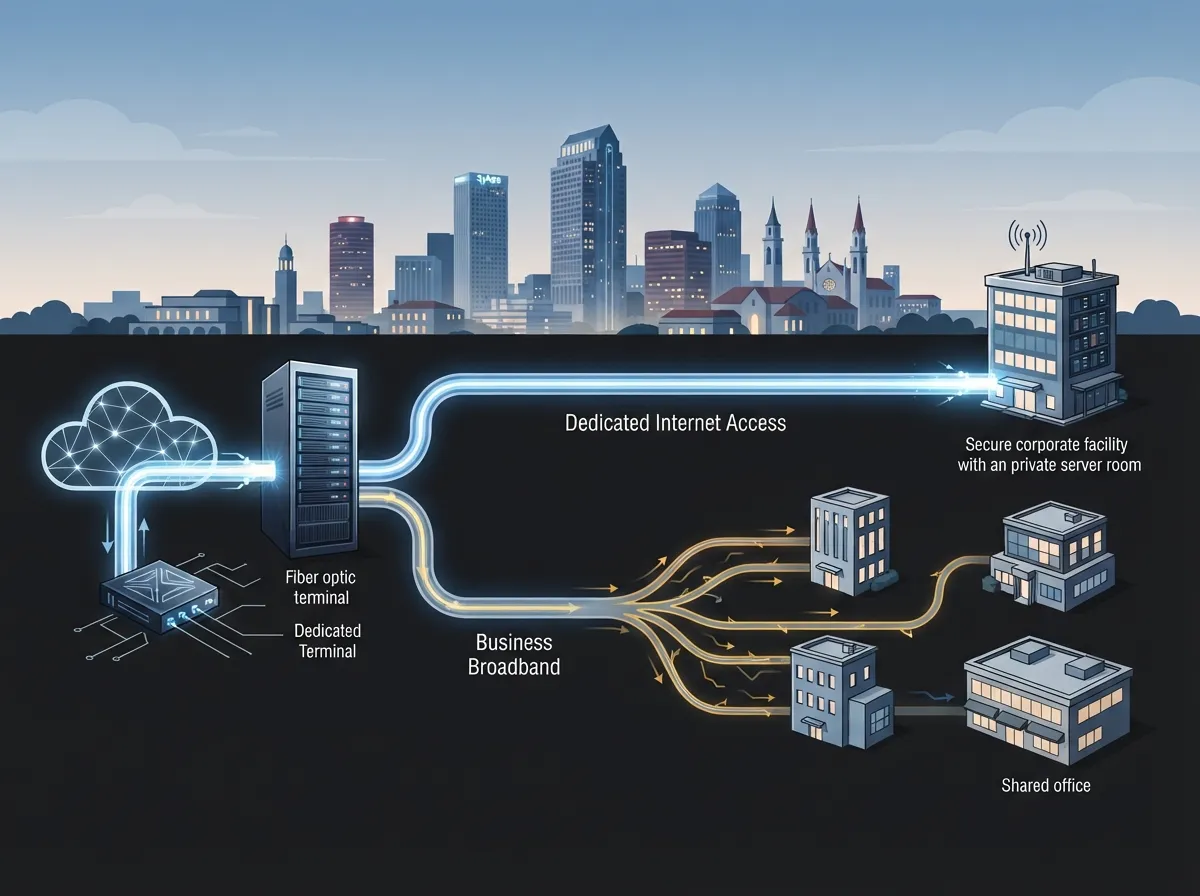
Dedicated Internet vs. Business Broadband
Many owners hear “business internet” and assume it is all the same. It is not. Business broadband is usually shared with other customers in your area. Dedicated internet is built just for you.
The difference matters. Some small-business plans advertise fiber-powered service but connect to your building with coaxial cable. That is not the same as a fiber line that runs straight to your premises. Always ask what the access technology really is and what product type appears on your quote.
If you want a deeper side-by-side look, read our guide on dedicated vs. shared fiber for Tampa businesses.
| Feature | Dedicated Internet (DIA) | Business Broadband |
|---|---|---|
| Bandwidth | Reserved for your business | Often shared with others |
| Upload speeds | Commonly symmetrical | Often much slower than download |
| Service-level agreement | Usually included | Often limited or optional |
| Typical delivery | Fiber to the building | Cable, fiber-hybrid, or fiber |
| Best for | Cloud, VoIP, servers, many users | Light use, small teams |
Why Tampa Businesses Choose Dedicated Internet
Tampa is a busy business hub. Offices, clinics, warehouses, and retail sites all lean on the cloud. When the connection is shaky, work stops. Here is why many teams make the switch.
- Clear calls and video meetings. Steady upload speed helps voice and video stay smooth. If you use VoIP, see our tips on what internet speed you need for VoIP in Tampa.
- Cloud apps that actually keep up. Hosted software, backups, and file sharing run better with symmetrical speeds.
- Security cameras and access control. Cloud-based systems send video and data constantly. A strong line keeps them reliable.
- Room to grow. Add staff, devices, or locations without slowing everyone down.
- Peace of mind. An SLA means someone is accountable if something breaks.
If you are weighing the bigger picture, our post on why Tampa businesses need dedicated fiber internet adds helpful context.
Who Offers Dedicated Internet in Tampa?
Several major carriers advertise dedicated or enterprise fiber services in the Tampa area. Here is a quick snapshot based on what their business pages say in 2026.
| Provider | What They Advertise | Key Note |
|---|---|---|
| AT&T Business | Business Fiber up to 5 Gbps; Dedicated Internet with symmetrical speeds and 24/7 monitoring | Products and terms vary by address |
| Spectrum Enterprise | Dedicated fiber services up to 100 Gbps | Maximum advertised; depends on location and service qualification |
| Frontier Enterprise | Business fiber and enterprise services in Tampa | One listing reports up to 7 Gbps symmetrical; coverage varies |
Here is the friendly reality check: these are advertised maximums. A provider being active in Tampa does not mean fiber reaches your specific building. Fiber might run down your street but never connect to your suite. Sometimes new construction or a site survey is needed first.
Want help comparing choices? Our guide on business internet service providers in Tampa, Florida breaks down the field.
How to Check If Dedicated Internet Is Available at Your Address
Availability is highly location-specific. Here is a simple process you can follow.
- Start with the FCC National Broadband Map. It shows reported fixed broadband availability, technology type, and advertised maximum speeds by location. Treat it as a first check, not a final answer.
- Write down your exact address and suite number. Fiber at the street does not always mean fiber in your building.
- Ask each provider for a serviceability check. Request it for DIA specifically, not just general business internet.
- Ask about build-out. If fiber is not in your building, ask about construction time and any extra installation fees.
- Confirm the product type in writing. Make sure the quote says dedicated internet, not shared broadband.
This is where an independent partner saves time. Instead of calling every carrier yourself, you can ask one team to check many suppliers at once.
What Speeds Can Tampa Businesses Expect?
Tampa business listings show a wide range of advertised fiber capacities. Some advertise 1 Gbps symmetrical. Others reach multi-gigabit levels. Large enterprise offers are advertised up to 100 Gbps. These are provider- and location-dependent maximums, not a promise that every business can order them.
So how much do you really need? A few quick rules of thumb:
- Small offices (under 25 users): Often fine with a lower-tier dedicated circuit if they use cloud and VoIP daily.
- Growing teams (25 to 150 users): Look at higher tiers, especially with video meetings and large file transfers.
- Data-heavy or hosted setups: Servers, VPNs, and heavy backups may need more upload capacity.
Not sure where you land? Our walkthrough on how to choose the right internet speed for your Tampa business can help you size it up.
Understanding SLAs: What to Look For
An SLA is the heart of dedicated internet. But a big uptime number alone does not tell the whole story. Business SLAs may cover availability, repair response, latency, jitter, and packet loss.
Here is a fun way to see why the numbers matter. Illustrative math shows 99.9% availability allows about 8 hours and 46 minutes of downtime in a 365-day year. Moving up to 99.99% allows only about 52 minutes and 34 seconds. That is a big gap!
| Uptime Level | Approximate Downtime Per Year |
|---|---|
| 99.9% | About 8 hours 46 minutes |
| 99.99% | About 52 minutes 34 seconds |
Remember, actual SLA measurement windows, exclusions, and remedies are contract-specific. Read the fine print on service credits and how you claim them.
Questions to Ask Before You Sign
A good contract protects you. Before ordering, compare these items across every quote:
- Total monthly cost plus installation fees
- Contract term length and renewal rules
- Committed bandwidth level
- SLA metrics: uptime, repair time, latency, jitter, packet loss
- Static IP addresses included or extra
- Support hours and how fast they respond
- Whether a physically diverse backup circuit is possible
Costs are a top worry for many owners. Our posts on business internet cost mistakes Tampa owners make and ways to find the best business internet deal in Tampa are worth a quick read before you negotiate.
Add a Backup Connection for Extra Safety
Even a great line can go down. A backhoe cuts a cable. A storm rolls through. That is why many Tampa businesses add a second connection for failover.
For true protection, ask whether the backup can follow a physically diverse path. If both lines run through the same conduit, one accident can take out both. Some businesses pair a dedicated fiber circuit with a second carrier or a different access type. Others use SD-WAN to switch between connections automatically. Learn more in our guide on how to choose SD-WAN solutions for Tampa Bay businesses.
This matters most for clinics, call centers, and any shop that takes payments online.
Tips for Different Types of Tampa Businesses
Small Business Owners
Start by asking if you truly need dedicated service or if fiber broadband will do. If your team uses VoIP, cloud storage, and video daily, DIA may be worth it. Compare total costs, not just the headline price.
IT Managers and Office Managers
Ask for SLA details in writing. Confirm who handles repairs, how quickly they respond, and how you open a ticket. A single point of contact makes life easier when something breaks.
Franchise Operators and Multi-Location Companies
Consistency matters. Look for scalable options that work across Tampa Bay and other cities. Our guide on reliable network solutions for multi-location Tampa businesses shares smart ideas.
Common Mistakes to Avoid
- Trusting advertised speeds at face value. Always confirm what is available at your exact address.
- Ignoring upload speeds. Cloud work, backups, and video depend on it.
- Skipping the SLA review. An uptime claim alone does not describe the full guarantee.
- Forgetting the cabling inside your building. A fast line is wasted if old wiring slows it down. See our post on professional structured cabling services for Tampa businesses.
- Having no backup plan. One line means one point of failure.
How Ideal Solutions Provider Can Help
Shopping for dedicated internet in Tampa can feel like a lot. Ideal Solutions Provider is a Tampa-based telecom and IT partner with over 24 years of experience. We work with 35+ vetted suppliers, so we can compare options side by side instead of pushing one carrier. We also handle the rest of your setup, from VoIP phones and structured cabling to cloud security cameras and access control.
Our team can check availability at your address, review SLA terms with you, and help you plan a backup connection. You get one friendly point of contact from consultation through installation and ongoing support. Explore our business high speed internet services to see how we can help.
Final Thoughts
Dedicated internet in Tampa can be a game changer for businesses that rely on the cloud, VoIP, and constant connectivity. The big wins are committed bandwidth, symmetrical speeds, and a real SLA. The big watch-outs are address-level availability, contract details, and backup planning.
Take it one step at a time. Check your address, compare quotes, read the SLA, and plan for failover. You have got this, and you do not have to do it alone.
Ready to find the right fit? Contact us for a free consultation, or call us to talk with a Tampa team that will compare your options and look out for your budget. You can also follow our tips on YouTube for more helpful telecom advice.
FAQs
Q: What is dedicated internet access (DIA) for a business?
A: DIA is a business-grade connection reserved for one customer, usually delivered over fiber. It typically comes with committed bandwidth, symmetrical speeds, and a service-level agreement, so your speed is not shared with neighbors.
Q: Which providers offer dedicated internet in Tampa, Florida?
A: AT&T Business, Spectrum Enterprise, and Frontier Enterprise all advertise business fiber or dedicated services in the Tampa market. Availability depends on your exact building, so each provider must confirm service at your address.
Q: Is dedicated fiber internet available at my Tampa business address?
A: It depends on your location. Fiber may be on your street without reaching your building, and a site survey or construction may be needed. Start with the FCC National Broadband Map, then ask providers or an independent partner to confirm serviceability.
Q: How is dedicated internet different from business broadband or cable internet?
A: Dedicated internet reserves bandwidth just for you, often with symmetrical speeds and an SLA. Business broadband is usually shared and may have slower uploads. Always check the access technology and product type listed on your quote.
Q: What should a business SLA guarantee for uptime, latency, and repair time?
A: A good SLA spells out availability, repair response, latency, jitter, and packet loss, plus how service credits work. Do not rely on an uptime claim alone, since measurement windows and exclusions are set by each contract.