
Key Takeaways
-
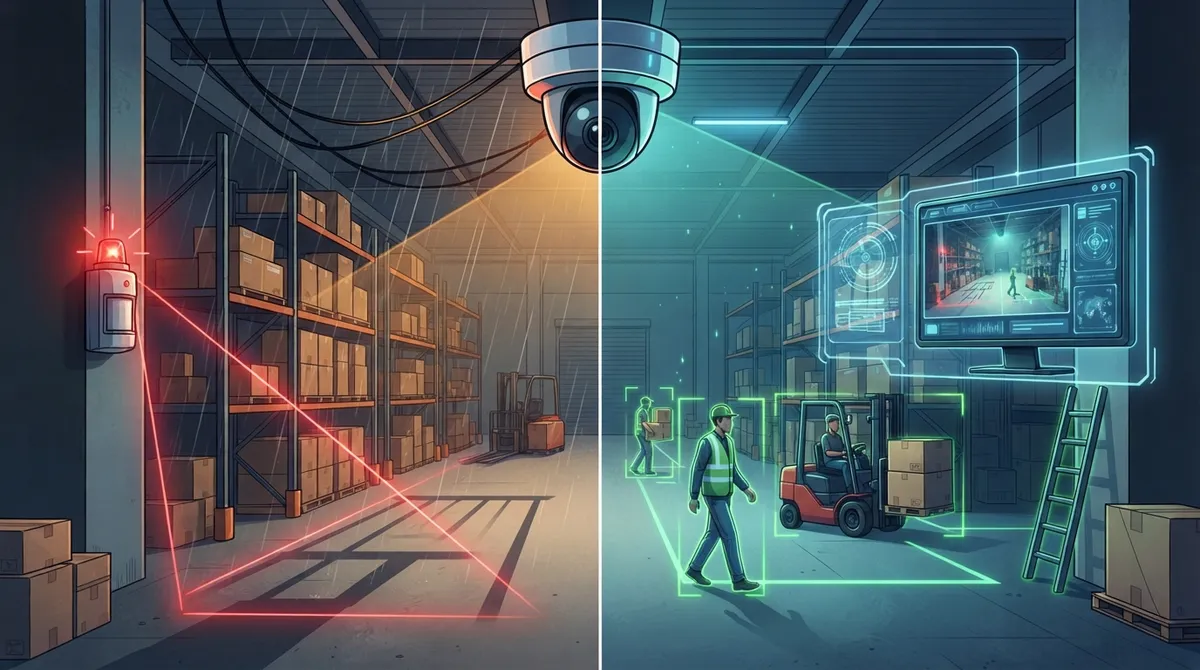
AI-based video analytics can reduce false alerts by up to 90% compared to basic motion sensors, making them ideal for warehouses, retail, and multi-site businesses tired of chasing shadows.
-
Motion detection cameras are network devices requiring proper bandwidth, network segmentation, and security planning—skimping on infrastructure leads to choppy footage or missed events.
-
Integrate motion detection with access control and VoIP phone systems so staff receive instant alerts and can correlate motion events with badge swipes for clearer incident verification.
-
Set specific detection zones, adjust sensitivity by location, use scheduling for off-hours alerts, and upgrade to object classification to effectively reduce false alarms from rain, shadows, and insects.
-
Choose cloud storage for multi-location remote access and automatic backups, on-premises for single-site cost savings, or hybrid for redundancy—then maintain at least 90 days online retention and one year of archived logs.
-
Establish clear privacy policies before installation: post signage, avoid audio recording without legal confirmation, limit facial recognition to necessary areas, and document retention policies based on real business needs, not guesswork.
Picture this: it’s 2 a.m., and something moves in your warehouse. Does your camera know it’s a person, a shadow, or just a moth buzzing near the lens? That one question is at the heart of choosing the right motion detection security systems for your business. Grab a coffee, because we’re about to walk through this together, friend to friend.
At Ideal Solutions Provider, we’ve spent over 24 years helping Tampa businesses (and companies nationwide) untangle their telecom and security choices. We’ve seen owners overpay for systems that barely work, and we’ve seen smart, budget-friendly setups that quietly do their job every single day. This guide is here to help you land in that second group.
What Are Motion Detection Security Systems, Really?
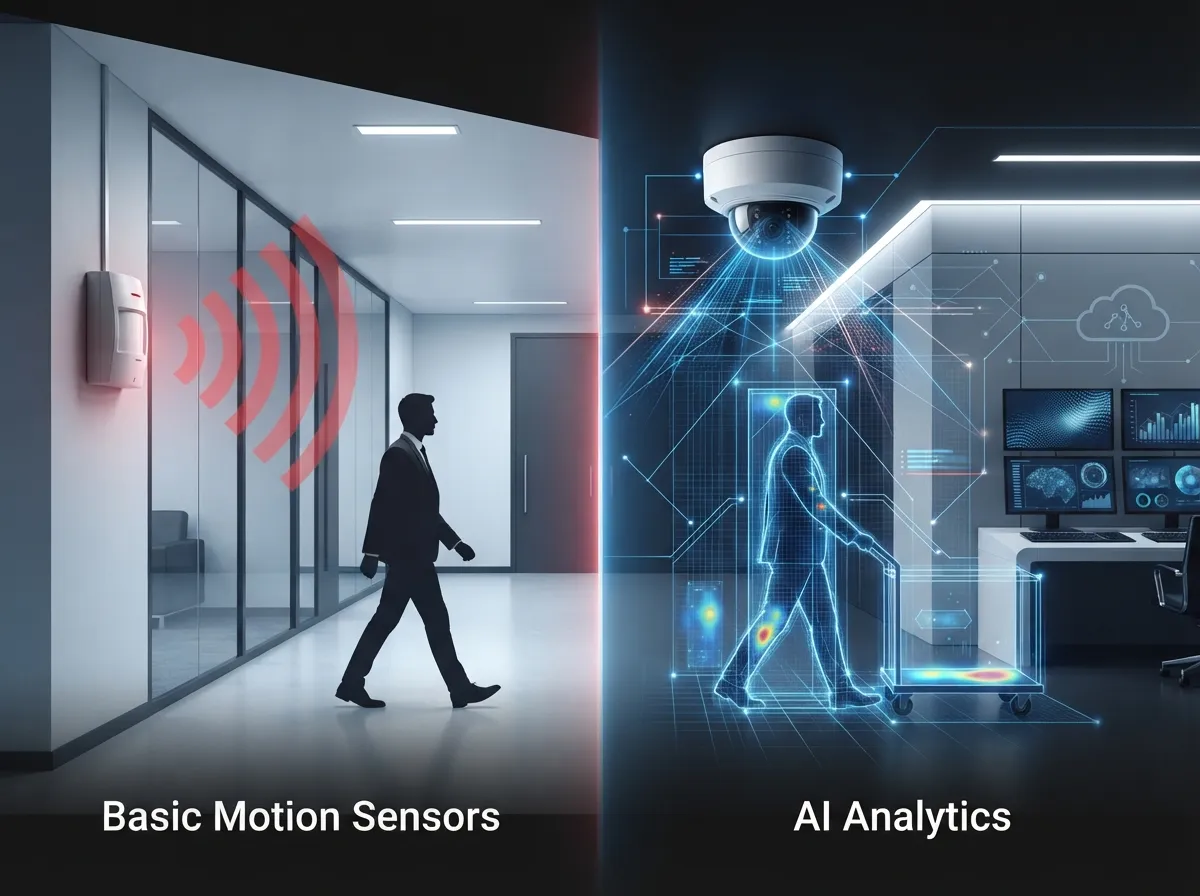
In simple terms, motion detection security systems combine cameras, sensors, and software to notice movement and tell you about it. That “telling you” part can look like a recorded clip, a mobile alert, or even a signal sent to your business phone system.
For businesses, this isn’t just about catching a break-in after the fact. It’s about verifying what’s happening right now, cutting down wasted time, and giving your team peace of mind. Because these systems connect to your network, they live in the same world as your cloud-based phone system and internet service. That’s exactly why a telecom partner, not just a camera installer, matters here.
Basic Motion Sensors vs. AI-Powered Detection: The Real Showdown
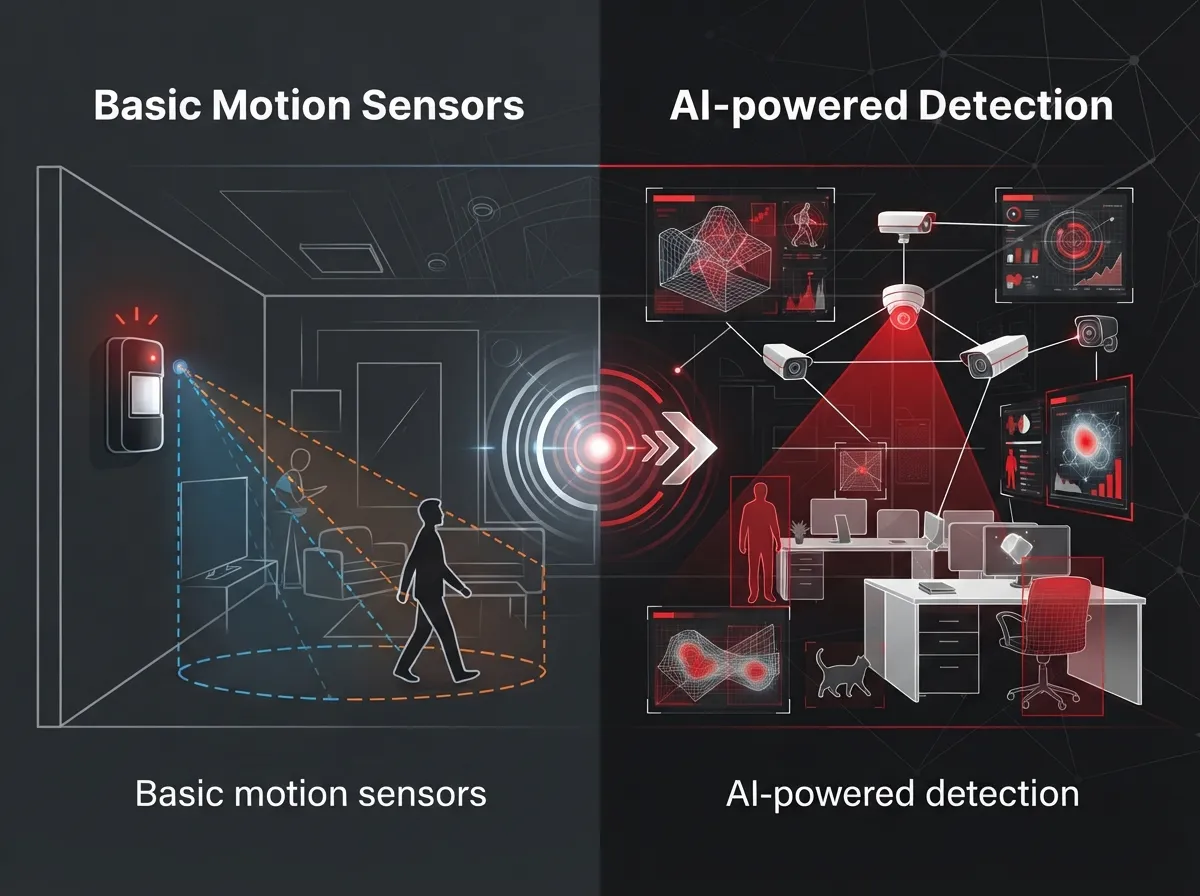
Let’s settle the big question. Should you go with simple sensors or lean into smarter, AI-driven analytics? Both have a place, but they solve different problems.
How Basic Motion Detection Works
Basic systems typically rely on one of these older, tried-and-true technologies:
- Pixel-change detection: The camera notices when pixels in the frame shift, which can be triggered by anything from a person to a shifting shadow.
- Passive infrared (PIR) sensors: These detect body heat, which is great for indoor rooms but can miss movement through glass.
- Microwave sensors: These send out radio waves and measure reflections, useful for larger open areas.
- Dual-technology sensors: These combine PIR and microwave to reduce false triggers.
These are affordable and simple. But they can’t always tell the difference between a person, a stray cat, or a plastic bag blowing across the parking lot.
How AI-Based Video Analytics Works
Newer systems use artificial intelligence to actually classify what’s moving. Is it a person? A vehicle? A delivery truck? This is a game-changer for busy commercial spaces. According to industry estimates cited in recent market research, AI analytics can reduce false alerts by as much as 90% in some cases, though results vary depending on camera placement and lighting. That’s a big deal if your team is tired of chasing shadows on grainy footage.
Quick Comparison Table
| Feature | Basic Motion Sensors | AI-Based Video Analytics |
|---|---|---|
| Cost | Lower upfront cost | Higher upfront, often cloud subscription |
| False Alarms | More frequent | Significantly reduced |
| Object Classification | No (just movement) | Yes (people, vehicles, animals) |
| Best For | Small offices, single rooms | Warehouses, retail, multi-site businesses |
| Integration Potential | Limited | Strong (access control, VMS, alerts) |
Why Network Design Matters More Than You Think
Here’s something a lot of business owners don’t realize until it’s too late: your motion detection cameras are network devices. They need bandwidth, security, and reliable uptime just like your VoIP phones or email server.
The global video surveillance market is booming, estimated at around $56.11 billion in 2025 and projected to reach $88.06 billion by 2031, according to MarketsandMarkets. IP-based systems now make up roughly 61.8% of that market, per Straits Research, which tells you something important: cameras today are network citizens, not standalone gadgets.
This means your business internet connection and structured cabling setup play a bigger role than most people expect. A camera system that constantly drops connection or eats up all your bandwidth can slow down everything else, including your phone calls.
Steps to Build a Reliable Motion Detection Network
- Assess your current bandwidth and confirm it can handle video traffic without slowing other systems.
- Separate your surveillance traffic onto its own network segment (a security VLAN works well here).
- Choose between cloud, on-premises, or hybrid video storage based on how many locations you manage.
- Set unique, strong credentials for every camera and management account.
- Schedule regular firmware updates to close security gaps.
- Add backup power and a secondary internet connection for critical sites.
- Test detection zones and sensitivity settings after installation, then review them quarterly.
If any of that sounds overwhelming, that’s completely normal. Most business owners aren’t network engineers, and honestly, they shouldn’t have to be. This is where working with a company like Ideal Solutions Provider can save you serious headaches, since we handle the technical heavy lifting so you can focus on running your business.
Taming False Alarms: A Real Pain Point
Nothing burns out a security team faster than constant false alerts. Rain, shadows, insects, and even reflections off a shiny floor can trigger basic motion sensors. One market report from Market Intelo in 2025 found that traditional motion detection still accounts for about 28.4% of video detection implementations, so this is a widespread challenge, not just yours.
Here’s how to cut down on those annoying false alarms:
- Set specific detection zones instead of monitoring the whole camera view.
- Adjust sensitivity thresholds based on the location (a busy loading dock needs different settings than a quiet hallway).
- Use scheduling so cameras only send alerts during off-hours or specific shifts.
- Add privacy masking for areas where movement doesn’t matter, like a public sidewalk.
- Upgrade to object classification if false alarms are a constant frustration.
Integration: Making Your Security System Talk to Everything Else
Motion detection works best as part of a bigger security conversation, not a solo act. When a motion event lines up with a badge swipe at the same door, or a forced-door alarm, you get a much clearer picture of what’s actually happening.
Here’s what smart integration can look like for a growing business:
- Motion detection cameras paired with cloud-based access control for door-level verification.
- Alerts routed directly into your VoIP phone system so staff get notified instantly.
- Centralized video-management software for multi-site businesses managing several locations at once.
- Intercom integration so front-desk staff can respond to visitors without leaving their post.
Franchise operators managing multiple Tampa Bay locations, or even sites across the country, benefit enormously from this kind of centralized setup. One dashboard, one login, one point of contact. That’s the whole idea behind using a single telecom partner instead of juggling five different vendors.
Cloud, On-Premises, or Hybrid: Which Storage Model Fits?
This is a common sticking point for IT managers and office managers alike. Here’s a simple breakdown:
Cloud Video Storage
Great for multi-location businesses. You get remote viewing, centralized admin, and automatic backups. It usually costs a bit more monthly but saves you from maintaining physical servers.
On-Premises Storage
This uses network video recorders on-site. It can be cheaper long-term but requires someone to manage hardware, backups, and local security.
Hybrid Storage
This blends both worlds, storing footage locally and backing it up to the cloud. Many mid-sized enterprises prefer this because it balances cost with redundancy.
Whichever you choose, retention policies matter. A commonly referenced planning guideline suggests at least 90 days of online retention and one year of archived security logs, based on NIST log-management guidance. Treat that as a starting point, not a strict rule. Your actual retention needs depend on your industry, insurance requirements, and any contractual obligations.
Privacy and Legal Considerations You Can’t Skip
Before installing any motion detection system, take a breath and think through privacy. Employee monitoring, audio recording, and facial recognition all come with legal wrinkles depending on your state and industry.
- Post clear signage where cameras are recording.
- Avoid audio recording unless you’ve confirmed it’s legally allowed in your state.
- Limit facial recognition and license-plate recognition to areas where it’s truly necessary.
- Document your retention policy so it’s based on real business needs, not guesswork.
This is one area where a knowledgeable partner really earns their keep. Our team has guided healthcare offices, manufacturing plants, and professional service firms through these exact conversations.
Bandwidth: The Question Everyone Forgets to Ask
How much internet speed do you actually need for security cameras? It depends on resolution, number of cameras, and whether you’re storing footage locally or in the cloud. High-definition cameras streaming continuously can eat up significant bandwidth fast, especially across multiple locations.
This is exactly why pairing your security camera plan with a proper dedicated fiber internet connection makes such a difference. Skimping here often leads to choppy footage or missed events, which defeats the whole purpose of having cameras in the first place.
Motion Detection Is a Team Player, Not a Superhero
Here’s a friendly reminder: cameras and sensors are tools, not magic shields. They work best alongside good lighting, trained staff, clear signage, and solid access control. A camera can record an incident, but it can’t stop it by itself.
Think of motion detection as one important piece of a much bigger security puzzle that includes your network, your phone system, and your physical access points, all working together.
Why a Telecom Partner Makes This Easier
You didn’t start your business to become a network security expert, and that’s okay. That’s literally our job. With partnerships across 35+ vetted suppliers, our team compares options, designs the right bandwidth and network segmentation, and manages ongoing firmware updates so you don’t have to think about it.
We also handle the boring-but-critical stuff: backup connectivity, help-desk support, and integration with your existing business network setup. Whether you’re a single Tampa office or a franchise with locations nationwide, this kind of support scales with you.
You can also see real examples of our work and client stories on Facebook, catch behind-the-scenes looks at installations on Instagram, or watch helpful walkthroughs on our YouTube channel.
Bringing It All Together
So, basic motion sensors or AI-powered analytics? Honestly, the winner depends on your business size, budget, and how many false alarms you’re willing to tolerate. Small offices might do fine with simpler sensors. Warehouses, retail chains, and multi-site franchises will likely see a faster return from smarter, AI-driven systems that classify what’s actually moving.
Whatever you choose, remember that the network carrying your camera footage matters just as much as the camera itself. Solid Internet Service Provider connections and properly designed structured cabling lay the foundation for everything else to work smoothly.
Ready to figure out which motion detection setup actually fits your business, without the guesswork? Our friendly team would love to walk through your options together. Reach out to our team today or simply give us a call to get started on a free consultation.
FAQs
Q: How do motion detection security systems work for businesses?
A: They combine cameras or sensors with software that spots movement and sends an alert. Some systems just detect any motion, while smarter AI-based ones can tell the difference between a person, a car, or a stray cat wandering by.
Q: What is the difference between camera-based motion detection and PIR motion sensors?
A: Camera-based detection watches for pixel changes in the video feed, while PIR sensors detect body heat. Cameras give you visual proof of what happened, while PIR sensors are often used for simple triggers like turning on lights or alarms.
Q: How can motion detection cameras reduce false alarms in a commercial facility?
A: Setting detection zones, adjusting sensitivity, and using object classification can make a huge difference. AI analytics in particular can cut false alerts significantly, since the system actually recognizes what’s moving instead of just noticing pixel shifts.
Q: Should a business choose cloud, on-premises, or hybrid video surveillance?
A: It really depends on your setup. Cloud works great for multi-location businesses that want remote access, on-premises can save money long-term for single sites, and hybrid gives you the best of both worlds if you want backup redundancy.
Q: Can motion detection security systems integrate with access control and business phone systems?
A: Absolutely, and this is where things get really powerful. You can link motion events with door badge swipes or route alerts straight to your VoIP phone system, so your team never misses an important notification.





