
Key Takeaways
-
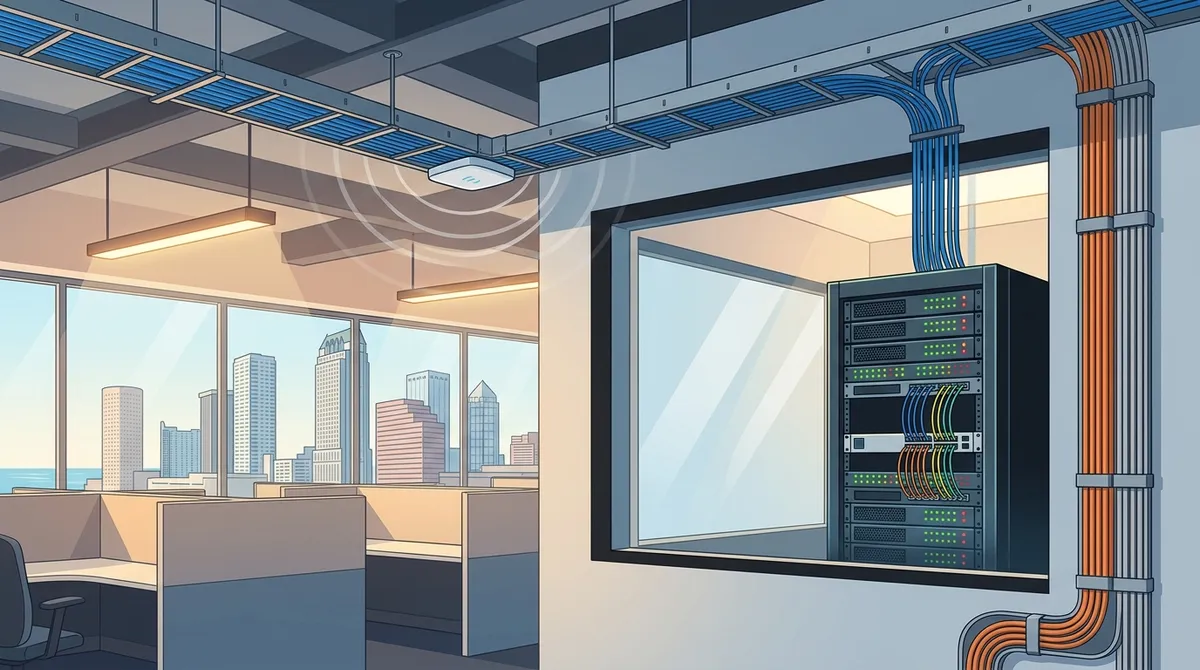
Structured cabling (Cat6) is the foundation of reliable business networks in Tampa, supporting speeds up to 10 Gbps and handling VoIP phones, cameras, and high-speed data without issues for years.
-
Network segmentation is critical to separate traffic for employees, guests, and POS systems to keep sensitive data safe and prevent operational interference.
-
Professional wireless site surveys are essential to identify ideal access point placement and eliminate dead zones, ensuring consistent Wi-Fi coverage throughout your space.
-
Small office network setups in Tampa typically cost $1,500-$3,500, mid-size offices $4,000-$10,000+, with installation taking 1-5 days depending on square footage and complexity.
-
Cellular backup service ($200 hardware + $50-$100/month) provides business continuity when primary internet fails, making it a cost-effective insurance policy against downtime.
-
Bundling network setup with managed support services, VoIP, and cloud security creates a single point of contact for all business communications rather than juggling multiple vendors.
Getting your business network right from the start can make a huge difference. A solid network keeps your team connected, your customers happy, and your operations running smoothly. Whether you’re opening a new office in Tampa or upgrading an outdated system, knowing the steps ahead of time saves you time, money, and headaches. This guide walks you through everything you need to know about business network setup and installation in Tampa, Florida — from planning and cabling to Wi-Fi, security, and ongoing support. Let’s make this simple and straightforward so you can focus on what matters most: running your business.
What Does Business Network Setup Actually Include?
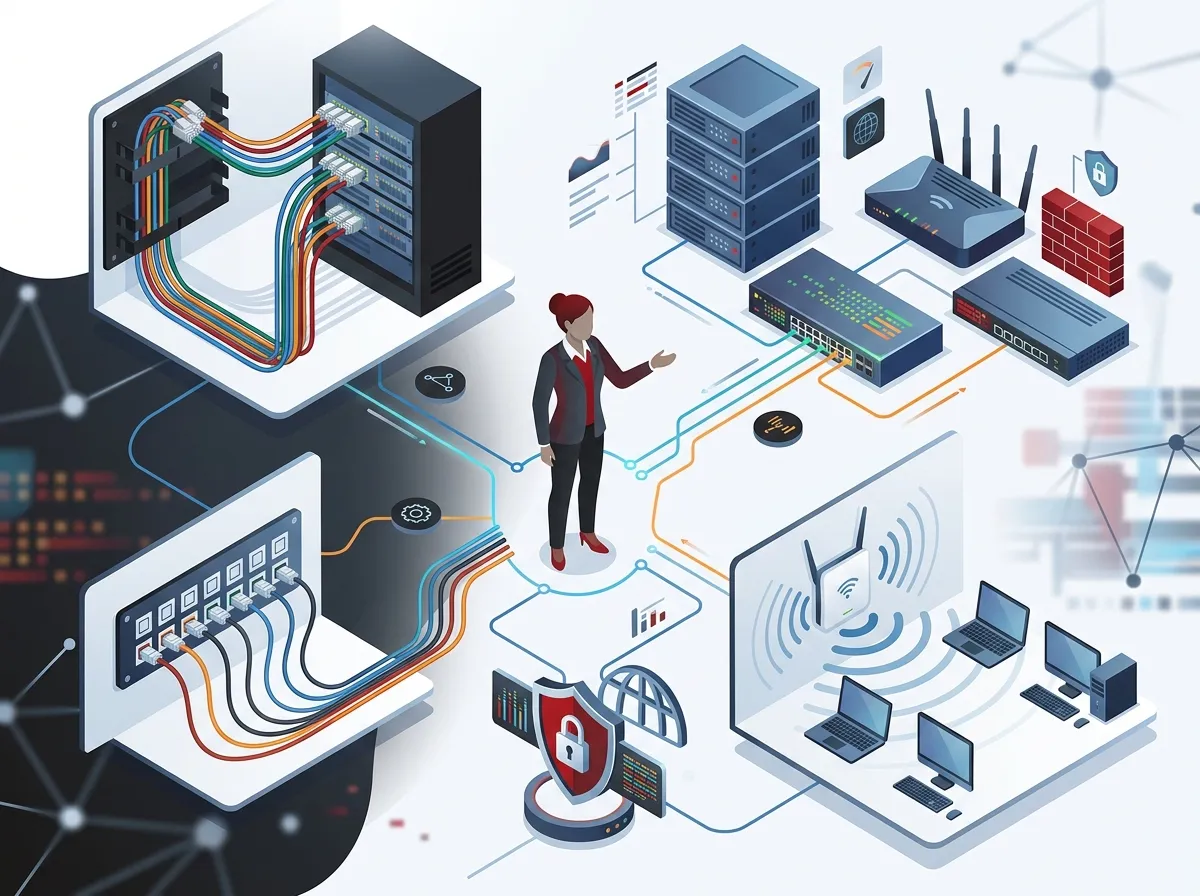
A business network is more than just plugging in a router. It’s a full ecosystem of hardware, cabling, and configuration that keeps your entire operation connected. Most Tampa businesses need several components working together for a reliable setup.
Here’s what a typical business network installation in Tampa includes:
- Structured cabling — The physical backbone of your network, usually Cat6 data cabling
- Patch panels — Centralized connection points that organize your cabling neatly
- Managed PoE switches — Power and connect devices like phones and access points
- Wireless access points — Provide reliable Wi-Fi coverage throughout your space
- Firewall and router — Protect your network and manage internet traffic
- Network segmentation — Separate traffic for employees, guests, and POS systems
- Demarc extension — Connects your internet service provider’s line to your internal network
For a deeper dive into the cabling side of things, check out the guide on professional structured cabling services for Tampa businesses to understand what goes into a clean, reliable installation.

Step-by-Step: How to Set Up a Business Network in Tampa
Follow these steps to make sure your network installation goes smoothly from day one.
Step 1: Assess Your Business Needs
Before anything gets installed, you need to understand what your business actually requires. Think about how many employees you have, what devices they use, and how much bandwidth your daily operations consume.
Ask yourself these questions:
- How many workstations, phones, and printers need a wired connection?
- Do you need separate Wi-Fi for customers or guests?
- Are you running POS systems, VoIP phones, or security cameras?
- What’s your square footage and building layout?
- Do you need redundancy or cellular backup for uptime?
Getting these answers early helps your installer design a network that fits your needs perfectly — not just one that kind of works.
Step 2: Design Your Network Infrastructure
Once you know your requirements, a professional installer will create a network design. This includes mapping cable pathways, identifying where access points should go, and planning how traffic will flow across your network.
Good network design prevents problems before they happen. Thinking about how to plan your network cabling installation in Tampa Bay early is one of the smartest moves you can make.
Step 3: Install Your Structured Cabling
Structured cabling is the foundation of any reliable business network. Think of it like the plumbing in your building — if it’s done right, everything flows. If it’s messy or poorly planned, you’ll deal with problems for years.
For most Tampa businesses in 2026, Cat6 cabling is the gold standard. It supports speeds up to 10 Gbps and handles the demands of VoIP phones, security cameras, and high-speed data. Learn more about why Cat6 cabling is the smart choice for Tampa businesses.
Key components of structured cabling installation include:
- Running cables through walls, ceilings, and conduits
- Terminating cables at wall jacks and patch panels
- Labeling all runs for easy future maintenance
- Testing every cable run for signal integrity
Step 4: Set Up Your Network Equipment
With cabling in place, it’s time to install the active equipment. This includes your firewall, managed switches, and wireless access points. Each device needs to be configured properly for your specific environment.
Network segmentation is especially important here. You don’t want a customer on your guest Wi-Fi accessing the same network as your POS system or internal file servers. A properly segmented network keeps sensitive data safe and your operations running without interference.
Step 5: Conduct a Wireless Site Survey
Wi-Fi is a critical part of any modern business network. But simply placing a few access points around your office isn’t enough. Dead zones, signal interference, and poor coverage can slow down your team and frustrate customers.
A professional wireless site survey maps out your space and identifies the ideal placement for access points. This is standard practice for Tampa network installers and covers everything from small offices to large warehouses and multi-floor buildings. The result is consistent, reliable Wi-Fi coverage everywhere it’s needed.
Step 6: Configure and Test Everything
Once all hardware is installed, your network needs thorough configuration and testing. This includes:
- Configuring VLANs for network segmentation
- Setting up firewall rules and security policies
- Testing all wired connections and Wi-Fi access points
- Verifying VoIP phone performance and call quality
- Confirming internet speeds meet your expectations
Don’t skip this step. A professional installer will run tests to confirm every part of your network performs as expected before handing it over to you.
Step 7: Add Redundancy and Business Continuity Features
What happens if your internet goes down? For many Tampa businesses, downtime means lost revenue. Adding cellular backup to your network keeps your operations running even when your primary connection fails.
Cellular backup typically adds around $200 for hardware plus $50 to $100 per month, according to local Tampa providers. For businesses that rely heavily on internet connectivity, that’s a small price for peace of mind.
How Much Does Business Network Installation Cost in Tampa?
Costs vary depending on your business size, building layout, and the complexity of your setup. Here’s a general breakdown based on common Tampa installations:
| Business Size | Typical Setup | Estimated Cost Range |
|---|---|---|
| Small office or shop (2,000–4,000 sq ft) | Demarc extension, patch panel, managed switch, 2–3 APs, guest Wi-Fi, POS separation | $1,500 – $3,500 |
| Mid-size office (4,000–10,000 sq ft) | Full Cat6 cabling, multiple switches, 4–8 APs, firewall, VLANs | $4,000 – $10,000+ |
| Large office or warehouse | Enterprise switches, fiber backbone, 10+ APs, advanced security | $10,000 – $25,000+ |
| Cellular backup add-on | Hardware + monthly service | $200 hardware + $50–$100/month |
Keep in mind these are estimates. Your actual costs depend on your specific building, the number of drops needed, and whether you’re doing a new buildout or upgrading an existing setup. For new office buildouts especially, it’s worth reading up on whether you need structured cabling for a new office buildout in Tampa.
Equipment You Need for a Small Business Network Setup
Not sure what hardware you actually need? Here’s a quick reference guide for a typical small to mid-size Tampa business:
| Equipment | Purpose | Notes |
|---|---|---|
| Firewall / Router | Manages traffic and protects your network | Essential for security and traffic control |
| Managed PoE Switch | Powers and connects wired devices | PoE powers access points and VoIP phones |
| Wireless Access Points | Provide Wi-Fi coverage | Placed based on site survey results |
| Patch Panel | Organizes cable terminations | Keeps your wiring clean and manageable |
| Cat6 Cabling | Wired backbone for all connections | Supports 10 Gbps speeds |
| UPS Battery Backup | Protects equipment during power outages | Recommended for critical network gear |
Wired vs. Wireless: What’s Right for Your Tampa Business?
Many business owners ask whether they need wired connections or if Wi-Fi alone is enough. The honest answer? You need both. Here’s a simple comparison to help you understand why:
| Feature | Wired (Structured Cabling) | Wireless (Wi-Fi) |
|---|---|---|
| Speed | Consistent, up to 10 Gbps with Cat6 | Variable, affected by interference |
| Reliability | Very high | Good with proper planning |
| Best for | Desktops, VoIP phones, servers, cameras | Laptops, tablets, mobile devices, guests |
| Security | Highly secure | Requires proper segmentation |
| Flexibility | Fixed locations | Highly flexible |
For devices that stay in one place — like desktop computers, VoIP phones, and security cameras — wired is always the better choice. For mobile devices and guest access, Wi-Fi is the way to go. A well-designed network uses both. You can explore more about business network solutions and how they support your entire communications infrastructure.
How Long Does Business Network Installation Take in Tampa?
Timeline depends on the size and complexity of your project. Here are general estimates:
- Small office (under 2,000 sq ft) — 1 to 2 days for cabling and configuration
- Mid-size office (2,000–5,000 sq ft) — 2 to 5 days including testing
- Large office or warehouse — 1 to 3 weeks depending on scope
Planning ahead is key. If you’re doing a tenant buildout or opening a new location, make sure your cabling is scheduled early in the construction process. For more details, the article on how long structured cabling installation takes for a commercial building in Tampa gives a helpful breakdown.
Don’t Forget Your Internet Connection
Your network is only as good as the internet connection feeding it. In Tampa, you have several options for business-grade internet, including fiber, cable broadband, and dedicated circuits. Choosing the right one depends on your bandwidth needs, uptime requirements, and budget.
Fiber is typically the best option for businesses that rely heavily on VoIP, cloud applications, or video conferencing. Check out the resource on the best business high-speed internet services in Tampa, FL for a full breakdown of your options. You can also learn more about business high-speed internet services directly from Ideal Solutions Provider.
Working with an Internet Service Provider that understands business needs — not just residential service — makes a big difference in reliability and support.
Bundle Your Network With VoIP and Security Solutions
Once your network is in place, it becomes the foundation for all your other business communication tools. VoIP phone systems, cloud security cameras, and access control systems all rely on a strong, properly configured network.
Businesses that bundle their network setup with cloud-based phone systems and cloud video security get more value from their investment and simplify vendor management. Instead of dealing with three or four different companies, you work with one trusted partner who handles everything.
That’s exactly the approach taken by Ideal Solutions Provider, a Tampa-based telecom and IT partner with over 24 years of experience. They serve as a single point of contact for network setup, cabling, VoIP, internet, and security — making it much easier for business owners to get everything done without the runaround. Follow their updates and tips on Facebook and Instagram to stay in the loop on the latest telecom solutions for Tampa businesses.
Managed Network Support After Installation
Installation is just the beginning. Your network needs ongoing monitoring, updates, and support to stay secure and perform well. Managed network services take that burden off your plate entirely.
With managed support, a professional team monitors your network around the clock. They catch issues before they become outages, apply security patches, and troubleshoot problems quickly. For Tampa businesses that can’t afford downtime, this is a smart investment. Learn more about managed network services Tampa FL businesses need to keep operations running at full speed.
You can also explore helpful video resources and real-world examples on the Ideal Solutions Provider YouTube channel.
Signs Your Existing Network Needs an Upgrade
Not sure if your current setup is holding you back? Here are some clear warning signs that it’s time for a network upgrade:
- Slow internet speeds even with a fast internet plan
- Frequent dropped VoIP calls or poor call quality
- Wi-Fi dead zones in parts of your office
- Security cameras or POS systems losing connection
- No separation between employee and guest Wi-Fi
- Visible cable mess or unlabeled patch panels
If several of these sound familiar, it’s time to call in a professional. Explore the 9 signs your Tampa business needs structured cabling now to see if you’re overdue for an upgrade.
Conclusion: Build Your Tampa Business Network the Right Way
Setting up a business network in Tampa doesn’t have to be overwhelming. With the right planning, the right equipment, and the right professional partner, you can have a fast, secure, and reliable network that supports your business for years to come. From structured cabling and Wi-Fi to VoIP phones and managed support, every piece plays an important role in keeping your operations running smoothly.
You don’t have to figure it all out alone. Whether you’re starting from scratch or upgrading an outdated setup, getting expert help makes the whole process faster and more cost-effective. Reach out to our team today for a free consultation and let’s design a network that fits your business perfectly — or give us a call at 813-388-4935 and we’ll get started right away.
FAQs
Q: What does business network setup and installation include in Tampa, Florida?
A: A typical business network setup in Tampa includes structured cabling (Cat6), patch panels, managed PoE switches, wireless access points, a firewall, and network segmentation for employees, guests, and POS systems. Many Tampa installers also include demarc extension, site surveys, testing, and optional cellular backup for business continuity. It’s a complete end-to-end solution — not just plugging in a router!
Q: How much does business network installation cost in Tampa?
A: For a small office or shop between 2,000 and 4,000 square feet, a full network setup in Tampa typically runs between $1,500 and $3,500. Larger offices and warehouses can range from $4,000 to $25,000 or more depending on the scope. Adding cellular backup typically costs around $200 for hardware plus $50 to $100 per month.
Q: How long does business network installation take in Tampa?
A: Small offices under 2,000 square feet can usually be cabled and configured in 1 to 2 days. Mid-size offices typically take 2 to 5 days, while larger buildings or warehouses may take 1 to 3 weeks. Planning your cabling early — especially during a buildout — helps avoid delays and keeps your opening on schedule.
Q: Do Tampa network installers offer managed support after installation?
A: Yes! Many Tampa telecom and IT providers, including Ideal Solutions Provider, offer ongoing managed network services after installation. This includes 24/7 monitoring, security updates, troubleshooting, and maintenance so your network stays secure and performs reliably without you having to worry about it.
Q: How can I secure my business network and keep employee and guest Wi-Fi separate?
A: Network segmentation using VLANs (Virtual Local Area Networks) is the standard way to separate employee, guest, and POS traffic on the same physical network. A professional installer will configure your firewall and managed switches to keep these networks isolated, protecting sensitive business data while still offering convenient guest Wi-Fi access.





