
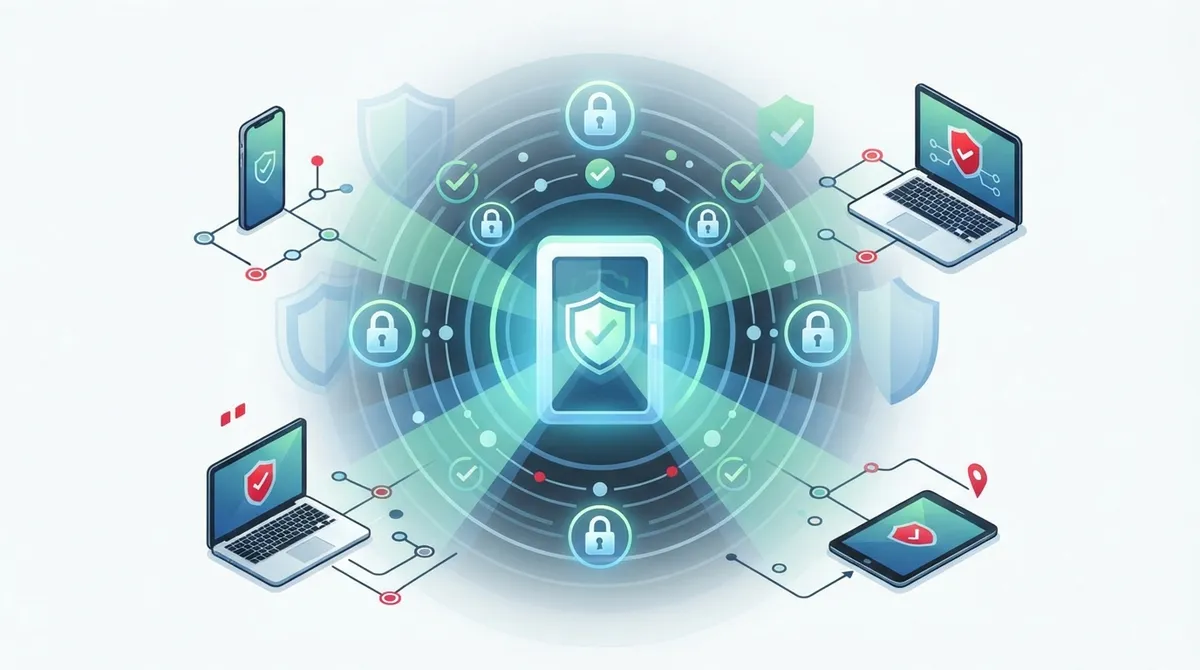
Key Takeaways
-
Implement zero-trust network access (ZTNA) instead of traditional VPNs to grant employees only specific resource access rather than broad network access, significantly reducing lateral movement risks.
-
Use multifactor authentication (MFA), single sign-on (SSO), and role-based permissions as non-negotiable security foundations to protect remote access across phones, networks, and building entry points.
-
Plan for business continuity by establishing redundant internet connections, local failover options, and clear outage procedures to maintain access control system functionality during provider or connectivity failures.
-
Integrate cloud access control with your entire infrastructure—phone systems, contact centers, SD-WAN, and SaaS applications—under one unified policy dashboard for consistent security across all locations.
-
Audit current access points, identify high-risk systems (financial data, customer information, building entry), and set automatic expiration dates on contractor access to prevent orphaned credentials and unauthorized access.
-
Enable continuous device health checks, session monitoring, and detailed audit logging to detect anomalies in real time and maintain compliance visibility across your entire remote workforce.
Picture this: your office manager is at home with a sick kid, but a delivery driver needs into the building right now. Or maybe you run a franchise with five locations, and you’re tired of juggling different keys, codes, and spreadsheets just to know who came and went. If any of that sounds familiar, you’re going to love what cloud access control remote access can do for your business.
This friendly guide breaks down exactly what cloud access control remote access means, how it works, and why so many growing businesses are making the switch. We’ll keep things simple, skip the confusing tech talk, and focus on what actually matters to you: keeping your business safe while making your life easier. Grab a coffee, and let’s dig in together.
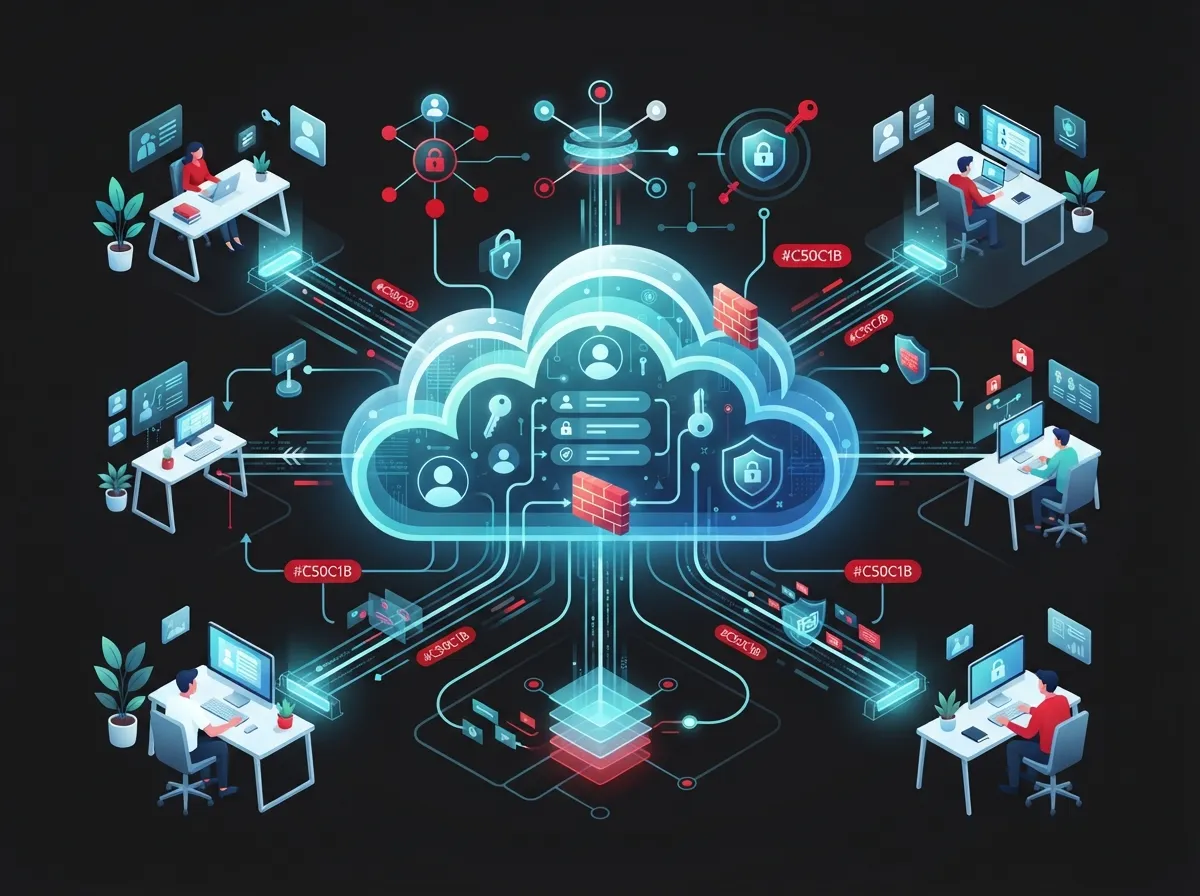
What Is Cloud Access Control Remote Access, Really?
Cloud access control remote access is a system that lets you manage who can enter your building, network, or business tools from anywhere. Instead of relying on physical keys or an on-site server, everything lives securely in the cloud. You log in from your phone or laptop, and you can lock doors, grant access, or check activity logs in seconds.
For business telecom and IT setups, this idea stretches even further. It also covers how your remote employees, contractors, and multiple office locations securely connect to your phone systems, internet, and business applications. Think of it as one smart layer of protection that watches over both your physical doors and your digital ones.
Why This Matters More Than Ever
More teams work remotely. More businesses run multiple locations. More sensitive data moves across cloud tools every single day. That means old-school security methods, like a single locked door or a basic password, just don’t cut it anymore.
The National Institute of Standards and Technology (NIST) has been pushing a smarter approach called zero trust. In simple terms, zero trust means nobody gets automatic access just because they’re on your network or have logged in before. Every single request gets checked again, based on who the person is, what device they’re using, and where they’re connecting from.
- Remote employees needing safe access to VoIP and hosted phone systems
- Contractors who need temporary building or network access
- Franchise owners managing multiple locations from one dashboard
- IT managers who need visibility across every office and every login
- Office managers tired of chasing down lost keys or fobs
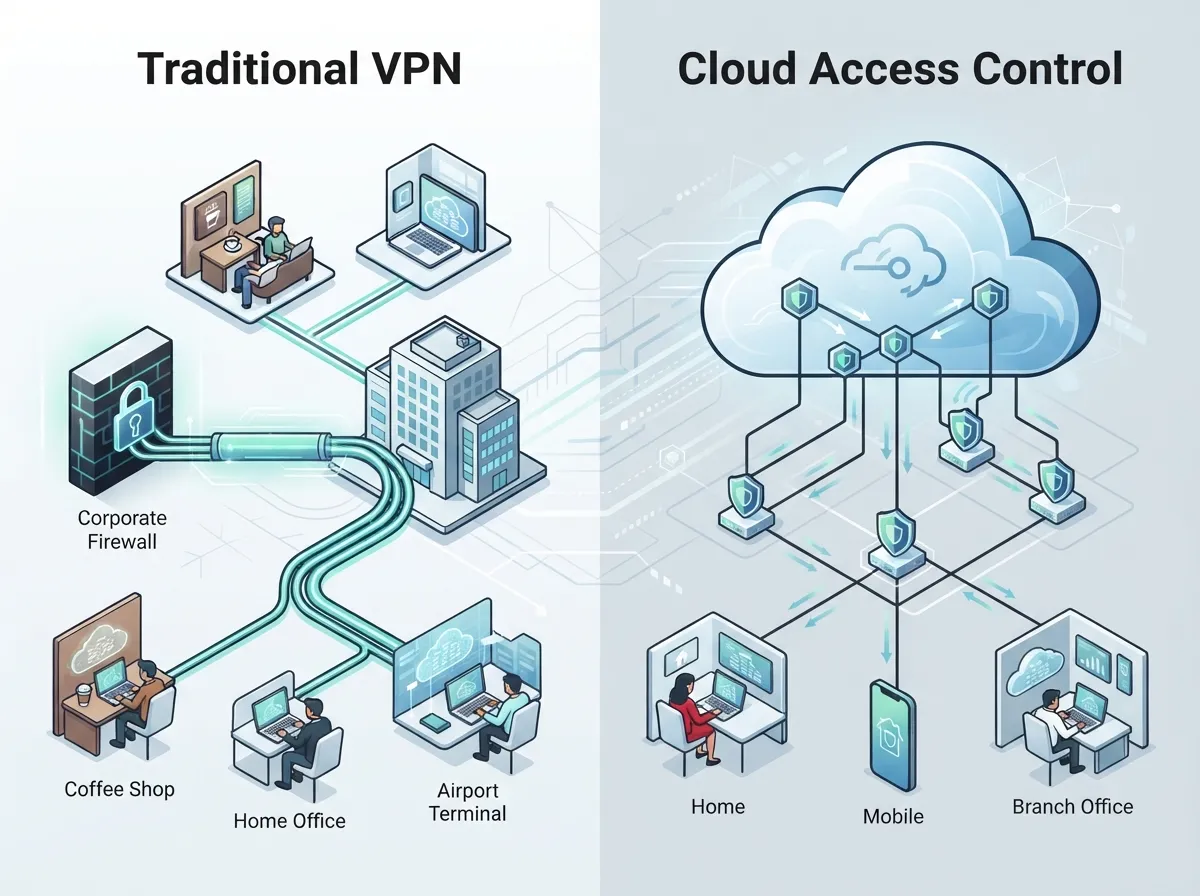
How Cloud Access Control Differs From a Traditional VPN
A lot of business owners assume a VPN is enough. It used to be the go-to solution, but VPNs come with real limitations, especially for growing companies.
A VPN typically puts a remote user broadly onto your company network. Once they’re in, they often have access to more than they actually need. Cloud access control, especially when built on zero-trust principles, works differently. It only opens the door to the exact resource someone needs, nothing more.
| Feature | Traditional VPN | Cloud Access Control (Zero Trust) |
|---|---|---|
| Access Scope | Broad network access | Specific app or resource access |
| Device Checks | Rarely verified | Continuously verified |
| Setup Complexity | Requires client software | Often browser-based, simpler setup |
| Risk of Lateral Movement | Higher | Much lower |
| Best For | Small, simple networks | Multi-location, hybrid, and cloud-first businesses |
This approach is sometimes called Zero Trust Network Access, or ZTNA. It’s quickly becoming the standard for businesses that care about strong, modern security without slowing down their team.
Core Building Blocks of a Strong Cloud Access Control System
You don’t need to become a security expert overnight. But it helps to know the basic pieces that make cloud access control remote access actually work.
- Identity and Access Management (IAM): This confirms who someone is before they get any access at all.
- Single Sign-On (SSO): One secure login gives employees access to approved tools, without juggling ten passwords.
- Multifactor Authentication (MFA): A second step, like a code sent to your phone, adds an extra layer of protection.
- Role-Based Permissions: Employees only see and access what fits their job. A sales rep doesn’t need access to your server room controls.
- Device Health Checks: The system checks if a device is safe and updated before letting it connect.
- Session Monitoring: Ongoing checks make sure a session stays safe, not just at login.
- Audit Logging: Every action gets recorded, so you always know who did what and when.
NIST’s Special Publication 800-207, first published in 2020, laid the groundwork for this zero-trust thinking. It was later expanded with SP 800-207A in September 2023, which focused specifically on access control for cloud-based applications across multiple locations and cloud environments. In 2025, NIST released even more detailed guidance in SP 1800-35, documenting 19 real-world zero-trust setups using tools already available on the market.
Protecting Your Business Phone and Communication Systems
Here’s where things get especially relevant for Business Telecom Solutions. Your phone system, contact center, and internal tools are just as important to protect as your front door.
Cloud access control remote access can secure things like:
- Hosted PBX and VoIP phone systems
- Contact center platforms and customer service tools
- SD-WAN connections between multiple offices
- SaaS applications your team uses daily
- Customer portals and private cloud workloads
- Network management dashboards used by IT teams
If you’re still relying on a traditional phone setup, it might be time to look into which cloud-based phone system is best for your business. A modern cloud phone system pairs naturally with cloud access control, giving your whole communication setup one strong layer of protection.
Keeping Remote Workers Safe and Productive
Remote work isn’t going anywhere. Your team needs safe, simple ways to dial into meetings, answer client calls, and access files from home, a coffee shop, or another office. Cloud access control makes sure that access stays secure without making your team jump through frustrating hoops.
Step-by-Step: How to Roll Out Cloud Access Control Remote Access
Ready to get started? Here’s a simple roadmap that works whether you’re a small Tampa shop or a multi-location franchise.
- Audit your current setup. List every system, door, and application your team accesses remotely.
- Identify your riskiest access points. Focus first on financial systems, customer data, and building entry points.
- Choose a cloud access control platform. Look for one that supports MFA, SSO, and role-based permissions.
- Integrate with your existing tools. A good solution should work with your identity directory, phone systems, and network infrastructure using standards like SAML, OAuth 2.0, and LDAP.
- Set clear access policies. Decide who gets access to what, and how often those permissions get reviewed.
- Train your team. Even the best system needs people who understand how to use it correctly.
- Test your failover plan. Make sure you have a backup plan if your internet or identity provider goes down.
- Review activity regularly. Use your audit logs to spot unusual behavior early.
If cabling and networking upgrades are part of your plan, our team can also help you understand how to plan network cabling installation alongside your new access control rollout.
Planning for Outages and Business Continuity
What happens if your internet drops or your identity provider has an outage? This is a question every business should ask before committing to any system.
A well-designed cloud access control setup should include:
- Redundant internet connections at critical locations
- Local failover options for essential doors and phone functions
- Clear, written procedures for outage scenarios
- Regional data center availability for faster recovery
- Encrypted backups of access policies and logs
Reliable, high-speed internet plays a huge role here too. If you haven’t reviewed your connection lately, check out these high-speed internet tips that save money while boosting reliability.
Supporting Contractors, Partners, and Multiple Locations
Franchise operators and mid-sized businesses often need to grant temporary or limited access to people outside their core team. Cloud access control makes this simple and safe.
You can:
- Set expiration dates on contractor access automatically
- Give partners access to only the specific tools they need
- Manage every location from a single, unified dashboard
- Apply consistent security policies company-wide
- Track activity across all sites without extra paperwork
This is especially valuable for franchise businesses managing scalable access control across multiple locations. One consistent system means less confusion and stronger security everywhere you operate.
What Security Features Should You Look For?
Not all cloud access control platforms are created equal. Here’s a quick checklist to guide your search.
| Feature | Why It Matters |
|---|---|
| Multifactor Authentication | Blocks most unauthorized login attempts |
| Encryption in Transit and at Rest | Protects data as it moves and while it’s stored |
| Continuous Policy Evaluation | Catches suspicious activity in real time |
| Device Health Verification | Stops compromised devices from connecting |
| Detailed Audit Logs | Gives you a clear trail for compliance and investigations |
| Anomaly Detection | Flags unusual login times or locations automatically |
NIST’s guidance highlights encryption, consistent authentication, device-health checks, and continuous policy evaluation as core pillars of a strong system. These aren’t just buzzwords. They’re proven practices that keep real businesses safe every day.
Common Mistakes Businesses Make With Remote Access
Even well-meaning teams stumble here. Watch out for these common missteps:
- Giving every employee full network access instead of role-based permissions
- Skipping MFA because it feels like an extra step
- Forgetting to remove access when someone leaves the company
- Ignoring device health, letting outdated or unsafe devices connect
- Having no backup plan if the internet or identity provider fails
Avoiding these mistakes doesn’t require a huge budget. It just requires a thoughtful, well-planned system, which is exactly where a trusted telecom partner can help.
Why Work With a Telecom and IT Partner for This?
Setting up cloud access control remote access touches your phones, your network, your cameras, and your building security all at once. That’s a lot to manage on your own, especially if you’re also running a business.
Ideal Solutions Provider has spent over 24 years helping Tampa businesses and companies nationwide simplify exactly this kind of project. With partnerships across 35+ vetted suppliers, the team compares your options honestly and builds a setup that fits your business, not a one-size-fits-all package. Whether you need help with structured cabling, VoIP integration, or a full cloud access control system, having one point of contact saves you time and stress.
You can also see real client stories and setups on their YouTube channel, or follow ongoing tips and updates on Facebook and Instagram.
A Quick Recap: Your Cloud Access Control Checklist
Before you wrap up your planning, run through this friendly checklist one more time.
- List every remote access point in your business
- Choose MFA and SSO as non-negotiable features
- Set role-based permissions for every employee
- Build a clear plan for outages or connectivity issues
- Integrate your phone systems and network under one policy
- Review your access logs on a regular schedule
- Partner with an experienced telecom provider for setup and support
Strong cabling and network infrastructure also make a real difference in how well your access control system performs day to day. Learn more about structured cabling and how it supports secure, reliable connections across your business.
Bringing It All Together
Cloud access control remote access isn’t just a tech upgrade. It’s peace of mind. It means you can travel, work from home, or open a new location without worrying about who has the keys or whether your systems are truly protected. It means your team can focus on serving customers instead of troubleshooting access problems.
Whether you’re a small Tampa business ready for your first upgrade, or a franchise operator managing sites across the country, the right cloud access control setup grows with you. And you don’t have to figure it all out alone.
Ready to build a safer, simpler way to manage remote access for your business? Reach out to our team today for a friendly, no-pressure consultation, or give us a call to talk through what your business actually needs. We’re here to help, and we genuinely can’t wait to hear from you.
FAQs
Q: What is cloud access control for remote business users?
A: It’s a cloud-based system that checks who someone is and what device they’re using before letting them access your phones, network, or building. It works from anywhere, so you can manage access even when you’re not on-site. Think of it as your security team that never sleeps, always double-checking before opening any door.
Q: How does cloud access control differ from a VPN?
A: A VPN usually gives someone broad access to your whole network once they log in, which can be risky. Cloud access control, especially with zero-trust design, only opens the specific app or resource someone actually needs. It’s a smarter, safer way to say yes to the right access and no to everything else.
Q: Is zero-trust network access better than a traditional VPN for telecom businesses?
A: For most growing businesses, yes, it really is. Zero-trust network access reduces the risk of someone moving freely through your systems if their credentials get compromised. It’s become the recommended approach by NIST for a good reason: it just works better for today’s hybrid and multi-location businesses.
Q: How can a business securely provide remote access to hosted PBX and VoIP systems?
A: Start with strong identity verification, like multifactor authentication, before anyone connects. Then layer in role-based permissions so employees only reach the tools they truly need. Pairing this with a trusted cloud phone system provider makes the whole setup much easier to manage.
Q: How should a company plan for outages with its cloud access control system?
A: Always have a backup plan for both your internet connection and your identity provider. This might include redundant internet circuits, local failover options for critical doors, and clear written steps your team can follow during an outage. A little planning now saves a lot of stress later.





